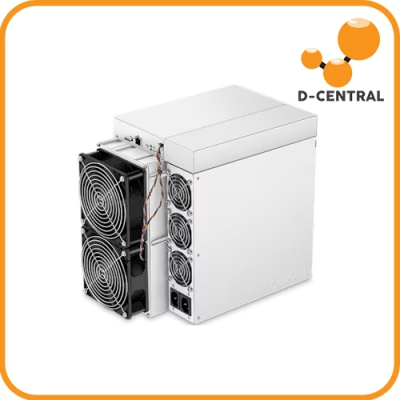
Your ASIC miner is a SHA-256 hashing machine. It does one thing — compute trillions of hashes per second in pursuit of a valid Bitcoin block. But that raw hashpower is worthless if it cannot communicate with the network. Every share your miner submits, every new block template it receives, every difficulty adjustment it processes — all of it flows through your network connection. A misconfigured network does not just slow you down. It costs you sats.
With Bitcoin’s hashrate now exceeding 800 EH/s and difficulty pushing past 110 trillion, the margins are tighter than ever. The block reward sits at 3.125 BTC after the 2024 halving. In this environment, every efficiency gain matters — and network optimization is one of the most overlooked advantages a home miner can exploit.
This guide breaks down exactly how ASIC miners interact with network bandwidth, how to configure your setup for maximum uptime and minimum latency, and how to secure it all against threats. Whether you are running a single Bitaxe on your desk or a rack of Antminers heating your basement via a Bitcoin space heater, the principles are the same.
How ASIC Miners Actually Use Your Network
There is a common misconception that Bitcoin mining requires enormous bandwidth. It does not. What it requires is consistent, low-latency connectivity. Understanding the difference is critical.
The Stratum Protocol: Your Miner’s Language
Modern ASIC miners communicate with mining pools using the Stratum protocol (and increasingly Stratum V2). This protocol is lightweight by design. Here is what actually flows over the wire:
- Job assignments: The pool sends your miner a new block template to work on. This is a small data packet — typically under 1 KB.
- Share submissions: When your miner finds a hash below the pool’s target difficulty, it submits a share. Again, a tiny packet.
- Difficulty adjustments: The pool periodically adjusts your miner’s target difficulty. A few bytes.
- Keep-alive pings: Heartbeat messages to maintain the connection. Negligible data.
A single ASIC miner — even a high-end Antminer S21 running at 200 TH/s — uses roughly 10-50 MB per day of bandwidth. That is less than streaming a single hour of video. Ten miners? Still under 500 MB daily. The bandwidth itself is trivial.
What is not trivial is latency. The time it takes for a share to travel from your miner to the pool server and back directly impacts your effective hashrate. High latency means stale shares — work your miner completed on an old block template that the pool has already moved past. Stale shares earn zero reward. They are wasted electricity.
The Real Bandwidth Killers
If individual miners barely use bandwidth, what actually strains a mining network? These factors:
- Firmware updates: Pushing new firmware to a fleet of miners can consume several GB depending on fleet size and image size.
- Monitoring dashboards: Web interfaces for each miner, plus centralized monitoring tools like Foreman or Awesome Miner, generate ongoing HTTP traffic.
- Blockchain node (if running one): A full Bitcoin node syncing or serving blocks uses 200+ GB for initial sync and 10-20 GB/month ongoing. If you solo mine, you need this.
- Competing traffic: Other devices on your home network — streaming, gaming, video calls — fighting your miners for bandwidth during peak hours.
Network Configuration for Home Mining Operations
The home miner has a massive advantage over industrial operations: simplicity. You do not need a data center network engineer. You need a solid foundation and a few smart configurations.
Wired Connections Are Non-Negotiable for Full ASICs
Every full-size ASIC miner must be connected via Ethernet. No exceptions. WiFi introduces variable latency, packet loss, and interference that directly translates to rejected and stale shares. A single Cat5e or Cat6 cable eliminates these problems entirely.
The exception is small open-source miners like the Bitaxe series, which connect via WiFi by design. These devices have low enough hashrate that the occasional stale share from WiFi latency is acceptable. But even for a Bitaxe, placing it close to your router or access point with strong signal will improve your results.
Static IP Addresses
Assign each ASIC miner a static IP address or a DHCP reservation on your router. Here is why:
- Consistent monitoring: You always know which IP corresponds to which physical machine.
- Firewall rules: Static IPs make it trivial to write precise firewall rules for your mining VLAN or subnet.
- Remote access: When you need to SSH into a miner’s control board or access its web UI, a static address means you never have to hunt for it.
Most ASIC miners default to DHCP. Access the miner’s web interface (find its current IP via your router’s client list or a network scanner like nmap or Angry IP Scanner), navigate to network settings, and assign a static IP within your subnet.
VLAN Segmentation: Isolate Your Miners
If your router or managed switch supports VLANs, segment your mining equipment onto its own virtual network. This is not just a nice-to-have — it is a security and performance measure.
- Security: Mining devices run embedded Linux with minimal security. Isolating them on their own VLAN prevents a compromised miner from accessing your personal devices, NAS, or home network.
- Traffic isolation: Mining traffic stays on its own segment, preventing contention with streaming, gaming, or work traffic.
- Broadcast containment: ASIC miners can be chatty on the network. A VLAN contains broadcast traffic so it does not flood your entire network.
A managed switch like the TP-Link TL-SG108E or Ubiquiti UniFi Switch Lite gives you VLAN support for well under $100. Worth every penny.
Bandwidth Optimization Strategies
Optimization is about eliminating waste and prioritizing what matters. For a mining network, the goal is simple: minimize latency for Stratum traffic and ensure your miners never lose their pool connection.
Quality of Service (QoS)
QoS rules tell your router which traffic gets priority when bandwidth is constrained. Configure your router to prioritize traffic from your miners’ IP addresses (or VLAN) above everything else. The specific steps vary by router, but the logic is universal:
- Identify your miners by IP range or VLAN tag.
- Create a high-priority QoS rule for traffic to/from common Stratum ports (typically 3333, 3334, 8332, or whatever your pool specifies).
- Set lower priority for bulk traffic like streaming and downloads.
This ensures that even when someone in your household starts a 4K stream, your miners’ share submissions get through without added latency.
Pool Selection and Geographic Proximity
The pool server you connect to matters enormously for latency. Choose a pool with servers geographically close to you. For Canadian miners, this typically means servers in Eastern US or Canada. Many pools offer multiple regional endpoints — always select the closest one.
Also consider Stratum V2 pools where available. Stratum V2 reduces the data transmitted per job, allows miners to construct their own block templates (a sovereignty win), and encrypts traffic by default. It is the future of mining communication.
Monitoring and Alerting
You cannot optimize what you do not measure. Set up monitoring that tracks:
- Miner uptime: Is each miner online and hashing? Simple ping monitoring catches dropped connections before they cost you hours of lost hashrate.
- Share acceptance rate: Your pool dashboard shows accepted vs. rejected vs. stale shares. A sudden spike in stale shares points to a network issue.
- Network latency: Tools like
pingandmtr(or WinMTR on Windows) show latency and packet loss to your pool server. Run these periodically or script them to log continuously. - Bandwidth utilization: Your router’s traffic graphs (or a tool like SNMP + Grafana) show whether you are hitting your connection’s limits.
For larger setups, tools like Foreman, Awesome Miner, or even a simple Grafana + Prometheus stack give you dashboards and alerting. For a single miner, checking the pool dashboard daily is sufficient.
Scaling Your Network: From One Miner to Many
Home mining often starts with one machine and grows. Here is how to think about scaling your network as your operation expands.
1-3 Miners: Keep It Simple
Plug into your existing router via Ethernet. Assign static IPs. No special hardware needed. Your standard home internet connection (50+ Mbps) handles this with zero strain. This is where most home miners operate — a couple of machines doubling as space heaters in the garage or basement.
4-10 Miners: Add a Managed Switch
Once you have more than a few miners, a managed switch gives you VLAN support, traffic monitoring, and enough ports to grow. An 8-port or 16-port managed gigabit switch costs between $30-$100 and is the single best network investment for a growing operation.
10+ Miners: Consider a Dedicated Network
At this scale, your mining operation should have its own network infrastructure — dedicated switch, possibly its own router or firewall appliance, and a VLAN or physically separate network from your home. You may also want a dedicated internet connection to prevent mining traffic from impacting household usage.
If you are scaling to this level, hosting your miners at a dedicated facility may make more sense. D-Central’s hosting facility in Montreal, Quebec provides industrial power rates, professional network infrastructure, and 24/7 monitoring — all the network optimization handled for you so you can focus on accumulating hashrate.
Security: Protecting Your Mining Network
Mining hardware is a target. Not for the hardware value itself, but because attackers can redirect your hashrate to their own pool address and collect the rewards. A compromised miner works just as hard — but for someone else’s wallet.
Threat Model for Home Miners
- Pool address hijacking: Malware or a compromised firmware image redirects your miner to an attacker-controlled pool. You keep paying for electricity. They collect the Bitcoin.
- Man-in-the-middle attacks: On unencrypted Stratum V1 connections, an attacker on your network (or between you and the pool) can intercept and modify share submissions.
- Firmware backdoors: Third-party or modified firmware can contain hidden mining redirects, keyloggers, or remote access tools. Only flash firmware from trusted sources.
- Lateral movement: A compromised miner on your home network can be used as a jumping-off point to attack your personal devices, steal credentials, or access your Bitcoin wallets.
Hardening Your Mining Network
- Change default credentials immediately. Every ASIC miner ships with default username/password (usually root/root or admin/admin). Change these before connecting to the internet. This is non-negotiable.
- VLAN isolation. As discussed above, put miners on their own VLAN with no access to your personal network.
- Firewall rules. Only allow outbound traffic from miners to your pool’s IP addresses on the required ports. Block everything else. This prevents hijacked miners from communicating with command-and-control servers.
- Verified firmware only. Download firmware exclusively from the manufacturer’s official site or trusted open-source repositories. Verify checksums when available.
- Encrypt your Stratum connection. Use Stratum V2 where supported, or tunnel Stratum V1 through a VPN/SSH tunnel to your pool if they support it.
- Disable UPnP on your router. Universal Plug and Play allows devices to open ports on your firewall without your permission. Miners do not need it, and it is a significant attack surface.
- Monitor pool dashboard for anomalies. If your reported hashrate on the pool suddenly changes, or if your miner connects to a different pool address, investigate immediately.
The Sovereignty Angle
Network security is not just about protecting your mining rewards — it is about sovereignty. The entire point of running your own miner is to participate in Bitcoin’s decentralized consensus without trusting a third party. A compromised network undermines that sovereignty. Taking the time to properly segment, firewall, and monitor your mining network is an act of self-sovereignty just as meaningful as running your own node.
Troubleshooting Common Network Issues
When your miner stops hashing or your rejection rate spikes, the network is often the culprit. Here is a systematic troubleshooting approach.
High Stale Share Rate
Symptoms: Pool dashboard shows elevated stale or rejected shares. Hashrate appears normal on the miner itself but pool-reported effective hashrate is lower.
Diagnosis: Run ping or mtr to your pool server. Look for packet loss or latency spikes above 100ms. Check if other devices on your network are consuming bandwidth during affected periods.
Fix: Implement QoS, switch to a geographically closer pool server, or move miners to a wired connection if on WiFi.
Miner Disconnects and Reconnects
Symptoms: Miner logs show repeated connection drops and re-establishments to the pool.
Diagnosis: Check the Ethernet cable and switch port. A damaged cable or failing switch port causes intermittent connectivity. Also check the miner’s error logs for DNS resolution failures — if your DNS server is slow or unreliable, the miner cannot resolve the pool’s hostname.
Fix: Replace cables, try a different switch port, and set your miner’s DNS to a reliable public DNS like 1.1.1.1 (Cloudflare) or 9.9.9.9 (Quad9). Better yet, run a local DNS resolver.
Zero Hashrate on Pool Dashboard
Symptoms: Miner appears to be running (fans spinning, LEDs active) but pool shows zero hashrate.
Diagnosis: Access the miner’s web interface. Check if the pool address and worker credentials are correctly configured. Verify the miner can reach the pool by checking its network status page or logs. Test connectivity with telnet pool.address port from a device on the same network.
Fix: Correct pool settings, verify your firewall is not blocking Stratum ports, and ensure your ISP is not blocking outbound connections on non-standard ports. Some ISPs throttle or block mining traffic.
If your hardware itself needs attention — failed hashboards, overheating chips, or control board issues — that is a different problem entirely. D-Central’s ASIC repair service handles everything from hashboard diagnostics to chip-level repair, getting your machines back to full hashrate so your optimized network has something to carry.
Network Considerations for Solo Mining
If you are solo mining — submitting blocks directly to the Bitcoin network rather than through a pool — your network requirements increase significantly.
Solo mining requires running a full Bitcoin node. Your miner connects to your local node, which constructs block templates and communicates with the Bitcoin peer-to-peer network. This means:
- Initial blockchain sync: Downloading and verifying the entire blockchain (~600+ GB) takes significant bandwidth and time.
- Ongoing peer connections: Your node maintains connections to 8-125 peers, relaying blocks and transactions. This consumes 10-20 GB/month.
- Block propagation speed: When you find a block, it needs to propagate to the network as fast as possible. Latency to well-connected peers directly impacts whether your block gets accepted or becomes an orphan.
For solo mining with open-source hardware like a Bitaxe, the stakes are different. You are playing the lottery — the odds of finding a block with a few hundred GH/s against the network’s 800+ EH/s are astronomically low, but the reward is an entire 3.125 BTC block. Every hash counts. And every hash that reaches the network faster has a marginally better chance of mattering.
Visit the D-Central shop for everything you need to start your solo mining journey — from Bitaxe miners to full ASIC rigs, power supplies, and accessories.
Conclusion
Network optimization for Bitcoin mining is not complicated, but it is non-negotiable. The principles are straightforward: use wired connections, minimize latency, isolate your mining traffic, secure your devices, and monitor everything. These are the same principles that apply to any serious infrastructure — because that is exactly what your home mining operation is.
The beauty of home mining is that you control every layer of the stack. You choose the hardware. You configure the network. You select the pool — or you run your own node and mine solo. Nobody can censor your transactions or prevent you from participating in Bitcoin’s consensus mechanism. But that sovereignty comes with responsibility. A poorly configured network undermines the very independence you are trying to achieve.
Get the network right, and your miners will do what they were built to do — relentlessly hash, 24/7, converting electricity into the hardest money humanity has ever created.
FAQ
How much bandwidth does a single ASIC miner actually use?
A single ASIC miner typically uses 10-50 MB of bandwidth per day. The Stratum protocol used for pool communication is extremely lightweight — job assignments and share submissions are measured in kilobytes. The real concern is not bandwidth volume but latency and connection reliability.
Can I mine Bitcoin over WiFi?
Full-size ASIC miners should always use wired Ethernet connections. WiFi introduces variable latency and packet loss that directly causes stale and rejected shares. Small open-source miners like the Bitaxe are designed for WiFi operation, and their lower hashrate makes occasional stale shares from WiFi acceptable. For any full-size ASIC, use a cable — no exceptions.
What internet speed do I need for Bitcoin mining?
Even a basic 10 Mbps connection is sufficient for a handful of ASIC miners. The bottleneck is never raw bandwidth — it is latency (response time) and reliability (consistent uptime). A stable 25 Mbps connection with low latency will outperform an unstable 1 Gbps connection for mining purposes.
Does using a VPN affect my mining performance?
A VPN adds a small amount of latency to every packet because traffic is routed through an additional server. For pool mining, this added latency (typically 10-50ms) is usually acceptable. If you are solo mining and propagating blocks, every millisecond matters — in that case, a direct connection to well-peered Bitcoin nodes is preferable over a VPN.
What is Stratum V2 and should I use it?
Stratum V2 is the next generation of the mining communication protocol. It offers encrypted connections (protecting against man-in-the-middle attacks), reduced data usage, and the ability for miners to construct their own block templates — a major sovereignty upgrade. If your pool and mining firmware support Stratum V2, you should absolutely use it.
How do I know if my network is causing mining problems?
Check your pool dashboard for elevated stale or rejected shares — this is the primary symptom of network issues. Run a traceroute or mtr command to your pool server to identify latency spikes or packet loss. If your miner frequently disconnects and reconnects to the pool, suspect your Ethernet cable, switch port, or internet connection stability.
Should I run a full Bitcoin node alongside my miner?
Running a full node is required for solo mining and strongly recommended for any serious Bitcoin participant regardless of mining. A node verifies all transactions independently without trusting any third party — the ultimate expression of “don’t trust, verify.” It requires approximately 600+ GB of storage and 10-20 GB/month of bandwidth. For pool mining, a node is not technically required but is encouraged for sovereignty reasons.