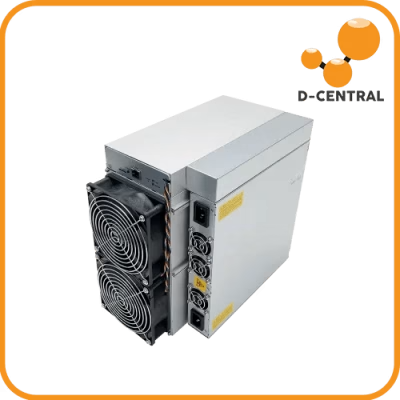
Your ASIC miner is not a consumer appliance. It is a purpose-built machine running SHA-256 computations billions of times per second, converting electricity into hashrate, and hashrate into the security that underpins the entire Bitcoin network. At over 800 EH/s of global hashrate and a block reward of 3.125 BTC, every terahash you contribute matters. Every hash counts. But only if your machine is actually running.
The difference between a profitable mining operation and an expensive paperweight often comes down to one thing: maintenance. Not the kind where you call a technician and wait. The kind where you understand your own hardware, diagnose problems before they become catastrophic, and keep your machines hashing when others are shipping theirs off for repair.
This is the Mining Hacker approach to ASIC maintenance. We have been repairing miners at D-Central Technologies since 2016 — thousands of hashboards, control boards, and power supplies across every major manufacturer. What follows is the distilled knowledge of nearly a decade in the trenches.
Why ASIC Maintenance Is Non-Negotiable
ASIC miners are industrial machines running in conditions that would destroy most electronics. They operate 24/7 at sustained temperatures that push thermal limits, pull hundreds of watts through power delivery circuits, and move enormous volumes of air through fans that spin at thousands of RPM. This is not a laptop sitting on a desk. This is controlled violence against silicon, and without proper maintenance, the silicon loses.
The Real Cost of Neglect
A neglected ASIC does not simply slow down — it degrades in ways that compound over time. Dust accumulation restricts airflow, raising ambient board temperatures by 10-15°C. Higher temperatures accelerate electromigration in the ASIC chips themselves, permanently degrading their ability to hash at rated speeds. Thermal cycling from power interruptions stresses solder joints, eventually cracking BGA connections on hashboard chips. By the time you notice a hashboard dropping offline, the damage has been accumulating for months.
Consider the economics. A single Antminer S21 hashboard producing 60+ TH/s represents a significant portion of that machine’s total output. Lose one hashboard to preventable thermal damage, and you have effectively thrown away a third of your investment. Multiply that across a fleet of machines, and the numbers become staggering. Repair is almost always cheaper than replacement — but prevention is cheaper than both.
The Decentralization Argument
There is a broader reason to care about maintenance that goes beyond your personal bottom line. Every home miner who keeps their machines running contributes to the geographic distribution of hashrate. Every machine that goes offline because of preventable maintenance failures is hashrate that concentrates further into large industrial operations. If you believe in the decentralization of Bitcoin mining — and if you are reading this, you probably do — then keeping your hardware healthy is not just good economics. It is an act of sovereignty.
Understanding Your Hardware: Anatomy of an ASIC Miner
Before you can diagnose problems, you need to understand what you are looking at. Every ASIC miner, whether it is an Antminer, Whatsminer, or Avalon, shares the same fundamental architecture.
The Hashboards
Hashboards are the heart of the machine. Each board contains dozens to hundreds of ASIC chips — the actual silicon doing the SHA-256 computations. These chips are connected in a serial chain, with voltage domains carefully regulated across the board. Power enters through large copper bus bars or thick PCB traces, and each chip receives a precisely regulated voltage (typically 0.3-0.5V per chip, depending on the generation). Between the chips and the PCB sit BGA (Ball Grid Array) solder connections — microscopic balls of solder that form both the electrical and mechanical bond. These are the most failure-prone points on the entire board.
The Control Board
The control board is the brain. It runs the firmware, communicates with your mining pool, distributes work to the hashboards, and monitors temperatures and fan speeds. Modern control boards run embedded Linux and communicate with hashboards via serial interfaces. When your miner’s web interface reports chip temperatures, frequency settings, and hashrate per board, that data flows through the control board.
The Power Supply
The PSU converts AC mains power to the low-voltage, high-current DC that hashboards demand. A modern ASIC PSU outputs 12V at 200+ amps — that is over 3,000 watts flowing through connectors and cables that must be in perfect condition. A loose connector or corroded pin at these current levels generates heat, which accelerates corrosion, which generates more heat. This positive feedback loop is responsible for a significant percentage of the burned connectors and melted cables we see in our repair shop.
The Cooling System
Fans move air across heatsinks bonded to ASIC chips. The thermal interface between chip and heatsink — whether thermal paste, thermal pads, or direct copper bonding — is critical. Air-cooled miners rely entirely on this thermal path to keep chips within safe operating temperatures. When heatsinks become clogged with dust or thermal paste dries out (which happens over 12-18 months of continuous operation), chip temperatures rise and the machine throttles or shuts down.
Core Diagnostic Techniques
Diagnosing ASIC issues is part science, part pattern recognition. The best technicians develop an intuition for common failure modes, but that intuition is built on systematic diagnostic processes.
Visual Inspection: The First Pass
Before you power anything on or reach for a multimeter, look at the hardware. A surprising number of issues are visible to the naked eye:
- Burned or discolored components — Brown or black spots on the PCB indicate thermal events. Check the area around voltage regulators and power connectors first.
- Swollen capacitors — Electrolytic capacitors with domed tops have failed and need replacement.
- Corrosion — Green or white deposits on connectors or PCB traces indicate moisture exposure. Common in humid environments or miners that were stored improperly.
- Cracked solder joints — Under magnification, look for hairline cracks around BGA chip packages and large through-hole components.
- Dust accumulation patterns — Heavy dust buildup in specific areas reveals airflow dead zones where temperatures run highest.
- Fan blade damage — Chipped or cracked fan blades reduce airflow efficiency and can cause vibration that accelerates wear on bearings.
Functional Testing: Let the Machine Talk
Power the miner and observe its behavior. The kernel log and the miner’s web interface are your primary diagnostic windows:
- Boot sequence — Does the machine complete its boot process? A machine stuck in a boot loop often indicates a control board issue or corrupted firmware.
- Hashboard detection — Are all hashboards detected? Missing boards could indicate a failed board, a bad ribbon cable, or a communication issue on the serial chain.
- Chip count — Compare the detected chip count against the expected count for your model. Missing chips indicate dead ASIC chips or broken serial chains on the hashboard.
- Hashrate stability — Run the machine for 30-60 minutes and watch the hashrate graph. Erratic hashrate with frequent dips suggests thermal throttling, unstable power delivery, or dying chips.
- Temperature spread — Check the temperature delta between chips on the same board. A spread of more than 15-20°C across a single hashboard suggests uneven thermal paste application, a partially blocked heatsink, or a failing chip drawing excessive current.
- Error rates — Hardware errors (HW errors) in the miner’s status page indicate chips producing incorrect hashes. A small number is normal. A rapidly climbing HW error count points to a chip-level problem.
Power Analysis: Follow the Electrons
A multimeter is the most fundamental diagnostic tool in ASIC repair. Here is what to measure and why:
- PSU output voltage — Measure DC output at the PSU terminals. It should be stable within the manufacturer’s specification (typically 12V +/- 5%). Voltage sag under load indicates a failing PSU.
- Voltage domain measurements — Each hashboard has test points for individual voltage domains. Measure these against known-good values for your specific model. An out-of-spec domain points to a failed voltage regulator or shorted ASIC chip within that domain.
- Current draw — If you have a clamp meter, measure the DC current draw of each hashboard. Significantly lower current than expected means chips are not working. Significantly higher current suggests a short circuit.
- Resistance checks — With the machine powered off and disconnected, measure resistance across power input pins of each hashboard. Compare against known-good values. Abnormally low resistance indicates a short; abnormally high resistance indicates an open circuit (broken trace or failed component).
Thermal Diagnostics
A thermal camera or infrared thermometer reveals what software temperature sensors cannot — the full thermal picture of the board. Dead chips often appear as cold spots (not drawing current, not generating heat) while failing chips may appear as hot spots (drawing excessive current). Thermal imaging after 10-15 minutes of operation gives you a reliable map of board health.
Advanced Diagnostic Equipment
Beyond the basics, professional ASIC repair requires specialized tools. These are the instruments that separate a home tinkerer from a technician who can diagnose and repair at the component level.
Oscilloscopes
An oscilloscope lets you see electrical signals as waveforms over time. In ASIC diagnostics, this is essential for examining clock signals, communication buses between chips, and power supply ripple. A noisy clock signal or excessive ripple on a voltage rail will cause intermittent hash errors that are invisible to a multimeter’s steady-state measurement.
Hashboard Test Fixtures
Professional repair shops use dedicated test fixtures — jigs that interface directly with hashboards, providing controlled power and communication independent of the miner’s own control board and PSU. These fixtures can run automated test sequences, identify the exact position of failed chips in the serial chain, and verify repairs before reassembly. If you are doing volume repair work, a proper test fixture is not optional.
Hot Air Rework Stations and Soldering Equipment
BGA rework — removing and replacing ASIC chips — requires precise temperature control. Hot air rework stations with programmable temperature profiles allow technicians to reflow or replace BGA packages without damaging surrounding components. This is where the real component-level repair happens: reflowing cold solder joints, replacing failed ASIC chips, swapping voltage regulators, and reworking damaged traces.
Logic Analyzers
When communication between the control board and hashboards fails, a logic analyzer captures and decodes the serial communication protocol. This reveals whether the issue is on the transmitting side (control board), the receiving side (hashboard), or somewhere in the chain of chips relaying the signal.
Preventative Maintenance: The Schedule That Saves You Money
The best repair is the one you never need. Here is a practical preventative maintenance schedule based on what we see come through our repair shop most frequently.
Monthly Tasks
- Check fan operation — Listen for bearing noise (grinding, clicking, squealing). Replace fans at the first sign of bearing failure. A seized fan can overheat a hashboard in minutes.
- Monitor hashrate trends — Log your daily average hashrate. A gradual decline over weeks indicates developing issues before they become critical.
- Inspect power connections — Look for discoloration or heat damage on PSU connectors, hashboard power cables, and the mains power cord.
- Check ambient conditions — Verify your operating environment stays within acceptable temperature (5-40°C) and humidity (10-70% RH) ranges.
Quarterly Tasks
- Compressed air cleaning — Power off the machine and blow compressed air through the heatsinks and fan assemblies. Do this outdoors or in a well-ventilated area. The amount of dust that comes out of a miner after three months will surprise you.
- Firmware check — Verify you are running the latest stable firmware for your model. Firmware updates often include thermal management improvements and chip utilization optimizations.
- Full chip count audit — Compare current chip counts against baseline. Document any changes.
- Connection torque check — If your miner uses bolted power connections, verify torque on all terminals. Thermal cycling can loosen connections over time.
Annual Tasks
- Thermal paste replacement — After 12-18 months of continuous operation, thermal paste degrades significantly. Replacing it can drop chip temperatures by 5-15°C and restore lost hashrate from thermal throttling.
- Full disassembly and deep clean — Remove hashboards, clean all connectors with contact cleaner, inspect for corrosion or damage that is not visible when assembled.
- PSU load test — Test the PSU under full load and verify voltage stability. PSU capacitors degrade over time, and a PSU that was marginal when new may be out of spec after a year of continuous use.
- Fan replacement — Even if fans still work, consider proactive replacement annually. Fan bearings have a finite lifespan, and a failed fan during a heat wave can destroy a hashboard before you notice.
Home Mining Environment Best Practices
For home miners — and that is most of you reading this — the operating environment is just as important as the hardware itself. Industrial mining farms have dedicated HVAC systems, filtered air intake, and redundant power. You probably have a garage, a basement, or a spare room. Here is how to make it work.
Airflow and Ventilation
An ASIC miner is essentially a space heater that also mines Bitcoin. A single modern ASIC produces 3,000+ watts of heat — roughly equivalent to a large electric heater. You must have a plan for where that heat goes. Ducting exhaust air outside in summer and into living spaces in winter is the mining-as-heating approach that makes home mining economically viable in many climates. Canada’s cold winters make this strategy particularly effective — your miner pays for itself by replacing your electric heater.
Power Infrastructure
Run dedicated circuits for your miners. A single 240V/30A circuit provides roughly 5,500 watts of clean, dedicated power. Never share circuits with other high-draw appliances. Use a quality surge protector rated for the wattage you are pulling, and if you are in an area with unstable grid power, consider a UPS for clean shutdown protection (not runtime — no consumer UPS can sustain an ASIC’s power draw for meaningful duration).
Dust Management
If your miner draws air from an unfiltered environment, add intake filters. Even basic furnace filters on the intake side of your mining area dramatically reduce dust accumulation inside the machines. Clean or replace filters monthly, and you will significantly extend the interval between internal cleanings.
When to Call in the Professionals
Not every repair is a DIY job. Here is where the line falls:
You can handle: Fan replacement, compressed air cleaning, thermal paste replacement, firmware updates, basic power measurements, connector inspection and cleaning.
Call a professional for: BGA rework (chip replacement), hashboard trace repair, voltage regulator replacement, control board component-level repair, and any situation where you have identified a failed component but lack the rework equipment to replace it safely.
When choosing a repair service, look for experience with your specific manufacturer and model. ASIC repair is not generic electronics repair — each generation of machine has its own failure modes, test points, and quirks. A shop that has repaired hundreds of your specific model will diagnose it faster and more accurately than a general electronics repair shop seeing one for the first time. D-Central has been doing this since 2016, with dedicated repair expertise across Bitmain, MicroBT, Canaan, and more.
The Mining Hacker Mindset
Understanding your hardware is not just about saving money on repairs. It is about sovereignty. When you can diagnose your own machine, you do not depend on anyone else to keep your hashrate online. You do not ship your miner away for weeks waiting for a repair. You do not pay someone to clean dust out of a heatsink.
The same spirit that drives home miners to run their own nodes, choose their own pools, and contribute to decentralization is the spirit that drives learning how your hardware works at a fundamental level. Institutional miners have teams of technicians. You have knowledge, tools, and the willingness to crack open the case and figure it out.
That is what it means to be a Bitcoin Mining Hacker. That is what D-Central has been about since 2016 — taking institutional-grade mining technology and making it accessible to individuals who believe that decentralized mining is not just an ideal but a necessity for Bitcoin’s long-term health.
Keep your machines clean. Keep your firmware current. Keep your hashrate online. Every hash counts.
Frequently Asked Questions
What is the most common cause of ASIC miner failure?
Thermal damage from inadequate cooling is the number one cause we see in our repair shop. This includes dust-clogged heatsinks, dried-out thermal paste, failed fans, and operation in environments with insufficient ventilation. All of these are preventable with regular maintenance. The second most common cause is power-related — burned connectors from loose connections and PSU degradation from capacitor aging.
How often should I clean my ASIC miner?
At minimum, quarterly. If your mining environment is dusty (garage, workshop, unfinished basement), monthly cleaning with compressed air is recommended. Adding intake filters to your mining area can extend cleaning intervals significantly. Full disassembly and deep cleaning should happen annually.
Is it worth repairing an older ASIC miner or should I replace it?
This depends on the specific failure and the miner’s efficiency relative to your electricity cost. A hashboard repair that restores 30+ TH/s for a few hundred dollars is almost always worth it, even on older machines — especially if you use the miner as a space heater where electrical efficiency matters less. Replacing the entire machine only makes sense when the repair cost approaches the price of a more efficient replacement unit and your electricity cost makes the older machine unprofitable.
What tools do I need for basic ASIC maintenance at home?
Start with a quality digital multimeter, a can of compressed air (or an electric air blower for regular use), thermal paste (Arctic MX-4 or similar non-conductive paste), a set of precision screwdrivers, and an anti-static wrist strap. For more advanced diagnostics, add a thermal camera (even a phone-attached module works) and a clamp meter for current measurements. Total investment for a basic toolkit is under $150.
Can I replace ASIC chips myself?
ASIC chip replacement requires BGA rework equipment — a hot air rework station with precise temperature control, flux, solder paste, stencils, and significant practice. It is not a beginner task. A botched BGA rework can damage the PCB traces under the chip, turning a repairable board into scrap. If you want to learn, practice on dead boards first. For production machines, send it to a professional repair service.
How do I know if my PSU is failing?
Symptoms of a failing PSU include: hashrate instability under load, voltage readings outside the manufacturer’s specified range (measure at the PSU output terminals under load), audible buzzing or whining from the PSU, the miner restarting unexpectedly, and visible damage such as swollen capacitors or burnt smell. A failing PSU can also damage hashboards, so do not ignore early warning signs.
What should I look for when choosing an ASIC repair service?
Look for: specific experience with your miner model and manufacturer, transparent pricing before work begins, a warranty on repairs, the ability to do component-level work (not just board swaps), and a track record in the mining community. Avoid shops that only offer board replacement without attempting repair — that is parts swapping, not repair. D-Central Technologies has been providing professional ASIC repair since 2016 with expertise across all major manufacturers.
Does thermal paste really make that big a difference?
Yes. We routinely see 5-15°C temperature drops after thermal paste replacement on machines that have been running for 12+ months. On machines that were thermal throttling, this translates directly to recovered hashrate — sometimes 10-20% of rated performance. Fresh thermal paste is one of the highest-ROI maintenance tasks you can perform on any ASIC miner.