Your ASIC miner is not a set-and-forget appliance. It is a precision-engineered SHA-256 hashing machine running billions of computations per second, dissipating hundreds of watts of thermal energy, and operating in conditions that would destroy most consumer electronics within weeks. Without a deliberate maintenance plan, you are not mining Bitcoin — you are slowly destroying expensive hardware.
At D-Central Technologies, we have been repairing, modifying, and deploying ASIC miners since 2016. Our ASIC repair lab has processed thousands of units — Antminers, Whatsminers, Avalons, and everything in between. The single most common pattern we see in failed hardware is not a manufacturing defect. It is neglected maintenance. Dust-clogged heatsinks, dried thermal compound, corroded connectors, and firmware left years behind the current release. Every one of these failures was preventable.
This guide is the maintenance bible for Bitcoin miners who take their hashrate seriously. Whether you are running a single Bitaxe on your desk or a rack of S21s in your garage, the principles are the same: clean it, cool it, update it, inspect it. Your miner rewards you with sats. Reward it with proper care.
Why Maintenance is Non-Negotiable in 2026
Bitcoin’s network hashrate has surged past 800 EH/s. Difficulty sits above 110 trillion. The block reward after the April 2024 halving is 3.125 BTC. Every single terahash matters more now than it ever has. A miner running at 90% efficiency due to thermal throttling or dust buildup is leaving sats on the table — sats that your competitors are gladly collecting.
The math is brutally simple. If your Antminer S19 XP is rated at 140 TH/s but thermal issues have it throttled down to 125 TH/s, you have lost 10.7% of your hashrate. Over a year, that degradation compounds into significant lost revenue. And that is before you account for the increased power draw from fans spinning harder to compensate for clogged airflow paths, or the shortened lifespan of components running hotter than their thermal design specifications.
Maintenance is not a cost center. It is hashrate preservation. It is the difference between a miner that runs for five years and one that dies in eighteen months.
The Five Pillars of ASIC Miner Maintenance
After nearly a decade of hands-on experience across every major ASIC platform, we have distilled effective maintenance into five core pillars. Skip any one of them and you are building on a compromised foundation.
1. Dust and Debris Management
Dust is the silent killer of ASIC miners. Every ASIC pulls massive volumes of air through its chassis — an Antminer S19 series unit moves roughly 250 CFM. That airflow carries dust, pet hair, pollen, and particulate matter directly onto heatsink fins, fan blades, hashboard components, and control board connectors.
When dust accumulates on heatsink fins, it acts as thermal insulation. Heat that should be carried away by airflow gets trapped against the ASIC chips. The result is thermal throttling, reduced hashrate, and accelerated electromigration in the silicon — the physical process that eventually kills chips permanently.
What to do:
- Blow out your miners with compressed air every 2-4 weeks, depending on your environment. Dusty basements and garages need more frequent cleaning than dedicated server rooms with filtered intake.
- Always blow air in the same direction as the miner’s designed airflow path (intake to exhaust) to push debris out rather than deeper in.
- Remove the top cover and inspect hashboards quarterly. Look for dust buildup between chip heatsinks where compressed air alone cannot reach.
- For stubborn accumulation, use a soft anti-static brush. Never use a vacuum cleaner directly on circuit boards — the static discharge risk is real.
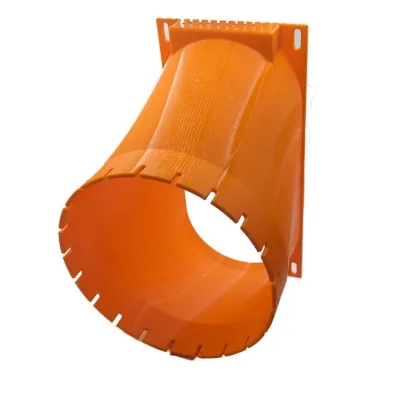
- If you are running miners in a home environment, consider Bitcoin space heaters with proper shrouds and duct adapters that channel airflow through filtered pathways.
2. Thermal Management and Cooling
ASIC chips are designed to operate within specific thermal envelopes. Bitmain’s BM1397 (S19 series) targets junction temperatures around 75-85 degrees Celsius. Push beyond that consistently and you accelerate degradation. Push past 95 degrees and you risk immediate chip failure.
Thermal management goes beyond just keeping things cool. It is about maintaining consistent, predictable temperatures across all chips on all hashboards.
Critical thermal maintenance tasks:
- Fan inspection: Check fan RPM readings in your miner’s dashboard. A fan running significantly slower than its siblings is failing and needs replacement before it dies completely, taking hashboard temperatures with it.
- Thermal compound replacement: The thermal interface material (TIM) between ASIC chips and heatsinks degrades over time. On miners running 24/7, plan to replace thermal compound every 12-18 months. Use quality thermal paste — this is not the place to save a few dollars.
- Ambient temperature monitoring: Your intake air temperature directly affects chip temperatures. Canadian miners have a natural advantage here — our cold winters are free cooling. But summer months in poorly ventilated spaces can push ambient temps past 35 degrees Celsius, and that is when thermal throttling hits hard.
- Airflow path integrity: Ensure nothing blocks intake or exhaust. Miners placed against walls, stacked too close together, or buried under cables create airflow restrictions that raise temperatures across the board.
3. Firmware and Software Updates
Running outdated firmware on your ASIC miner is like running an unpatched operating system on a server exposed to the internet. It is a risk on multiple fronts: performance, stability, and security.
Manufacturer firmware updates frequently include:
- Hashrate optimizations: Bitmain, MicroBT, and Canaan regularly release firmware that squeezes additional efficiency from existing hardware through improved voltage regulation and chip frequency management.
- Bug fixes: Firmware bugs can cause hashboards to drop offline, fans to behave erratically, or the miner to crash and reboot in loops. Updates resolve these issues.
- Security patches: Vulnerabilities in miner firmware have been exploited in the wild to redirect hashrate to attacker-controlled pools. Keep your firmware current.
- New pool protocol support: As Stratum V2 adoption grows and solo mining gains traction, firmware updates enable compatibility with newer, more efficient mining protocols.
Best practice: Check for firmware updates monthly. Read the changelog before applying. Flash one unit first and verify stable operation for 24-48 hours before rolling out to your entire fleet. Always keep a backup of your current firmware in case a rollback is needed.
4. Electrical and Connection Integrity
This is the maintenance pillar that most home miners overlook entirely — and it is responsible for some of the most catastrophic failures we see in our repair lab.
ASIC miners draw significant current. An Antminer S19 XP pulls around 3,000 watts. That current flows through power supply connectors, hashboard data cables, and PCB traces. Every connection point is a potential failure.
What to inspect:
- Power connectors: Look for discoloration, melting, or carbon deposits on PSU-to-hashboard connectors. A loose or corroded connection creates resistance, which creates heat, which creates more resistance — a thermal runaway that can destroy connectors and hashboards.
- Data cables: The flat ribbon cables connecting hashboards to the control board can work loose from vibration over time. Reseat them during quarterly inspections.
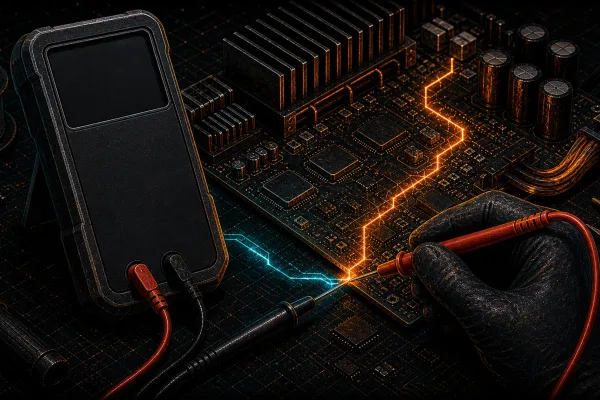
- PSU health: Listen for unusual buzzing or clicking from your power supply. Check voltage rails with a multimeter if you have one — deviation beyond the specified tolerance indicates a PSU that needs replacement before it takes hashboards with it.
- Grounding: Ensure your miners are properly grounded. Static discharge and ground faults can damage control boards instantly.
5. Environmental Control
Your mining environment is not just where your miners live. It is an active participant in their health and performance.
Key environmental factors:
- Humidity: Ideal relative humidity for ASIC operations is 40-60%. Below 30% increases static discharge risk. Above 70% promotes corrosion on exposed circuit board traces and connector pins.
- Air quality: If your mining space shares air with a workshop, kitchen, or area where chemicals are used, particulate and chemical contamination can accelerate corrosion. Consider intake air filtration.
- Vibration: Miners generate vibration from high-speed fans. Over months and years, this vibration can loosen connections, crack solder joints, and fatigue mechanical components. Use vibration-dampening pads under your miners.
- Pests: Insects and rodents are attracted to the warmth of mining equipment. We have repaired miners with cockroach infestations, mouse nests in PSU housings, and spider webs clogging heatsink arrays. Seal your mining space and inspect regularly.
Building Your Maintenance Schedule
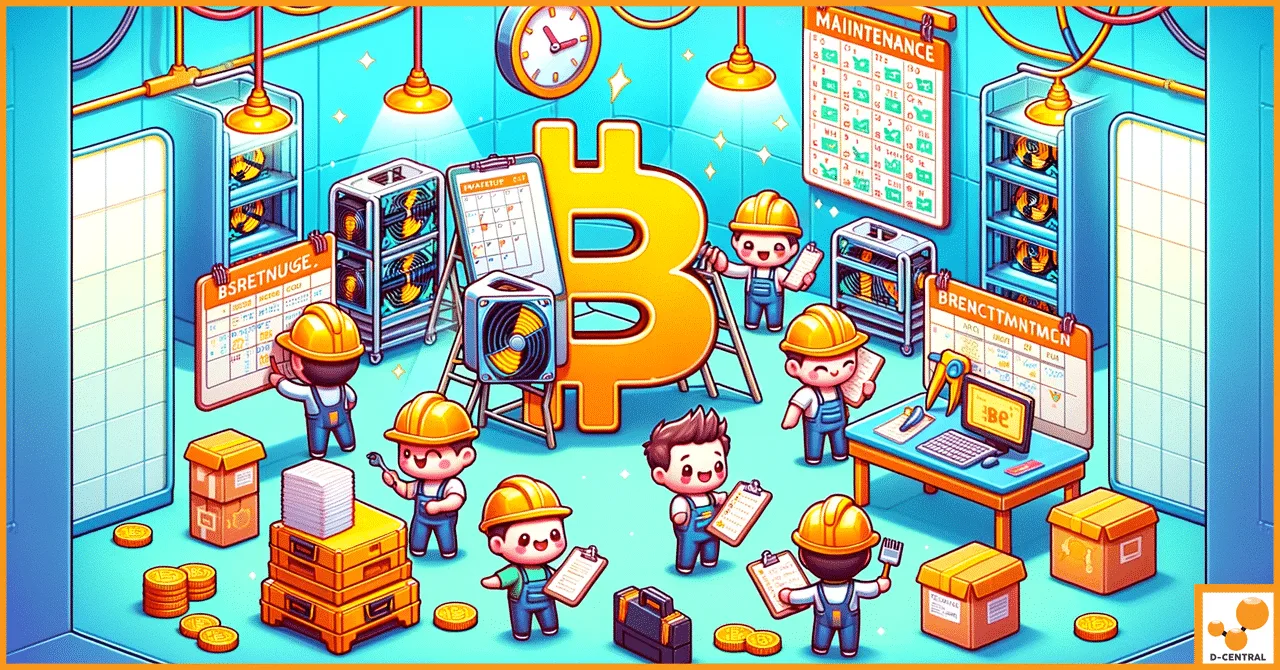
Consistency beats intensity. A lightweight maintenance routine performed reliably is worth far more than an annual deep-clean followed by eleven months of neglect. Here is the schedule we recommend based on years of operational experience.
Daily (2 Minutes)
- Check your mining dashboard for hashrate anomalies, temperature spikes, and fan speed warnings
- Listen briefly for unusual sounds — rattling fans, clicking PSUs, or high-pitched whines from hashboards
- Verify all units are online and hashing at expected rates
Weekly (15 Minutes)
- Review hashrate trends over the past seven days — look for gradual decline that indicates developing issues
- Check ambient temperature and humidity in your mining space
- Inspect intake and exhaust areas for obstructions
Monthly (1 Hour)
- Compressed air blowout of all miners
- Check for firmware updates from manufacturers
- Inspect power cables and connectors for wear, discoloration, or heat damage
- Clean or replace intake air filters if installed
- Review power consumption data — increasing watts for the same hashrate signals developing thermal or electrical issues
Quarterly (Half Day)
- Remove covers and inspect hashboards visually for dust buildup, component discoloration, or physical damage
- Reseat all data ribbon cables and power connectors
- Test fan speeds and replace any fans showing degraded performance
- Verify grounding and electrical connections
- Check PSU voltage rails if equipped with a multimeter
Annually (Full Day)
- Full thermal compound replacement on all hashboards
- Deep cleaning with isopropyl alcohol for stubborn residue
- Complete fan replacement on high-hour units (fans are consumable — budget for them)
- Comprehensive firmware audit and update
- Evaluate whether aging units should be retired, repurposed as space heaters, or sent for professional repair
When to Call in Professional Repair
Maintenance and repair are different disciplines. Maintenance is what you do to prevent failures. Repair is what happens when prevention was not enough — or when a component fails despite your best efforts.
Know the boundary. If you encounter any of the following, it is time to send the unit to a professional repair facility:
- Hashboard producing zero hashrate despite firmware and connection checks — likely a dead ASIC chip or blown voltage domain
- Visible burn marks or melted components on hashboards or control boards
- Persistent temperature errors on specific chip positions that do not resolve with thermal compound replacement
- Control board failures — boot loops, no network connectivity, or corrupted NAND
- PSU output voltage out of spec even under light load
D-Central’s ASIC repair service covers every major manufacturer — Bitmain, MicroBT, Innosilicon, Canaan, and Halong Mining — with model-specific expertise across 38+ ASIC platforms. We diagnose at the component level, replace individual ASIC chips, reball BGA packages, and restore hashboards that other shops would write off as scrap.
Maintenance for Home Miners and Small Operations
If you are running one to ten miners at home, your maintenance reality is different from a data center operation — but the principles are identical. The stakes are actually higher per unit because you likely do not have hot-spare replacements sitting on a shelf.
Home miners should pay special attention to:
- Noise and heat integration: If you are using your miner as a space heater (and you should be — check out our Bitcoin space heater lineup), proper ductwork and shrouding serves double duty: it directs heat where you want it AND provides controlled, filterable airflow to your miner.
- Power circuit capacity: Home electrical circuits are typically 15A or 20A. A single high-wattage ASIC can consume most of a circuit’s capacity. Overloaded circuits cause voltage sag, which stresses PSUs and can cause intermittent hashboard dropouts. Have an electrician install dedicated circuits for your mining equipment.
- Family-friendly noise management: Failing fans are louder fans. A well-maintained miner is a quieter miner. Regular fan replacement and proper mounting reduce the acoustic footprint of your home mining operation.
For miners running open-source hardware like the Bitaxe, maintenance is simpler but still important. Keep the heatsink clean, ensure the 5V power supply is delivering stable voltage, and keep firmware current through AxeOS updates. The Bitaxe Hub has comprehensive guides for every model.
The Real Cost of Skipping Maintenance
Let us talk numbers. A replacement hashboard for an Antminer S19 series costs $200 to $500 depending on the variant. A complete control board replacement runs $80 to $200. Professional chip-level repair on a damaged hashboard starts around $150 and can go higher for complex failures.
A can of compressed air costs $10. Thermal compound costs $15. A replacement fan costs $15 to $25.
The calculus is obvious. Spending $50 to $100 per year on preventive maintenance materials is a rounding error compared to the cost of a single major repair — let alone the hashrate you lose while a miner sits dead waiting for parts or repair service.
Factor in the opportunity cost of downtime in a network where difficulty adjusts every 2,016 blocks, and the case for rigorous maintenance becomes ironclad. Every hour your miner is down is an hour where the network difficulty does not care about your problems.
Hosting vs. Home: Maintenance Considerations
If you choose to host your miners at a professional facility, maintenance responsibility shifts to the hosting provider. This is one of the genuine advantages of hosting — professional-grade environmental controls, dedicated maintenance staff, and purpose-built infrastructure.
However, you should still understand maintenance fundamentals because:
- You need to evaluate whether your hosting provider is actually performing adequate maintenance
- You may run miners at home in addition to hosted units
- Knowledge of maintenance helps you make informed purchasing decisions about new hardware
- When hosted miners come back to you (end of contract, relocation), you need to know their condition
At D-Central’s Quebec hosting facility, maintenance is built into the service — professional cleaning schedules, climate-controlled environments, 24/7 monitoring, and on-site repair capability. That is what proper hosting looks like.
FAQ
How often should I clean my ASIC miner?
At minimum, perform a compressed air blowout monthly. In dusty environments (basements, garages, workshops), increase to every two weeks. Quarterly, remove the cover for visual inspection and deeper cleaning of hashboard heatsinks. Annually, perform a full teardown with thermal compound replacement and isopropyl alcohol cleaning of stubborn residue.
What happens if I never replace the thermal compound on my ASIC?
Thermal compound degrades over time through repeated heating and cooling cycles (pump-out effect) and gradual chemical breakdown. As it loses effectiveness, chip-to-heatsink thermal resistance increases, causing chips to run hotter. This leads to thermal throttling (reduced hashrate), increased power consumption from compensating fans, and accelerated silicon degradation. Eventually, chips can fail permanently from sustained overheating. We recommend replacement every 12-18 months for miners running 24/7.
Can I use a household vacuum to clean my ASIC miner?
No. Household vacuums generate significant static electricity that can damage sensitive electronic components through electrostatic discharge (ESD). Use compressed air cans or an ESD-safe air blower designed for electronics. Always blow debris out in the direction of the miner’s designed airflow path — intake to exhaust — rather than pushing it deeper into the machine.
How do I know if my ASIC miner’s fan is failing?
Check fan RPM readings in your miner’s web dashboard or via the API. Compare each fan’s speed to its rated RPM and to other fans on the same unit. A fan running more than 15-20% slower than its siblings is degrading. Audible signs include rattling, grinding, or clicking noises. Increased overall miner temperature despite stable ambient conditions is another indicator. Replace failing fans promptly — a single dead fan can cause a hashboard to overheat and shut down.
Is it worth maintaining older ASIC miners like the Antminer S9?
Absolutely — especially as Bitcoin space heaters. The S9 may not be profitable as a pure mining play at current difficulty levels above 110T, but it remains an excellent dual-purpose device for home heating. The S9 produces approximately 1,300 watts of heat — equivalent to a portable space heater — while earning sats. Maintenance keeps these units running reliably in their second life as Bitcoin-powered heating systems. D-Central builds dedicated S9 space heater editions specifically for this purpose.
Should I update my miner’s firmware as soon as a new version is released?
Check the changelog first. If the update addresses a security vulnerability, apply it promptly. For performance updates, flash one unit first and monitor it for 24-48 hours before rolling out to your entire fleet. Keep a copy of your current firmware for rollback capability. Never flash firmware during a period when you cannot monitor the miner for stability.
What tools do I need for basic ASIC miner maintenance?
The essential toolkit includes: compressed air cans or an ESD-safe electric air blower, quality thermal compound (Arctic MX-4 or Noctua NT-H1 are solid choices), a Phillips screwdriver set, anti-static brush, isopropyl alcohol (90%+), lint-free cloths, a multimeter for checking PSU voltages, and a temperature/humidity monitor for your mining space. Total cost for the kit is under $100 and it covers years of maintenance.
When should I send my miner for professional repair instead of maintaining it myself?
Send it to a professional when you encounter: a hashboard producing zero hashrate despite connection and firmware checks, visible burn marks or melted components, persistent temperature errors on specific chip positions that do not resolve with thermal compound replacement, control board failures (boot loops, no network), or PSU voltage out of specification. D-Central’s ASIC repair service handles component-level diagnostics and repair across all major manufacturers.