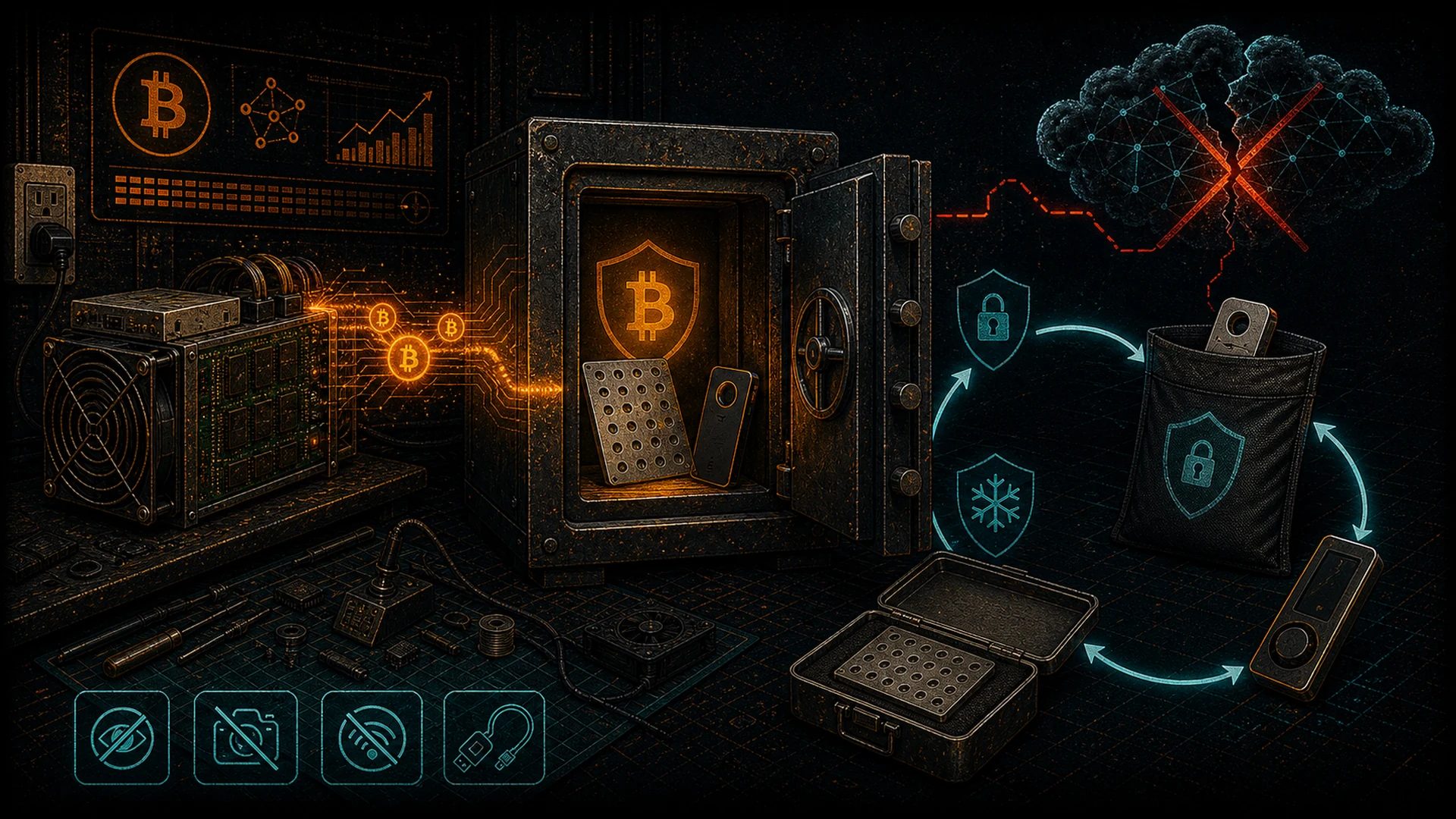
If you mine Bitcoin but leave your coins on an exchange, you have not actually achieved sovereignty. You have done the hard part — converting electricity into sound money — and then handed the keys to someone else. That is like building your own vault and then giving the combination to a stranger.
At D-Central Technologies, we have been saying this since 2016: decentralization does not stop at the hashboard. Real sovereignty means controlling every layer — the mining hardware on your desk, the pool you point it at, and the keys that custody your sats. Offline key storage is how you close the loop.
This guide covers everything a home miner needs to know about cold storage in 2026 — the methods, the hardware, the best practices, and the critical mistakes that still cost people their Bitcoin.
Why Miners Specifically Need Cold Storage
Most cold-storage guides are written for traders. This one is written for miners — the people who create new Bitcoin. Here is why cold storage is non-negotiable if you run mining hardware:
You Already Chose Sovereignty
Running a Bitaxe solo miner on your desk, an Antminer in your basement, or even hosting ASICs at a facility in Quebec is an explicit statement: you believe in permissionless, decentralized Bitcoin production. Leaving mined sats on a custodial platform contradicts the very reason you mine. Every block reward or pool payout should flow to keys you control — offline.
Mining Payouts Are Predictable Targets
Pool payout addresses are often visible on public pool dashboards. If your payout address is a hot wallet on a connected device, an attacker who compromises that machine gets everything you have mined. Cold storage eliminates this vector entirely: the signing keys never touch a networked device.
The Dollar Value Has Changed the Risk Calculus
In early 2026, Bitcoin trades well above $80,000 per coin. A solo miner who hits a block on a Bitaxe or NerdAxe receives 3.125 BTC — roughly $250,000+ at current prices. Even regular pool payouts accumulate fast. The stakes are no longer hobbyist-level; they are life-changing. Your key storage needs to match.
Understanding Bitcoin Keys: A Quick Refresher
Before diving into methods, let us make sure the fundamentals are clear.
| Concept | What It Is | Analogy |
|---|---|---|
| Private Key | A 256-bit number that proves ownership and authorizes spending | The master combination to your vault |
| Public Key | Derived from the private key; used to generate receiving addresses | Your vault’s mailing address — anyone can deposit, only you can open |
| Seed Phrase (BIP-39) | 12 or 24 words that encode the private key for human-readable backup | The blueprint that can rebuild the entire vault from scratch |
| Passphrase (25th word) | An optional extra word added to the seed to create a hidden wallet | A secret room inside the vault that the blueprint alone cannot reveal |
The golden rule: whoever holds the private key (or the seed phrase that derives it) controls the Bitcoin. Not the exchange. Not the wallet app developer. Not your government. You. Cold storage is the practice of making sure that key never exists on an internet-connected device.
Cold Storage Methods Ranked for Home Miners
Not all cold storage is created equal. Here is an honest breakdown of the options available in 2026, ranked by the security-to-usability ratio that matters most for active home miners.
1. Hardware Wallets — The Standard
Hardware wallets are purpose-built devices that generate and store private keys in a secure element chip. When you need to send Bitcoin, the transaction is signed inside the device and only the signed transaction leaves — the key never does.
Why they win for miners:
- Keys are generated offline and never exposed to a general-purpose OS
- Transaction signing is air-gapped from your mining rig or daily computer
- Firmware is open-source on many models (Coldcard, SeedSigner, Jade), allowing community audit
- Support for multisig natively, so you can require 2-of-3 keys to spend
Top picks in 2026: Blockstream Jade Plus, SeedSigner (DIY), Foundation Passport, Trezor Safe 5. Coldcard Mk4/Q was on this list until 2026-08 — removed following Coinkite’s 2026-07-30 seed-generation disclosure (why). All support Bitcoin-only firmware. If you are a sovereignty-minded miner, choose a device that lets you verify its code.
2. Air-Gapped Signing Devices (SeedSigner / Krux)
These are DIY devices — typically a Raspberry Pi Zero with a camera and screen — that generate keys offline and sign transactions via QR codes. No USB. No Bluetooth. No WiFi. Just a camera pointed at a screen.
Why miners love them:
- You build it yourself from commodity hardware — no supply-chain trust required
- Stateless by design: keys are entered each time via seed phrase, so the device stores nothing
- Perfect companion to Sparrow Wallet or Specter Desktop on your mining rig
- Cost: under $50 in parts
3. Metal Seed Backup — The Disaster-Proof Layer
Your seed phrase on paper will not survive a house fire, a flood, or a curious toddler. Stamped or engraved metal plates (stainless steel or titanium) solve this. Products like Seedplate, Cryptosteel, and Blockplate let you encode your 12/24 words onto a plate that survives extreme conditions.
Critical for miners because: Mining hardware generates heat. If you are running ASICs in your home — especially Bitcoin space heaters — your paper backup is sitting in a warmer-than-average environment year-round. Metal backups eliminate that anxiety.
4. Multisig — The Gold Standard for Serious Holdings
Multisignature (multisig) requires M-of-N keys to authorize a transaction. A common setup is 2-of-3: you need any two out of three hardware wallets to spend funds. One wallet can be compromised or lost and your Bitcoin remains safe.
| Setup | Security Level | Best For |
|---|---|---|
| Single-sig hardware wallet | Good | Miners accumulating under 0.5 BTC |
| Single-sig + passphrase | Better | Most home miners |
| 2-of-3 multisig | Excellent | Miners with 1+ BTC or solo-mining block rewards |
| 3-of-5 multisig | Maximum | Mining operations, estates, shared treasuries |
Tools like Sparrow Wallet, Nunchuk, and Liana make multisig accessible even for non-developers. If you hit a solo block on your Bitaxe, multisig is how you protect that 3.125 BTC reward.
5. Paper Wallets — Deprecated, But Worth Understanding
Paper wallets were popular in Bitcoin’s early years: a printed QR code of your private key. In 2026, they are not recommended for active use. The generation process is error-prone, address reuse is almost guaranteed, and partial-spend risks mean you can accidentally send your entire balance to a change address you do not control. Understand them historically, but use hardware wallets and metal backups instead.
The Miner’s Cold Storage Workflow
Here is a practical workflow that integrates cold storage into your mining operation:
Step 1: Set Up Your Hardware Wallet
Generate your seed phrase on the hardware wallet itself — never on a computer. Write the seed on paper first, verify it, then stamp it onto metal. Store the metal backup in a separate physical location from the hardware wallet.
Step 2: Configure Your Mining Payout Address
Generate a receiving address from your hardware wallet. Set this as your payout address in your mining pool dashboard (or in your solo mining software like AxeOS on a Bitaxe). For privacy, use a new address for each payout if your pool supports it, or use an xpub-compatible pool.
Step 3: Verify Incoming Transactions
Use a watch-only wallet (Sparrow, BlueWallet, or Sentinel) to monitor payouts without exposing your private keys. You can see balances and confirmations without the signing keys being online.
Step 4: Periodic Consolidation (Optional)
If you receive many small pool payouts (UTXOs), you may want to consolidate them into fewer, larger UTXOs during low-fee periods. This reduces future transaction costs. Sign the consolidation transaction on your hardware wallet, broadcast it, and your cold storage balance is now cleaner and cheaper to spend later.
Step 5: Test Your Recovery
At least once, wipe your hardware wallet and recover from the seed phrase. Confirm that your balance appears. If you have never tested recovery, you do not actually have a backup — you have a hope.
Critical Mistakes That Still Cost Miners Their Bitcoin
Even in 2026, people lose Bitcoin to avoidable errors. Here are the most common:
Storing Seed Phrases Digitally
Taking a photo of your seed words, saving them in a notes app, emailing them to yourself, or storing them in cloud storage is not cold storage. If the file touches the internet, it is hot. Period. One iCloud breach, one compromised Google account, and your Bitcoin is gone.
Using Exchange Custody as “Good Enough”
The collapse of FTX in November 2022, where billions in customer funds vanished, should have been the final lesson. Exchanges are not banks. They are not insured in the way depositors expect. “Not your keys, not your coins” is not a slogan — it is a survival rule. In 2024, multiple smaller exchanges also halted withdrawals during market volatility. The pattern repeats.
Neglecting Physical Security
A $200 hardware wallet in an unlocked desk drawer is not much better than a hot wallet if someone can physically access it. Think about where your seed backup lives. A fireproof safe at home plus a second copy in a bank safety deposit box or with a trusted family member covers the two major physical risks: theft and disaster.
Forgetting About Inheritance
If you are the only person who knows your seed phrase and you die, your Bitcoin dies with you. This is a real problem. Multisig setups, dead-man switches, and clearly documented (but securely stored) recovery instructions for a trusted person are essential. For miners who have been accumulating for years, this is not theoretical — it is urgent.
Cold Storage and the Decentralization Mission
At D-Central, we frame everything through the lens of decentralization. Cold storage is not just a security technique — it is an act of resistance against the re-centralization of Bitcoin.
When your mined Bitcoin sits on Coinbase or Binance, it is effectively under the custody of a regulated corporation that can freeze your account, comply with asset seizure orders, or go bankrupt. That Bitcoin may as well be in a bank. You have recreated the exact system Satoshi designed Bitcoin to replace.
When you mine Bitcoin with your own hardware — whether a Bitcoin space heater warming your home in a Canadian winter or a Bitaxe solo miner hunting for a block — and then custody it with your own keys, offline, you have completed the sovereignty loop. You produced it. You hold it. No intermediary can touch it.
That is what “Mining Hackers” means. We do not just sell you hardware and wave goodbye. We want you to understand and practice the full stack of Bitcoin sovereignty: mine it, hold it, use it — on your terms.
2026 Threat Landscape: What Has Changed
Cold storage best practices evolve with the threat environment. Here is what is different in 2026:
| Threat | Status in 2026 | Mitigation |
|---|---|---|
| Exchange collapses | Ongoing — regulatory crackdowns continue globally | Self-custody immediately after every payout |
| Clipboard malware | Still active — replaces BTC addresses on copy-paste | Always verify the full address on your hardware wallet screen |
| Phishing / social engineering | AI-powered phishing is more convincing than ever | Never enter seed words into any website or software wallet |
| Supply-chain attacks on hardware wallets | Several documented cases of tampered devices sold on secondary markets | Buy direct from manufacturers; verify firmware signatures; use open-source devices |
| Quantum computing | Not yet a practical threat to Bitcoin’s elliptic curve cryptography, but research accelerating | Avoid address reuse (reduces exposure); follow Bitcoin Core development for post-quantum upgrades |
| Government seizure / regulation | Expanding KYC/AML rules; some jurisdictions exploring wallet registration | Self-custody on hardware you own; multisig distributed across jurisdictions |
The consistent answer to every threat in that table is the same: take your Bitcoin off exchanges and into cold storage you control.
Closing the Loop: Mine It, Hold It, Own It
Bitcoin mining and cold storage are two halves of the same mission. Mining decentralizes the production of Bitcoin. Cold storage decentralizes the custody of Bitcoin. Together, they form the complete sovereignty loop that makes Bitcoin’s promise real.
If you are running a mining operation — from a single Bitaxe on your desk to a rack of Antminers heating your garage — take the time to set up proper cold storage. Buy a hardware wallet. Stamp your seed onto metal. Test your recovery. Consider multisig if your holdings warrant it. And never, ever leave your mined sats on an exchange.
You did the hard work of mining it. Now do the easy work of actually owning it.
Need help designing your mining and custody setup? Our Bitcoin mining consulting team can help. Browse D-Central’s full catalog of mining hardware, from solo miners to full ASICs to Bitcoin space heaters. We are here to help you at every layer of the sovereignty stack — from hashboard to hardware wallet. Our ASIC repair services keep your mining hardware running, and our expertise covers the full lifecycle of your mining operation.
Want to deepen your understanding of Bitcoin mining and self-custody? Our Bitcoin mining training program covers operational security, hardware setup, and the full sovereignty stack.
Frequently Asked Questions
What is the simplest cold storage setup for a new home miner?
Buy a reputable hardware wallet (Trezor Safe 5, Blockstream Jade, or Foundation Passport), generate your seed phrase on the device, write it down on paper, stamp it onto a metal plate, and set the wallet’s receiving address as your pool payout address. Use a watch-only wallet on your phone to monitor payouts. This takes about 30 minutes and covers 90% of home miners.
Should I set my mining pool payout directly to a cold storage address?
Yes. Most pools let you set any Bitcoin address as your payout destination. Generate a fresh address from your hardware wallet and paste it into your pool dashboard. For privacy-conscious miners, some pools support xpub integration to generate a new address for each payout automatically, preventing address reuse and on-chain tracking.
Is a hardware wallet necessary, or can I just use a metal seed backup?
A metal seed backup protects your recovery phrase from physical destruction, but it does not help you spend Bitcoin securely. Without a hardware wallet, you would need to type your seed into a software wallet on a connected computer to sign transactions — which exposes your key. You need both: a hardware wallet for day-to-day signing and a metal backup for disaster recovery.
How does multisig work, and do I need it as a solo miner?
Multisig requires multiple separate keys (e.g., 2 out of 3) to authorize any transaction. If one key is stolen or lost, your Bitcoin remains safe. For solo miners who might hit a full block reward (3.125 BTC in 2026, worth $250,000+), multisig is strongly recommended. It protects against single points of failure — a stolen device, a house fire, or a compromised backup. Tools like Sparrow Wallet make multisig setup straightforward even for non-technical users.
What happens to my cold storage Bitcoin if something happens to me?
If no one else can access your seed phrase or hardware wallet PIN, your Bitcoin is lost permanently. This is a feature of Bitcoin’s design — no central authority can reset your password. Plan for this: write clear recovery instructions, store them securely (separate from the seed itself), and inform a trusted person about their location. Multisig setups can distribute keys among family members so that no single person has full access but a defined group can recover the funds together. Estate planning for Bitcoin is not optional if your holdings are meaningful.