Every ASIC miner running today is a heat engine. Your Antminer S19, your Whatsminer M50, your latest-generation S21 — they all convert electricity into SHA-256 hashes and waste heat. When that heat distribution goes wrong, when current finds a path it was never meant to take, you have a short circuit. Left unchecked, a short will fry ASIC chips, destroy voltage regulators, and turn a revenue-generating hashboard into a paperweight.
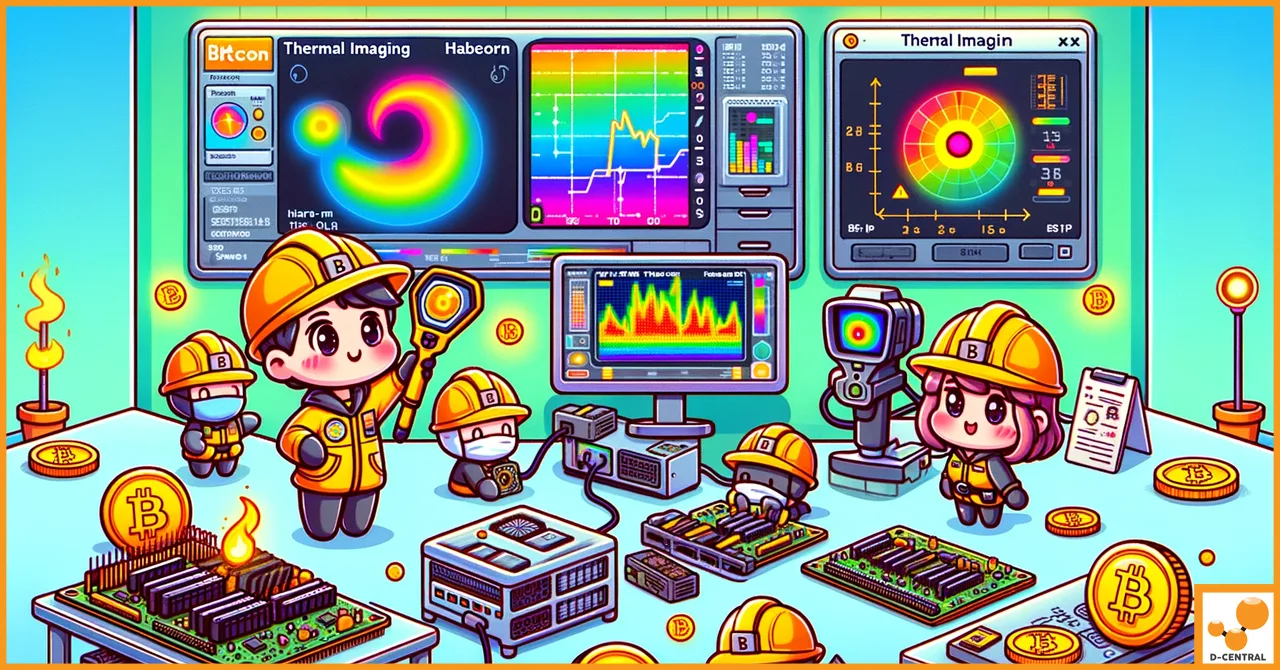
Thermal imaging cuts through the guesswork. Instead of probing dozens of BM1397 or BM1366 chips one at a time with a multimeter, you power up the board, point an infrared camera at it, and the fault lights up like a beacon. The shorted component runs hotter than its neighbors — sometimes 30 to 50 degrees Celsius hotter — and the thermal camera shows you exactly where to look.
At D-Central, we have been repairing ASIC miners since 2016. We have diagnosed thousands of hashboards using thermal imaging as a frontline tool, and we can tell you from direct experience: this technique saves hours of diagnostic time and prevents unnecessary component replacements. This guide covers everything you need to know to use thermal imaging effectively on your own hashboards.
What Thermal Imaging Actually Does
Every object above absolute zero emits infrared radiation. The hotter the object, the more radiation it emits. A thermal imaging camera has a microbolometer sensor array that detects this infrared energy and converts it into a false-color image where each pixel represents a temperature reading. Hot areas appear as bright colors (white, yellow, red) and cooler areas as darker colors (blue, purple, black).
For hashboard diagnostics, this matters because electrical faults create thermal anomalies. A shorted ASIC chip draws excessive current through a low-resistance path. That current generates heat according to Joule’s law (P = I squared times R). Even a tiny resistance in a short circuit path, when subjected to amps of current that should be distributed across dozens of chips, produces a concentrated hot spot that is unmistakable on a thermal image.
The key advantage over contact-based methods: thermal imaging gives you the entire board at a glance. A multimeter tests one point at a time. A thermal camera tests every component simultaneously, in real time, while the board is under load. You see the problem — and its relationship to surrounding components — instantly.
Why Short Circuits on Hashboards Demand Fast Detection
A modern hashboard carries between 30 and over 100 ASIC chips, each one a precision-manufactured piece of silicon running at carefully regulated voltages. The power delivery system on a hashboard is designed to distribute current evenly across voltage domains. When a short circuit occurs, the entire power balance shifts.
Here is what happens when a short goes undetected:
Cascading chip damage. The shorted component pulls excessive current from its voltage domain. Neighboring chips in the same domain experience voltage sag and current instability. Over time, the stress accelerates wear on components that were perfectly healthy before the short occurred.
Hashrate collapse. A single shorted chip does not just lose its own hash contribution. The control board detects errors in the affected chain and may disable entire chip groups or voltage domains to protect the board. You lose far more hashrate than a single chip represents.
Board-level failure. If the short is severe enough, it can burn through PCB traces, destroy voltage regulators (buck converters), or damage the signal chain that connects all chips in series. At that point, the repair becomes significantly more complex and expensive — if the board is salvageable at all.
In 2026, with the Bitcoin network hashrate exceeding 800 EH/s and difficulty above 110 trillion, every terahash you lose to a preventable fault is revenue walking out the door. The block reward stands at 3.125 BTC after the April 2024 halving, and competition for those sats is fiercer than ever. Keeping your hardware running at peak efficiency is not optional — it is survival.
This is exactly why D-Central’s ASIC repair service emphasizes diagnostics as the first and most critical step. Accurate diagnosis means targeted repairs, lower costs, and faster turnaround.
Thermal Imaging Equipment: What You Actually Need
You do not need a $10,000 FLIR camera to diagnose hashboards. But you do need equipment that meets certain minimum specifications. Here is what matters:
Resolution
The ASIC chips on a hashboard are small — typically 5mm to 10mm packages. A 160×120 pixel thermal camera will show you general hot zones but may not isolate individual chips. For hashboard work, 320×240 is the practical minimum. Higher resolution (640×480) gives you cleaner images and easier identification of individual components.
Thermal Sensitivity (NETD)
Noise Equivalent Temperature Difference measures how small a temperature change the camera can detect. For hashboard diagnostics, you want an NETD below 50 millikelvins. Most modern cameras in the $300 to $1,500 range meet this spec. Higher sensitivity means you can detect subtle faults that are just beginning to develop — catching problems before they become catastrophic.
Temperature Range
Hashboard components typically operate between 40 and 90 degrees Celsius under normal conditions. Shorted components can spike to 120 degrees or higher. Make sure your camera covers at least -20 to 150 degrees Celsius, which most thermal cameras do by default.
Practical Options
Smartphone thermal modules (FLIR ONE, InfiRay P2 Pro): These clip onto or plug into your phone. Resolution is typically 160×120 or 256×192. They work for basic hot spot identification and are the most affordable entry point at $200 to $400.
Handheld thermal cameras (FLIR C5, InfiRay T2S Plus, Uni-T UTi260E): Standalone devices with 256×192 resolution, built-in displays, and image storage. These are the sweet spot for hashboard diagnostics at $400 to $1,200.
Professional infrared cameras (FLIR E-series, InfiRay AT series): 320×240 or 640×480 resolution with advanced analysis software. For operations that repair boards daily, the investment is justified. Expect $2,000 to $8,000.
Step-by-Step: Diagnosing a Hashboard with Thermal Imaging
Step 1 — Prepare the Environment
Work in a room with stable ambient temperature, ideally between 18 and 25 degrees Celsius. Avoid direct sunlight on the board. Minimize air currents — turn off fans pointed at the work area, close windows. Air movement creates convective cooling that can mask hot spots or create false temperature gradients.
Step 2 — Power the Hashboard Under Controlled Conditions
You need the board under load to generate the thermal signatures you are looking for. There are two approaches:
In-miner testing: Install the hashboard in its miner and power on normally. This gives you real-world operating conditions. The downside: you are scanning inside a chassis with limited angles, and the fans create airflow that cools the board unevenly.
Bench power supply testing: Use a bench power supply with adjustable voltage and current limiting. Set the voltage to the hashboard’s rated input (typically 12V to 15V depending on the model) and set the current limit low — start at 1A to 2A. This allows the shorted component to draw current and generate heat without risking further damage. This is the preferred method for diagnostic work because you control the conditions precisely.
Step 3 — Initial Wide Scan
Hold the thermal camera approximately 30 to 50 centimeters above the hashboard. Scan the entire board surface. Look for:
Obvious hot spots: Any component that reads 10 degrees or more above its neighbors is suspect. A shorted ASIC chip will often be dramatically hotter — 30 to 50 degrees above ambient — even at low current limits.
Cold zones: Areas that remain at ambient temperature while the rest of the board warms up may indicate open circuits or disconnected chip chains. The chips in that zone are not receiving power or clock signals.
Asymmetric heat patterns: On a healthy hashboard, heat distribution is relatively uniform across chip groups. One side running significantly hotter than the other suggests a power delivery imbalance or a fault in that voltage domain.
Step 4 — Focused Investigation
Once you identify areas of interest, move the camera closer (10 to 20 centimeters) and capture high-resolution images of the specific components. Compare the suspect component to its immediate neighbors. A shorted ASIC chip will have a sharp thermal boundary — the chip package itself is hot while the components millimeters away are at normal temperature.
Document everything. Capture timestamped thermal images and note the power supply settings, ambient temperature, and board model. This documentation is invaluable if you send the board for professional repair.
Step 5 — Correlate with Visual and Electrical Inspection
Thermal imaging tells you where the problem is. Now you need to confirm what the problem is. Examine the hot component under magnification for physical damage: discoloration, cracked solder joints, bulging capacitors, or burned traces. Use a multimeter in continuity mode to confirm the short circuit by testing across the suspect component’s power pins.
Complementary Diagnostic Techniques
Thermal imaging is powerful but it is not the only tool in your kit. The best diagnostics combine multiple approaches.
Multimeter Testing
Before you even power up the board, a resistance measurement across the hashboard’s power input can tell you if a short exists. A healthy hashboard will show a resistance value that varies by model but is typically in the hundreds of ohms to a few kilohms range (depending on the number of chips and their configuration). A dead short — near zero ohms — tells you there is a hard short somewhere on the board before you apply any power.
The limitation: a multimeter tells you a short exists, but not where. That is where thermal imaging takes over.
The Isopropyl Alcohol Method
This old-school technique still works. Apply a thin film of 99 percent isopropyl alcohol across the board surface while it is powered at low current. The alcohol evaporates faster where the board is hotter. The shorted component dries first, creating a visible indicator. This method costs almost nothing and can be surprisingly precise. Its main limitation is that it is a one-shot visual test — you cannot record or analyze the data the way you can with thermal images.
DC Injection with Current-Limited Supply
For boards where the short is not immediately apparent under normal operating conditions, you can inject DC power directly into specific voltage domains using a bench supply with tight current limiting (0.5A to 1A). This isolates the fault to a specific power rail and reduces the thermal noise from the rest of the board, making the hot spot easier to identify.
Oscilloscope Probing
For signal-chain faults (as opposed to power-rail shorts), an oscilloscope lets you trace the clock and data signals through the chip chain. Combined with thermal imaging, this approach can diagnose intermittent faults where a chip passes current normally but fails to hash correctly, generating excess heat through computation errors rather than a direct short.
Common Thermal Signatures and What They Mean
After scanning thousands of hashboards, certain thermal patterns become instantly recognizable:
Single chip dramatically hotter than all others: Classic shorted ASIC chip. The chip has an internal short, usually between VDD and ground. Replacement of the individual chip is the standard repair.
Cluster of hot chips in one voltage domain: Likely a shorted or failing buck converter (voltage regulator). The regulator is unable to maintain proper voltage, causing the chips in its domain to draw uneven current. Check the regulator and its associated passives (inductors, capacitors) first.
Entire board uniformly hotter than expected: The hashboard may be overclocked beyond its thermal design, or the heatsink compound has degraded and lost thermal conductivity. Not a short circuit per se, but still a condition that accelerates wear and reduces operational life.
Hot trace or via on the PCB: A PCB trace carrying more current than it was designed for, often due to a partial short downstream. The trace acts as a resistor and heats up. If left unchecked, this can burn through the trace entirely, creating a more complex repair.
Cold chip surrounded by warm chips: The cold chip is likely dead or disconnected from the signal chain. The control board has bypassed it. While not a short circuit, it represents lost hashrate and may indicate a solder joint failure that could worsen over time.
Building Thermal Imaging into Your Maintenance Routine
Thermal imaging is not just a repair tool — it is a preventive maintenance tool. Here is how to integrate it into your mining operation:
Baseline scan every new board. When you first install a hashboard, capture thermal images under normal operating conditions. These baseline images become your reference point for future comparisons. Any deviation from the baseline is an early warning.
Quarterly thermal audits. Every three months, shut down each miner in rotation and perform a thermal scan. Compare against your baseline. Gradual temperature increases on specific components can indicate developing faults weeks or months before they cause a failure.
Post-repair verification. After any repair, thermal imaging confirms the fix was successful. A replaced chip should show the same thermal signature as its neighbors. If it is still hotter, the repair may not be complete.
For home miners running one or two machines, a smartphone thermal module and quarterly checks are sufficient. For larger operations with dozens of machines, a dedicated handheld camera and monthly scan schedules make sense. Either way, the cost of the camera pays for itself the first time it catches a developing fault before it kills a board.
When to DIY and When to Call in the Professionals
Thermal imaging for diagnostics is absolutely something you can do at home. Identifying the hot component, documenting the fault, and making an informed decision about next steps — all of that is within reach for any technically inclined miner.
The repair itself is a different story. Replacing an ASIC chip requires a rework station, hot air soldering skills, and replacement components that match the exact chip revision on your board. Buck converter replacements demand precise soldering and an understanding of the power delivery circuit. PCB trace repair is microsurgery.
If your thermal scan reveals a fault, you have options:
DIY repair: If you have soldering experience and the right equipment, go for it. Start with lower-value boards (like older S9 hashboards) to build your skills before tackling expensive current-generation boards.
Professional repair: D-Central’s ASIC repair service handles hashboard-level diagnostics and component replacement for all major ASIC miner brands — Bitmain, MicroBT, Canaan, and more. We have been doing this since 2016 and have repaired thousands of boards. Send us your thermal images along with the board and you will accelerate the diagnostic process on our end.
Thermal Imaging Beyond Repair: Optimizing Your Mining Operation
Once you have a thermal camera, you will find uses for it beyond hashboard diagnostics:
Airflow optimization. Scan your mining setup to identify dead zones where hot air recirculates instead of exhausting properly. If you are running Bitcoin space heaters, thermal imaging helps you verify that heat is being distributed effectively into your living space rather than pooling around the miner.
Electrical panel inspection. Loose connections at breakers, bus bars, or junction boxes create hot spots that thermal cameras reveal instantly. A loose 240V connection can arc, overheat, and start a fire. A 30-second scan of your electrical panel is cheap insurance.
PSU health checks. Power supply units that are failing internally often show hot spots on their casings. Scanning your PSU during operation can catch a developing fault before the supply fails and potentially damages connected equipment.
Mining facility planning. If you are considering hosting your miners at a professional facility in Quebec, thermal imaging data from your current setup helps you understand your heat output and cooling requirements — valuable information for sizing your deployment.
The Bottom Line
Thermal imaging strips away the guesswork from hashboard diagnostics. Instead of blind probing with a multimeter or the tedious process of testing chips one by one, you get an instant visual map of every thermal anomaly on the board. You find the fault in minutes instead of hours.
For home miners running hardware from D-Central’s shop, whether it is a compact open-source miner like a Bitaxe or a full-size Antminer, a thermal camera is one of the best investments you can make in your maintenance toolkit. The technology has become affordable enough that there is no excuse not to have one.
And if the thermal scan reveals a problem that is beyond your repair skills, D-Central is here. We have been the Bitcoin mining hackers since 2016 — repairing, modifying, and optimizing ASIC hardware so that individual miners can compete in a world increasingly dominated by institutional operations. Decentralization does not happen by itself. It happens one repaired hashboard at a time.
Frequently Asked Questions
What is the minimum thermal camera resolution for hashboard diagnostics?
For basic hot spot identification, 160×120 pixels works. For isolating individual ASIC chips (which are typically 5mm to 10mm packages), 320×240 is the practical minimum. Higher resolution cameras make the work easier and faster, but even an entry-level smartphone thermal module can identify the voltage domain where a short exists.
Can I use thermal imaging on a powered-off hashboard?
No. Thermal imaging for short circuit detection requires the board to be powered on so that current flows through the shorted component and generates heat. However, you should start with a multimeter resistance check on the unpowered board to confirm a short exists before applying power. Use a current-limited bench supply to minimize risk when powering a board with a known fault.
How much does a usable thermal camera cost for mining diagnostics?
Smartphone thermal modules (FLIR ONE, InfiRay P2 Pro) start around $200 to $300 and are adequate for basic diagnostics. Dedicated handheld thermal cameras suitable for component-level work range from $400 to $1,200. Professional-grade cameras with higher resolution and analysis software start at $2,000. For a home miner with a few machines, the smartphone module is the best value.
What temperature difference indicates a short circuit versus normal operation?
Under normal operation, ASIC chips on a hashboard typically run within 5 to 10 degrees Celsius of each other. A shorted chip will often be 20 to 50 degrees hotter than its neighbors. Any component showing more than 15 degrees above the average for its chip group warrants investigation. With a current-limited bench supply at low amperage, even a 10-degree anomaly is significant.
Is the isopropyl alcohol method safe for hashboard diagnostics?
Yes, when using 99 percent isopropyl alcohol (not rubbing alcohol with water content). Apply a thin, even film to the board surface while powered at low current from a bench supply. The alcohol evaporates harmlessly and leaves no residue. Do not use near open flames or in poorly ventilated spaces. This method is a useful complement to thermal imaging when you need quick visual confirmation.
Can thermal imaging detect problems other than short circuits?
Absolutely. Thermal imaging reveals any condition that creates abnormal heat distribution: failing voltage regulators, degraded thermal interface material between chips and heatsinks, overloaded PCB traces, loose connector joints, and cold (dead) chips that have lost connectivity. It is equally valuable for preventive maintenance as it is for fault diagnosis.
Should I attempt hashboard repair myself after finding a fault with thermal imaging?
That depends on your skills and equipment. Identifying the fault with thermal imaging is accessible to anyone. Repairing it — replacing ASIC chips or buck converters — requires a hot air rework station, proper solder paste, replacement components, and experience with fine-pitch soldering. If you are new to board-level repair, start with older boards to build skills. For valuable current-generation hashboards, professional repair from a service like D-Central’s ASIC repair is the safer path.
How often should I perform thermal scans on my mining hardware?
For home mining operations, quarterly scans are a reasonable schedule. Capture baseline images when you first set up a miner, then compare against those baselines every three months. If a miner starts showing decreased hashrate, increased error rates, or unexpected shutdowns, perform an immediate thermal scan. Larger operations may benefit from monthly or even continuous thermal monitoring.