Your ASIC miner is a finely tuned machine. Billions of SHA-256 computations per second, every second, around the clock. The silicon inside those hashboards operates at the bleeding edge of semiconductor physics, and the single greatest threat to its performance, longevity, and your hashrate is one thing: heat.
This is not a theoretical problem. With the Bitcoin network now exceeding 800 EH/s of total hashrate and difficulty pushing past 110 trillion, every terahash matters. Every watt matters. And the difference between a miner that runs optimally for five years and one that burns out in eighteen months often comes down to thermal management. If you are running miners at home, in your garage, or in a hosting facility, understanding the relationship between temperature and ASIC performance is not optional. It is foundational.
At D-Central Technologies, we have been repairing, building, and optimizing Bitcoin mining hardware since 2016. We have seen thousands of machines come through our ASIC repair bench. A staggering percentage of the failures we encounter are directly caused by poor thermal management. The good news? Most of these failures are preventable. This guide breaks down exactly how temperature impacts your miners, what to watch for, and how to keep your hardware hashing for years to come.
How Heat Is Generated Inside an ASIC Miner
Every ASIC chip on a hashboard contains millions of transistors. These transistors switch states billions of times per second as they compute SHA-256 hashes. Each state change dissipates a small amount of energy as heat. Multiply that by the billions of transistors across multiple hashboards, and you get a machine that can produce anywhere from 1,200 watts (a typical Antminer S9) to over 3,400 watts (an Antminer S21) of thermal output. That is equivalent to running multiple space heaters simultaneously, which is exactly why our Bitcoin Space Heater line exists: turning that waste heat into productive home heating.
The physics at play here are governed by Joule’s law: heat generated equals the square of the current multiplied by resistance. As chip geometries shrink (modern ASIC chips use 5nm and 3nm processes), the power density per square millimeter of silicon increases dramatically. More hashing power in the same physical space means more concentrated heat. This is why the latest generation of miners, despite being more efficient in joules per terahash, still require aggressive cooling solutions.
The thermal design of an ASIC miner typically consists of aluminum heatsinks bonded to the ASIC chips with thermal paste or pads, with industrial fans pushing high-velocity air across the heatsink fins. This system works well when everything is clean, properly configured, and operating within designed ambient temperature ranges. The moment any of those conditions break down, problems start cascading fast.
The Direct Impact of Temperature on Mining Performance
Thermal Throttling: Your Hashrate’s Silent Killer
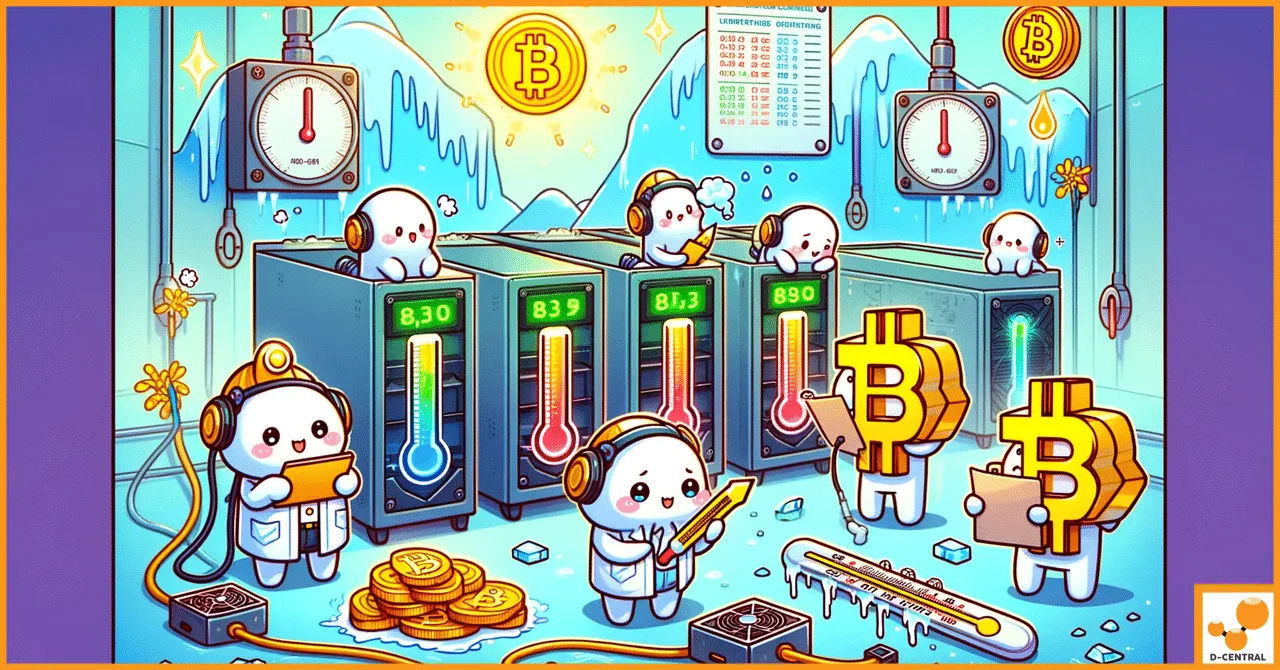
Every ASIC miner has built-in thermal protection. When chip temperatures exceed safe thresholds (typically 80-95 degrees Celsius depending on the model and firmware), the control board reduces clock frequencies to lower heat output. This is thermal throttling, and it is the number one cause of hashrate loss that miners overlook.
Here is what makes it insidious: thermal throttling does not trigger an alarm. Your miner does not shut down. It just quietly reduces its hashrate, sometimes by 10-30%, and keeps running. You might not notice the drop unless you are actively monitoring your dashboard. Meanwhile, you are paying the same electricity cost for significantly less hashing power. Your joules-per-terahash efficiency goes off a cliff.
With the current block reward at 3.125 BTC and network difficulty above 110 trillion, the margins for home miners are already tight. Losing 20% of your hashrate to thermal throttling while paying full electricity costs can turn a marginally profitable operation into a money-losing one overnight.
Increased Hardware Error Rates
As ASIC chip temperatures climb, the silicon becomes less stable. Transistors that should switch cleanly between states start producing computational errors. These manifest as “HW errors” in your miner’s dashboard. Every hardware error represents wasted energy: your miner consumed power to compute a hash that is invalid and will be rejected by the pool.
A healthy miner should show an HW error rate below 0.1%. Once temperatures push chips past their comfort zone, error rates can spike to 1%, 5%, or even higher. At 5% hardware errors, you are throwing away 5% of your electricity bill for zero return. On a machine pulling 3,000 watts, that is 150 watts of pure waste, twenty-four hours a day.
Accelerated Component Degradation
Heat does not just reduce performance in the short term. It physically degrades the hardware over time. The Arrhenius equation, which semiconductor engineers use to model failure rates, shows that for every 10 degrees Celsius increase in operating temperature above rated conditions, the expected lifespan of electronic components roughly halves. Run your miner at 10 degrees above its optimal temperature, and a component rated for 50,000 hours of operation may only last 25,000 hours.
The components most vulnerable to heat damage include:
- ASIC chips — electromigration (the physical movement of metal atoms within the chip’s interconnects) accelerates at high temperatures, eventually causing open circuits
- Solder joints — repeated thermal cycling (heating and cooling) causes solder fatigue, leading to cracked or cold joints that create intermittent connections
- Capacitors — electrolytic capacitors dry out faster at high temperatures, losing capacitance and eventually failing
- Voltage regulators (VRMs) — these components convert input voltage to the precise levels ASIC chips need, and they generate significant heat themselves while doing so
Recognizing Overheating Before It Causes Damage
The best defense against heat damage is catching it early. Here are the signals every miner should monitor:
Dashboard Indicators
Every modern ASIC miner reports chip temperatures through its web interface. For most Antminer models, you want to see chip temps below 75-80 degrees Celsius under load. Whatsminer models typically show both inlet and outlet temperatures. If your outlet temperature exceeds 65 degrees Celsius or if there is more than a 20-degree differential between inlet and outlet, your cooling is struggling.
Check these numbers daily. Better yet, set up automated monitoring through tools like Foreman, Awesome Miner, or simple SNMP polling scripts. A temperature trend upward over days or weeks often indicates dust accumulation or a failing fan long before the miner triggers an alarm.
Physical Warning Signs
- Fan speed pegged at maximum — if your fans are running at 100% constantly, your cooling capacity is maxed out
- Hot exhaust air — the air coming out of the miner should be warm but not painfully hot to hold your hand in front of
- Unusual fan noise — grinding, clicking, or rattling sounds indicate bearing failure, which means reduced airflow is imminent
- Frequent reboots — if your miner is restarting itself periodically, it is likely hitting thermal shutdown thresholds
- Burning smell — this is a critical emergency signal indicating components are already being damaged
Cooling Solutions: From Home Mining to Hosting Scale
Air Cooling: The Standard Approach
The vast majority of ASIC miners ship with air cooling systems: aluminum heatsinks and dual high-RPM fans. This works well in controlled environments. The critical factor is ambient air temperature. Manufacturers typically rate their machines for operation at 25-35 degrees Celsius ambient. Go above 40 degrees Celsius ambient, and even the stock cooling system cannot keep up.
For home miners, effective air cooling means:
- Dedicated exhaust routing — duct the hot exhaust air out of the room, do not let it recirculate
- Cold air intake — pull fresh, cool air in from outside or from an air-conditioned space
- Adequate spacing — never stack miners or block their intake or exhaust
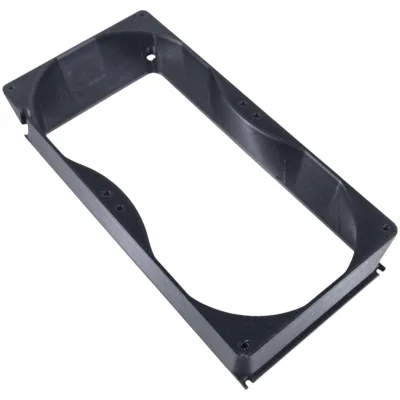
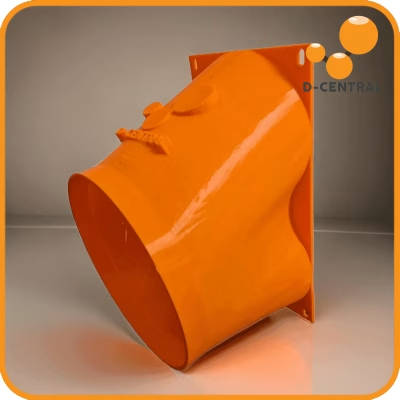
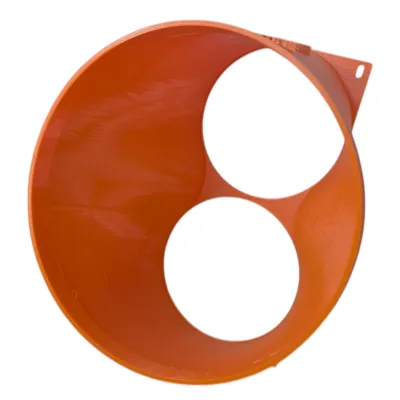
- Shrouds and duct adapters — use purpose-built shrouds to connect miner exhaust directly to ductwork, preventing hot air recirculation in your space
Canadian miners have a natural advantage here. For six months of the year, outside air temperatures are well below the optimal range for ASIC cooling. Some of the most efficient home mining setups we have seen simply pull cold winter air directly through the miners and exhaust the heated air into the home. Dual-purpose mining at its finest.
Immersion Cooling: The Premium Option
Immersion cooling submerges the entire miner in a dielectric (non-conductive) fluid that absorbs heat far more efficiently than air. The benefits are significant: near-silent operation, elimination of dust as a failure factor, more uniform chip temperatures, and the ability to overclock safely due to superior heat removal.
The drawbacks are equally real: high upfront cost for tanks and fluid, more complex maintenance procedures, and the need for heat exchangers to remove heat from the fluid. Immersion makes the most sense for larger operations where the per-unit economics work out, or for home miners who need absolutely silent operation in living spaces.
The Home Mining Sweet Spot: Heat Recapture
This is where the Mining Hacker mentality shines. Instead of fighting heat, capture it. Every watt your miner consumes becomes a watt of heat output. A 3,000-watt Antminer produces approximately 10,200 BTU per hour of heating. In a Canadian winter, that is meaningful supplemental heat for a room, garage, workshop, or even a greenhouse.
D-Central’s Bitcoin Space Heater line is built around this exact principle. Custom-enclosed miners designed to function as space heaters while simultaneously hashing Bitcoin. You are paying for heat anyway. Why not mine Bitcoin with those same watts? The key thermal management insight here is that your “waste heat problem” becomes a feature, not a bug, as long as you properly duct and distribute it.
Temperature Management Best Practices
Environment Setup
- Measure before you mine — place a thermometer in your intended mining location and record temperatures over a full week, including the hottest part of the day. If ambient temperatures regularly exceed 35 degrees Celsius, you need active cooling or a different location.
- Plan your airflow path — air should flow in one direction: cold intake on one side, hot exhaust on the other. Never let exhaust air loop back to the intake side.
- Control humidity — ideal relative humidity for mining equipment is 30-60%. Below 20% increases static discharge risk. Above 70% risks condensation on cold metal surfaces, especially when miners cycle on and off.
- Use basements and garages strategically — these spaces are naturally cooler and often have existing ventilation that can be adapted for mining exhaust.
Ongoing Maintenance
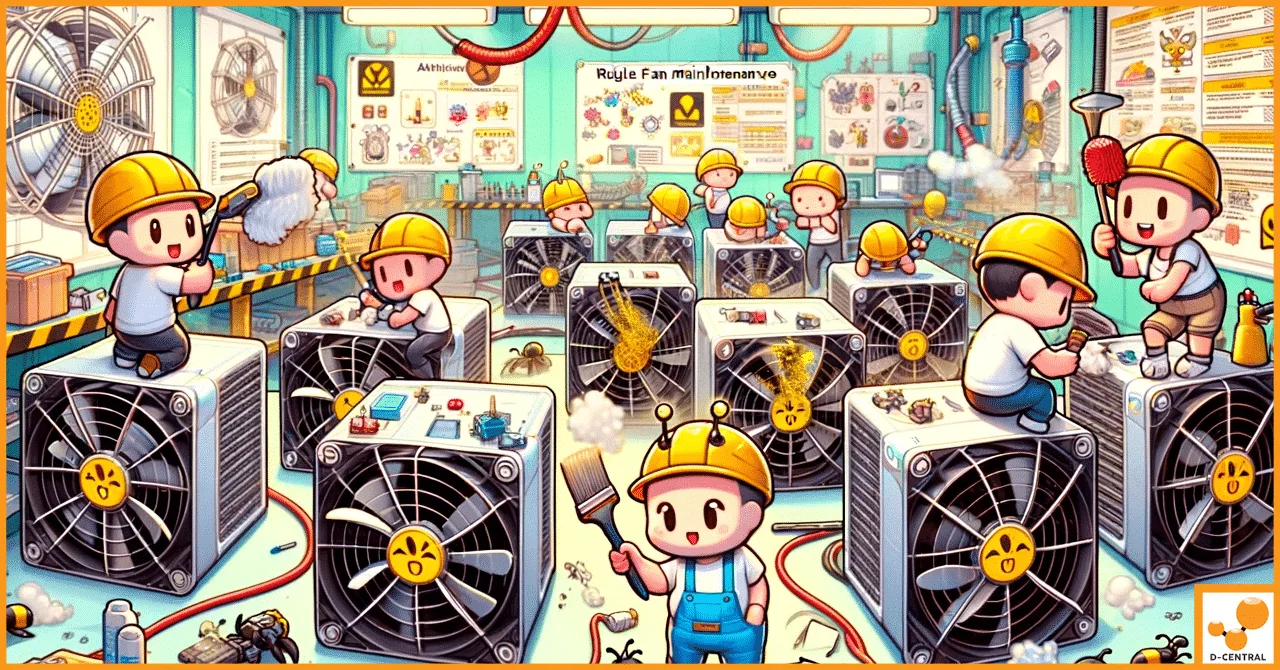
- Clean fans and heatsinks every 3-6 months — use compressed air to blow dust out of heatsink fins and fan blades. A clogged heatsink can raise chip temperatures by 10-15 degrees Celsius.
- Replace thermal paste every 12-18 months — the thermal interface material between ASIC chips and heatsinks degrades over time, reducing heat transfer efficiency. Applying fresh, quality thermal paste is one of the highest-impact maintenance tasks you can perform.
- Inspect fans for bearing wear — fans are consumable components. A fan with worn bearings delivers less airflow even at the same RPM. Replace fans proactively rather than waiting for failure.
- Keep firmware updated — manufacturers release firmware updates that can improve thermal management algorithms, adjust fan curves, and optimize voltage regulation.
- Monitor trends, not just snapshots — a chip temperature of 72 degrees Celsius today that was 65 degrees Celsius three months ago tells you something is degrading. Trend data catches problems before they become failures.
Hosting as a Thermal Management Solution
For miners who cannot control their environment adequately, whether due to summer heat, noise restrictions, or lack of proper ventilation, mining hosting in Canada offers a professional thermal management environment. Hosting facilities are engineered from the ground up for optimal airflow, with industrial ventilation, temperature monitoring, and dedicated maintenance staff. D-Central’s hosting facility in Quebec leverages Canada’s cold climate and affordable hydroelectric power to maintain ideal operating conditions year-round.
When Heat Damage Happens: Repair or Replace?
Despite best efforts, heat damage happens. When it does, the decision between repair and replacement depends on several factors.
Common Heat-Related Failures We See in Our Repair Shop
- Dead ASIC chips — individual chips on a hashboard stop responding. Sometimes just one or two chips fail, reducing hashrate proportionally. Sometimes an entire chain of chips goes down.
- Cracked solder joints — thermal cycling stress fractures solder connections, creating intermittent faults that can be maddening to diagnose. The miner works, then does not, then works again.
- Blown capacitors — heat-stressed capacitors bulge, leak, or fail entirely, often taking nearby components with them.
- Damaged control boards — the control board manages all hashboard communication and thermal management. Heat damage here can cause erratic behavior across the entire machine.
- Corroded connectors — heat combined with humidity accelerates oxidation on power and data connectors, creating resistance that generates even more heat in a destructive feedback loop.
The Repair vs. Replace Calculation
Repair makes sense when:
- The failure is isolated to replaceable components (fans, capacitors, individual chips)
- The miner model is still competitive in terms of efficiency (joules per terahash)
- Repair cost is less than 40-50% of replacement cost
- The rest of the machine is in good condition
Replacement makes sense when:
- Multiple hashboards are damaged
- The miner model is two or more generations behind in efficiency
- Repair costs approach the price of a newer, more efficient machine
- The machine has a history of repeated thermal failures indicating a systemic design issue
D-Central’s ASIC repair service handles everything from single-chip replacements to full hashboard rebuilds. We have repaired machines from every major manufacturer: Bitmain, MicroBT, Canaan, and more. If your miner has suffered heat damage, get a diagnostic assessment before making the repair-or-replace decision. Often, what looks like a catastrophic failure can be fixed cost-effectively by replacing a few components.
Temperature and the Economics of Bitcoin Mining in 2026
The post-halving reality of 3.125 BTC block rewards means margins are thinner than ever. At current difficulty levels above 110 trillion, every efficiency gain matters. Thermal management is not a nice-to-have. It is a direct lever on your bottom line.
Consider a concrete example: an Antminer S19j Pro rated at 100 TH/s and 3,050 watts. At optimal temperature (chip temps around 65-70 degrees Celsius), it delivers its full rated hashrate at rated efficiency. Now raise the ambient temperature by 15 degrees Celsius, pushing chips into the mid-80s. Thermal throttling kicks in, dropping hashrate to approximately 80-85 TH/s. Power consumption barely changes because the fans are now spinning harder. Your efficiency drops from approximately 30.5 J/TH to roughly 36-38 J/TH. That is a 20% efficiency penalty, purely from poor thermal management.
Multiply that across multiple machines and project it over a year. The cumulative loss in both hashrate and wasted electricity is substantial. Now contrast that with the cost of proper ventilation, a fan replacement, or even a professional cleaning. The return on investment for thermal management is among the highest of any improvement you can make to your mining operation.
The Mining Hacker Approach to Heat
At D-Central, we do not see heat as a problem to be merely managed. We see it as a resource to be hacked. The Mining Hacker philosophy means looking at every challenge through the lens of: how do we turn this into an advantage?
Heat from mining can warm your home. It can heat a greenhouse. It can keep pipes from freezing in a cold garage. It can dry lumber. It can heat a hot tub. Some of our customers have even used miner exhaust to warm chicken coops in Canadian winters. The point is this: when you stop thinking of heat as waste and start thinking of it as a co-product, your entire mining economics equation changes.
Browse the D-Central shop for hardware solutions, from purpose-built space heaters to shrouds and duct adapters that make heat recapture practical. Check out the Bitaxe Hub if you are exploring open-source solo mining options that produce far less heat while still letting you contribute to Bitcoin’s decentralization. And if your current miners are already showing signs of heat stress, contact our repair team before the damage spreads.
Every hash counts. Keep your machines cool, and they will keep hashing for years to come.
Frequently Asked Questions
What is the ideal operating temperature for an ASIC miner?
Most ASIC miners perform best with chip temperatures between 60 and 75 degrees Celsius. Ambient air temperature should ideally stay between 20 and 35 degrees Celsius. Anything above 40 degrees Celsius ambient will stress most stock cooling systems beyond their design capacity. Always check your specific model’s documentation for manufacturer-recommended temperature ranges.
How does thermal throttling affect my mining profitability?
Thermal throttling reduces your hashrate while your power consumption stays roughly the same (or even increases due to fans running harder). This directly degrades your joules-per-terahash efficiency. With the current 3.125 BTC block reward and difficulty above 110 trillion, even a 10-15% hashrate loss from throttling can turn a profitable miner into a break-even or losing proposition, depending on your electricity rate.
How often should I clean my ASIC miner to prevent overheating?
Clean heatsinks and fans every 3 to 6 months with compressed air, more frequently if your environment is dusty. Replace thermal paste between ASIC chips and heatsinks every 12 to 18 months. Fans should be inspected for bearing wear and replaced proactively. These maintenance intervals can add 2-3 years to a miner’s operational life.
Can I use my ASIC miner as a heater?
Absolutely. Every watt of electricity your miner consumes is converted to heat. A 3,000-watt miner produces approximately 10,200 BTU per hour, equivalent to a medium-sized space heater. D-Central’s Bitcoin Space Heater line is specifically designed for this dual-purpose use, allowing you to heat your home while mining Bitcoin.
What are the signs that my ASIC miner needs professional repair due to heat damage?
Key indicators include: hashrate significantly below rated specs even after cleaning and fan replacement, individual hashboard chains reporting zero or reduced chips, hardware error rates above 1%, frequent unexpected reboots, visible damage to components such as bulging capacitors or discolored PCB areas, and a persistent burning smell. D-Central’s ASIC repair service can diagnose and fix these issues before they lead to total hardware failure.
Is immersion cooling worth it for home miners?
For most home miners running one to three machines, immersion cooling is overkill. The upfront cost of tanks, dielectric fluid, and heat exchangers is significant. Where immersion makes sense is for home miners who need near-silent operation (the machines are in living spaces), or for operators running enough machines to justify the capital expense through improved longevity and overclocking potential.
Does cold Canadian weather help with ASIC mining?
Significantly. Canadian winters provide free cooling air for roughly six months of the year. Many home miners duct cold outside air directly into their mining space and exhaust the heated air into their home, essentially getting free heating while running miners at optimal temperatures. This is one reason Canada is an excellent location for home mining, and why D-Central’s hosting facility in Quebec leverages the cold climate for year-round efficiency.

Getting the heat and the noise out of the room
Airflow is the part of a home build people solve last and regret first. Work out where the hot air is actually going before you buy anything: measure the fan face, choose a duct size, then match a shroud to the machine. Fitment is dimensioned from published fan spacing, so confirm your own fan size before ordering.