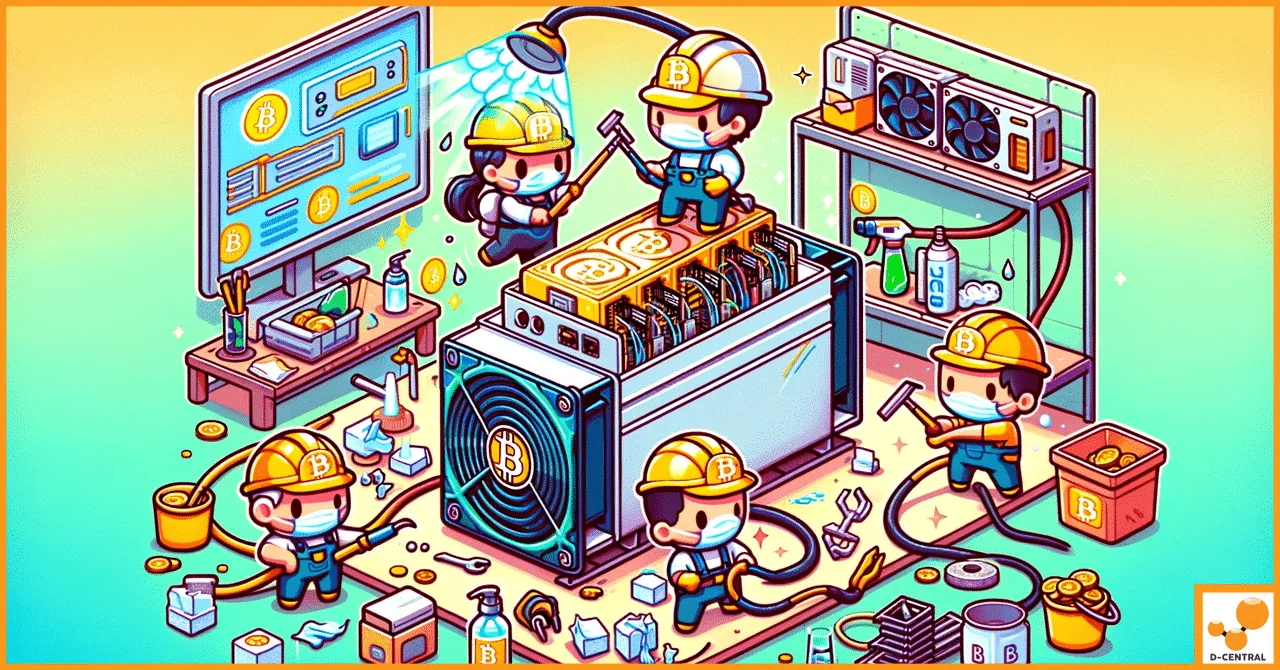
Your ASIC miner is a purpose-built machine — an engineered weapon in the fight for decentralized hash rate. But like any piece of high-performance hardware running at full tilt around the clock, it degrades. Components fatigue. Thermal cycles take their toll. Dust infiltrates every heatsink fin. Understanding exactly how and why your miner deteriorates is not academic curiosity — it is the difference between a machine that hashes profitably for years and one that becomes a paperweight in months.
At D-Central Technologies, we have been repairing, modifying, and deploying Bitcoin mining hardware since 2016. We have opened thousands of miners, diagnosed every failure mode imaginable, and shipped repaired units back to home miners across Canada and beyond. This is what we know about ASIC miner deterioration — and what you can do about it.
How ASIC Miners Work — and Why They Wear Out
An ASIC (Application-Specific Integrated Circuit) miner is hardware designed for one purpose: computing SHA-256 hashes to secure the Bitcoin network. Unlike a CPU or GPU that juggles general-purpose workloads, every transistor on an ASIC chip is dedicated to mining. That specialization delivers extraordinary efficiency — modern machines like the Antminer S21 push past 200 TH/s while consuming around 3,500 watts — but it also means the hardware runs at maximum intensity, continuously, with zero idle cycles.
In 2026, the Bitcoin network hashrate exceeds 800 EH/s, difficulty sits above 110 trillion, and the block reward is 3.125 BTC following the April 2024 halving. Every hash matters. Every watt matters. And every failure mode that degrades your machine’s output directly erodes your share of that block reward. This is why understanding deterioration is not optional — it is operational intelligence.
The Six Factors That Kill ASIC Miners
1. Thermal Stress — The Silent Killer
Heat is the primary enemy of every ASIC miner. The ASIC chips themselves generate enormous thermal loads — often operating at junction temperatures above 80 degrees Celsius. Every thermal cycle (heating up at startup, cooling down at shutdown) causes microscopic expansion and contraction in solder joints, PCB traces, and chip packaging. Over thousands of cycles, these micro-stresses accumulate into cracks, cold joints, and delamination.
The consequences are predictable and brutal:
- Solder joint fatigue — BGA (Ball Grid Array) connections between ASIC chips and the hashboard develop micro-cracks, causing intermittent chip failures or entire chain dropouts
- Electromigration — High current density at elevated temperatures causes metal atoms in chip interconnects to physically migrate, eventually creating open circuits. The rate follows Black’s equation and increases exponentially with temperature — a chip running at 85 degrees Celsius degrades roughly four times faster than one at 65 degrees Celsius
- Capacitor degradation — Electrolytic capacitors on hashboards and PSUs lose capacitance faster at higher temperatures, following the Arrhenius equation — every 10 degrees Celsius above rated temperature roughly halves capacitor lifespan
| Temperature Range | Impact on Hardware | Expected Lifespan Effect |
|---|---|---|
| Below 15°C (59°F) | Condensation risk at startup in humid environments | Moisture damage potential |
| 15–30°C (59–86°F) | Optimal operating range for ambient intake | Maximum lifespan |
| 30–40°C (86–104°F) | Accelerated capacitor aging, increased fan speed | 20–40% reduction |
| Above 40°C (104°F) | Rapid degradation, thermal throttling likely | 50%+ reduction |
For home miners, this is actually good news. A basement or garage in Canada running at 15-25 degrees Celsius ambient is nearly ideal. If you are using a Bitcoin space heater, the exhaust heat goes to work warming your home while the intake stays cool — a thermodynamic win-win.
2. Dust and Particulate Contamination
ASIC miners are essentially industrial vacuum cleaners. Their high-CFM fans pull enormous volumes of air through tightly packed heatsink arrays. Every particle in that air — dust, pet hair, pollen, construction debris — deposits on fins, coats PCBs, and clogs fan bearings.
The damage mechanism is straightforward: dust acts as thermal insulation. A 2-3mm layer of dust on a heatsink can raise chip temperatures by 10-15 degrees Celsius, triggering all the thermal degradation described above. Conductive dust particles (metal filings, carbon) can also create short circuits between PCB traces, causing immediate failures.
Home miners face specific dust challenges that industrial facilities do not. Residential environments contain fabric fibers, cooking grease vapors, and pet dander — all of which create a sticky, insulating coating that compressed air alone cannot fully remove.
Cleaning protocol we recommend:
- Compressed air blowout every 1-3 months depending on environment (monthly in dusty locations, quarterly in clean ones)
- Isopropyl alcohol (99%) wipe of PCB surfaces annually
- Fan bearing inspection and replacement at 18-24 month intervals
- Intake air filtration if your environment is particularly dusty — even a basic furnace filter makes a measurable difference
- Always blow from intake to exhaust side, never the reverse, and always power off first
3. Power Quality and Electrical Stress
ASIC miners are sensitive to power quality in ways that most consumer electronics are not. A hashboard draws high current at low voltage through dozens of ASIC chips wired in series. Voltage transients, brownouts, and power surges propagate directly to the chips and their voltage regulation circuitry.
Common power-related failure modes include:
- Voltage regulator failure — Buck converters on hashboards overheat and fail when input voltage fluctuates outside spec
- Inrush current damage — Repeated hard power cycles (breaker trips, power outages) stress PSU capacitors and hashboard power delivery
- Ground loop issues — Improper grounding in home electrical setups can create voltage differentials that damage control boards
- Harmonic distortion — Shared circuits with other high-draw appliances (AC compressors, dryers) introduce voltage fluctuations that stress PSU components
For home miners, investing in a proper dedicated circuit (240V where available), a quality surge protector, and stable grounding can dramatically extend hardware life. If your utility voltage fluctuates significantly — common in rural areas — a voltage regulator is cheap insurance against repeated PSU stress.
4. Humidity and Corrosion
Moisture is the second most destructive environmental factor after heat. Relative humidity above 60% accelerates oxidation of copper traces, corrodes solder joints, and can cause dendritic growth — microscopic metal whiskers that bridge PCB traces and create short circuits.
The most dangerous scenario is not constant high humidity but rapid temperature changes in humid environments. When a cold miner is powered on in a warm, humid room, condensation forms directly on PCB surfaces. This is especially relevant for Canadian miners who might run machines in unheated garages or sheds during winter — bringing a cold machine indoors and powering it up immediately is a recipe for moisture damage.
Target humidity range: 30-50% relative humidity. Below 30% increases static discharge risk. Above 60% dramatically accelerates corrosion. A simple hygrometer and a residential dehumidifier solve this problem entirely.
5. Manufacturing Quality Variation
Not all ASIC miners are created equal. The major manufacturers — Bitmain, MicroBT, and Canaan — each have different quality control standards, and even within a single production batch, there is variation. Component sourcing, solder quality, thermal paste application, and fan selection all differ from unit to unit.
From our repair bench at D-Central, we see clear patterns:
| Manufacturer | Strengths | Common Weak Points |
|---|---|---|
| Bitmain (Antminer) | Robust hashboard design, large parts ecosystem | PSU quality varies between models; APW12 notably more reliable than earlier APW generations |
| MicroBT (Whatsminer) | Excellent thermal management, sealed enclosure options | Control board firmware less forgiving of environmental stress |
| Canaan (Avalon) | Modular design makes maintenance easier | Individual module quality can be inconsistent across batches |
The takeaway: buy from reputable sources that test units before shipping (like D-Central’s shop), and monitor new hardware carefully during the first 72 hours of operation. Early failures are usually manufacturing defects — catching them within the warranty window saves you money and downtime.
6. Overclocking and Firmware Abuse
Overclocking an ASIC miner — pushing it beyond factory-rated frequency and voltage — is tempting. Higher hashrate means more sats per day. But the physics are unforgiving: a 20% overclock can increase power consumption by 40-60% and heat output proportionally. The relationship between voltage, frequency, and heat is not linear — it is exponential.
Custom firmware like Braiins OS+ and Vnish offer sophisticated autotuning that can extract modest performance gains safely. The danger lies in aggressive manual overclocking without proper thermal headroom. We have seen hashboards that lasted 4+ years at stock settings fail within 6 months when heavily overclocked without adequate cooling upgrades.
Conversely, underclocking (or undervolting) is one of the most powerful tools in a home miner’s arsenal. Running a miner at 70-80% of rated power dramatically reduces thermal stress, extends component life, lowers noise, and improves joules-per-terahash efficiency. For home miners who use their machines as space heaters, this is often the optimal strategy — you get the heat output you need at lower noise levels and with hardware that lasts significantly longer.
The Home Miner’s Advantage
Here is something the institutional mining narrative gets wrong: home mining environments are often better for hardware longevity than industrial facilities.
Industrial mining farms pack thousands of machines into warehouses with aggressive airflow and minimal maintenance per unit. Machines run hot, get cleaned infrequently, and are treated as expendable. Home miners typically run one to a handful of machines with better individual attention, cleaner power, lower ambient temperatures (especially in Canada), and the ability to respond immediately when something sounds or smells wrong.
The home miner who cleans their machine quarterly, monitors temperatures via the dashboard, runs on a dedicated circuit, and keeps humidity in check will get more life out of their ASIC than a farm operator running the same model in a dusty container at 40 degrees Celsius ambient. This is the Bitcoin Mining Hacker ethos: take institutional-grade technology, deploy it intelligently in a home environment, and outperform on a per-unit basis through superior care and optimization.
When Deterioration Happens: Repair vs. Replace
Even with perfect maintenance, components eventually fail. The question becomes: repair or replace?
| Failure Type | Typical Cause | Repair Feasibility |
|---|---|---|
| Single ASIC chip failure | Thermal fatigue, electromigration | High — chip replacement by skilled technician |
| Fan failure | Bearing wear, dust accumulation | Easy — drop-in replacement part |
| PSU degradation | Capacitor aging, thermal stress | Replace entire PSU unit |
| Hashboard chain dropout | BGA solder joint failure | Moderate — requires BGA rework station |
| Control board failure | Power surge, firmware corruption | Replace board or reflash firmware |
| Widespread corrosion | Prolonged humidity/moisture exposure | Low — usually terminal damage |
D-Central’s ASIC repair service handles everything from single-chip replacements to full hashboard rebuilds. We stock replacement parts for all major manufacturers and maintain model-specific repair pages for 38+ ASIC models. If your miner is showing symptoms — reduced hashrate, elevated temperatures, chip errors in the dashboard, unusual fan noise — it is almost always more economical to repair than to replace the entire unit, especially for newer-generation machines.
When replacement does make more sense than repair: if repair cost exceeds 50% of the current used market value, if the machine’s efficiency (J/TH) makes it unprofitable at current difficulty, or if multiple hashboards are failing in sequence suggesting systemic age-related degradation.
Maintenance Schedule for Maximum Lifespan
Based on nearly a decade of repair data at D-Central, here is the maintenance schedule we recommend for home miners:
| Interval | Task | Why It Matters |
|---|---|---|
| Weekly | Check dashboard for chip errors, temperature anomalies, hashrate drops | Early detection prevents cascading failures |
| Monthly | Visual inspection of intake/exhaust for dust; listen for fan bearing noise | Catches thermal issues before they cause damage |
| Quarterly | Full compressed air blowout, fan RPM verification, cable inspection | Removes accumulated dust, catches cable degradation |
| Biannually | Firmware update check, PSU cable inspection, thermal paste assessment | Keeps firmware current, evaluates thermal interface integrity |
| Annually | Full teardown, PCB cleaning with IPA, fan replacement if needed, thermal paste reapplication | Comprehensive refresh that extends hardware life by years |
If this level of maintenance feels beyond your comfort zone, that is exactly what D-Central’s mining consulting and training services exist for. We teach home miners how to maintain, diagnose, and optimize their own hardware — because sovereign mining means sovereign maintenance.
Open-Source Miners: A Different Durability Profile
It is worth noting that open-source miners like the Bitaxe have a fundamentally different deterioration profile than industrial ASICs. The Bitaxe runs a single ASIC chip at modest power levels (powered via a 5V barrel jack, 5.5×2.1mm DC — not USB-C), generates minimal heat, and operates well within component thermal limits at all times.
The primary degradation concerns for Bitaxe-class devices are fan bearing wear and connector fatigue from repeated plugging and unplugging — both trivially addressed. A well-maintained Bitaxe can realistically operate for many years with minimal degradation, making it an excellent entry point for home miners who want to solo mine without the maintenance burden of a full industrial ASIC.
D-Central has been a pioneer in the Bitaxe ecosystem since the beginning — we created the original Bitaxe Mesh Stand and have developed leading accessories including heatsinks for both the standard Bitaxe and the Bitaxe Hex. If you are interested in the open-source mining path, the Bitaxe Hub is the most comprehensive resource available.
The Canadian Climate Advantage
Canada’s cold climate is not just a nice-to-have for Bitcoin mining — it is a structural advantage for hardware longevity. Lower ambient temperatures mean your cooling system works less hard, chip junction temperatures stay lower, and every degradation mechanism described in this article slows down.
But Canadian miners need to manage two specific risks:
- Condensation during seasonal transitions — Spring and fall bring humidity swings that can cause condensation on cold hardware. Monitor humidity and allow cold equipment to reach room temperature gradually before powering on
- Extreme cold startup — Powering on a miner that has been sitting at -20 degrees Celsius in an unheated shed risks condensation and thermal shock to solder joints. Let equipment warm to at least 10 degrees Celsius before operation
For miners who prefer a professionally managed environment optimized for these conditions, D-Central operates a hosting facility in Quebec — taking advantage of cheap hydropower and cold ambient air in a controlled setting.
The Bottom Line
ASIC miner deterioration is not a mystery — it is physics. Heat, dust, moisture, power quality, manufacturing variance, and operational abuse are the six factors that determine whether your hardware lasts two years or ten. The home miner who understands these factors and acts on them has a decisive advantage over operators who treat their machines as set-and-forget appliances.
In a network pushing past 800 EH/s where the block reward has halved to 3.125 BTC, the margin between profitable and unprofitable mining is thinner than ever. The miners who thrive are not necessarily the ones with the newest hardware — they are the ones who extract maximum life and efficiency from every machine they operate.
Every hash your miner computes is a vote for decentralization. Every maintenance session that extends your machine’s life is another month, another year, of contributing hash rate to the Bitcoin network from your own home, on your own terms. That is the mission. That is what D-Central exists to support.
If your miner is showing signs of deterioration — or if you want to get ahead of it — reach out to our repair team. If you are looking to deploy new hardware optimized for home environments, browse our shop. And if you want to learn how to do all of this yourself, that is what we are here for.
Every hash counts.
Frequently Asked Questions
What is the typical lifespan of an ASIC miner with proper maintenance?
A well-maintained ASIC miner can operate productively for 4 to 7 years. The ASIC chips themselves rarely fail outright — it is the supporting components (fans, capacitors, solder joints, PSUs) that degrade first. Proper thermal management, regular cleaning, and stable power delivery are the three factors that most influence total lifespan. Some Antminer S9 units from 2017 are still hashing in 2026, nearly a decade later, because their owners maintained them properly.
How do I know if my ASIC miner is deteriorating?
The clearest indicator is a gradual decline in hashrate at the same operating settings (frequency, voltage, ambient temperature). Other telltale signs include increasing chip error rates visible in the miner dashboard, elevated operating temperatures despite unchanged ambient conditions, unusual fan noise (grinding or whining indicates bearing wear), and the miner failing to detect one or more hashboards at startup. Address any of these symptoms promptly — early intervention is almost always cheaper than waiting for a complete failure.
Is it worth repairing an older ASIC miner or should I replace it?
This depends on the specific failure and the machine’s generation. For newer machines (S19 series and later), repair is almost always more economical than replacement. For older machines like the S9, repair cost versus replacement cost is closer, but many miners keep S9s running as Bitcoin space heaters where absolute hashrate efficiency matters less than the dual-purpose heating value. D-Central’s repair service can assess your specific situation and provide an honest recommendation.
Does running my miner as a space heater cause more wear than normal operation?
No — running a miner as a space heater does not inherently cause additional wear. If you are underclocking the miner to match your heating needs, you are likely reducing thermal stress and extending component life compared to running at full power. The key is ensuring proper airflow is maintained even when using ducting or enclosures to direct the heat, and that the intake air remains clean and at reasonable temperature and humidity levels.
Does overclocking permanently damage my ASIC miner?
Yes, in the sense that accelerated degradation from higher voltages and temperatures is cumulative and irreversible. You cannot undo electromigration damage by returning to stock settings. The degree of damage depends on how aggressively you overclock and for how long. Mild overclocking (5-10% above stock) with excellent cooling causes much less damage than aggressive overclocking (20%+ above stock) with marginal cooling. Many experienced operators find that undervolting — running slightly below stock power for better J/TH efficiency — is the more profitable long-term strategy.
Is it better to run my miner 24/7 or give it rest periods?
For most operators, continuous operation is preferable. Thermal cycling (repeatedly heating up and cooling down) causes more mechanical stress on solder joints and component connections than steady-state operation. The exception is if your miner runs in an environment where temperatures exceed safe thresholds during certain hours — in that case, shutting down during peak heat is better than running at dangerously high chip temperatures.
How does Canadian climate affect ASIC miner lifespan?
Canada’s cold climate is a significant advantage for Bitcoin mining. Lower ambient temperatures mean less work for cooling systems, reduced thermal stress on components, and longer component life. However, Canadian miners need to manage humidity carefully — especially during spring and fall transitions — and avoid condensation by not moving cold miners directly into warm, humid spaces. Miners running in basements during Canadian winters often report excellent longevity precisely because of the naturally cool, stable environment.
What is the single most important thing I can do to extend my miner’s life?
Keep it clean and cool. If we had to pick one action, it would be quarterly compressed air cleaning combined with maintaining chip temperatures below 80 degrees Celsius. Dust accumulation is the root cause of the majority of thermal failures we see in our repair shop, and it is entirely preventable with basic, regular maintenance. Every degree you keep your chips below the danger zone translates directly into longer hardware life.