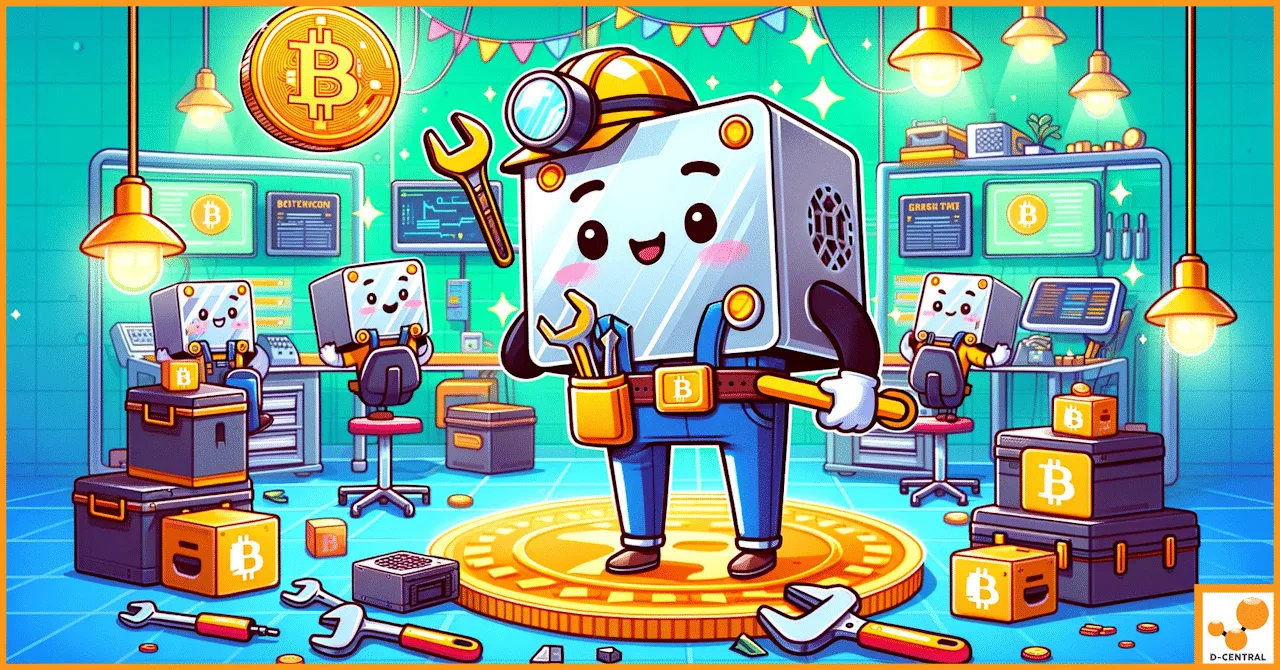
Your ASIC miner is down. Every hour it sits idle, you are bleeding sats. The hashboards are cold, the fans are silent, and the Bitcoin network does not care about your problems — it keeps producing blocks every ten minutes whether your machine is hashing or not. This is the brutal reality of mining: uptime is everything, and the difference between a profitable operation and a money pit often comes down to how fast you can get broken hardware back online.
For home miners running one or two machines, a dead miner means your entire operation is offline. For larger setups, a single failed unit drags down your total hashrate and throws off your power-to-hash economics. Either way, the question is not if your ASIC will need repair — it is when. And when that day comes, the choice between a professional repair and a DIY attempt can mean the difference between a machine that runs for years and one that ends up as expensive scrap metal.
At D-Central Technologies, we have been repairing ASIC miners since 2016 — before most people even knew what a hashboard was. We have seen every failure mode, every burnt MOSFET, every corroded connector, every firmware brick. This is what we do. Here is why professional ASIC repair is not just a convenience — it is a strategic necessity for anyone serious about Bitcoin mining.
The Real Cost of ASIC Downtime in Bitcoin Mining
Let us talk numbers, because this is where the argument for professional repair becomes undeniable.
A modern ASIC miner like the Antminer S21 produces roughly 200 TH/s. At current network difficulty levels in 2026, every hour of downtime represents lost sats that you will never recover. Unlike traditional businesses where you can “make up” lost production, Bitcoin mining is a continuous competition. The blocks you miss while your machine is down get mined by someone else. That hashrate contribution — and the corresponding reward — is gone forever.
| Downtime Scenario | Impact on Home Miner (1-2 units) | Impact on Mid-Scale (10-50 units) |
|---|---|---|
| 1 day offline | 100% hashrate loss, full daily revenue gone | 2-10% hashrate reduction |
| 1 week (DIY troubleshooting) | Entire week of mining revenue lost | Compounding losses, pool payout threshold missed |
| 2-4 weeks (parts sourcing + DIY) | Nearly a month of zero production | Significant impact on ROI timeline |
| Professional repair (typical) | 3-7 business days turnaround | Batch repairs, staggered to maintain uptime |
The math is straightforward: faster repair means more sats stacked. Every day your miner sits on a shelf waiting for you to figure out which component failed is a day of lost Bitcoin production. In a difficulty-adjusted system where mining gets harder over time, those lost days become increasingly expensive in hindsight.
Common ASIC Failures: What Actually Goes Wrong
After nearly a decade of repairing thousands of miners at our ASIC repair facility in Montreal, Quebec, we have catalogued the most common failure modes. Understanding these helps you recognize when professional intervention is not optional — it is the only rational path.
Hashboard Failures
The hashboard is the heart of every ASIC miner — it is where the actual SHA-256 computation happens. Each board contains dozens to hundreds of ASIC chips, along with voltage regulators, temperature sensors, and signal routing traces. When a hashboard fails, it can manifest as:
- Zero hashrate on one or more boards — the control board detects the hashboard but gets no valid work back
- Dramatically reduced hashrate — individual ASIC chips have failed, reducing the board output
- Chain detection errors — the control board cannot communicate with the hashboard at all
- Excessive hardware errors (HW errors) — chips are producing invalid results, wasting power without contributing hashrate
Hashboard repair requires specialized diagnostic equipment — thermal cameras to identify hot spots, multimeters for voltage domain testing, and often BGA rework stations for chip-level replacement. This is not a job for a soldering iron and a YouTube tutorial.
Thermal Damage and Overheating
ASIC miners generate enormous amounts of heat — a single S19-series unit pushes 3,000+ watts through a chassis the size of a shoebox. When cooling systems fail or ambient temperatures exceed design limits, thermal damage cascades rapidly:
- Solder joints crack under thermal cycling stress
- ASIC chips degrade as junction temperatures exceed rated maximums
- PCB traces can delaminate from the substrate
- Thermal paste between heatsinks and chips dries out, creating hot spots
In Canada, where many of our customers use miners as Bitcoin space heaters for home heating, thermal management takes on a dual importance. The heat output is the feature — but uncontrolled heat inside the machine itself is still the enemy.
Power Supply and Electrical Failures
The PSU is the second most common point of failure after hashboards. Symptoms include:
- Miner will not power on at all
- Intermittent shutdowns under load
- Voltage rails out of specification, causing hashboard instability
- Burnt connectors from poor contact resistance or overtightened cables
Power-related failures are particularly dangerous for DIY repair attempts because high-current DC systems can cause serious injury or fire if mishandled. ASIC power supplies deliver 12V at 200+ amps — enough current to weld metal.
Firmware and Software Issues
Not every failure is hardware. Corrupted firmware, failed updates, or incompatible third-party firmware can brick a miner completely. Common scenarios include:
- Failed firmware flash leaving the control board in an unbootable state
- SD card corruption on models that boot from removable media
- Incompatible overclocking profiles causing immediate shutdowns
- Network configuration issues preventing pool connectivity
Professional repair services maintain firmware archives for every major miner model and generation, along with the UART/serial tools needed for recovery when standard methods fail.
Environmental and Corrosion Damage
Miners deployed in garages, basements, sheds, and other non-climate-controlled environments face accelerated degradation from:
- Humidity causing PCB corrosion and oxidation
- Dust accumulation blocking airflow and insulating heat
- Insects nesting inside warm enclosures (more common than you would think)
- Voltage spikes from unstable residential power grids
The DIY Repair Trap: Why It Costs More Than You Think
We get it. You are a home miner. You are into Bitcoin because you believe in self-sovereignty. The hacker ethos runs deep — you want to fix your own hardware. We respect that. We are Bitcoin Mining Hackers ourselves. But there is a critical difference between hacking your mining setup for optimization and attempting board-level electronic repair without the right tools and training.
The True Cost Breakdown
| Cost Factor | DIY Repair | Professional Repair |
|---|---|---|
| Diagnostic equipment | $500-$2,000+ (thermal camera, oscilloscope, multimeter) | Included in service |
| BGA rework station | $1,000-$5,000 for quality unit | Included in service |
| Parts sourcing | Weeks of searching, risk of counterfeit chips | Verified supply chain, stock on hand |
| Learning curve | Dozens of hours studying, practicing on scrap boards | Years of accumulated expertise |
| Risk of further damage | High — one slip can destroy a $300+ hashboard | Minimal — controlled process with proper tools |
| Time to completion | Days to weeks (if successful) | 3-7 business days typical |
| Success rate | Highly variable, often under 50% for first attempts | High success rate with diagnostic-first approach |
| Warranty on repair | None — you own the outcome | Repair warranty included |
The DIY path makes sense for simple maintenance — cleaning fans, replacing thermal paste, swapping a known-bad PSU. But for hashboard-level failures, chip replacement, and complex diagnostics, the economics overwhelmingly favor professional repair. The cost of a single destroyed hashboard from a botched DIY attempt often exceeds the total cost of professional repair for the entire machine.
The Counterfeit Parts Problem
One of the most insidious risks of DIY repair is the counterfeit components market. ASIC chips, MOSFETs, and other critical components sourced from unverified suppliers on AliExpress or eBay are frequently counterfeit or recycled pulls from scrapped boards. These components may:
- Pass basic testing but fail under sustained load
- Have degraded performance compared to genuine parts
- Introduce reliability problems that manifest weeks or months later
- In worst cases, create fire hazards from substandard voltage handling
Professional repair facilities maintain relationships with verified component suppliers and test every replacement part before installation. This supply chain integrity is something individual miners simply cannot replicate.
What Professional ASIC Repair Actually Looks Like
When you send a miner to a professional repair facility, the process is methodical and diagnostic-driven — not guesswork.
Step 1: Intake and Initial Assessment
The machine is logged, photographed, and given a preliminary visual inspection. Obvious issues like burnt connectors, physical damage, or corrosion are noted. The reported symptoms are recorded alongside the machine model, firmware version, and serial number.
Step 2: Diagnostic Testing
The miner is connected to a test bench with monitored power delivery. Each hashboard is tested individually for:
- Voltage domain integrity across all power rails
- ASIC chip chain communication (signal integrity testing)
- Temperature response under controlled load
- Hashrate output versus expected specification
Thermal imaging identifies hot spots that indicate failing components. This diagnostic phase is where professional repair diverges most dramatically from DIY — the ability to precisely identify the failed component before picking up a soldering iron saves time and prevents collateral damage.
Step 3: Component-Level Repair
Once the fault is isolated, repair begins. This might involve:
- BGA rework to replace failed ASIC chips
- MOSFET and voltage regulator replacement
- Connector repair or replacement
- PCB trace repair for damaged signal or power paths
- Firmware recovery and reflashing
Step 4: Burn-In Testing
After repair, the machine runs on the test bench for an extended period — typically 24 to 48 hours — at full load. This burn-in period confirms that the repair is solid and the machine performs to specification. Hashrate, power consumption, temperature, and hardware error rates are all monitored. Only machines that pass burn-in testing are returned to the customer.
Why D-Central for ASIC Repair
Since 2016, D-Central Technologies has operated out of Montreal, Quebec as Canada’s leading Bitcoin mining support company. Our repair service is built on nearly a decade of hands-on experience with every major ASIC manufacturer — Bitmain, MicroBT, Canaan, Innosilicon, and more.
What Sets Us Apart
- Retail-focused repair — We serve home miners and small operations, not just industrial farms. Your single S19 gets the same diagnostic attention as a batch of 500.
- 60+ model-specific repair pages — We have documented repair procedures for over 38 specific ASIC models, covering Bitmain Antminer, MicroBT Whatsminer, Canaan Avalon, Innosilicon, and Halong Mining hardware.
- Full-service ecosystem — Beyond repair, we sell replacement parts, miners, accessories, and provide mining consulting. When your machine needs a new hashboard instead of a repair, we can source it. When it is time to upgrade, we can advise on the best path forward.
- Canadian-based, Canadian-operated — Your miner stays within Canada. No shipping across borders, no customs delays, no currency conversion headaches.
- Bitcoin Mining Hackers — We are not a generic electronics repair shop. We eat, sleep, and breathe Bitcoin mining. This is not a side business — it is our entire identity.
Integrating ASIC Repair Into Your Mining Strategy
Smart miners do not wait for failure. They build repair and maintenance into their operational strategy from day one. Here is how:
Preventive Maintenance Schedule
| Maintenance Task | Frequency | DIY or Professional |
|---|---|---|
| Fan cleaning and dust removal | Every 3-6 months | DIY |
| Thermal paste replacement | Every 12-18 months | DIY (with care) or Professional |
| Full diagnostic and inspection | Annually | Professional recommended |
| Firmware updates | As released | DIY (with backup plan) |
| PSU testing and connector inspection | Every 6-12 months | DIY visual, Professional electrical |
| Hashboard performance benchmarking | Quarterly | Either — professional if anomalies detected |
Budget for Repairs
A reasonable rule of thumb: budget 5-10% of your hardware value annually for maintenance and repair. For a $5,000 mining rig, that is $250-$500 per year. This may seem like an overhead cost, but it is actually an investment in uptime — and uptime is hashrate, and hashrate is sats.
Know When to Repair vs. Replace
Not every machine is worth repairing. The calculation is straightforward:
- If repair cost is less than 50% of replacement cost, repair is almost always the right call
- If the machine is within 1-2 generations of current-gen efficiency, repair extends viable life
- If the machine is 3+ generations behind and repair cost exceeds 30% of a current-gen replacement, consider upgrading
- For dual-purpose use (mining + heating), older machines remain viable longer because the heat output retains value regardless of hashrate efficiency
The Decentralization Argument for Professional Repair
Here is an angle most repair articles do not cover: professional ASIC repair is good for Bitcoin’s decentralization.
When miners break and individuals cannot get them repaired, those machines — and their hashrate — drop off the network. That hashrate concentrates further into the hands of large industrial operations that have in-house repair teams. Every home miner who gives up because they could not fix a dead hashboard is a small loss for network decentralization.
Accessible, affordable ASIC repair for retail miners is not just a business — it is infrastructure for Bitcoin’s security model. The more widely distributed the hashrate, the more censorship-resistant the network becomes. When we repair your miner and get it back online, we are not just helping your mining operation. We are contributing to the resilience of the Bitcoin network itself.
This is why D-Central’s mission — decentralization of every layer of Bitcoin mining — extends directly through our repair bench. Every miner we bring back online is another node in the distributed security apparatus that makes Bitcoin unstoppable.
Frequently Asked Questions
How much does professional ASIC repair typically cost?
Repair costs vary significantly based on the failure type and miner model. Simple fixes like PSU replacement or firmware recovery can be relatively inexpensive, while hashboard-level chip replacement is more involved. At D-Central, we provide a diagnostic assessment before quoting repair costs so you know exactly what you are paying for. As a general guideline, most repairs cost significantly less than replacing the affected component outright.
How long does ASIC repair take?
Typical turnaround at D-Central is 3-7 business days from receipt of the machine, depending on the complexity of the repair and parts availability. This includes full diagnostic testing, repair, and burn-in verification. Rush service may be available for critical situations. Compare this to DIY repair timelines that often stretch to 2-4 weeks when factoring in parts sourcing and troubleshooting.
Can you repair any ASIC miner model?
D-Central has documented repair procedures for over 38 specific ASIC models spanning all major manufacturers: Bitmain (Antminer S9 through S21 series), MicroBT (Whatsminer M30S through M60 series), Canaan (Avalon series), Innosilicon, and Halong Mining. If you have a model not listed on our site, contact us — chances are we have worked on it. Visit our ASIC repair page for the full list of supported models.
Is it worth repairing an older miner like the Antminer S9?
It depends on your use case. For pure mining profitability at current difficulty levels, older machines like the S9 are generally past their prime for most electricity rates. However, for dual-purpose use as Bitcoin space heaters — where the heat output has independent value — repairing an S9 can absolutely make sense. The repair cost for an S9 hashboard is typically quite low relative to the value you get from continued operation as a heater-miner. D-Central even sells purpose-built Bitcoin space heater editions based on these older platforms.
What should I do to prepare my miner for shipping to a repair facility?
Remove the PSU if it is external (ship it separately if you suspect PSU issues). Pack the miner in its original box if available, or use a sturdy box with at least 2 inches of padding on all sides. Do not wrap the miner in anti-static bags — the static-dissipative foam it shipped with originally is ideal. Include a note describing the symptoms, when they started, and any troubleshooting you have already attempted. Take photos of the machine before shipping for your records.
Do you offer repair warranties?
Yes. All D-Central repairs include a warranty on the work performed. The specific warranty period depends on the type of repair. This gives you confidence that if the same issue recurs, it will be addressed without additional cost. This is one of the key advantages over DIY repair, where you bear all risk of failure.
Can professional repair improve my miner performance beyond its original specs?
In some cases, yes. During repair, technicians may update firmware to the latest stable version, replace thermal paste with higher-performance compounds, or optimize fan curves. While we do not overclock machines beyond manufacturer specifications without customer request, these maintenance improvements can restore — and sometimes slightly exceed — original factory performance, especially on machines that have degraded gradually over time.