Your ASIC miner is not a toaster. It is a precision-engineered Bitcoin hashing machine running billions of SHA-256 computations per second, generating heat, vibration, and profit in equal measure. Treat it accordingly.
With Bitcoin’s network hashrate surging past 800 EH/s and mining difficulty exceeding 110 trillion, every terahash matters. A miner running at 90% efficiency because you skipped a cleaning cycle or botched a thermal paste job is bleeding sats. At a 3.125 BTC block reward post-2024 halving, the margin for error has never been thinner.
D-Central Technologies has been repairing ASIC miners since 2016 — longer than most mining companies have existed. We have diagnosed, disassembled, reflowed, resoldered, and rebuilt thousands of machines across every generation from the Antminer S9 to the S21 series. This guide distills nearly a decade of bench experience into the dos and don’ts that separate a miner running at peak efficiency from one headed for the scrap bin.
The Hardware Reality in 2026
Before diving into repair practices, you need to understand what you are actually working with. Modern ASIC miners are not the simple, forgiving machines of the early SHA-256 era. A current-generation Antminer S21 packs BM1370 chips running at sub-20 J/TH efficiency, with operating temperatures that must be maintained within narrow margins. The full-size ASIC miners in production today push 200+ TH/s from a single unit, and the internal tolerances reflect that performance.
Even the open-source mining revolution has raised the bar. The Bitaxe family of solo miners — from the Ultra to the Hex to the GT — pack serious engineering into compact form factors. While Bitaxe units are simpler to maintain than industrial ASICs, the fundamentals of proper care still apply.
The point: whether you are running a fleet of S21s or a single Bitaxe on your desk, understanding repair best practices directly impacts your bottom line and your contribution to Bitcoin’s decentralized hashrate.
The Dos: What Every Miner Should Practice
1. Do Establish a Preventative Maintenance Schedule
The single most cost-effective thing you can do for your mining hardware is scheduled maintenance. Not when something breaks — before it does.
| Interval | Task | Why It Matters |
|---|---|---|
| Weekly | Check hashrate, temperatures, fan RPMs via dashboard | Catches degradation early |
| Monthly | External dust blowout with compressed air | Prevents airflow restriction and overheating |
| Quarterly | Full disassembly, internal cleaning, fan inspection | Dust buildup on heatsinks kills efficiency |
| Every 6 Months | Thermal paste replacement on hashboards | Dried paste causes hotspots and chip degradation |
| Annually | Full electrical inspection, PSU load test, firmware audit | Component fatigue accumulates over time |
Canadian miners running Bitcoin Space Heaters in their homes should pay special attention to the quarterly cleaning cycle. Residential environments generate more lint, pet hair, and household dust than dedicated mining facilities. That dust gets pulled straight into your miner’s intake and baked onto the heatsinks.
Keep a maintenance log for every machine. Serial number, date, what you found, what you did. When something does fail, that history is invaluable — both for your own troubleshooting and for any repair technician who works on the unit later.
2. Do Use the Right Tools
ASIC repair is not a job for the junk drawer screwdriver and a prayer. These are the essentials:
- ESD wrist strap and mat — Non-negotiable. A single static discharge can destroy ASIC chips worth hundreds of dollars. Ground yourself before you touch anything.
- Precision screwdriver set — Phillips, hex, and Torx. Different manufacturers use different fasteners, and stripping a screw on a hashboard means a bad day.
- Quality thermal paste — Not the tube that came free with your CPU cooler five years ago. Use a reputable compound rated for continuous high-temperature operation.
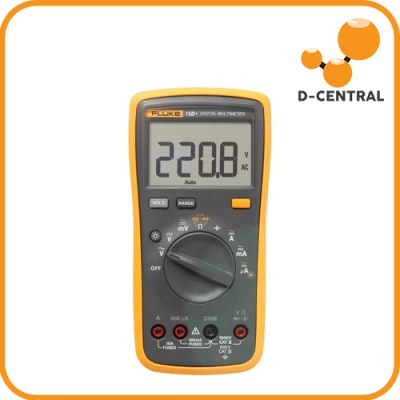
- Digital multimeter — For voltage checks, continuity testing, and diagnosing power delivery issues. Learn to use it properly.
- Compressed air (or electric blower) — Canned air works for light cleaning. For a fleet, invest in an electric blower. Never use a household vacuum directly on circuit boards.
- Isopropyl alcohol (99%) — For cleaning old thermal paste, flux residue, and general PCB cleaning. Lower concentrations leave moisture residue.
D-Central stocks replacement parts including hashboards, control boards, fans, and power supplies across all major ASIC manufacturers. Using the correct, compatible components is not optional — it is the difference between a successful repair and creating a new problem.
3. Do Learn to Read the Warning Signs
Every ASIC miner tells you when something is wrong. The question is whether you are listening.
Hashrate drops: If a machine rated for 200 TH/s is consistently hashing at 170 TH/s, something is degrading. Check per-chip performance in your mining dashboard. A failing chip or bad solder joint on a single ASIC will drag down the entire hashboard’s output.
Temperature spikes: Sudden temperature increases on one hashboard while others remain stable point to a cooling issue — dried thermal paste, a blocked heatsink, or a failing fan on that board’s cooling zone.
Fan noise changes: Bearings wear out. A fan that starts rattling or whining is on borrowed time. Replace it before it seizes completely and the associated hashboard thermal-throttles or shuts down.
Error rates climbing: Hardware errors (HW errors) in your mining pool dashboard indicate chips that are struggling. A slow increase over weeks suggests thermal degradation. A sudden spike suggests a component failure.
Power consumption anomalies: If wall power draw changes significantly without a corresponding hashrate change, your PSU may be losing efficiency or a hashboard may have partially failed.
Catching these signs early means a simple, inexpensive fix. Ignoring them means a dead machine and a more expensive repair bill.
4. Do Know When to Call a Professional
There is a clear line between maintenance you should handle yourself and repairs that require professional equipment and expertise.
You can handle: Dust cleaning, thermal paste replacement, fan swaps, firmware updates, basic cable and connector inspection, PSU swaps with known-good units.
Send it to a pro: Hashboard-level diagnosis, ASIC chip replacement (BGA rework), control board troubleshooting, micro-soldering, power domain analysis, any repair requiring an oscilloscope or reflow station.
D-Central’s ASIC repair service covers the full spectrum of Bitcoin miner repairs. We maintain model-specific repair documentation for over 38 ASIC models across Bitmain, MicroBT, Innosilicon, and Canaan hardware. Our technicians perform component-level diagnostics — not just board swaps — which means we can often save a hashboard that other shops would write off.
The repair calculus is straightforward: if the cost of professional repair is less than the value of the hashrate you are losing, send it in. Every day a machine sits broken is sats left on the table.
The Don’ts: Mistakes That Kill Miners
1. Don’t Ignore Thermal Management
Heat is the number one killer of ASIC hardware. Period.
ASIC chips operate at temperatures that would be alarming in any other context — 80 to 100+ degrees Celsius is normal operating range for many models. The engineering is designed around this, but only when the thermal path from chip to heatsink to airflow is intact.
The moment thermal paste dries out, a heatsink loosens, or airflow gets restricted, you create hotspots. Hotspot temperatures can exceed safe limits by 20-30 degrees, accelerating electromigration in the chip’s transistors. That is permanent, irreversible degradation. The chip does not recover when you finally fix the cooling — the damage is done.
For home miners using space heaters, thermal management is doubly critical. Your miner is already operating in a heated room with higher ambient temperatures. Make sure intake air is still cool and exhaust has somewhere to go.
2. Don’t Use Cheap or Incompatible Parts
We see this constantly in our repair shop: a miner comes in with a “mystery failure” and the first thing we find is a non-OEM fan, a wrong-spec PSU, or thermal pads cut to the wrong thickness.
Fans: ASIC miners are engineered with specific airflow requirements. A cheaper fan with lower static pressure might spin, but it will not push enough air through the heatsink stack. The miner will thermal-throttle or overheat.
Power supplies: An undersized or unstable PSU will cause voltage ripple that damages hashboard components over time. Use the PSU specified by the manufacturer, or a verified equivalent. An Antminer APW12 is not interchangeable with an APW7, even if the connector physically fits.
Thermal paste and pads: Thickness matters. A thermal pad that is 0.5mm too thick or too thin will either not make contact or create excessive mounting pressure. Both lead to premature failure.
Hashboards and control boards: These must match the exact hardware revision of your miner. A hashboard from an S19j Pro is not the same as one from an S19 XP, even though they look similar.
D-Central sources and stocks genuine replacement parts specifically because this matters. When we sell you a part, it is verified compatible with your specific model and revision.
3. Don’t Skip ESD Protection
Electrostatic discharge is invisible, instantaneous, and destructive. A static shock you cannot even feel (under 3,000 volts) can permanently damage or weaken ASIC chips that operate on voltages under 1 volt.
Every time you open a miner without an ESD strap, you are gambling. The odds might be in your favor most of the time, but the consequences of losing are severe — a fried chip on a hashboard that costs hundreds to replace, or subtle latent damage that causes the chip to fail weeks later with no obvious cause.
ESD precautions are simple and cheap:
- Wear a grounded ESD wrist strap. Every single time.
- Work on an ESD mat connected to ground.
- Touch a grounded metal surface before handling boards, even with a strap on.
- Store hashboards and control boards in anti-static bags when not installed.
- Avoid synthetic clothing and carpeted work areas.
4. Don’t Attempt BGA Rework Without Proper Equipment
This is the most expensive mistake we see amateur repair attempts produce. ASIC chips are Ball Grid Array (BGA) packages soldered to the hashboard with hundreds of tiny solder balls. Removing and replacing these chips requires:
- A professional rework station with precise temperature profiling
- Preheating capability to prevent thermal shock to the PCB
- Proper flux and solder paste for the specific alloy
- A stencil matched to the chip’s ball pattern
- Inspection equipment (at minimum a good magnifying setup, ideally an X-ray machine for BGA inspection)
A heat gun and YouTube tutorial are not substitutes for this equipment. We regularly receive hashboards where someone attempted a chip replacement with a heat gun and destroyed not just the target chip but damaged the PCB traces, lifted pads, and overheated adjacent components. What would have been a single-chip replacement becomes a board-level repair or a write-off.
If a repair requires BGA rework, send it to a shop that does this professionally. D-Central’s repair facility is equipped for component-level ASIC repair including chip-level diagnosis and replacement.
5. Don’t Run Damaged Hardware “Just a Little Longer”
We hear this constantly: “It is still hashing, just at reduced capacity. I will get it repaired next month.”
A miner with a partially failed hashboard is not just losing hashrate. The failure mode may be drawing excess current, stressing the PSU and remaining good hashboards. A chip with a thermal issue may be overheating its neighbors. A fan with a failing bearing will eventually seize, and when it does, the thermal event happens in minutes, not hours.
The math always favors immediate repair over delayed repair. A machine producing 80% hashrate is not losing 20% revenue — it is also accumulating damage that makes the eventual repair more expensive and more likely to require full board replacement instead of a simple component fix.
Advanced Repair Techniques: What Happens at the Bench
Understanding what professional ASIC repair actually involves helps you make informed decisions about when and where to send your hardware.
Component-Level Diagnostics
Professional repair starts with diagnosis, not guesswork. At D-Central, every machine that comes through the shop gets a systematic diagnostic workup:
- Visual inspection — Physical damage, corrosion, burn marks, bulging capacitors, cracked solder joints visible under magnification.
- Power domain testing — Measuring voltage rails across the hashboard to identify failed voltage regulators or shorted ASIC chips.
- Chip-by-chip testing — Using diagnostic firmware and test equipment to identify which specific chips on a hashboard are failing or underperforming.
- Thermal imaging — Infrared camera inspection during operation to identify hotspots that indicate failing chips, poor thermal interface, or cooling issues.
- Signal integrity analysis — Oscilloscope measurements on communication buses to identify signal degradation or timing issues.
This diagnostic approach means we repair what is actually broken, not what we guess might be broken. It also means we can often identify secondary damage that would cause a recurrence if left unaddressed.
Micro-Soldering and BGA Rework
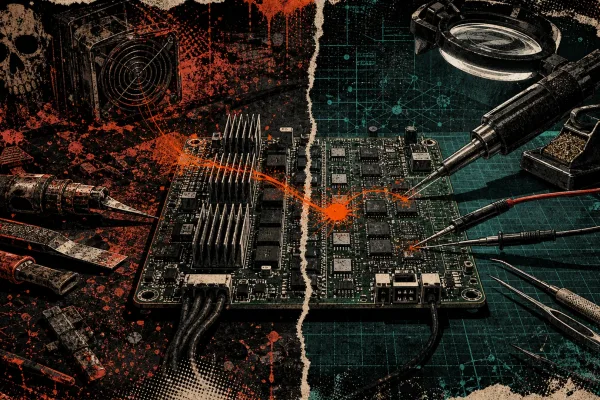
The core of advanced ASIC repair is micro-soldering — working with components measured in millimeters on densely packed circuit boards. ASIC chip replacement (BGA rework) is the most demanding operation, requiring precise temperature profiles that heat the target area enough to reflow solder without damaging surrounding components or the PCB substrate.
Our technicians also perform replacement of passive components (capacitors, resistors, inductors), voltage regulator modules, temperature sensors, and connector repairs. Each of these requires understanding of the circuit design and the role each component plays.
Firmware and Software Diagnosis
Not every ASIC problem is hardware. Firmware corruption, misconfiguration, and software bugs can cause symptoms that mimic hardware failure. Before condemning a hashboard, proper diagnosis includes:
- Firmware version verification and update
- Configuration audit (frequency, voltage, fan curves)
- Control board NAND flash integrity check
- Network configuration and pool connectivity verification
We have saved customers the cost of unnecessary hashboard replacements many times by identifying the root cause as a firmware issue or a misconfigured voltage setting.
The Mining Hacker’s Maintenance Philosophy
At D-Central, we approach ASIC maintenance the same way we approach everything: as Bitcoin Mining Hackers. That means understanding the technology deeply enough to push it further, optimize it better, and keep it running longer than the manufacturer expected.
Our Bitcoin Space Heater line is the perfect example. We take ASIC miners — machines designed for data center rack mounts — and hack them into home heating solutions. That requires intimate knowledge of thermal management, airflow engineering, noise reduction, and long-term reliability in residential environments. The same deep hardware knowledge that lets us build space heaters is what makes our repair service exceptional.
Whether you are running a single Bitaxe solo miner on your desk, heating your home with a Space Heater edition, or operating a fleet of S21s, the principles are the same: maintain proactively, use the right tools and parts, respect the engineering, and know when to call in expertise.
Every hash counts. Keep your miners healthy, and they will keep stacking sats.
FAQ
How often should I replace thermal paste on my ASIC miner?
Every six months under normal operating conditions. If your miner runs in a particularly hot or dusty environment, consider every three to four months. Dried or degraded thermal paste is the most common cause of gradual hashrate decline and one of the easiest maintenance tasks to perform yourself.
What are the warning signs that my ASIC miner needs repair?
The key indicators are: declining hashrate that does not recover after a restart, increasing hardware error rates in your pool dashboard, abnormal temperature readings on one or more hashboards, unusual fan noises (rattling, grinding, whining), and unexpected power consumption changes. Any of these warrant investigation.
Can I repair an ASIC hashboard myself?
Basic maintenance (cleaning, thermal paste, fan replacement) is appropriate for DIY. However, hashboard-level repairs involving chip replacement, micro-soldering, or power domain troubleshooting require professional equipment — specifically a BGA rework station, diagnostic firmware, and component-level test equipment. Attempting these without proper tools typically causes additional damage.
How much does professional ASIC repair typically cost?
Costs vary significantly depending on the issue. A simple fan replacement or thermal paste service is relatively inexpensive. Hashboard repairs involving chip replacement are more involved. Contact D-Central’s repair service for a diagnostic assessment — we provide a detailed diagnosis and quote before proceeding with any repair work.
Is it worth repairing an older ASIC miner like the S9?
It depends on your use case. For pure hashrate ROI against current-generation miners, an S9 cannot compete on efficiency. But for home heating applications — using a Bitcoin Space Heater to offset your energy bill while stacking sats — the economics change entirely. The heat output is useful regardless of mining efficiency, and the Bitcoin earned is a bonus on top of energy savings. In that context, repairing an S9 makes excellent sense.
What ESD precautions are essential when working on ASIC miners?
At minimum: a grounded ESD wrist strap, an anti-static work mat, and anti-static bags for storing removed boards. Avoid synthetic clothing and carpeted work areas. Touch a grounded metal surface before handling any circuit board. ESD damage to ASIC chips can be latent — the chip works initially after exposure but fails weeks later, making the cause nearly impossible to trace.
How does D-Central’s repair service differ from other providers?
D-Central performs component-level diagnostics and repair, not just board swaps. Our technicians diagnose at the individual chip level using professional test equipment, thermal imaging, and signal analysis. We have been repairing ASIC miners since 2016 and maintain model-specific documentation for 38+ ASIC models. We use genuine or verified-compatible parts, and every repair comes with a warranty.