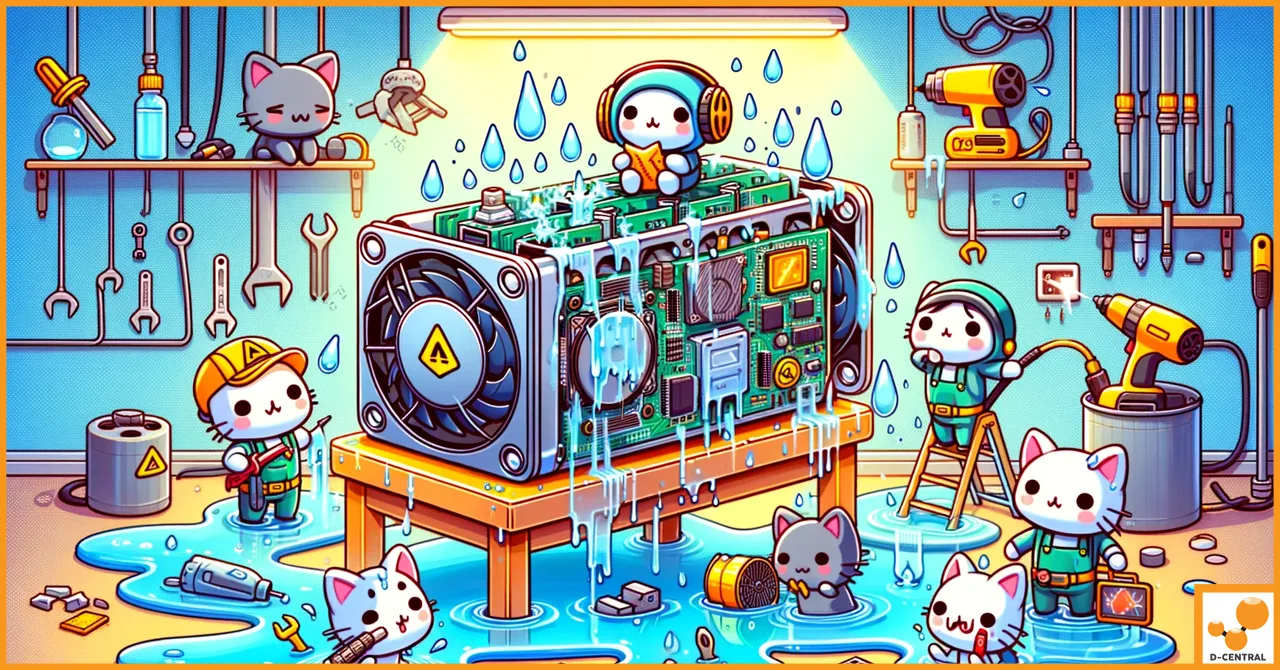
Your ASIC miner just took a bath. Maybe a pipe burst in the basement where you run your home mining operation. Maybe condensation has been silently building inside your mining enclosure for weeks. Maybe your liquid cooling loop sprung a leak and turned your hashboards into an unplanned science experiment. Whatever the cause, you are now staring at a water-damaged ASIC miner and wondering if your hashrate just went to zero permanently.
It has not. Not necessarily.
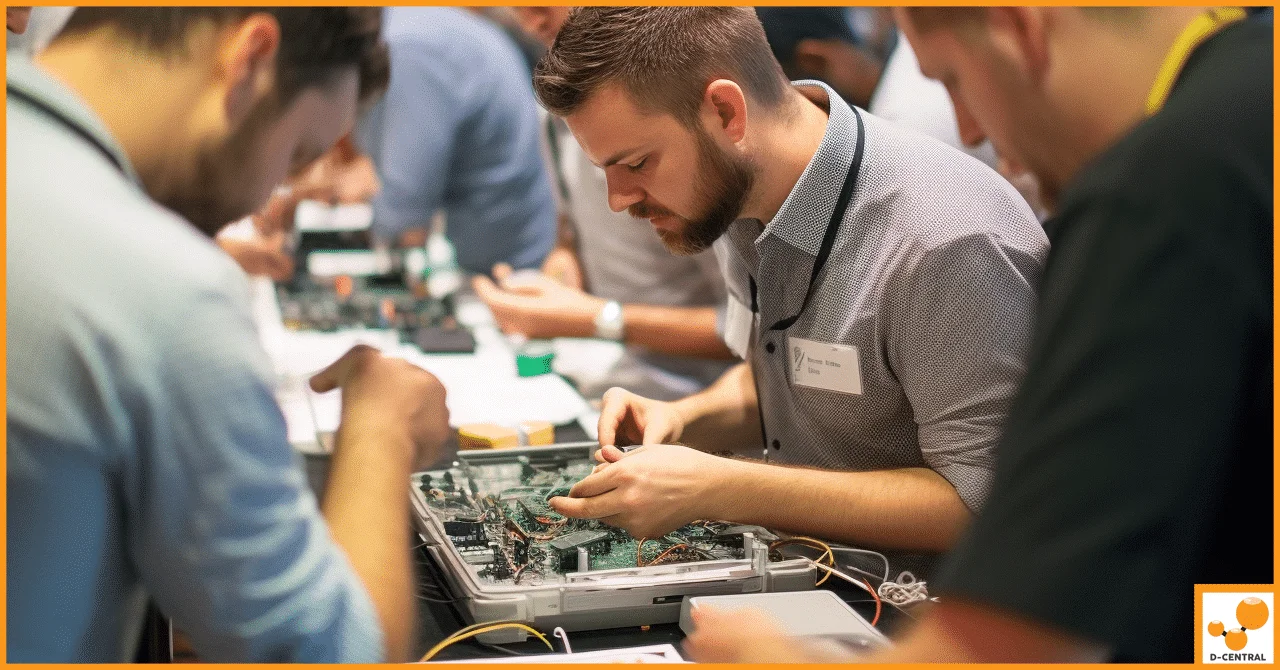
At D-Central Technologies, we have been repairing ASIC miners since 2016 — long before most people in this industry knew what a hashboard looked like up close. We have seen miners pulled from flooded basements, units soaked by burst pipes in Canadian winters, and boards corroded by months of undetected humidity in poorly ventilated setups. The majority of them came back to life on our repair bench.
This guide is everything we know about rescuing water-damaged ASICs, distilled into a practical, no-nonsense walkthrough. Whether you are a home miner running a single S19 in your garage or managing a fleet of machines, these are the techniques that actually work — the same ones our technicians use every day in our Montreal, Quebec repair facility.
Why Water Is the Enemy of Mining Hardware
ASIC miners are purpose-built machines designed to do one thing exceptionally well: compute SHA-256 hashes at staggering speeds. A modern Antminer S21 pushes roughly 200 TH/s across three hashboards packed with BM1370 chips, each one a tiny silicon engine running at the absolute edge of its thermal and electrical tolerances. With the Bitcoin network now exceeding 800 EH/s of total hashrate and a block reward of 3.125 BTC after the 2024 halving, every terahash matters — and every damaged chip is money left on the table.
Water attacks this precision engineering on multiple fronts simultaneously.
Immediate Electrical Damage
Pure distilled water is actually a poor conductor. But the water that floods your mining setup is never pure. Tap water, rainwater, and condensation all carry dissolved minerals, salts, and contaminants that make them effective conductors. When this conductive liquid bridges two traces on a PCB that were never meant to be connected, you get a short circuit. If the miner is powered on when this happens, the current flowing through that unintended path can vaporize traces, blow MOSFETs, and destroy ASIC chips in milliseconds.
This is why the single most important thing you can do when water contacts a running miner is kill the power immediately. Not a graceful shutdown through the web interface. Pull the power cables. Every second of powered operation with water on the boards multiplies the damage exponentially.
Corrosion: The Slow Kill
Even after the water dries, the real damage may just be starting. Corrosion is an electrochemical process that accelerates in the presence of moisture, oxygen, and the metals used in PCB manufacturing — copper traces, tin-lead solder, gold contact fingers. You will see it manifest as:
- Green or white crystalline deposits on copper traces and solder joints (copper carbonate, copper chloride)
- Dull, darkened solder joints that were previously shiny and silver
- Pitting and erosion of thin copper traces, eventually breaking circuits entirely
- Contaminated thermal interfaces between ASIC chips and heatsinks, degrading thermal transfer
Corrosion does not stop when the water dries. Residual salts and mineral deposits remain hygroscopic — they continue to attract moisture from ambient humidity, keeping the corrosion process active indefinitely. This is why a miner that “seems fine” after drying can fail weeks or months later.
Thermal System Compromise
ASIC miners run hot by design. An S19 series hashboard operates with chip temperatures between 70-85 degrees Celsius under normal conditions, with thermal paste serving as the critical bridge between chip and heatsink. Water contamination of this thermal interface creates insulating air pockets, uneven thermal transfer, and accelerated thermal paste degradation. The result: hot spots, thermal throttling, and eventual chip death from overheating — even though the original water damage has long since dried.
The First 60 Seconds: Emergency Response Protocol
When water meets your miner, you have a narrow window to limit the damage. Here is the protocol our technicians recommend, in order of priority.
Step 1: Kill Power Immediately
Do not walk to the web interface. Do not SSH into the miner to run a graceful shutdown. Disconnect the power supply cables from the miner physically. If the PSU is also wet, kill power at the breaker or unplug the PSU from the wall — but only if you can do so safely without stepping in standing water while touching electrical connections. Your personal safety always comes first.
Step 2: Disconnect Everything
Once power is cut, remove all connections: Ethernet cables, fan connectors, and hashboard data cables. Isolate the miner completely. If you are running multiple units and only one is affected, ensure the water has not spread to neighboring machines.
Step 3: Remove and Drain
Pick up the miner and tilt it to drain any pooled water from the chassis. Gravity is your friend here. Tilt in multiple directions to catch water trapped in recesses, fan housings, and between heatsink fins. Do not shake the unit violently — you risk dislodging surface-mount components that may already be weakened.
Step 4: Separate the Components
Remove the hashboards from the chassis. Remove the control board. Remove the fans. Remove the PSU if it is an integrated design. Each component needs individual attention, and keeping them together only slows the drying process and risks cross-contamination of corrosive residues.
Step 5: Document Everything
Before you start cleaning anything, photograph every board from multiple angles. Get close-up shots of any visible corrosion, discoloration, or residue. This documentation matters for insurance claims, warranty discussions, and for giving your repair technician a clear picture of the initial damage state.
Assessment: Determining What You Are Dealing With
Not all water damage is equal. The severity depends on three factors: the type of water, whether the miner was powered on during exposure, and how long the exposure lasted.
Water Type Matters
- Distilled or deionized water: The best-case scenario. Low mineral content means less conductive paths and less corrosive residue. If the miner was powered off, recovery odds are excellent.
- Tap water: Contains dissolved minerals (calcium, magnesium, chlorine) that leave conductive residues and accelerate corrosion. Moderate severity.
- Rainwater or flood water: Contains organic matter, sediment, and potentially chemicals. High severity. Requires aggressive cleaning.
- Saltwater: The worst case. Sodium chloride is extremely corrosive to copper and solder. Even brief exposure demands immediate and thorough intervention.
Power State During Exposure
A miner that was powered off during water exposure has dramatically better recovery odds than one that was running. Powered-on exposure means current was flowing through those water-bridged circuits, and electrical damage (blown components, burnt traces) is almost certain in addition to corrosion risk.
Exposure Duration
Minutes of exposure with prompt response: highly recoverable. Hours: moderate, depending on water type. Days or weeks of undetected moisture: expect significant corrosion and potentially unrecoverable board damage without professional component-level repair.
The Cleaning Protocol: How to Actually Do It Right
This is where most DIY guides fail you by being either too vague or too cautious. Here is the actual process our repair technicians follow in the shop.
What You Need
- Isopropyl alcohol (IPA), 99% concentration — not 70%, not 90%. The higher the concentration, the less water content, and the faster it displaces moisture and evaporates cleanly. You can find 99% IPA at electronics supply stores or pharmacies.
- Soft-bristle brushes — anti-static ESD brushes are ideal. A clean, soft toothbrush works in a pinch.
- Lint-free wipes or cloths
- Compressed air (canned or compressor with a moisture trap)
- A well-ventilated workspace — IPA fumes are flammable and not pleasant to breathe
- Magnification — a loupe, magnifying glass, or USB microscope for inspection
Step-by-Step Board Cleaning
- Initial IPA Bath: If the contamination is heavy (flood water, visible mineral deposits), submerge the board in a tray of 99% IPA. Yes, the entire board. IPA will displace the water and dissolve many of the contaminants. Let it soak for 10-15 minutes, agitating gently.
- Targeted Scrubbing: Remove the board from the IPA bath and use soft brushes to scrub areas with visible corrosion, residue, or discoloration. Pay special attention to areas under and around BGA packages (the ASIC chips themselves), connector pins, voltage regulator components (MOSFETs, inductors, capacitors), and the signal traces between chips.
- Rinse: Rinse with fresh 99% IPA to flush away loosened contaminants. Repeat the scrub-and-rinse cycle until the board looks clean under magnification.
- Connector Cleaning: Hashboard data connectors and power connectors trap moisture and corrosion between pins. Use IPA-soaked cotton swabs and compressed air to clean these thoroughly. Corroded connectors cause intermittent failures that are maddening to diagnose.
- Final Inspection: Under magnification, examine every area of the board. Look for remaining corrosion (especially green or white deposits), darkened or eaten-through traces, and any components that appear physically damaged (cracked, burnt, bulging capacitors).
Drying: Patience Is Not Optional
After cleaning, the boards must be completely dry before any power is applied. “Completely” means zero residual moisture in any crevice, under any chip, in any connector.
- Controlled heat drying: Use a heat source between 50-70 degrees Celsius (a food dehydrator works well, or an oven set to its lowest temperature with the door cracked). Place boards on a rack to allow airflow on all sides. 12-24 hours minimum.
- Desiccant drying: Seal boards in an airtight container with a generous quantity of silica gel desiccant packets. 24-48 hours minimum.
- Combination approach (recommended): 12 hours of heat drying followed by 12 hours in a desiccant chamber. This is what we use in our repair facility.
Do not use rice. This is a persistent myth. Rice does not absorb moisture effectively, introduces starch dust into your electronics, and rice grains can lodge in connectors and heatsink fins.
Component-Level Diagnosis and Repair
Once the boards are clean and dry, it is time to determine whether the miner can be restored to full operation or whether specific components need replacement.
Multimeter Testing
A multimeter is your first diagnostic tool. At minimum, check:
- Domain resistance: Each ASIC chip or group of chips operates in a voltage domain. Measure resistance across each domain’s power rails. Abnormally low resistance (near zero ohms) indicates a short — a chip or capacitor in that domain has failed. Abnormally high resistance may indicate an open circuit from a corroded trace.
- Capacitor integrity: Check bulk capacitors for shorts (both electrolytic and ceramic). Water damage often kills capacitors first.
- Connector continuity: Verify that all pins on the hashboard connectors have continuity to their destination points on the board.
Visual Identification of Failed Components
Under magnification, look for:
- Blown or burnt MOSFETs: Often show as cracked packages, burn marks, or a distinctive smell
- Bulging or leaking electrolytic capacitors
- Corroded or eaten-through PCB traces: These may need to be repaired with jumper wires or conductive epoxy
- Damaged ASIC chips: Often not visually obvious. If domain resistance checks show a short in a specific domain, the chip in that domain is the likely culprit
When DIY Ends and Professional Repair Begins
Be honest with yourself about the limits of your skills and equipment. Replacing a through-hole capacitor with a soldering iron is within reach for most tinkerers. Reballing a BGA ASIC chip requires a rework station, stencils, solder paste, and significant experience. Repairing corroded traces under a BGA package requires removing the chip first — which brings us back to needing a rework station.
If your diagnosis reveals:
- Multiple failed ASIC chips across different domains
- Corroded traces under BGA packages
- Control board damage (corrupted firmware, failed NAND, damaged Ethernet PHY)
- PSU damage (never attempt PSU repair unless you are qualified — the capacitors in mining PSUs store lethal energy)
Then it is time to send the boards to a professional repair facility. D-Central Technologies performs component-level ASIC repair on all major brands and models — Bitmain Antminer, MicroBT Whatsminer, Canaan Avalon, and more. We have the rework stations, diagnostic fixtures, and replacement components to handle repairs that are beyond the scope of home repair.
Reassembly and Validation Testing
If your boards pass inspection and any necessary component replacements have been made, it is time to put the miner back together.
Reassembly Checklist
- Reapply thermal paste: Old thermal paste must be completely removed (IPA and a lint-free cloth) and replaced with fresh compound. Use a quality thermal paste — Arctic MX-4 or Thermal Grizzly Kryonaut are good choices. Apply a thin, even layer over each ASIC chip. Too much paste is almost as bad as too little.
- Inspect heatsinks: Check that heatsink fins are clean and unobstructed. Corrosion between heatsink and chip surface destroys thermal transfer even with fresh paste.
- Reconnect hashboards: Ensure data and power connectors are fully seated. A partially inserted connector is a common cause of “dead hashboard” diagnoses that turn out to be nothing.
- Verify fan operation: Spin each fan by hand to check for bearing damage from water exposure. Replace any fan that feels gritty, wobbles, or does not spin freely.
- PSU check: If your PSU was also exposed to water, do not assume it is fine just because it powers on. Water damage to PSU components can cause unstable voltage output that slowly kills hashboard components. If the PSU was wet, have it tested or replace it.
The First Power-On
This is the moment of truth. Power on the miner and monitor closely for the first 30 minutes:
- Watch for any smoke, unusual smells, or sparking — kill power immediately if you observe any of these
- Monitor the miner’s web interface for hashboard detection — all boards should appear within 2-5 minutes
- Check chip temperatures across all boards. Any chip running more than 15 degrees Celsius above its neighbors has a thermal interface problem
- Monitor hashrate ramp-up. A healthy miner reaches its target hashrate within 10-15 minutes. Boards that are slow to ramp or that show excessive hardware errors (HW errors above 0.1% of total work) may have lingering damage
- Let the miner run for 24-48 hours before considering it fully recovered. Some corrosion-related failures take time to manifest under operating temperatures
Prevention: Keeping Water Away From Your Hashrate
The best water damage repair is the one you never have to do. Whether you are running a single miner in your home or a small fleet in your garage, these precautions are worth the investment.
Environmental Controls
- Humidity monitoring: Keep a hygrometer near your miners. Aim for 30-50% relative humidity. Above 60% and you start risking condensation, especially if your miners are in a space that experiences temperature swings (garages, basements, sheds).
- Dehumidifiers: In Canadian climates — especially during spring thaw and humid summers — a dehumidifier in your mining space is not a luxury. It is insurance.
- Water leak sensors: Inexpensive sensors placed on the floor near your miners can alert you before a slow leak becomes a flood. Some smart models integrate with home automation systems for remote alerting.
Physical Protection
- Elevate your equipment: Never place miners directly on a concrete basement floor. Rack-mount solutions or even simple shelving keeps your hardware above potential flood levels and improves airflow.
- Drip protection: If your miners sit below water pipes (common in basements), install drip trays or deflection panels above them. A two-dollar piece of sheet metal can save you a two-thousand-dollar repair.
- Liquid cooling precautions: If you run immersion-cooled or liquid-cooled miners, invest in quality fittings, pressure-test your loops before filling, and include leak detection at every potential failure point. Most liquid cooling disasters come from cut-rate fittings and skipped pressure testing.
The Bitcoin Space Heater Advantage
Here is something most guides will not tell you: one of the best defenses against water damage is running your miner in a purpose-built enclosure designed for residential environments. D-Central’s Bitcoin Space Heaters encase your mining hardware in enclosures specifically designed for home use — protecting the components from environmental hazards while redirecting the heat output to warm your living space. It is dual-purpose Bitcoin mining at its most practical: your miner heats your home while mining sats, and the enclosure protects against the accidental spills and humidity that plague open-frame mining setups.
When to Write It Off vs. When to Repair
Not every water-damaged miner is worth saving. Here is a realistic framework for the decision.
Repair Makes Sense When
- The miner was powered off during exposure and cleaned promptly
- Damage is limited to one or two hashboards with the control board intact
- The miner is a current or recent generation with meaningful hashrate value (S19 series and newer, M30S+ and newer)
- Repair cost is less than 50-60% of replacement cost
Replacement Makes More Sense When
- The miner was running during extended water exposure
- All hashboards and the control board show extensive corrosion
- The miner is an older generation where repair parts are scarce (S9 control boards, for example)
- The repair estimate exceeds 60% of the cost of a new or refurbished replacement unit
Even when a miner is beyond economical repair as a complete unit, individual hashboards or components may have salvage value. A miner with two dead boards and one good board still has a functional hashboard that can serve as a replacement part for another unit. Nothing goes to waste if you think about it right.
Real Talk: What Our Repair Bench Sees Most Often
After nearly a decade of ASIC repair, we can tell you the most common water damage scenarios that walk through our door.
Basement flooding during spring thaw. This is a Canadian classic. Snow melts, the water table rises, and miners sitting on basement floors get soaked. Almost always recoverable if the miner was unplugged at the time and the owner responds within hours rather than days.
Condensation in uninsulated garages. Miners generate heat. Garages in Canadian winters are cold. The temperature differential creates condensation on the miner chassis and, over time, on the boards themselves. This is insidious because it happens slowly — by the time hashrate starts dropping, corrosion has been building for months. Prevention (insulation, dehumidification) is far better than cure.
Liquid cooling leaks. Immersion and direct-to-chip cooling systems are increasingly popular with home miners looking to manage noise. But every fitting is a potential failure point. We see units where a slow drip over weeks caused localized but severe corrosion damage. Always run leak detection, and always pressure-test new loops.
The coffee spill. Yes, really. Home miners often have their rigs in living spaces, home offices, and workshops. One knocked-over cup can take out a control board. An enclosed miner (like a Space Heater configuration) would have prevented this entirely.
FAQ
Can a water-damaged ASIC miner be saved?
In the majority of cases, yes. The key factors are whether the miner was powered on during exposure, the type of water involved, how quickly it was addressed, and the extent of corrosion. Miners that were powered off during exposure and cleaned within hours have the best recovery rates. At D-Central, we successfully repair the majority of water-damaged units that come to our bench.
Should I put my water-damaged miner in rice?
No. This is a widespread myth that does not hold up to testing. Rice absorbs moisture very slowly compared to proper desiccants like silica gel, and it introduces starch dust and small particles that can lodge in connectors and between heatsink fins. Use 99% isopropyl alcohol for cleaning and proper desiccant packets or controlled heat for drying.
My miner was running when it got wet. Is it destroyed?
Not necessarily, but the damage is likely more severe than if it had been powered off. Water on a powered board creates short circuits that can burn traces and destroy active components. The miner will almost certainly need component-level inspection and likely replacement of some parts. Professional repair is strongly recommended in this scenario.
How much does it cost to repair a water-damaged ASIC?
Repair costs vary significantly based on the extent of damage and the miner model. Simple corrosion cleaning and a few capacitor replacements might run a few hundred dollars. Extensive multi-board repairs with ASIC chip replacements can run higher. Contact D-Central’s repair team for a diagnostic assessment and honest estimate. We will tell you upfront if repair is economically viable for your unit.
Can I prevent condensation damage in my home mining setup?
Absolutely. Maintain relative humidity below 60% with a dehumidifier, ensure consistent temperatures in your mining space (avoid large swings between when the miner is running and off), and provide adequate ventilation. Insulating your mining space — particularly in garages and basements — reduces the temperature differentials that cause condensation. Water leak sensors near the floor add an early warning layer.
What is the best way to clean a water-damaged hashboard?
Use 99% isopropyl alcohol. For heavy contamination, fully submerge the board in an IPA bath for 10-15 minutes, then scrub with soft anti-static brushes, paying close attention to areas around BGA chip packages, connectors, and voltage regulation components. Rinse with fresh IPA and repeat until clean under magnification. Follow with thorough drying — minimum 24 hours using controlled heat (50-70 degrees Celsius) and desiccant chambers.
Should I attempt water damage repair myself or send it to a professional?
If the damage is limited to surface corrosion and you are comfortable with electronics, the cleaning and drying process described in this guide is within reach for most technically inclined miners. However, if you find blown components, corroded traces, or failed ASIC chips during diagnosis, professional repair is the right call. Component-level work requires rework stations, diagnostic fixtures, and sourced replacement parts that most home setups lack. D-Central Technologies handles repairs across all major ASIC brands — reach out for a diagnostic assessment.