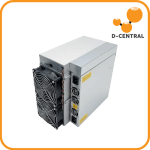
Antminer Undervolting: The Mineur domestique’s Secret Weapon
Your Antminer was built for a data center. It was designed to run at maximum power in a temperature-controlled warehouse with dedicated 240V circuits, industrial cooling, and nobody living within earshot. You live in a house. You share circuits with a refrigerator, you sleep thirty feet from your mining rig, and you pay residential electricity rates that would make a facility operator weep.
La bonne nouvelle: you do not have to run your miner the way Bitmain intended. Undervolting — reducing the voltage supplied to the ASIC chips — is the single most powerful tool in the mineur domestique’s arsenal. It slashes consommation de puissance, cuts heat output, drops vitesses des ventilateurs, and can actually improve your mining profitability at residential electricity rates. It is the mining equivalent of driving at 65 mph instead of 100 mph: you get nearly the same mileage per gallon but use dramatically less fuel.
Ce guide covers everything you need to know to undervolt your Antminer for home use — the physics behind it, three firmware methods to get it done, model-by-model recommendations, real-world benchmarks, réduction du bruit results, profitability analysis, and the common mistakes that brick miners. Whether you are running a vintage S9 as a chaufferette or tuning an S19j Pro to be apartment-friendly, ce manuel vous couvre.
Why Undervolt Your Antminer?
Bitmain ships every Antminer configured for one thing: maximum hashrate. The firmware d’origine pushes chips to their rated frequency and voltage ceiling to extract every terahash per second the silicon can deliver. This makes sense in an industrial facility paying $0.03–0.05/kWh — at those rates, raw hashrate is king and electricity is cheap enough that efficiency barely matters.
Home miners live in a different universe. Your coût de l’électricités $0.08–0.20/kWh. Your house has 15A or 20A circuits, not dedicated 30A feeds. Your family does not want to live with a jet engine in the basement. And your miner generates enough heat to raise the temperature of the entire floor it sits on.
Undervolting addresses every single one of these problems simultaneously:
Noise Reduction
mineurs ASIC use temperature-controlled fans. Lower voltage means less heat, which means fans spin slower, which means dramatically less noise. A stock Antminer S19 at 75 dB sounds like a vacuum cleaner running continuously. Undervolted by 40%, the same machine can drop to 55–60 dB — the difference between « uninhabitable » and « tolerable background hum. » Fan noise follows a logarithmic scale: every 10 dB reduction represents a perceived halving of loudness.
Heat Reduction
Every watt your miner consumes becomes heat. A stock S19j Pro pulling 3,050W dumps 10,410 BTU/hr into your space. Undervolted to 1,800W, that drops to 6,144 BTU/hr — a 41% reduction. In summer, this is the difference between an overheated room and a manageable one. In winter, it means your miner supplements your heating instead of overwhelming it.
Efficiency Gains
This is where the physics gets interesting. Undervolting does not just save power proportionally — it saves power disproportionately. Because of the voltage-power relationship (more on this below), you can often run at 80% of stock hashrate while consuming only 50–60% of stock power. Your efficiency in J/TH (joules per terahash) actually improves, meaning each hash costs you less electricity.
Hardware Longevity
Electromigration — the gradual movement of metal atoms in chip interconnects caused by current flow — is the primary aging mechanism in ASIC chips. It accelerates exponentially with voltage and temperature. Running your chips at lower voltage and lower temperature can significantly extend the operational lifespan of your hashboards. A well-maintained, undervolted S19 can keep hashing long after stock-voltage units have degraded.
Electrical Compatibilité
Most nord-américain homes run 15A or 20A circuits at 120V, giving you 1,800W or 2,400W of continuous capacity per circuit. A stock Antminer S19 pulls 3,250W — more than any single circuit résidentiel can handle, requiring a 240V connection. Undervolted to 1,800W or below, the same miner can run on a standard 20A/120V circuit. This eliminates the need for an electrician to install dedicated 240V drops — a significant cost and barrier for mineurs domestiques.
Understanding Voltage, Frequency, and Hashrate
To undervolt effectively, you need to understand the relationship between three variables: voltage, frequency, and consommation de puissance. This is not academic — it is the physics that makes undervolting so powerful for mineurs domestiques.
The Power Equation
Power consumption in CMOS circuits (which all ASIC chips are) follows this relationship:
P = a * F * V^2Where:
- P = Power consumption (watts)
- a = Activity factor and capacitance (hardware-specific constant)
- F = Clock frequency (determines hashrate)
- V = Voltage (squared)
The critical insight: power scales with the square of voltage, but hashrate scales linearly with frequency. When you lower frequency, you can also lower voltage (because lower-frequency operation is stable at lower voltage), and the voltage reduction gives you a quadratic power savings.
The Diminishing Returns Curve
At the top end of the frequency range, every additional megahertz of clock speed requires a disproportionate increase in voltage to maintain stability. Cela signifie the last 10–20% of hashrate is absurdly expensive in power terms. Consider this simplified example:
| Frequency | Voltage | Hashrate | Power | Efficiency (J/TH) |
|---|---|---|---|---|
| 100% | 100% | 100 TH/s | 3,050W | 30.5 J/TH |
| 85% | 90% | 85 TH/s | 2,000W | 23.5 J/TH |
| 70% | 82% | 70 TH/s | 1,450W | 20.7 J/TH |
| 50% | 72% | 50 TH/s | 900W | 18.0 J/TH |
Look at the efficiency column. At stock settings, this miner runs at 30.5 J/TH. Undervolted to 50% hashrate, it achieves 18.0 J/TH — a 41% improvement in energy efficiency. You are producing fewer hashes, but each hash costs dramatically less electricity. At residential power rates, the undervolted configuration is often more profitable than stock because the electricity savings exceed the lost mining revenue.
Temperature Matters Too
Braiins research has demonstrated that temperature has a significant impact on ASIC efficiency — more so on newer chip generations. For the S19j Pro, efficiency ranges from 24 J/TH at 20C to 34 J/TH at 75C — a 42% efficiency penalty from temperature alone, with no change in hashrate. Undervolting reduces température des puces, which further improves efficiency, creating a virtuous cycle: lower voltage produces less heat, cooler chips are more efficient, better efficiency means less heat, which means even better efficiency.
Method 1: Braiins OS+ Autotuning (Recommended)
Braiins OS+ is the gold standard for ASIC optimization. Its autotuning engine calibrates voltage and frequency per chip — not per board, not per miner, but per individual ASIC chip. This accounts for silicon lottery variation (every chip is slightly different) and delivers efficiency that manual tuning cannot match. You set a cible de puissance in watts and walk away. The firmware does the rest.
Modèles compatibles
| Generation | Modèles compatibles |
|---|---|
| S9 Series | S9, S9i, S9j |
| S17 Series | S17, S17+, S17 Pro, S17e |
| T17 Series | T17, T17+, T17e |
| S19 Series | S19, S19 Pro, S19+, S19a, S19a Pro, S19j, S19j Pro, S19j Pro+, S19k Pro, S19 XP, S19j XP |
| T19 Series | T19, T19 Pro Hyd |
| S19 Hydro | S19 Pro+ Hydro, S19 XP Hyd, S19e XP Hyd |
| S21 Series | S21, S21 Pro, S21 XP, T21 |
Step 1: Install Braiins OS+
Braiins OS+ can be installed via two methods:
Method A: Interface web upload (if firmware d’origine SSH is unlocked)
- Download the correct firmware image for your model from braiins.com/os/plus
- Access your miner’s interface web (typically
http://<miner-IP>) - Naviguez vers System > Upgrade
- Upload the Braiins OS+ firmware file
- Attendez que the flash and automatic reboot (~5 minutes)
Method B: microSD card (for locked firmware or fresh installs)
- Download the SD card image from Braiins
- Flash the image to a microSD card using balenaEtcher
- Éteignez the miner
- Insert the microSD card into the carte de contrôle’s SD slot
- Allumez — the miner boots from the SD card and installs Braiins OS+
- Remove the SD card after installation completes and reboot
You can also use the Braiins Toolbox command-line utility for batch installations across multiple miners on your network.
Step 2: Set Your Cible de puissance
After installation, access the Braiins OS+ interface web:
- Naviguez vers Miner > Configuration > Autotuning
- Select « Cible de puissance » mode
- Enter your desired consommation de puissance in watts
- Click Save & Apply
The autotuning engine begins calibrating. This process takes 2–6 hours as the firmware tests voltage and frequency combinations on every individual chip, finds the optimal operating point for each one, and stabilizes. Do not judge results during the calibration phase — let it finish.
Recommended Cible de puissances by Model
These targets represent tested ranges for minage domestique use. Start at the « Conservative » level for your first tune, run for 24 hours, verify stability (HW errors below 0.05%), then reduce further if desired.
| Modèle | Puissance d’origine | Conservative Target | Aggressive Target | Minimum Safe |
|---|---|---|---|---|
| S9 / S9i / S9j | 1,323W | 1,000W | 750W | 600W |
| S17 Pro (53T) | 2,094W | 1,600W | 1,200W | 1,000W |
| T17 (40T) | 2,200W | 1,600W | 1,200W | 1,000W |
| S19 (95T) | 3,250W | 2,400W | 1,800W | 1,400W |
| S19 Pro (110T) | 3,250W | 2,400W | 1,800W | 1,400W |
| S19j Pro (100T) | 3,050W | 2,200W | 1,700W | 1,300W |
| S19k Pro (120T) | 2,760W | 2,000W | 1,600W | 1,200W |
| S19 XP (140T) | 3,010W | 2,200W | 1,800W | 1,400W |
| S21 (200T) | 3,500W | 2,600W | 2,000W | 1,600W |
| S21 Pro (234T) | 3,510W | 2,700W | 2,200W | 1,800W |
Step 3: Monitor and Fine-Tune
After the autotuning calibration period (2–6 hours), check these metrics on the Braiins OS+ dashboard:
- Hashrate: Should be stable within +/- 5% of the expected value for your cible de puissance. Some fluctuation is normal.
- Power consumption: Should match your target within +/- 10%. Actual power depends on PSU efficiency and ambient temperature.
- HW error rate: Must be below 0.05%. If it is above 0.1%, your cible de puissance is too low — raise it by 100–200W.
- Chip temperatures: Should be below 80C for long-term reliability. Below 70C is ideal.
- Fan speed: Should have dropped significantly compared to stock operation. Lower fan RPM = less noise.
If everything looks stable after 24 hours with zero chain dropouts and HW errors below 0.05%, you can cautiously lower the cible de puissance by another 100W and re-observe. This iterative process finds the deepest stable undervolt for your specific unit.
Method 2: VNish Manual Tuning
VNish firmware provides granular manual control over voltage and frequency at the board and chip level. Unlike Braiins’ automated approach, VNish gives you the knobs to turn yourself — ideal for experienced miners who want per-chain tuning and precise control over every parameter.
Modèles compatibles
| Generation | Modèles compatibles |
|---|---|
| S9 Series | S9, S9i, S9j, S9k |
| S17 / T17 | S17, S17+, S17 Pro, S17e, T17, T17+, T17e |
| S19 / T19 | S19, S19 Pro, S19j, S19j Pro, S19j Pro+, S19k Pro, S19a, S19a Pro, S19 XP, S19j XP, T19 |
| S19 Hydro | S19 Pro Hydro, S19 XP Hyd, S19e XP Hyd |
| S21 / T21 | S21, S21+, S21 Pro, S21 XP, S21 Hydro, S21 Immersion, T21 |
| L7 / L9 | L7, L9 |
Step 1: Install VNish Firmware
- Purchase a VNish license from vnish.com (licensed per unit)
- Download the firmware image for your specific model
- Access your miner’s interface web
- Naviguez vers System > Firmware Upgrade
- Upload the VNish firmware file and flash
- Attendez que reboot — the VNish interface replaces the stock interface
Step 2: Configure Autotune or Manual Mode
VNish offers two approaches:
Autotune Mode (Recommended for beginners):
- Naviguez vers Miner > Performance in the VNish interface web
- Select Autotune mode
- Set your desired cible de puissance or hashrate target
- The firmware will automatically calibrate voltage and frequency per chip, finding the optimal setting for each one
- Calibration takes 1–3 hours
Manual Mode (For advanced users):
- Naviguez vers Miner > Paramètres avancés
- You will see controls for each hashboard chain (Chain 0, Chain 1, Chain 2)
- Adjust frequency (measured in MHz) — lower frequency = lower hashrate and lower power
- Adjust voltage (measured in millivolts) — lower voltage = lower power, but too low causes instability
- Apply changes one chain at a time
- Monitor HW error rates after each change for 15–30 minutes before adjusting further
Step 3: Per-Chain Tuning
One of VNish’s strengths is per-chain (per-hashboard) tuning. Not all hashboards are created equal — one board might have stronger chips that can run efficiently at lower voltages, while another board may need slightly higher voltage to remain stable. Per-chain tuning lets you optimize each board independently.
The process:
- Start with all chains at the same reduced frequency (e.g., 80% of stock)
- Run for 1 hour and note HW error rates per chain
- If one chain shows elevated HW errors, raise its voltage by 10–20mV while keeping the others low
- If a chain shows zero errors, cautiously lower its voltage by 10mV
- Repeat until each chain is at its individual sweet spot
Method 3: Firmware d’origine (Limited Models)
If you prefer not to flash third-party firmware, some Antminer models offer limited power adjustment through Bitmain’s firmware d’origine. The options are more limited than Braiins OS+ or VNish, but they require zero firmware changes and carry zero risk of voiding your garantie (if applicable).
Low Power Mode
Bitmain offers two reduced-power modes on select models:
- Low Power Mode (LPM): Reduces consommation de puissance while attempting to maintain hashrate. Achieves this through voltage optimization — the firmware runs a less aggressive voltage profile.
- Low Power Enhanced Mode (LPM-E): Reduces both consommation de puissance and hashrate. Lowers frequency presets to achieve a more significant power reduction.
Models with Stock Power Adjustment
| Modèle | Firmware d’origine Options | How to Access |
|---|---|---|
| S17 / S17 Pro | Normal, Low Power, Low Power Enhanced presets | Miner Configuration > Mining Profiles |
| T17 / T17+ | Normal, Low Power presets | Miner Configuration > Mining Profiles |
| S19 Series | 10–20 performance levels (model-dependent) | Mining > Performance |
| S21 Series | Power-efficient mode (160 TH/s at 2,600W) | Mining > Performance |
| S9 | Frequency presets only (no direct voltage control) | Miner Configuration > Frequency |
Limitations of Firmware d’origine
Firmware d’origine undervolting is a blunt instrument compared to custom firmware:
- No per-chip tuning — all chips on a board run at the same voltage/frequency, wasting the potential of better chips
- Preset-only control — you choose from a menu of presets rather than entering specific watt targets
- Less aggressive downclocking — Bitmain’s presets are conservative; custom firmware can safely go much lower
- No efficiency optimization — firmware d’origine does not attempt to find the per-chip J/TH sweet spot
Cela dit, stock Low Power Mode is a perfectly valid first step. If it gives you adequate noise and power reduction, you may not need to flash custom firmware at all.
Bonus: LuxOS Cible de puissanceing
LuxOS is the third major custom firmware option, developed by Luxor Technologies. It supports the S19 and S21 series and includes a cible de puissanceing autotuner similar to Braiins OS+. Its distinguishing feature is Dynamic Power Scaling (DPS) — the firmware can automatically shift between aggressive and efficient modes based on real-time hashprice, maximizing revenue per watt at any given moment. LuxOS is the first ASIC firmware to achieve SOC 2 Type 2 certification, which may matter for miners with compliance requirements.
Setup process is similar to Braiins: install the firmware, set a wattage target, and let the autotuner calibrate. LuxOS supports cible de puissanceing for S19 XP, S19j XP, S21 series (air-cooled and hydro), and T21 models.
Model-by-Model Undervolting Guide
Antminer S9 / S9i / S9j
The venerable S9 is the most undervolted ASIC in existence. It is the backbone of D-Central’s Chaufferette Bitcoin lineup, and undervolting is what makes it viable for home use in 2025–2026.
| Paramètre | Details |
|---|---|
| Puce ASIC | BM1387 (16nm) |
| Hashrate d’origine | 13.5 TH/s |
| Puissance d’origine | 1,323W |
| Stock Efficiency | 98 J/TH |
| Braiins Optimized Efficiency | ~70 J/TH |
| Best Firmware | Braiins OS+ (free, autotuning) |
| Ideal Use Case | chaufferette Bitcoin, learning platform, low-power minage domestique |
Why undervolt the S9: At stock 98 J/TH, the S9 is hopelessly unprofitable at any electricity rate in 2025–2026 unless you are using it as a heater (where the coût de l’électricité is offset by heating value). Undervolting to ~70 J/TH with Braiins OS+ does not make it profitable in isolation, but it dramatically reduces the « cost of heating » when used as a chaufferette. At 750W with Braiins, the S9 produces roughly 8–10 TH/s — enough to earn some satoshis while putting out 2,560 BTU/hr of useful heat.
Recommended Braiins cible de puissance: 750–1,000W for chaufferette use. The S9 at 750W is remarkably quiet with aftermarket fans, drawing under 7A on a 120V circuit — completely manageable on a standard prise résidentielle.
Antminer S17 / T17 Series
The S17/T17 generation is infamous for thermal management issues — temperature sensor failures, hashboard thermal shutdowns, and solder joint failures on the BM1397 chips. Paradoxically, undervolting is more important on this generation than any other because reducing thermal stress directly addresses the hardware’s primary weakness.
| Paramètre | S17 Pro | T17 |
|---|---|---|
| Puce ASIC | BM1397 (7nm) | BM1397 (7nm) |
| Hashrate d’origine | 53 TH/s | 40 TH/s |
| Puissance d’origine | 2,094W | 2,200W |
| Stock Efficiency | ~40 J/TH | ~55 J/TH |
| Braiins Optimized Efficiency | ~31 J/TH | ~38 J/TH |
| Best Firmware | Braiins OS+ or VNish | Braiins OS+ or VNish |
| Ideal Use Case | Minage domestique with noise management | Space heater, budget mineur domestique |
Why undervolt the S17/T17: Beyond the standard benefits, undervolting the S17/T17 generation is a reliability measure. These machines are notorious for hashboard failures caused by thermal cycling and overheating. Running them at 60–70% of stock power keeps températures des puces well below the danger zone, significantly extending their operational lifespan. Many S17s that have failed at stock settings run reliably for years when undervolted.
Recommended cible de puissance: 1,200–1,600W. The S17 Pro at 1,400W produces approximately 35–40 TH/s with dramatically improved thermal stability. D-Central’s S17 Chaufferette Edition runs at this range.
Antminer S19 / S19 Pro / S19j Pro Series
The S19 generation is the sweet spot for mineur domestique undervolting. These machines offer excellent silicon quality (BM1362/BM1398 chips), strong autotuning response, and enough stock headroom that undervolting produces dramatic efficiency improvements. The S19j Pro in particular has become the workhorse of the minage domestique community.
| Paramètre | S19 (95T) | S19 Pro (110T) | S19j Pro (100T) | S19k Pro (120T) | S19 XP (140T) |
|---|---|---|---|---|---|
| Puce ASIC | BM1362 | BM1362 | BM1362 | BM1362 | BM1362 |
| Puissance d’origine | 3,250W | 3,250W | 3,050W | 2,760W | 3,010W |
| Stock Efficiency | 34.2 J/TH | 29.5 J/TH | 30.5 J/TH | 23.0 J/TH | 21.5 J/TH |
| Braiins Efficiency | ~26 J/TH | ~24 J/TH | ~23.5 J/TH | ~19 J/TH | ~19.5 J/TH |
| Improvement | +24% | +19% | +23% | +17% | +9% |
Why the S19 series is ideal for undervolting: The BM1362 chips respond exceptionally well to autotuning. The S19j Pro, par exemple, can be tuned from its stock 30.5 J/TH down to approximately 23.5 J/TH — a 23% efficiency improvement. At aggressive undervolting (1,800W cible de puissance), you get roughly 70–80 TH/s at significantly improved efficiency, with températures des puces that stay well below thermal throttling thresholds.
Recommended cibles de puissance:
- Standard minage domestique: 2,000–2,400W — good balance of hashrate and efficiency, manageable on a 240V/15A circuit
- Quiet minage domestique: 1,500–1,800W — significantly reduced noise, can run on a dedicated 20A/120V circuit
- Space heater mode: 1,200–1,500W — maximum efficiency, quietest operation, fits comfortably on a standard circuit
Antminer S21 / S21 Pro / T21 Series
The S21 generation represents the current state of the art. These machines are already highly efficient at stock settings, which means undervolting yields smaller percentage improvements — but the absolute efficiency numbers are remarkable.
| Paramètre | S21 (200T) | S21 Pro (234T) | T21 (190T) | S21 XP (270T) |
|---|---|---|---|---|
| Puissance d’origine | 3,500W | 3,510W | 3,610W | 3,645W |
| Stock Efficiency | 17.5 J/TH | 15.0 J/TH | 19.0 J/TH | 13.5 J/TH |
| Braiins Efficiency | ~15.4 J/TH | ~14.1 J/TH | ~16.8 J/TH | ~11.9 J/TH |
| Improvement | +12% | +6% | +12% | +12% |
Undervolting the S21: Because the S21 series is already optimized for efficiency at the silicon level, the autotuning improvements are more modest (6–12% vs. 20–30% on older generations). Cependant, undervolting the S21 for home use is still valuable for the noise and power reduction benefits. The S21 in its stock power-efficient mode (160 TH/s at 2,600W, achieving 16.25 J/TH) is already a reasonable minage domestique configuration.
The S21’s firmware also includes automatic thermal protection that initiates underclocking when ambient temperature approaches 40C, reducing frequency from 490 MHz to 440 MHz. In a home environment with moderate temperatures, you get full performance; in a warm room, the machine self-protects.
Recommended cible de puissance: 2,000–2,600W. The S21 at 2,600W power-efficient mode is already well-suited for home use. Going lower to 2,000W sacrifices more hashrate but further reduces noise and heat.
Antminer L3+ / L7 (Scrypt)
Scrypt miners (used for Litecoin and Dogecoin) follow the same undervolting principles but with different efficiency numbers.
| Paramètre | L3+ (504 MH/s) | L7 (9.5 GH/s) |
|---|---|---|
| Puissance d’origine | 800W | 3,425W |
| Stock Efficiency | 1.6 J/MH | 0.36 J/MH |
| Firmware Options | VNish, Braiins OS+ | VNish |
L3+ undervolting: The L3+ is the Scrypt equivalent of the S9 — old, inefficient, but cheap and widely available. It responds well to underclocking via custom firmware. VNish and Braiins OS+ both support the L3+ and allow vitesse des ventilateurs control alongside frequency adjustment. At 350–400W, the L3+ runs at roughly 300 MH/s with significantly reduced noise — ideal for Litecoin/Dogecoin mining as a chaufferette supplement.
L7 undervolting: The L7 is already 10x more efficient than the L3+ per megahash. Undervolting benefits are similar to the S21 — modest efficiency gains but worthwhile for home noise and heat management. VNish supports the L7 with autotune and per-chain tuning capabilities.
Undervolting Results: Before and After
This table compiles real-world results from undervolted Antminers running Braiins OS+ autotuning at conservative home-mining cibles de puissance. Your results will vary depending on silicon quality, ambient temperature, and PSU efficiency — treat these as representative benchmarks, not guarantees.
| Modèle | Puissance d’origine | Hashrate d’origine | Stock J/TH | UV Power | UV Hashrate | UV J/TH | Power Saved |
|---|---|---|---|---|---|---|---|
| S9 | 1,323W | 13.5 TH/s | 98 | 800W | 10.5 TH/s | 76 | -40% |
| S17 Pro | 2,094W | 53 TH/s | 40 | 1,400W | 42 TH/s | 33 | -33% |
| S19 (95T) | 3,250W | 95 TH/s | 34.2 | 2,000W | 76 TH/s | 26.3 | -38% |
| S19j Pro | 3,050W | 100 TH/s | 30.5 | 2,000W | 82 TH/s | 24.4 | -34% |
| S19k Pro | 2,760W | 120 TH/s | 23.0 | 2,000W | 100 TH/s | 20.0 | -28% |
| S19 XP | 3,010W | 140 TH/s | 21.5 | 2,200W | 115 TH/s | 19.1 | -27% |
| S21 | 3,500W | 200 TH/s | 17.5 | 2,600W | 160 TH/s | 16.3 | -26% |
| S21 Pro | 3,510W | 234 TH/s | 15.0 | 2,700W | 190 TH/s | 14.2 | -23% |
Noise Reduction Results
For most mineurs domestiques, noise is the primary motivation for undervolting. Voici what you can expect.
How ASIC Noise Scales with Power
mineurs ASIC use temperature-controlled fans — the hotter the chips run, the faster the fans spin, and the louder the machine gets. Fan noise scales roughly with the cube of RPM (double the vitesse des ventilateurs = 8x the noise power). By reducing chip power and temperature through undervolting, vitesses des ventilateurs drop proportionally, and noise drops dramatically.
| Modèle | Stock Noise | UV Noise (Conservative) | UV Noise (Aggressive) | Comparison |
|---|---|---|---|---|
| S9 | ~76 dB | ~60 dB | ~50 dB* | Vacuum cleaner to quiet conversation |
| S17 Pro | ~75 dB | ~62 dB | ~55 dB | Blender to normal conversation |
| S19 / S19j Pro | ~75 dB | ~63 dB | ~55 dB | Vacuum cleaner to moderate rain |
| S21 | ~75 dB | ~62 dB | ~55 dB | Blender to background hum |
* S9 aggressive noise with aftermarket Noctua/Arctic fans in a D-Central chaufferette enclosure. Stock fans at any voltage are louder.
The decibel scale is logarithmic: every 10 dB reduction is perceived as approximately half the loudness. A drop from 75 dB to 55 dB — a 20 dB reduction — represents a roughly 75% perceived loudness decrease. This is the difference between « this machine is destroying my quality of life » and « I can hear it humming if I pay attention. »
Noise Reduction Stacking
Undervolting is even more effective when combined with other réduction du bruit strategies:
| Strategy | Noise Reduction | Remarques |
|---|---|---|
| Undervolting alone | 10–20 dB | Free — firmware change only |
| + Aftermarket fans | +5–15 dB | Noctua iPPC or Arctic P14 replacement fans |
| + Space heater enclosure | +3–5 dB | D-Central enclosure directs and dampens airflow |
| + Room placement | +10–20 dB | Basement, garage, closet with door closed |
| Combined | 25–40+ dB total | Can make a miner apartment-viable |
A fully optimized setup — undervolted S19j Pro at 1,800W, running Noctua fans in a dedicated room — is genuinely apartment-friendly. You will know it is there, but it will not dominate your living space. Many D-Central customers run undervolted miners in spare bedrooms, home offices, and basements with no complaints from family members.
Analyse de rentabilité: When Undervolting Pays
The fundamental question: does undervolting make you more or less money?
The answer depends on your electricity rate. Undervolting trades hashrate (revenue) for efficiency (lower costs). When electricity is expensive, the cost savings outweigh the lost revenue. When electricity is cheap, the lost hashrate costs you more than the power savings.
The Break-Even Analysis
Consider an S19j Pro. At stock settings: 100 TH/s at 3,050W (30.5 J/TH). Undervolted: 82 TH/s at 2,000W (24.4 J/TH). The undervolted configuration loses 18 TH/s but saves 1,050W.
At a hashprice of $0.055/TH/day (representative of 2025–2026 conditions):
| Electricity Rate | Stock Daily Profit | UV Daily Profit | Better Option |
|---|---|---|---|
| $0.03/kWh | $3.16 | $3.07 | Stock (by $0.09/day) |
| $0.05/kWh | $1.83 | $2.11 | Undervolted (by $0.28/day) |
| $0.07/kWh | $0.37 | $1.14 | Undervolted (by $0.77/day) |
| $0.10/kWh | -$2.27 | -$0.30 | Undervolted (losses $1.97/day less) |
| $0.12/kWh | -$3.84 | -$1.26 | Undervolted (losses $2.58/day less) |
| $0.15/kWh | -$5.48 | -$2.70 | Undervolted (or use as heater) |
Key insight: At any electricity rate above roughly $0.04/kWh, undervolting the S19j Pro is more profitable than running at stock. For the vast majority of mineurs domestiques — who pay $0.07–0.15/kWh — undervolting is not just preferable, it is the only way to remain economically viable.
The Chaufferette Offset
If you use your miner as a chaufferette during heating season, the profitability calculation changes radically. When the heat from your miner displaces electricity that would otherwise go to a traditional electric heater, your effective coût de l’électricité for mining approaches $0.00/kWh. At that point, even an undervolted S9 at 98 J/TH is « profitable » — the Bitcoin revenue is pure upside on heating you were going to pay for regardless.
This is the dual-purpose mining thesis. Undervolting lets you calibrate your miner’s heat output to match your heating needs — use 800W in a small room, 1,500W in a larger room, or 2,500W for a workshop. The Bitcoin mining revenue offsets your heating bill, and the undervolted configuration ensures the noise is tolerable for a living space.
Surveillance and Stability
Undervolting pushes chips closer to their stability limits. Careful monitoring is essential — especially in the first 48 hours after setting a new cible de puissance.
Hardware Error Rates
Hardware errors (HW errors) are the primary indicator of undervolt stability. When a chip receives insufficient voltage to compute correctly at the requested frequency, it produces an invalid hash — a hardware error.
| HW Error Rate | État | Action |
|---|---|---|
| < 0.01% | Excellent | No action needed. Can cautiously lower cible de puissance by 50–100W. |
| 0.01% – 0.05% | Good | Normal operating range. Monitor but no adjustment needed. |
| 0.05% – 0.1% | Marginal | Borderline. May be acceptable if hashrate is stable. Consider raising power by 50–100W. |
| 0.1% – 0.5% | Too Low | Raise cible de puissance by 100–200W immediately. Some chips are running below stability threshold. |
| > 0.5% | Critique | Stop mining. Raise cible de puissance significantly or revert to stock. Risk of hashboard damage. |
Temperature Surveillance
Monitor these temperature readings on your firmware dashboard:
- Chip temperature: The temperature of the ASIC chips themselves. Target: < 80C for longevity, < 85C acceptable, > 90C indicates cooling problems regardless of voltage settings.
- Board temperature: The PCB temperature near the chips. Should track 10–20C below température des puces. Increasing board temps can indicate dust buildup or failing pâte thermique.
- Inlet air temperature: The ambient air entering the miner. Cooler inlet air = cooler chips = better efficiency. This is why basement and garage installations outperform upstairs rooms.
Chain and Hashboard Surveillance
Watch for these stability indicators:
- Chain dropouts: If a hashboard (chain) goes offline and reconnects, your cible de puissance is too aggressive for that board. Raise power by 100–200W.
- Hashrate instability: If the 15-minute average hashrate fluctuates by more than +/- 10%, the miner is not running stably. Raise cible de puissance.
- Individual chip failures: Autotuning firmware marks chips as dead if they cannot meet the minimum frequency. One or two dead chips out of 100+ is normal for older hardware. More than 3–5 per board suggests the cible de puissance is too low.
Common Mistakes
Undervolting is straightforward, but these mistakes can cost you hashrate, stability, or hardware:
1. Going Too Low Too Fast
Do not set your cible de puissance to 50% of stock on day one. Autotuning firmware needs to find each chip’s floor — if the target is far below what the hardware can handle, the calibration process can fail, producing unstable operation or chain dropouts. Start conservative (80% of stock), verify stability over 24 hours, then reduce by 100–200W increments.
2. Ignoring Hardware Errors
A miner producing 0.5% HW errors is not « mining fine with a few errors. » It is wasting electricity on invalid hashes that earn zero revenue, stressing chips in unstable states, and potentially degrading hashboard solder joints through thermal cycling. HW errors above 0.1% mean your voltage is too low — raise it.
3. Not Accounting for Ambient Temperature Changes
A cible de puissance that is perfectly stable at 20C ambient (winter) may become unstable at 30C ambient (summer). As ambient temperature rises, chips run hotter, requiring slightly more voltage for stability. If you undervolted during winter, re-check stability when seasons change. Braiins OS+ autotuning adapts continuously, but very aggressive targets may need seasonal adjustment.
4. Ignoring Individual Chip Variation
On manual tuning (VNish manual mode), setting all chips to the same aggressive voltage assumes all chips are equal. They are not. Some chips come off the wafer stronger than others — the « silicon lottery. » Per-chip autotuning (Braiins, VNish autotune) handles this automatically. If you are manually tuning, you must account for the weakest chip on each board — which means the whole board runs at a voltage floor set by its worst chip.
5. Forgetting PSU Efficiency
Power supplies are not 100% efficient. A PSU rated at 93% efficiency consuming 2,000W from the wall delivers approximately 1,860W to the miner and wastes 140W as heat. When setting your cible de puissance in firmware, remember the firmware measures power at the miner level, but your electricity bill reflects power at the wall level. Add 7–10% to your firmware power reading to estimate actual wall power.
6. Using Unstable or Counterfeit Firmware
Only download firmware from official sources: braiins.com, vnish.com, or luxor.tech. Counterfeit firmware circulating on forums and Telegram groups can contain backdoors that redirect a percentage of your hashrate to the attacker’s pool — or worse, brick your miner. Verify checksums after downloading.
7. Not Surveillance After Initial Tune
Setting a cible de puissance and forgetting about it for months is risky. Hardware degrades over time — pâte thermique dries out, dust accumulates, fans slow down, and chip quality gradually declines. Check your miner’s dashboard weekly. If HW errors trend upward or hashrate trends downward over time, it is time to clean the machine, repaste the dissipateurs thermiques, or raise the cible de puissance slightly.
Comparaison des firmwares: Which Should You Choose?
| Fonctionnalité | Braiins OS+ | VNish | LuxOS | Firmware d’origine |
|---|---|---|---|---|
| Per-chip autotuning | Yes | Yes | Yes | No |
| Manual voltage control | No | Yes | No | Limited |
| Power target (watts) | Yes | Yes | Yes | Presets only |
| Per-chain tuning | Automatic | Manual + Auto | Automatic | No |
| Coût | Free (2–2.5% devfee on Braiins Pool) | Per-unit license fee | Free (fee on Luxor Pool) | Free |
| Model range | S9 through S21 | S9 through S21 + L7/L9 | S19 and S21 series | Model-specific |
| Ease of use | Débutant-friendly | Intermédiaire | Débutant-friendly | Simplest |
| Dynamic hashprice tuning | No | No | Yes (DPS) | No |
| Idéal pour | Most mineurs domestiques | Power users who want control | S21 owners, compliance needs | No-fuss, garantie preservation |
D-Central’s recommendation: For most mineurs domestiques, Braiins OS+ is the best choice. It is free, it supports the widest range of models, and its autotuning engine reliably finds the efficiency sweet spot without requiring you to understand voltage domains and frequency bins. Set a cible de puissance, let it calibrate, and focus on stacking sats. If you need manual control or run L7/L9 Scrypt miners, VNish is the go-to.
Questions fréquemment posées
Can undervolting damage my Antminer?
Running at lower voltage than stock does not damage hardware — it reduces stress on the chips and extends their lifespan. The risk comes from going too low, where chips become unstable and produce excessive hardware errors. As long as you monitor HW error rates and keep them below 0.1%, undervolting is safer for your hardware than running at stock voltage. In fact, it is overvolting (overclocking) that shortens hardware life. Undervolting is the conservative, longevity-maximizing approach.
Will flashing custom firmware void my garantie?
Technically, flashing third-party firmware may void the manufacturer’s garantie. Cependant, most Antminers sold on the secondary market have no remaining garantie. If you purchased a new unit with active Bitmain garantie and want to preserve it, use Bitmain’s built-in Low Power Mode or performance presets (available on S17 and newer models) instead of custom firmware. You can always reflash firmware d’origine before submitting a garantie claim. Custom firmware like Braiins OS+ and VNish are designed to be fully reversible — you can return to firmware d’origine at any time.
How much hashrate will I lose by undervolting?
It depends on how aggressively you undervolt and which model you are running. As a general rule: a 30–40% power reduction results in a 15–25% hashrate loss. Critically, your efficiency (J/TH) improves despite the hashrate loss, because power drops faster than hashrate due to the quadratic voltage-power relationship. For a typical S19j Pro undervolted from 3,050W to 2,000W (34% power reduction), expect approximately 82 TH/s (18% hashrate loss) with a 20% efficiency improvement. The lost hashrate is more than offset by the electricity savings at any residential power rate above ~$0.04/kWh.
Can I undervolt to run on a standard 120V/15A circuit résidentiel?
Yes — this is one of the primary benefits for mineurs domestiques. A standard nord-américain 15A/120V circuit supports 1,800W continuous load (80% of the 15A rating). An S19j Pro undervolted to 1,700W can run on this circuit with margin. A 20A/120V circuit supports 2,400W continuous, which accommodates more aggressive cibles de puissance. Note that the PSU adds 7–10% overhead — a miner firmware reading 1,700W at the board level draws approximately 1,830W from the wall. Always account for PSU efficiency when calculating circuit load. For S21-series miners, 240V is still recommended even when undervolted due to PSU input requirements.
How long does autotuning take, and can I mine during calibration?
Autotuning calibration on Braiins OS+ takes 2–6 hours, depending on the model and the aggressiveness of your cible de puissance. During this period, the miner IS mining and earning revenue — the firmware adjusts voltage and frequency in real-time while hashing. Hashrate will fluctuate during calibration as the firmware tests different settings per chip. Do not judge your final hashrate or efficiency until calibration is complete and the dashboard shows « Tuned » or « Stable » status. The miner may reboot itself 1–3 times during the initial autotuning process.
Should I undervolt a brand-new S21 for home use?
The S21 already has a built-in power-efficient mode (160 TH/s at 2,600W) that is well-suited for home use. If this mode gives you acceptable noise and consommation de puissance, you may not need custom firmware at all. Cela dit, Braiins OS+ can squeeze an additional 6–12% efficiency improvement through per-chip autotuning, and a custom cible de puissance gives you finer-grained control than Bitmain’s presets. If you are paying more than $0.07/kWh or need réduction du bruit beyond what the stock efficient mode provides, custom firmware is worthwhile even on the S21.
My miner was stable for weeks, but suddenly started throwing hardware errors. What happened?
The most common cause is ambient temperature change. A miner that was stable at 20C ambient in your basement during winter may become marginal at 28C ambient in summer. Higher ambient temperature means hotter chips, which need slightly more voltage for stability. Other causes include: dust accumulation reducing cooling effectiveness (clean your miner every 2–3 months), degraded pâte thermique (repaste annually), or a failing fan that is no longer spinning at full speed. Raise your cible de puissance by 100–200W and investigate the root cause.
Why D-Central for Minage domestique
D-Central Technologies has been hacking ASIC mining hardware for home use since 2016. We are not a big-box retailer selling miners and moving on — we are the Bitcoin Mining Hackers, and making industrial mining technology work in residential environments is literally what we do.
Chaufferette Bitcoins
Every D-Central Chaufferette Bitcoin ships with Braiins OS+ pre-installed and optimized for quiet, efficient home operation. Our S9, S17, and BitChimney chaufferette editions are undervolted, equipped with premium Noctua or Arctic silent fans, and housed in custom 3D-printed enclosures. Plug in, set your pool, and start stacking sats while heating your home. No firmware flashing required.
Mineurs ASIC & Custom Editions
D-Central’s Slim Edition, Pivotal Edition, and Loki Edition Antminers are custom-configured for minage domestique from the factory. We test every unit, optimize firmware settings, and can pre-configure your cible de puissance before shipping. Whether you want an S19j Pro tuned for 2,000W quiet home operation or an S21 set up for maximum efficiency, we build it to your specifications.
ASIC Repair Service
Dead hashboard? Chain dropout that will not resolve? Chips degraded from too-aggressive voltage settings? D-Central has repaired over 2,500 mineurs ASIC since 2016 at our facility in Laval, Québec. We diagnose and repair hashboards down to the individual chip level — BM1387, BM1397, BM1362, and BM1366 micro-soudure. Ship your miner to us, and we will get it hashing again.
Firmware Download Center
Access our comprehensive bibliothèque de firmwares — stock Bitmain firmware for every Antminer model, plus links to Braiins OS+, VNish, and LuxOS custom firmware. Whether you need to flash a specific stock version before upgrading or download the latest autotuning firmware, we have it organized and ready.
New to minage domestique and wondering where to start beyond undervolting? Our Pour commencer guide walks you through everything from choosing your first miner to setting up your pool de minage and wallet.
Undervolting is not a hack or a workaround — it is the correct way to run ASIC mining hardware in a residential environment. The factory settings are optimized for data centers with cheap power and industrial cooling. Your home is not a data center. Your electricity rate, your circuit capacity, your noise tolerance, and your thermal environment are all different. Custom firmware with intelligent autotuning bridges that gap, transforming a machine built for a warehouse into one that fits your life.
The math is clear: at residential electricity rates, an undervolted miner earns more profit per dollar of electricity than a stock-voltage miner. You produce fewer total hashes, but each hash costs less — and when you are paying $0.07–0.15/kWh, efficiency is everything. Add the dual-purpose heating offset, and the economics become compelling even for miners that appear « unprofitable » on paper.
Every hash counts. Every watt matters. Undervolt your miner, tune it for your home, and let the machine work for you instead of working against your electricity bill. This is how the Bitcoin Mining Hackers do it.
Stack sats. Stay quiet. Decentralize hashrate.