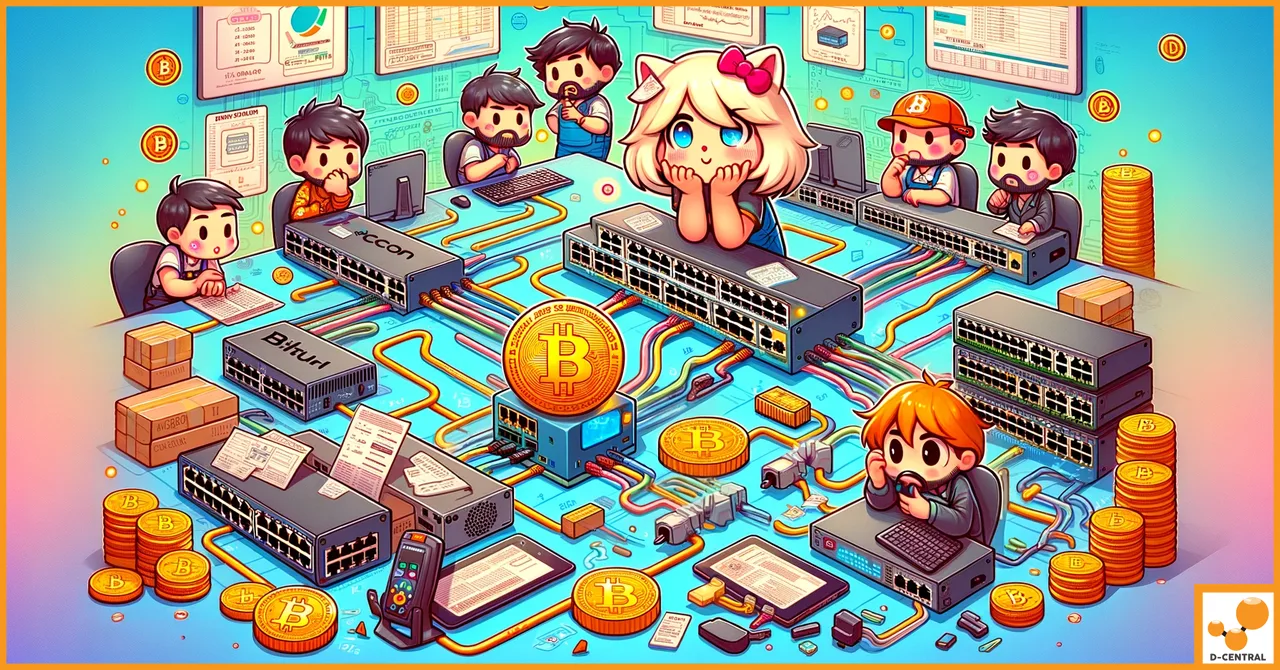
Your ASIC miners are only as good as the network connecting them. A single misconfigured switch, a dropped packet at the wrong moment, or a bottleneck in your local network can cost you shares, increase stale rates, and silently bleed hashrate you paid good money for. The network switch sitting between your miners and your router is not an afterthought — it is critical infrastructure.
At D-Central Technologies, we have been building, repairing, and deploying Bitcoin mining hardware since 2016. From single-miner home setups running a Bitaxe on the kitchen counter to multi-rack operations pulling megawatts in Quebec, we have seen every networking mistake in the book. This guide covers everything you need to know about choosing, configuring, and maintaining network switches for your Bitcoin ASIC mining operation — whether you are running one miner or one hundred.
Why Your Network Switch Matters for Bitcoin Mining
A network switch is the device that connects your ASIC miners to each other and to your router (and by extension, to your mining pool or the Bitcoin network if you are solo mining). Unlike a hub, which blindly broadcasts every packet to every port, a switch reads MAC addresses and routes traffic only where it needs to go. This is the difference between a congested highway and a well-managed network of dedicated lanes.
For Bitcoin mining specifically, the stakes are straightforward:
- Stale shares kill profitability. When your miner finds a valid share but the network is too slow to deliver it to the pool, that share arrives after the next block template has already been issued. Your work is wasted. A properly configured switch minimizes latency and ensures shares reach the pool as fast as physically possible.
- Uptime is everything. Every minute your miner is offline or struggling with connectivity is hashrate you are not contributing. With the Bitcoin network hashrate now exceeding 800 EH/s and difficulty above 110T, every hash counts — a phrase we live by at D-Central.
- Scaling demands planning. You might start with one Antminer S21 and a spare port on your home router. But when you add a second miner, then a third, then a Bitcoin Space Heater for the basement, suddenly your consumer router is managing more traffic than it was designed for.
The bottom line: if you take mining seriously, you need a dedicated network switch.
Network Switch Types: Which One Do You Actually Need?
Not all switches are created equal. The three main categories — unmanaged, smart (web-managed), and fully managed — serve different scales and budgets. Here is how they map to Bitcoin mining operations.
| Switch Type | Best For | Key Features | Price Range |
|---|---|---|---|
| Unmanaged | 1-5 miners, home setups | Plug-and-play, zero config | $20-$80 |
| Smart / Web-Managed | 5-20 miners, serious home miners | Basic VLANs, QoS, monitoring | $60-$200 |
| Fully Managed (L2/L3) | 20+ miners, farm-scale | Full VLAN, QoS, ACLs, SNMP, stacking | $150-$1,000+ |
Unmanaged Switches
An unmanaged switch is the simplest option. You plug it in, connect your Ethernet cables, and it works. No web interface, no configuration, no login credentials to manage. For a home miner running a handful of machines — say a couple of Antminers heating the garage and a Bitaxe on the desk for solo mining — an unmanaged gigabit switch from TP-Link, Netgear, or similar is perfectly adequate.
The limitation is obvious: zero control. You cannot prioritize mining traffic, you cannot isolate your miners from the rest of your home network, and you cannot monitor individual port statistics. For most home miners, this trade-off is acceptable.
Smart Switches (Web-Managed)
Smart switches occupy the sweet spot for dedicated home miners and small-scale operations. They offer a web-based management interface where you can configure VLANs (to isolate your mining network from your family’s streaming traffic), set basic QoS rules (to prioritize mining packets), and monitor port-level statistics.
If you are running more than five miners, or if your mining hardware shares a network with other household devices, a smart switch is the minimum recommended tier. The TP-Link TL-SG108E, Netgear GS308E, and similar models deliver solid performance at reasonable prices.
Fully Managed Switches
Once you are managing 20 or more miners, you are operating a small mining farm and you need enterprise-grade tools. Fully managed switches provide granular control over every aspect of network behavior — advanced QoS policies, SNMP monitoring for integration with tools like Nagios or Zabbix, port mirroring for diagnostics, link aggregation for uplink redundancy, and Layer 3 routing if you need to segment your network across multiple subnets.
At this scale, consider switches from Ubiquiti (USW series), MikroTik (CRS series, outstanding value), Cisco (Catalyst line), or Aruba. The initial investment is higher, but the control and visibility they provide pays for itself many times over in reduced downtime and optimized operations.
Critical Features for Bitcoin Mining Switches
Regardless of which tier you choose, certain features matter more for mining than for typical office or home use.
Port Speed: Gigabit Is the Minimum
Every port on your mining switch should support Gigabit Ethernet (1000 Mbps). While Bitcoin ASIC miners do not generate enormous bandwidth — a typical Antminer uses less than 1 Mbps of sustained throughput — gigabit ports ensure headroom for firmware updates, pool failover traffic, management interface access, and the occasional diagnostic data pull. Never buy a 10/100 Mbps switch in 2026. The cost difference is negligible and the performance ceiling will bite you.
Port Density: Plan for Growth
Count your current miners, add at least 30-50% for growth, and add a few ports for management devices (your laptop, a monitoring Raspberry Pi, your router uplink). A common mistake is buying an 8-port switch for 7 miners and then having nowhere to plug in when you add that next machine.
| Current Miners | Minimum Switch Ports | Recommended Switch Ports |
|---|---|---|
| 1-3 | 8-port | 8-port (unmanaged or smart) |
| 4-10 | 16-port | 16- or 24-port smart switch |
| 11-20 | 24-port | 24-port managed with SFP uplink |
| 20+ | 48-port or stacked | 48-port managed, stackable |
VLAN Support: Isolate Your Mining Traffic
A Virtual LAN (VLAN) lets you logically segment one physical switch into multiple isolated networks. This is not just a nice-to-have for miners — it is a security and performance imperative once your operation reaches any meaningful size.
Why VLANs matter for mining:
- Security isolation. Your ASIC miners run embedded Linux and expose web-based management interfaces. Keeping them on a separate VLAN from your home network means a compromised miner cannot reach your personal devices, and your kids’ gaming traffic cannot interfere with share submission.
- Broadcast domain reduction. Every device on the same VLAN shares a broadcast domain. With 20+ miners and a dozen household devices all on one flat network, broadcast traffic adds up. VLANs keep each segment clean.
- Access control. You can set firewall rules at the router level to control exactly what traffic flows between your mining VLAN and the rest of the network — allowing pool traffic out, blocking everything else.
Quality of Service (QoS): Prioritize Pool Communication
QoS rules tell your switch which packets get priority when the network is under load. For mining, the priority packet is the share submission from your miner to the pool (using the Stratum protocol, typically on TCP port 3333, 4444, or 8332 depending on pool configuration).
Configure your switch to assign high priority to traffic from miner IP addresses or to traffic on Stratum ports. This ensures that even if someone on your network starts a large download, your share submissions do not get queued behind it.
Power Over Ethernet (PoE): Useful for Peripherals, Not Miners
Let us be clear: you cannot power an ASIC miner over PoE. An Antminer S21 draws 3,500+ watts. Even a Bitaxe, one of the most efficient solo miners available, requires a dedicated 5V/6A power supply via its 5.5×2.1mm DC barrel jack — not USB-C, not PoE.
Where PoE is useful in a mining setup is for powering network cameras (monitoring your operation remotely), wireless access points (for management access), and low-power monitoring devices. If you need these peripherals, a PoE-capable switch saves you from running additional power cables.
Setting Up Your Mining Network Switch: Step by Step
Whether you are running a handful of machines at home or scaling up a dedicated room, the physical and logical setup follows the same principles.
Physical Installation
- Location matters. Place the switch in a ventilated area. Mining rooms are hot — if your switch is sitting on top of an ASIC miner exhaust duct, it will overheat and fail. Mount it on a wall or in a rack, away from direct heat.
- Use quality Ethernet cables. Cat5e is the minimum for gigabit. Cat6 or Cat6a provides better shielding and future-proofs for 10GbE. Do not use ancient Cat5 cables pulled from a bin. At D-Central, we have traced countless “phantom network issues” back to a cheap or damaged Ethernet cable.
- Label everything. Label both ends of every cable with the miner name or number. When you need to troubleshoot at 2 AM because a miner went offline, you will thank yourself for not having to trace 20 identical gray cables.
- Connect uplink first. Plug your router or firewall into the switch’s uplink port (often port 1 or a dedicated SFP port). Then connect each miner one at a time, verifying connectivity as you go.
- Surge protection. Use a quality surge protector or UPS for the switch. A power spike that kills your $100 switch also kills your connection to every miner behind it.
Logical Configuration (Smart/Managed Switches)
- Change default credentials immediately. Every managed switch ships with a default admin password (often “admin/admin” or “password”). Change it. If someone on your network discovers your switch management interface with default credentials, they own your network.
- Update firmware. Check the manufacturer’s site for the latest firmware. Switch firmware updates fix security vulnerabilities and improve stability — do not skip this.
- Create a mining VLAN. Assign all miner ports to a dedicated VLAN (e.g., VLAN 10). Keep your management and household traffic on the default VLAN or a separate one.
- Configure QoS. Set high-priority queues for Stratum ports (3333, 4444) or for traffic from your mining VLAN. Most smart switches support port-based or DSCP-based QoS.
- Enable IGMP snooping. This prevents unnecessary multicast flooding, reducing noise on your network.
- Set up port monitoring (if available). Enable SNMP or built-in port statistics so you can track per-port traffic and spot anomalies (like a miner that stopped submitting shares).
Recommended Switches for Bitcoin Mining (2026)
Based on our experience deploying and supporting mining operations across Canada, here are switches we recommend at each tier.
| Model | Type | Ports | Best For |
|---|---|---|---|
| TP-Link TL-SG108 | Unmanaged | 8x GbE | 1-5 miners, home setups |
| TP-Link TL-SG108E | Smart | 8x GbE | Home miners wanting VLANs/QoS |
| Netgear GS316EP | Smart PoE+ | 16x GbE | Medium setups with PoE peripherals |
| MikroTik CRS326-24G-2S+ | Managed L3 | 24x GbE + 2 SFP+ | Serious operations, outstanding value |
| Ubiquiti USW-Pro-48-PoE | Managed L2/L3 | 48x GbE + 4 SFP+ | Large farms, full UniFi ecosystem |
A note on MikroTik: their switches run RouterOS, which has a steeper learning curve than consumer-grade interfaces. But the price-to-feature ratio is unbeatable, and the mining community has extensive guides for MikroTik configuration. If you are comfortable with a terminal — and if you are reading D-Central’s blog, you probably are — MikroTik is an excellent choice.
Common Mistakes That Cost Miners Money
We have seen these errors repeatedly in the field. Avoid them.
Using Your ISP’s Router as Your Only Switch
Consumer routers from your ISP typically have 4 LAN ports and limited switching capacity. Plugging 4 ASIC miners directly into your ISP router can overwhelm its switching fabric, degrade your household internet, and cause miner connectivity drops. Always use a dedicated switch between your router and your miners.
Ignoring Cable Quality
A flaky cable causes intermittent packet loss — the worst kind of problem to diagnose. Your miner stays “online” but stale shares climb silently. Use Cat5e minimum, Cat6 preferred, and replace any cable that shows physical damage or tests poorly. Cable testers cost $30 and save hours of troubleshooting.
Running a Flat Network at Scale
Once you exceed 10-15 devices on a single network segment, broadcast traffic becomes noticeable. With 30+ miners plus household devices, a flat network can introduce measurable latency. Segment with VLANs.
Forgetting the Uplink Bottleneck
If you have a 24-port gigabit switch but your uplink to the router is also a single gigabit port, that uplink is a potential bottleneck at scale. For larger operations, use link aggregation (LACP) or a switch with a 10GbE SFP+ uplink port to your core router.
No Monitoring
If you do not monitor your switch, you will not know when a port goes down, when error rates spike, or when a cable starts failing. Even a basic smart switch with port statistics is infinitely better than flying blind with an unmanaged switch at any meaningful scale.
Network Architecture for Different Mining Scales
The Home Miner (1-3 Machines)
For the home miner running a couple of machines — maybe an Antminer as a Bitcoin Space Heater and a Bitaxe for solo mining — the setup is simple. An 8-port unmanaged gigabit switch connected to your home router. Connect your miners, connect your uplink, done. Total additional cost: $25-$40.
If your miners are in a different room from your router, run a single Ethernet cable from the router to the switch location rather than running individual cables for each miner. The switch acts as a local hub for your mining equipment.
The Dedicated Home Operation (4-15 Machines)
At this scale, you have a dedicated room or garage for mining, and the noise and heat are real considerations. A 16- or 24-port smart switch is the right call. Set up a mining VLAN, configure basic QoS, and consider running your management access through a separate VLAN. This keeps your mining traffic isolated and your home network clean.
If you need help planning your setup at this scale, D-Central’s mining consulting service can help you design a network that scales with your operation.
The Small Farm (15+ Machines)
At farm scale, you need managed switches, possibly stacked or linked for redundancy. Consider a dedicated management network, SNMP monitoring integrated with alerting (email or push notifications when a port drops), and redundant uplinks. Your network is now a critical system that requires the same attention as your electrical infrastructure.
D-Central operates hosting facilities in Quebec where we manage network infrastructure at scale daily. The principles we use in our facilities apply directly to any operation of this size.
Maintenance and Troubleshooting
Network switches are generally reliable, but they are not maintenance-free — especially in the harsh environment of a mining operation.
Routine Maintenance
| Task | Frequency | Why It Matters |
|---|---|---|
| Clean dust from switch vents | Monthly | ASIC fans move massive air volumes, dust clogs vents and causes overheating |
| Check port error counters | Monthly | Rising CRC or frame errors indicate cable degradation before full failure |
| Inspect cable connections | Quarterly | Vibration from miners can loosen RJ45 connectors over time |
| Update firmware | Quarterly | Patch security vulnerabilities and gain stability improvements |
| Back up switch configuration | After every change | Instant recovery if switch fails or gets factory-reset |
| Monitor switch temperature | Ongoing | Set alerts above 60C — overheating causes erratic behavior before total failure |
Troubleshooting Common Issues
Miner shows “connected” but stale shares are high: This is usually a latency or packet loss issue. Test the cable (swap it), check the switch port statistics for errors, and verify your QoS is not inadvertently deprioritizing mining traffic. Also check your internet connection — if your ISP link is saturated, no amount of local switch tuning will help.
Miner intermittently drops offline: Check the Ethernet cable first — always. Then check the switch port for auto-negotiation issues (a gigabit miner connecting at 100 Mbps indicates a cable or port problem). If the issue persists, try a different port. If it follows the port, the switch may be failing. If it follows the cable, replace the cable. If it follows the miner, the issue is the miner’s network interface — and that is where D-Central’s ASIC repair service comes in.
All miners lose connectivity simultaneously: If every miner behind a switch goes offline at once, the problem is upstream — either the switch itself has failed, the uplink cable or port is bad, or your router/internet is down. Check the switch’s LEDs: if they are all dark, the switch lost power. If they are lit but the uplink LED is off, the uplink connection is the issue.
Network is slow for everything: A broadcast storm (often caused by a network loop) can bring an entire switch to its knees. If you accidentally created a loop (two cables connecting the same two switches), the switch will flood all ports with broadcast traffic. Managed switches with Spanning Tree Protocol (STP) enabled prevent this automatically. On unmanaged switches, you must physically trace and eliminate the loop.
Security Considerations for Mining Networks
Bitcoin mining operations are targets. Not necessarily for the hashrate itself, but for the infrastructure — attackers can redirect your mining to their pool, steal your pool credentials, or use your network as a launching point for further attacks. Basic network security hygiene is non-negotiable.
- Change all default credentials. Switch management interface, router, and every miner’s web interface. Use unique, strong passwords.
- Isolate your mining network. VLANs, as discussed. Your miners should not be on the same network segment as your personal devices.
- Disable unused ports. On managed switches, administratively shut down any port that does not have a device connected. This prevents unauthorized devices from being plugged in.
- Use encrypted pool connections. Many pools now support Stratum V2 or TLS-encrypted connections. Use them. Unencrypted Stratum traffic can be intercepted and tampered with by anyone on your local network.
- Monitor for pool address changes. If your miner’s pool configuration changes without your intervention, your network has been compromised. Some mining management tools can alert on configuration drift.
Scaling Your Network: From Desk to Data Center
As your operation grows, your network needs to grow with it.
Adding a Second Switch
When you outgrow your first switch, connect a second via an uplink cable. For best results, use link aggregation (LAG) to bond two Ethernet cables between switches — this doubles inter-switch bandwidth and provides redundancy if one cable fails. Maintain consistent VLAN configurations across both switches, and if using Spanning Tree Protocol (STP), ensure it is configured to prevent loops.
Upgrading to 10 Gbps Backbone
If you are running 30+ miners across multiple switches, consider switches with SFP+ uplink ports. A 10 Gbps backbone between switches eliminates any possibility of inter-switch bandwidth becoming a bottleneck, especially during firmware update pushes or heavy monitoring.
Centralized Monitoring at Scale
At scale, checking each miner’s web interface individually becomes impractical. Deploy centralized monitoring — Foreman or Awesome Miner for ASIC fleet management, Grafana with Prometheus for custom dashboards pulling data from SNMP-enabled switches and miner APIs, and uptime monitoring to alert you immediately when a miner or switch goes offline. Your network switch with SNMP support feeds data directly into these monitoring stacks, giving you visibility into network health alongside mining performance.
Need hands-on guidance setting up a scaled operation? D-Central’s mining training program covers network infrastructure alongside hardware deployment, firmware management, and operational best practices.
Build Your Mining Network Right
Your network switch is the silent backbone of your Bitcoin mining operation. It does not hash. It does not generate sats. But it determines whether your expensive ASIC hardware actually delivers its full potential to the pool.
The right switch for your operation depends on scale, budget, and whether you share your network with other traffic. For most home miners, a quality gigabit smart switch with VLAN support hits the sweet spot of capability and simplicity. For larger operations, invest in fully managed switches with SNMP monitoring and proper VLAN segmentation.
Whatever you choose, remember: the cheapest component in your mining setup should not be the one connecting everything together. A $30 switch failure that takes 20 miners offline for a day costs more in lost hashrate than the price difference between a budget switch and a quality one.
At D-Central Technologies, we do not just sell mining hardware — we support the entire lifecycle. From choosing your first Bitaxe to scaling a full operation, from repairing hashboards to hosting miners in Quebec, we are here for every step. Browse our complete mining hardware catalog or contact our consulting team to design a network that matches your mining ambitions.
Every hash counts. Make sure your network delivers every single one.
FAQ
How much bandwidth does a single ASIC miner actually use?
Very little. A single ASIC miner typically uses 10-50 Kbps of bandwidth for Stratum protocol communication with the mining pool. Even a farm of 50 miners uses less than 5 Mbps total. The importance of a quality switch is not about raw bandwidth — it is about latency, reliability, and uptime. A switch that introduces packet loss or latency causes stale shares, which directly reduces your mining income.
Can I just use the ports on my home router instead of buying a separate switch?
If you have 1-2 miners and your router has available Ethernet ports, yes. Most home routers have 4 LAN ports with gigabit speeds, which is adequate for a small setup. However, once you exceed the available ports, need VLAN isolation, or want traffic monitoring, a dedicated switch becomes necessary. Router-integrated switch ports also tend to have lower forwarding performance than a dedicated switch.
Do I need a managed switch for home Bitcoin mining?
Not necessarily. If your miners are on a dedicated internet connection with no competing traffic, an unmanaged gigabit switch works fine. Managed switches become valuable when you need VLANs (security isolation), QoS (traffic prioritization on shared networks), or SNMP monitoring (fleet management at scale). For most home miners running fewer than 10 units, an unmanaged or smart switch is sufficient.
What causes stale shares, and can a network switch fix it?
Stale shares occur when your miner submits work for a block that has already been solved by someone else. The primary causes are internet latency to the pool, network equipment introducing delays, and slow miner firmware processing new job assignments. A quality switch with low forwarding latency and QoS configuration reduces the network-related component. However, if your internet connection has high latency to your pool (100ms+), the switch cannot fix that — consider a pool with servers closer to your geographic location.
Should I use Wi-Fi for my ASIC miners instead of Ethernet?
For full-size ASIC miners (Antminer, Whatsminer, etc.), no. These machines use Ethernet exclusively and require wired connections for reliable pool communication. For small open-source miners like the Bitaxe or Nerdminer that have built-in Wi-Fi, wireless works fine because their bandwidth requirements are minimal and the occasional latency spike has negligible impact on solo mining. But any operation with full-size ASICs should use wired Ethernet through a dedicated switch.
How do I know if my network switch is causing mining problems?
Key indicators include: rising stale share rates that correlate with network activity on your LAN, intermittent miner disconnections visible in pool dashboards, switch port error counters showing CRC or frame errors (check via the management interface on managed switches), and the switch running unusually hot to the touch. As a quick diagnostic test, connect a single miner directly to your router, bypassing the switch — if stale rates drop, the switch is the culprit.
Is it worth setting up VLANs for a small home mining operation?
Yes, even for a few miners. VLAN isolation provides a meaningful security benefit by preventing compromised mining firmware from accessing your personal devices, computers, and file servers. ASIC malware that redirects hashrate to attacker-controlled pools is a documented threat. A basic VLAN configuration takes 30 minutes on a smart switch and permanently isolates your mining infrastructure from your home network.
What happens if my network switch fails?
Every miner connected to it loses network connectivity simultaneously. The miners will continue running and consuming power, but they cannot submit shares — effectively mining into the void until the connection is restored. Most miners will auto-reconnect once the switch comes back up, but you lose all potential income during the outage. This is why a UPS (Uninterruptible Power Supply) for your switch is a worthwhile investment, and why keeping a spare switch on hand makes sense for larger operations.