The Antminer S17+ was Bitmain’s bridge between the 7nm BM1397 generation and the modern S19/S21 era. Built on the same SHA-256 ASIC architecture that secures every block on the Bitcoin network, the S17+ pushed 73 TH/s at roughly 2920W in its highest performance mode. For many home miners, it was the machine that proved you could run serious hashrate without building out an industrial facility.
But here is the reality that every S17+ operator eventually confronts: the 17-series cooling system was Bitmain’s weakest link. The heatsink design, thermal interface materials, and airflow management on these boards were borderline adequate when the machines shipped. After two or more years of continuous operation, they are often actively failing. Thermal throttling, random shutdowns, dead chips, and hashboard failures trace back to the same root cause: heat that is not being removed fast enough.
In 2026, with the Bitcoin network pushing past 800 EH/s and difficulty exceeding 110 trillion, every terahash matters. If your S17+ is throttling because of worn-out thermal paste or a heatsink that has lost contact with the die, you are leaving sats on the table. A heatsink refit is one of the highest-ROI maintenance operations you can perform on aging ASIC hardware, and it is something we do routinely at D-Central’s ASIC repair lab in Montreal, Quebec.
This guide covers everything: why the S17+ runs hot, how to diagnose thermal degradation, step-by-step heatsink refit procedures, firmware tuning for thermal optimization, and the broader cooling strategies that keep your machine hashing reliably. This is Bitcoin Mining Hackers territory. We are not here to sell you on upgrading to a newer machine. We are here to help you squeeze every last hash out of the hardware you already own.
Why the Antminer S17+ Runs Hot: Architecture and Thermal Design
To fix a cooling problem, you need to understand what you are cooling. The S17+ uses three hashboards, each populated with BM1397 ASIC chips arranged in series. Each chip dissipates roughly 5-8W of thermal energy depending on the operating frequency. Multiply that across all chips on three boards, and you have nearly 3kW of heat that needs to go somewhere.
The Original Cooling Architecture
Bitmain’s stock cooling solution on the S17+ consists of:
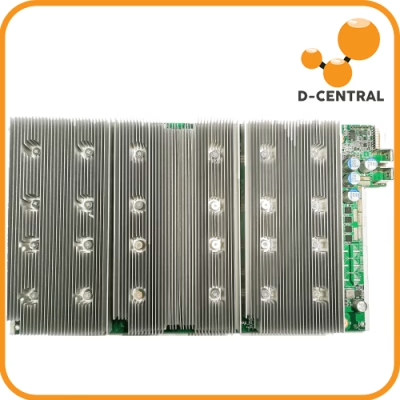
- Aluminum heatsinks bonded to the ASIC chips with thermal paste or thermal pads
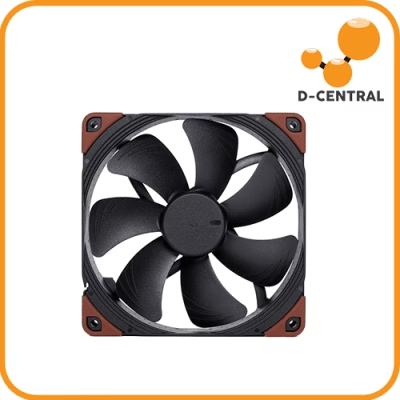
- Two high-speed 12038 fans (intake and exhaust) pushing air across the heatsink fins
- A duct-style airflow channel formed by the chassis, directing air linearly across the boards
On paper, this design works. In practice, the S17+ generation had several well-documented thermal issues:
| Issue | Root Cause | Symptom |
|---|---|---|
| Thermal paste degradation | Stock paste dries out within 12-18 months of continuous operation | Gradual temperature rise, chip temps exceeding 85-90C |
| Heatsink delamination | Thermal cycling causes paste to crack, creating air gaps | Hot spots on specific chips, uneven temp readings across hashboard |
| Insufficient heatsink mass | Bitmain optimized for cost, not for long-term thermal margin | Throttling at ambient temps above 30C |
| Fan bearing failure | Ball bearings wear out after 20,000-30,000 hours | Increased noise, reduced airflow, asymmetric cooling |
The S17+ was not a bad machine. It was a machine designed for a two-year operational lifecycle in a data center with controlled ambient temps. Home miners running these units in garages, basements, and workshops are operating outside Bitmain’s design assumptions, and the cooling system is where that shows up first.
Why the 17-Series Is Especially Vulnerable
Compared to the later S19 series (which switched to a more robust heatsink mounting system and better thermal interface materials), the S17+ uses a heatsink-to-chip bonding method that is more susceptible to thermal fatigue. The combination of BM1397 power density and the adhesive/paste system means that by 2026, any S17+ that has not had a heatsink refit is almost certainly running with degraded thermal transfer.
This is not speculation. We see it every week at our Antminer S17+ repair bench. Machines come in with “dead hashboard” complaints, and the actual problem is a heatsink that has partially separated from the chips. Reflow the connection, apply proper thermal interface material, and the board comes back to life.
Diagnosing Thermal Degradation: When Your S17+ Needs a Refit
Before you tear down a machine, you need to confirm that the cooling system is actually the problem. Here are the diagnostic indicators, ranked from most to least obvious.
Critical Warning Signs
- Chip temperatures above 85C at moderate ambient (20-25C) — The S17+ should run chip temps in the 60-75C range at reasonable ambient temperatures. If you are seeing 85C+ with stock fan speeds, the thermal interface has degraded.
- Temperature delta between chips on the same hashboard exceeding 15C — This indicates uneven thermal contact. Some heatsink sections have lost adhesion while others are still functioning.
- Automatic thermal throttling reducing hash rate below 60 TH/s — The S17+ firmware will reduce clock speed when chip temps hit the threshold. If your 73 TH/s machine is hashing at 55-60 TH/s, thermal throttling is the most likely cause.
- Random hashboard dropouts — When a hashboard disappears from the miner interface and returns after cool-down, the ASIC chips are hitting their thermal protection cutoff.
How to Read Your S17+ Temperature Data
Access your miner’s web interface (typically at the machine’s IP address on your local network) and navigate to the “Miner Status” page. Key metrics to record:
| Metric | Healthy Range | Action Threshold |
|---|---|---|
| Chip temperature (per board) | 55-75C | Above 80C sustained |
| PCB (board) temperature | 40-60C | Above 70C |
| Fan speed (RPM) | 4000-6000 | Max RPM with temps still rising |
| Hash rate per board | ~24 TH/s each | Below 20 TH/s (throttling) |
| Chip temp variance (same board) | Less than 10C spread | Greater than 15C spread |
Record these values at the same time each day for a week before deciding on a refit. Temperature trends matter more than single readings. A machine that is gradually climbing 1-2C per month is showing thermal paste degradation in real time.
Heatsink Refit: Step-by-Step Procedure
This is the core of the guide. A heatsink refit on the S17+ involves removing the existing heatsinks, cleaning the thermal interface, applying fresh thermal compound, and reinstalling (or replacing) the heatsinks with proper mounting pressure.
Tools and Materials
- Phillips head screwdriver (PH2)
- Isopropyl alcohol (99% IPA) and lint-free wipes
- High-quality thermal paste (Arctic MX-6, Thermal Grizzly Kryonaut, or Noctua NT-H2 recommended)
- Plastic spudger or flat tool for heatsink removal
- Anti-static wrist strap
- Thermal pads (1mm thickness, for VRM and memory components)
- Compressed air can or electric duster
- Optional: replacement heatsink kit (copper base/aluminum fin composite recommended)
Step 1: Power Down and Discharge
Disconnect the PSU from mains power. Disconnect both the PSU power cables and the data ribbon cable from the hashboard you are servicing. Wait 60 seconds for capacitors to discharge. Ground yourself with the anti-static strap.
Critical safety note: Never work on an energized hashboard. The S17+ hashboards carry voltage across the ASIC chain that can damage components if shorted during disassembly.
Step 2: Remove the Hashboard
The S17+ chassis holds three hashboards vertically in a card-cage style arrangement. Remove the retaining screws (typically 4-6 per board) and carefully slide the hashboard out. Handle it by the edges only. Place it on an anti-static mat or surface.
Step 3: Remove the Old Heatsink
The heatsink on S17+ hashboards is typically secured with spring-loaded screws or clips. Remove these fasteners. If the heatsink does not lift off easily, do not force it. Use the plastic spudger to gently work around the edges, breaking the thermal paste seal. Applying a small amount of IPA around the perimeter with a cotton swab can help soften dried paste.
Important: If the heatsink is bonded with thermal adhesive (some S17+ revisions used this), you will need to apply gentle heat with a heat gun set to 80-100C to soften the adhesive before removal. Do not exceed 120C or you risk damaging the BM1397 chips.
Step 4: Clean the Die Surfaces
With the heatsink removed, you will see the ASIC chip dies with residual thermal paste. Use IPA and lint-free wipes to clean each die surface until you see clean silicon (or the metal heat spreader on some revisions). Also clean the heatsink contact surface. Remove all old thermal material completely. Any residue creates an air gap that defeats the purpose of the refit.
Inspect each chip die for:
- Cracks or discoloration (indicates overheating damage, may need chip replacement)
- Solder ball issues around the chip package (indicates BGA rework may be needed)
- Corrosion or moisture damage (indicates environmental exposure)
If you find damaged chips, this goes beyond a heatsink refit. D-Central’s ASIC repair service handles chip-level diagnostics and BGA rework for the S17+ and all Antminer models.
Step 5: Apply Fresh Thermal Compound
Apply thermal paste using the stencil method or the X-pattern method:
- Stencil method (preferred): Use a thin stencil to apply an even, consistent layer across all chip dies simultaneously. This ensures uniform thickness and coverage.
- X-pattern method: Apply a thin X of paste across each individual chip die. The mounting pressure will spread it evenly. Do not use too much — a layer thicker than 0.2mm actually insulates rather than conducts.
For the VRM and other power delivery components near the edges of the board, use thermal pads rather than paste. Thermal pads accommodate height differences between components better than paste.
Step 6: Reinstall the Heatsink
Align the heatsink carefully over the chip array. Lower it straight down — do not slide it, as this can create uneven paste distribution. Tighten the mounting screws in a cross pattern (opposite corners first) to ensure even pressure distribution. Torque should be firm but not excessive. Over-tightening can crack chip dies.
Step 7: Reassemble and Test
Slide the hashboard back into the chassis. Reconnect the data ribbon cable and PSU power connectors. Power on the machine and immediately monitor temperatures through the web interface.
A successful refit should show:
- Chip temperatures dropping 10-20C compared to pre-refit readings
- Temperature variance across the board reduced to under 8C
- Hash rate stabilizing at or near the rated 73 TH/s
- Fan speeds decreasing as the thermal load is managed more efficiently
Upgrading the Heatsink: Beyond a Simple Refit
If your stock heatsinks are physically damaged (bent fins, corroded surfaces, cracked mounting points), or if you want better thermal performance than the original design provides, consider replacing them entirely.
Heatsink Material Comparison
| Material | Thermal Conductivity | Weight | Cost | Best For |
|---|---|---|---|---|
| Aluminum (stock) | 205 W/mK | Light | Low | Budget-conscious refits |
| Copper | 385 W/mK | Heavy | Medium | Maximum cooling, hot climates |
| Copper base + aluminum fins | Combined benefit | Medium | Medium | Best overall balance |
| Vapor chamber | Exceptional | Light | High | Dense chip layouts, overclocking |
For the S17+, a copper-base/aluminum-fin composite heatsink is the sweet spot. The copper base provides superior heat absorption from the chip dies, while the aluminum fins offer efficient convective dissipation at a reasonable weight. This upgrade typically drops chip temps by an additional 5-10C compared to a paste-only refit with stock aluminum heatsinks.
Firmware Tuning for Thermal Optimization
A heatsink refit addresses the hardware side of thermal management. Custom firmware addresses the software side. Together, they can transform an aging S17+ into a machine that runs cooler and more efficiently than it did when it was new.
Custom Firmware Options for the S17+
- BraiinsOS+ (Braiins): Open-source firmware with autotuning that dynamically adjusts chip voltages and frequencies based on temperature. The autotuning algorithm continuously optimizes the power/hashrate ratio, reducing thermal output while maintaining or improving efficiency (measured in J/TH). BraiinsOS+ also supports custom fan curves, letting you define exactly how aggressive cooling should be at each temperature threshold.
- VNish: Closed-source firmware with per-chip frequency tuning and advanced fan control profiles. VNish allows you to set different clock speeds for individual ASIC chips, which is useful when some chips run hotter than others due to their position on the board. The immersion mode setting (even for air-cooled setups) can unlock lower fan speed minimums for noise-sensitive home mining environments.
Fan Curve Configuration
After a heatsink refit, your thermal headroom increases, which means you can run fans at lower speeds for the same chip temperature. This has two benefits for home miners:
- Reduced noise: Fan noise scales roughly with the cube of RPM. Dropping from 6000 RPM to 4500 RPM cuts noise output substantially.
- Extended fan lifespan: Lower RPM means less bearing wear, extending the time between fan replacements.
A conservative post-refit fan curve for the S17+ looks like:
| Chip Temp | Fan Speed | Notes |
|---|---|---|
| Below 55C | 40% | Idle/low load, minimal noise |
| 55-65C | 55% | Normal operation, comfortable noise |
| 65-75C | 75% | Increased load, still manageable |
| 75-80C | 90% | Warning zone, investigate if sustained |
| Above 80C | 100% | Emergency cooling, should not be normal after refit |
Beyond the Heatsink: Complete Cooling Strategies for Home Miners
A heatsink refit fixes the thermal interface. But the heatsink can only dump heat into the air around it. If that air is already hot, you have a second-order problem. Here is how to think about cooling holistically.
Ambient Temperature Management
Canada gives us a natural advantage here. If you are running an S17+ in a Canadian basement or garage, your winter ambient temps might be 5-15C, which is ideal for ASIC cooling. Summer is where problems emerge. Key strategies:
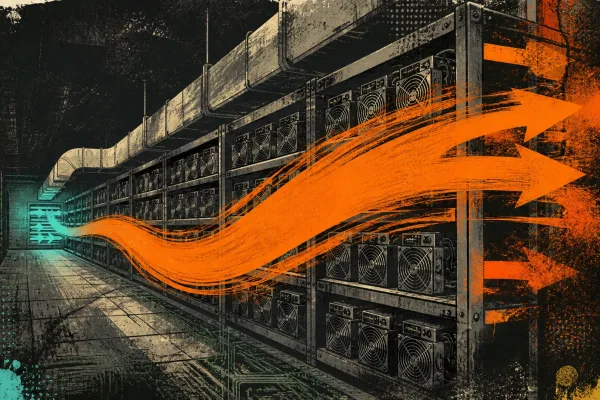
- Dedicated exhaust: Duct the hot exhaust air outside. Do not recirculate it into the room. A 6-inch inline duct fan connected to the exhaust side of your miner can pull 200+ CFM of hot air out through a wall or window.
- Intake air separation: Draw intake air from a different location than the exhaust. Cross-contamination between intake and exhaust is the number one mistake in home mining setups.
- Seasonal adjustment: In winter, use the waste heat productively. In summer, increase ventilation or reduce operating power. Custom firmware makes seasonal power adjustment trivial.
The Dual-Purpose Mining Approach
Here is where the S17+ gets interesting in 2026. At roughly 2.9kW, the S17+ produces about 9,900 BTU/hr of heat. That is equivalent to a medium-sized electric space heater. Instead of fighting the heat, use it.
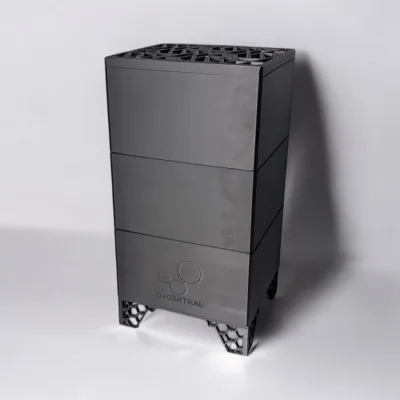
D-Central pioneered the Bitcoin Space Heater concept for exactly this reason. An S17+ running in your workshop, garage, or basement during Canadian winters is simultaneously mining Bitcoin and heating your space. The electricity cost is offset by both the mining revenue and the heating value you would otherwise pay for with a conventional heater.
This is the Bitcoin Mining Hackers philosophy in action: do not throw away the heat, monetize it. Your heating bill becomes your mining investment.
Advanced Cooling: Immersion and Liquid Cooling
For operators who want to push beyond air cooling:
- Single-phase immersion: Submerging the hashboard in dielectric coolant (engineered fluids like Engineered Fluids EC-100 or BitCool) eliminates air cooling entirely. Chip temps drop to 45-55C regardless of ambient temperature. This eliminates fans, eliminates dust, and extends hardware lifespan dramatically. The trade-off is cost (the fluid, tank, and heat exchanger run $500-1500 for a single-unit setup) and complexity.
- Liquid-to-air cooling: Custom cold plates mounted on the heatsinks with water or coolant circulation to an external radiator. More practical than full immersion for a single machine, but requires plumbing and a pump.
For most home miners running one or two S17+ units, a proper heatsink refit combined with good airflow management is sufficient. Immersion becomes interesting when you are running five or more units, or when you are in a climate where ambient temps routinely exceed 35C.
Maintenance Schedule: Keeping Your Refitted S17+ Running Long-Term
A heatsink refit is not a one-time fix. Thermal paste degrades. Dust accumulates. Fans wear out. Here is a maintenance schedule that keeps your S17+ running at peak thermal efficiency:
| Interval | Task | Details |
|---|---|---|
| Weekly | Temperature log check | Record chip temps, board temps, fan RPMs. Watch for upward trends. |
| Monthly | Compressed air cleaning | Blow dust off heatsink fins, fan blades, and air intake filters. |
| Every 6 months | Fan inspection | Check for bearing noise, vibration, or reduced RPM at max speed. |
| Every 12-18 months | Thermal paste refresh | Full heatsink removal, clean, and repaste. Do not wait for symptoms. |
| Every 24 months | Fan replacement | Proactively replace fans before bearing failure causes overheating. |
When to Call in the Professionals
A heatsink refit is within the capability of any technically inclined home miner. But some situations call for professional equipment and expertise:
- Chip-level damage: If you find cracked dies, BGA solder failures, or chips that do not respond even with proper thermal management, you need rework station diagnostics and potentially chip replacement.
- Control board issues: If temperature sensors are giving erratic readings, the problem may be the control board rather than the cooling system.
- Multi-board failures: If more than one hashboard is showing thermal issues simultaneously, there may be a systemic problem (PSU voltage regulation, firmware corruption) that a heatsink refit alone will not solve.
- Post-refit temperatures still high: If you have done a clean refit with quality thermal paste and temps are still above 80C at reasonable ambient, the heatsink itself may be damaged or the chips may have sustained thermal damage that has reduced their efficiency.
D-Central has been repairing Antminers since 2016. Our Antminer S17+ repair service covers everything from basic heatsink refits to chip-level BGA rework, hashboard diagnostics, and complete machine refurbishment. We serve miners across Canada and offer cross-border ASIC repair service for U.S. customers as well.
The Economics: Is a Heatsink Refit Worth It in 2026?
Let us be direct about the math. In 2026, with Bitcoin’s block reward at 3.125 BTC and difficulty above 110T, the S17+ is not a profitable miner at most North American electricity rates when evaluated purely on mining revenue versus electricity cost. At $0.10/kWh, the S17+ costs roughly $7/day in electricity while mining approximately $2-3/day in Bitcoin (depending on price and difficulty).
So why refit the heatsink instead of just scrapping the machine?
- Dual-purpose value: If you are using the heat, the “electricity cost” is partially offset by heating value. In a Canadian winter, you are paying for heat anyway. Mining while heating turns an operating expense into a productive activity.
- Sovereignty: Every S17+ running on the network adds decentralization. When home miners shut down their machines because of efficiency calculations alone, the network concentrates in the hands of industrial operators. That is the opposite of what Bitcoin is supposed to be.
- Optionality: A well-maintained S17+ is ready to hash when conditions change. Bitcoin price spikes, difficulty drops, or you find cheaper power — a machine that works is an option on future profitability. A machine with dead hashboards from thermal damage is scrap.
- Parts and resale: A functioning S17+ has resale value. A thermally damaged one is worth the weight of its aluminum. A $20 tube of thermal paste and an afternoon of work preserves hundreds of dollars of hardware value.
The heatsink refit itself costs $15-30 in materials (thermal paste, pads, IPA) and 2-3 hours of labor per hashboard. Even if you value your time at $50/hour, the total cost is under $200 for a full three-board refit. The machine preserves $200-400 in resale value and continues to produce sats while heating your space. The ROI is overwhelmingly positive.
Frequently Asked Questions
How often should I repaste the heatsinks on my Antminer S17+?
For continuous 24/7 operation, repaste every 12-18 months with high-quality thermal compound (Arctic MX-6 or equivalent). If you are running in a dusty environment or at high ambient temperatures, consider shortening this to every 10-12 months. Track your chip temperatures weekly — a gradual upward trend of 1-2C per month is the clearest indicator that thermal paste is degrading and a repaste is needed.
Can I use thermal pads instead of thermal paste for the ASIC chips?
Thermal paste is strongly preferred for the ASIC chip-to-heatsink interface because it provides better thermal conductivity (typically 8-14 W/mK for quality paste versus 3-8 W/mK for most pads) and conforms to microscopic surface irregularities. Thermal pads are appropriate for VRMs, voltage regulators, and other secondary components where the height variation between components makes paste impractical. Never use pads on the primary ASIC chip dies unless the heatsink design specifically requires them for gap-filling.
My S17+ still runs hot after a heatsink refit. What else can I check?
If temperatures remain elevated after a proper refit, investigate these causes in order: (1) Fan failure or reduced fan speed — check that both fans are spinning at expected RPM. (2) Airflow obstruction — ensure intake and exhaust are not blocked and hot air is not recirculating. (3) Ambient temperature — if room temp is above 30C, even a perfect refit may not keep chip temps below 75C. (4) PSU issues — an over-voltage condition can increase chip power dissipation beyond the heatsink’s capacity. (5) Chip-level damage — if specific chips consistently read 15-20C higher than their neighbors, they may have internal damage. At this point, professional diagnostics at a repair facility like D-Central’s ASIC repair lab is recommended.
Is it worth upgrading from aluminum to copper heatsinks on the S17+?
Copper heatsinks offer approximately 88% better thermal conductivity than aluminum (385 vs 205 W/mK). In practice, upgrading to copper-base heatsinks typically reduces chip temperatures by an additional 5-10C beyond what a repaste with stock aluminum heatsinks achieves. This upgrade is most worthwhile if you run your S17+ in a warm environment (ambient above 28C), if you want to overclock using custom firmware, or if you plan to keep the machine running for another 1-2 years. The copper upgrade adds $30-60 in material cost per hashboard but significantly improves thermal margin and hardware longevity.
Should I use stock Bitmain firmware or custom firmware after a heatsink refit?
Power-limiting custom firmware is strongly recommended after a heatsink refit. Stock firmware uses fixed fan curves and clock speeds that cannot be optimized for your specific thermal environment. Custom firmware with autotuning will automatically find the optimal voltage and frequency for each ASIC chip based on its actual thermal performance after the refit. This typically improves efficiency by 10-20% (measured in J/TH) while maintaining or reducing temperatures. For home miners, the noise reduction from custom fan curves alone makes the firmware upgrade worthwhile.
Every hash counts. Whether your S17+ is heating your Canadian workshop while stacking sats, or running in a basement contributing to Bitcoin’s decentralized hashrate, keeping it thermally healthy is fundamental maintenance. A heatsink refit is the single most impactful thing you can do to extend the life and performance of your 17-series hardware.
D-Central has been the Bitcoin Mining Hackers since 2016. We built our reputation on making institutional mining technology accessible to home miners — repairing, modifying, and optimizing hardware that the manufacturers designed for data centers. If your S17+ needs more than a DIY refit, our ASIC repair team is ready to help. And if you are looking to add more hashrate to your home operation, check out the Bitaxe Hub for open-source solo mining or browse our full mining hardware shop.