Canada gets cold. Brutally, bone-crackingly cold. And if you are running ASIC miners in an unheated garage, a shipping container, or a ventilated outbuilding, you already know that sub-zero temperatures introduce failure modes that no amount of hashrate can fix. Condensation shorts out hashboards. Solder joints crack from thermal shock. PSUs refuse to start. Fans seize up.
At D-Central Technologies, we have been repairing and deploying ASIC miners across Canada since 2016. Our ASIC repair bench has seen every cold-weather failure pattern in the book — and a few that probably deserve their own chapter. This guide distills nearly a decade of real-world cold-climate mining experience into actionable knowledge you can use right now to protect your hardware, maintain uptime, and keep those hashes flowing through the harshest winter conditions on the planet.
This is not theory. This is field-tested, hashboard-verified, Canadian-winter-proven knowledge from the Bitcoin Mining Hackers.
Why Cold-Climate Mining Is a Double-Edged Sword
Every ASIC miner is essentially a space heater that also produces Bitcoin. A single Antminer S21 pulls around 3,500 watts and converts nearly all of it to heat. In warm climates, that heat is a liability — operators spend fortunes on industrial cooling just to keep chip temperatures below throttle thresholds. In Canada, that same heat is an asset. It is the reason Bitcoin space heaters exist and why home miners can offset their heating bills while contributing hashrate to the network.
But “cold climate advantage” has a hard limit. When ambient temperatures drop below -20°C — a regular occurrence across Quebec, Ontario, Alberta, and the Prairies from November through March — the physics shift against you. The very environment that saves you cooling costs can destroy your equipment if you do not respect the engineering constraints of the hardware.
The Thermal Sweet Spot
Most ASIC miners are designed to operate with intake air between 5°C and 40°C. Bitmain’s official spec for the Antminer S-series lists an operating range of 5°C to 45°C. Chip temperatures (measured at the die) should ideally sit between 60°C and 85°C during operation. Below those ranges, you enter territory where materials, electronics, and firmware all start behaving unpredictably.
The critical zone is not during operation — a running ASIC generates enough heat to keep itself warm in most conditions. The danger lives in two moments: cold startup and shutdown-to-restart cycles. That is where miners die.
The Five Cold-Climate Killers
After repairing thousands of miners that have been through Canadian winters, we have identified five primary failure modes that account for the vast majority of cold-weather hardware damage.
1. Condensation and Moisture Ingress
This is the number-one killer. When a cold ASIC miner is powered on, the hashboards and heatsinks warm up rapidly while the surrounding air remains frigid. The temperature differential causes moisture in the air to condense directly on PCB surfaces, connector pins, and ASIC chip packages. That moisture creates conductive paths where none should exist, leading to short circuits, corrosion, and — in severe cases — immediate hashboard failure.
The risk multiplies if you are mining in an environment with any humidity: a garage with a concrete floor, a partially sealed shipping container, or any structure where warm moist air from a heated space can migrate toward the miners. Even breathing near a cold hashboard introduces enough moisture to cause problems.
2. Thermal Shock to Solder Joints
ASIC miners use Ball Grid Array (BGA) solder connections to attach chips to the hashboard PCB. These solder balls are tiny — typically 0.3mm to 0.5mm in diameter — and they are the weakest link in the chain. When a miner goes from -30°C ambient to 80°C chip temperature in under two minutes, the differential expansion between the silicon die, the BGA substrate, and the FR-4 PCB creates enormous stress on those solder balls. Over repeated thermal cycles, microcracks form. Microcracks become open circuits. Open circuits become dead ASIC chips. Dead ASIC chips become a repair ticket.
3. PSU Cold-Start Failure
The APW-series power supplies used with Bitmain miners (and similar PSUs from other manufacturers) use electrolytic capacitors that lose capacitance at low temperatures. At -20°C, a capacitor rated for 10,000 µF might deliver only 60-70% of its rated capacitance. This makes the PSU unable to deliver the initial inrush current the miner demands at startup. The result: the miner tries to boot, the voltage sags, the control board detects a fault, and the unit shuts down. Repeated cold-start attempts stress the PSU components and can lead to permanent failure.
4. Fan Bearing Seizure
ASIC miners use high-RPM fans with either sleeve bearings or ball bearings lubricated with synthetic grease. At extremely low temperatures, that grease thickens significantly. Sleeve-bearing fans are particularly vulnerable — the lubricant can become viscous enough that the fan motor cannot overcome the friction to start spinning. If the miner boots but the fans do not spin, the control board may detect a fan fault and halt operations, or worse, the chips may overheat before the fault is detected.
5. Brittle Plastic and Connector Failure
The plastic housings, fan shrouds, and board-to-board connectors on ASIC miners use engineering plastics that maintain their flexibility at room temperature but become brittle below -10°C. Handling a miner that has been sitting at -30°C risks cracking fan housings, snapping connector latches, and breaking cable ties. Even the simple act of plugging in a power cable can shatter a cold plastic connector.
Pre-Installation: Building a Cold-Climate Mining Environment
The best defense against cold-weather damage is a properly designed mining environment. Whether you are setting up in a garage, a shed, a shipping container, or a purpose-built structure, these principles apply.
Insulation Strategy: Keep the Cold Out, Let the Heat Work
The goal is not to heat your mining space with external energy — the miners themselves produce all the heat you need. The goal is to retain enough of that heat to keep the intake air temperature above 5°C. This means:
- Insulate walls and ceiling — R-20 or better. Rigid foam board (XPS or polyiso) works well in mining environments because it does not absorb moisture and provides a vapor barrier.
- Seal the floor — Concrete floors wick moisture and cold. A vapor barrier plus rigid foam or even rubber stall mats make a meaningful difference.
- Minimize penetrations — Every hole in your envelope is a path for cold air. Use baffled intake and exhaust openings, not open holes.
Ventilation: Controlled Air Exchange
ASIC miners need fresh air — they are air-cooled, and they need to exhaust heated air to prevent chip temperatures from climbing too high. In cold climates, the challenge is that your intake air may be -30°C while your exhaust air is +50°C. The solution is a recirculation system.
- Hot-side / cold-side separation — Arrange miners so intake faces draw from one side of the room and exhaust faces blow toward the other. This is standard data center practice.
- Recirculation mixing — Duct some of the hot exhaust air back to the intake side, mixing it with fresh cold air to achieve a target intake temperature of 10-25°C. A motorized damper controlled by a temperature sensor can automate this.
- Emergency override — In summer or during chinook events (sudden warm spells common in Alberta), you need the ability to bypass recirculation and exhaust 100% of the hot air. Motorized louvers or variable-speed exhaust fans handle this.
Moisture Management
Humidity is the silent enemy in cold-climate mining. Warm air holds more moisture than cold air — when you mix hot exhaust air with cold intake air, the relative humidity spikes. Install a hygrometer and keep relative humidity below 60%. If you are in a high-humidity environment, a commercial dehumidifier is a worthwhile investment. It costs far less than replacing a condensation-killed hashboard.
Startup Protocols: The Most Dangerous Five Minutes
The period between powering on a cold ASIC miner and reaching stable operating temperature is when most cold-weather damage occurs. Here is the protocol we use at our hosting facility in Quebec and recommend to every cold-climate miner.
Step 1: Pre-Warm the Environment
Before powering on miners that have been sitting in a cold space, bring the ambient temperature up to at least 5°C. A construction-grade forced-air heater can warm a small mining space in 15-30 minutes. This is a one-time cost that prevents thousands of dollars in repair bills.
Step 2: Gradual Power-Up
If your firmware supports it (Braiins OS+, VNish, and LuxOS all have preheat or slow-start modes), enable the gradual startup feature. This runs the miner at reduced clock speed initially, allowing chip temperatures to climb slowly. The slower thermal ramp reduces stress on BGA solder joints and gives components time to reach operating temperature before full load is applied.
Step 3: Monitor the First 30 Minutes
Watch for fan errors (fans that refuse to spin or run at irregular speeds), hashrate that does not stabilize within 10-15 minutes, and any signs of condensation on external surfaces. If condensation is visible on the outside of the miner, it is almost certainly present on the inside as well. Power down immediately, let the moisture evaporate, increase the ambient temperature, and try again.
Step 4: Never Hard-Cycle in the Cold
The worst thing you can do is repeatedly power-cycle a miner in a cold environment. Each on-off-on cycle subjects the solder joints to the full thermal shock range. If a miner fails to start, do not keep hitting the power button. Warm the environment first, diagnose the issue, and then attempt a single clean startup.
Maintenance for Cold-Climate Operations
Cold-climate mining demands a more disciplined maintenance routine than temperate operations. Here is what to add to your regular schedule.
Weekly Checks
- Intake and exhaust temperatures — Log these. A sudden change in the differential indicates a ventilation problem.
- Humidity levels — Check your hygrometer. Rising humidity means moisture is getting in somewhere.
- Fan RPM monitoring — Cold-thickened lubricant shows up as slower-than-normal fan speeds. Catch it before the fan seizes.
- Hashrate stability — Unexplained hashrate drops in cold weather often indicate BGA solder degradation. Flag affected units for inspection.
Monthly Checks
- Visual inspection of hashboards — Look for signs of corrosion (green or white residue on PCB traces), condensation stains, or discolored solder joints.
- Power supply inspection — Check for bulging capacitors, corroded terminals, or loose connections. Cold-stressed PSUs degrade gradually before they fail suddenly.
- Thermal paste condition — On miners that have been through repeated thermal cycles, check that thermal paste on chip heatsinks has not dried out or cracked. Reapply as needed with a quality thermal compound.
Seasonal Preparation
Before each winter season (September-October for most of Canada), perform a full inspection of your mining environment: check insulation for damage, verify damper and ventilation systems operate correctly, test any backup heating systems, and ensure your hygrometer and temperature monitoring are calibrated. An hour of fall prep prevents weeks of winter downtime.
Leveraging Cold Climate as a Competitive Advantage
Everything above might make cold-climate mining sound like a liability. It is not. When done right, mining in a cold climate is a massive competitive advantage. Here is why:
Near-Zero Cooling Costs
In Texas, large-scale miners spend 30-40% of their operating budget on cooling infrastructure — chillers, evaporative systems, immersion fluid, and the electricity to run it all. In Canada, the atmosphere is your cooling system for 7-8 months of the year. That difference flows straight to your bottom line.
Dual-Purpose Heat Recovery
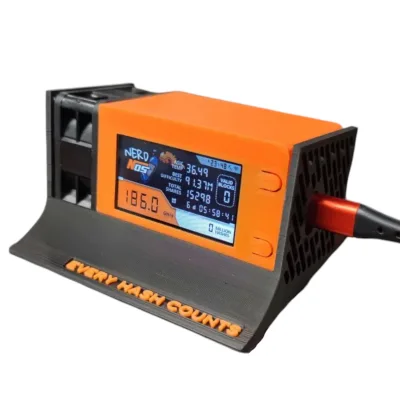
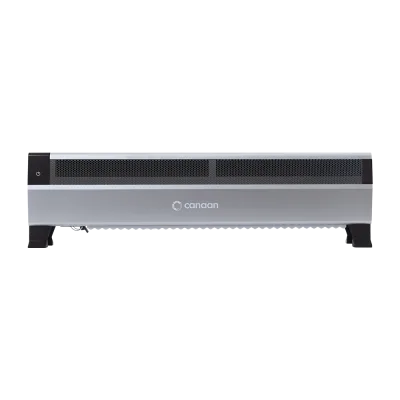
This is where Canadian home mining truly shines. A single Antminer S9 produces approximately 1,300 watts of heat — equivalent to a decent space heater. An S19 produces 3,250 watts. Instead of venting that heat outside, duct it into your living space, workshop, or greenhouse. You are mining Bitcoin while heating your home. The mining revenue subsidizes your heating bill, and the heating utility subsidizes your mining. It is the most elegant closed-loop energy system in Bitcoin. Check out our full lineup of Bitcoin space heaters purpose-built for exactly this application.
Grid Stability and Energy Costs
Canada, and Quebec in particular, has some of the cheapest electricity in North America thanks to abundant hydroelectric generation. Low energy costs combined with low cooling costs create an operating environment that is extremely difficult for competitors in warmer, more expensive regions to match.
Supporting Network Decentralization
In 2026, Bitcoin’s network hashrate exceeds 800 EH/s, with the block reward at 3.125 BTC and difficulty above 110 trillion. The network is more competitive than ever, but it is also more centralized than the cypherpunks who built it would like. Large industrial farms in a handful of jurisdictions control a disproportionate share of hashrate. Every home miner in Canada who keeps their rig running through the winter is a node of decentralization — a point of resistance against hash rate centralization. That matters. Every hash counts.
When Things Go Wrong: D-Central Has Your Back
Despite your best efforts, cold weather will eventually claim a hashboard, a PSU, or a fan. When it does, D-Central’s ASIC repair service is here. We have been repairing miners since 2016, with dedicated repair pages for 38+ ASIC models. We specialize in the exact failure modes described in this article — BGA rework for thermal-shock damaged solder joints, hashboard-level diagnostics for condensation damage, and PSU rebuilds for cold-stressed power supplies.
And if you would rather not manage cold-climate operations yourself, our hosting facility in Montreal, Quebec is purpose-built for year-round Canadian mining with proper environmental controls, redundant power, and professional maintenance.
Essential Gear for Cold-Climate Miners
Beyond the miners themselves, a few pieces of equipment make cold-climate operations dramatically more reliable:
- Digital hygrometer with data logging — Monitor humidity trends over time, not just spot-checks.
- Infrared thermometer — Non-contact temperature measurement for hashboards, PSUs, and intake/exhaust air without opening enclosures.
- Motorized dampers with temperature controller — Automate your recirculation mixing for hands-off intake temperature management.
- Surge protector / UPS — Cold weather correlates with grid instability in many Canadian regions. Protect your investment.
- Thermal paste (quality compound) — Keep a supply on hand. You will be reapplying it more frequently than operators in temperate climates.
- Anti-static mat and wrist strap — Cold, dry air is extremely conductive to static discharge. Protect sensitive components during any maintenance work.
Browse our full shop for parts, accessories, and replacement components to keep your cold-climate operation running strong.
Quick Reference: Cold-Climate Mining Checklist
| Category | Action | Frequency |
|---|---|---|
| Environment | Check insulation integrity | Seasonal |
| Environment | Verify damper and ventilation operation | Seasonal |
| Environment | Calibrate hygrometer and temp sensors | Seasonal |
| Monitoring | Log intake/exhaust temps | Weekly |
| Monitoring | Check humidity levels | Weekly |
| Monitoring | Review fan RPM data | Weekly |
| Monitoring | Check hashrate stability | Weekly |
| Hardware | Visual hashboard inspection | Monthly |
| Hardware | PSU inspection (caps, terminals) | Monthly |
| Hardware | Thermal paste check/reapply | Monthly |
| Startup | Pre-warm environment to 5C+ | Every cold start |
| Startup | Use gradual power-up firmware mode | Every cold start |
| Startup | Monitor first 30 minutes | Every cold start |
FAQ
What is the minimum safe temperature for starting an ASIC miner?
Most manufacturers specify 5°C as the minimum intake air temperature for normal operation. We recommend pre-warming your mining environment to at least 5-10°C before powering on miners that have been sitting in the cold. Starting a miner at -20°C or below risks condensation damage, PSU failure, and thermal shock to solder joints.
Can condensation really destroy a hashboard?
Absolutely. Condensation on a powered hashboard creates conductive paths between traces and components that are meant to be electrically isolated. This can cause immediate short circuits that burn out ASIC chips or, more insidiously, create slow corrosion that degrades performance over weeks before causing a sudden failure. We see condensation-related hashboard failures regularly at our repair facility.
Should I keep my miners running 24/7 in winter to avoid cold-start issues?
If your electricity costs allow it, yes. A running ASIC miner generates enough heat to keep itself well within operating temperature even in extremely cold environments (assuming minimal insulation around the mining space). The danger is in the startup, not in continuous operation. Every shutdown-to-restart cycle in cold weather is a thermal shock event.
What firmware features help with cold-climate mining?
Braiins OS+, VNish, and LuxOS all offer preheat or slow-start modes that ramp up clock speeds gradually, reducing thermal shock on startup. Braiins OS+ also has temperature-based performance profiles that can automatically adjust hashrate based on chip temperature readings, which is useful for environments with fluctuating temperatures.
Can I use my ASIC miner to heat my home in winter?
Yes, and this is one of the most compelling use cases for home mining in Canada. A single Antminer S19 produces approximately 3,250 watts of heat — equivalent to a large electric space heater. D-Central offers purpose-built Bitcoin space heater editions that are designed for safe indoor heat recovery, turning your mining operation into a heating system that earns Bitcoin.
How do I know if my hashboard has cold-weather damage?
Warning signs include unexplained hashrate drops on individual hashboards, increasing ASIC chip errors in your miner’s dashboard, visible corrosion (green or white residue) on the PCB, and chips that show as missing or dead after a cold-start event. If you see any of these signs, stop running the affected board and send it to D-Central for repair before the damage spreads.
Is it worth mining Bitcoin at home in 2026 with difficulty above 110T?
Difficulty and hashrate are higher than ever, but so is the Bitcoin price that drives them. For Canadian home miners, the equation is favorable: cheap hydroelectric power, free cold-climate cooling for most of the year, and the ability to recover heat. Home mining is not about competing with industrial farms on raw hashrate — it is about leveraging your unique advantages (low energy costs, heat recovery, sovereignty) while contributing to network decentralization. Visit our Bitaxe Hub to explore accessible entry points into home mining.
What should I do if my miner will not start in cold weather?
Do not repeatedly power-cycle it. Each attempt is a thermal shock event. Instead: (1) warm the environment to at least 10°C using an external heater, (2) wait 30 minutes for the miner to reach ambient temperature, (3) check for visible condensation and let it dry completely, (4) verify your PSU is outputting correct voltage, and (5) attempt a single clean startup. If it still fails, the PSU or a hashboard component may have suffered cold damage and needs professional diagnosis.