
Why Electrical Planning Matters
A Bitcoin space heater is not a desk lamp. It is a serious electrical appliance that draws between 800W and 3,250W of continuous power — 24 hours a day, 7 days a week, for months on end during heating season. That kind of sustained load demands respect. Improper wiring, overloaded circuits, undersized breakers, and cheap extension cords are how house fires start. This is not hypothetical. Electrical fires from overloaded circuits kill people every year in North America.
D-Central Technologies has been building and deploying Bitcoin space heaters since 2016. We have seen every electrical mistake a home miner can make — shared circuits tripping breakers at 3 AM, melted outlet faces from loose connections, extension cords running hot under carpet, and breaker panels that were already at capacity before the miner was plugged in. Every one of these situations was preventable with proper electrical planning.
This guide exists because no other company in the Bitcoin mining space publishes comprehensive electrical safety documentation for home mining heaters. That is a problem, because the electrical installation is the single most safety-critical aspect of running a Bitcoin space heater. The miner itself is engineered to operate safely within its specifications. The danger comes from plugging it into infrastructure that cannot handle the load.
Read this entire guide before you plug in your space heater. If anything in your electrical setup does not match the requirements outlined here, stop and hire a licensed electrician. The cost of a proper circuit installation is trivial compared to the cost of an electrical fire.
This guide is for educational purposes only and does not replace the advice of a licensed electrician. Electrical codes vary by province, state, and municipality. D-Central Technologies is not responsible for any damage, injury, or loss resulting from electrical installations or modifications. All 240V work, new circuit installations, and panel modifications must be performed by a licensed electrician in accordance with the Canadian Electrical Code (CEC) or National Electrical Code (NEC). When in doubt, hire a professional. Your safety — and your family’s safety — is not worth saving a few hundred dollars.
Power Requirements by Model
Every D-Central Bitcoin space heater has a specific power envelope that determines what kind of electrical circuit it requires. The table below lists the complete power specifications for each model, including the critical details: wattage range, input current at both 120V and 240V, and the minimum circuit requirements.
Pay close attention to the current draw at 120V column. This is the number that determines whether your existing household circuit can handle the load. North American residential circuits are typically 15A or 20A. The 80% continuous load rule (explained in the next section) means you can only use 12A on a 15A circuit and 16A on a 20A circuit for continuous loads like mining.
Space Heater Power Requirements — Complete Reference
| Model | S9 Space Heater | L3 Space Heater | S17 Space Heater | S19 Space Heater | BitChimney |
|---|---|---|---|---|---|
| Power Range | 1,100–1,350W | ~800W | 1,200–2,000W | 2,800–3,250W | 750–950W |
| Current @ 120V | 9.2–11.3A | 6.7A | 10–16.7A | 23.3–27.1A | 6.3–7.9A |
| Current @ 240V | 4.6–5.6A | 3.3A | 5–8.3A | 11.7–13.5A | 3.1–4.0A |
| Min Circuit (120V) | 15A dedicated | 15A (can share) | 20A dedicated* | N/A at stock** | 15A (can share) |
| Min Circuit (240V) | 15A | 15A | 15A | 20A dedicated | 15A |
| Power Supply | APW3++ | APW3++ | APW7 / APW9 | APW12 | APW3++ (Silent) |
| PSU Input Range | 100–240V AC | 100–240V AC | 100–240V AC | 200–240V AC*** | 100–240V AC |
| Heat Output (BTU/hr) | 3,753–4,606 | 2,730 | 4,094–6,824 | 9,554–11,089 | 2,559–3,241 |
| 120V Compatible? | Yes | Yes | Limited* | Only with LuxOS*** | Yes |
* S17 on 120V: The S17 draws up to 16.7A at 120V at full power, which exceeds the 80% continuous load limit of a 20A circuit (16A). It is possible to run the S17 on 120V if you underclock it to approximately 1,200–1,500W using custom firmware (BraiinsOS, LuxOS, or VNish), keeping current draw under 12.5A. At full stock hashrate, 240V is strongly recommended.
** S19 at stock: The S19 draws 2,800–3,250W at stock settings. At 120V, that is 23–27A — far beyond any standard household circuit. The S19 Space Heater requires a 240V circuit at stock power levels. There is no safe way to run a full-power S19 on 120V.
*** S19 with LuxOS PSU Bypass on 120V: The APW12 PSU is rated for 200–240V AC only. However, the LuxOS firmware PSU Bypass feature allows operating the S19 with a compatible third-party 120V ATX power supply at significantly reduced power (approximately 1,000–1,500W). This is an advanced configuration. If you are considering this approach, contact D-Central for guidance before attempting it.
The single most important number in this entire guide is the continuous current draw of your space heater at your operating voltage. If that number exceeds 80% of your circuit’s breaker rating, you do not have a safe circuit. Period. Do not guess — use a Kill-A-Watt meter or clamp ammeter to measure actual draw after first power-on.
120V vs 240V — Which Do You Need?
Every home in North America has both 120V and 240V power available at the electrical panel. The difference is in the wiring. Standard wall outlets (NEMA 5-15) deliver 120V. Appliances like electric dryers, ranges, and central air conditioners use 240V via dedicated circuits with different outlet types. Understanding which voltage you need is the first critical decision in your space heater installation.
When 120V Is Sufficient
For lower-wattage space heaters, a standard 120V household outlet on a dedicated circuit is perfectly adequate:
- L3 Space Heater (~800W) — Runs comfortably on any 15A circuit. At 6.7A draw, you could even share the circuit with a modest load (lamp, router), though a dedicated circuit is always better practice.
- BitChimney (750–950W) — Same situation as the L3. Low enough draw that a standard 15A outlet handles it easily.
- S9 Space Heater (1,100–1,350W) — Fits within the 80% rule on a 15A dedicated circuit. At 11.3A maximum draw, you are right at the 12A limit. This circuit must be dedicated — nothing else on it.
- S17 Space Heater (underclocked) (1,200–1,500W) — Works on a 20A/120V circuit when firmware-limited to 1,500W or less. Requires custom firmware (BraiinsOS, LuxOS, or VNish) to control power draw.
When 240V Is Required
- S19 Space Heater at stock settings — Absolutely requires 240V. Non-negotiable. The APW12 PSU is not even rated for 120V input.
- S17 Space Heater at full power — Strongly recommended at 240V when running at stock or near-stock hashrate.
- Multiple miners on a single circuit — Two S9 Space Heaters on a single 240V/20A circuit draw approximately 11.3A combined, well within limits. The same two on 120V would need two separate dedicated circuits.
- Any setup where you want maximum efficiency — PSU efficiency is 2–4% higher at 240V compared to 120V, which reduces wasted heat in the PSU and lowers your electricity cost per terahash.
Cost to Install a 240V Circuit
If your home does not already have a 240V outlet where you want to run your space heater, a licensed electrician can install one. Typical costs in Canada and the United States:
240V Circuit Installation — Typical Cost Range
| Simple run (panel is close, no obstacles) | $200–$400 |
|---|---|
| Moderate run (through walls, 20–50 ft) | $400–$600 |
| Complex run (long distance, panel upgrade needed) | $600–$1,200+ |
| Panel upgrade (100A to 200A service) | $1,500–$3,000 |
| Permit fee (where required) | $50–$150 |
A 240V circuit is a one-time investment that increases your home’s electrical capacity. It also adds resale value — future owners can use it for any 240V appliance. For serious home mining setups, a 240V/30A circuit provides enough capacity to run an S19 at full power or two to three lower-wattage miners on a single circuit.
If you are hiring an electrician anyway, consider installing a slightly larger circuit than you need today. A 240V/30A circuit with 10 AWG wire costs only marginally more than a 240V/20A circuit, but gives you room to upgrade your miner or add a second unit later without another electrician visit.
Circuit Requirements
This section covers the hard technical requirements for the electrical circuit feeding your Bitcoin space heater. Every detail here is based on the Canadian Electrical Code (CEC) and National Electrical Code (NEC). If any of these terms are unfamiliar, that is a strong signal to hire a licensed electrician.
Dedicated Circuits — Why They Matter
A dedicated circuit is a circuit that serves only one appliance. It has its own breaker in the panel, its own wire run, and its own outlet. No other lights, receptacles, or devices share it.
Bitcoin space heaters are continuous loads — they draw constant power for more than 3 hours at a time (in practice, they run 24/7). Both the CEC and NEC require that continuous loads be supplied by circuits where the load does not exceed 80% of the breaker’s rated ampacity. On a shared circuit, other devices eat into that 80% limit, making it easy to exceed safe capacity.
The bottom line: every Bitcoin space heater should be on its own dedicated circuit. The only exceptions are the L3 and BitChimney at low power, which draw under 8A and could theoretically share a 15A circuit — but even then, a dedicated circuit is best practice.
The 80% Continuous Load Rule
This is the most important rule in residential electrical safety for mining:
80% Continuous Load Rule — Maximum Safe Load by Circuit
| Circuit Rating | 80% Limit (Max Continuous) | Max Continuous Watts @ 120V | Max Continuous Watts @ 240V |
|---|---|---|---|
| 15A | 12A | 1,440W | 2,880W |
| 20A | 16A | 1,920W | 3,840W |
| 30A | 24A | 2,880W | 5,760W |
| 40A | 32A | 3,840W | 7,680W |
| 50A | 40A | 4,800W | 9,600W |
To find the right circuit for your miner: take your miner’s maximum wattage, divide by your voltage, and make sure the result is below the 80% column for your breaker size. For example, an S9 Space Heater at 1,350W on 120V draws 11.25A — that fits under the 12A limit for a 15A breaker. An S19 at 3,250W on 240V draws 13.5A — that fits under the 16A limit for a 20A breaker.
Wire Gauge Requirements
The wire connecting your breaker to your outlet must be rated for the circuit’s ampacity. Using undersized wire causes the wire itself to overheat — this is a fire hazard that you cannot see, because the wire is inside your walls.
Wire Gauge (AWG) by Circuit Rating — Copper Conductors
| Circuit Rating | Minimum Wire Gauge | Wire Type (Typical Residential) |
|---|---|---|
| 15A | 14 AWG | 14/2 NMD90 (Canada) or 14/2 NM-B (US) |
| 20A | 12 AWG | 12/2 NMD90 (Canada) or 12/2 NM-B (US) |
| 30A | 10 AWG | 10/2 NMD90 (Canada) or 10/2 NM-B (US) |
| 40A | 8 AWG | 8/3 NMD90 (Canada) or 8/3 NM-B (US) |
| 50A | 6 AWG | 6/3 NMD90 (Canada) or 6/3 NM-B (US) |
These are minimum gauges for standard residential runs up to approximately 50 feet. For longer runs, you may need to upsize the wire to account for voltage drop. A licensed electrician will calculate this for your specific installation.
If your circuit keeps tripping, never replace the breaker with a higher-rated one without also upgrading the wire. The breaker is sized to protect the wire. A 20A breaker on 14 AWG wire allows the wire to carry more current than it is rated for, overheat, and potentially start a fire inside your wall — without ever tripping the breaker. The breaker protects the wire. The wire’s gauge determines the breaker’s maximum size. Always.
Breaker Sizing
The breaker in your electrical panel must match the wire gauge and the intended load. Here is a quick reference for Bitcoin space heater installations:
- L3 / BitChimney on 120V: 15A breaker, 14 AWG wire, NEMA 5-15 outlet
- S9 on 120V: 15A breaker, 14 AWG wire, NEMA 5-15 outlet (dedicated circuit required)
- S17 (underclocked) on 120V: 20A breaker, 12 AWG wire, NEMA 5-20 outlet (dedicated circuit required)
- S17 on 240V: 15A double-pole breaker, 14/2 wire, NEMA 6-15 outlet
- S19 on 240V: 20A double-pole breaker, 12/2 wire, NEMA 6-20 outlet (dedicated circuit required)
- Multiple miners on 240V: 30A double-pole breaker, 10/2 wire, NEMA 6-30 or NEMA 14-30 outlet — size according to total combined load at 80%
Outlet Types (NEMA Configurations)
Different circuits use different outlet types. You cannot (and should not) plug a 240V cord into a 120V outlet — the physical plug shapes are deliberately incompatible. Here is what you will encounter:
NEMA Outlet Types for Mining
| Outlet Type | Voltage | Max Amperage | Pin Configuration | Common Use |
|---|---|---|---|---|
| NEMA 5-15 | 120V | 15A | Two flat blades + ground pin | Standard household outlet (most common in North America) |
| NEMA 5-20 | 120V | 20A | One horizontal blade, one vertical blade + ground | Kitchen, bathroom, garage circuits (T-slot accepts 5-15 plugs) |
| NEMA 6-15 | 240V | 15A | Two horizontal blades + ground pin | Window AC units, small 240V equipment |
| NEMA 6-20 | 240V | 20A | One horizontal blade, one vertical blade + ground | 240V power tools, S19 mining setups |
| NEMA 6-30 | 240V | 30A | Two angled blades + ground pin | Multi-miner setups, welder outlets |
| NEMA 14-30 | 240V | 30A | Two angled blades + neutral + ground (4-prong) | Electric dryer outlets (common repurpose for mining) |
| NEMA L6-30 | 240V | 30A | Twist-lock, two blades + ground | Industrial/commercial, prevents accidental disconnection |
Many home miners repurpose an existing 240V dryer outlet (NEMA 14-30, 30A) for mining. This is a valid approach, but you will need the correct power cord or adapter for your PSU. A NEMA 14-30 outlet provides 240V plus a neutral, while most ASIC PSUs only need the two hot legs and ground (no neutral). An electrician can swap the outlet to a NEMA 6-30 for a cleaner installation, or you can use a 14-30 to C13/C19 adapter cord rated for the appropriate amperage. Do not use homemade adapters or modify plug prongs.
Power Supply Unit (PSU) Requirements
The PSU is the bridge between your wall outlet and your ASIC miner. Each D-Central space heater model uses a specific Bitmain APW-series power supply (or compatible equivalent). Understanding your PSU’s input specifications is critical for matching it to your electrical circuit.
PSU Specifications by Space Heater Model
| PSU Model | APW3++ | APW7 | APW9 / APW9+ | APW12 |
|---|---|---|---|---|
| Used With | S9, L3, BitChimney | S17 (some configs) | S17, T17 | S19 series |
| Input Voltage Range | 100–240V AC | 100–240V AC | 100–240V AC | 200–240V AC only |
| Max Output Power | 1,600W (@ 240V) | 1,800W | 2,800W (@ 240V) | 3,600W |
| Output @ 120V | 1,200W (derated) | 1,400W (derated) | 1,800W (derated) | N/A |
| Input Current @ 120V | 12A (at max 120V output) | 13A | 16A | N/A |
| Input Current @ 240V | 7.5A | 8.5A | 12.5A | 16A |
| Efficiency @ 120V | 91–92% | 91–93% | 92–93% | N/A |
| Efficiency @ 240V | 93–94% | 93–94% | 94–95% | 94–95% |
| Power Connector | C13 (standard IEC) | C13 (standard IEC) | C13 (standard IEC) | C19 (heavy-duty IEC) |
| Power Cord Included | Yes (NEMA 5-15 to C13) | Yes | Yes | Yes (C19 — may need 240V plug) |
PSU Derating at 120V
When a PSU with a 100–240V input range operates at 120V, it derates — meaning it cannot deliver its full rated output power. This is because power is voltage times current. At half the voltage, the PSU would need to draw twice the current to deliver the same power, which exceeds its input circuitry and the household circuit’s capacity. Instead, the PSU limits its output to what the input current allows.
This derating is why the S17 at stock power settings cannot reliably run on 120V. The APW9 is rated for 2,800W output at 240V, but only delivers approximately 1,800W at 120V. If the S17 demands more power than the PSU can supply at 120V, the miner will shut down, hash at reduced rates, or trigger PSU overcurrent protection. Underclocking the S17 via firmware brings its power demand within the PSU’s 120V output capability.
The Efficiency Advantage of 240V
PSU efficiency is the percentage of input power that becomes usable DC output. The remainder becomes waste heat inside the PSU itself. At 240V, a typical APW-series PSU operates at 93–95% efficiency. At 120V, that drops to 91–93%. The 2–3% difference may seem small, but for a miner running 24/7:
- An S9 at 1,200W on 120V (92% efficiency) wastes ~96W as PSU heat. At 240V (94% efficiency), it wastes ~72W. That is 24W saved, or roughly $18–25 CAD/year at $0.08–0.11/kWh.
- An S17 at 2,000W on 240V (94% efficiency) wastes ~120W. At 120V (92%), it wastes ~160W. The $30–40/year difference adds up over multi-year operation.
The efficiency gain alone does not justify the cost of a 240V circuit installation. But combined with the reduced current draw (which reduces wire heating, connector stress, and breaker load), 240V is objectively superior for any miner drawing over 1,500W.
Installation Safety Checklist
Before your Bitcoin space heater draws its first watt, walk through every item on this checklist. Print it out if you need to. Skip nothing.
Improperly installed electrical equipment causes approximately 46,000 home fires per year in North America, resulting in hundreds of deaths and over $1.4 billion in property damage. ASIC miners are high-power continuous-load devices. An overloaded circuit with a mining load will overheat wiring inside your walls where you cannot see or smell it until it is too late. Follow this checklist completely.
- Verify circuit capacity. Identify which breaker in your panel feeds the outlet you plan to use. Check the breaker’s amp rating. Calculate that your miner’s draw is under 80% of that rating. If you cannot identify the circuit, use a circuit finder tool or hire an electrician.
- Confirm the circuit is dedicated (or has sufficient headroom). Turn off the breaker and walk through your home to identify what else is on that circuit. If anything else is on it — lights, other outlets, appliances — either move the miner to a dedicated circuit or ensure the total combined load stays under 80%.
- Inspect the outlet physically. Look for scorch marks, discoloration, melting, or a cracked faceplate. Plug in a lamp and wiggle the plug — if the connection is loose, the outlet’s internal contacts are worn and must be replaced. A loose connection causes arcing, which causes heat, which causes fire.
- Verify grounding. Use a $5–15 outlet tester (available at any hardware store) to confirm the outlet is properly grounded, correctly wired, and has no open neutral or hot/neutral reverse conditions. If the tester shows any fault, do not use that outlet until an electrician repairs it.
- Never use extension cords. Standard household extension cords are rated for 10–13A and are not designed for continuous loads. Even “heavy-duty” extension cords introduce additional resistance, connection points (failure points), and voltage drop. Plug the space heater’s PSU power cord directly into the wall outlet.
- Never use consumer-grade power strips. Dollar-store power strips with thin wiring are the single most common cause of electrical fires in home mining setups. They are not rated for continuous high-current loads. If you need surge protection, use a properly rated surge protector (see the Surge Protection section below).
- Use a Kill-A-Watt meter for initial verification. After first power-on, plug a Kill-A-Watt (or similar power meter) between the wall and the PSU to measure actual wattage and amperage. Compare the reading to your circuit’s 80% limit. This confirms that firmware settings, hashrate, and real-world power draw match your expectations.
- Install a smoke detector in the same room. If there is not already a working smoke detector within 15 feet of the space heater, install one. Test it monthly. Replace batteries annually. This is not optional.
- Keep a fire extinguisher accessible. A Class ABC dry chemical extinguisher should be within reach of the room where the space heater operates. Know how to use it. An electrical fire (Class C) requires a non-conductive extinguishing agent — never use water on an electrical fire.
- Clear combustible materials. Maintain at least 3 feet (1 meter) of clearance between the space heater’s hot exhaust and any combustible materials — curtains, paper, cardboard, furniture fabric, bedding, clothing. The exhaust air from a mining space heater can reach 45–60 °C (113–140 °F).
- Install surge protection. At minimum, use an inline surge protector rated for your miner’s wattage. Ideally, install a whole-house surge protector at the electrical panel. Details in the Surge Protection section.
- Verify ground fault protection where required. If your space heater is in a basement, garage, or within 1.5 meters of a water source, code requires GFCI protection. See the Grounding section.
- Check the power cord for damage. Before every use, inspect the power cord for cuts, fraying, exposed copper, kinks, or melted insulation. A damaged power cord must be replaced — never repaired with tape.
- Verify proper ventilation. A Bitcoin space heater converts 100% of its electrical input to heat. An S19 in an enclosed closet with no airflow will overheat the miner AND create a fire hazard. Ensure the space has adequate ventilation or a planned exhaust path. See the Heat Output & Ventilation section.
- Label the breaker. In your breaker panel, label the circuit breaker serving your space heater clearly (e.g., “Bitcoin Miner — S9 Office”). In an emergency, anyone in the household should be able to identify and shut off the correct breaker immediately.
Every person living in your home should know: (1) where the electrical panel is, (2) which breaker controls the mining space heater, (3) how to shut it off, and (4) where the fire extinguisher is. Mining equipment that runs 24/7 means these are not “just in case” scenarios — they are operational necessities.
Surge Protection
Power surges — sudden spikes in voltage lasting microseconds to milliseconds — are the silent killer of ASIC mining hardware. They are caused by lightning strikes (even nearby strikes, not direct hits), utility grid switching, large appliance cycling (AC compressors, refrigerators, well pumps), and power restoration after outages. A single surge can destroy a PSU, fry a control board, or damage ASIC chips on hashboards.
Mining hardware is particularly vulnerable because it runs 24/7. A traditional computer might be off during a 3 AM thunderstorm. Your miner will not be.
Three Levels of Surge Protection
Level 1: Whole-House Surge Protector (Strongly Recommended)
A whole-house surge protector installs at your main electrical panel and protects every circuit in the home from external surges (lightning, grid events). It is the first line of defense and catches the largest surges before they reach any equipment.
- Cost: $200–$400 CAD installed by an electrician
- Protection level: Typically rated for 40,000–80,000A surge current
- Lifespan: 5–10 years (most have indicator lights showing protection status)
- Protects all electronics in the home, not just the miner
- Does NOT protect against surges originating inside the home (appliance cycling)
Level 2: Point-of-Use Surge Protector (Minimum Required)
A point-of-use surge protector plugs into the wall outlet and the PSU plugs into it. This catches surges that the whole-house protector misses and handles internal surges from other circuits.
- Must be rated for the miner’s continuous wattage — not a cheap power strip
- Look for UL 1449 listed devices with a clamping voltage of 400V or less
- Joule rating: minimum 2,000 joules for mining equipment
- Cost: $30–$80 CAD for a quality unit rated at 15A or 20A
- Replace after any surge event (protection degrades with each surge absorbed)
A power strip and a surge protector are not the same thing. A basic power strip is just a multi-outlet extension cord — it provides zero surge protection. Look for the UL 1449 listing and a joule rating on the packaging. If it does not list joules and clamping voltage, it is a power strip, not a surge protector. Furthermore, even a legitimate surge protector must be rated for continuous loads at your miner’s amperage. A 10A-rated surge protector on a 12A continuous mining load is a fire risk.
Level 3: UPS (Uninterruptible Power Supply) — Optional
A UPS provides surge protection, voltage regulation, and battery backup. For mining, the battery backup is less important (a brief power outage does not damage the miner), but the voltage regulation protects against brownouts and sags that can damage PSUs over time.
- Must be a true online (double-conversion) UPS for mining loads — line-interactive or standby UPS types may not handle the continuous high-wattage draw
- A UPS rated for an S9 (1,350W) costs $300–$600 CAD
- A UPS for an S19 (3,250W) costs $1,000+ CAD — at this point, a whole-house surge protector is more cost-effective
- Best use case: areas with frequent brownouts or unstable grid voltage
Lightning Risk
If you live in a lightning-prone area, whole-house surge protection is not optional — it is mandatory. Lightning does not need to hit your house directly. A strike within a kilometer can induce voltage spikes on your power lines sufficient to destroy any unprotected electronics. During active thunderstorms, the safest option is to power down your miner entirely and unplug it from the wall. No surge protector is rated for a direct lightning strike.
Grounding & Ground Fault Protection
Proper grounding is your last line of defense against electrocution. If a hot wire inside the PSU or miner touches the metal chassis, grounding provides a low-resistance path for fault current to flow back to the panel, tripping the breaker and cutting power before the chassis becomes energized at lethal voltage.
Verifying Your Outlet’s Grounding
Older homes (pre-1960s in Canada, pre-1970s in the US) may have ungrounded two-prong outlets. Even newer homes can have wiring faults that leave a three-prong outlet ungrounded. Never operate an ASIC miner on an ungrounded outlet.
Testing is simple and costs less than a coffee:
- Purchase a NEMA outlet tester ($5–$15 at any hardware store — brands like Klein Tools or Gardner Bender). It plugs into a standard outlet and uses three indicator lights to show the wiring status.
- Plug it in. The lights will indicate one of several conditions: Correct, Open Ground, Open Neutral, Hot/Ground Reversed, or Hot/Neutral Reversed.
- Only “Correct” is acceptable. Any other reading means the outlet has a wiring fault that must be repaired by an electrician before you connect any mining equipment.
A three-prong outlet does not guarantee a ground connection exists. In older homes, it is common to find three-prong outlets installed on two-wire (ungrounded) circuits — the outlet has the right shape but no ground wire connected. The only way to know is to test with an outlet tester or have an electrician verify the wiring. An ungrounded outlet looks safe but provides zero protection against a ground fault.
GFCI Protection
A Ground Fault Circuit Interrupter (GFCI) monitors the current flowing through the hot and neutral wires. If it detects even a small imbalance (as little as 5 mA), it trips in milliseconds — fast enough to prevent electrocution. The CEC and NEC require GFCI protection in specific locations:
- Bathrooms — Never operate a miner in a bathroom, but if water sources are nearby, GFCI is required
- Garages — Required for all outlets in unfinished garages
- Basements — Required for unfinished basements in most jurisdictions
- Outdoors — Required for all outdoor outlets
- Within 1.5 meters (5 feet) of a sink or water source — Required
- Laundry areas — Required in many jurisdictions
If your space heater is in a basement or garage — two of the most common locations for home mining — GFCI protection is likely required by code. GFCI can be provided by a GFCI outlet (the kind with “Test” and “Reset” buttons on the face) or by a GFCI breaker in the panel.
Some miners may occasionally cause GFCI nuisance trips, especially at startup when inrush current creates a brief current imbalance. If this happens repeatedly, a GFCI breaker (which tends to be less sensitive to brief transients than outlet-type GFCIs) may resolve the issue. Do not bypass or remove GFCI protection — it exists to prevent electrocution. If nuisance tripping is persistent, consult an electrician about alternative protection methods compliant with your local code.
Heat Output & Ventilation
Thermodynamics is absolute: every watt of electricity your Bitcoin space heater consumes is converted into heat. Not most of it. Not approximately. All of it. The conversion is 1 Watt = 3.412 BTU/hr. This is a physical constant, not an approximation. An 1,100W S9 produces exactly as much heat as an 1,100W ceramic space heater — the ASIC chips just happen to do some SHA-256 computation along the way.
Heat Output by Model — BTU/hr Reference
| Model | Min Power | Max Power | Min BTU/hr | Max BTU/hr | Equivalent Heater |
|---|---|---|---|---|---|
| L3 Space Heater | 800W | 800W | 2,730 | 2,730 | Small portable ceramic heater |
| BitChimney | 750W | 950W | 2,559 | 3,241 | Small-to-medium portable heater |
| S9 Space Heater | 1,100W | 1,350W | 3,753 | 4,606 | Standard 1,500W portable heater on medium |
| S17 Space Heater | 1,200W | 2,000W | 4,094 | 6,824 | Large portable heater on high |
| S19 Space Heater | 2,800W | 3,250W | 9,554 | 11,089 | Small baseboard heater / two large portables |
When the Heat Is Useful
This is the entire thesis of the Bitcoin space heater: during heating season, 100% of the electricity is doing double duty. You are not wasting energy on mining — you are mining Bitcoin with the electricity that was going to become heat anyway. In cold climates like Canada, this means 6–8 months of the year where the miner’s heat output directly offsets your heating bill.
An S9 Space Heater at 1,200W produces the same heat as a 1,200W electric baseboard section. If your utility rate is $0.07/kWh (Quebec residential), that is $0.084/hr for heating — but you are also earning satoshis. The effective heating cost drops to whatever your electricity rate minus your mining revenue works out to. In many scenarios, the mining revenue exceeds the electricity cost, meaning you are being paid to heat your home.
When the Heat Must Be Exhausted
In summer, or in rooms that are already adequately heated, the heat output becomes unwanted. You have three options:
- Duct the exhaust outside. Use the space heater’s exhaust port with a flexible duct and window adapter to vent hot air outdoors. This is the simplest solution but you lose the heating benefit.
- Underclock the miner. Reduce hashrate (and therefore power/heat) using custom firmware. An S9 can run as low as 750W with BraiinsOS or LuxOS.
- Shut down for summer. If electricity costs make mining unprofitable without the heating offset, turn the miner off during warm months. There is no wear penalty from power cycling ASIC miners seasonally.
Ventilation Requirements
Even during heating season, a Bitcoin space heater in an enclosed space with no air circulation will overheat the miner’s ASIC chips, triggering thermal throttling or shutdown. The miner needs fresh intake air below 35 °C (95 °F) and an exit path for exhaust air.
- Open room: A space heater in a normal room with a door that opens to the rest of the house generally has adequate ventilation. The room warms up, convection circulates air, and the miner self-regulates.
- Closet or small enclosed space: Not recommended without forced ventilation. A 1,200W heater in a closet will reach dangerous temperatures within minutes. If you must use a closet, install intake and exhaust vents or duct the exhaust out of the closet.
- Basement: Generally excellent for mining — cool ambient temperature, concrete thermal mass. Ensure the space is not fully sealed.
- Garage: Works well in winter. In summer, garage temperatures can exceed the miner’s intake temperature limits. Monitor ambient temperature.
The space heater’s intake and exhaust ports must never be blocked, restricted, or covered — not by curtains, not by furniture, not by a blanket “to keep the heat in.” A miner with blocked airflow will overheat rapidly. Overheated ASIC chips can exceed 120 °C, damaging solder joints, warping PCBs, and creating a fire hazard. The case design directs airflow intentionally. Let it work as designed.
Canadian Electrical Code (CEC) Specifics
D-Central Technologies is a Canadian company, and many of our customers install Bitcoin space heaters in Canadian homes. The Canadian Electrical Code (CEC, CSA C22.1) governs electrical installations in Canada. While the CEC and the American NEC (NFPA 70) are broadly similar, there are differences that Canadian home miners should understand.
Key CEC vs NEC Differences
CEC vs NEC — Differences Relevant to Home Mining
| Topic | CEC (Canada) | NEC (United States) |
|---|---|---|
| Governing Body | CSA Group (C22.1) | NFPA (70) |
| Wire Type (Non-Metallic) | NMD90 (rated to 90 °C) | NM-B (rated to 90 °C) |
| AFCI Protection | Required in bedrooms (varies by province) | Required in most living areas since NEC 2014 |
| GFCI in Garages | Required for all receptacles | Required for all receptacles |
| GFCI in Basements | Required for unfinished areas | Required for unfinished areas |
| Permits for New Circuits | Required in most provinces | Varies by municipality |
| Maximum Wire Run (14 AWG/15A) | Same 80% derating for continuous loads | Same 80% derating for continuous loads |
| 240V Outlet Requirement | Must use CSA-approved components | Must use UL-listed components |
| Homeowner Electrical Work | Varies by province (see below) | Varies by state/municipality |
Provincial Permit Requirements
In Canada, electrical regulations are enforced at the provincial level. Here are the key rules for the provinces where most D-Central customers are located:
- Quebec: The Regie du batiment du Quebec (RBQ) regulates electrical work. Homeowners can perform electrical work in their own single-family dwelling but must obtain a permit and pass inspection. Any work involving the electrical panel requires a master electrician. The RBQ enforces the CEC with Quebec-specific amendments.
- Ontario: The Electrical Safety Authority (ESA) oversees electrical safety. Homeowners can do their own electrical work but must obtain a permit and request an ESA inspection upon completion. The ESA provides an online portal for permit applications. Failing to obtain a permit can affect your home insurance coverage.
- British Columbia: Technical Safety BC (TSBC) regulates electrical installations. Homeowners may perform electrical work on their own property but must obtain a permit and schedule an inspection.
- Alberta: Electrical work requires a permit from the local safety codes officer. Homeowners may perform work on their own single-family dwelling. Inspections are required.
Unpermitted electrical work can void your homeowner’s insurance. If an electrical fire occurs and the insurer discovers unpermitted modifications, your claim may be denied. The $50–$150 cost of a permit is trivial insurance against this scenario. If you hire a licensed electrician, they will typically pull the permit as part of the job.
Hiring a Licensed Electrician in Canada
- Verify their provincial licence (e.g., CMEQ licence in Quebec, ESA registration in Ontario)
- Ask for proof of liability insurance
- Get a written quote that specifies: wire gauge, breaker size, outlet type, conduit type, and permit inclusion
- Confirm the quote includes the electrical permit and inspection fee
- For a simple 240V/30A circuit run: expect $400–$800 CAD total including permit and materials
- For a panel upgrade (100A to 200A): expect $2,000–$4,000 CAD
Common Electrical Mistakes
D-Central’s repair team has seen the consequences of every mistake on this list. Some resulted in damaged equipment. Some resulted in damaged homes. Learn from others’ mistakes — not your own.
1. Overloaded Circuits
The most common mistake. A miner draws 10A, the other devices on the circuit draw 5A combined, and the 15A breaker trips at 3 AM. The homeowner “solves” this by moving the lamp to another outlet, but does not realize the wall heater on the same circuit draws 8A when it kicks on at night. Now the circuit is intermittently running at 18A on a 15A breaker — and the breaker’s response time at 120% load is measured in minutes, not milliseconds. The wire heats up every time.
Fix: Dedicated circuit. No exceptions for miners above 800W.
2. Extension Cords and Power Strips
A 16 AWG extension cord rated for 13A with a mining PSU drawing 11A continuously. The extension cord is warm to the touch after an hour, hot after four hours, and the insulation starts softening after a week. If it is under a rug or behind furniture where the heat cannot dissipate, the temperature escalates faster.
Fix: Plug the PSU directly into the wall outlet. Always. If the outlet is too far from where you want the miner, move the miner — not the electricity.
3. Wrong Wire Gauge
A homeowner installs a 20A breaker to get more capacity but uses existing 14 AWG wiring (rated for 15A). The breaker happily allows 18A through the circuit because it is under its 20A threshold. The 14 AWG wire overheats inside the wall, where no one can see or smell it until the drywall starts scorching.
Fix: Breaker rating must never exceed the wire gauge rating. Period.
4. Ignoring Breaker Trips
A breaker trips and the homeowner resets it. It trips again. They reset it again. After several trips, they stop investigating the cause and just reset it whenever it happens. A breaker that trips repeatedly is telling you something. It is detecting an overcurrent condition, and each trip weakens the breaker mechanism slightly. Eventually, the breaker may fail to trip when it should — which is when fires start.
Fix: If a breaker trips more than once, investigate the cause. Reduce the load, check for short circuits, and if the breaker trips at loads below its rating, replace the breaker — it may be faulty.
5. Daisy-Chaining Power Strips
Plugging a power strip into another power strip (or into an extension cord) to reach a distant outlet. Each connection point adds resistance. Each thin wire section adds heat. The combined load exceeds the rating of every device in the chain. This is a code violation in both the CEC and NEC.
Fix: One device, one outlet, one circuit. No chains.
6. Running Extension Cords Through Windows or Doors
Running a power cord through a window or under a door to reach an outdoor or adjacent-room outlet. The cord gets pinched, the insulation wears through, and exposed copper contacts the window frame or door jamb. This is an electrocution hazard and a fire hazard simultaneously.
Fix: Have a proper outlet installed where you need it.
7. No Surge Protection
Running a $400–$3,000 mining rig with zero surge protection. One lightning-induced surge on the power line, and the PSU is dead. Possibly the control board too. Sometimes the hashboards. The cost of a $30 surge protector or $300 whole-house unit is a fraction of the replacement cost.
Fix: Minimum inline surge protection for every miner. Whole-house if you have multiple units.
8. Bootleg Grounds (Jumping Neutral to Ground)
In homes with old ungrounded wiring, some people connect (jumper) the neutral wire to the ground terminal in an outlet. This makes an outlet tester show “correct” wiring, but it is extraordinarily dangerous. Under a fault condition, the neutral wire (which carries return current) is now also the “ground” path, which means the device chassis can become energized at voltage.
Fix: If your home has ungrounded wiring, hire an electrician to install proper grounding or add GFCI protection as permitted by code. Never jump neutral to ground.
When to Hire an Electrician
Electrical work is one of the few areas of home improvement where the DIY approach can kill you. Here is a clear list of when professional help is non-negotiable:
- Any 240V circuit installation — Running new wire, installing a double-pole breaker, and mounting a 240V outlet is work that must be done correctly. One wiring error on a 240V circuit can be lethal.
- New circuit runs of any voltage — Running wire through walls, drilling through studs or joists, and connecting to the panel requires knowledge of building codes, wire routing rules, and panel connection procedures.
- Electrical panel work — The panel contains lethal voltage even when the main breaker is off (the service entrance conductors above the main breaker are always energized). Only licensed electricians should work inside a panel.
- Panel upgrades — If your panel is at capacity (no empty breaker slots) or undersized (100A service with a 200A load), you need a panel upgrade. This involves coordination with your utility company.
- Unclear existing wiring — If you cannot confidently identify which breaker feeds which outlet, or if your home’s wiring is a mystery of previous owners’ modifications, pay for a professional assessment.
- Any situation where you are uncertain — If you are reading this section because you are unsure about something, that uncertainty is the answer. Hire an electrician.
- Aluminum wiring — Homes built in the 1960s–1970s may have aluminum branch circuit wiring, which requires special connectors (e.g., AlumiConn) and techniques. Connecting copper-rated devices to aluminum wiring without proper adapters creates a fire hazard due to differential thermal expansion.
When you call an electrician, tell them you are installing a Bitcoin mining space heater that draws X watts continuously, 24/7. Do not say “a computer” — a computer draws 300W intermittently. A mining heater draws 1,200W+ continuously. The electrician needs accurate load information to size the circuit correctly. They will not judge you. They have installed circuits for stranger things.
Measuring & Monitoring Your Electrical Setup
Trust but verify. Even if you believe your circuit is adequate, measure it. Here are the tools every home miner should own:
Kill-A-Watt Meter (Essential — $25–$40 CAD)
The Kill-A-Watt (P3 International P4400 or similar) plugs between the wall outlet and your PSU’s power cord. It displays real-time voltage, current (amps), wattage, frequency, and cumulative kWh. This is the single most useful tool for verifying your setup.
1. Plug Kill-A-Watt into wall outlet
2. Plug PSU power cord into Kill-A-Watt
3. Power on the miner and wait 5 minutes for hashrate to stabilize
4. Read the display:
   - Voltage: Should read 118-122V (120V circuit) or 236-244V (240V circuit)
   - Amps:    Must be UNDER 80% of circuit breaker rating
   - Watts:   Should match expected power for your model/firmware settings
5. Record these numbers and keep them for reference
6. Check again after any firmware or frequency changes
Clamp Ammeter ($30–$80 CAD)
A clamp ammeter measures current flowing through a wire without touching the conductor. Open the clamp, place it around one conductor (not the entire cable), and read the current. This is useful for measuring current at the breaker panel or at any point along the circuit without disconnecting anything.
NEMA Outlet Tester ($5–$15 CAD)
As described in the Grounding section, this three-light plug-in device instantly tells you if your outlet is correctly wired, properly grounded, and safe to use. Every home miner should test every outlet before connecting equipment.
Infrared Thermometer ($20–$40 CAD)
Point it at the outlet face, the power cord, the PSU, and the plug after an hour of operation. Anything above 50 °C (122 °F) at the outlet or plug indicates a poor connection that is generating heat from resistance. The PSU itself will be warm (up to 60–70 °C on the case is normal) but the outlet and plug should be close to room temperature. Hot outlets are a fire warning sign.
Frequently Asked Questions
Can I run an S9 Space Heater on a standard 120V household outlet?
Yes. The S9 Space Heater draws 1,100–1,350W at stock settings, which translates to 9.2–11.3A at 120V. This fits within the 80% continuous load limit (12A) of a standard 15A circuit — but the circuit must be dedicated to the miner. Nothing else can be on the same circuit. Verify with a Kill-A-Watt meter after power-on.
Can I run an S19 Space Heater on 120V?
Not at stock settings. The S19 draws 2,800–3,250W, which is 23–27A at 120V — far beyond any residential 120V circuit. Additionally, the APW12 PSU is rated for 200–240V AC input only and will not operate on 120V. The S19 requires a 240V/20A dedicated circuit at minimum. The only 120V option is using the LuxOS firmware PSU Bypass feature with a compatible third-party ATX PSU at significantly reduced power — this is an advanced configuration. Contact D-Central for guidance.
What happens if I plug a miner into a circuit that is too small?
The circuit breaker should trip (shut off), cutting power to the miner and anything else on that circuit. This is the breaker doing its job — it detected an overcurrent condition and interrupted the circuit to protect the wiring. If the breaker does not trip despite being overloaded, the wiring inside your wall will overheat, which is a fire hazard. Never ignore a tripping breaker — it is a safety signal, not an annoyance.
Can I use a heavy-duty extension cord for my space heater?
D-Central strongly recommends against it. Even heavy-duty extension cords rated for 15A add resistance, create additional connection points (failure points), and are not intended for continuous loads running 24/7. The correct solution is to place the miner close enough to plug directly into the wall outlet. If that is not possible, have an electrician install an outlet where you need it. If you absolutely must use an extension cord temporarily, use a 12 AWG or 10 AWG contractor-grade cord rated for at least 15A (or 20A for S17), keep it as short as possible, never run it under carpet or behind furniture, and monitor it with an infrared thermometer for the first 24 hours.
How much does it cost to install a 240V outlet for mining?
A licensed electrician will typically charge $200–$800 CAD for a standard 240V/20A or 240V/30A circuit, including the breaker, wire, outlet, and permit. The cost depends primarily on the distance from the panel to the outlet location and whether the wire run requires drilling through structural members or running conduit. Panel upgrades (if you have no available breaker slots) add $1,500–$4,000. Get two or three quotes.
Do I need a surge protector for my Bitcoin space heater?
Yes. At minimum, use an inline surge protector rated for your miner’s continuous wattage (check the amp rating — it must exceed your miner’s draw). Ideally, install a whole-house surge protector at the panel ($200–$400 installed) for comprehensive protection. Mining hardware runs 24/7 and is therefore exposed to every power surge that occurs on your utility grid, including overnight storms. A $30 surge protector is cheap insurance for a $500+ miner.
How do I know if my outlet is properly grounded?
Buy a $5–$15 NEMA outlet tester from any hardware store (Klein Tools, Gardner Bender, or similar). Plug it in. Three indicator lights will tell you the wiring status: correct, open ground, open neutral, reversed hot/neutral, or reversed hot/ground. Only “correct” is acceptable. This takes 5 seconds and should be done on every outlet you plan to use for mining equipment.
Can I run two Bitcoin space heaters on the same circuit?
It depends entirely on the combined load and the circuit capacity. Two BitChimney units at 950W each draw a combined 1,900W (15.8A at 120V) — that requires a 20A dedicated circuit at minimum. Two S9 units at 1,350W each draw 2,700W (11.3A at 240V) — that fits on a 240V/15A circuit but is marginal. For multiple miners, a 240V/30A circuit provides comfortable headroom. Always calculate total combined load and verify it is under 80% of the breaker rating.
Is 240V more efficient than 120V for mining?
Yes. The PSU operates at 93–95% efficiency at 240V versus 91–93% at 120V. The 2–3% efficiency gain means less electricity is wasted as heat inside the PSU (rather than being delivered to the miner as useful power). For an S17 at 2,000W, the savings are approximately $30–40 CAD/year. The bigger advantage of 240V is reduced current draw (half the amps), which means less stress on wiring, outlets, and breakers — and the ability to run higher-wattage miners that simply cannot operate at 120V.
My breaker keeps tripping. What should I do?
First, measure the actual load on the circuit with a Kill-A-Watt meter or clamp ammeter. If the load exceeds 80% of the breaker rating, the circuit is overloaded — you need to move the miner to a dedicated circuit or reduce its power draw with firmware underclocking. If the load is well below the breaker rating and it still trips, the breaker itself may be faulty (common with older breakers), or there may be a wiring issue such as a loose connection causing arcing. In either case, have an electrician inspect the circuit. Never replace a tripping breaker with a higher-rated one without also upgrading the wire gauge.
Why D-Central for Bitcoin Space Heaters
D-Central Technologies has been building Bitcoin space heaters since before most people knew they were possible. We are not a reseller that discovered mining last year. We are the Bitcoin Mining Hackers — the company that took institutional-grade ASIC mining hardware and engineered it into a home appliance that heats your living room while stacking sats.
- Space Heater Pioneers: We designed and manufactured the original Bitcoin space heater enclosures, optimized the airflow, selected the silent fan configurations, and tuned the firmware profiles for home use. Every unit we sell reflects years of real-world deployment experience.
- ASIC Repair Expertise: With over 2,500 ASIC miners repaired since 2016, we understand the hardware at the component level — BM1387 chips, voltage regulator circuits, hashboard thermal design, PSU failure modes. When we tell you a circuit needs to be dedicated, it is because we have repaired the equipment that was damaged when it was not.
- Full Support Ecosystem: Hardware + repair + consulting + hosting + training. No other space heater vendor offers this complete lifecycle. If your PSU fails, we repair it. If you want to upgrade from an S9 to an S17, we help you plan the electrical requirements. If you want to scale to a mining closet with multiple units, we design the power distribution.
- Canadian, for Canadians: Headquartered in Laval, Quebec. We know Canadian electrical codes, Canadian energy rates, and Canadian winters. Our space heaters are designed for the climate we live in.
Bitcoin Space Heaters — Full Lineup
Browse D-Central’s complete Bitcoin Space Heater collection: fully assembled S9, L3, S17, and S19 Space Heater Editions, BitChimney single-hashboard heaters, and DIY cases. Plug-and-play dual-purpose heating and mining, designed in Canada for Canadian winters. Your electricity bill was going to pay for heating anyway — now it also mines Bitcoin.
D-Central ASIC Repair Service
PSU failure? Burnt connector? Hashboard damage from a surge? D-Central’s repair team in Laval, QC has fixed over 2,500 ASIC miners since 2016. We handle Antminer S9, S17, S19, and every model in between. Ship your miner to us and we will diagnose, quote, and repair it with quality-tested replacement components.
Space Heater Assembly & Maintenance Guide
The companion guide to this electrical reference. Covers enclosure assembly, miner installation, mining pool configuration, heat output calculations, noise management, and ongoing maintenance for all D-Central space heater models.
Your Bitcoin space heater is where thermodynamics meets monetary sovereignty. Every watt that flows through it secures the Bitcoin network, earns satoshis, and heats your home. But that only works if the electricity gets there safely. Do the electrical preparation right — once — and you have years of worry-free dual-purpose mining ahead of you.
If you have questions about the electrical requirements for your specific setup, D-Central’s support team is here to help. We have configured hundreds of home mining installations and can advise on circuit sizing, PSU selection, and firmware tuning to match your available power.
Stay warm. Stack sats. Do it safely.
— The D-Central Technologies Team
Bitcoin Mining Hackers since 2016 | Laval, QC, Canada
Phone: 1-855-753-9997
Can I run an S9 Space Heater on a standard 120V household outlet?
Yes. The S9 Space Heater draws 1,100–1,350W at stock settings, which translates to 9.2–11.3A at 120V. This fits within the 80% continuous load limit (12A) of a standard 15A circuit — but the circuit must be dedicated to the miner. Nothing else can be on the same circuit. Verify with a Kill-A-Watt meter after power-on.
Can I run an S19 Space Heater on 120V?
Not at stock settings. The S19 draws 2,800–3,250W, which is 23–27A at 120V — far beyond any residential 120V circuit. Additionally, the APW12 PSU is rated for 200–240V AC input only and will not operate on 120V. The S19 requires a 240V/20A dedicated circuit at minimum. The only 120V option is using the LuxOS firmware PSU Bypass feature with a compatible third-party ATX PSU at significantly reduced power — this is an advanced configuration. Contact D-Central for guidance.
What happens if I plug a miner into a circuit that is too small?
The circuit breaker should trip (shut off), cutting power to the miner and anything else on that circuit. This is the breaker doing its job — it detected an overcurrent condition and interrupted the circuit to protect the wiring. If the breaker does not trip despite being overloaded, the wiring inside your wall will overheat, which is a fire hazard. Never ignore a tripping breaker — it is a safety signal, not an annoyance.
Can I use a heavy-duty extension cord for my space heater?
D-Central strongly recommends against it. Even heavy-duty extension cords rated for 15A add resistance, create additional connection points (failure points), and are not intended for continuous loads running 24/7. The correct solution is to place the miner close enough to plug directly into the wall outlet. If that is not possible, have an electrician install an outlet where you need it. If you absolutely must use an extension cord temporarily, use a 12 AWG or 10 AWG contractor-grade cord…
How much does it cost to install a 240V outlet for mining?
A licensed electrician will typically charge $200–$800 CAD for a standard 240V/20A or 240V/30A circuit, including the breaker, wire, outlet, and permit. The cost depends primarily on the distance from the panel to the outlet location and whether the wire run requires drilling through structural members or running conduit. Panel upgrades (if you have no available breaker slots) add $1,500–$4,000. Get two or three quotes.
Do I need a surge protector for my Bitcoin space heater?
Yes. At minimum, use an inline surge protector rated for your miner’s continuous wattage (check the amp rating — it must exceed your miner’s draw). Ideally, install a whole-house surge protector at the panel ($200–$400 installed) for comprehensive protection. Mining hardware runs 24/7 and is therefore exposed to every power surge that occurs on your utility grid, including overnight storms. A $30 surge protector is cheap insurance for a $500+ miner.
How do I know if my outlet is properly grounded?
Buy a $5–$15 NEMA outlet tester from any hardware store (Klein Tools, Gardner Bender, or similar). Plug it in. Three indicator lights will tell you the wiring status: correct, open ground, open neutral, reversed hot/neutral, or reversed hot/ground. Only “correct” is acceptable. This takes 5 seconds and should be done on every outlet you plan to use for mining equipment.
Can I run two Bitcoin space heaters on the same circuit?
It depends entirely on the combined load and the circuit capacity. Two BitChimney units at 950W each draw a combined 1,900W (15.8A at 120V) — that requires a 20A dedicated circuit at minimum. Two S9 units at 1,350W each draw 2,700W (11.3A at 240V) — that fits on a 240V/15A circuit but is marginal. For multiple miners, a 240V/30A circuit provides comfortable headroom. Always calculate total combined load and verify it is under 80% of the breaker rating.
Is 240V more efficient than 120V for mining?
Yes. The PSU operates at 93–95% efficiency at 240V versus 91–93% at 120V. The 2–3% efficiency gain means less electricity is wasted as heat inside the PSU (rather than being delivered to the miner as useful power). For an S17 at 2,000W, the savings are approximately $30–40 CAD/year. The bigger advantage of 240V is reduced current draw (half the amps), which means less stress on wiring, outlets, and breakers — and the ability to run higher-wattage miners that simply cannot operate…
My breaker keeps tripping. What should I do?
First, measure the actual load on the circuit with a Kill-A-Watt meter or clamp ammeter. If the load exceeds 80% of the breaker rating, the circuit is overloaded — you need to move the miner to a dedicated circuit or reduce its power draw with firmware underclocking. If the load is well below the breaker rating and it still trips, the breaker itself may be faulty (common with older breakers), or there may be a wiring issue such as a loose connection causing arcing. In either case, have an…
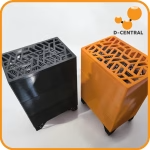 Antminer S19 Space Heater Edition" width="80" height="80" loading="lazy" style="width:80px;height:80px;object-fit:contain;border-radius:6px;background:#1A1A1A;flex-shrink:0;">
