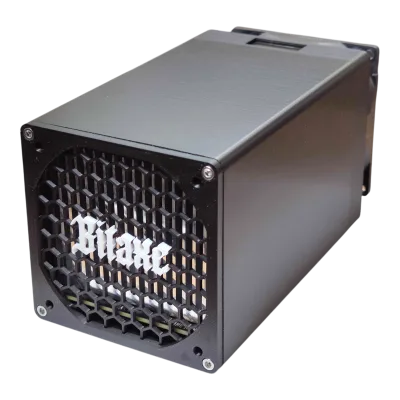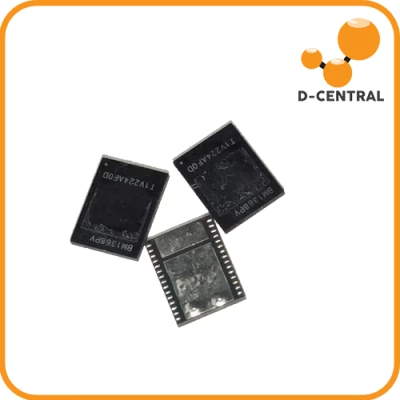
The Antminer 17 Series — the S17, S17 Pro, S17+, and T17 — shipped in 2019 as Bitmain’s first generation on the BM1397 chip. They were monsters for their era: 50-73 TH/s on SHA-256, dual-tube heatsink design, and power efficiency down to 36 J/TH on the S17+ in low-power mode. Thousands of these units are still hashing today in home mining setups and Bitcoin space heaters around the world.
But here is the reality every 17 series owner discovers sooner or later: these machines have a reputation. The 17 series is arguably the most repair-prone generation Bitmain ever shipped. Between fragile heatsink bonding, EEPROM corruption, and temperature sensor drift, these miners keep repair shops busy. At D-Central Technologies, the 17 series has been one of our most frequently serviced lines since these units first hit the market.
This is the definitive troubleshooting guide for the Antminer 17 series in 2026. Not the sanitized manufacturer FAQ — the real-world diagnostic playbook built from thousands of repairs at our facility in Montreal, Quebec. We will cover every common failure mode, the kernel log signatures that identify them, and the exact steps to resolve each one — or know when it is time to send the unit to a professional.
The Antminer 17 Series in 2026: Still Worth Running?
Before we dive into troubleshooting, let us address the elephant in the room. With Bitcoin’s network hashrate now exceeding 800 EH/s and the block reward at 3.125 BTC post-April 2024 halving, is the 17 series still viable?
The honest answer: it depends on your electricity cost and your goals.
| Model | Hashrate | Wall Power | Efficiency | 2026 Viability |
|---|---|---|---|---|
| S17 (56 TH/s) | 50-56 TH/s | ~2,520 W | ~45 J/TH | Below $0.06/kWh or dual-purpose heating |
| S17 Pro | 50-62 TH/s | ~2,230 W | ~36-40 J/TH | Below $0.07/kWh or dual-purpose heating |
| S17+ | 70-73 TH/s | ~2,920 W | ~40 J/TH | Below $0.07/kWh or dual-purpose heating |
| T17 / T17+ | 40-64 TH/s | ~2,200-3,200 W | ~50-55 J/TH | Heating use only at most electricity rates |
At pool mining rates, these machines struggle to turn a profit at typical North American electricity prices ($0.10-0.15/kWh). But for home miners using them as space heaters — where the heat output offsets or replaces your heating bill — the 17 series remains a solid workhorse. A 2,500 W miner produces about 8,500 BTU/hr of heat. That is a serious space heater that also stacks sats.
The other use case: you picked up a broken S17 cheaply, repair it yourself, and run it on low-cost power. That is the Mining Hacker way. So let us make sure you can keep these machines alive.
The 17 Series Design: Why These Miners Break
Understanding why the 17 series fails so often is the first step to effective troubleshooting. The core issue comes down to Bitmain’s heatsink bonding process on this generation.
The S17/T17 series uses a dual-tube heatsink design where individual ASIC chips are thermally bonded to aluminum heatsink tubes using thermal adhesive. Unlike later generations (the S19 series and beyond) which improved this process significantly, the 17 series bonding is notoriously fragile. Over thermal cycling — the constant heat-up and cool-down of daily operation — this bond degrades. When the thermal interface between a chip and its heatsink fails, that chip overheats, and you start seeing the cascade of errors that bring miners to our bench.
The other weak point is the control board’s EEPROM. The 17 series stores critical configuration data in EEPROM that can become corrupted from power surges, improper shutdowns, or simply age. EEPROM corruption manifests as boot failures, missing hashboards, or wildly incorrect sensor readings.
Keep these two root causes in mind as we work through each failure mode below. They explain about 70% of all 17 series issues.
Problem 1: Fan Errors and Overheating
Symptoms
- Kernel log shows “Fan lost speed” or “fan speed error” messages
- Miner shuts down with overtemperature protection triggered
- Fans visibly spinning slower than normal or making grinding noises
- Dashboard shows fan RPM at 0 or wildly fluctuating values
Diagnosis
Access the kernel log through the miner’s web interface: System tab, then Kernel Log. Search for entries containing “fan” or “speed.” The 17 series expects fan speeds within a defined range — typically 3,000-6,000 RPM depending on operating mode. If the control board reads a speed outside this window, it triggers a fan error and may halt mining.
Solutions
Step 1: Inspect physical connections. Power off the unit completely. Open the top cover. Each fan connects via a 4-pin connector to the control board. Reseat each connector firmly. Check for bent pins or corrosion on the connectors.
Step 2: Test individual fans. If you have a spare known-good fan, swap it with the suspected faulty one. The S17 series uses 12V 4-pin PWM fans (120mm or 140mm depending on the variant). If the error follows the fan, replace it. If the error stays on the same port, the issue is the control board’s fan header or its detection circuit.
Step 3: Clean thoroughly. Compressed air is your friend. Dust buildup on fan bearings is the number one cause of gradual speed degradation. If a fan has seized bearings (it does not spin freely when pushed by hand with power off), replace it — there is no cost-effective bearing repair on these commodity fans.
Step 4: Check your environment. If the ambient temperature where the miner operates exceeds 35 degrees Celsius consistently, the fans run at maximum RPM constantly, dramatically shortening their lifespan. Canadian basements and garages are ideal for the 17 series — the cooler the intake air, the longer everything lasts.
Problem 2: EEPROM Errors and Boot Failures
Symptoms
- Miner fails to boot completely — status LEDs blink abnormally or stay red
- Web interface is inaccessible even though the network connection works
- Kernel log (if accessible) shows “EEPROM read fail” or “bad magic” errors
- Miner boots but reports 0 TH/s with all hashboards “missing”
Diagnosis
EEPROM issues on the 17 series typically fall into two categories: corrupted firmware on the control board’s NAND flash, or corrupted per-hashboard EEPROM data that stores chip configuration and calibration values.
If the entire miner fails to boot, the control board firmware is the likely culprit. If the miner boots but cannot detect one or more hashboards, the hashboard-level EEPROM is suspect.
Solutions
Step 1: Power cycle properly. Before anything else — completely disconnect the PSU from the wall, wait 30 seconds, then reconnect. A surprising number of EEPROM-related symptoms are actually caused by the control board hanging in a bad state. A full power cycle (not just a soft reboot from the web interface) clears volatile state.
Step 2: SD card flash for control board recovery. Download the correct firmware image for your exact model from Bitmain’s official support page. Write it to a MicroSD card (FAT32 formatted, 8-32 GB). Insert the card into the control board’s SD slot, then power on. The miner will reflash its firmware from the SD card. Wait for the process to complete — typically 3-5 minutes, indicated by LED patterns described in Bitmain’s flashing guide for your specific model.
Step 3: Hashboard EEPROM recovery. This is where things get more complex. If individual hashboards are not detected after a control board reflash, the hashboard EEPROM may be corrupted. Some third-party firmware (like VNish or BraiinsOS, if available for the 17 series) includes EEPROM repair tools. Alternatively, a technician with an SPI programmer can read, verify, and rewrite EEPROM data directly.
Step 4: When to seek professional help. If SD card flashing does not resolve the boot failure, or if hashboard EEPROM corruption is suspected, the repair requires board-level diagnostic equipment. This is one of the most common reasons 17 series units arrive at our ASIC repair facility. We have the SPI programmers, test jigs, and firmware tools to recover corrupted EEPROMs that home troubleshooting cannot reach.
Problem 3: Missing Chips or Hashboards
Symptoms
- Dashboard shows fewer than 3 hashboards detected
- Total hashrate significantly below expected (e.g., 20 TH/s instead of 56 TH/s)
- Kernel log shows “Chain X: find 0 chips” or “chain fail” messages
- Individual ASIC chip counts are lower than expected on one or more boards
Diagnosis
The S17 has 3 hashboards, each containing multiple BM1397 ASIC chips. If the kernel log shows a chain finding 0 chips, the entire hashboard is not communicating. If it finds some but not all chips, individual chips have failed or lost their thermal bond to the heatsink (causing them to overheat and be disabled by firmware).
Check the kernel log for the specific chain number. Chains are numbered 0, 1, and 2 (or 6, 7, 8 in some firmware versions). Note which chain is failing and how many chips it reports.
Solutions
Step 1: Reseat all ribbon cables. The flat ribbon cables connecting hashboards to the control board are a common point of failure. Power off completely. Disconnect and firmly reconnect each ribbon cable at both ends. Look for any bent or damaged pins on the connectors.
Step 2: Test hashboards individually. If one hashboard is not detected, swap its ribbon cable with a working board’s cable. If the problem follows the cable, replace the cable. If the problem stays with the same hashboard slot on the control board, the control board connector may be damaged.
Step 3: Inspect hashboard power connections. Each hashboard receives power from the PSU through dedicated power cables. Loose or corroded power connectors can cause an entire hashboard to fail. Disconnect and reconnect each power cable, checking for burn marks or melted plastic on the connectors — a sign of sustained poor contact.
Step 4: Check PSU voltage rails. A failing APW9 or APW9+ power supply may not deliver adequate voltage under load. If you have a multimeter, measure the output voltage while the miner is running. The 17 series expects approximately 14.6V from the PSU (varies by model). Voltage significantly below this threshold indicates a PSU issue. Try a known-good replacement PSU if available.
Step 5: Grounding check. Place a multimeter in continuity mode between the miner’s chassis and the earth ground pin of your power outlet. If there is no continuity, you have a grounding problem. Poor grounding on the 17 series can cause erratic hashboard detection and random chip drops.
Step 6: Heatsink bond failure (missing individual chips). If a hashboard detects most but not all chips, the missing chips likely have degraded thermal bonds. The chip overheats, firmware disables it to prevent damage, and it shows as “missing.” Repairing this requires reballing or reflowing the thermal interface — a board-level repair best handled by a professional shop with thermal imaging equipment.
Problem 4: Temperature Sensor Failures
Symptoms
- Dashboard shows abnormally high temperatures (200+ degrees Celsius) that are physically impossible
- Miner triggers overtemperature protection and shuts down despite feeling cool to the touch
- Kernel log shows “over max temp” warnings immediately after boot
- Temperature readings of -40 degrees Celsius or 0 degrees Celsius (sensor default/error values)
Diagnosis
The 17 series uses onboard temperature sensors on each hashboard to monitor chip junction temperatures. These sensors can fail open (reading abnormally high), fail short (reading abnormally low), or drift (reading increasingly inaccurate over time). A failed sensor sending false overtemperature readings will cause the miner to shut down even though actual temperatures are fine.
Solutions
Step 1: Identify the failing sensor. In the kernel log, temperature errors typically reference a specific chain and sensor position. Note which hashboard has the suspect readings.
Step 2: Try a firmware update or alternative firmware. Some temperature sensor issues are firmware interpretation problems, not actual sensor failures. Updating to the latest Bitmain firmware — or trying BraiinsOS if your model is supported — can sometimes resolve phantom temperature errors by improving how sensor data is calibrated and interpreted.
Step 3: Environmental baseline. If the miner is operating in an environment below 0 degrees Celsius, condensation can form on the hashboards during startup, causing sensor anomalies. The 17 series is rated for operation between 0 and 40 degrees Celsius ambient. If you are running it in a Canadian winter garage, make sure the unit warms up gradually before full operation.
Step 4: Sensor replacement. Actual sensor failure requires desoldering the failed component and replacing it — a surface-mount repair that demands steady hands, a good soldering station, and the correct replacement sensor. This is professional repair territory.
Problem 5: PSU Issues and Power Instability
Symptoms
- Miner reboots randomly or fails to power on
- PSU makes clicking or buzzing sounds
- Miner starts but hashrate fluctuates wildly
- Burn marks or melted plastic on power connectors
- PSU fan runs at maximum speed constantly
Diagnosis
The Antminer 17 series ships with the APW9 or APW9+ PSU, rated for approximately 3,600 W at 220V input. These PSUs are workhorses but can degrade over time, especially if operated on 110V circuits (which halves the available power output). Running an APW9 on 110V with a fully loaded S17+ is asking for trouble — the PSU operates near its thermal and electrical limits.
Solutions
Step 1: Check your input power. Verify that your wall outlet provides the expected voltage. In North America, the 17 series should ideally run on a 240V circuit (NEMA 6-20 or L6-30 outlet). If you are running on 120V, you are significantly derated — the PSU can only deliver about half its rated power, which may be insufficient for the S17+ and marginal for other models.
Step 2: Inspect all connections. Every power connector between the PSU and the hashboards is a potential failure point. Look for: discoloration, melted plastic, loose fit, or corroded pins. The 6-pin power connectors on the 17 series carry significant current — any contact resistance leads to heat buildup and eventual failure.
Step 3: Test with a multimeter. Measure PSU output voltage under load. Acceptable range is typically 14.0-15.0V depending on the model. Voltage sag below this range under load indicates a failing PSU.
Step 4: Replace degraded PSUs. A PSU that is clicking, buzzing, or failing to maintain output voltage needs replacement. D-Central stocks replacement APW power supplies and compatible alternatives. Do not cheap out on the PSU — it is the lifeline of the entire system, and a failing PSU can damage hashboards through voltage spikes or brownouts.
Problem 6: Network Connectivity Issues
Symptoms
- Miner cannot connect to the mining pool — shows 0 accepted shares
- Web interface inaccessible from your browser
- Miner appears and disappears on your network (intermittent DHCP)
- Kernel log shows network timeout errors
Solutions
Step 1: Cable and port check. Swap the Ethernet cable with a known-good one. Try a different port on your router or switch. The 17 series uses a standard RJ45 Ethernet port — check the port for bent pins or corrosion.
Step 2: Assign a static IP. DHCP lease conflicts are a common cause of intermittent connectivity, especially in home networks running multiple miners. Log into your miner’s web interface (or access it via the IP scanner tool during initial setup) and configure a static IP address within your network’s subnet but outside the DHCP range.
Step 3: Check the mining pool configuration. Verify the pool URL, port, and worker credentials in the miner’s configuration page. A common mistake: using stratum+tcp:// when the pool requires stratum+ssl://, or vice versa. Also verify that your ISP is not blocking the pool’s port.
Step 4: Ethernet controller failure. In rare cases, the Ethernet controller on the control board fails. If you have verified the cable, port, and configuration, and the miner still cannot obtain a network connection, the control board likely needs replacement.
Advanced Diagnostics: Reading the Kernel Log Like a Technician
The kernel log is your single most powerful diagnostic tool. Here is how to use it systematically:
Accessing the Kernel Log
- Open a web browser and navigate to your miner’s IP address
- Log in (default credentials are typically root/root unless changed)
- Navigate to System, then Kernel Log (or System Log depending on firmware)
- Copy the entire log contents into a text file for analysis
Key Log Signatures and What They Mean
| Log Entry | Meaning | Action |
|---|---|---|
Chain X: find 0 chips |
Hashboard X completely undetected | Check ribbon cable, power connector, EEPROM |
Chain X: find Y of Z chips |
Some chips missing on hashboard X | Likely thermal bond degradation on missing chips |
Fan lost speed |
Fan RPM below threshold | Check fan, clean, replace if seized |
over max temp |
Temperature sensor reading above limit | Verify actual temps, check sensor, check thermal bond |
EEPROM read fail |
Cannot read hashboard configuration | EEPROM corruption — SD flash or SPI repair |
power voltage err |
PSU output out of specification | Check PSU, input voltage, and power connections |
ERROR_TEMP_TOO_HIGH |
Emergency thermal shutdown triggered | Immediate cooling check — fans, airflow, ambient temp |
Pro tip: When you contact any repair service — including ours — having the kernel log ready saves enormous time in diagnosis. Copy it before shipping the unit or before describing the problem. A kernel log tells a technician more in 30 seconds than a verbal description of symptoms ever could.
Maintenance Schedule: Preventing Problems Before They Start
The 17 series rewards preventive maintenance more than almost any other ASIC generation. Here is the schedule we recommend based on our repair data:
Monthly
- Visual inspection: Check all power connectors for discoloration or heat damage. Check fan operation visually and by sound.
- Performance check: Log into the web interface and verify hashrate, temperature, and fan speeds are within normal ranges. Compare to your baseline readings.
- Dust assessment: Check intake and exhaust sides for dust buildup. In dusty environments, monthly cleaning may be necessary.
Quarterly
- Compressed air cleaning: Power off completely. Use compressed air (40 PSI max) to blow dust from heatsinks, fans, and circuit boards. Always blow in the direction of normal airflow — intake to exhaust.
- Firmware check: Verify you are running the latest stable firmware. Check Bitmain’s support page or community forums for any critical updates.
- Cable inspection: Check all ribbon cables and power cables for wear, loose fit, or damage.
Annually
- Deep clean: Consider removing hashboards for individual cleaning if accessible in your model. This is particularly important in environments with fine particulate matter (pet hair, sawdust, etc.).
- Thermal assessment: If you have access to a thermal camera (even a phone-mounted one like the FLIR ONE), scan the hashboards during operation. Hot spots that stand out significantly from surrounding chips indicate degrading thermal bonds — an early warning of future chip failures.
- PSU health check: Measure output voltage under load and compare to your initial readings. Gradual voltage degradation indicates a PSU nearing end of life.
When DIY Is Not Enough: Professional Repair
There is no shame in sending a miner to a professional shop. Some repairs on the 17 series simply cannot be done without specialized equipment:
- Hashboard chip replacement requires BGA rework stations, thermal profiling, and replacement BM1397 chips
- EEPROM recovery often requires SPI programmers and knowledge of the correct data format for each specific model revision
- Thermal bond repair (re-bonding chips to heatsinks) requires controlled heating equipment to avoid damaging adjacent components
- Control board component-level repair involves surface-mount rework on multi-layer PCBs
D-Central Technologies has repaired thousands of Antminer 17 series units since their release. Our ASIC repair service handles everything from basic diagnostics to full hashboard rebuilds. We stock replacement parts including hashboards, control boards, fans, and PSUs for the entire 17 series lineup.
What sets us apart: we are miners ourselves. We do not just fix your hardware — we understand your operation. When we diagnose a unit, we consider whether the repair cost makes economic sense for your specific situation. Sometimes the honest answer is that a repair is not worth it, and we will tell you that. We also offer mining consulting if you need help deciding whether to repair, replace, or repurpose your aging 17 series units.
Repurposing the 17 Series: The Space Heater Path
If your 17 series unit is running but no longer profitable for pure mining at your electricity rate, consider converting it into a Bitcoin space heater. D-Central pioneered this concept in Canada, and the 17 series is one of the most popular platforms for dual-purpose mining and heating.
The math is straightforward: a 2,500 W miner produces approximately 8,530 BTU/hr of heat. During Canadian winters (October through April — six months of heating season), that heat is not wasted energy. It is replacing the natural gas, propane, or electric baseboard heating you would have paid for anyway. Your effective mining cost drops to near zero during heating season because you needed that heat regardless.
This is the Mining Hacker philosophy in action: extracting maximum value from every watt. Your old S17 might not compete with an S21 on pure hashrate economics, but as a space heater that also mines Bitcoin, it earns its keep.
For noise management (the 17 series is not quiet), D-Central offers custom shroud solutions and consulting on sound-dampened enclosure setups. Check our shop for accessories and our training resources for setup guides.
Tools Every 17 Series Owner Should Have
- Multimeter: Essential for voltage checks on PSU output and grounding verification. A basic $30 unit is sufficient.
- Compressed air: Canned air or an electric blower for dust removal. Do not use a shop compressor without a moisture filter.
- IP scanner app: Tools like Angry IP Scanner or Bitmain’s own IPReporter help find your miner on the network, especially after a firmware reflash that resets network settings.
- MicroSD card and reader: For firmware recovery flashing. Keep a card pre-loaded with the latest firmware for your model.
- Spare Ethernet cable: Always rule out the cable before diagnosing network issues.
- Spare fan: If you run multiple 17 series units, keeping one or two spare fans on hand prevents unnecessary downtime.
- Thermal camera (optional but valuable): A phone-mounted thermal camera like the FLIR ONE lets you spot failing thermal bonds before they become chip failures.
Conclusion
The Antminer 17 series is a generation that demands respect and attention. These machines can still stack sats in 2026, but only if you understand their failure modes and stay ahead of maintenance. The dual-tube heatsink design, the EEPROM fragility, and the overall build quality make the 17 series more maintenance-intensive than newer generations — but that does not make them disposable.
For the home miner running a 17 series unit as a space heater, these machines are workhorses that earn their place through dual-purpose value. For the Mining Hacker who picked up a broken S17 on the cheap and wants to bring it back to life, the troubleshooting steps in this guide cover the vast majority of failure scenarios you will encounter.
When DIY reaches its limit, D-Central Technologies is here. We have been repairing Bitcoin miners since 2016 — longer than most companies in this space have existed. Our repair facility in Montreal, Quebec, has the equipment, parts, and expertise to bring your 17 series back to full hashrate.
Get a repair quote or book a consultation to discuss whether repair, replacement, or repurposing makes the most sense for your mining operation.
Every hash counts.
Frequently Asked Questions
Is the Antminer 17 series still profitable to mine with in 2026?
At typical North American electricity rates ($0.10-0.15/kWh), the 17 series struggles for pure mining profitability given the current network hashrate above 800 EH/s and the 3.125 BTC block reward. However, if you have access to power below $0.06-0.07/kWh or use the miner as a space heater (offsetting heating costs), the 17 series can still be economically viable. During heating season in Canada, the effective mining cost approaches zero because the heat output replaces your existing heating system.
Why does the Antminer 17 series break down so often compared to other generations?
The primary issue is the dual-tube heatsink bonding process used in the S17/T17 generation. The thermal adhesive connecting ASIC chips to heatsink tubes degrades over repeated thermal cycling, leading to individual chip failures. Additionally, the EEPROM on these units is more susceptible to corruption from power events. Bitmain significantly improved both issues in the S19 series and beyond, but the 17 series remains the most repair-prone generation they shipped.
What is the most common cause of missing hashboards on the S17?
The most common cause is a failed or loose ribbon cable connection between the hashboard and the control board. After that, EEPROM corruption on the hashboard itself is the second most frequent culprit. Power delivery issues (bad PSU or corroded power connectors) are the third most common cause. Always start diagnosis with the simplest physical checks — reseat cables, inspect connectors — before moving to firmware-level troubleshooting.
Can I run the Antminer S17 on a 120V circuit?
Technically yes, but it is not recommended. The APW9/APW9+ PSU is derated to approximately half its output capacity on 120V input. For the S17 (base model), this may be marginally sufficient. For the S17+ at 73 TH/s, 120V is inadequate and will cause instability, hash rate throttling, or PSU failure. We strongly recommend running all 17 series models on dedicated 240V circuits (NEMA 6-20 or L6-30).
How do I flash the firmware on an S17 using an SD card?
Download the correct firmware image for your exact model from Bitmain’s official support page. Format a MicroSD card (8-32 GB) as FAT32. Copy the firmware file to the root of the SD card. Insert the card into the MicroSD slot on the control board. Power on the miner. The unit will automatically detect the SD card and begin the reflash process. LED indicators will show progress — typically 3-5 minutes. Do not power off during the process. Remove the SD card after completion and reboot.
What temperature is too hot for the Antminer 17 series?
The 17 series is rated for 0-40 degrees Celsius ambient operating temperature. Chip junction temperatures should ideally stay below 85 degrees Celsius during normal operation. The firmware triggers overtemperature protection at approximately 95-100 degrees Celsius chip temperature. If your ambient temperature regularly exceeds 35 degrees Celsius, consider additional cooling or relocating the miner to a cooler environment.
Should I repair my S17 or replace it with a newer model?
This depends on the repair cost versus the cost of replacement, your electricity rate, and your mining goals. A minor repair (fan replacement, SD card reflash) is almost always worth it. A major hashboard repair might cost $150-400, which needs to be weighed against the value of the remaining operational life of the machine. If you use the miner as a space heater, repair often makes sense because the dual-purpose value extends the payback period significantly. D-Central offers honest assessments — we will tell you when a repair is not economically justified. Contact our consulting team for a personalized analysis.
Can D-Central repair my Antminer 17 series miner?
Yes. D-Central Technologies has been repairing Bitcoin miners since 2016, and the 17 series is one of our most frequently serviced lines. We handle everything from basic diagnostics and fan replacements to complex hashboard rebuilds, EEPROM recovery, and chip-level rework at our facility in Montreal, Quebec. We stock replacement parts for the entire 17 series lineup. Visit our ASIC repair page to learn more about our process and turnaround times.