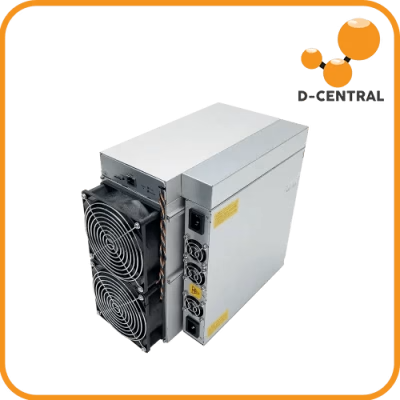
Your Antminer S19 shipped from the factory with firmware designed to satisfy the lowest common denominator. Bitmain built it to be safe, predictable, and lawsuit-proof. What they did not build it for was your specific operation — your electricity rate, your cooling setup, your profitability targets. That gap between “factory safe” and “optimally tuned” is exactly where custom firmware lives, and it is where serious miners separate themselves from everyone running stock.
Custom firmware for the Antminer S19 series is not a gimmick. It is a fundamental operational tool that can cut power consumption by 10–25%, boost hashrate by 5–30%, and give you granular control over every chip on your hashboards. In a post-halving world where margins are measured in fractions of a cent per kilowatt-hour, firmware optimization is not optional — it is survival.
This guide covers everything you need to know: what custom firmware actually does at the hardware level, the major firmware options available in 2026, how to install them, how to tune for your specific scenario, and how to avoid bricking your machine in the process. Whether you are running a single S19 in your garage or managing a fleet, this is the reference you need.
What Firmware Actually Does Inside Your Antminer S19
Firmware is the low-level software burned into your miner’s control board that dictates how every component operates. It controls the voltage delivered to each ASIC chip, the frequency at which those chips run, the fan speed curves, temperature thresholds, network communication with your mining pool, and the entire boot sequence. Think of it as the operating system of your miner — except it operates far closer to the metal than any desktop OS ever does.
Bitmain’s stock firmware on the S19 series uses a one-size-fits-all approach. Every voltage domain runs at the same voltage and every chip runs at the same frequency, regardless of silicon quality. This is like forcing every engine in a fleet to run at the same RPM — some could handle more, some are being pushed too hard, and none are running at their individual optimum. The result is wasted power, unnecessary heat, and a hashrate ceiling that sits well below what the hardware is physically capable of.
Custom firmware replaces this blanket approach with fine-grained, silicon-aware tuning. It profiles the hashboard, measures each chip’s performance characteristics, and assigns frequency per individual ASIC chip while regulating voltage per voltage domain — the group of chips that share a single DC-DC converter. (No firmware can set voltage on an individual chip; voltage control is per-domain by hardware design.) Higher-quality chips get their frequency pushed harder. Weaker chips get dialed back so they do not drag down the board or waste electricity generating heat instead of hashes. This is autotuning, and it is the single most important feature that separates custom firmware from stock.
The Antminer S19 Series: Hardware You Are Working With
Before diving into firmware options, you need to understand the hardware variants in the S19 family. Each model has different chip architectures, power envelopes, and firmware compatibility requirements.
| Model | Chip | Stock Hashrate | Power Draw | Efficiency (J/TH) |
|---|---|---|---|---|
| S19 | BM1398 (7nm) | 95 TH/s | 3,250W | 34.2 |
| S19 Pro | BM1398 (7nm) | 110 TH/s | 3,250W | 29.5 |
| S19j Pro | BM1362 (5nm) | 92–104 TH/s | 2,950–3,068W | 29.5–30.5 |
| S19k Pro | BM1366 (5nm) | 120 TH/s | 2,760W | 23.0 |
| S19 XP | BM1366 (5nm) | 140 TH/s | 3,010W | 21.5 |
| S19 XP Hyd. | BM1366 (5nm) | 255 TH/s | 5,346W | 20.8 |
The S19 and S19 Pro use BM1398 chips on a 7nm process, with the standard S19 running 76 chips across three hashboards and the Pro running 114 chips for its higher hashrate. The S19j Pro variants use the same chip but in different board configurations. The S19 XP jumped to BM1366 chips on a 5nm process, which is why it achieves dramatically better efficiency. All of these respond well to custom firmware, but the firmware you choose must explicitly support your specific model — flashing the wrong variant can brick your control board.
The Three Custom Firmware Options Worth Running in 2026
The custom firmware landscape has consolidated. In 2026, three options dominate the S19 series: Braiins OS+, VNish, and LuxOS. Each has a distinct philosophy, fee structure, and set of strengths. Here is what you actually need to know about each one.
Braiins OS+
Braiins OS+ is developed by the team behind Braiins Pool (formerly Slush Pool — the world’s first Bitcoin mining pool, launched in 2010). It is built on a platform with partial open-source elements — specifically, the BCB100 hardware board design is open source. However, the mining binaries (BOSminer, Boser) and web UI are proprietary and cannot be independently audited. For miners who care about sovereignty and verifiability, this distinction matters.
Key strengths:
- Autotuning: Profiles each chip individually and adjusts voltage/frequency for optimal efficiency at any power target you set. You tell it your wattage ceiling; it figures out the best hashrate within that envelope.
- Stratum V2 support: The only major Antminer firmware with native support for the next-generation mining protocol (on open-source hardware, Bitaxe’s AxeOS added native SV2 in June 2026). Stratum V2 lets miners construct their own block templates instead of blindly hashing whatever the pool dictates — a genuine step toward mining decentralization.
- Demand response: Can automatically curtail mining during peak electricity pricing periods and ramp back up during off-peak hours.
- Cold-weather pre-heating: Ramps chips gradually in sub-zero temperatures to prevent thermal shock — essential for Canadian miners running in unheated spaces.
- Partial open source: The BCB100 hardware board design is open source, but the mining binaries (BOSminer, Boser) and web UI remain proprietary.
Dev fee: Confirm the model-dependent fee in the official fee FAQ. Braiins Pool’s separate daily rebate depends on the hashrate supplied by Braiins OS miners; the vendor states a full pool-fee refund when the entire fleet uses Braiins OS.
Best for: Miners who prioritize efficiency over raw hashrate, operators in regions with variable electricity pricing, and anyone who values open-source principles and mining decentralization.
VNish
VNish is the most widely deployed third-party ASIC firmware globally, recognized by the Cambridge Centre for Alternative Finance in its 2025 research as the most influential firmware project in the ASIC ecosystem. It is a closed-source, performance-focused firmware with the broadest model compatibility of any option.
Key strengths:
- Per-domain voltage and per-chip frequency tuning: Similar to Braiins autotuning but with more aggressive overclocking profiles available. Higher-quality chips get pushed harder for maximum hashrate extraction.
- Chip throttling (patented): When one chip overheats, VNish redistributes its workload to cooler chips on the same board — maintaining total hashrate without shutting down any chip entirely.
- Preset switcher: Automatically shifts between performance profiles based on temperature thresholds (rise at 85C, decrease at 90C), preventing thermal shutdowns without manual intervention.
- Fan spoofing: Reports modified fan RPM values to the control board, useful for miners running custom cooling solutions (immersion, modified shrouds) where stock fan monitoring would trigger false alarms.
- Telegram alerts: Real-time notifications for hashrate drops, temperature warnings, chip failures, and connectivity issues.
- Overclocking headroom: Can push S19 Pro units to 130+ TH/s (from stock 110 TH/s) with adequate cooling. The S19 XP can be pushed beyond 160 TH/s in optimal conditions.
Dev fee: Vnish.com states 2–2.8% redirected hashrate. Vnish.io advertises 1.8–2.8%, with negotiated and partner offers. Confirm the selected build and agreement; these statements do not establish one universal S19 rate.
Best for: Miners chasing maximum hashrate, immersion-cooled setups, large fleet operators who need granular per-machine alerting, and anyone running modified cooling.
LuxOS
LuxOS is developed by Luxor Technology and is the only major custom firmware built from scratch in Rust (not forked from cgminer). It is also the first and only ASIC firmware to achieve SOC 2 Type 2 certification and the only option developed and maintained entirely by a US-based company.
Key strengths:
- Dynamic hashrate scaling: Automatically adjusts mining intensity based on hashprice — overclocking when hashprice is high, underclocking to efficiency mode when margins thin. This is firmware-level profit optimization.
- 120V household operation: Can run an S19 or S21 series miner on a standard 120V/15A household outlet with a compatible PSU at reduced power (~1,200W, producing 52–56 TH/s). This makes home mining with full-size ASICs genuinely practical.
- Curtailment features: Responds to external signals — electricity pricing, grid demand, time-of-day schedules — to throttle mining intensity. If your hydro rate changes throughout the day, LuxOS handles it automatically.
- SOC 2 Type 2 certified: Enterprise-grade security audit. If you are operating under compliance requirements, this matters.
- Built from scratch in Rust: Not a fork of existing open-source mining software. Clean codebase with modern memory safety guarantees.
Dev fee: Luxor advertises 2.8% for LuxOS and a separate 0% fee on Luxor Bitcoin Pool. Confirm any volume offer and the applicable terms; the reviewed fee page does not establish a monthly rebate cadence.
Best for: Home miners who want to run an S19 on household power, operations in regions with time-of-use electricity pricing, and enterprise/compliance-focused deployments.
Custom Firmware Comparison at a Glance
| Feature | Braiins OS+ | VNish | LuxOS |
|---|---|---|---|
| Open Source | Partial (BCB100 HW board only) | No | No |
| Per-Chip Autotuning | Yes | Yes | Yes |
| Dev Fee | 2–2.5% | Offer-specific: Vnish.com 2–2.8%; Vnish.io 1.8–2.8% | 2.8% |
| Separate pool-fee offer | Conditional Braiins Pool rebate; confirm eligibility | Confirm selected pool and partner offer | Advertised 0% Luxor Bitcoin Pool fee |
| Stratum V2 | Yes (native) | No | No |
| 120V Home Operation | No | No | Yes |
| Overclocking Potential | Moderate | Aggressive | Moderate |
| Demand Response | Yes | Preset Switcher | Yes (advanced) |
| Cold-Weather Mode | Yes | No | No |
| Security Audit | Partial open-source (BCB100 HW) | No | SOC 2 Type 2 |
| S19 Model Support | S19, Pro, j, j Pro, T19 | 23+ S19 variants | S19, S19 Pro, XP |
Why Custom Firmware Matters More After the 2024 Halving
The April 2024 halving cut the block subsidy from 6.25 BTC to 3.125 BTC. For S19 series miners — hardware that was already being squeezed on margins before the halving — this made firmware optimization the difference between profitable operation and an expensive space heater you cannot control.
Consider the math. An S19 Pro running stock firmware at 110 TH/s and 3,250W has a fixed efficiency of 29.5 J/TH. With custom firmware autotuning, that same machine can often achieve 110 TH/s at 2,800–2,900W — or push to 125+ TH/s at the same 3,250W power draw. Either way, you are getting more sats per kilowatt-hour.
For Canadian miners specifically, this calculus is even more favourable. Hydro-Quebec’s industrial rates and Alberta’s competitive energy market already give us some of the best mining economics in North America. Layer custom firmware on top of cheap Canadian electricity and cold ambient air for free cooling, and S19 series hardware remains viable well into 2026 — long after miners in warmer, more expensive jurisdictions have been forced to shut down or upgrade.
Custom firmware also enables underclocking for dual-purpose use. If you are running a Bitcoin space heater — using an S19 to heat your home while mining — you want precise control over power output and heat generation. Stock firmware gives you an on/off switch. Custom firmware gives you a thermostat.
How to Install Custom Firmware on Your Antminer S19
The installation process is straightforward if you follow it methodically. Rushing through it or skipping the backup step is how miners brick their control boards. Here is the proper procedure.
Before You Start: Pre-Installation Checklist
- Identify your exact model. Check the sticker on your miner’s PSU side. “S19 Pro” and “S19j Pro” are different machines with different firmware images. Flashing the wrong one will fail — or worse, partially flash and corrupt your NAND.
- Back up your current firmware. Most custom firmware installers offer an option to save the current firmware. Take it. If the custom firmware does not work for your setup, you need a clean path back to stock.
- Record your current mining settings. Pool URLs, worker names, fan settings, IP configuration — write it all down. Custom firmware will wipe your pool configuration during installation.
- Ensure network stability. Connect your miner via Ethernet (not WiFi) and ensure you have a stable connection. A dropped connection mid-flash can corrupt the firmware image.
- Verify the download source. Only download firmware from the official project websites. Firmware files from random forums or Telegram groups may contain modified dev wallets that redirect your hashrate.
Installation via Web Interface (Most Common Method)
- Access the miner’s web UI. Open a browser and navigate to your miner’s IP address. Default login is typically
root/root. If you have changed the password, use your credentials. - Navigate to the firmware upgrade section. This is usually under System > Firmware Upgrade or a similar path depending on your current firmware version.
- Upload the firmware file. Select the firmware image you downloaded (.tar.gz for Braiins, .img or .tar for VNish, varies for LuxOS). Click “Upgrade” and do not touch anything until the process completes.
- Wait for the reboot. The miner will flash the new firmware and reboot automatically. This takes 3–10 minutes depending on the firmware. If the miner does not come back online after 15 minutes, perform a manual power cycle.
- Reconfigure your mining settings. Log back into the web interface (the IP may have changed if you were using DHCP — check your router’s client list). Enter your pool information, configure autotuning parameters, and set your power target.
Installation via SD Card (Recovery or Fresh Install)
If your miner’s web interface is inaccessible (corrupted firmware, forgotten password, bricked NAND), you can flash firmware from a microSD card:
- Download the SD card image from the firmware provider’s official site.
- Flash the image to a microSD card using a tool like balenaEtcher or Rufus.
- Power down the miner completely.
- Insert the microSD card into the slot on the control board (remove the top cover to access it).
- Power the miner back on. It will boot from the SD card and flash the new firmware to NAND.
- Once the miner is online (check your router for its new IP), remove the SD card and reboot.
If you run into issues during firmware installation — a bricked control board, corrupted NAND, or hashboards that will not start after the flash — D-Central’s ASIC repair service handles firmware recovery alongside hardware repairs. We have been fixing and reflashing Antminers since 2016.
Tuning Your Custom Firmware for Maximum Performance
Installing the firmware is step one. The real gains come from tuning it to your specific conditions. Here is how to approach it.
Choose Your Optimization Strategy
You need to decide what you are optimizing for before touching any settings. The three strategies are:
- Maximum efficiency (lowest J/TH): Reduce power draw while maintaining or slightly reducing hashrate. Best for miners with moderate electricity costs who want to stay profitable as long as possible. Typical result: 85–95% of stock hashrate at 70–80% of stock power consumption.
- Maximum hashrate (highest TH/s): Push chips to their limits for maximum output. Best for miners with very cheap electricity and excellent cooling. Typical result: 115–130% of stock hashrate at 110–125% of stock power consumption.
- Balanced (best sats/kWh): Find the sweet spot where you are earning the most Bitcoin per unit of electricity consumed. This is what autotuning optimizes for by default. Typical result: 100–105% of stock hashrate at 85–90% of stock power consumption.
Autotuning: Let the Firmware Do the Work
All three major firmware options offer autotuning. Here is how to use it effectively:
- Set your power target. Enter the maximum wattage you want the miner to consume. Start at stock power (e.g., 3,250W for S19 Pro) and let the autotune run for at least 1–2 hours to establish baseline chip profiles.
- Monitor chip-level data. After autotuning completes, review the per-chip frequency and voltage assignments. Look for chips running at significantly lower frequencies than their neighbours — these may indicate failing chips that need attention.
- Gradually adjust. Once the baseline is stable, decrease power target in 100W increments (for efficiency) or increase in 50W increments (for performance). Let the autotune stabilize for at least 30 minutes between each adjustment.
- Watch your hardware error rate. Custom firmware dashboards show HW error rates per chip and per board. If errors exceed 1–2% on any board, you have pushed too hard. Back off the power target or frequency.
Temperature Management for Canadian Conditions
Canadian miners have a unique advantage: cold ambient air. But this requires specific firmware configuration to exploit properly.
- Winter (below 0C ambient): Use Braiins OS+ cold-weather pre-heating if available, or manually set a slow ramp-up profile. Chips need to reach operating temperature gradually — going from -20C to 80C in seconds can crack solder joints. Set fan speeds lower during startup to let the board heat up naturally.
- Summer (above 25C ambient): Push fan speeds higher and consider reducing your overclock profile. Chip temperatures above 90C accelerate degradation. Most custom firmware will auto-throttle at 85–95C, but prevention is better than reaction.
- Dual-purpose heating: If your miner doubles as a space heater, set a power target that matches your heating needs. A 2,000W power target on an S19 Pro generates roughly 6,800 BTU/h of heat while still mining at ~75 TH/s — enough to heat a mid-sized room while stacking sats.
Risks You Need to Understand
Custom firmware is a powerful tool, but it is not without risks. Here is what you should know, and how to mitigate each concern.
Warranty Implications
Installing custom firmware on an Antminer voids Bitmain’s warranty. Full stop. If your S19 is still under Bitmain’s warranty period and you flash custom firmware, any warranty claim will be denied. However, most S19 series units in the field have long passed their warranty period. If yours has, there is nothing to lose.
Note that you can always revert to stock firmware before sending a unit for warranty service. Most custom firmware provides a one-click revert option, and stock firmware images for every S19 variant are available from D-Central’s firmware download centre.
Hardware Damage from Overclocking
Aggressive overclocking increases voltage and heat, which accelerates chip degradation and can damage hashboards. The risk is real but manageable:
- Start with autotuning at stock power before attempting any overclock.
- Never disable thermal protection features.
- Monitor chip temperatures — sustained operation above 95C significantly shortens chip lifespan.
- If you hear a board buzzing or see wildly fluctuating hashrates, shut down and investigate before the damage spreads.
Security Considerations
Firmware has root-level access to your miner. Malicious firmware can redirect your hashrate to an attacker’s wallet, log your pool credentials, or use your miner as a network pivot point. Only download firmware from official sources:
- Braiins OS+:
braiins.com - VNish:
vnish.com(not vnish-firmware.com or other domains) - LuxOS:
luxor.tech/firmware
Verify file checksums after downloading. If a firmware file does not match the published hash, do not install it.
Dev Fees: The Hidden Cost
The commercial firmware offers above allocate development fees from hashing or computing power under their applicable terms. A quoted fee is not a guaranteed fraction of accepted shares, elapsed mining time or revenue. Pool charges and conditional pool-fee rebates are separate. Confirm the exact build, agreed rate and selected pool before comparing costs; do not turn a headline percentage into a guaranteed TH/s deduction.
A development fee alone does not establish whether a firmware change benefits your operation. Compare the same hardware and operating conditions using measured power, accepted work, uptime and the applicable fee terms; this guide provides no guaranteed efficiency gain or profitable outcome.
When to Call in Professional Help
Custom firmware is within reach of any technically inclined miner, but some situations call for professional intervention:
- Bricked control board: If a firmware flash failed and the miner will not boot from either NAND or SD card, the control board may need reflashing via serial connection or replacement.
- Hashboard not detected after firmware change: This usually indicates a hardware issue (failed chip, broken trace) that the new firmware exposed rather than caused. A proper diagnostic can identify whether it is a firmware configuration issue or a board-level repair.
- Persistent high error rates: If autotuning cannot bring error rates below 2–3% even at stock power levels, you likely have failing chips that need micro-soldering replacement.
- NAND corruption: Repeated failed firmware flashes can corrupt the control board’s NAND storage. Recovery requires direct NAND access via hardware tools.
D-Central has been repairing Antminers since 2016, including firmware recovery, hashboard diagnostics, chip-level micro-soldering, and control board replacements. If your S19 needs more than a firmware flash, our repair team handles everything from single-chip replacements to full board rebuilds.
Custom Firmware and Mining Decentralization
There is a dimension to custom firmware that goes beyond personal profitability: mining decentralization.
Braiins OS+ is the only major Antminer firmware with native Stratum V2 support (Bitaxe’s AxeOS added native SV2 in June 2026). Stratum V2 allows miners to construct their own block templates — choosing which transactions to include in a block — rather than blindly accepting whatever template the pool provides. This is a fundamental shift in the power dynamic between miners and pools. With Stratum V1 (what every other firmware and most pools use), the pool operator decides transaction selection. With Stratum V2, that power returns to the miner.
For those of us who believe Bitcoin’s censorship resistance depends on a distributed, sovereign mining network, this is not a minor technical detail. It is the entire point. Every home miner running Stratum V2 firmware is a node in a network that resists centralized transaction censorship. Every miner running stock firmware on a mega-pool is one more machine blindly trusting someone else to build honest blocks.
Custom firmware also enables home mining setups that stock firmware simply cannot support. LuxOS running an S19 at 1,200W on a household 120V circuit. Braiins OS+ gradually warming up a miner in a Canadian garage at -30C. VNish managing an immersion-cooled rig in a basement workshop. These are the setups that distribute hashrate away from industrial facilities and into homes — exactly where it needs to be for Bitcoin’s long-term health.
Choosing the Right Firmware for Your Setup
There is no single “best” firmware. The right choice depends on your operational priorities:
DCENT_OS: choose the route from the board and current firmware
For DCENT_OS, “S19 series” is not an installation method. Identify the full model and controller, then match the original file and its signed companions on the current Experimental release card. When a download name looks different from your model, cross-check the catalog model, controller target and file label before choosing a package.
| Exact model/controller | What the current file provides | Decision before any write | Recovery preparation |
|---|---|---|---|
| S19 or S19 Pro, Xilinx/Zynq | Separate native raw SD images: am2-s19 and am2-s19pro |
Choose the exact target. Preserve the complete image layout, verify the selected removable device and readback, and follow that board’s boot-selection instructions. The card remains inserted; no NAND installation is authorized | Retain internal firmware and original boot selection. For a normally running trial, complete Stop and shutdown, disconnect power, remove the card and restore the boot selection if changed |
| S19j Pro, Xilinx/Zynq | A guarded existing-DCENT_OS update for am2-s19j, not the S19/S19 Pro card image |
Requires an eligible existing runtime and inactive slot; the miner must already accept the development authority. Host verification does not change runtime trust. This package provides no stock-firmware first-install route | Keep a full exact-unit backup and verified restore preparation off the miner. Automatic failed-boot rollback is not guaranteed |
| S19j Pro, BeagleBone AM335x | A developer SD-payload tar for am3-bb-s19jpro |
No supported consumer installation path is provided. A complete external boot set is not supplied or verified: MLO, U-Boot, kernel and carrier DTB need independent exact-board preparation. Do not raw-write the tar or treat it as a Xilinx update | Keep original firmware and media unless external assets and preparation/recovery are independently verified. NAND installation and NAND revert remain disabled |
| Amlogic S19-family controller | No package or stock-install permission supplied by the current DCENT_OS catalog | A matching model name does not authorize using the Xilinx or BB file. Retain current firmware if an exact supported package and route are unavailable | Use only the controller’s independently verified existing recovery procedure; this catalog adds no Amlogic recovery write authority |
Before proceeding, distinguish four milestones: authenticated file, eligible route, completed write and observed operation. An upload or boot is not accepted-share, cooling, endurance or recovery qualification. These packages remain physically unqualified, and this comparison establishes no measured hashrate, efficiency or noise superiority. Review the installation boundaries before choosing an action.
| Your Scenario | Recommended Firmware | Why |
|---|---|---|
| Home miner, 120V outlet | LuxOS | Only option supporting 120V/15A operation at reduced power |
| Canadian miner, cold garage | Braiins OS+ | Cold-weather pre-heating prevents thermal shock damage |
| Maximum hashrate, cheap power | VNish | Most aggressive overclocking profiles, chip throttling |
| Immersion-cooled rig | VNish | Fan spoofing, water temp monitoring, aggressive OC |
| Time-of-use electricity pricing | LuxOS or Braiins OS+ | Advanced demand response / curtailment features |
| Decentralization purist | Braiins OS+ | Partial open source (BCB100 HW), Stratum V2 for miner-side block construction |
| Bitcoin space heater setup | Any (Braiins OS+ preferred) | Precise power target control for matching heat output to room size |
| Large fleet management | VNish or LuxOS | Centralized management, per-machine alerting, API access |
Frequently Asked Questions
Does custom firmware void my Antminer S19 warranty?
Yes. Installing any third-party firmware voids Bitmain’s manufacturer warranty. However, most S19 series units in the field have already exceeded their warranty period. You can revert to stock firmware before sending a unit for service — all three major firmware options (Braiins OS+, VNish, LuxOS) provide revert functionality, and stock firmware images are available from D-Central’s firmware download centre.
How much hashrate improvement can I expect from custom firmware?
Results depend on your optimization goal. For efficiency mode (same hashrate, less power), expect 10–25% power reduction. For performance mode (more hashrate, same or more power), expect 5–30% hashrate gains depending on cooling capacity and silicon quality. The autotuning feature in all three major firmware options profiles each chip individually, so results vary by machine.
Can I brick my Antminer S19 by installing custom firmware?
It is possible but unlikely if you follow proper procedure: use the correct firmware image for your exact model, maintain a stable network connection during flashing, and do not power off the miner mid-update. If a flash does fail, most S19 units can be recovered via SD card boot. In worst-case scenarios where NAND is corrupted beyond SD recovery, professional repair is required — D-Central handles firmware recovery as part of our ASIC repair services.
What is the dev fee, and can I avoid it?
Firmware development fees and pool fees are separate. The advertised firmware rates are vendor/build/offer-dependent; verify the linked primary terms. Braiins Pool has a conditional daily rebate and Luxor advertises a separate 0% Bitcoin Pool fee. Confirm VNish build, partner and pool terms rather than assuming one universal fee or discount policy. DCENT_OS has no mandatory firmware fee: October fresh defaults are donation OFF/0%, retained settings may differ, and optional 0-5% contributions use scheduled V1 mining time; saved changes require a daemon restart. No quoted percentage guarantees a share or payout fraction, or a profitable outcome. See the current comparison and primary-source conditions.
Which custom firmware is best for home mining?
For home miners on a standard 120V household circuit, LuxOS is the only option that supports reduced-power operation at ~1,200W. For home miners with a 240V circuit and cold ambient conditions (common in Canada), Braiins OS+ with its cold-weather pre-heating and energy curtailment features is an excellent choice. If you are running your S19 as a Bitcoin space heater, any firmware with precise power target control will work, but Braiins OS+ offers the most granular efficiency tuning.
Can I switch between different custom firmware options?
Yes. You can flash from one custom firmware to another, or revert to stock Bitmain firmware at any time. The process is the same as initial installation — upload the new firmware file through the web interface or flash via SD card. Always back up your mining pool configuration before switching, as settings do not transfer between firmware platforms.
Is custom firmware safe from a security perspective?
It depends entirely on the source. Firmware from official project websites (braiins.com, vnish.com, luxor.tech) is developed by established teams with reputations to protect. Braiins OS+ has partial open-source elements (the BCB100 hardware board), though mining binaries are proprietary. LuxOS has SOC 2 Type 2 certification. Never download firmware from unofficial sources, forums, or Telegram groups — malicious firmware can redirect your hashrate or compromise your network.
My S19 hashboard stopped working after a firmware update. What do I do?
A hashboard that stops being detected after a firmware change usually indicates a pre-existing hardware issue that the new firmware exposed, not caused. Start by reverting to stock firmware. If the board still is not detected, the issue is hardware-level: a failed chip, broken trace, or connector problem. D-Central’s repair team can diagnose and fix hashboard-level issues including chip replacement and trace repair.
2026 companion: this guide covers choosing and running custom firmware; the provenance side — spotting fake Antminer firmware, official channels per vendor, checksum and signature verification, and infection recovery — now has a dedicated page: the mining firmware security guide.