Skip to content

We're upgrading our operations to serve you better. Orders ship as usual from Laval, QC. Questions? Contact us

Bitcoin accepted at checkout  |  Ships from Laval, QC, Canada  |  Expert support since 2016

ASIC Miner Maintenance: 10 Essential Practices to Maximize Hashrate and Hardware Lifespan
ASIC Hardware

ASIC Miner Maintenance: 10 Essential Practices to Maximize Hashrate and Hardware Lifespan

· D-Central Technologies · 19 min read

Your ASIC miner is a precision instrument. It runs billions of SHA-256 computations every second, converts electricity into hashrate, and secures the most resilient monetary network ever built. But like any high-performance machine, it demands respect. Neglect it, and you will watch your hashrate decay, your power bills climb, and your hardware die years before it should.

With the Bitcoin network now exceeding 800 EH/s of total hashrate and the block reward sitting at 3.125 BTC after the 2024 halving, every watt of efficiency matters more than ever. The miners who survive and thrive are the ones who treat maintenance not as an afterthought but as a core discipline. At D-Central Technologies, we have been repairing, modifying, and pushing ASIC miners to their limits since 2016. We have seen thousands of machines come through our repair bench in Laval, Quebec, and the patterns are unmistakable: the miners who maintain their hardware properly get years of reliable service, while the ones who neglect it end up paying for avoidable repairs or premature replacements.

This guide distills everything we have learned into ten actionable maintenance practices. Whether you are running a single Antminer in your garage or a fleet of machines in a dedicated space, these tips will keep your hardware hashing and your operation profitable.

1. Know Your Machine Inside and Out

Before you touch a screwdriver or blow a single puff of compressed air, understand what you are working with. Every ASIC miner model has its own architecture, cooling design, power delivery system, and failure modes. An Antminer S19 has a fundamentally different thermal design than a Whatsminer M50S, and maintaining them identically is a mistake.

Start with the basics: What hash algorithm does your miner run? What is its rated power consumption? What are the manufacturer’s specified operating temperature ranges? What PSU does it require, and what are the connector types? These details are not trivia. They are the foundation of every maintenance decision you will make.

Key specifications to document for each miner

Specification Why It Matters
Rated hashrate Baseline to detect performance degradation
Power consumption (watts) Baseline for efficiency monitoring (J/TH)
Operating temp range Determines cooling requirements and alarm thresholds
Fan count and type Spare parts planning and noise management
PSU requirements Prevents underpowering or using incompatible power supplies
Number of hashboards Identifies partial failures (e.g., one board dropping chips)
ASIC chip type Determines thermal paste requirements and chip-level repair feasibility

Keep a maintenance log for every machine. Serial number, purchase date, firmware version, cleaning dates, any anomalies observed. This data becomes invaluable when diagnosing problems or deciding whether a repair is worth the investment versus replacing the unit. The manufacturers provide documentation, but real-world experience is where the critical knowledge lives. This is why D-Central publishes model-specific repair guides for dozens of ASIC models, because generic advice only gets you so far.

2. Clean Aggressively and On Schedule

Dust is the silent killer of ASIC miners. It infiltrates heatsinks, coats fan blades, insulates ASIC chips, and slowly suffocates your hardware. A miner clogged with dust runs hotter, throttles harder, and dies sooner. This is not a maybe. It is physics.

The cleaning protocol is straightforward but must be followed with discipline:

Step-by-step ASIC cleaning procedure

Power down completely. Disconnect from the PSU. Wait 30 seconds for capacitors to discharge. Never clean a live miner.

Remove from the rack or shelf. Work in a well-ventilated area, preferably outdoors or in a space where you can blow dust without contaminating other equipment.

Compressed air pass. Use an electric air blower (not canned air, which runs out fast and can spray propellant) at 40-80 PSI. Blow from the exhaust side toward the intake side, pushing dust out the way it came in. Hold fans stationary with a finger or pencil while blowing, otherwise the forced spin can generate back-EMF and damage the fan motor or control board.

Heatsink deep clean. Focus on the heatsink fins where dust packs into dense mats. These mats act as thermal insulation, trapping heat right where it needs to escape. Use short, targeted bursts at close range.

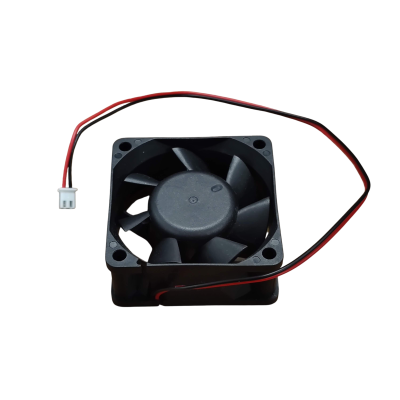
Fan inspection. Spin each fan by hand. It should rotate freely with minimal resistance. If a fan feels gritty, wobbles, or makes noise, replace it. A $10 fan replacement now prevents a $300 hashboard replacement later.

Connector check. While the miner is open, visually inspect all ribbon cables, power connectors, and data cables for discoloration, corrosion, or loose fits. Reseat any connectors that feel loose.

Reassemble and test. Power up and monitor temperatures for the first 30 minutes. Compare chip temperatures to your baseline readings. You should see a measurable drop in operating temperatures after a proper cleaning.

Cleaning frequency guidelines

Environment Cleaning Interval Notes
Home garage / basement Every 2-3 months Pet hair, household dust, dryer lint are common contaminants
Dedicated mining room with filtration Every 3-4 months Filter maintenance is critical; change filters on schedule
Outdoor / agricultural area Monthly Pollen, insects, and organic debris accelerate clogging
Industrial / construction zone Every 2-4 weeks Fine particulate from concrete, drywall, or metal filing is extremely damaging

3. Control Your Environment

An ASIC miner does not care about aesthetics. It cares about three things: temperature, humidity, and clean air. Get these right, and your hardware will reward you with years of reliable hashing. Get them wrong, and you are accelerating failure with every hour of operation.

Temperature: Most ASIC miners are rated for ambient operating temperatures between 5 and 40 degrees Celsius. The sweet spot for most operations is 15 to 25 degrees Celsius. Below that range, you risk condensation issues. Above it, your miners throttle and your cooling systems work overtime. For Canadian home miners, the cold climate is a genuine advantage. Winter air is free cooling, and even summer temperatures in most of Canada are manageable with proper ventilation.

Humidity: Target 30 to 60 percent relative humidity. High humidity promotes corrosion on PCB traces, connector pins, and ASIC chip contacts. Low humidity increases electrostatic discharge risk. If you are running miners in a basement, a dehumidifier is not optional, it is essential. Basements in Quebec and Ontario can easily reach 70 percent or higher relative humidity in summer without active dehumidification.

Airflow: Think of your mining space as an airflow system, not a room. Cool air enters at one end, passes through the miners, and hot air exits at the other. Never recirculate exhaust air back into the intake path. In home mining setups, this often means ducting exhaust air outside through a window or wall vent, and drawing fresh intake air from the opposite side of the space. Our Bitcoin Space Heaters are specifically designed to integrate ASIC heat exhaust into your home’s heating system, turning a thermal management challenge into a practical advantage.

4. Master Your Cooling Strategy

Cooling is not a secondary concern. It is arguably the single most important factor in ASIC miner longevity. Every degree of excess temperature accelerates electromigration in the ASIC chips, degrades thermal interface materials, and shortens the life of capacitors and voltage regulators on the hashboards.

Air cooling optimization

For the majority of home miners, air cooling is the practical choice. The key principles:

Negative pressure is your friend. Use the exhaust side of the miner (or exhaust fans in the room) to pull air through the space rather than pushing air in. Negative pressure prevents hot air from stagnating and ensures consistent airflow through the miner’s heatsinks.

Never obstruct intake or exhaust. Maintain at least 15 centimeters of clearance on both the intake and exhaust sides of every miner. Rack-mounted setups should ensure that exhaust from one row does not feed into the intake of the next.

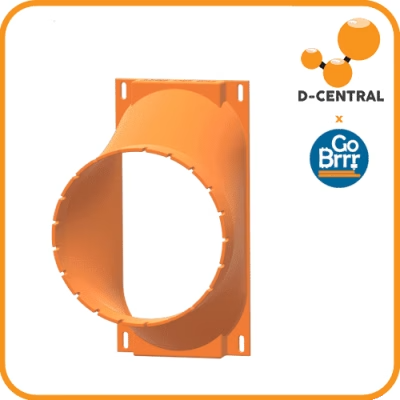
Duct your exhaust. In home mining setups, ducting hot exhaust air directly outside (or into living spaces during winter for heating) prevents heat buildup in the mining area. ASIC shrouds and duct adapters make this straightforward, and D-Central stocks universal shrouds and cooling accessories for most popular miner models.

Advanced cooling options

Immersion cooling eliminates fans entirely by submerging miners in dielectric fluid. It virtually eliminates dust-related failures, dramatically reduces noise, and can extend hardware life significantly. The trade-off is higher upfront cost and added complexity in maintenance. For operations scaling beyond a handful of miners, immersion cooling becomes increasingly attractive.

Heat recovery is the most underappreciated cooling strategy. Instead of treating waste heat as a problem to expel, capture and use it. Hot air duct systems, hydronic loops, and purpose-built mining heaters can redirect ASIC exhaust heat into living spaces, greenhouses, pools, or hot tubs. You are already paying for the electricity. Making that electricity heat your home while simultaneously mining Bitcoin is the ultimate efficiency play, and it is what we mean when we talk about dual-purpose mining.

5. Protect and Monitor Your Power Supply

Power supply problems are the second most common cause of ASIC miner failures we see at our repair bench, right behind dust-related thermal damage. A bad PSU does not just stop your miner from working. It can damage hashboards, fry control boards, and create safety hazards.

Power supply best practices

Match PSU to miner requirements exactly. Every ASIC miner specifies its power draw and connector requirements. Using an underpowered PSU causes voltage sag under load, which leads to hashboard instability and ASIC chip errors. Using the wrong connector or adapter can create resistance points that overheat.

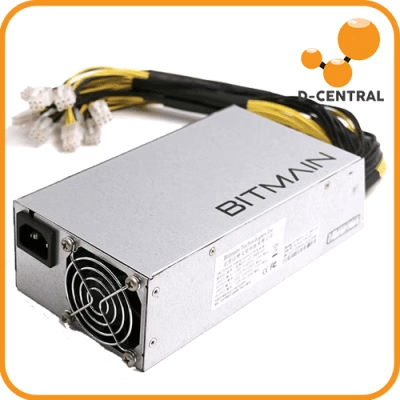
Use quality power supplies. The APW series from Bitmain is purpose-built for Antminer hardware. For Whatsminer units, the P21 series is the standard. Do not cheap out on aftermarket PSUs unless they are specifically rated and proven for your model. We have repaired hundreds of miners where the root cause was a substandard power supply.

Install proper electrical infrastructure. A 240V circuit is standard for most full-size ASIC miners. Ensure your circuit breaker is rated for the continuous load (not just peak), your wiring gauge matches the current draw, and your connections are tight. Loose electrical connections generate heat at the junction, which is a fire hazard.

Surge protection is non-negotiable. Lightning strikes, grid fluctuations, and utility switching events can send voltage spikes through your lines. A quality surge protector rated for the power draw of your mining equipment is cheap insurance against catastrophic damage.

Monitor power metrics. A smart plug or power meter that logs wattage over time helps you detect PSU degradation (gradually increasing power draw for the same hashrate) and identify anomalies before they become failures.

6. Keep Firmware Current

Firmware is the software that lives on your miner’s control board. It governs everything from fan speed curves and chip voltage profiles to pool communication protocols and error handling. Running outdated firmware is leaving performance and security on the table.

Why update firmware:

  • Efficiency improvements. Manufacturers and third-party firmware developers continuously optimize voltage and frequency profiles. A firmware update can meaningfully improve your joules-per-terahash efficiency, which directly impacts profitability.
  • Bug fixes. Firmware bugs can cause random restarts, hashboard detection failures, and communication errors with mining pools. Updates resolve these issues.
  • Security patches. ASIC miners are networked devices. Unpatched firmware can expose your miner to remote exploits, including hashrate hijacking, where an attacker redirects your hashrate to their own pool.
  • Feature additions. Custom firmware options like Braiins OS+ and VNish add features stock firmware lacks: autotuning, per-chip optimization, advanced monitoring, and more aggressive power limiting for home mining scenarios.

Firmware update safety checklist

1. Download firmware only from the manufacturer’s official site or trusted sources. Verify checksums where provided. Malicious firmware has been used to steal hashrate.

2. Back up your current configuration (pool settings, network settings, fan profiles) before updating.

3. Never interrupt a firmware flash. Power loss during a firmware update can brick the control board, requiring physical re-flash via SD card or serial connection.

4. After flashing, monitor your miner for 24 hours. Check that all hashboards are detected, hashrate is within expected range, temperatures are stable, and fan speeds are appropriate.

5. If using third-party firmware, verify that it is compatible with your specific hardware revision. Different hardware revisions of the same model may have different control board designs.

7. Inspect for Wear and Damage Regularly

ASIC miners are industrial machines running 24/7. Components fatigue. Solder joints crack from thermal cycling. Capacitors dry out. Fan bearings wear down. If you wait for a catastrophic failure to notice, you have already lost money in downtime and potentially turned a simple repair into an expensive one.

What to inspect and when

Component Inspection Interval Warning Signs
Fans Monthly Grinding noise, wobble, reduced airflow, visible blade damage
Power connectors Every cleaning Discoloration, melting, loose fit, burn marks
Hashboard connectors Every cleaning Corrosion on pins, loose ribbon cables, oxidation
Heatsinks Quarterly Loose mounting, thermal paste degradation (dry/cracked paste)
PSU Quarterly Fan noise changes, burning smell, voltage fluctuation, increased heat output
Control board Bi-annually Ethernet port issues, SD card corruption, LED anomalies
Enclosure / casing Bi-annually Rust, dents affecting airflow path, loose screws

When you find a failing component, replace it immediately. Do not wait for it to fully die. A single failing fan causes the remaining fans to compensate by spinning faster, which accelerates their wear and increases noise. A degraded power connector creates a resistance point that generates heat, which can cascade into connector melting and hashboard damage. Proactive replacement of consumable parts (fans, thermal paste, PSU capacitors) is far cheaper than reactive repair of the components they protect.

For parts you cannot source locally, D-Central maintains an extensive inventory of replacement parts and components for all major ASIC miner brands, including hashboards, control boards, fans, power supplies, and connectors.

8. Monitor Temperatures Like Your Hardware Depends On It

It does. Temperature is the single best real-time indicator of your miner’s health. A sudden temperature spike means something changed: a fan failed, airflow is blocked, ambient temperature rose, or a heatsink lost contact with a chip. Gradual temperature creep over weeks or months signals dust accumulation, thermal paste degradation, or cooling system decline.

What to monitor

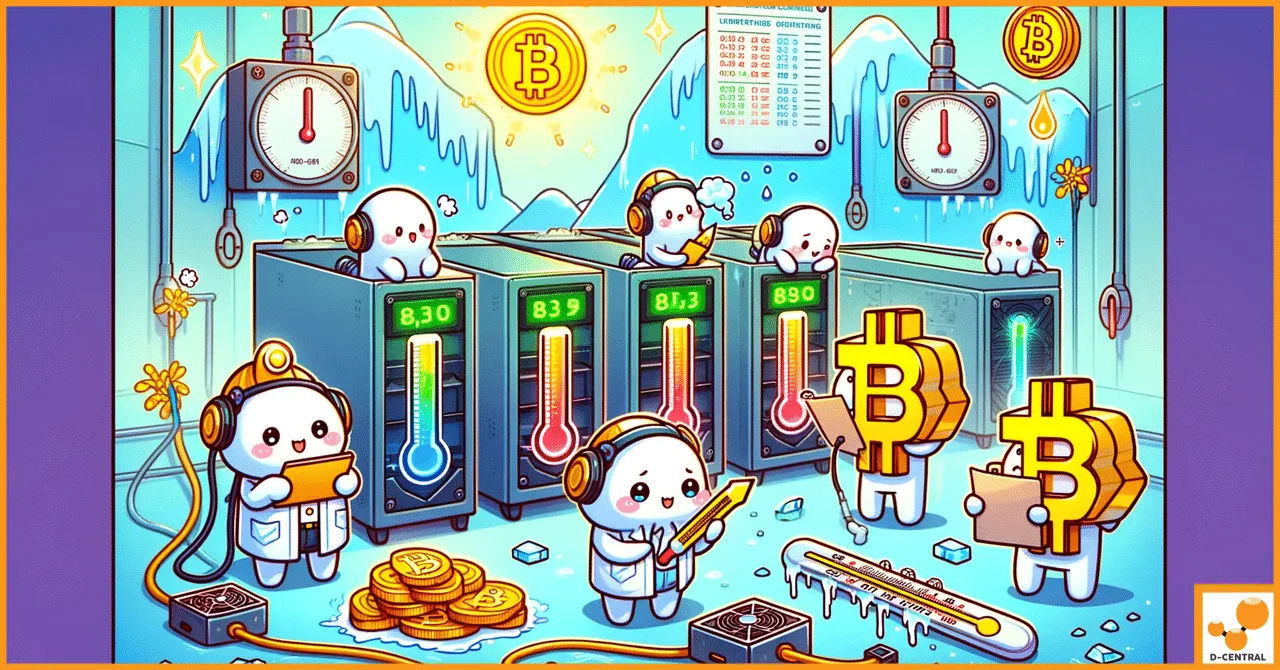
Chip temperature (Tchip or ASIC temp): This is the temperature of the individual ASIC chips on the hashboard. Most miners report this per-chip or per-hashboard through their web interface. For SHA-256 miners, keep chip temperatures below 85 degrees Celsius under sustained load. Above 90 degrees Celsius, most miners begin thermal throttling. Above 100 degrees Celsius, you risk permanent chip damage.

Board temperature (Tboard or PCB temp): This is the temperature of the hashboard PCB itself. It is typically 10 to 20 degrees lower than chip temperature. Monitoring board temperature helps identify localized hotspots that may indicate a failing chip, poor thermal paste application, or a damaged heatsink mounting.

Intake and exhaust air temperature: The difference between intake and exhaust temperature (delta-T) tells you how effectively your miner is transferring heat. A narrowing delta-T (intake and exhaust temperatures converging) can indicate reduced airflow or dust buildup even before chip temperatures spike.

Monitoring tools and strategies

Built-in web interface: Every modern ASIC miner provides a web dashboard showing hashrate, temperatures, fan speeds, and error logs. Check it regularly. Set bookmarks for each miner’s IP address.

Monitoring software: Tools like Braiins Farm Monitor, Foreman, or ASIC.to aggregate data from multiple miners into a single dashboard. Most support alerting, so you get notified when temperatures exceed thresholds rather than discovering problems after hours or days of degraded performance.

Environmental sensors: A simple temperature and humidity sensor (like a DHT22 connected to a Raspberry Pi, or a standalone WiFi sensor) in your mining space provides ambient data that contextualizes your miner readings. If ambient temperature rises 5 degrees because of a heat wave, you need to know that before your miners start throttling.

9. Optimize Your Mining Efficiency

Maintenance is not just about keeping hardware alive. It is about keeping it profitable. With the block reward now at 3.125 BTC and network difficulty adjusting every 2,016 blocks to accommodate the 800+ EH/s network hashrate, the margin between profitable and unprofitable mining is thinner than ever. Efficiency optimization is a form of maintenance: it preserves your economic viability.

Underclocking and power tuning

Running your miner at maximum hashrate is not always the optimal strategy. Modern firmware allows you to dial back frequency and voltage, reducing power consumption proportionally more than hashrate drops. The result is a significantly better J/TH (joules per terahash) efficiency ratio. In many regions, especially where electricity costs exceed $0.08 per kWh, running at 70 to 80 percent of maximum hashrate produces better net profitability than running at full blast.

This approach also reduces heat output, lowers noise levels, and extends hardware lifespan, making it especially attractive for home miners. Firmware like Braiins OS+ makes autotuning accessible, automatically finding the optimal efficiency point for your hardware and power cost.

Pool selection and configuration

Your choice of mining pool affects both your revenue consistency and your contribution to Bitcoin’s decentralization. From a maintenance perspective, a well-configured pool connection minimizes unnecessary work:

  • Use a pool with a stratum server geographically close to you to minimize latency and stale shares.
  • Configure a backup pool so your miner does not sit idle if the primary pool goes down.
  • Monitor your reject rate. A consistently high reject rate (above 1 to 2 percent) may indicate network issues, firmware bugs, or hardware instability.

For those who want to contribute directly to Bitcoin’s decentralization and take a shot at a full block reward, solo mining with devices like the Bitaxe or NerdAxe offers a philosophically aligned approach. Every hash counts, and every independent miner strengthens the network.

Seasonal optimization for Canadian miners

One of the advantages of mining in Canada is the dramatic seasonal variation that enables dynamic optimization. In winter, run your miners at higher clock speeds because the cold ambient air provides free cooling and the waste heat supplements your home heating. In summer, dial back to lower power modes where cooling costs are higher and the heat is unwanted. This seasonal tuning approach can improve your annual profitability by 10 to 20 percent compared to a static configuration.

10. Know When to Call the Professionals

There is a clear line between maintenance you should handle yourself and problems that require professional expertise. Fan replacements, cleaning, firmware updates, and configuration tuning are all within reach of any motivated home miner. But when you are dealing with hashboard-level failures, chip-level diagnostics, BGA rework, or control board troubleshooting, the tools and skills required go far beyond a compressed air blower and a screwdriver.

Signs you need professional repair

  • One or more hashboards not detected by the control board
  • Significant hashrate drop that persists after cleaning and firmware update
  • Individual ASIC chips reporting errors or missing from the chain
  • Burn marks, melted connectors, or visible board damage
  • PSU delivering power but miner not booting
  • Miner repeatedly crashing or restarting under load
  • Unusual smells (burning electronics have a distinct acrid odor)

D-Central operates one of the most comprehensive ASIC repair services in North America, with model-specific expertise across Bitmain Antminer, MicroBT Whatsminer, Canaan Avalon, and Innosilicon hardware. We do board-level diagnostics, chip-level rework, thermal paste reapplication, and full refurbishment. We are retail-focused, meaning we repair individual miners for home miners with the same attention we give to larger operations.

The economics are clear: a professional repair that restores a $2,000 miner to full operation for $200 to $500 is far more cost-effective than replacing the unit. And having your miner repaired by people who understand the hardware at the component level means you get it back running properly, not just patched together.

Putting It All Together: A Maintenance Schedule

Consistency is what separates good intentions from actual results. Here is a practical maintenance schedule that covers everything discussed in this guide:

Frequency Task
Daily Check dashboard: hashrate, temperatures, fan speeds, error count
Weekly Review power consumption trends, check ambient temperature and humidity
Monthly Listen for fan noise changes, check for error log anomalies
Every 2-3 months Full compressed air cleaning, connector inspection, fan test
Quarterly Check for firmware updates, review mining efficiency metrics (J/TH)
Bi-annually Deep inspection: heatsink mounts, thermal paste condition, PSU health, control board
Annually Full teardown, thermal paste replacement on high-use miners, evaluate hardware upgrade path

Frequently Asked Questions

How often should I clean my ASIC miner?

For most home mining environments, every 2 to 3 months is appropriate. If you have pets, run the miner in a dusty garage, or operate in a high-particulate environment, clean monthly. The best indicator is your temperature data: if chip temperatures are climbing while ambient temperature stays the same, it is time to clean.

What temperature is too hot for an ASIC miner?

Most SHA-256 ASIC chips should stay below 85 degrees Celsius under sustained load. Thermal throttling typically begins around 90 degrees Celsius, and sustained operation above 95 degrees Celsius risks permanent damage. The target for healthy long-term operation is 65 to 80 degrees Celsius at the chip level, depending on the model and generation.

Can I use canned compressed air to clean my miner?

You can, but an electric air blower is far more practical. Canned air runs out quickly, can spray liquid propellant onto boards if tilted, and is expensive over time. A rechargeable electric air blower provides sustained, consistent airflow and pays for itself after a few cleanings.

How do I know if a hashboard is failing?

Check your miner’s web interface for per-board hashrate and chip status. A failing hashboard typically shows reduced hashrate, missing ASIC chips in the chain, elevated error rates, or abnormally high temperatures on specific chips. If one board is consistently underperforming while the others are stable, the board likely needs professional diagnosis.

Is it worth repairing an older ASIC miner like the Antminer S9?

It depends on the repair cost and your electricity rate. An S9 at ~13.5 TH/s and ~1,350W is not efficient by 2026 standards, but if repair cost is low and you are using it as a space heater (monetizing heat you would have paid for anyway), the math can absolutely work. Many Canadian home miners run modified S9 units through D-Central’s Space Heater program specifically for this dual-purpose use case.

Should I use third-party firmware on my miner?

Third-party firmware like Braiins OS+ or VNish can significantly improve efficiency through autotuning and advanced power management features. For home miners focused on efficiency and noise reduction, they are often essential. However, using third-party firmware typically voids the manufacturer warranty, so it is best used on miners that are already out of warranty.

How do I protect my ASIC miners from power surges?

Install a properly rated surge protector on the circuit feeding your miners. For maximum protection, use a whole-house surge protector at the electrical panel in addition to point-of-use protection at the miner. In areas with frequent storms or unstable grid power, an uninterruptible power supply (UPS) provides additional protection against outages and allows for graceful shutdown.

What is the expected lifespan of an ASIC miner with proper maintenance?

With proper maintenance, a quality ASIC miner can operate reliably for 5 to 7 years or more. Fans are typically the first components to need replacement (every 1 to 3 years depending on environment). The ASIC chips themselves can last much longer if temperatures are properly managed. The most common end-of-life trigger is economic obsolescence (newer, more efficient models making older hardware unprofitable at your electricity rate) rather than mechanical failure.

How does Bitcoin network hashrate affect my maintenance priorities?

With the Bitcoin network exceeding 800 EH/s in 2026, individual miners represent a smaller fraction of total hashrate than ever before. This makes efficiency critical. Poorly maintained hardware runs less efficiently, meaning you spend more on electricity per bitcoin earned. At today’s difficulty levels, the difference between a well-maintained miner at peak efficiency and a neglected one running 10 to 15 percent below spec can determine whether your operation is profitable at all.

When should I replace my miner instead of repairing it?

Replace when the repair cost exceeds 50 to 60 percent of the price of a comparable replacement unit, when the miner’s efficiency (J/TH) makes it unprofitable at your electricity rate even at full health, or when replacement parts for the model are no longer reliably available. D-Central’s repair team can provide an honest assessment of whether repair or replacement is the better economic decision for your specific situation.

ASIC Repair Cost Estimator Get an instant repair price estimate for your ASIC miner by model and issue type.
Try the Calculator

Related Posts