The used ASIC market is a minefield. For every legitimate deal on a second-hand Antminer, there are a dozen machines with burned hashboards, corrupted firmware, or components running on borrowed time. In 2026, with Bitcoin’s network hashrate surging past 800 EH/s and difficulty climbing above 110 trillion, the stakes of buying the wrong machine have never been higher. A bad purchase does not just cost you the hardware price — it costs you months of lost hashing time while the network moves on without you.
At D-Central Technologies, we have been repairing, refurbishing, and reselling ASIC miners since 2016. We have opened thousands of machines that previous owners thought were fine. We have seen the damage that heat, dust, power surges, and amateur overclocking inflict on these precision instruments. This guide is built from that hands-on experience — not theory, but workshop reality.
Whether you are a home miner scaling up your operation or building your first rig, understanding the risks of buying a second-hand Antminer is essential before you hand over your sats.
Why the Used Antminer Market Exists
The secondary market for Antminers is driven by a fundamental tension in Bitcoin mining: hardware depreciates while the network grows. Every new generation of ASIC chips — from the BM1387 in the old S9 to the BM1370 in the S21 series — pushes older machines toward the margins of profitability. When institutional farms upgrade their fleets, they dump thousands of used units onto the market at steep discounts.
For home miners, this creates genuine opportunity. A used Antminer S19j Pro that originally sold for several thousand dollars might now cost a fraction of that price. If your electricity rate is low enough — especially in Canada where hydroelectric power is abundant — that machine can still hash profitably. The math works on paper.
The problem is that paper math assumes a machine in good condition. And that is exactly where most buyers get burned.
The Real Risks: What We See in the Repair Shop
D-Central’s ASIC repair lab processes machines from across North America. The patterns we see in second-hand purchases tell a consistent story: the risks are not theoretical. They are specific, measurable, and often hidden until the machine is already running — or failing to run.
Hashboard Degradation
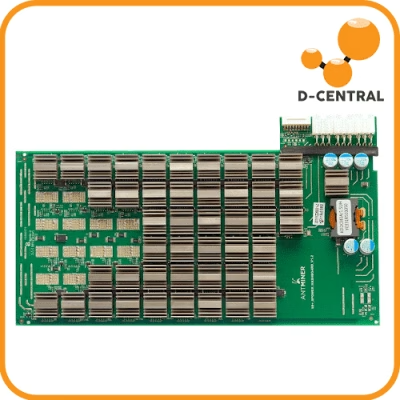
Every ASIC chip on a hashboard has a finite operational life. Running at high temperatures accelerates electromigration in the chip’s transistors, gradually degrading performance. A hashboard that benchmarks at 95% of spec today might drop to 80% within months. From the outside, the machine looks fine. The fans spin. The LEDs blink. But the hashrate tells the real story.
We regularly see used machines advertised as “fully functional” that are actually running with one or more degraded hashboards. The seller may not even know — they see the machine hashing and assume everything is fine. But when you are paying for a 100 TH/s machine and getting 72 TH/s, your profitability calculations are destroyed.
Thermal Damage
ASIC miners are thermal engines. They convert electricity into heat and, as a byproduct, produce hashes. Proper thermal management is everything. When a machine has been run in a poorly ventilated space, or when dust has clogged the heatsinks, the thermal paste between ASIC chips and heatsinks degrades. We see machines where the original thermal compound has turned to powder — it is no longer conducting heat, it is insulating it.
Thermal damage is cumulative and invisible from the outside. The PCB may show subtle discoloration near hot spots, but you would need to disassemble the hashboard to see it. By then, you already own the machine.
Power Supply Failure
The APW-series power supplies that ship with Antminers are workhorses, but they have limits. Used PSUs may have degraded capacitors, worn connectors, or internal components stressed by years of continuous operation. A failing power supply does not always die cleanly — it can deliver unstable voltage that slowly damages the control board and hashboards before it finally gives out.
Many second-hand sellers ship machines without the original PSU, or with a third-party replacement of questionable quality. If you are buying a used Antminer without its matched power supply, add the cost of a proper replacement to your budget.
Firmware Tampering and Malware
This is the risk that most buyers never consider. Modified firmware can redirect a percentage of your hashrate to someone else’s wallet. The machine appears to be working normally — your pool dashboard shows hashes coming in — but a hidden dev fee is siphoning off 2%, 5%, or even more of your work to an unknown address.
We have seen machines arrive for repair with firmware variants that include backdoors, mining redirects, and telemetry that phones home to servers in jurisdictions you would rather not be connected to. Reflashing to stock firmware is the first thing we do on any used machine that comes through our shop, and it should be the first thing you do too.
Environmental Damage: Dust, Humidity, and Corrosion
Mining farms range from climate-controlled data centers to converted garages and shipping containers. Machines that have lived in humid environments may have corrosion on connectors and PCB traces that is not visible without magnification. Dust accumulation inside heatsink fins reduces airflow efficiency. Salt air in coastal environments attacks exposed metal components.
The operational environment of a used Antminer’s previous life is one of the most important factors in its remaining lifespan — and one of the hardest to verify from a marketplace listing.
The Hidden Cost of Downtime
Here is the calculation most buyers skip: the cost of a machine that does not work.
In 2026, with the block reward at 3.125 BTC following the April 2024 halving, every hash matters. The network is not waiting for you to troubleshoot a flaky hashboard or source a replacement control board. While your machine sits idle, the difficulty adjusts, other miners take your share, and the opportunity cost compounds.
Consider the true cost breakdown of a bad used purchase:
| Cost Component | Impact |
|---|---|
| Purchase price of faulty unit | Sunk cost — often non-refundable from private sellers |
| Shipping (both ways if returned) | ASIC miners are heavy — expect $50-150+ per shipment |
| Diagnostic and repair costs | Hashboard repair can range from $100 to $500+ depending on damage |
| Replacement parts | Control boards, fans, PSUs, ASIC chips — costs add up fast |
| Lost mining revenue during downtime | Days or weeks of zero hashrate while you diagnose and wait for parts |
| Your time | Hours spent troubleshooting, negotiating with sellers, arranging repairs |
When you total these up, a “cheap” used Antminer can end up costing more than buying from a reputable source in the first place.
Red Flags When Buying Used Antminers
After years in this business, we have compiled the warning signs that separate legitimate deals from expensive mistakes.
Pricing Too Good to Be True
If a used S19 XP is listed at 40% below market price, ask yourself why. The seller might be liquidating inventory — or they might know something about those machines that you do not. Institutional sellers dumping large volumes at discount often have specific reasons: end-of-warranty dumps, machines pulled from high-heat environments, or units with intermittent faults that passed a quick bench test but fail under sustained load.
No Hashrate Screenshots or Bench Test Data
Any legitimate seller should be able to provide screenshots of the machine running on a pool, showing sustained hashrate over at least 24 hours. A single screenshot showing a momentary peak means nothing. You want to see average hashrate, rejection rate, and chip temperatures across all hashboards. If the seller cannot provide this, walk away.
Vague Operational History
“Lightly used” and “works great” are not technical specifications. You need specifics: How long was it run? At what ambient temperature? Was it overclocked? Has it been opened or repaired? A seller who cannot answer these questions either does not know — which means they are reselling blindly — or does not want to tell you.
No Return Policy
Private sales are typically final. Marketplace platforms may offer buyer protection, but the claims process for specialized mining hardware is slow and uncertain. Buying from an established reseller with a clear return or warranty policy — even a short one — dramatically reduces your risk.
Shipping Without Original Packaging
Antminers are precision electronics packed with heavy heatsinks and delicate PCB connections. Shipping a miner without proper anti-static bags, foam inserts, and rigid boxing is asking for transit damage. Loose fans, cracked solder joints, and dislodged heatsinks from poor packaging are common causes of DOA (dead on arrival) machines.
How to Properly Inspect a Used Antminer
If you do decide to buy used, here is the inspection protocol we use at D-Central when evaluating machines. Follow it religiously.
Step 1: Visual Inspection
- Exterior: Check for dents, bent fan grilles, missing screws, and signs of physical impact. These indicate rough handling.
- Fans: Spin each fan by hand. They should rotate freely without grinding or resistance. Listen for bearing noise.
- Connectors: Inspect all power and data connectors for burn marks, corrosion, or bent pins. Burned connectors indicate overcurrent events.
- Heatsinks: Look between the heatsink fins for dust compaction. Heavy dust buildup means the machine ran in a dirty environment and likely ran hot.
Step 2: Hashboard Verification
- Count the boards: Most Antminers run three hashboards. Confirm all are present and seated properly in their slots.
- Check for repairs: Look for replaced ASIC chips (different color or alignment than surrounding chips), reworked solder joints, or jumper wires — signs of previous repair work.
- Sniff test: Seriously. Burned electronics have a distinct acrid smell. If the machine smells like it has been through a fire, it probably has.
Step 3: Power-On Test (Minimum 24 Hours)
- Reflash firmware first: Before anything else, flash the latest stock firmware from Bitmain’s official site. This eliminates any malware or modified firmware.
- Monitor hashrate: Run the machine for at least 24 hours connected to a pool. Track the average hashrate — it should be within 5% of the model’s rated specification.
- Check all chips: Access the miner’s web interface and verify that all ASIC chips on all hashboards are reporting. Missing chips mean dead silicon.
- Monitor temperatures: Chip temperatures should stay within the manufacturer’s specified range. Consistently high temps on specific boards indicate thermal problems.
- Watch rejection rate: Hardware errors (HW) and rejected shares should be near zero. Elevated rejection rates point to unstable hashboards.
Step 4: Power Supply Verification
- Voltage stability: Use a multimeter to verify the PSU is delivering stable voltage under load. Fluctuations of more than 5% from nominal indicate a failing PSU.
- Listen for coil whine: Some noise is normal, but loud buzzing, clicking, or whining from the PSU suggests capacitor or transformer degradation.
- Check the fan: PSU fans fail before the main unit does. A PSU with a dead fan will overheat under load.
The Smarter Path: Buy from a Specialist
Here is the reality that no random marketplace seller will tell you: the safest way to buy a used Antminer is from a company that has the expertise to inspect, repair, refurbish, and stand behind every machine they sell.
D-Central Technologies is that company. When a used machine enters our facility, it goes through a complete diagnostic and refurbishment process:
- Full disassembly and cleaning — every heatsink removed, thermal compound replaced, dust purged
- Hashboard testing — each board individually tested for chip count, hashrate, and thermal performance
- Firmware reflash — stock firmware verified and installed, eliminating any previous modifications
- PSU load testing — power supplies tested under full load for voltage stability and thermal performance
- 72-hour burn-in — the complete machine runs continuously for three days to catch intermittent faults
- Quality assurance — final inspection, packaging with proper anti-static and impact protection
Every machine that ships from our shop has been through this process. That is the difference between buying a used miner and buying a refurbished miner from a specialist with eight years of hands-on experience.
Alternatives Worth Considering
If the risks of used hardware give you pause, there are other paths into Bitcoin mining that might suit your situation better.
Open-Source Solo Miners
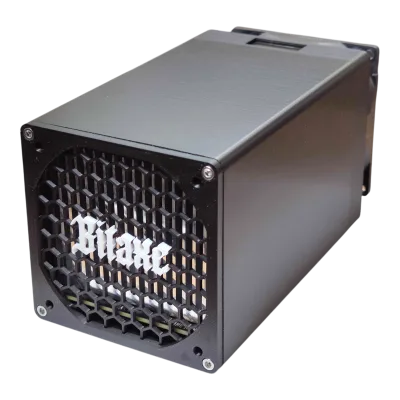
The Bitaxe and NerdAxe families of open-source miners offer a completely different approach. These are not machines that will compete with industrial ASICs on hashrate — they are purpose-built for solo mining, where every hash is a lottery ticket for the full 3.125 BTC block reward. They run on 5V power, produce minimal noise and heat, and cost a fraction of what even a used Antminer costs. For many home miners, this is where the journey begins.
Bitcoin Space Heaters
D-Central’s Bitcoin Space Heaters turn the “waste heat” problem of mining into a feature. By integrating ASIC hardware into heating enclosures, you mine Bitcoin while heating your home. In Canadian winters, this dual-purpose approach dramatically changes the profitability equation because the heat is no longer wasted — it replaces your existing heating costs.
Hosted Mining
If you want to run full-scale ASIC hardware without the noise, heat, and electrical requirements at home, D-Central offers mining hosting in Quebec where hydroelectric power keeps costs low. You own the hardware, we handle the infrastructure.
Professional Consultation
Not sure which path is right for you? D-Central’s mining consulting service can help you evaluate your situation — electricity costs, available space, noise tolerance, budget — and recommend the optimal setup. We have been doing this since 2016, and the right advice up front saves far more than the cost of consultation.
Maintenance: Keeping Your Used Antminer Running
If you have already purchased a used Antminer — or you find a legitimate deal you cannot pass up — proper maintenance extends the machine’s useful life and keeps it hashing at spec.
Monthly Maintenance Checklist
- Dust removal: Use compressed air to blow out heatsink fins and fan assemblies. Do this monthly in dusty environments, quarterly in clean ones.
- Fan inspection: Listen for changes in fan noise. Grinding or rattling means bearing failure is imminent. Replace fans proactively — they are cheap compared to hashboard damage from overheating.
- Hashrate monitoring: Track your average hashrate over time. A gradual decline signals chip degradation or thermal issues that need attention before they become critical.
- Connector inspection: Check power connectors for discoloration or heat damage quarterly. Loose connectors generate heat through resistance and can cause fires.
Annual Maintenance
- Thermal paste replacement: After 12-18 months of continuous operation, the thermal interface material between ASIC chips and heatsinks should be replaced. This is a technical procedure — if you are not comfortable doing it yourself, D-Central’s repair service can handle it.
- Firmware update: Check for firmware updates annually. New firmware versions often include efficiency improvements and bug fixes.
- Full cleaning: Remove hashboards for a thorough cleaning of areas that compressed air cannot reach during routine maintenance.
The Bottom Line
Buying a second-hand Antminer is not inherently bad — it is inherently risky. The difference between a good deal and an expensive mistake comes down to knowledge, inspection rigor, and the source you buy from.
The used ASIC market will always exist because the economics of mining hardware depreciation demand it. As long as institutional farms upgrade to newer generations, older machines will flow into the secondary market. Some of those machines are perfectly good. Many are not.
Your job as a buyer is to tell the difference. Or better yet, buy from someone who already has.
D-Central Technologies has been repairing and refurbishing Antminers since before most resellers knew what an ASIC chip looked like. If you are looking for used mining hardware you can trust, browse our refurbished inventory. If you have already bought a used machine and something is not right, our repair team can diagnose and fix it. And if you are still figuring out your mining strategy, our training resources will get you up to speed.
In Bitcoin mining, as in Bitcoin itself: do not trust, verify. That applies to the machines you buy just as much as the blocks you mine.
Frequently Asked Questions
What is the biggest risk when buying a used Antminer?
Hidden hashboard degradation is the most common and costly issue. A machine can appear functional during a brief test but have ASIC chips that are failing, delivering significantly less hashrate than the model’s rated specification. This degradation is invisible from the outside and requires sustained testing or professional diagnostics to detect.
How can I check if a used Antminer has modified or malicious firmware?
The simplest approach is to reflash the machine with stock firmware downloaded directly from Bitmain’s official website before running it on any pool. This eliminates any modifications the previous owner may have made, including hidden mining redirects or backdoors. Never run a used miner on your network without reflashing first.
Is it worth buying a used Antminer S9 in 2026?
For standard mining profitability at current difficulty levels above 110 trillion, the S9’s approximately 14 TH/s hashrate is unlikely to generate profit after electricity costs in most regions. However, S9s remain popular for dual-purpose applications like Bitcoin Space Heaters, where the heat output replaces conventional heating costs and changes the profitability equation entirely.
How long should I test a used Antminer before trusting it?
Run the machine for a minimum of 72 hours under full load while monitoring hashrate, chip temperatures, and hardware error rates through the miner’s web interface and your pool dashboard. Intermittent faults often take 24-48 hours to manifest. If the machine maintains its rated hashrate with near-zero hardware errors and stable temperatures across all hashboards for three days, it is likely in good condition.
Should I buy a used Antminer from eBay or a marketplace?
Marketplace purchases offer buyer protection but come with significant risk since you cannot inspect the machine beforehand. The safest option is buying from a specialized Bitcoin mining hardware reseller like D-Central that tests, refurbishes, and warranties every machine. If you do buy from a marketplace, insist on detailed hashrate documentation, return policies, and verify the seller’s history with mining hardware specifically.
What should I do if my used Antminer arrives and is not working properly?
First, reflash to stock firmware and run a full diagnostic through the miner’s web interface. Check that all hashboards are detected and all ASIC chips are reporting. If you find dead chips, missing hashboards, or hashrate significantly below spec, contact the seller immediately and document everything with photos and screenshots. If the seller is unresponsive, D-Central’s ASIC repair service can diagnose the issue and provide a repair quote.
Are refurbished Antminers from D-Central better than buying used from a private seller?
Yes. Every machine that goes through D-Central’s refurbishment process is fully disassembled, cleaned, tested at the hashboard level, reflashed with stock firmware, and run through a 72-hour burn-in test. Private sellers rarely have the equipment or expertise to perform this level of inspection. We have been repairing ASICs since 2016 and have processed thousands of machines — our refurbishment process catches faults that private sellers and even many resellers miss entirely.