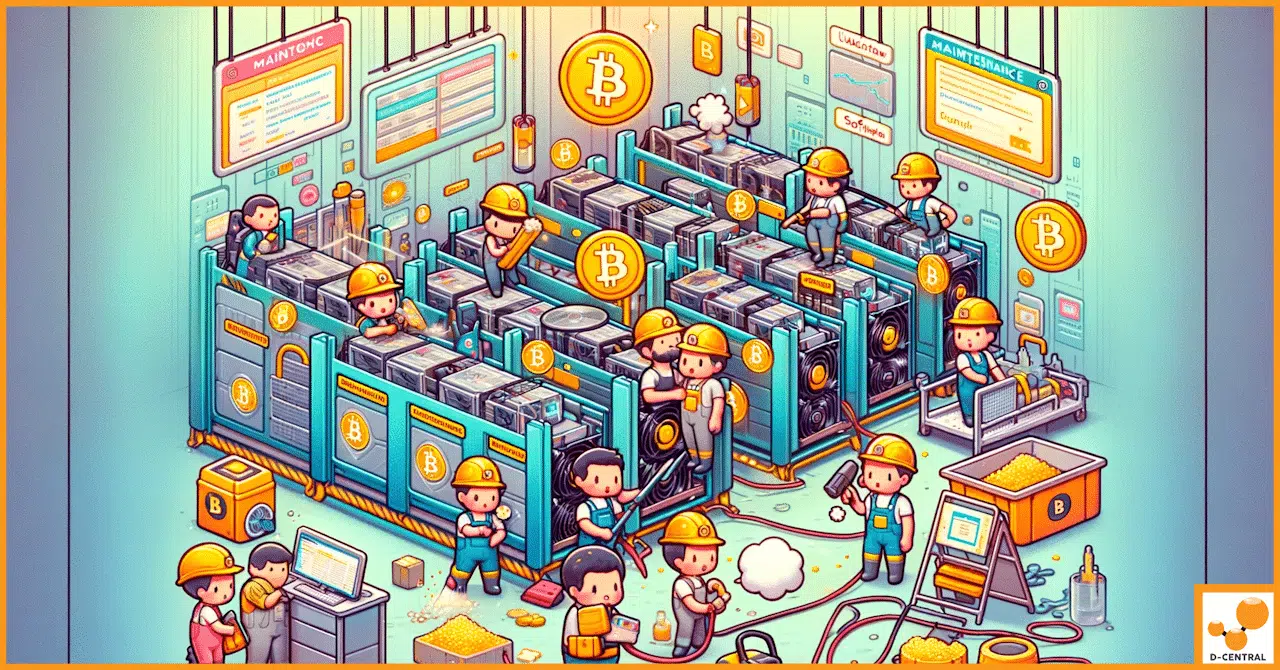
Your ASIC miner is not a set-and-forget appliance. It is a precision piece of engineering running billions of SHA-256 calculations every second, converting electricity into hashrate and heat in a relentless race to find valid Bitcoin blocks. If you treat it like a space heater you plug in and ignore, you will watch your hashrate decay, your power bill climb, and eventually your hardware fail — all of it preventable.
At D-Central Technologies, we have been repairing, modifying, and deploying ASIC miners since 2016. We have opened thousands of machines — Antminers, Whatsminers, Avalons — and the single most common reason hardware lands on our ASIC repair bench is neglected maintenance. Not manufacturing defects. Not power surges. Plain, avoidable neglect. This guide breaks down exactly why maintenance matters, what to do, how often to do it, and how to turn your mining operation from a ticking time bomb into a reliable, long-running hashrate contributor to the Bitcoin network.
What Happens Inside a Running ASIC Miner
To understand why maintenance is critical, you need to understand what these machines actually do at a physical level.
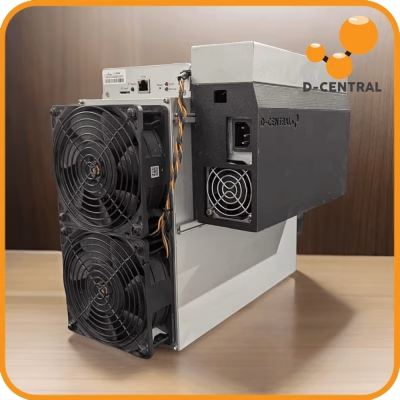
An ASIC miner contains one or more hashboards, each populated with dozens of application-specific integrated circuit chips. These chips perform SHA-256 double-hash computations at extraordinary speeds. A modern Antminer S21 pushes around 200 TH/s — that is 200 trillion hash attempts per second. Every one of those computations generates heat. The chips run at temperatures between 60 and 85 degrees Celsius under normal conditions, and the power consumption ranges from 2,000 to over 5,000 watts depending on the model.
To keep those chips from cooking themselves, the miner uses high-speed fans (typically 6,000 to 7,000 RPM) to force air across aluminum or copper heatsinks. Thermal interface material (thermal paste or thermal pads) sits between the chips and the heatsinks, conducting heat away from the silicon. The control board orchestrates everything — adjusting fan speeds based on temperature readings, communicating with your mining pool, and managing the electrical delivery to each hashboard.
Every component in this system is operating at or near its engineering limits, 24 hours a day, 7 days a week. That is the environment you are maintaining.
The Five Enemies of ASIC Longevity
After nearly a decade of hands-on repair work, we have identified the five factors that destroy ASIC miners prematurely. Every one of them is addressable through proper maintenance.
1. Dust and Particulate Buildup
Dust is the silent killer of mining hardware. ASIC miners move enormous volumes of air — an Antminer S19 moves approximately 250 cubic feet per minute. That air carries dust, pet hair, pollen, and whatever else is floating in your environment. Over weeks and months, this accumulates on heatsinks, fan blades, and hashboard surfaces.
The effect is insidious. Dust acts as an insulating blanket over your heatsinks, reducing their ability to transfer heat to the airstream. Your chips run hotter. The control board responds by ramping fans to maximum speed, increasing noise and power draw. If temperatures continue to rise, the miner starts throttling — reducing the clock speed of the ASIC chips to shed heat, which directly reduces your hashrate. In severe cases, sustained overheating causes solder joint fatigue on BGA (ball grid array) connections, killing individual chips or entire hashboards.
We have seen machines lose 15 to 30 percent of their hashrate from dust alone before the operator even noticed.
2. Thermal Paste Degradation
The thermal interface material between ASIC chips and heatsinks does not last forever. Standard thermal paste dries out, cracks, and loses conductivity over 12 to 24 months of continuous operation. When this happens, the thermal resistance between chip and heatsink increases dramatically. The chip cannot shed heat efficiently, so it runs hotter even if your fans and heatsinks are clean.
Repasting an ASIC miner — removing the old thermal paste and applying fresh compound — is one of the highest-impact maintenance operations you can perform. We routinely see 5 to 10 degree Celsius reductions in chip temperatures after a repaste, which translates directly into more stable hashrate and longer component life.
3. Fan Degradation
ASIC miner fans spin at extreme speeds and are often the first mechanical component to fail. Bearing wear causes wobble, which creates vibration and noise. Reduced fan speed means reduced airflow, which means higher temperatures. A single failed fan can take an entire miner offline if the control board detects dangerous thermal conditions and triggers a protective shutdown.
Fan replacement is cheap and straightforward. Ignoring a degrading fan is expensive — it puts thermal stress on every chip on every hashboard.
4. Electrical Stress
ASIC miners draw significant current. The power supply unit (PSU) converts AC mains power to the low-voltage DC rails that feed the hashboards. Over time, electrolytic capacitors in the PSU degrade, connectors develop resistance from oxidation or heat cycling, and power delivery becomes less stable. Voltage ripple and sag cause ASIC chips to produce errors, reducing effective hashrate and potentially causing hardware damage.
Regular inspection of power connectors, cables, and PSU output is essential. Burnt or discolored connectors are a warning sign that should never be ignored.
5. Firmware and Configuration Drift
Mining is not just hardware. The firmware running on your miner’s control board determines how aggressively the chips are clocked, how the miner responds to thermal events, and how it communicates with your mining pool. Outdated firmware can contain bugs, miss security patches, or lack efficiency improvements that newer releases provide.
Additionally, pool configurations, network settings, and overclocking profiles can drift or become suboptimal as network conditions change. The Bitcoin network hashrate now exceeds 800 EH/s with difficulty above 110 trillion — the competitive landscape shifts constantly, and your miner’s configuration should adapt.
The Home Miner’s Maintenance Schedule
If you are running miners at home — and if you are reading this on D-Central’s site, there is a good chance you are — here is the maintenance schedule we recommend based on years of repair data and operational experience.
Weekly: Monitor and Log
- Check your miner’s web interface or monitoring software for hashrate, chip temperatures, fan speeds, and error rates
- Compare current readings to your baseline — any deviation of more than 5 to 10 percent warrants investigation
- Verify your pool connection is stable and shares are being accepted
- Listen for unusual sounds — grinding, clicking, or high-pitched whining from fans
Monthly: Visual Inspection
- Power down the miner and visually inspect intake and exhaust for dust accumulation
- Check all power cables and connectors for discoloration, melting, or looseness
- Inspect the area around the miner for adequate clearance — at least 12 inches of clear space on intake and exhaust sides
- Verify ambient room temperature is within acceptable range (ideally below 35 degrees Celsius)
Quarterly: Deep Clean
- Power down and unplug the miner completely
- Use compressed air (90 PSI or less) to blow dust from heatsinks, fan blades, and hashboard surfaces
- Blow air in the direction of normal airflow — intake to exhaust
- Clean or replace intake air filters if your setup uses them
- Inspect fan blades for cracks or excessive wobble
Annually: Full Service
- Complete teardown, cleaning, and inspection of all components
- Replace thermal paste on all ASIC chips (use quality paste — Arctic MX-4, Noctua NT-H1, or similar)
- Replace any fans showing signs of bearing wear
- Update firmware to the latest stable release from the manufacturer
- Review and optimize your overclocking or underclocking profile based on current network difficulty and your electricity cost
- Test PSU output voltages under load
If you are running your miner as a Bitcoin space heater — using the waste heat to warm your home — the dust exposure is typically lower than in a garage or basement, but the schedule still applies. Indoor environments introduce their own particulates, and thermal paste degrades regardless of how clean your air is.
Maintenance and the Economics of Mining
Let us talk numbers. In 2026, the Bitcoin block reward is 3.125 BTC following the April 2024 halving. Network hashrate exceeds 800 EH/s. Competition for those block rewards is fierce, and margins for most home miners are tight. Every percentage point of hashrate you lose to poor maintenance is a percentage point of revenue gone.
Consider a concrete example. An Antminer S19 XP running at its rated 140 TH/s draws approximately 3,010 watts. If dust accumulation and degraded thermal paste cause it to throttle to 120 TH/s while still drawing near-full power, you have lost 14 percent of your hashrate for zero reduction in electricity cost. Your efficiency — measured in joules per terahash — has worsened by approximately 17 percent. At Canadian residential electricity rates, that can mean the difference between profitable mining and mining at a loss.
A can of compressed air costs a few dollars. Quality thermal paste is under twenty dollars. A replacement fan runs thirty to fifty dollars. Compare that to the cost of a hashboard repair — which typically runs hundreds of dollars — or replacing the entire unit. Maintenance is not an expense. It is the cheapest insurance policy in Bitcoin mining.
When to Call for Professional Repair
Not every maintenance task is a DIY job. Here is when to bring your miner to a professional service like D-Central’s ASIC repair team:
- Dead hashboard: If one or more hashboards are not detected by the control board, the issue is likely a failed ASIC chip, blown voltage regulator, or damaged connector that requires board-level diagnostics and soldering
- Persistent high error rates: If cleaning and repasting do not resolve excessive hardware errors, individual chips may be failing
- PSU failure: While PSU replacement is straightforward, testing and repairing a malfunctioning PSU requires specialized equipment
- Physical damage: Bent heatsinks, cracked PCBs, water damage, or lightning strike damage all require professional assessment
- Firmware issues: Bricked control boards, corrupt NAND storage, or locked firmware require specialized recovery tools
We have seen too many machines arrive at our shop with damage that started as a minor issue — a slightly loose connector, a single failed fan — that escalated into a major repair because the operator did not catch it early. Maintenance is your first line of defense.
Dual-Purpose Mining: Maintenance Meets Efficiency
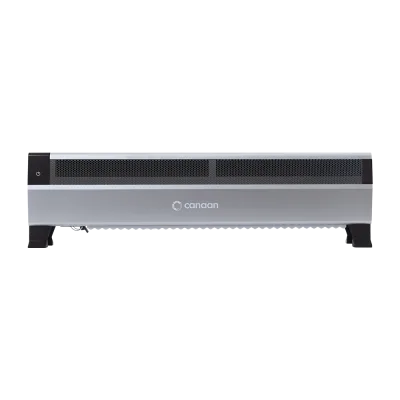
One of the most compelling developments in home mining is the dual-purpose approach — using your ASIC miner’s heat output to warm your living space. D-Central’s Bitcoin space heater product line is built around this concept, turning what was traditionally “waste heat” into productive home heating.
This changes the economics of maintenance significantly. When your miner is also your heater, downtime means both lost hashrate and a cold room. Keeping your dual-purpose unit maintained is doubly important. The good news is that purpose-built space heater enclosures often include better filtration and more controlled airflow than a bare miner sitting on a shelf, which can extend the intervals between deep cleans.
But the thermal paste still degrades. The fans still wear. The firmware still needs updates. The maintenance schedule applies regardless of form factor.
Maintenance for Open-Source Miners
The rise of open-source miners like the Bitaxe has brought a new generation of participants into Bitcoin mining — solo miners chasing the dream of finding a full block with a few hundred gigahash of hashrate. These devices are smaller and lower-power than industrial ASICs, but they still require attention.
Bitaxe units run a single ASIC chip and a small fan or passive heatsink. The maintenance needs are lighter — periodic dust cleaning, checking that the 5V power supply is delivering stable voltage, and keeping the firmware updated via the web interface. But “lighter” does not mean “none.” A dusty heatsink on a Bitaxe can cause the chip to throttle just as readily as on a full-size Antminer. Visit our Bitaxe Hub for complete setup and maintenance guides for every Bitaxe variant.
Setting Up Your Maintenance Toolkit
You do not need a professional repair bench to maintain your miners at home. Here is the essential toolkit:
- Compressed air: Canned air or a small electric blower (DataVac or similar). Avoid moisture-producing compressors unless you have an inline water separator
- Thermal paste: A quality non-conductive paste (Arctic MX-4, Thermal Grizzly Kryonaut, Noctua NT-H1)
- Isopropyl alcohol (90%+): For cleaning old thermal paste from chip surfaces and heatsinks
- Lint-free cloths or coffee filters: For applying and cleaning thermal paste
- Phillips and hex screwdrivers: For disassembling miner housings and heatsink assemblies
- Multimeter: For testing PSU output voltages and checking cable continuity
- Anti-static wrist strap: ESD protection when handling hashboards
- Flashlight or headlamp: For inspecting connectors and solder joints
Total cost for a complete maintenance toolkit: under one hundred dollars. That investment will pay for itself many times over in extended hardware life and avoided repair bills.
The Bigger Picture: Maintenance and Decentralization
Here is the part most maintenance guides skip, and the part we care about most at D-Central.
Bitcoin’s security model depends on a globally distributed network of miners. Every home miner running a well-maintained machine contributes to the decentralization of hashrate — the fundamental property that makes Bitcoin censorship-resistant and trustless. When your miner goes down because you skipped maintenance, that is hashrate lost from the distributed network. It is a small amount in the context of 800+ EH/s of total network hashrate, but it matters in principle and it matters in aggregate.
The mission of D-Central is the decentralization of every layer of Bitcoin mining. We build products, provide repair services, offer hosting in Canada, and stock everything from full-size ASICs to open-source solo miners because we believe that more people running more miners in more places makes Bitcoin stronger. Maintenance is what keeps those miners running. It is not glamorous work, but it is essential work — for your operation and for the network.
Frequently Asked Questions
How often should I clean my ASIC miner?
For most home environments, a thorough cleaning with compressed air every 3 months is sufficient. If your miner operates in a dusty garage, workshop, or area with pets, increase this to monthly. Weekly visual inspections of intake and exhaust sides will help you spot heavy buildup early. The key indicator is rising chip temperatures at the same ambient room temperature — that almost always means restricted airflow from dust.
How do I know when my thermal paste needs replacing?
Replace thermal paste annually as a preventive measure during your full service. Between scheduled replacements, watch for chip temperatures that creep upward over weeks or months without any change in ambient conditions or fan speed. If temperatures are 5 to 10 degrees higher than your baseline with clean heatsinks and working fans, degraded thermal paste is the most likely cause. The repasting process requires disassembling the heatsink assembly, cleaning both surfaces with 90%+ isopropyl alcohol, and applying fresh compound.
Can I use a regular vacuum cleaner to clean my miner?
No. Standard vacuum cleaners generate static electricity that can damage sensitive electronic components on hashboards and control boards. Use compressed air (canned or from an electric blower) to blow dust out of the miner. Always blow in the direction of normal airflow — from intake to exhaust. If you must use suction, use an ESD-safe vacuum designed for electronics work, and never make direct contact with circuit boards.
What temperature should my ASIC chips run at?
Most modern ASIC miners are designed to operate with chip temperatures between 60 and 85 degrees Celsius. The control board firmware typically triggers throttling above 85 to 90 degrees and emergency shutdown above 95 to 100 degrees. Ideal operating temperatures are in the 65 to 75 degree range — high enough to indicate the chips are working hard, low enough to ensure long-term reliability. If your chips consistently run above 80 degrees, investigate cooling, dust, and thermal paste.
Is ASIC miner maintenance different for Bitcoin space heaters?
The fundamental maintenance is identical — dust cleaning, thermal paste replacement, fan inspection, firmware updates. However, space heater enclosures often provide better dust filtration and more controlled airflow paths than bare miners, which can reduce dust accumulation. The key difference is that downtime affects both your mining revenue and your home heating, making maintenance even more important. Check your space heater’s intake filter monthly during heating season.
Should I maintain my miner myself or use a professional service?
Basic maintenance — monitoring, dust cleaning, and visual inspections — every miner should handle themselves. Thermal paste replacement is an intermediate skill that most technically inclined home miners can learn. For anything involving board-level diagnostics, chip replacement, or PSU repair, use a professional service. D-Central has been repairing ASIC miners since 2016 with 60+ model-specific repair procedures. If you are unsure whether an issue is DIY-solvable, reach out before you make it worse.
Does firmware really matter that much?
Yes. Firmware updates can improve hashrate efficiency by several percent, fix security vulnerabilities, improve thermal management algorithms, and add compatibility with new mining pool protocols. Running outdated firmware is like running an unpatched operating system — it works until it does not. Always use official firmware from the manufacturer or trusted community sources. Never flash firmware from unknown sources, as malicious firmware can redirect your mining rewards to an attacker’s wallet.
Keep Your Miners Running. Keep Bitcoin Decentralized.
Maintenance is the unglamorous backbone of every successful mining operation. It is not about buying the newest hardware or finding the cheapest electricity — though those matter too. It is about taking care of what you already have, extracting maximum performance from every watt, and keeping your hashrate online and contributing to the most important monetary network ever built.
If you need parts, thermal paste, replacement fans, or a complete repair, D-Central’s shop and repair service have you covered. We have been the Bitcoin mining hackers since 2016, and we are not going anywhere.
Every hash counts.