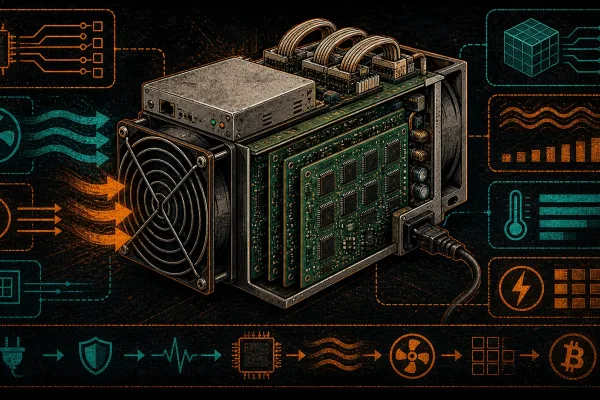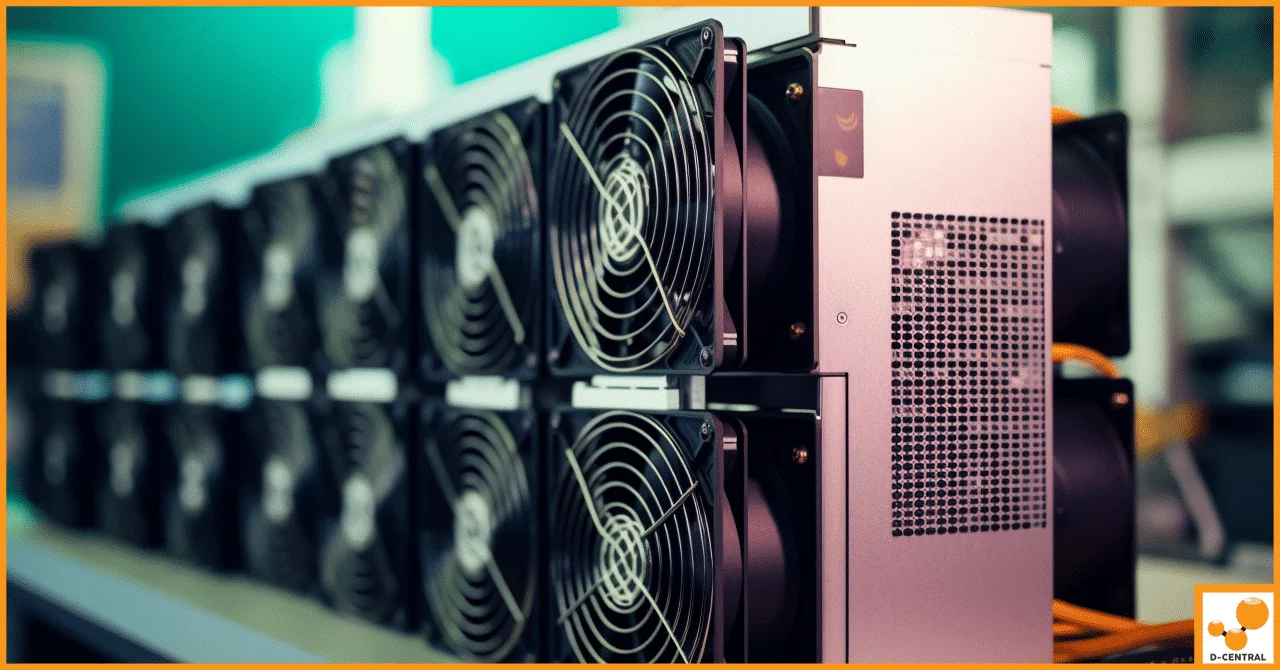
The Antminer S19 series remains one of the most battle-tested SHA-256 ASIC miners ever manufactured. With models spanning from the base S19 at 95 TH/s to the S19 XP at 140 TH/s, these machines have been hashing blocks since 2020 and millions of units are deployed worldwide. For home miners looking to stack sats without dropping five figures on the latest generation hardware, a well-inspected used S19 is one of the smartest plays in the game.
But buying used mining hardware is not like buying a used laptop. ASICs run 24/7 at extreme temperatures, push enormous power loads, and accumulate wear patterns invisible to untrained eyes. A bad purchase means dead hashboards, blown MOSFETs, and a very expensive paperweight. This guide breaks down exactly what to inspect, what to avoid, and how to turn a used S19 into a reliable hashing machine for your home mining operation.
At D-Central Technologies, we have repaired thousands of Antminer S19 units since the series launched. We know every failure mode, every weak point, and every trick sellers use to mask problems. This is the inspection playbook we use internally — now it is yours.
Why the S19 Series Still Makes Sense in 2026
With network hashrate now exceeding 800 EH/s and the block reward sitting at 3.125 BTC post-halving, efficiency matters more than ever. The S19 series delivers a compelling value proposition on the used market for several reasons:
- Proven reliability. Four-plus years of real-world deployment data. The failure modes are well-documented and repairable.
- Massive parts ecosystem. Replacement hashboards, control boards, fans, and PSUs are readily available. Try finding parts for a two-year-old obscure miner — good luck.
- Custom firmware support. BraiinsOS and other custom firmware options allow underclocking for home use or overclocking for maximum hashrate, giving you control institutional miners never offer.
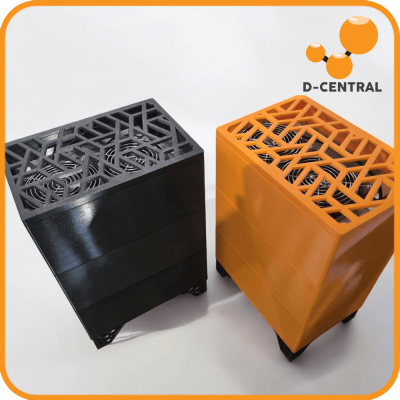
- Dual-purpose potential. An S19 at 3,250W output is a space heater that pays you back in Bitcoin. The Antminer S19 Space Heater Edition proves this concept, and any standard S19 can be converted with the right shroud setup.
- Price depreciation curve. Used S19 units have bottomed out in price. You are buying at the floor, not catching a falling knife.
Antminer S19 Series: Model Comparison at a Glance
Before you buy, know exactly which S19 variant you are looking at. Sellers frequently mislabel models, and the performance spread across the series is enormous:
| Model | Hashrate | Power Draw | Efficiency (J/TH) | ASIC Chip |
|---|---|---|---|---|
| S19 | 95 TH/s | 3,250W | 34.2 J/TH | BM1398 |
| S19 Pro | 110 TH/s | 3,250W | 29.5 J/TH | BM1398 |
| S19j | 90 TH/s | 3,100W | 34.4 J/TH | BM1398 |
| S19j Pro | 104 TH/s | 3,068W | 29.5 J/TH | BM1362 |
| S19j Pro+ | 120 TH/s | 3,355W | 27.9 J/TH | BM1362 |
| S19k Pro | 120 TH/s | 2,760W | 23.0 J/TH | BM1366 |
| S19 XP | 140 TH/s | 3,010W | 21.5 J/TH | BM1366 |
Key takeaway: Efficiency (J/TH) is the number that determines your long-term profitability. The S19k Pro and S19 XP are significantly more efficient than the base S19 and S19j models. When buying used, pay the premium for efficiency — your power bill runs 24/7/365.
The 7-Point Used S19 Inspection Checklist
This is the same checklist our repair technicians at D-Central use when evaluating incoming units. Follow it methodically and you will avoid the vast majority of bad purchases.
1. Hashboard Health — The Most Critical Check
The S19 has three hashboards, and each one contains dozens of BM1398 or BM1366 ASIC chips (depending on the model variant). A dead or degraded hashboard cuts your hashrate by a third and is the most expensive component to repair or replace.
What to check:
- Request a screenshot of the miner’s dashboard showing all three hashboard temperatures and individual hashrates.
- Each hashboard should hash within 5% of the others. A board running at 28 TH/s when the other two are at 35 TH/s has failing chips.
- Check the ASIC chip count reported in the miner status. Missing chips (shown as zeros or Xs in the chip status grid) indicate dead chips that drag down the board’s output.
- Look for burn marks, discoloration, or white residue on the hashboard connectors — signs of overheating or liquid exposure.
If you cannot physically inspect the hashboards before purchase, insist on video proof of the miner running with the dashboard visible and a timestamp. Sellers who refuse this basic step are hiding something.
2. Fan Condition and Noise Profile
Stock S19 fans are rated for roughly 40,000 to 50,000 hours of continuous operation. A miner that has been running for three years is approaching that limit. Listen for bearing noise — a rattling or grinding sound means the fan is on borrowed time.
What to check:
- Spin both fans by hand. They should rotate freely with minimal resistance.
- Power on the unit and listen for abnormal vibration or rattling during the spin-up cycle.
- Check the fan RPM readings in the miner’s dashboard. Both fans should report similar RPM values. A fan reporting 0 RPM or fluctuating wildly needs replacement.
- Inspect the fan blades for dust buildup, cracks, or chips.
Replacement fans are cheap and easy to swap, so this is not a deal-breaker — but factor $30-50 per fan into your total cost if they need replacing.
3. Power Supply Unit (PSU) Integrity
The APW12 power supply that ships with S19 units is a robust piece of hardware, but it has its failure modes. A degraded PSU causes intermittent hashboard drops, random reboots, and reduced hashrate that can be maddeningly difficult to diagnose.
What to check:
- Inspect the power cables for fraying, burn marks, or melted insulation — especially at the connector ends.
- Listen for clicking, buzzing, or whining sounds from the PSU under load. Some coil whine is normal; clicking is not.
- Check the PSU output voltage under load. The APW12 should deliver a stable 12V. Voltage sag below 11.5V under load indicates failing capacitors.
- Verify the PSU model matches the miner variant. An underpowered PSU will cause stability issues and chip damage over time.
If the seller claims the miner does not include the original PSU, be very cautious. The APW12 PSU is specifically designed for this series. Third-party server PSUs can work but require careful voltage and amperage matching.
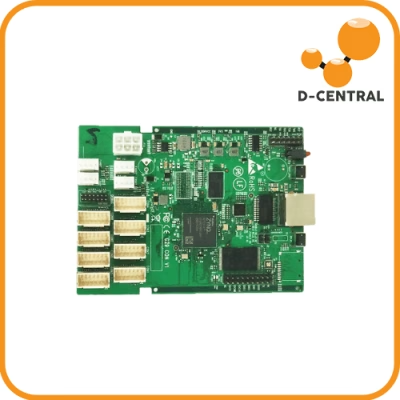
4. Control Board and Firmware Version
The control board is the brain of the operation. It manages hashboard communication, network connectivity, fan control, and temperature monitoring.
What to check:
- Confirm the control board model. The S19 uses C49, C52, or C71 control boards depending on the batch. Mismatched control boards cause compatibility issues.
- Check the firmware version. Extremely old firmware may indicate the miner has been sitting in storage or the seller has not maintained it. Extremely new firmware on a machine being sold “as is” might mean the seller just reflashed to clear error logs.
- Verify network connectivity. The miner should obtain a DHCP address and be accessible via its web dashboard without issues.
- Check the error log in the miner’s dashboard. Persistent “chain not found” or temperature sensor errors point to deeper hardware problems.
D-Central sells pre-flashed C52 control boards with BraiinsOS if you need to replace or upgrade the control board — a worthwhile investment for any used S19 purchase.
5. Physical Enclosure and Heatsink Inspection
The aluminum enclosure and heatsink assemblies tell the story of how the miner was treated. Dents, bent fins, and stripped screws indicate rough handling — and if the outside looks bad, the inside is usually worse.
What to check:
- Inspect the heatsink fins on all three hashboards. Bent fins reduce airflow and cause hot spots.
- Check for dust and debris clogging the heatsink channels. A miner caked in dust has been running in a poor environment.
- Look at the thermal paste between the ASIC chips and heatsinks. Dried, cracked, or missing thermal paste means the chips have been running hotter than intended.
- Check the casing screws. Stripped or missing screws suggest the unit has been opened and reassembled multiple times — possibly after repairs or component swaps.
6. Operational Environment History
Where a miner has been running matters enormously. A machine that hashed in a climate-controlled data center for two years is in vastly better condition than one that ran in a dusty garage or humid shipping container for six months.
Questions to ask the seller:
- What was the ambient temperature range in the facility?
- Was the miner air-cooled or immersion-cooled? (Immersion units need different inspection criteria.)
- How long has the miner been running continuously?
- Has the miner been overclocked at any point? Overclocking accelerates chip degradation.
- Has the miner ever been submerged in flood or exposed to high humidity?
Sellers from large mining operations liquidating inventory tend to have better-maintained machines than individual sellers dumping hardware they bought during a hype cycle and ran without proper ventilation.
7. Seller Reputation and Return Policy
This is the often-overlooked non-technical factor that saves you from the worst purchases.
Red flags:
- No return policy or “all sales final” on used ASICs.
- Seller cannot provide operational proof (dashboard screenshots or video with timestamp).
- Price significantly below market — a used S19 Pro at half the going rate almost certainly has dead hashboards.
- Seller ships from overseas with no local presence or support.
- No history of ASIC sales — someone who normally sells consumer electronics and has one S19 listing is higher risk.
Buying from a company with in-house ASIC repair capabilities gives you a safety net that marketplace sellers cannot match. At D-Central, every used unit we sell goes through our full diagnostic bench before shipping — because our reputation depends on it.
Common S19 Failure Modes to Watch For
Knowing what breaks helps you spot the symptoms before they become your problem:
| Failure Mode | Symptoms | Severity | Repair Cost |
|---|---|---|---|
| Dead ASIC chips | Reduced hashrate, missing chips in status grid | High | $150-400+ per board |
| Blown MOSFETs | Hashboard not detected, burning smell | High | $100-300 per board |
| Temperature sensor failure | Erratic temp readings, thermal shutdowns | Medium | $50-150 |
| Fan bearing failure | Rattling noise, 0 RPM readings, overheating | Low | $30-50 per fan |
| PSU capacitor degradation | Random reboots, voltage instability | Medium | $100-200 (or replace PSU) |
| Control board corruption | Boot loops, network unreachable, firmware errors | Medium | $80-200 (reflash or replace) |
| Connector/cable damage | Intermittent hashboard drops | Low | $10-30 |
The critical insight here is that most S19 failures are repairable. Unlike consumer electronics designed for planned obsolescence, ASIC miners are built from discrete, replaceable components. The question is not “does it have problems?” — used hardware almost always has some wear. The question is “are the problems fixable at a cost that still makes the purchase worthwhile?”
Setting Up Your Used S19 for Home Mining
Once you have your unit inspected and purchased, here is the critical path to getting it hashing in a home environment:
Power requirements: The S19 series requires a dedicated 240V circuit. A standard S19 at 3,250W draws roughly 13.5A at 240V. You need a 20A circuit minimum with the appropriate NEMA outlet (NEMA 6-20 or L6-20). Do not attempt to run an S19 on 120V — you will trip breakers or worse.
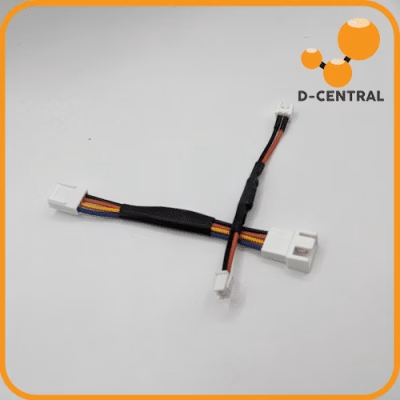
Noise management: Stock S19 fans produce 75+ dB. For home use, you have two options: replace the stock fans with lower-RPM aftermarket fans and accept reduced cooling capacity, or build an enclosure with proper ducting. D-Central’s Antminer S19 cooling shrouds connect directly to standard flexible ductwork, letting you route the hot exhaust out of the room or into your home’s heating system.
Firmware: Flash BraiinsOS or similar custom firmware immediately. This gives you granular control over fan curves, frequency, and voltage — essential for home mining where you need to balance hashrate against noise and heat output.
Pool configuration: Point your miner at a pool that aligns with Bitcoin’s decentralization mission. Avoid the largest pools. Supporting smaller pools strengthens the network for everyone. Configure your pool settings with your Bitcoin wallet address — not your exchange deposit address. Self-custody is non-negotiable.
The Dual-Purpose Mining Play: Your S19 as a Space Heater
Here is where used S19 economics get genuinely interesting for Canadian home miners. An S19 running at stock settings produces approximately 11,000 BTU/h of heat output. That is roughly equivalent to a medium-sized electric space heater — except this one pays you Bitcoin while it heats your home.
During Canadian winters (which is most of the year, let’s be honest), your S19 is not just mining Bitcoin. It is offsetting your heating bill. The electricity cost that would have gone entirely to an electric heater now generates Bitcoin as a byproduct. Your effective mining cost drops to nearly zero because you were going to spend that electricity on heating anyway.
D-Central pioneered this concept with the Antminer S19 Space Heater Edition — a purpose-built unit with noise reduction and duct integration designed for residential deployment. But any used S19 with a cooling shroud and duct adapter achieves the same result.
When to Walk Away from a Deal
Not every used S19 is worth buying. Walk away immediately if:
- More than 10% of ASIC chips are reported dead across the three hashboards.
- The seller cannot demonstrate the miner running at stable hashrate for at least 15 minutes.
- Physical damage is visible on the hashboard PCBs (cracks, burnt traces, corroded solder joints).
- The total cost of the miner plus estimated repairs exceeds 80% of the price of a new or fully refurbished unit from a reputable dealer.
- The miner was previously immersion-cooled and has not been professionally cleaned and re-thermal-pasted. Residual dielectric fluid traps dust and causes long-term corrosion.
There is no shortage of used S19 units on the market. Patience pays. Wait for the right deal rather than gambling on a questionable machine.
Why Buy From a Repair-First Company
D-Central Technologies has been repairing and refurbishing Antminer hardware since 2016. When we sell a used S19, it has been through our full diagnostic bench: every hashboard tested, every fan inspected, thermal paste refreshed, firmware updated, and a 24-hour burn-in test completed before it ships.
More importantly, if something goes wrong after purchase, we have the in-house expertise to fix it. We stock replacement S19 hashboards, BM1398 ASIC chips, control boards, and every component needed to keep your miner hashing. That lifecycle support — from purchase through repair and eventual conversion to a space heater — is what separates a Bitcoin mining company from a box-shipping operation.
We are Bitcoin Mining Hackers. We take institutional-grade hardware and make it work for the home miner. Every hash counts.
Frequently Asked Questions
What is a fair price for a used Antminer S19 in 2026?
Pricing depends heavily on the specific model variant and condition. A base S19 (95 TH/s) in working condition typically sells for significantly less than an S19 XP (140 TH/s) due to the efficiency gap. Always compare the price against current new and refurbished pricing from reputable dealers. Factor in potential repair costs — if the unit needs a hashboard replacement, add $150-400 to the purchase price when evaluating the total investment.
How long will a used Antminer S19 last?
ASIC miners do not have a fixed lifespan like consumer electronics. The ASIC chips themselves can run for many years if kept within operating temperature specifications (typically under 80 degrees Celsius chip temperature). Fans are the most common wear item and are cheap to replace. With proper maintenance — regular dust cleaning, thermal paste refreshment every 12-18 months, and adequate ventilation — a used S19 can hash productively for years beyond its original deployment.
Can I run an Antminer S19 at home on a standard 120V outlet?
No. The S19 series draws 3,000W or more, which requires a 240V dedicated circuit. At 120V, a 3,250W miner would draw over 27 amps — far exceeding a standard 15A or 20A household circuit. You need a dedicated 240V, 20A minimum circuit with the appropriate outlet (NEMA 6-20 is common). Consult a licensed electrician for installation. Running an ASIC on inadequate electrical infrastructure is a fire hazard.
Is a used S19 still profitable after the 2024 halving?
Profitability depends on your electricity rate. At the current block reward of 3.125 BTC and network hashrate above 800 EH/s, the S19 series requires low electricity costs to be profitable on mining revenue alone. However, for home miners using the heat output to offset heating costs, the effective electricity cost drops substantially — making even the less efficient base S19 viable during heating season. Use the D-Central mining profitability calculator with your specific power rate to evaluate your scenario.
Should I buy a used S19 or a new Bitaxe for home mining?
These serve completely different purposes. A Bitaxe is a low-power solo miner (10-20W) built for the lottery mining experience — attempting to find a full block reward with minimal hashrate. An S19 is a serious SHA-256 miner that generates meaningful daily sats income via pool mining and produces significant heat output for dual-purpose use. If you want daily Bitcoin income and home heating, the S19 is the tool. If you want a quiet, low-power device for solo mining education and the thrill of the lottery, the Bitaxe is unmatched.
What custom firmware should I install on a used S19?
BraiinsOS is the most widely used and battle-tested custom firmware for the S19 series. It provides autotuning (automatically finding the optimal frequency and voltage for each ASIC chip), granular fan control, per-hashboard performance monitoring, and the ability to underclock for reduced noise and power consumption — essential features for home mining. Read our complete BraiinsOS guide for installation and configuration instructions.
Where can I get my used S19 repaired if a hashboard fails?
D-Central Technologies offers comprehensive Antminer S19 repair services from our facility in Montreal, Quebec. We repair at the component level — replacing individual ASIC chips, MOSFETs, and other board-level components rather than requiring you to buy an entire new hashboard. We service customers across Canada and offer cross-border repair service for US customers as well.