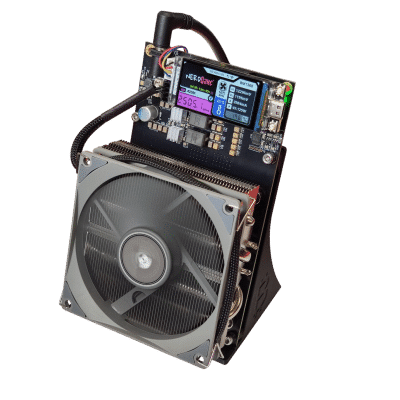
If you mine Bitcoin, you need somewhere to receive it. Sounds obvious, but the wallet you choose determines whether you actually own your sats or whether you are trusting a third party with your financial sovereignty. For home miners running a Bitaxe, a NerdAxe, or a full-scale Antminer space heater, the wallet on the other end of your mining pool is the final link in the chain of self-sovereignty.
This guide breaks down every type of Bitcoin wallet from the perspective of someone who mines their own coins. No hand-waving, no altcoin distractions, no custodial compromises. Just the practical knowledge you need to secure what your hashrate earns.
Why Your Bitcoin Wallet Choice Matters More Than You Think
Every block mined produces 3.125 BTC in coinbase rewards. Whether you are solo mining with a Bitaxe and hoping to hit a block, or pooled mining with an Antminer S19 and collecting daily payouts, those sats flow to a Bitcoin address you control — or one controlled by someone else.
The entire point of mining is decentralization. You are spending electricity and hardware to validate transactions and secure the Bitcoin network without asking permission from anyone. Choosing a custodial wallet for your mining payouts defeats the purpose. You did the work. You should hold the keys.
Not your keys, not your coins. This is not a slogan. It is an operational reality that every miner must internalize.
Types of Bitcoin Wallets: A Miner’s Breakdown
Understanding wallet types is critical before you configure your first mining pool payout address. Here is how each category stacks up for Bitcoin miners specifically.
Hardware Wallets (Cold Storage)
Hardware wallets are dedicated physical devices that store your private keys offline. They never expose your keys to an internet-connected device during signing. For miners accumulating sats over weeks and months, hardware wallets are the gold standard for long-term storage.
Popular options include the Blockstream Jade, the Foundation Passport, and the Coldcard (Bitcoin-only, open-source firmware, air-gapped signing via microSD), Trezor (open-source hardware and software, supports passphrase), and the Blockstream Jade (camera-based air-gapped QR signing, no secure element by design). The Coldcard is affected by Coinkite’s 2026-07-30 seed-generation disclosure and is no longer one of our recommendations — why.
For miners, the workflow is simple: set your mining pool payout address to a receive address generated by your hardware wallet. The sats land directly in cold storage. No intermediary, no exchange, no custodian.
Software Wallets (Hot Wallets)
Software wallets run on your computer or phone. They are connected to the internet, which makes them more convenient for frequent transactions but introduces attack surface. For miners who need to move sats regularly — paying for electricity, buying parts from the D-Central shop, or consolidating UTXOs — a well-configured software wallet is practical.
Strong options for Bitcoin-only users include Sparrow Wallet (desktop, full-featured, connects to your own node, coin control, supports hardware wallet integration), Electrum (lightweight, long track record, supports multisig), and Blue Wallet (mobile, Lightning support, watch-only wallet capability).
Mobile Wallets
Mobile wallets are software wallets designed for smartphones. They are useful for day-to-day spending and receiving small amounts. For miners, a mobile wallet might serve as a “spending wallet” while your main stack sits in cold storage.
Recommended Bitcoin-only mobile wallets include Muun (on-chain and Lightning, simple UX), Nunchuk (multisig-focused, hardware wallet coordination from mobile), and Green Wallet by Blockstream (2-of-2 multisig option, Liquid sidechain support).
Paper Wallets (Legacy Cold Storage)
Paper wallets involve printing your private key and Bitcoin address on paper. While technically “cold” storage, paper wallets are fragile, easy to generate insecurely, and lack the usability features of modern hardware wallets. They were relevant in 2013. In 2026, use a hardware wallet instead.
Custodial Wallets (Exchanges)
Custodial wallets are accounts on exchanges like Coinbase, Kraken, or Shakepay where the exchange holds your private keys. You have an IOU, not actual Bitcoin. For miners, directing payouts to an exchange wallet means you are handing your freshly-mined, KYC-free sats to a third party that can freeze your account, comply with government seizure orders, or simply go bankrupt.
If you mine, do not use a custodial wallet as your primary storage. Period.
Wallet Comparison for Bitcoin Miners
| Wallet Type | Security | Convenience | Best For | You Hold Keys? |
|---|---|---|---|---|
| Hardware (Jade, Trezor) | Excellent | Low | Long-term mining savings | Yes |
| Desktop (Sparrow, Electrum) | Good | Medium | UTXO management, node connection | Yes |
| Mobile (Muun, Green) | Moderate | High | Daily spending, Lightning | Yes |
| Paper Wallet | Variable | Very Low | Legacy, not recommended | Yes (fragile) |
| Custodial (Exchange) | Poor (trust-based) | High | Trading only | No |
Critical Security Features Every Miner Should Demand
Not all wallets are created equal. When evaluating a wallet for your mining payouts, look for these non-negotiable features:
Seed Phrase Backup (BIP39)
Your wallet should generate a 12 or 24-word seed phrase during setup. This phrase is the master key to all your Bitcoin. Write it on steel (not paper — paper burns, floods, and fades). Store it in a physically secure location. Never type it into a website. Never photograph it. Never store it digitally.
Passphrase Support (25th Word)
A passphrase adds a custom word to your seed phrase, creating an entirely separate wallet. Even if someone finds your 24 words, they cannot access your funds without the passphrase. This is plausible deniability and an additional security layer that serious miners should use.
Coin Control and UTXO Management
Miners accumulate many small UTXOs (unspent transaction outputs) from pool payouts. Without coin control, your wallet might combine UTXOs from different sources when you spend, potentially linking your mining activity to other transactions. Sparrow Wallet excels here, giving you full visibility and control over every UTXO.
Full Node Connection
Connecting your wallet to your own Bitcoin full node means you verify your own transactions without trusting a third party’s server. This is the final piece of the sovereignty stack: mine your own coins, verify your own transactions, hold your own keys. Sparrow and Electrum both support connecting to your own Electrum server or Bitcoin Core node.
Multisignature (Multisig)
Multisig wallets require multiple keys to authorize a transaction (e.g., 2-of-3). This protects against single points of failure — a stolen hardware wallet alone cannot move your funds. For miners with significant holdings, multisig is not optional. It is essential.
Setting Up Your Mining Wallet: Step by Step
Here is the practical workflow for a Bitcoin miner setting up a proper self-custody wallet:
1. Choose your hardware wallet. Buy directly from the manufacturer (never secondhand, never from Amazon third-party sellers). Trezor and Blockstream Jade are both strong choices; for a Bitcoin-only device, Foundation Passport.
2. Initialize and record your seed phrase. Write down the 24 words on a steel backup plate. Verify the backup by restoring on a second device or using the wallet’s verify function. Store the steel plate in a secure location (safe, safety deposit box, trusted family member’s safe).
3. Set a passphrase. Choose a strong passphrase you can remember but that cannot be guessed. This creates a hidden wallet behind your seed phrase.
4. Generate a receive address. Use your hardware wallet (or a watch-only wallet like Sparrow connected to your hardware wallet) to generate a fresh receive address.
5. Configure your mining pool payout. Enter this address as your payout address in your mining pool settings. If you are solo mining with a Bitaxe or NerdAxe through a pool like Ocean or Public Pool, this is where your block rewards or pool shares will arrive.
6. Verify the address on-device. Always confirm the address displayed on your hardware wallet’s screen matches what your mining pool shows. Clipboard malware can substitute addresses silently.
Wallet Security for Canadian Home Miners
Running a mining operation from home in Canada comes with specific considerations. Canadian miners benefit from cheap hydroelectric power in Quebec, cold climates that reduce cooling costs, and a regulatory environment that has not banned mining. But securing your mined Bitcoin requires attention to a few Canada-specific factors:
Taxation: The CRA treats mined Bitcoin as business income at the time of receipt. Keep records of your wallet addresses, payout timestamps, and the CAD value at the time each payout was received. Sparrow Wallet’s label and UTXO tagging features help here.
Physical security: If you run a Bitcoin space heater that doubles as a mining rig, your operation is visible (heat output, noise, power draw). Keep your seed phrase backup physically separated from your mining equipment. If someone targets your mining hardware, your keys should be elsewhere.
Estate planning: Multisig setups with geographically distributed keys ensure your family can access your mined Bitcoin if something happens to you. This is not paranoia — it is responsible engineering.
The Sovereignty Stack: Mining + Self-Custody + Full Node
At D-Central, we talk about decentralization at every layer. The sovereignty stack looks like this:
| Layer | What It Does | Your Tool |
|---|---|---|
| Mining | Validates transactions, earns sats | Bitaxe, NerdAxe, Antminer, Space Heater |
| Self-Custody | You hold the keys to your coins | Hardware wallet (Jade, Trezor) |
| Full Node | You verify your own transactions | Bitcoin Core, Umbrel, Start9 |
| Network Layer | Privacy and censorship resistance | Tor, VPN, own DNS |
Most people stop at buying Bitcoin on an exchange. Miners go deeper. You are producing Bitcoin, verifying it, and holding it — all without asking anyone’s permission. Your wallet is the custody layer that makes this real.
Common Wallet Mistakes Miners Make
Using exchange wallets for pool payouts. Your freshly-mined sats are clean UTXOs with no transaction history. Sending them to an exchange immediately mixes them with KYC’d funds and hands custody to a third party. Use self-custody first, then move to an exchange only when you deliberately choose to sell.
Reusing addresses. Address reuse degrades your privacy and makes on-chain analysis trivial. Use HD wallets (which generate a new address for every transaction) and configure your mining pool to pay out to a new address when possible.
Ignoring UTXO consolidation. Frequent small mining payouts create many small UTXOs. When fees spike, spending these becomes expensive. Consolidate UTXOs during low-fee periods (weekends, typically) to avoid paying disproportionate fees later.
No backup verification. Writing down your seed phrase is step one. Verifying that it restores correctly is step two. Many miners skip step two and discover their backup is wrong when they need it most.
Storing seed phrases digitally. Screenshots, cloud notes, password managers — all of these create digital attack vectors for your seed phrase. Steel plates in physical safekeeping are the standard.
Choosing the Right Wallet for Your Mining Setup
Your wallet choice depends on your mining scale and goals:
Solo mining with a Bitaxe or NerdAxe: You are chasing a full 3.125 BTC block reward. Use a hardware wallet. When (if) you hit a block, you want those sats landing in the most secure storage possible. Check out the Bitaxe Hub for complete setup guides.
Pool mining with an Antminer or space heater: Regular small payouts accumulate over time. Use a hardware wallet with a watch-only counterpart in Sparrow for UTXO management. If your miner needs ASIC repair, D-Central’s repair service covers every major ASIC platform — but your wallet keys stay with you regardless of what happens to your hardware.
Mining farm or hosted operation: Multisig is non-negotiable at this scale. Consider a 2-of-3 multisig setup with keys distributed across multiple locations. If you are hosting with a facility like D-Central’s Quebec hosting operation, your wallet infrastructure should be completely independent of your hosting provider.
FAQ
What is the safest type of Bitcoin wallet for mining payouts?
A hardware wallet (cold storage) is the safest option for receiving mining payouts. Devices like the Trezor or Blockstream Jade store your private keys offline and never expose them to internet-connected devices. For miners, the workflow is straightforward: generate a receive address from your hardware wallet, enter it as your mining pool payout address, and your sats arrive directly in cold storage without ever touching a custodial service.
Can I use the same wallet address for all my mining payouts?
You can, but you should not. Reusing a single Bitcoin address degrades your on-chain privacy by making it trivial to identify all your mining income from a single address. HD (Hierarchical Deterministic) wallets generate a new address for each transaction. Some mining pools also support automatic address rotation. Use these features to maintain better privacy.
Should I send my mining payouts directly to a hardware wallet?
Yes. Configuring your mining pool to pay out directly to a hardware wallet address is the most secure approach. The sats never pass through an exchange or custodial service. You can use a “watch-only” wallet on your desktop (like Sparrow Wallet connected to your hardware wallet) to monitor incoming payouts without exposing your private keys.
What is UTXO consolidation and why does it matter for miners?
Every mining payout creates a separate UTXO (unspent transaction output) in your wallet. If you receive 100 small payouts, you have 100 UTXOs. When you eventually spend your Bitcoin, the transaction fee depends partly on how many UTXOs you combine. Consolidating — sending all your small UTXOs to yourself in a single transaction during low-fee periods — reduces future transaction costs significantly.
Do I need to run a full Bitcoin node to use a hardware wallet?
No, but you should. A hardware wallet functions without your own node — it can connect through third-party servers. However, running your own node means you verify your transactions independently without trusting anyone else’s infrastructure. For miners who already believe in decentralization enough to run hashing hardware, running a node is the logical next step in the sovereignty stack.
What happens to my Bitcoin if my hardware wallet breaks or gets lost?
Your Bitcoin is on the blockchain, not on the hardware device. The device is just a tool for securely managing your private keys. If your hardware wallet is destroyed, you can restore full access to your funds using your seed phrase (the 12 or 24 words you wrote down during setup) on a new device. This is why secure, verified seed phrase backups are absolutely critical.
Is a multisig wallet worth the complexity for a home miner?
For miners with significant accumulated holdings — say, more than a few hundred thousand sats — multisig provides meaningful protection against single points of failure. A 2-of-3 multisig means no single stolen or lost key can compromise your funds. Tools like Sparrow Wallet, Nunchuk, and Spectre Desktop make multisig more accessible than ever. If you are mining seriously, the added complexity is worth the security.