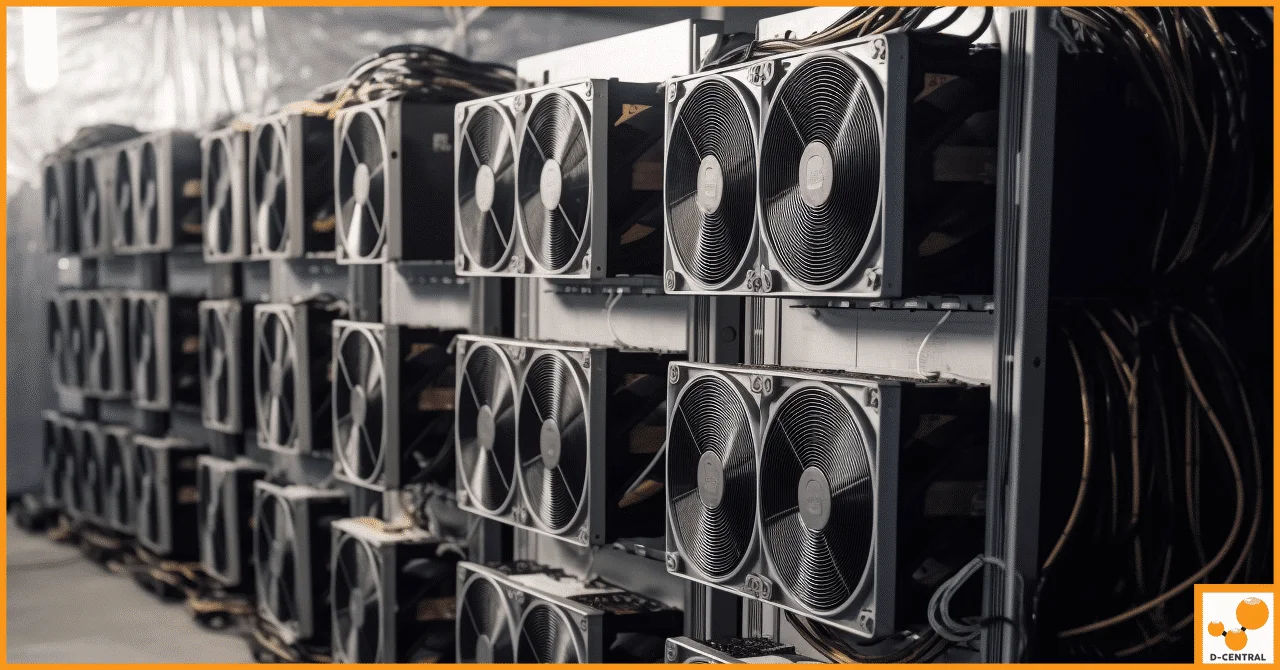
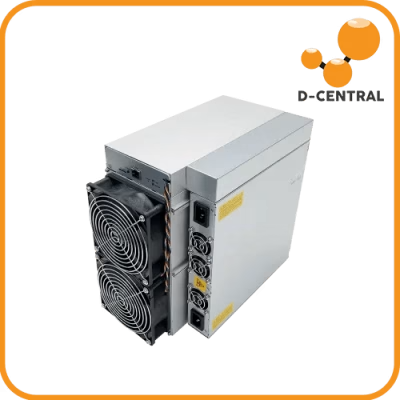
Every ASIC miner is a furnace by design. A Bitmain Antminer S21 pulls 3,500W at the wall and converts nearly every watt into heat. That is 11,942 BTU/h of thermal energy pumping into whatever room, garage, or shipping container houses your rig. Multiply that across a rack of machines and you are not running a mining operation — you are running an industrial heating plant that happens to produce bitcoin.
Cooling is not an afterthought. It is the single biggest variable separating a profitable home mining setup from a pile of throttled, dying hardware. Get it wrong and your ASIC chips degrade, your hashboards fail, and your electricity bill climbs while your hashrate drops. Get it right and you extend hardware lifespan by years, unlock stable overclocking headroom, and turn waste heat into a competitive advantage — especially in Canada, where cold air is free for eight months of the year.
This guide is for home miners, garage operators, and small-scale facilities. We will cover every cooling method worth considering in 2025, from basic airflow optimization to full immersion setups, and explain which approach makes sense for different scales of operation.
Why Cooling Determines Your Mining Profitability
ASIC miners have a thermal envelope. Exceed it and the firmware throttles clock speeds to prevent chip damage — a process called thermal throttling. On most Antminer models, throttling kicks in around 80-85°C chip temperature. Every degree above optimal operating range costs you hashrate, and lost hashrate is lost revenue.
But the damage goes deeper than throttling. Sustained high temperatures accelerate electromigration in ASIC chips, degrade solder joints on hashboards, dry out thermal paste, and stress capacitors. A miner running 5°C above its rated thermal ceiling will fail significantly sooner than one kept within spec. At D-Central, our ASIC repair technicians see this pattern constantly: machines from poorly ventilated setups arrive with blown MOSFETs, cracked solder balls, and hashboards that read zero.
The math is straightforward. If cooling costs you $50/month but prevents a $500 hashboard replacement every six months, cooling pays for itself ten times over. Factor in the hashrate you keep online during summer heat waves and the calculation becomes even more lopsided.
Cooling Methods Compared: What Actually Works
| Method | Best For | Cooling Capacity | Complexity | Cost |
|---|---|---|---|---|
| Forced air (stock fans) | 1-2 miners, cool climate | Moderate | Low | $0-50 |
| Ducted exhaust | Garage/basement setups | High | Medium | $100-500 |
| Shroud + inline fan | Home miners, noise reduction | High | Medium | $50-200 |
| Liquid cooling (closed-loop) | Dense rack deployments | Very High | High | $500-2,000+ |
| Immersion cooling | Large operations, overclocking | Maximum | Very High | $2,000-10,000+ |
| Heat recovery (space heater) | Home miners, cold climates | N/A (heat is the product) | Low-Medium | Varies |
There is no universal best method. The right approach depends on how many machines you run, where you run them, your ambient temperature, and whether you want to recover heat or reject it. Most home miners will use forced air with ducting. Larger operations graduate to liquid or immersion.
Forced Air Cooling: The Foundation
Every ASIC miner ships with built-in fans — typically two high-RPM units that push air across the hashboards and out the exhaust side. Stock forced-air cooling works adequately in environments where ambient temperature stays below 25°C and there is enough airflow to prevent hot air recirculation.
The problems start when miners are placed in enclosed spaces. A single Antminer S19 dumps enough heat to raise a sealed 10×10 room by over 15°C in under an hour. Without an exhaust path, the miner is breathing its own hot air, inlet temperatures climb, and throttling begins.
Key principles for forced air:
- Separate intake and exhaust zones. Hot air exits one side of the miner. That air must leave the room entirely — not recirculate back to the intake side.
- Match exhaust capacity to heat output. Calculate total BTU/h from your miners and size your exhaust fan accordingly. A 3,000W miner produces roughly 10,236 BTU/h.
- Maintain negative pressure. Your exhaust should slightly exceed your intake, pulling fresh air through passive vents and ensuring hot air does not stagnate.
- Filter your intake. Dust is the silent killer of ASIC miners. A $20 furnace filter on your intake vent prevents months of dust buildup on heatsinks and hashboards.
For Canadian home miners, winter is your secret weapon. Sub-zero ambient air is the best coolant money cannot buy. Duct outside air directly to your miner intake, exhaust the hot air into your living space, and you have a free heating system that mines bitcoin. This is the core idea behind Bitcoin space heaters — machines that heat your home while generating sats.
Ducted Exhaust and Shroud Systems
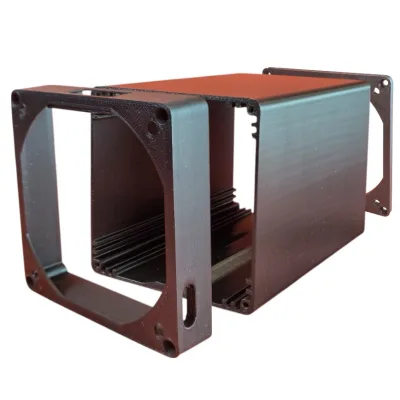
Ducting is the single most impactful upgrade for home miners running full-size ASICs. A properly ducted setup captures exhaust heat, channels it outside (or into heated space), and prevents recirculation.
The basic ducted setup:
- Attach a shroud to the exhaust side of your miner. D-Central sells universal ASIC shrouds that adapt standard 6-inch ductwork to Antminer and Whatsminer exhaust profiles.
- Run rigid or semi-rigid duct from the shroud to an exterior wall vent or window port.
- Optionally add an inline booster fan if your duct run exceeds 10 feet or includes more than two 90° bends.
- Seal all connections with aluminum HVAC tape — not cloth duct tape, which degrades in heat.
Shrouds also reduce noise dramatically. By capturing the turbulent exhaust air and channeling it through a duct, you eliminate the “jet engine” effect of an open exhaust blasting into your room. Some miners report 10-15 dB noise reduction with a properly sealed shroud and duct.
Cold climate advantage: In Canadian winters, you can reverse the logic. Duct cold outside air to the intake side of your miner, let it absorb 3,000W+ of heat, and vent the warm exhaust into your living space. Your miner becomes your furnace. Your electricity bill does not change — it just shifts from your HVAC system to your mining rig, and you earn bitcoin in the process.
Liquid Cooling: When Air Is Not Enough
Liquid cooling uses a fluid — typically water mixed with propylene glycol or a purpose-built dielectric coolant — circulated through cold plates mounted directly on ASIC chips. The heated fluid passes through a radiator or heat exchanger where it dumps thermal energy before recirculating.
When liquid cooling makes sense:
- You are running more than 5-10 machines in a confined space where ducted air cannot keep up.
- You want to overclock and need to keep chip temperatures well below throttle thresholds.
- You are in a hot climate where ambient air temperature exceeds 35°C regularly.
- You are building a purpose-designed mining facility and can integrate plumbing from the start.
Liquid cooling systems for ASIC miners are not off-the-shelf consumer products. They require custom cold plates machined to fit specific hashboard layouts, a pump, reservoir, radiator, and compatible fittings. Some manufacturers like Bitmain have released hydro-cooled variants of their flagship miners (e.g., the Antminer S19 XP Hyd and S21 Hyd), which come with integrated liquid cooling loops — you just connect external supply and return lines.
| Coolant Type | Thermal Conductivity | Pros | Cons |
|---|---|---|---|
| Distilled water | 0.606 W/mK | Highest conductivity, cheap | Corrosion risk, algae growth, freezing |
| Water + propylene glycol | ~0.4 W/mK | Freeze protection, low toxicity | Lower conductivity than pure water |
| Dielectric fluid | ~0.13 W/mK | Non-conductive, no corrosion | Expensive, lower thermal performance |
| Mineral oil | ~0.14 W/mK | Non-conductive, immersion-ready | Messy, hard to clean, heavy |
The key risk with liquid cooling is leaks. A coolant leak on an energized hashboard will destroy it instantly if the fluid is conductive. This is why many operators use dielectric fluids despite their lower thermal performance — the safety margin is worth the tradeoff.
Immersion Cooling: The Nuclear Option
Immersion cooling submerges entire ASIC miners in a tank of non-conductive dielectric fluid. The fluid absorbs heat directly from every component — chips, VRMs, capacitors, connectors — providing the most uniform and efficient cooling possible.
Why immersion cooling is the gold standard for large operations:
- Zero fans required. Stock fans are removed entirely, eliminating the number-one mechanical failure point in ASIC miners and reducing noise to near-zero.
- Uniform cooling. Every component on the hashboard operates at nearly the same temperature, eliminating hot spots that cause premature chip failure.
- Dust and moisture immunity. Submerged hardware cannot accumulate dust, and humidity is irrelevant.
- Maximum overclocking headroom. With thermal throttling eliminated, operators can push clock speeds significantly beyond stock settings.
The downsides are real: immersion tanks are expensive, the dielectric fluid itself costs thousands of dollars per tank, maintenance requires draining and handling slippery fluid, and warranty coverage on submerged hardware is typically void. Immersion makes economic sense at scale — 50+ machines — where the operational savings on fan replacements, dust cleaning, and downtime offset the infrastructure cost.
For home miners running 1-5 machines, immersion is almost never the right call. Your money is better spent on proper ducting, shrouds, and heat recovery.
Heat Recovery: The Canadian Mining Hacker’s Edge
Here is the truth that most cooling guides miss: for home miners in cold climates, waste heat is not a problem — it is the product. Every watt your miner consumes becomes heat. If you are already paying to heat your home with electric baseboard heaters or a heat pump, redirecting miner exhaust into your living space means your heating bill drops to zero and you earn bitcoin on top.
D-Central’s Bitcoin Space Heater line is built on this exact principle. We take proven ASIC platforms — from the Antminer S9 to the S19 — and configure them in enclosures designed for home integration. The miner heats your space. The bitcoin offsets your electricity cost. In many Canadian provinces where electricity runs $0.06-0.10/kWh, the economics are compelling.
Heat recovery basics for home miners:
- 1 kW of mining power = 3,412 BTU/h of heating. A 3,000W miner produces 10,236 BTU/h — equivalent to a medium-sized portable space heater.
- Duct the exhaust into heated rooms using insulated flex duct. In winter, this is your primary heating system. In summer, redirect the exhaust outside.
- Use a damper or Y-junction to switch between winter (heat indoor) and summer (exhaust outdoor) modes without disconnecting ductwork.
- Monitor indoor humidity. ASIC miners dry out air. In Canadian winters, this can actually help counteract the excess humidity from tight, modern insulation.
If your climate makes heat recovery impractical (southern US, for instance), consider hosting your miners in Quebec, where D-Central operates hosting facilities with cheap hydroelectric power and cold ambient air handles cooling naturally.
Maintenance: Keeping Your Cooling System Effective
The best cooling setup in the world fails if you do not maintain it. Dust, debris, and degraded thermal interface materials will erode cooling performance over months, silently reducing your hashrate and shortening hardware life.
| Task | Frequency | Why It Matters |
|---|---|---|
| Blow out dust with compressed air | Monthly | Dust on heatsinks acts as insulation, raising chip temps 5-10°C |
| Inspect and replace intake filters | Every 2-3 months | Clogged filters restrict airflow, forcing fans to work harder |
| Check duct connections and seals | Quarterly | Leaking ducts let hot air recirculate, defeating the exhaust system |
| Reapply thermal paste on hashboards | Annually | Dried thermal paste loses conductivity, creating hot spots |
| Test fan RPM and bearings | Quarterly | Failing fans reduce airflow before they stop completely |
| Check liquid cooling for leaks | Monthly (if applicable) | Even small leaks can destroy electronics and cause safety hazards |
When maintenance reveals damaged components — corroded heatsinks, cracked solder joints, dead fan bearings, or hashboards throwing errors — D-Central’s ASIC repair service handles everything from board-level diagnostics to chip-level reball and replacement. We have repaired thousands of machines since 2016, and heat damage is the number-one cause of the failures we see on our bench.
Temperature Monitoring: What to Track and How
You cannot manage what you do not measure. Every modern ASIC miner reports chip temperature, PCB temperature, and fan speed through its web interface or API. But relying solely on the miner’s built-in sensors is not enough — you also need ambient monitoring.
Essential monitoring setup:
- Miner dashboard: Check chip temps via the miner’s web GUI or use a monitoring tool like Foreman, Braiins Farm Manager, or Awesome Miner. Set alerts for any chip exceeding 75°C.
- Ambient temperature sensor: Place a sensor at your intake vent. If inlet air exceeds 35°C, your cooling system is recirculating or undersized.
- Exhaust temperature delta: Measure the temperature difference between intake and exhaust. A healthy delta is 15-25°C. If the delta shrinks, your miner may be throttling. If it grows beyond 30°C, your airflow is insufficient.
- Humidity monitoring: Target 30-60% relative humidity. Below 20% increases static discharge risk. Above 70% promotes corrosion.
Automated alerts save hardware. A $30 WiFi temperature sensor with push notifications can alert you to cooling failures while you sleep — catching a stuck fan or a blocked duct before chip temperatures reach damaging levels.
Cooling Strategies by Scale
| Scale | Machines | Recommended Approach | Budget |
|---|---|---|---|
| Solo / Hobby | 1-2 | Shroud + ducted exhaust, heat recovery in winter | $100-300 |
| Home Mining | 3-5 | Dedicated room, ducted intake/exhaust, filtered air, monitoring | $500-1,500 |
| Garage / Workshop | 5-15 | Zoned airflow, multiple exhaust points, ambient monitoring, seasonal dampers | $1,500-5,000 |
| Small Facility | 15-50 | Liquid cooling or engineered ducting, hot/cold aisle, UPS-backed monitoring | $5,000-20,000 |
| Large Operation | 50+ | Immersion cooling, engineered HVAC, redundant systems | $20,000+ |
Not sure which category you fall into or how to design your cooling system? D-Central’s mining consulting service helps home miners and small operators plan setups that balance hashrate, noise, heat recovery, and budget.
Open-Source Miners: A Different Cooling Equation
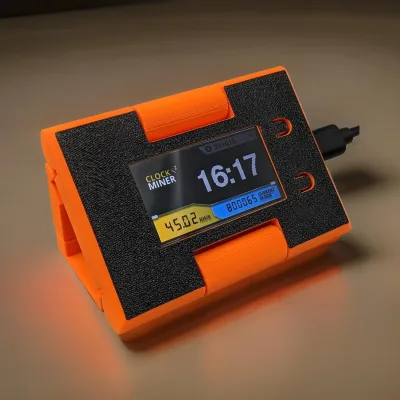
Not every miner generates data-center levels of heat. The open-source mining movement — Bitaxe, NerdAxe, NerdQAxe, and similar devices — operates at dramatically lower power levels. A Bitaxe Supra draws around 15W. A NerdAxe pulls similar wattage. These machines produce negligible heat and require zero active cooling infrastructure beyond their built-in heatsinks and small fans.
If cooling is a primary concern — you live in a hot climate, you rent an apartment, you cannot duct exhaust outside — open-source solo miners let you participate in Bitcoin mining without any thermal management challenges. Visit the Bitaxe Hub for the full lineup and setup guides.
That said, open-source miners are solo mining devices. They hash at a fraction of the network’s total power, and finding a block (currently worth 3.125 BTC) is a low-probability event. They are about supporting decentralization and the principle that every hash counts — not about replacing the revenue of a rack of S21s.
Frequently Asked Questions
What is the ideal ambient temperature for running ASIC miners?
Most ASIC manufacturers recommend an ambient operating temperature between 5°C and 35°C (40°F to 95°F). For optimal performance and longevity, aim for 15-25°C intake air temperature. Below 5°C, condensation can form on cold hashboards when the machine powers on — let the miner warm up gradually in very cold conditions.
Can I run an ASIC miner without any additional cooling setup?
Only if you have adequate natural ventilation. Stock fans are designed for open-air operation with unrestricted intake and exhaust. In an enclosed room, garage, or closet, the hot exhaust air recirculates to the intake side within minutes, raising chip temperatures past throttling thresholds. At minimum, you need an exhaust path to move hot air out of the room.
How much noise does a typical ASIC miner produce?
Full-size ASIC miners like the Antminer S19 or S21 series produce 72-82 dB at stock settings — comparable to a vacuum cleaner or lawn mower. Shrouds with ducted exhaust can reduce perceived noise by 10-15 dB. Space heater enclosures with sound dampening can bring levels below 60 dB. Open-source miners like the Bitaxe are nearly silent at under 40 dB.
Is immersion cooling worth it for home miners?
For most home miners running 1-5 machines, no. The upfront cost of an immersion tank, dielectric fluid, and heat exchanger is $5,000-$10,000+ and typically only makes economic sense at 50+ machines where fan replacement, dust maintenance, and downtime savings offset the infrastructure investment. Ducted air cooling with heat recovery is far more cost-effective at home scale.
How do I cool my miners in summer when I do not want the extra heat?
Install a Y-junction or motorized damper in your duct system. In winter, direct exhaust indoors for heating. In summer, redirect it outside. If outdoor ambient temperatures exceed 35°C, consider underclocking your miners during peak afternoon heat (reducing power by 20-30% drops heat output proportionally) or shifting to off-peak hours if your electricity rate supports it.
What causes ASIC miners to overheat?
The most common causes are: blocked or recirculating airflow, dust accumulation on heatsinks, dried thermal paste, failing fans, and ambient temperatures above 35°C. Less common but serious causes include power supply issues delivering unstable voltage and firmware misconfigurations pushing clock speeds beyond the cooling system’s capacity. If your miner is overheating and you cannot identify the cause, D-Central’s ASIC repair team can diagnose the issue remotely or on-bench.
Does D-Central offer hosting for miners I cannot cool at home?
Yes. D-Central operates a hosting facility in Quebec, Canada, powered by cheap hydroelectric energy with natural cold-air cooling for most of the year. If your home setup cannot handle the heat or noise, hosting lets you keep your miners running in an optimized environment while you monitor remotely.