
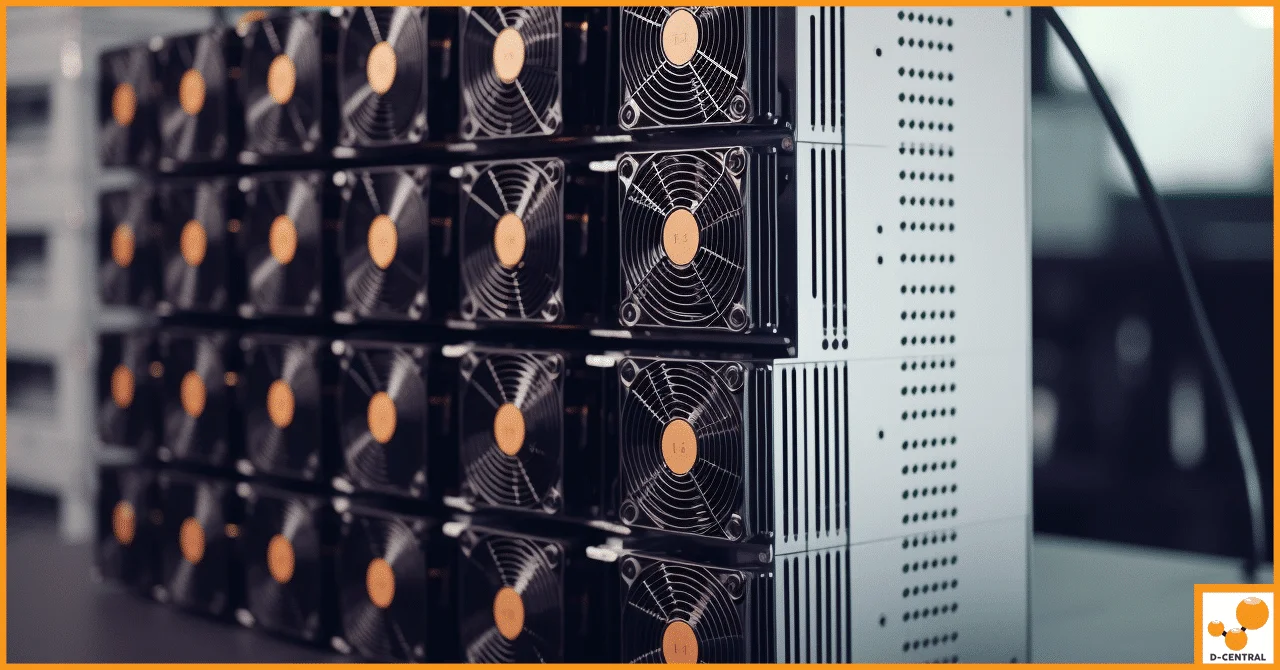
The Antminer S19 series remains one of the most deployed Bitcoin mining platforms on the planet. Millions of these machines hum away in basements, garages, and purpose-built mining rooms across North America — and the ones that survive the longest are the ones with operators who treat maintenance as a non-negotiable discipline, not an afterthought.
At D-Central Technologies, we have repaired thousands of Antminer S19 units since the series launched. We have seen every failure mode, every preventable catastrophe, and every “I should have cleaned it sooner” regret. This guide distills that hands-on experience into a comprehensive maintenance playbook that will keep your S19 hashing at peak efficiency for years.
Whether you are running a single unit heating your workshop in a Canadian winter or managing a rack of S19 Pro units, the principles are the same: clean hardware, stable power, controlled thermals, and proactive diagnostics. Let us get into it.
Antminer S19 Series: Technical Specifications at a Glance
| Model | Hashrate | Power Draw | Efficiency (J/TH) | ASIC Chip |
|---|---|---|---|---|
| Antminer S19 | 95 TH/s | 3,250 W | 34.2 | BM1398 |
| Antminer S19 Pro | 110 TH/s | 3,250 W | 29.5 | BM1398 |
| Antminer S19j Pro | 104 TH/s | 3,068 W | 29.5 | BM1398 |
| Antminer S19 XP | 141 TH/s | 3,032 W | 21.5 | BM1366 |
| Antminer S19k Pro | 120 TH/s | 2,760 W | 23.0 | BM1366 |
Every model in the S19 family shares the same fundamental maintenance requirements. The differences lie in thermal headroom and power delivery tolerances — the XP and k Pro run more efficiently but are equally unforgiving of dust buildup and unstable voltage.
The Five Pillars of S19 Maintenance
A well-maintained Antminer S19 can run reliably for 5+ years. A neglected one may fail within 18 months. The difference comes down to five core maintenance practices.
1. Thermal Management: The Single Biggest Factor
The S19 series dissipates over 3,000 watts of heat through forced-air cooling. That is roughly the output of a large space heater — which is exactly why many home miners repurpose S19 exhaust heat for home heating. But that heat must be managed properly.
Target operating temperatures:
- Inlet air: 5-35°C (41-95°F) — the colder the better for efficiency
- Chip temperature: Below 80°C under sustained load
- Exhaust air: Typically 15-25°C above inlet temperature
What kills S19 boards: It is not sustained heat that destroys hash boards — it is thermal cycling. Rapid temperature swings cause solder joints to crack over repeated expansion/contraction cycles. This is why miners in unheated garages that swing from -20°C overnight to +30°C during operation have higher failure rates than units in climate-controlled rooms.
Best practices:
- Maintain consistent ambient temperature — avoid environments with wild daily swings
- Ensure adequate exhaust ventilation — hot air recirculation is the silent killer
- Use intake ducting in cold climates to temper frigid air before it hits the boards
- Monitor chip temperatures via the miner dashboard or Braiins OS+ if you are running custom firmware
2. Dust Control: Your S19’s Worst Enemy
Dust is the number one preventable cause of S19 failures we see at our ASIC repair facility. These machines move enormous volumes of air — approximately 270 CFM — which means every particle of dust, pet hair, pollen, and workshop debris in your environment gets pulled straight through the heatsink fins.
Cleaning schedule:
| Environment | Cleaning Interval | Method |
|---|---|---|
| Clean server room / filtered intake | Every 6 months | Compressed air (30 PSI max) |
| Home basement / garage | Every 3 months | Compressed air + visual inspection |
| Workshop / dusty environment | Monthly | Full teardown cleaning |
| Pets in the house | Every 6-8 weeks | Compressed air + heatsink brush |
Cleaning procedure:
- Power down completely and disconnect from the power supply
- Remove the top cover (four screws on the S19 series)
- Use compressed air at no more than 30 PSI — higher pressure can damage capacitors and dislodge thermal pads
- Blow from intake to exhaust side, working methodically across each hash board
- Inspect fan blades for dust accumulation and clean individually
- Check thermal paste condition on the heatsink contact points if you have the boards removed
- Reassemble and power on — monitor temperatures for the first hour
3. Power Supply & Electrical Stability
The APW12 power supply that ships with most S19 units is a quality unit, but it is sensitive to input voltage fluctuations. The S19 draws 3,250W at the wall — that is a 15A load on a 240V circuit or nearly 30A on 120V (which is why 240V is strongly recommended).
Power best practices:
- Run on a dedicated 240V 20A or 30A circuit — never share with other high-draw appliances
- Use a quality surge protector rated for the wattage — a power spike can kill a control board instantly
- Check all connections quarterly for signs of heat damage, discoloration, or loose contacts
- Monitor input voltage — the APW12 operates within 200-290V AC. Consistent low voltage causes the PSU to draw more current, generating excess heat
- In rural areas with unstable grid power, consider a line conditioner
4. Firmware Management
Running outdated firmware is like leaving a known vulnerability unpatched. Bitmain releases firmware updates to address stability issues, improve efficiency, and occasionally unlock additional performance. Third-party firmware options like Braiins OS+ can also improve efficiency by 10-20% through autotuning.
Firmware guidelines:
- Check for official Bitmain firmware updates at least once per quarter
- Always download firmware directly from the manufacturer — never from third-party sites
- Back up your configuration before any firmware update
- If running third-party firmware, understand the trade-offs — more control, but you are outside manufacturer support
- After any firmware update, monitor hashrate and chip temperatures closely for 48 hours
5. Proactive Monitoring & Diagnostics
The best maintenance program is one that catches problems before they become failures. Every S19 operator should be monitoring these metrics continuously:
Key metrics to track:
- Hashrate per board: Each S19 hash board should produce roughly 1/3 of the total hashrate. A board running 10%+ below its siblings indicates a developing problem
- Chip temperature spread: If one chip reads 10°C+ higher than others on the same board, that chip or its surrounding solder joints may be failing
- Fan RPM: Both fans should run within 10% of each other. A fan running significantly faster is compensating for a failing partner
- Hardware errors (HW): Occasional HW errors are normal. A sustained increase signals board-level issues
- Uptime: Frequent unexpected restarts point to power supply or control board problems
Set up monitoring alerts through your pool dashboard or a tool like Foreman, Awesome Miner, or a simple script that pings the miner API. The goal is to be notified of anomalies before they cascade into hash board failures.
Common S19 Failure Modes & How to Prevent Them
After repairing thousands of S19 units, here are the failure patterns we encounter most frequently at D-Central’s Antminer S19 repair service:
| Failure Mode | Frequency | Root Cause | Prevention |
|---|---|---|---|
| Hash board dead chips | Very common | Thermal cycling, dust buildup | Stable temps, regular cleaning |
| Fan failure | Common | Bearing wear, dust ingestion | Clean fans, replace proactively at 18-24 months |
| Control board failure | Moderate | Power surges, firmware corruption | Surge protection, clean firmware updates |
| PSU failure | Moderate | Overvoltage, poor ventilation | Dedicated circuit, PSU airflow |
| Thermal pad degradation | Gradual | Age, heat exposure | Inspect and replace at 2-3 year intervals |
| Connector burn/melt | Occasional | Loose connections, corrosion | Quarterly connector inspection, reseat connections |
The pattern is clear: the vast majority of S19 failures are preventable with consistent maintenance. When you do encounter a problem beyond your skill level, professional ASIC repair from an experienced team is always more cost-effective than replacing the entire unit.
S19 Maintenance for Home Miners: The Canadian Advantage
If you are mining from home in Canada, you have a natural advantage that most of the world envies: cold air. Canadian winters deliver sub-zero intake temperatures that can dramatically improve S19 efficiency — but only if managed correctly.
Cold-climate mining tips:
- Do not feed -30°C air directly to the miner. Extreme cold causes condensation when it hits warm components. Use a mixing box or duct that blends outdoor and indoor air to maintain a minimum 5°C inlet temperature
- Capture the exhaust heat. A single S19 produces approximately 11,000 BTU/hour — enough to heat a large room. Our Bitcoin Space Heaters are purpose-built for this dual-use approach, but even a basic duct setup can redirect S19 exhaust into your living space
- Watch for humidity. Canadian spring and fall bring humidity swings that can cause corrosion on exposed PCB traces. Keep your mining environment below 65% relative humidity
- Take advantage of summer maintenance windows. Canadian electricity rates are often lower in spring/fall. Use summer heat waves as natural maintenance windows — shut down, deep clean, inspect, and prepare for the winter mining season
When to Repair vs. When to Replace
The S19 series sits at an interesting point in the mining hardware lifecycle. With Bitcoin network hashrate now exceeding 800 EH/s and the block reward at 3.125 BTC post-halving, efficiency matters more than ever. Here is a framework for the repair-or-replace decision:
Repair makes sense when:
- The issue is a single hash board and the other two are healthy — board-level repair is significantly cheaper than a new machine
- Fan or PSU failure — these are inexpensive, commodity replacements
- Control board issues — often fixable with a replacement board or re-flash
- Your electricity cost is under $0.08/kWh — the S19 remains viable at low power costs
- You are using the unit for dual-purpose heating — the “mining profitability” equation changes when you factor in displaced heating costs
Replace makes sense when:
- Multiple hash boards have failed — repair costs approach replacement costs
- Your electricity exceeds $0.10/kWh and you are not recapturing heat — newer-generation miners (S21 series) offer 2x the efficiency
- The control board and one or more hash boards have failed simultaneously — this often indicates a power event that may have damaged other components
D-Central offers Antminer S19 repair services with transparent diagnostics. We will tell you honestly whether repair or replacement is the smarter move for your situation.
Building a Maintenance Schedule
Here is a practical maintenance calendar for any S19 operator:
| Frequency | Task |
|---|---|
| Daily | Check pool dashboard for hashrate anomalies and HW errors |
| Weekly | Review chip temperature logs, verify fan RPM consistency |
| Monthly | Visual inspection of power connections, listen for abnormal fan noise |
| Quarterly | Compressed air cleaning, connector reseat, firmware check |
| Annually | Full teardown, thermal pad inspection, fan replacement assessment, PSU testing |
Tape this schedule to the wall next to your miner. The operators who follow it consistently are the ones we never see in our repair shop — and that is exactly the outcome we want.
Error Log Diagnostics: Reading Your S19 Like a Book
The S19 kernel log is your most powerful diagnostic tool. Access it through the miner web interface under System > Kernel Log. Here are the critical patterns to watch for:
- “chain X only find Y chips” — A hash board is not detecting all its ASIC chips. Could be a loose ribbon cable, a dead chip, or a board-level voltage issue
- “ERROR_TEMP_TOO_HIGH” — Self-explanatory. Check fans, airflow, ambient temperature, and dust buildup immediately
- “power voltage err” — The PSU is delivering out-of-spec voltage. Check PSU health, input voltage, and all power connections
- Frequent “set_voltage” messages — The controller is constantly adjusting chip voltage, indicating instability. Often a sign of a failing voltage regulator on the hash board
- “fan lost” or RPM reads 0 — A fan has failed or its cable has disconnected. Do not run the miner with a failed fan — shut down immediately
Learning to read these logs turns you from a passive operator into an active maintainer. Most problems announce themselves in the logs days or weeks before they become visible as hashrate drops.
FAQ
How often should I clean my Antminer S19?
In a typical home environment, clean your S19 with compressed air every 3 months. If you have pets, wood shop dust, or other airborne particulates, increase to every 6-8 weeks. In a filtered server room environment, every 6 months is sufficient. Always use 30 PSI or less to avoid component damage.
What is the ideal operating temperature for the Antminer S19?
The S19 performs best with inlet air between 5-35°C (41-95°F). Chip temperatures should stay below 80°C under sustained load. Cooler intake air improves efficiency — Canadian miners in winter can see 5-10% efficiency gains from cold air intake, provided temperatures are tempered above 5°C to avoid condensation.
Can I run the Antminer S19 on 120V power?
Technically yes, but it is strongly discouraged. At 120V, the S19 draws approximately 27-30A, requiring a dedicated 30A circuit and putting significant stress on wiring and connections. Running on 240V cuts the amperage in half, reduces heat in wiring, and provides a more stable operating environment. Always use 240V if possible.
How long does an Antminer S19 last with proper maintenance?
With consistent maintenance — regular cleaning, stable power, controlled thermals — an S19 can operate reliably for 5-7 years. Without maintenance, expect 18-36 months before significant failures. The fans are typically the first component to need replacement, usually at the 18-24 month mark.
My S19 hashrate dropped suddenly. What should I check first?
Check these in order: (1) Verify all three hash boards are detected in the miner dashboard. (2) Check chip temperatures for outliers. (3) Review the kernel log for error messages. (4) Inspect fans — a failing fan causes thermal throttling. (5) Check power connections for signs of heat damage. If a single board is missing or underperforming, it likely needs professional repair.
Is it worth repairing an Antminer S19 in 2026?
It depends on your electricity cost and whether you recapture heat. At electricity rates below $0.08/kWh, or if you are using the S19 as a space heater displacing electric or oil heating costs, repair is almost always worthwhile for single-board or fan failures. At higher electricity rates with no heat recapture, compare repair costs against the efficiency gains of a newer-generation machine like the S21 series.
What tools do I need for basic S19 maintenance?
For routine maintenance you need: compressed air (canned or compressor with regulator set to 30 PSI max), a Phillips-head screwdriver for the cover, a soft-bristle brush for stubborn dust deposits, and a multimeter for checking PSU output voltage. For more advanced diagnostics, a thermal camera or IR thermometer helps identify hot spots on hash boards.
Should I use third-party firmware on my Antminer S19?
Third-party firmware like Braiins OS+ can improve efficiency by 10-20% through autotuning and can enable features like individual chip frequency adjustment. The trade-off is voiding manufacturer warranty and taking on responsibility for firmware stability. For machines past their warranty period, custom firmware is generally a smart move. For machines still under Bitmain warranty, stick with official firmware.
 Bitaxe Heatsink — High-Performance Aluminum Cooler for Bitaxe & Nerdaxe Gamma / Supra / Ultra — Silent Operation & Stable Overclocking" width="80" height="80" loading="lazy" style="width:80px;height:80px;object-fit:contain;border-radius:6px;background:#1A1A1A;flex-shrink:0;">
Shop Heatsinks
Bitaxe Heatsink — High-Performance Aluminum Cooler for Bitaxe & Nerdaxe Gamma / Supra / Ultra — Silent Operation & Stable Overclocking" width="80" height="80" loading="lazy" style="width:80px;height:80px;object-fit:contain;border-radius:6px;background:#1A1A1A;flex-shrink:0;">
Shop Heatsinks

