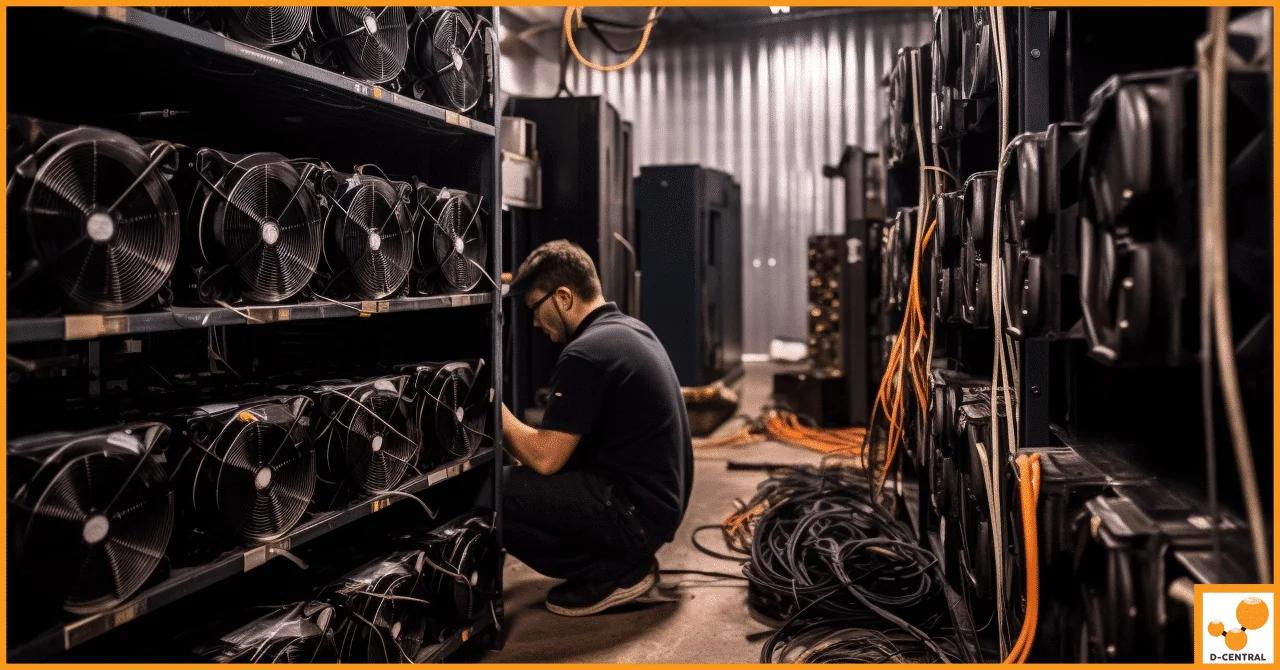
Your mining operation is an extension of the Bitcoin network itself. Every ASIC you run, every hash you produce, every watt you consume exists to secure the most resilient monetary system ever built. But here is the hard truth most miners ignore until it costs them: your operation has an attack surface, and adversaries — both digital and physical — are probing it constantly.
Threat modeling is not some enterprise cybersecurity buzzword. It is an essential discipline for any miner who takes sovereignty seriously. If you control your own hardware, run your own node, and hold your own keys, then you already understand the cypherpunk principle: trust no one, verify everything. Threat modeling applies that same principle to your entire mining infrastructure. You systematically identify what could go wrong, how likely it is, how devastating the impact would be, and what you can do about it — before the worst happens.
With the Bitcoin network now exceeding 800 EH/s of total hashrate and difficulty above 110 trillion, the stakes have never been higher. A block reward of 3.125 BTC means every hash matters, and protecting the hardware and systems that produce those hashes is non-negotiable. Whether you are running a single Bitaxe solo miner on your desk or a rack of Antminers in your garage, this five-step framework will help you lock down your operation like the sovereign miner you are.
Step 1: Asset Identification and Valuation
Before you can defend anything, you need to know exactly what you are defending. This sounds obvious, but most home miners have never actually cataloged their assets with the rigor the task demands. Threat modeling starts with a complete inventory — not just the hardware sitting on your shelf, but every component in the chain from wall outlet to blockchain.
Hardware Assets
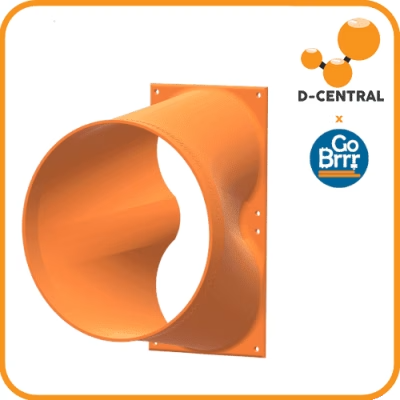
Your hardware is the most visible and often most valuable category. This includes your ASIC miners (Antminer S19, S21, Whatsminer M50, or open-source machines like the Bitaxe and NerdAxe), power supplies (APW series units, barrel-jack PSUs for Bitaxe units, XT30/XT60 connectors for higher-powered devices), cooling infrastructure (fans, shrouds, duct adapters, immersion tanks), networking equipment (routers, switches, WiFi adapters), and any supporting hardware like UPS systems, PDUs, and monitoring sensors.
For home miners running Bitcoin space heaters, your mining hardware doubles as a heating appliance. This dual-purpose role means a hardware failure is not just a loss of hashrate — it is a loss of home heating capacity. Factor that into your valuation.
Software Assets
Every miner runs a stack of software that most operators never audit. Your software assets include miner firmware (stock Bitmain firmware, Braiins OS, AxeOS on Bitaxe units, custom firmware), your mining pool configuration and credentials, node software if you run Bitcoin Core, wallet software and associated configuration files, network management tools and SSH keys, and any monitoring dashboards or alerting systems.
Data Assets
This is where most miners are dangerously exposed. Your data assets include private keys and seed phrases, pool account credentials, SSH keys and remote access credentials, configuration files containing network topology information, historical performance data and logs, and any financial records tied to your mining revenue.
Valuing Your Assets
For each asset, assess three dimensions of value:
- Replacement cost — What would it cost in time and money to replace this asset if it were destroyed tomorrow? An Antminer S21 costs thousands. A lost seed phrase could cost you everything.
- Operational significance — How much hashrate do you lose, and for how long, if this asset goes down? A failed PSU on your only miner means zero revenue until you source a replacement. D-Central’s ASIC repair service can get you back online, but downtime is still downtime.
- Cascading impact — Does losing this asset compromise other assets? A compromised router exposes every miner on your network. A leaked SSH key gives an attacker access to your entire fleet.
Document everything. A spreadsheet works. A text file works. The format does not matter — what matters is that you have a single source of truth for every asset in your operation, its value, and its dependencies.
Step 2: Threat Recognition
With your asset inventory complete, the next step is to enumerate every realistic threat that could compromise those assets. The key word is “realistic.” You are not modeling for a nation-state attack on your three-miner garage setup. You are identifying the threats that are actually likely to affect a home or small-scale mining operation.
Physical Threats
Physical security is often the most overlooked category for home miners. Threats include theft of mining hardware (ASICs have high resale value and are easy to identify by their noise signature), fire from overloaded circuits or faulty wiring (mining rigs draw significant amperage), water damage from floods, pipe bursts, or condensation in improperly ventilated spaces, physical tampering by unauthorized individuals who access your equipment, and natural disasters like storms, earthquakes, or extreme temperatures.
If you are mining from home, your physical threat profile is fundamentally different from a datacenter. You do not have 24/7 security guards, fire suppression systems, or redundant HVAC. You need to compensate for those gaps with smart planning.
Cyber Threats
The digital attack surface of a mining operation is broader than most miners realize:
- Firmware attacks — Malicious firmware can redirect your hashrate to an attacker’s pool while reporting normal operation on your dashboard. Always source firmware from verified channels and verify checksums.
- Network intrusion — Miners on a flat home network share that network with every IoT device, laptop, and phone in the house. A compromised smart TV could be the foothold an attacker needs to reach your miners.
- Pool credential theft — If an attacker obtains your pool login, they can redirect your mining rewards to their own wallet address.
- Supply chain compromise — Purchasing used miners from unverified sources risks receiving hardware with modified firmware pre-installed. This is one reason buying from established, reputable suppliers like D-Central’s shop matters.
- DNS hijacking — Redirecting your miner’s pool connection to a malicious endpoint by compromising your router’s DNS settings.
Operational Threats
These are the mundane failures that cause the most aggregate downtime across the mining industry:
- Power instability — Brownouts, surges, and outages. A power surge can destroy a hashboard in milliseconds. An extended outage means zero revenue and, for space heater miners, a cold house.
- Hardware degradation — ASIC chips degrade over time, especially when overclocked or thermally stressed. Fans wear out. Thermal paste dries. Solder joints crack.
- Configuration drift — Over time, settings get changed, firmware updates get skipped, and monitoring gets neglected. What was a secure setup six months ago may have multiple vulnerabilities today.
- ISP disruptions — Your miner needs a stable internet connection. ISP outages, IP address changes, or bandwidth throttling can all interrupt mining.
Environmental Threats
For Canadian miners especially, environmental factors are a significant threat category. Extreme cold can stress components when miners are in unheated outbuildings. High humidity in spring and fall causes corrosion on PCBs and connectors. Dust accumulation clogs heatsinks and reduces cooling efficiency, increasing chip temperatures and accelerating degradation. Altitude affects air density and cooling performance for air-cooled miners.
For those considering professional hosting to mitigate environmental risks, D-Central offers Bitcoin mining hosting in Canada with purpose-built facilities in Quebec, where cold climate and abundant hydroelectric power create ideal mining conditions.
Step 3: Vulnerability Assessment
You now know what you are protecting and what threatens it. Step three asks the harder question: where are the actual weak points? A vulnerability is not a threat — it is the gap in your defenses that a threat can exploit. Identifying vulnerabilities requires honest self-assessment, not wishful thinking.
Network Security Vulnerabilities
Start with your network, because it is almost certainly your weakest link. Common vulnerabilities include miners and personal devices on the same network segment with no isolation, default credentials on routers and miners (the number of Antminers still running admin/admin in 2026 is staggering), unencrypted management interfaces (HTTP instead of HTTPS for miner dashboards), open ports on your router from previous port forwarding rules you forgot about, no network monitoring to detect anomalous traffic, and outdated router firmware with known vulnerabilities.
Firmware and Software Vulnerabilities
Mining firmware is a frequent source of vulnerabilities. Check for outdated firmware versions with known CVEs, unsigned or unverified firmware images, mining software with hardcoded or default API keys, wallet software running on an internet-connected machine (hot wallet risk), and lack of automatic update mechanisms for critical security patches.
Physical Security Vulnerabilities
Assess your physical setup honestly. Ask yourself: is the mining equipment in a locked area or easily accessible? Are power cables and network cables in positions where they could be accidentally disconnected or tripped over? Is there adequate ventilation, or are your miners thermal-throttling in a closed closet? Are electrical circuits rated for the load your miners draw? Is there a working smoke detector and fire extinguisher within reach of your mining setup?
Operational Security Vulnerabilities
These are often the most dangerous because they involve human behavior. Common issues include seed phrases stored digitally on internet-connected devices, pool and wallet passwords reused across services, no documented recovery procedures if the primary operator is unavailable, lack of regular backups for critical configuration data, and sharing too much information about your mining setup on social media (announcing your hashrate, showing your setup, revealing your location).
How to Conduct the Assessment
You do not need a professional penetration tester for a home mining setup. Run a port scan on your own network from outside your home (services like ShieldsUP can help). Log into every miner and check firmware versions against the manufacturer’s latest release. Test every default credential on every device. Review your router’s connected device list and port forwarding rules. Physically inspect your setup — look at cable management, ventilation, electrical connections, and physical access points.
Document every vulnerability you find. Be specific. “Network security could be better” is not a vulnerability. “Antminer S19 at 192.168.1.45 is accessible via HTTP with default admin credentials and no VLAN isolation” is a vulnerability you can act on.
Step 4: Risk Analysis and Impact Assessment
Not every vulnerability demands the same response. A miner with default credentials on an isolated VLAN behind a firewall is a different risk than a miner with default credentials on a flat network with UPnP enabled. Risk analysis combines the probability of exploitation with the severity of impact to help you prioritize your mitigation efforts.
Building a Risk Matrix
For each vulnerability, assess two factors:
Likelihood: How probable is it that this vulnerability will be exploited? Consider the skill level required, whether the attack is automated or targeted, and your exposure level. A default-credential miner on the open internet faces constant automated scanning — likelihood is near-certain. A physical theft requires an adversary who knows your operation exists and has physical access — lower likelihood for most home miners, but devastating if it happens.
Impact: What happens if this vulnerability is exploited? Categories of impact include financial loss (stolen bitcoin, destroyed hardware, replacement costs), operational downtime (how long until you are hashing again), data compromise (leaked keys, exposed network topology), and cascading failures (does this compromise open the door to further attacks).
Practical Risk Categories for Home Miners
Based on years of working with thousands of miners at D-Central, here is how the risk landscape typically breaks down for home mining operations:
High probability, high impact: Power surges destroying hashboards (invest in proper surge protection and UPS), firmware not updated leading to pool credential theft, and overloaded electrical circuits causing fire.
High probability, low impact: Internet outages causing temporary mining downtime, fan failures requiring replacement (annoying but cheap to fix), and minor configuration errors reducing hashrate efficiency.
Low probability, high impact: Physical theft of mining equipment, fire from electrical faults, complete seed phrase or key compromise, and ransomware encrypting your mining management systems.
Low probability, low impact: Component degradation over normal lifespan, temporary pool outages, and cosmetic damage to enclosures or accessories.
Focus your mitigation resources on the high-probability/high-impact quadrant first, then address the low-probability/high-impact scenarios with insurance and contingency plans.
Step 5: Mitigation Strategies and Security Hardening
This is where threat modeling translates into action. Every vulnerability you identified gets a mitigation strategy. Every risk gets a response. The goal is not to eliminate all risk — that is impossible. The goal is to reduce risk to a level you can accept and recover from.
Network Hardening
Isolate your mining equipment on a separate VLAN or network segment. Most consumer routers support guest networks at minimum — use that as a starting point. If you are running more than a couple of miners, invest in a managed switch and a router that supports VLANs (pfSense, OPNsense, or a MikroTik will do). Change every default credential on every device. Use unique, strong passwords for each miner’s web interface. Disable UPnP on your router. Close every port forwarding rule you are not actively using. Enable HTTPS on miner dashboards where supported. If you need remote access, use a VPN — never expose miner management interfaces directly to the internet.
Firmware and Software Security
Keep firmware updated. Bitmain, MicroBT, and open-source projects like Bitaxe (running AxeOS) all release firmware updates that patch security vulnerabilities. Verify firmware checksums before flashing. Only download firmware from official sources. If you are running custom firmware like Braiins OS, keep it updated and monitor their security advisories. Use a hardware wallet for storing mining revenue — never leave significant amounts in a hot wallet or on an exchange.
Physical Security
Lock the room or enclosure where your miners operate. Install a basic security camera covering your mining area — a $30 camera that sends alerts to your phone is infinitely better than nothing. Use tamper-evident seals on miner enclosures so you can detect if someone has opened them. Install proper electrical infrastructure: dedicated circuits, appropriate breakers, quality wiring, and surge protectors rated for your load. Keep a fire extinguisher rated for electrical fires (Class C) within reach. If you are running miners as space heaters, ensure your setup complies with local building codes for heating appliances.
Operational Security
Store seed phrases on metal (steel washers, titanium plates) in a physically secure location, never digitally. Use a password manager for all mining-related credentials. Document your entire setup so someone you trust could recover operations if you are unavailable. Set up monitoring and alerting — tools like Foreman, Awesome Miner, or even simple scripts that check hashrate and send notifications if a miner goes offline. Maintain an offline backup of all critical configurations. Practice operational silence — do not broadcast your mining operation’s details, hashrate, or location on social media.
Environmental Controls
Maintain adequate ventilation or active cooling for your mining space. In Canadian winters, mining heat is an asset — a Bitcoin space heater setup properly reclaims nearly 100% of electrical input as heat. In summer, you need an exhaust path for that heat. Monitor temperature and humidity in your mining space. Use dust filters on intake vents and clean them regularly. Inspect your miners periodically for dust buildup on heatsinks and fans — a can of compressed air and 15 minutes of maintenance can prevent a hashboard failure.
Disaster Recovery
Plan for the worst. Have a documented recovery procedure that covers replacement hardware (know where to source parts quickly — D-Central stocks replacement parts, hashboards, and complete miners for fast turnaround), configuration backup restoration, seed phrase recovery process, insurance claims (yes, you can insure mining equipment — talk to your insurer), and temporary hosting arrangements if your home setup is compromised. Test your recovery procedures. A backup you have never tested is not a backup — it is a hope.
Setting Your Security Threshold
The security threshold is the conscious decision about how much risk you are willing to accept. A solo Bitaxe miner on your desk has a different threat profile than a 10-unit Antminer farm in your garage. Your security investments should be proportional to the value at risk. A good rule of thumb: if losing your entire mining setup would cause you significant financial hardship, your security investment should be proportionally rigorous. If your miners are a hobby that you could replace without stress, basic precautions may suffice.
But regardless of scale, certain security practices are non-negotiable: unique passwords on every device, firmware updates, proper electrical installation, and secure key storage. These cost little to nothing and prevent the most common failure modes.
Continuous Threat Modeling: This Is Not a One-Time Exercise
The threat landscape changes constantly. New firmware vulnerabilities are discovered. New attack vectors emerge. Your own operation evolves — you add miners, change configurations, upgrade hardware. Threat modeling is a cycle, not a checklist.
Every time you make a significant change to your operation — adding hardware, changing network topology, updating firmware, moving to a new location — revisit your threat model. At minimum, do a full review annually. The miners who get compromised are almost always the ones who set everything up once and never looked at it again.
The entire ethos of Bitcoin is sovereignty and self-reliance. Running your own miner is an act of that sovereignty. But sovereignty comes with responsibility. You cannot outsource the security of your operation and still call it sovereign. Threat modeling is how you take that responsibility seriously.
At D-Central Technologies, we have been helping Bitcoin miners secure and optimize their operations since 2016. Whether you need professional ASIC repair, purpose-built mining hardware, or guidance on hardening your home mining setup, we are here to help. Because at the end of the day, every hash counts — and every hash deserves to be protected.
FAQ
What is threat modeling for Bitcoin mining, and why does it matter?
Threat modeling is a structured approach to identifying, assessing, and mitigating risks to your mining operation. It matters because your mining hardware, credentials, and bitcoin holdings are all potential targets. A systematic threat model helps you prioritize your security investments and address the most dangerous vulnerabilities before they are exploited.
What are the biggest security threats facing home Bitcoin miners in 2026?
The most common threats for home miners include power surges destroying hashboards, firmware vulnerabilities enabling hashrate theft, default credentials left on miner web interfaces, overloaded electrical circuits, and physical theft. With the network hashrate above 800 EH/s and block rewards at 3.125 BTC, protecting your operation is more important than ever.
How often should I update my Bitcoin miner threat model?
Review your threat model at minimum once per year, and immediately after any significant change to your operation — adding new miners, changing your network setup, moving locations, or updating firmware. New vulnerabilities are discovered regularly, and your defenses must evolve accordingly.
Do I need professional cybersecurity tools to secure my home mining operation?
No. Most home mining security can be achieved with free tools and good practices: changing default passwords, isolating miners on a separate network segment, keeping firmware updated, using a hardware wallet, and practicing physical security. Professional penetration testing is generally overkill for home operations — focus on the basics first.
How does network isolation protect my Bitcoin miners?
Network isolation (using VLANs or a separate network) prevents an attacker who compromises one device on your home network — a laptop, phone, or IoT device — from reaching your miners. Without isolation, a compromised smart home device could be used as a stepping stone to access miner dashboards, steal pool credentials, or flash malicious firmware.
What should I do if I suspect my Bitcoin miner firmware has been compromised?
Immediately disconnect the affected miner from the network. Change your pool account password and wallet payout address. Download verified firmware from the manufacturer’s official source, verify its checksum, and reflash the miner. Inspect your pool dashboard for any unexplained hashrate dips or payout address changes. If you need professional diagnosis, D-Central’s ASIC repair team can inspect and reflash your hardware.
Can D-Central Technologies help me secure my mining operation?
Yes. D-Central has been serving Bitcoin miners since 2016 with hardware sales, ASIC repair, mining hosting in Quebec, and expert consulting. Whether you need a security review of your home setup, professional repair for damaged hardware, or want to move your operation to a purpose-built hosting facility, D-Central’s team can help you reduce risk and maximize uptime.