Your ASIC miner just went silent. The fans spun down, the dashboard is throwing errors, and your hashrate has cratered to zero. Before you write off your hardware as a brick, take a breath. In the vast majority of cases, ASIC miners can absolutely be repaired — and understanding what went wrong is the first step toward getting your machine back online and contributing SHA-256 hashes to the Bitcoin network.
At D-Central Technologies, we have been repairing ASIC miners since 2016. With thousands of units serviced across every major manufacturer — Bitmain, MicroBT, Canaan, and Innosilicon — we have seen every failure mode the industry can produce. From fried hashboards on an Antminer S9 that survived a power surge to waterlogged WhatsMiner M30S units pulled from flooded basements, the story is almost always the same: the hardware is recoverable.
This guide breaks down the most common ASIC miner failures, how to diagnose them, when to fix them yourself, and when to send them to professionals who know these machines inside and out. Whether you are running a single miner heating your garage or scaling up a home mining operation, this knowledge is essential for keeping your hash online and your mining operation running.
How ASIC Miners Work (and Why They Break)
An ASIC — Application-Specific Integrated Circuit — is a chip designed to do exactly one thing: compute SHA-256 hashes as fast and efficiently as possible. Unlike a GPU that can render video games, process AI workloads, or mine a dozen different algorithms, a Bitcoin ASIC does nothing but crunch the double-SHA-256 hash function that secures the Bitcoin network. That extreme specialization is why modern ASICs can achieve hashrates above 200 TH/s while consuming a fraction of the energy per hash that general-purpose hardware requires.
A typical ASIC miner consists of three core subsystems:
- Hashboards — The circuit boards packed with ASIC chips that do the actual hashing work. A standard miner like the Antminer S19 has three hashboards, each containing dozens of individual ASIC chips wired in series. If even one chip fails, the entire chain can go down.
- Control board — The brain of the operation. It runs the firmware, communicates with your mining pool, distributes work across hashboards, and monitors temperatures. Think of it as the miner’s motherboard.
- Power supply unit (PSU) — Converts AC wall power into the precise DC voltages your hashboards and control board require. ASIC PSUs handle enormous current loads — an S19 draws around 3,250W — and failures here are extremely common.
Add cooling fans, heatsinks, thermal interface materials, and a network connection, and you have a complete mining system. Every one of these components can fail, and each failure presents differently. The good news is that in 2026, with the Bitcoin network hashrate exceeding 800 EH/s and difficulty above 110T, keeping older hardware running through repair is not just possible — it is economically rational. A repaired miner producing hashes toward the 3.125 BTC block reward is infinitely more valuable than one collecting dust on a shelf.
Diagnosing Common ASIC Miner Failures
Before you can fix anything, you need to know what is actually broken. ASIC miner failures generally fall into a handful of categories, and each one has telltale symptoms. Here is what to look for.
Hashboard Failures
This is the single most common category of ASIC miner failure, and it is also the one most likely to require professional repair. Symptoms include:
- Missing hashboard detection — Your miner’s web interface shows only 2 of 3 hashboards (or 0 of 3). The control board simply cannot communicate with the dead board.
- Dramatically reduced hashrate — If your S19j Pro normally runs at 100 TH/s and has dropped to 66 TH/s, one hashboard is almost certainly down.
- ASIC chip errors — The miner logs show individual chip failures. A few chip errors might be tolerable, but cascading errors point to a deeper problem — often a bad solder joint, damaged trace, or dead voltage domain.
- Abnormal temperature readings — Temperatures reading 0 degrees or impossibly high values on specific chips indicate sensor failures or dead zones on the board.
Common causes: Power surges, electrostatic discharge, thermal cycling stress (repeated heating and cooling), manufacturing defects in solder joints, and physical damage from shipping or handling. On older models like the S9, corrosion from humid environments is a frequent culprit.
Power Supply Failures
PSU failures are the second most common issue and are often the easiest to diagnose:
- Miner will not turn on at all — No fans spin, no LEDs illuminate. Complete silence.
- Intermittent shutdowns — The miner runs for minutes or hours, then cuts out abruptly and restarts.
- Audible clicking or buzzing — Relay clicking or transformer buzzing from the PSU housing indicates internal component failure.
- Burning smell — Unmistakable. Shut the unit down immediately. A burnt PSU can damage connected hashboards if it sends incorrect voltages before failing.
Common causes: Capacitor degradation over time, insufficient ventilation around the PSU causing thermal failure, power grid instability, undersized electrical circuits, and lightning/surge events.
Control Board Issues
Control board failures are less common but can be frustrating to diagnose because they mimic other problems:
- Miner powers on but cannot be found on the network — Fans spin, LEDs blink, but the device does not appear in your IP scanner or pool dashboard.
- Firmware corruption — The miner boots into a recovery mode, fails mid-update, or repeatedly reboots in a loop.
- Incorrect hashboard readings — The control board reports wrong temperatures, wrong chip counts, or fails to initialize hashboards that are known to be functional.
Common causes: Failed firmware flash, NAND memory degradation, damaged Ethernet port, and voltage regulator failure on the control board itself.
Fan and Cooling Failures
Fans are mechanical components with bearings that wear out. When cooling fails, ASIC chips quickly overheat and the miner will either throttle down or shut off entirely to protect itself:
- Grinding or rattling noises — Bearing failure. The fan still spins but is on borrowed time.
- Fan error messages — The control board monitors fan RPM. If a fan drops below threshold, the miner will flag it and may shut down.
- Thermal throttling — Your hashrate drops as internal temperatures climb. The miner is protecting itself by reducing clock speeds.
Common causes: Dust accumulation restricting airflow, bearing wear from continuous operation, power connector corrosion, and running miners in environments that exceed recommended temperature ranges.
Network and Connectivity Problems
Not every “dead” miner is actually broken. Sometimes the problem is between the miner and your pool:
- Pool shows miner as offline — But the miner’s local dashboard shows it running normally. Check your network configuration, pool URL, and worker credentials.
- Fluctuating hashrate on pool side — Can indicate network packet loss, an unreliable Ethernet cable, or a dying network switch port.
- Cannot access miner web interface — Could be a DHCP issue, IP conflict, or damaged Ethernet port on the control board.
What You Can Fix Yourself
Not every repair requires sending your miner to a shop. Some of the most common fixes are straightforward enough for anyone with basic tools and a willingness to learn. Here is what falls into DIY territory.
Fan Replacement
This is the most accessible ASIC repair. Fans on Antminer and WhatsMiner units are typically held in place by screws and connect via a simple plug. Replacement fans are widely available. Remove the old fan, plug in the new one, and you are back in business. Budget 15 minutes and about $15-30 per fan.
Dust Cleaning
Compressed air is your best friend. Blow out dust from heatsinks, fan blades, and board surfaces every 3-6 months depending on your environment. If you are running miners in a garage, basement, or workshop, dust accumulation accelerates significantly. A clogged miner runs hotter, throttles more, and dies sooner.
PSU Swap
If your PSU is dead, swapping it for a compatible replacement is straightforward. Match the voltage, wattage, and connector types for your specific miner model. APW12 for modern Antminers, APW3++ for the S9 series. Do not mix PSU models across incompatible miners — incorrect voltage will destroy hashboards.
Firmware Reflash
If your miner is stuck in a boot loop or running corrupted firmware, a reflash via SD card or TFTP recovery can often bring it back. Download the correct firmware from the manufacturer, follow their recovery procedure exactly, and be patient. A failed reflash attempt can make things worse, so double-check your firmware version matches your hardware revision.
Thermal Paste Replacement
On some miner models, degraded thermal interface material between ASIC chips and heatsinks causes hot spots and throttling. Removing heatsinks, cleaning off old paste, and applying fresh high-quality thermal compound can restore normal operating temperatures. This requires careful disassembly and is best done with proper tools and a clean workspace.
Network Troubleshooting
Swap Ethernet cables. Try a different switch port. Reset your router. Check for IP conflicts. Verify pool URLs and credentials. These basics resolve a surprising number of “my miner is broken” reports.
When You Need Professional ASIC Repair
Some failures go beyond what a screwdriver and compressed air can fix. When the problem is on the hashboard — a dead ASIC chip, a blown voltage domain, a cracked BGA solder joint, a burnt trace — you are in the territory of component-level electronics repair. This requires:
- Specialized diagnostic equipment — Oscilloscopes, thermal cameras, bench power supplies for isolated board testing, and specialized hashboard testers.
- BGA rework stations — ASIC chips are mounted using Ball Grid Array technology. Replacing a dead chip means removing it with precision hot air, cleaning the pads, reballing or placing a new chip, and reflowing the solder. One wrong move and you damage adjacent components.
- Component-level knowledge — Understanding the voltage domain architecture of each miner model, reading schematics, tracing signals, and identifying which of 100+ chips on a hashboard is the actual point of failure.
- Inventory of replacement components — ASIC chips, MOSFETs, capacitors, resistors, connectors, and other board-level components that may not be available through normal retail channels.
This is exactly what D-Central Technologies does. Our ASIC repair service handles everything from basic diagnostics to full hashboard rebuilds. We service all major manufacturers — Bitmain Antminer (S9, S17, S19, S21 series), MicroBT WhatsMiner (M30, M50, M60 series), Canaan Avalon, and Innosilicon — with dedicated repair pages for 38+ specific models.
What Professional Repair Looks Like
When you send a miner to D-Central for repair, here is the process:
- Intake and initial diagnosis — We power up the unit in our test environment, document symptoms, and run diagnostic routines to identify all faults — not just the obvious one.
- Detailed assessment — For hashboard issues, we use thermal imaging and domain-by-domain testing to isolate the specific failure point. We provide you with a diagnosis and repair estimate before proceeding.
- Component-level repair — Failed chips are replaced, damaged traces are repaired, burned components are swapped, and the board is retested at each stage.
- Full system test — The repaired hashboard goes back into a complete miner chassis and runs under load for a burn-in period to verify stable operation and confirm the repair holds.
- Return to service — Your miner ships back ready to hash.
The entire process is focused on one outcome: getting your hardware back to producing valid SHA-256 hashes for the Bitcoin network as quickly as possible.
Repair vs. Replace: The Economics
One of the most common questions we hear: “Is it even worth repairing my old miner?” The answer depends on a few key variables.
When Repair Makes Sense
- The miner is still efficient enough for your electricity rate. If your power cost is low — common for home miners leveraging surplus solar, hydro, or off-peak rates — even older models like the S19 or M30S remain profitable after repair.
- The repair cost is a fraction of replacement cost. A hashboard repair at $150-400 versus a new $3,000+ miner is straightforward math.
- You are running the miner as a space heater. If your miner is pulling double duty heating your home, the economics change entirely. The heat output is a feature, not waste. Repairing a space heater miner is almost always worthwhile because the alternative is an electric heater that earns zero sats.
- You are committed to decentralization. Every repaired miner that goes back online is another independent node of hashpower on the Bitcoin network. That matters. Centralized mining farms would prefer you throw your hardware away and leave the hashing to them. Repair is an act of resistance.
When Replacement Makes More Sense
- Multiple hashboards are damaged and the repair cost approaches or exceeds the value of a newer, more efficient unit.
- The miner’s efficiency (J/TH) is drastically worse than current-generation hardware, and your electricity costs are high. An S9 at ~80 J/TH versus an S21 at ~17 J/TH is a massive gap.
- The model is obsolete with no replacement parts available. Some older Innosilicon and Halong models fall into this category.
Even in replacement scenarios, do not throw away the old hardware. Dead miners still contain valuable hashboards and components that can be used as donor parts for other repairs. D-Central accepts trade-ins and can often extract value from units that seem beyond saving.
Preventive Maintenance: Keep Your Miners Running
The best repair is the one you never need. Proper maintenance dramatically extends the life of ASIC hardware. Here is the maintenance schedule we recommend for home miners.
Monthly
- Blow out dust with compressed air (increase frequency in dusty environments)
- Check fan operation — listen for bearing noise, verify all fans spin freely
- Review miner dashboard for chip errors, temperature anomalies, or hashrate drift
- Verify pool connectivity and confirm shares are being accepted
Quarterly
- Inspect all power connections for signs of heat damage, discoloration, or looseness
- Check Ethernet cables and connectors for damage or corrosion
- Review firmware version — update if the manufacturer has released stability or security patches
- Inspect your electrical circuit — verify breakers, wiring, and connections are in good condition
Annually
- Deep clean: remove heatsinks if applicable, clean thermal interface surfaces, reapply thermal paste
- Replace fans proactively if they show any signs of bearing wear (cheaper than the damage a failed fan causes)
- Audit your entire mining setup — power distribution, ventilation, network reliability
- Consider whether your mining environment needs improvements for the season ahead
Environmental Best Practices
Your mining environment directly determines hardware lifespan:
- Temperature: Keep ambient temperatures between 5 and 35 degrees Celsius. Canadian winters are actually ideal for ASIC cooling — vent cold outside air through your mining space and exhaust the hot air into your home for heating.
- Humidity: Below 60% relative humidity. High humidity causes condensation on cold PCB surfaces, leading to corrosion and short circuits over time.
- Dust: Use intake filters if possible. A simple furnace filter over your miner’s intake side can dramatically reduce dust buildup.
- Power quality: Use a quality surge protector or UPS. Voltage spikes and brownouts are silent killers of ASIC hardware. If your local grid is unreliable, a whole-panel surge protector is a worthwhile investment.
The Bigger Picture: Why Repair Matters for Bitcoin
We talk a lot about decentralization at D-Central because it is the foundational principle that makes Bitcoin worth mining in the first place. Every ASIC miner running in a home, garage, or basement — connected to the network, producing hashes, contributing to consensus — makes Bitcoin stronger.
When miners break and get discarded instead of repaired, hashrate concentrates further into the hands of large industrial operations. When you repair your miner and bring it back online, you are actively participating in the security model that makes Bitcoin the most robust monetary network ever created. That is not just sentimental talk. At a network hashrate of 800+ EH/s, every terahash from an independent home miner chips away at centralization.
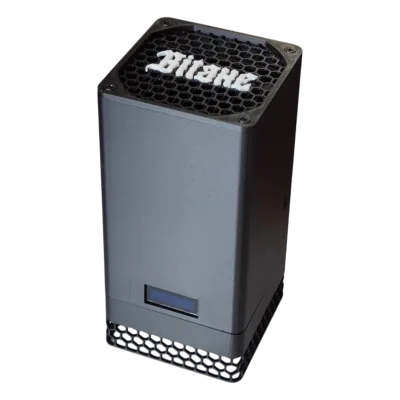
This is why D-Central exists. Not just as a repair shop, but as a force multiplier for pleb mining. We fix your hardware so you can keep your hashrate sovereign. We sell Bitaxe open-source miners and mining equipment so you can grow your operation on your own terms. We host miners for those who need the infrastructure. Every layer of Bitcoin mining, decentralized — that is the mission.
FAQ
Can ASIC miners actually be repaired, or should I just buy a new one?
Yes, the vast majority of ASIC miner failures are repairable. Common issues like fan failures, PSU problems, and even hashboard faults can be diagnosed and fixed. At D-Central, we have repaired thousands of units since 2016. Repair typically costs a fraction of replacement, and for home miners leveraging heat output, repair is almost always the right call.
What are the most common reasons an ASIC miner stops working?
The top five causes are: (1) power supply failure, (2) hashboard chip failure from power surges or thermal stress, (3) fan bearing failure leading to overheating shutdowns, (4) firmware corruption from interrupted updates, and (5) dust accumulation causing chronic overheating. Most of these are preventable with proper maintenance and environment control.
How much does professional ASIC repair cost?
Costs vary by failure type and model. Simple repairs like fan or PSU replacement are straightforward and affordable. Hashboard-level component repair — replacing ASIC chips, repairing traces, reflowing BGA connections — ranges depending on the extent of damage. D-Central provides a diagnosis and estimate before any repair work proceeds, so you always know the cost before committing.
What ASIC miner brands and models can D-Central repair?
We service all major manufacturers: Bitmain (Antminer S9, S17, S19, S21 series and more), MicroBT (WhatsMiner M30, M50, M60 series), Canaan (Avalon), and Innosilicon. Our ASIC repair service covers 38+ specific models with dedicated diagnostic procedures for each.
Can I fix my ASIC miner myself?
Some repairs are absolutely DIY-friendly: fan replacements, dust cleaning, PSU swaps, firmware reflashing, thermal paste replacement, and network troubleshooting. Hashboard-level repair — replacing chips, repairing traces, BGA rework — requires specialized equipment and expertise that most home miners do not have. Start with the basics and escalate to professional repair when needed.
How do I know if my hashboard is dead?
Check your miner’s web interface. If it shows fewer hashboards than expected (for example, 2 of 3 on an Antminer), if one board shows zero hashrate or abnormal temperatures, or if the miner logs show cascading ASIC chip errors on a specific board — that hashboard likely needs repair. Sometimes a reseat of the hashboard connectors or a firmware reflash resolves detection issues, so try those first.
Is it worth repairing an older miner like the Antminer S9?
It depends on your electricity cost and use case. If you run the S9 as a Bitcoin space heater — dual-purpose mining and heating — then repair is almost always worthwhile because the heat output replaces an electric heater while earning sats. If you are paying high electricity rates and relying purely on mining revenue, a newer model with better J/TH efficiency may make more sense. The key variable is always your cost of power.
How can I prevent my ASIC miner from breaking down?
Monthly dust cleaning, regular fan inspection, stable power supply with surge protection, controlled temperature and humidity (5-35 degrees Celsius, under 60% humidity), and timely firmware updates. These simple practices dramatically extend hardware lifespan. Most of the catastrophic failures we see at D-Central were preventable with basic environmental controls and periodic maintenance.