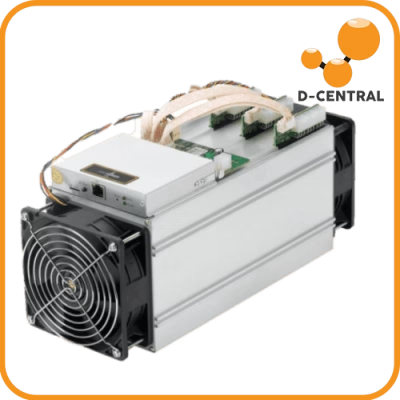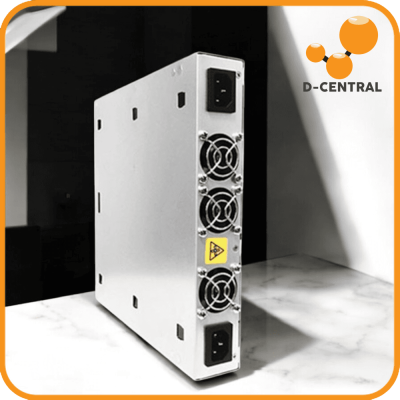
Every ASIC miner is a precision thermal engine. Your Antminer’s ASIC chips convert electricity into hashes at blistering speeds, and every watt that doesn’t become a valid hash becomes heat. In 2026, with the Bitcoin network surging past 800 EH/s and difficulty climbing above 110 trillion, your mining hardware is working harder than ever. The difference between a machine that hashes reliably for years and one that dies in months often comes down to a single component: the cooling fan.
At D-Central Technologies, we’ve been the Bitcoin Mining Hackers since 2016. We’ve repaired thousands of Antminers in our Montreal, Quebec facility, and fan-related failures are among the most common — and most preventable — issues we see. This guide gives you everything you need to choose the right replacement fans, install them properly, and keep your mining operation running cool and profitable.
Why Cooling Is the Most Critical System in Your Antminer
An Antminer S21 running at full power draws around 3,500 watts. Nearly all of that energy is dissipated as heat across the hashboards and power supply. The fan system is the only thing standing between your ASIC chips and thermal destruction. Without adequate airflow, chip junction temperatures climb past safe thresholds, triggering thermal throttling or — worse — permanent damage to hashboards that cost hundreds of dollars to replace.
The Thermal Cascade Effect
Fan degradation doesn’t happen overnight. It’s a slow cascade:
- Bearing wear begins — Fan RPM drops by 5-15%, reducing airflow across the heatsinks.
- Chip temperatures climb — The control board compensates by increasing fan speed, which accelerates bearing wear further.
- Thermal throttling kicks in — The firmware reduces clock frequencies to prevent damage, cutting your hashrate and daily earnings.
- Hashboard damage — If the degraded fan isn’t caught in time, sustained high temperatures can desolder BGA connections on ASIC chips, killing individual chips or entire hashboards.
At today’s post-halving block reward of 3.125 BTC, every terahash matters. A 10% hashrate loss from thermal throttling on an S21 translates to measurable daily revenue lost. Proactive fan replacement is one of the cheapest ways to protect your mining investment.
Antminer Fan Specifications: Know What You’re Replacing
Before you buy a replacement fan, you need to understand the specifications that define ASIC cooling fans. Not all 120mm fans are created equal — an Antminer fan is a high-static-pressure, high-RPM industrial component, not a standard PC case fan.
| Specification | What It Means | Typical Antminer Range |
|---|---|---|
| Size | Fan frame dimensions | 120mm x 120mm x 38mm |
| Airflow (CFM) | Cubic feet per minute of air moved | 200-280 CFM at full speed |
| Static Pressure | Ability to push air through resistance (heatsinks) | 15-40 mm H₂O |
| RPM | Revolutions per minute at full speed | 5,000-7,000 RPM |
| Noise Level | Sound output in decibels | 65-80 dBA (stock fans) |
| Connector | Electrical interface to control board | 4-pin (PWM) — varies by model |
| Voltage | Operating voltage | 12V DC |
| Bearing Type | Affects lifespan and noise | Ball bearing (standard), fluid dynamic (premium) |
Connector Compatibility Is Non-Negotiable
The most common mistake miners make when buying replacement fans is ignoring the connector type. Bitmain uses different 4-pin connectors across Antminer generations. An S9 fan connector is physically different from an S19 connector, which differs again from the S21 series. Even if the fan dimensions match perfectly, a wrong connector means the control board can’t read RPM data, can’t control PWM speed, or can’t detect the fan at all — triggering a fan error that shuts down hashing.
Always verify the exact connector type for your specific Antminer model before purchasing. If you’re unsure, D-Central’s ASIC repair team can help you identify the correct part.
Fan Brands: OEM vs. Aftermarket Options
Bitmain sources fans from several manufacturers. Understanding the strengths and weaknesses of each brand helps you make a smarter replacement decision.
OEM Fan Brands (Stock Bitmain Fans)
| Brand | Found In | Reputation | Notes |
|---|---|---|---|
| Nidec UltraFlo | S17, S19 series | Excellent | Japanese engineering, best OEM option. Long lifespan, consistent RPM. |
| Martech | S19k Pro, T21, S21 | Very Good | High CFM, solid build. D-Central stocks these as standalone replacements. |
| FCN | Various models | Good | Adequate airflow, mid-range durability. |
| SJ Fans | S9, L3+, older models | Poor | Known for premature bearing failure. Replace proactively if your miner uses these. |
Aftermarket Options for Home Miners
If you’re running an Antminer as a Bitcoin space heater or in a home environment where noise is a concern, aftermarket fans open up a world of possibilities:
- Noctua NF-A14 iPPC-3000 PWM — The gold standard for home mining. At 3,000 RPM max, it delivers strong airflow at dramatically lower noise than stock fans. Ideal for underclocked or mid-power home mining setups. Available in D-Central’s shop.
- Noctua NF-F12 iPPC-3000 PWM — The 120mm variant for miners that need a direct 120mm drop-in with lower noise. Excellent static pressure for pushing air through dense heatsinks.
- Arctic P12 PWM — Budget-friendly option with surprisingly good performance. Lower RPM ceiling means it won’t cool a full-power S21, but works well for underclocked setups.
- Gelid Gale-01 — A high-performance 120mm PWM fan designed for demanding cooling applications, offering a strong balance of airflow and noise levels.
Critical note for aftermarket fans: Swapping to lower-RPM fans means your miner cannot sustain stock hashrates. This is by design for home miners — you trade some hashrate for livable noise levels. If you’re running at full power in a dedicated space, stick with OEM-spec fans.
Diagnosing Fan Problems: What to Look For
Catching fan issues early prevents expensive hashboard repairs. Here are the warning signs every miner should monitor:
Dashboard Warning Signs
- Fan RPM readings below expected range — If a fan that normally runs at 6,000 RPM is reporting 4,500, the bearing is likely degrading.
- RPM fluctuations — A healthy fan holds steady RPM under constant load. Erratic readings signal intermittent bearing seizure.
- Fan error codes — The control board reports fan faults when RPM drops below minimum threshold or PWM signal is lost.
- Rising chip temperatures — If ambient temperature hasn’t changed but chip temps are climbing, suspect reduced airflow.
Physical Warning Signs
- Grinding or clicking noises — Ball bearings failing. Replace immediately before debris contaminates other components.
- Vibration — Imbalanced blades from dust accumulation or physical damage.
- Visible dust buildup — Heavy dust on fan blades reduces airflow efficiency by 10-30%. Clean or replace.
- Blade discoloration or warping — Heat damage to the fan itself, indicating the fan is running in conditions beyond its design spec.
We recommend checking fan health at least monthly if you’re running miners in a dusty environment, and quarterly in clean installations. A fan speed tester is a cheap diagnostic tool that lets you bench-test any suspect fan outside the miner.
Step-by-Step Fan Replacement Guide
Replacing an Antminer fan is one of the simplest repairs you can do yourself. Here’s the process:
Tools Required
- Phillips screwdriver (#2)
- Compressed air can (for cleaning while the case is open)
- Anti-static wrist strap (recommended but not strictly required for fan swap)
- Replacement fan with correct connector for your model
Procedure
- Power down completely. Unplug the PSU from the wall. Wait 30 seconds for capacitors to discharge. Never work on a live miner.
- Remove the fan guard/grille. Most Antminers have 4 screws per fan grille on the intake and exhaust sides. Remove the grille on the side with the faulty fan.
- Disconnect the fan cable. Trace the 4-pin cable from the fan to the control board. Gently pull the connector straight out — don’t yank sideways or you’ll damage the header pins.
- Remove the fan. Unscrew the 4 mounting screws holding the fan to the chassis. The fan slides out.
- Clean while you’re in there. With the fan out, hit the heatsinks and control board with compressed air. You’ve got access you rarely get — use it.
- Install the new fan. Orient it correctly — airflow direction arrows are printed on the fan frame. Intake fans blow air INTO the miner, exhaust fans blow air OUT. Getting this backwards halves your cooling capacity.
- Secure and reconnect. Screw the new fan in, route the cable cleanly, plug the connector into the control board header.
- Replace the grille and power on. Monitor the dashboard for the first 10 minutes. Verify the new fan reports correct RPM and chip temperatures stabilize.
The entire process takes 10-15 minutes. If you encounter a more complex issue — like a fan header that doesn’t detect the new fan, or chip temperatures that remain elevated after replacement — that could indicate a control board issue. D-Central’s repair service handles these deeper diagnostics.
Beyond Fans: Complete Airflow Management for Home Miners
Replacing a bad fan is a fix. Building a proper airflow system is a strategy. If you’re serious about home mining — especially if you’re using miners as space heaters to offset energy costs with useful heat — airflow management is how you make it sustainable.
ASIC Shrouds: The Missing Link
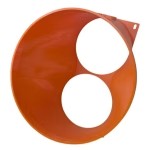
Stock Antminers blast hot air in a wide cone out the exhaust side. In a home environment, that hot air recirculates back to the intake, creating a thermal feedback loop that forces fans to work harder and louder. ASIC shrouds solve this by channeling exhaust air into standard ductwork (6″ or 8″ ducts) that can be routed wherever you need the heat — or vented outside in summer.
D-Central manufactures a comprehensive range of shrouds:
- Universal ASIC Shroud (Dual 120mm to 6″ or 8″) — Fits Antminer, Avalon, and Innosilicon miners. Routes exhaust into standard HVAC ductwork.
- S19 Shroud (6″ and 8″ variants) — Precision-fit for the S19 series exhaust geometry, co-developed with GOBRRR.ME.
- Whatsminer Shrouds — Purpose-built for MicroBT Whatsminer exhaust dimensions.
- S19 Flexible Duct Adapters — For installations where rigid ducting isn’t practical.
Duct Fans for Controlled Airflow
Pairing a shroud with a duct fan like the AC Infinity Cloudline S6 or S8 gives you precise control over exhaust airflow. These fans include built-in thermostats and speed controllers — set a target temperature and let the system self-regulate. This is the setup we recommend for Bitcoin space heater installations where you want to heat a specific room or floor of your house.
The SilentMiner Fan Speed Reducer
For miners who want to reduce noise without swapping fans entirely, the SilentMiner ASIC Fan Speed Reducer Cable is a simple inline solution. It reduces voltage to the stock fans, lowering RPM and noise. Combined with underclocking via firmware like BraiinsOS, this can make a stock Antminer tolerable in a residential setting.
Canadian Home Mining: Leverage Your Climate
Here in Canada, we have a natural advantage that most of the world doesn’t: cold winters. From October through April, outside air temperatures regularly drop below 0°C across much of the country. That cold air is free cooling for your miners — and the waste heat from mining directly offsets your heating bill.
A properly ducted Antminer setup in a Canadian home can:
- Draw cold outside air as intake during winter months, reducing fan speed (and noise) while maintaining optimal chip temperatures.
- Route hot exhaust air into living spaces, effectively turning electricity costs into both Bitcoin mining revenue AND home heating.
- Switch to outdoor exhaust venting in summer to keep the mining space cool.
This dual-purpose mining approach is core to D-Central’s philosophy. Every miner we sell, repair, or configure is a potential heating unit. The fan and airflow system you choose determines how effectively you capture that heat. We are the North — and we mine accordingly.
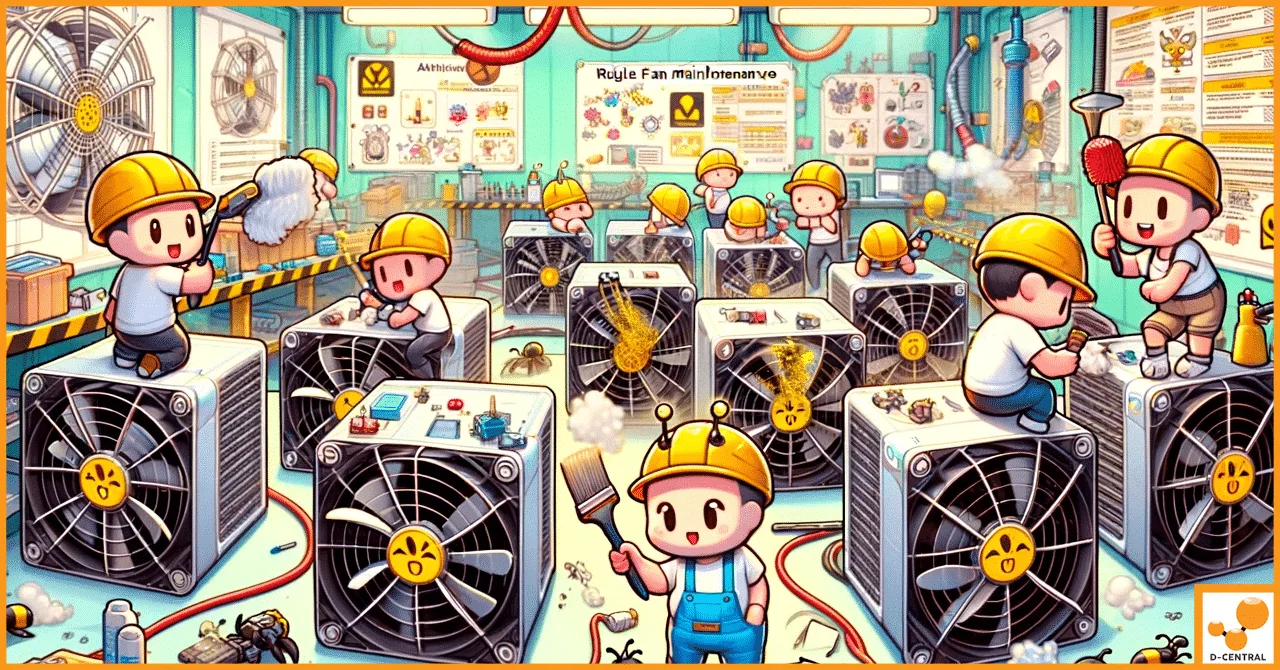
Maintenance Schedule: Keep Your Fans Spinning Longer
| Interval | Task | Why It Matters |
|---|---|---|
| Weekly | Check fan RPM and chip temps in dashboard | Catches early bearing degradation before it causes thermal throttling |
| Monthly | Visual inspection of fan grilles for dust buildup | Dust restricts airflow — a clogged grille can reduce cooling by 20%+ |
| Quarterly | Compressed air cleaning of fans, heatsinks, and control board | Removes accumulated particulates that degrade performance over time |
| Annually | Full fan assessment — test each fan individually, replace any showing RPM decline | Proactive replacement before failure prevents costly emergency downtime |
| 18-24 months | Consider proactive replacement of all fans (especially SJ brand) | Fan bearings have a finite lifespan — budget for periodic replacement |
Where to Buy: Genuine Parts from a Source You Can Trust
The Antminer fan market is flooded with counterfeits — especially on platforms like AliExpress and eBay. Counterfeit fans often use inferior bearings, lower-quality blades, and cheaper materials that fail faster than genuine parts. Some don’t even match advertised CFM ratings.
D-Central stocks genuine replacement fans and premium aftermarket options:
- Replacement Fan for Antminer 120mm — Direct OEM-spec replacement for standard 120mm Antminer fan slots.
- Replacement Fan for APW8/APW9 — Purpose-built for Bitmain APW-series power supplies.
- Martech 7K RPM 120mm Fan — High-performance replacement compatible with S19k Pro, T21, and S21 series.
- Gelid Gale-01 120mm — High-performance PWM fan for demanding ASIC cooling.
- Noctua NF-F12 iPPC-3000 PWM — Premium quiet option for home mining setups.
- Noctua NF-A14 iPPC-3000 PWM — 140mm premium fan for shroud-based cooling systems.
Every part we sell ships from Canada with quality verification. We don’t just sell fans — we repair the miners they cool. That gives us a perspective on component quality that pure retailers simply don’t have.
Frequently Asked Questions
How often should I replace Antminer fans?
Under normal operating conditions, quality Antminer fans (Nidec, Martech) last 2-3 years before bearings degrade noticeably. SJ-brand fans may need replacement after 12-18 months. Monitor RPM readings monthly — if a fan consistently reads 10%+ below its rated speed, it’s time to replace. For miners running 24/7 in dusty environments, budget for annual fan replacements as a maintenance cost. At D-Central, we include fan inspection as part of every ASIC repair we perform.
Can I use PC case fans like Noctua in my Antminer?
Yes, but with important caveats. Premium PC fans like the Noctua iPPC-3000 series deliver dramatically lower noise but also less airflow than stock ASIC fans. They work well in underclocked or mid-power setups — for example, an S19 running at 50-70% power via BraiinsOS firmware. At full stock power, most PC fans cannot provide sufficient cooling to prevent thermal throttling. You’ll also need to match the connector type — stock Antminer connectors are not standard PC fan headers, so an adapter or rewiring may be required. D-Central sells pre-configured quiet mining solutions like our Bitcoin Space Heaters that already account for these considerations.
My Antminer shows a “Fan Error” but the fan is spinning — what’s wrong?
This is usually a PWM signal or tachometer issue. The control board monitors fan RPM via the tachometer wire in the 4-pin connector. If that wire has a poor connection, is damaged, or the fan’s Hall effect sensor is failing, the board can’t confirm the fan is running — even though it is. Try reseating the connector first. If the error persists, test the fan with a fan speed tester to verify the tachometer signal is clean. A fan that spins but doesn’t report RPM correctly needs replacement. If the issue is on the control board side (damaged header, blown tach circuit), that’s a repair job for professionals.
What’s the difference between intake and exhaust fans on an Antminer?
Antminers use a push-pull airflow configuration. Intake fans (typically on the side with the Ethernet and control board connections) draw ambient air into the machine across the heatsinks. Exhaust fans (on the opposite side) pull hot air out. Both sets are identical fans — the only difference is mounting orientation. Arrows on the fan frame indicate airflow direction. When replacing fans, always verify you’re installing them in the correct orientation. A reversed fan creates a dead zone in the airflow path, which can cause localized overheating on specific hashboard sections even if overall airflow volume seems adequate.
Should I replace just the failed fan or all fans at once?
If one fan has failed, the others in that batch are likely approaching the same point in their lifespan — they’ve logged the same hours under the same conditions. We recommend replacing all fans on a given side (intake or exhaust) at minimum, and ideally all fans in the unit if they’re the same age. The cost of a full fan set is a fraction of the cost of a hashboard repair caused by inadequate cooling. Think of it as insurance — a few dollars in proactive fan replacement prevents hundreds of dollars in potential damage. D-Central stocks replacement fans for all major Antminer models, and we offer discounted pricing on multi-fan orders.
The Bitcoin Mining Hackers Approach to Cooling
At D-Central, cooling isn’t just about keeping temperatures in spec. It’s about rethinking what mining hardware can do in your home. We’ve built shrouds, heaters, and complete airflow systems that turn the “waste heat problem” into a home heating solution. We’ve been hacking institutional mining technology for home miners since 2016 — from custom firmware configurations to 3D-printed duct adapters designed right here in Canada.
Whether you need a single replacement fan, a complete airflow overhaul, or professional repair for a miner that’s been running too hot for too long — we’ve got you covered. Browse our full cooling fans and shrouds and adapters catalog, or contact our repair team for diagnostics on a miner with thermal issues.
Every hash counts. Keep your fans spinning, keep your miners hashing, and keep decentralizing the Bitcoin network — one home miner at a time.