Every ASIC miner that hashes Bitcoin depends on one critical component: the hashboard. It is the densely packed PCB loaded with application-specific integrated circuit chips that perform the SHA-256 computations securing the Bitcoin network. When a hashboard fails, your miner does not just slow down. It stops contributing hash power entirely. With Bitcoin’s network hashrate now exceeding 800 EH/s and difficulty pushing past 110 trillion, every terahash you lose to a dead or degraded hashboard is hash power the network no longer benefits from and you no longer earn sats on.
At D-Central Technologies, we have been tearing apart, diagnosing, and rebuilding hashboards since 2016. We are Bitcoin mining hackers. We have seen every failure mode the field can throw at a board, from blown voltage regulators on Antminer S9s to cracked BGA joints on S19 XP chips. This guide distills that hands-on experience into a comprehensive resource for anyone who wants to handle, diagnose, and repair hashboards safely, whether you are running a single miner heating your home or managing a fleet.
What Is a Hashboard and Why Does It Matter
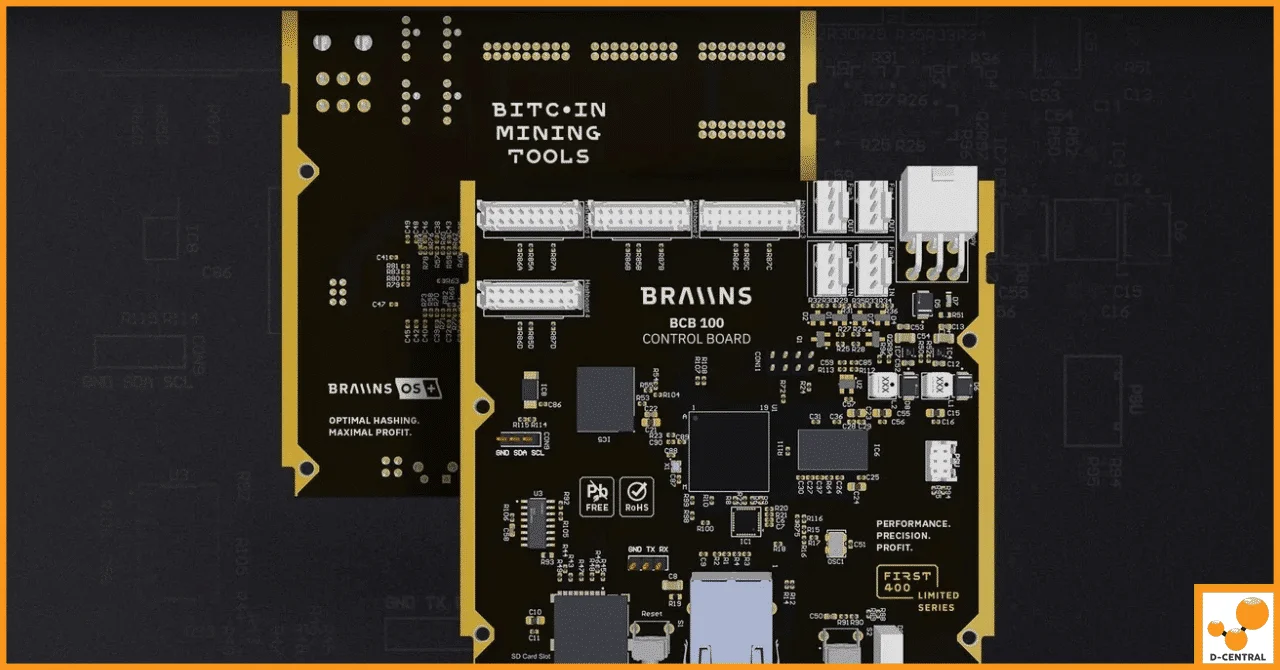
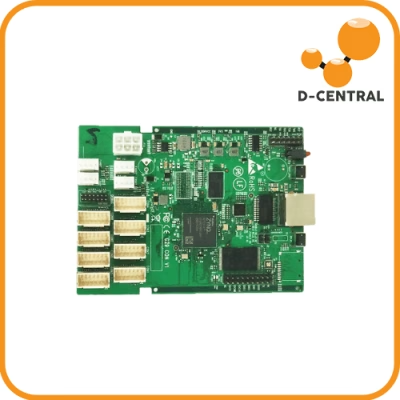
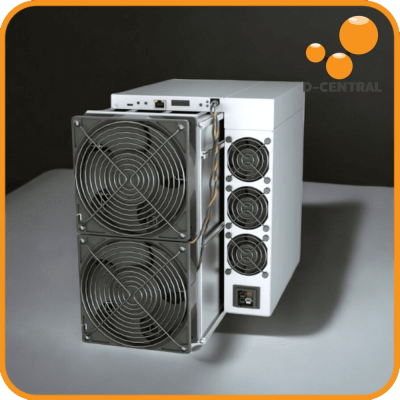
A hashboard is a printed circuit board containing dozens to hundreds of ASIC chips, each purpose-built to execute SHA-256 hashing at maximum speed with minimum power draw. A typical modern miner like the Antminer S21 contains three hashboards, and each board must function correctly for the machine to reach its rated hashrate. Lose one board and you lose roughly a third of your output. Lose all three and you have an expensive paperweight.
Anatomy of a Hashboard
Understanding what you are looking at is the first step to handling one safely. A hashboard contains several critical zones:
- ASIC chips — The compute engines. Arranged in series chains, each chip processes a portion of the hash calculations. Modern chips like the BM1397 (S19 series) or BM1370 (S21 series) pack billions of transistors into tiny packages.
- Voltage regulators and power delivery — Buck converters, MOSFETs, and capacitors that step down the PSU voltage to the precise levels each ASIC chip requires. A single failed capacitor here can take out an entire voltage domain.
- Signal chain — CLK (clock), RST (reset), RI/RO (receive in/out), and TX/RX lines that allow the control board to communicate with each chip in sequence. A broken signal trace means chips downstream go dark.
- Thermal interface — Heatsinks bonded to the ASIC chips via thermal paste or thermal pads. This thermal path is what keeps chip junction temperatures within safe operating limits.
- Connectors — Power connectors (typically large gauge for high current) and data ribbon cables that link the hashboard to the control board.
Why Hashboard Health Equals Mining Uptime
In 2026, Bitcoin mining rewards sit at 3.125 BTC per block after the April 2024 halving. With the block subsidy halved, every watt of efficiency matters more than ever. A degraded hashboard that pulls full power but delivers 70% of its rated hashrate is a direct hit to your efficiency ratio (J/TH). For home miners running Bitcoin space heaters, hashboard health also determines how much useful heat your miner produces per sat earned. A miner with a dead board still draws fan power and controller power while contributing zero hash power from that board.
Handling Hashboards Safely: ESD, Tools, and Workspace
Hashboards are sensitive electronics. The ASIC chips, capacitors, and signal traces are all vulnerable to electrostatic discharge (ESD), physical shock, and contamination. Here is how to handle them without causing damage.
Electrostatic Discharge Protection
ESD is the silent killer of electronics. A static discharge you cannot even feel (below 3,500 volts) can permanently damage or degrade ASIC chips. The damage may not manifest immediately; it can cause latent failures weeks or months later that are nearly impossible to trace back to the handling event.
- Anti-static wrist strap — Wear one connected to a known earth ground every time you touch a hashboard. No exceptions.
- Anti-static mat — Work on a grounded ESD mat. The mat provides a controlled discharge path for both you and the board.
- Anti-static bags — Store and transport hashboards in anti-static (pink poly or metalized shielding) bags. Never use regular plastic bags, which can generate static through triboelectric charging.
- Humidity — Keep your workspace between 40% and 60% relative humidity. Dry environments (common in Canadian winters) dramatically increase static buildup.
Essential Tools for Hashboard Work
- Digital multimeter — For measuring voltage domains, checking continuity, and testing individual components. A basic Fluke or equivalent is sufficient for most diagnostics.
- Thermal camera or infrared thermometer — For identifying hot spots that indicate failing chips, shorted voltage domains, or thermal paste breakdown.
- Soldering station with temperature control — A quality station (Hakko, Weller, or JBC) with adjustable temperature is mandatory for any board-level work. Avoid cheap irons with no temperature regulation.
- Hot air rework station — Required for BGA chip removal and replacement. ASIC chips are surface-mount components that cannot be removed with a soldering iron alone.
- Flux and isopropyl alcohol (99%+) — Flux for rework, IPA for cleaning residue after soldering.
- Magnification — A stereo microscope or high-quality loupe for inspecting solder joints, traces, and component markings.
- Non-magnetic precision screwdrivers — For disassembly without risking magnetic interference to sensitive components.
Workspace Setup
Your workspace should be clean, well-lit, and organized. Lay out a grounded ESD mat on a sturdy workbench. Keep tools within reach but off the board surface. Use parts trays for screws and small components. Good overhead LED lighting (5000K daylight) eliminates shadows that hide cracked joints and damaged traces. If you are doing this at home, a dedicated corner of a workshop or garage works well as long as you control dust and humidity.
Common Hashboard Failure Modes
After repairing thousands of hashboards across every major ASIC miner model, these are the failure patterns we see most frequently at our ASIC repair shop.
Overheating and Thermal Damage
Overheating is the number one hashboard killer. It happens when thermal paste dries out, heatsinks lose contact, fans fail, or ambient temperatures climb too high. The result: ASIC chips exceed their thermal design power (TDP), degrade over time, and eventually fail. On thermal camera, you will see hot spots glowing well above the surrounding chips. In severe cases, the PCB itself discolors around the affected area.
Miners used as space heaters benefit from consistent airflow management since the heat output is the feature, but the hashboards still need to stay within their rated temperature envelope to avoid damage.
Failed ASIC Chips
Individual ASIC chips can fail from thermal stress, manufacturing defects, voltage spikes, or simply reaching end of life. A single failed chip in a series chain can take out an entire chain, causing a significant hashrate drop. The miner’s kernel log will typically report missing or non-responsive chips, and a thermal scan will show the dead chip running cold compared to its neighbors (since it is not computing).
Voltage Domain Failures
Each hashboard divides its ASIC chips into voltage domains, each powered by its own buck converter circuit. When a MOSFET blows, a capacitor shorts, or a voltage regulator fails, every chip in that domain goes down. This is one of the more common failures on older-generation boards like the S9 and S17 series. A multimeter check across the domain’s test points will quickly reveal abnormal voltage or a dead short.
Signal Chain Breaks
The ASIC chips on a hashboard are daisy-chained for communication. If the signal chain breaks at any point (cracked trace, failed level shifter, bad solder joint on a chip’s signal pin), every chip downstream of the break becomes invisible to the control board. The miner reports fewer chips than expected, and hashrate drops proportionally.
Connector and Cable Failures
Ribbon cable connectors corrode, crack, or work loose over time, especially in environments with temperature cycling or vibration. A bad data connection causes intermittent hashboard detection. A bad power connection causes voltage droop under load, triggering chip errors or thermal shutdowns.
Physical Damage from Mishandling
Dropped boards, bent pins, scratched traces, and crushed components. This is entirely preventable with proper handling procedures. Always hold boards by the edges, never stack them without padding, and never flex a PCB.
Diagnosing Hashboard Problems
Effective diagnosis saves time and money. A systematic approach prevents replacing components that were never the problem.
Step 1: Read the Kernel Log
Before you even open the miner, check its web interface or SSH into the control board and read the kernel log. Modern ASIC miners report chip counts, voltage domain errors, temperature readings, and communication failures. This data tells you which board is affected and often narrows the problem to a specific chip chain or voltage domain.
Step 2: Visual Inspection
Remove the hashboard and inspect it under good lighting with magnification. Look for:
- Discoloration or burn marks on the PCB
- Bulging, cracked, or leaking capacitors
- Cracked or lifted solder joints on ASIC chips
- Corroded or damaged connectors
- Physical damage (bent components, scratched traces)
Step 3: Thermal Scan
Power the board (if it is safe to do so) and use a thermal camera to scan for anomalies. Dead chips run cold. Shorted voltage domains run excessively hot. A uniform thermal profile across all chips indicates healthy operation.
Step 4: Electrical Measurements
With the board powered off, use a multimeter to:
- Check each voltage domain for shorts to ground (low resistance indicates a short)
- Verify connector pin continuity
- Measure resistance across known test points (manufacturer documentation or community resources provide reference values for most popular models)
Step 5: Isolate the Fault
Based on the data from steps 1 through 4, narrow down the failure to a specific component or area. Only then should you proceed to repair. Replacing components without proper diagnosis is a waste of parts and risks causing additional damage.
Repairing Hashboards: From Basic Maintenance to Advanced Rework
Basic Maintenance Every Miner Should Do
These tasks require no soldering skills and can extend hashboard life significantly:
- Dust removal — Use compressed air (not a vacuum, which generates static) to blow out dust from heatsinks, fans, and board surfaces. Do this monthly or more frequently in dusty environments.
- Thermal paste replacement — Thermal paste degrades over time. Remove old paste with IPA and a lint-free cloth, then apply fresh paste (Arctic MX-4 or similar high-quality compound) before reseating heatsinks. Do this annually or whenever you notice rising chip temperatures.
- Connector cleaning — Clean ribbon cable connectors with IPA and a soft brush. Reseat all connectors firmly. Replace any cables that show signs of wear or damage.
- Fan replacement — Fans are consumable components. Replace them when they get noisy, vibrate excessively, or show reduced airflow. A failing fan leads directly to overheating.
- Firmware updates — Keep your miner firmware current. Updates often include thermal management improvements, chip tuning optimizations, and bug fixes. Check manufacturer channels or community firmware projects for the latest versions.
Intermediate Repairs: Component Replacement
These tasks require basic soldering skills and a temperature-controlled soldering station:
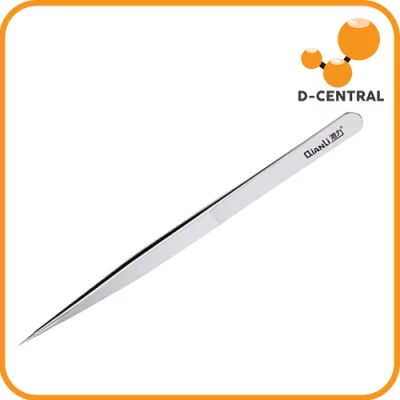
- Capacitor replacement — Identify the failed capacitor (visually or via multimeter). Remove it by heating both pads simultaneously and lifting with tweezers. Clean the pads with flux and IPA. Solder the replacement capacitor, matching the original value and voltage rating exactly.
- MOSFET replacement — Similar to capacitor replacement but requires more care with pad alignment and thermal management during soldering. Use flux generously and inspect the joint under magnification after soldering.
- Connector replacement — Desolder the damaged connector using a combination of soldering iron and solder wick. Clean the through-holes, insert the new connector, and solder each pin carefully.
Advanced Repairs: ASIC Chip Replacement
This is board-level rework that requires a hot air rework station, BGA stencils (for some chip packages), and significant experience. Here is the general procedure:
- Preparation — Secure the board on a preheater. Apply flux around the target chip. Protect nearby components with kapton tape or aluminum foil if necessary.
- Chip removal — Heat the chip evenly with the hot air station until the solder reflows, then lift the chip with vacuum tweezers or a pick. Do not pry. If the chip does not release easily, it needs more heat.
- Pad cleanup — Remove residual solder from the pads using solder wick and flux. Clean thoroughly with IPA. Inspect under magnification for lifted pads or damaged traces.
- New chip placement — Apply fresh solder paste or flux to the pads. Align the replacement chip precisely (orientation markers must match). Reflow with the hot air station using the correct temperature profile for the solder alloy.
- Inspection and testing — Inspect all joints under magnification. Look for bridges, insufficient solder, or misalignment. Reinstall the board and test in the miner, verifying that the replaced chip reports correctly in the kernel log.
A word of caution: ASIC chip replacement is not a beginner task. A failed rework attempt can damage the PCB pads beyond repair, turning a repairable board into scrap. If you are not confident in your rework skills, this is where professional repair services earn their value.
When to Call in the Professionals
There is no shame in sending a board to a professional repair shop. In fact, knowing when to stop and hand the job to someone with the right equipment and experience is a sign of maturity as a miner. Here are the situations where professional ASIC repair makes sense:
- Multiple failed ASIC chips — Replacing one chip is a challenge. Replacing several on the same board requires extensive rework time and equipment.
- Unknown fault after basic diagnosis — If you have checked voltages, inspected visually, and scanned thermally but still cannot identify the problem, a professional with an oscilloscope and years of experience may spot what you missed.
- High-value boards — A modern S21 hashboard costs significantly more to replace than an S9 board. The risk-reward math favors professional repair when the board is expensive.
- Recurring failures — If the same board keeps failing after repair, there may be a deeper issue (PCB layer damage, intermittent fault) that requires advanced diagnostic equipment to find.
- Lack of equipment — If you do not have a hot air rework station, preheater, and microscope, do not attempt chip-level repairs. The investment in equipment only makes sense if you are repairing boards regularly.
D-Central has been providing professional ASIC repair services since 2016, handling everything from Antminer S9s to the latest S21 series. We stock replacement parts, have the rework equipment, and have the experience to diagnose and fix what others cannot.
Preventative Maintenance: Keep Your Hashboards Running Longer
The best repair is the one you never have to do. Preventative maintenance is the single most impactful thing you can do for hashboard longevity.
Maintenance Schedule
- Weekly — Check miner dashboard for chip errors, temperature anomalies, and hashrate drops. Listen for abnormal fan noise.
- Monthly — Blow out dust with compressed air. Check all cable connections for tightness.
- Quarterly — Inspect heatsink mounting. Check for thermal paste degradation by monitoring chip temperature trends over time.
- Annually — Full teardown: replace thermal paste on all hashboards, replace fans showing wear, clean all connectors, inspect PCBs for corrosion or damage.
Environmental Controls
- Temperature — Keep intake air temperature below 35C (95F). Higher ambient temperatures reduce the thermal headroom for ASIC chips and accelerate degradation.
- Humidity — Maintain 40-60% relative humidity. Too dry means static risk. Too humid means condensation and corrosion risk.
- Air filtration — If your mining environment is dusty (garage, workshop, basement), add intake air filters. Clean or replace filters regularly.
- Stable power — Use a quality PSU and ensure your electrical circuit is properly sized. Voltage fluctuations and brownouts stress voltage regulators and can cause cascading failures.
For miners hosted at professional facilities like D-Central’s hosting operation in Quebec, these environmental controls are handled for you, including clean power, controlled temperatures, and professional monitoring.
Hashboard Handling for Home Miners and DIY Builders
If you are in the growing community of home miners running Bitcoin space heaters or building open-source mining rigs from Bitaxe boards, hashboard handling principles still apply, even at smaller scale.
Open-source mining boards like the Bitaxe use the same fundamental ASIC technology as large commercial miners. The chips are still ESD-sensitive. The solder joints are still vulnerable to thermal stress. The difference is scale: a Bitaxe has a single ASIC chip instead of dozens, making it both easier to work with and less forgiving of mistakes since there is no redundancy.
For home miners integrating ASICs into heating systems, proper hashboard maintenance ensures your dual-purpose setup keeps delivering both heat and hash power reliably through the Canadian winter and beyond. A dead hashboard still produces some waste heat from the PSU and fans, but you lose all the Bitcoin mining revenue that justified the setup in the first place.
The Bigger Picture: Hashboard Repair and Bitcoin Decentralization
There is a reason D-Central publishes guides like this instead of just telling you to buy a new miner. Every hashboard that gets repaired instead of junked is a win for Bitcoin decentralization. When home miners can maintain and extend the life of their hardware, it keeps more independent hash power online. It reduces the e-waste footprint of mining. And it puts sovereignty back in the hands of the individual.
The Bitcoin network’s security depends on a diverse, distributed base of miners. With hashrate concentrated increasingly in large operations, every home miner who keeps their machines running, whether it is a single Bitaxe or a rack of S19s, contributes to the resilience and censorship resistance of the network. That is worth fighting for.
Visit our shop for replacement parts, repair tools, and everything you need to keep your mining hardware in fighting shape.
Frequently Asked Questions
What exactly is a hashboard?
A hashboard is the primary computing component inside an ASIC Bitcoin miner. It is a printed circuit board packed with specialized ASIC chips that perform SHA-256 hash calculations to mine Bitcoin. Most full-size miners contain three hashboards, and the combined output of all boards determines the miner’s total hashrate.
How do I know if my hashboard is failing?
Common signs include a drop in hashrate reported by your miner’s dashboard, increased chip error rates in the kernel log, one or more chips showing abnormal temperatures (either too hot or completely cold), or the miner failing to detect the board entirely. Any of these symptoms warrant investigation.
Can I repair a hashboard myself?
Basic maintenance like dust cleaning, thermal paste replacement, fan swaps, and connector cleaning can absolutely be done at home with minimal tools. Intermediate repairs like capacitor and MOSFET replacement require soldering skills and a temperature-controlled station. ASIC chip replacement is advanced work requiring a hot air rework station, preheater, microscope, and significant experience. Know your limits and do not hesitate to use professional repair services for complex jobs.
What tools do I need for basic hashboard maintenance?
At minimum: compressed air for dust removal, 99% isopropyl alcohol and lint-free cloths for cleaning, quality thermal paste (Arctic MX-4 or equivalent), an anti-static wrist strap, and a digital multimeter for basic electrical checks. A thermal camera or infrared thermometer is highly recommended for identifying hot spots.
How often should I replace thermal paste on my hashboards?
As a general rule, replace thermal paste annually or whenever you notice chip temperatures trending upward over time. In hot or dusty environments, you may need to do it more frequently. When in doubt, pull the heatsinks and check. If the paste is dry, cracked, or chalky, it is past due for replacement.
Is it worth repairing an old miner like the Antminer S9?
It depends on your goals and electricity cost. For home miners using S9-based Bitcoin space heaters, repair makes excellent sense because the heat output is the primary value and the Bitcoin earned is a bonus. For pure mining profitability at commercial electricity rates, older machines may not justify repair costs. D-Central’s ASIC repair team can assess your specific situation and give you an honest recommendation.
What causes ASIC chips to fail on hashboards?
The most common causes are sustained overheating (from failed cooling, dried thermal paste, or high ambient temperatures), voltage spikes from unstable power delivery, manufacturing defects that manifest over time, electrostatic discharge during improper handling, and simple end-of-life wear from billions of hours of continuous computation.
How does hashboard repair support Bitcoin decentralization?
Every repaired hashboard is hash power that stays online and distributed. When home miners can maintain their equipment instead of discarding it, it preserves the geographic and operational diversity of the Bitcoin network’s hashrate. This diversity is fundamental to Bitcoin’s censorship resistance and security. Repair extends hardware life, reduces e-waste, and keeps independent miners contributing to the network.