
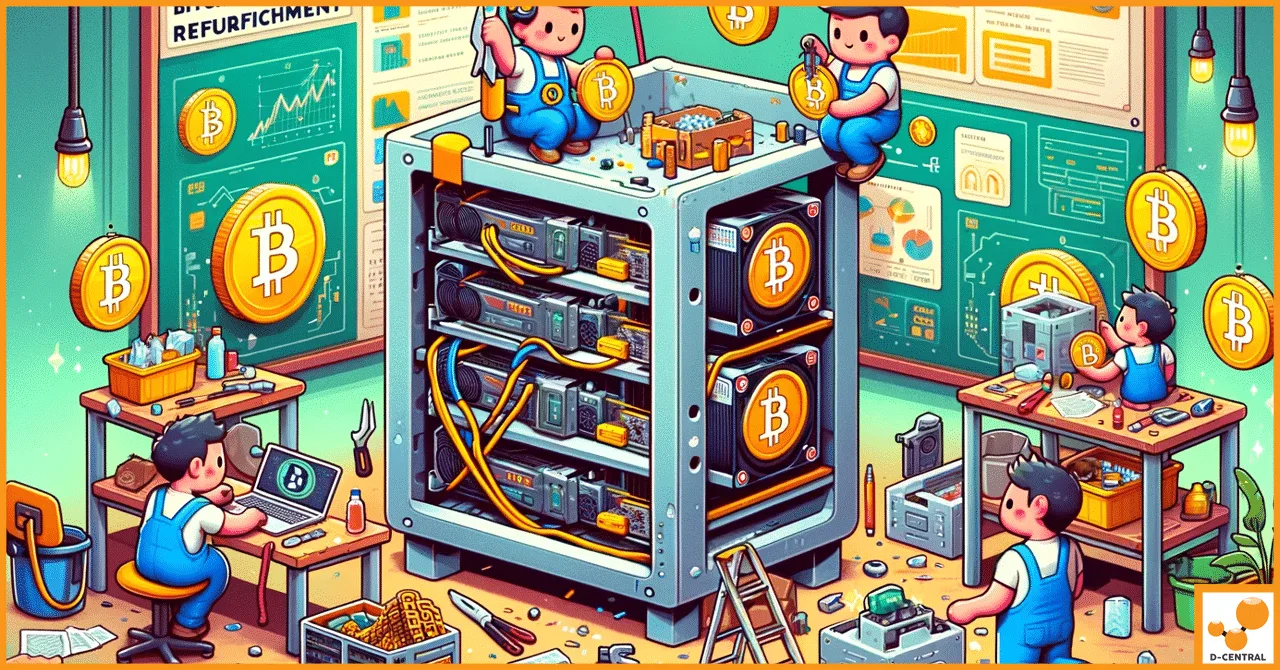
Your ASIC miner has been hashing around the clock for 18 months. The fans sound like a jet engine warming up. Hash rate has dropped 12% from factory spec. The control board throws intermittent errors that clear on reboot — until they don’t. You’re staring down two options: drop thousands on a new unit, or breathe new life into the machine you already own.
At D-Central Technologies, we’ve been tearing apart, diagnosing, and rebuilding ASIC miners since 2016. We’ve seen every failure mode the Bitcoin mining hardware world has to offer — from corroded hashboard connectors on Antminer S9s to blown MOSFETs on S19 power stages. This guide pulls back the curtain on exactly what professional ASIC miner refurbishment looks like, why it matters for home miners and operations of every scale, and how to evaluate whether refurbishment makes sense for your hardware.
Why Refurbishment Matters More Than Ever
Bitcoin’s network hashrate has surged past 800 EH/s. The block subsidy sits at 3.125 BTC after the 2024 halving. Margins are tighter. Every watt counts, every percentage point of efficiency translates directly into sats earned or lost.
In this environment, the difference between a miner running at 90% efficiency and one running at 98% is not trivial — it’s the difference between profitable operation and burning money on electricity. Refurbishment closes that gap.
The Economics Are Clear
Consider a typical scenario with an Antminer S19j Pro:
| Factor | New Unit | Refurbished Unit |
|---|---|---|
| Acquisition Cost | $2,500 – $4,000+ | $800 – $1,500 (repair cost on existing unit) |
| Performance After Service | 100% factory spec | 95 – 100% factory spec |
| Time to Deploy | Shipping + setup (1–3 weeks) | Repair turnaround (1–2 weeks) |
| E-Waste Generated | Full unit disposed | Only failed components replaced |
| Extended Operational Life | N/A | 2 – 4+ additional years |
The math speaks for itself. A professional refurbishment can restore a miner to near-factory performance at 30–50% of the cost of buying new. For home miners running one to ten units, that savings compounds fast.
Beyond dollars, there’s a decentralization argument. Every miner that gets refurbished instead of scrapped is one more unit contributing to Bitcoin’s distributed hash rate. The cypherpunk ethos demands that we keep hardware in the hands of individuals, not let it pile up in landfills while only institutional players can afford fresh machines.
What Actually Happens During Professional Refurbishment
Refurbishment is not cleaning dust off a fan and calling it a day. At D-Central’s ASIC repair facility, the process follows a rigorous, multi-stage protocol that we’ve refined over eight years and thousands of units.
Stage 1: Diagnostic Assessment
Every unit that comes through our doors gets a full diagnostic workup before anyone picks up a screwdriver. This includes:
- Visual inspection — checking for obvious physical damage: burnt components, swollen capacitors, corroded connectors, cracked solder joints, damaged heat sinks
- Power-on testing — measuring input power draw, checking voltage rails across the hashboards, verifying PSU output stability under load
- Hashboard diagnostics — running each hashboard individually to isolate which boards are underperforming, which chips are dead, and where the chain breaks occur
- Thermal imaging — scanning for hot spots that indicate failing components, poor thermal paste application, or blocked airflow paths
- Firmware analysis — checking firmware version, configuration state, and whether custom firmware has been applied (sometimes the “problem” is a bad flash, not hardware)
This diagnostic phase determines everything that follows. A miner with one dead chip on an otherwise healthy hashboard gets a very different treatment than one with a failed voltage domain controller.
Stage 2: Teardown and Deep Cleaning
ASIC miners operate in hostile environments. Even in a clean home setup, 12-18 months of continuous operation pulls dust, pet hair, and airborne particulates through the cooling system. In garage or basement setups, add humidity, temperature swings, and potential insect intrusion to the mix.
Complete teardown means:
- Removing all hashboards from the chassis
- Separating the control board, fans, and PSU
- Ultrasonic cleaning of hashboards (for units with heavy contamination)
- Compressed air cleaning of heat sinks and fin arrays
- Isopropyl alcohol cleaning of connectors and PCB surfaces
- Inspection of every cable, connector, and mounting point
You would be surprised how many “dead” miners come back to life after a proper cleaning. Conductive dust bridges across ASIC chip pads are a common failure mode that looks catastrophic in diagnostics but resolves entirely with proper cleaning.
Stage 3: Component-Level Repair
This is where the real skill lives. Component-level repair on ASIC miners requires:
- Micro-soldering capability — replacing individual ASIC chips (BGA reballing and reflow), MOSFETs, capacitors, and voltage regulators at the board level
- Domain-level troubleshooting — understanding the voltage domain architecture of each hashboard generation to trace faults upstream from dead chips to their root cause
- Genuine replacement parts — using OEM-spec or better components, not cheap knockoffs that will fail again in three months
Common repairs we perform include:
| Repair Type | Common Causes | Difficulty Level |
|---|---|---|
| ASIC Chip Replacement | Overheating, power surge, natural end-of-life | Advanced (BGA rework station required) |
| MOSFET / Voltage Regulator Replacement | Power surge, PSU instability, overclocking | Intermediate to Advanced |
| Fan Replacement | Bearing wear, dust accumulation, age | Basic |
| Thermal Paste Reapplication | Dried/cracked paste after 12–18 months | Intermediate |
| Connector / Cable Repair | Corrosion, physical damage, loose connections | Basic to Intermediate |
| Control Board Repair | Firmware corruption, Ethernet controller failure, NAND issues | Advanced |
| PSU Repair / Replacement | Capacitor degradation, fan failure, output drift | Intermediate |
Stage 4: Firmware Update and Optimization
Hardware is only half the equation. Firmware controls how the ASIC chips operate — clock speeds, voltage levels, fan curves, and error handling. During refurbishment, we:
- Flash the latest stable manufacturer firmware (or verified open-source alternatives where appropriate)
- Configure optimal frequency and voltage profiles for the specific chip quality of that unit
- Set up proper fan curves that balance noise, cooling, and power consumption
- Verify network connectivity and pool configuration
For home miners who are also using their units as Bitcoin space heaters, firmware tuning is especially important. Underclocking a miner to reduce noise while maintaining thermal output for home heating requires precise firmware configuration — not just guessing at settings.
Stage 5: Burn-In Testing and Quality Control
No refurbished unit leaves our facility without a minimum 24-48 hour burn-in test. During this period we monitor:
- Hash rate stability (must hold within 3% of target over the full test period)
- Power consumption consistency
- Temperature readings across all hashboards
- Error rates and rejected shares
- Fan speeds and thermal throttling behavior
If a unit fails burn-in, it goes back to the bench. No exceptions. This is the difference between a professional refurbishment and someone cleaning a miner in their garage and listing it as “refurbished” on a marketplace.
When Refurbishment Makes Sense (and When It Doesn’t)
Refurbishment is not always the right call. Here’s a framework for deciding:
Refurbishment Is the Right Move When:
- The miner is 1-3 generations old — machines like the S19 series, Whatsminer M30S+, or Avalon A1246 still have plenty of productive life if maintained
- The failure is isolated — one bad hashboard, a dead fan, a degraded PSU. These are straightforward, cost-effective repairs
- You’re running it as a heater — if the primary value is thermal output for home heating, even older-gen miners are worth keeping alive
- Replacement cost is high — during supply crunches or bull markets, new hardware prices spike. Refurbishment offers a hedge
- You value sovereignty — keeping your own hardware running means you keep hashing, keep contributing to decentralization, and keep stacking sats on your own terms
Consider Replacement When:
- Multiple hashboards are dead — if 2 of 3 boards need major repair, total repair cost may approach replacement cost
- The efficiency gap is too wide — an S9 at 85 J/TH simply cannot compete with an S21 at 17.5 J/TH in a pure profitability calculation (though it can still be a great space heater)
- Physical damage is severe — water damage, fire damage, or catastrophic power events that affect the chassis and multiple subsystems
Not sure where your unit falls? Our mining consulting team can help you evaluate whether repair or replacement makes the most sense for your specific situation and goals.
The Home Miner Advantage: Why Refurbishment Hits Different for Plebs
If you’re running miners at home — whether that’s one Bitaxe on your desk solo mining, or a couple of S19s in your garage heating the workshop — refurbishment changes the economics of your operation fundamentally.
Industrial mining operations calculate everything on a per-terahash, per-watt basis. When a machine drops below their efficiency threshold, it gets replaced. Period. Those cast-off machines often end up in the secondary market, where home miners snap them up.
But here’s the thing institutional miners miss: home miners capture value that doesn’t show up on a spreadsheet.
That S19j Pro heating your basement workshop? Its “profitability” includes the propane or electric heat you’re NOT buying. The noise it generates? You’ve already solved that with a shroud and duct adapter from our shop. The heat it throws? That’s keeping your pipes from freezing in a Canadian winter.
When that machine needs a new fan or a thermal paste refresh, refurbishment keeps that entire value chain intact for a fraction of the cost of replacement.
This is the Mining Hacker mindset. We don’t throw away hardware because the spreadsheet says the latest model is 15% more efficient. We fix what we have, optimize what we can, and extract maximum value from every piece of silicon.
D-Central’s Refurbishment Edge
We’re not the only shop that repairs miners. But we bring a few things to the table that matter:
- Eight years of hands-on experience — we’ve been doing this since 2016, long before “ASIC repair” was a recognized service category
- 38+ model-specific repair capabilities — from legacy S9s to current-gen S21s, across Bitmain, MicroBT, Canaan, and Innosilicon hardware
- Canadian-based operation — your hardware stays in Canada, with clear shipping logistics and no cross-border customs headaches for Canadian miners
- Full-service ecosystem — we don’t just repair your miner. We sell hosting in Quebec if you need somewhere to run it, parts if you want to DIY, and consulting if you need help planning your setup
- Parts inventory — we stock hashboards, control boards, fans, PSUs, ASIC chips, and consumables so repairs don’t stall waiting for parts from overseas
Maintenance Tips to Extend Time Between Refurbishments
Prevention beats cure. Here’s what we tell every miner who picks up a refurbished unit:
- Clean your miners every 3-6 months — compressed air through the heat sinks, check fan bearings for noise or wobble
- Monitor your hash rate daily — a gradual decline is the earliest warning sign. Set up alerts in your pool dashboard
- Run stable power — use a quality PSU, plug into a dedicated circuit, and consider a UPS or surge protector. Power instability is the number one killer of hashboard components
- Control your environment — keep ambient temperature below 35C, maintain airflow, manage humidity. Basements are great. Unconditioned attics in summer are not
- Don’t overclock beyond stability — pushing frequency for an extra 5% hash rate while increasing power 15% and reducing chip lifespan is a bad trade
- Keep firmware updated — manufacturer firmware updates often include thermal protection improvements and bug fixes
The Bigger Picture: Refurbishment and Bitcoin’s Decentralization
There’s a reason we care about this beyond running a repair business. Every ASIC miner that gets refurbished and put back into service is a vote for Bitcoin’s decentralization.
The alternative — a world where only miners with access to the latest hardware at institutional pricing can participate — is a world where mining becomes increasingly centralized. That’s antithetical to everything Bitcoin was built to achieve.
When a home miner in Quebec refurbishes their S19 instead of scrapping it, they’re keeping one more independent node of hash power alive on the network. Multiply that across thousands of home miners worldwide, and refurbishment becomes a meaningful force for network health.
This is why D-Central exists. Not just to sell hardware or fix machines, but to keep the tools of monetary sovereignty in the hands of individuals. Every hash counts.
Frequently Asked Questions
How long does a typical ASIC miner refurbishment take?
Most refurbishments take 1-2 weeks from the time we receive your unit. Simple repairs (fan replacement, thermal paste, cleaning) can be completed in 2-3 business days. Complex repairs involving ASIC chip replacement or hashboard-level rework may take 5-10 business days depending on parts availability and repair queue depth.
Is it worth refurbishing an older miner like the Antminer S9?
It depends on your use case. For pure profitability mining at current difficulty and electricity rates, the S9’s 85 J/TH efficiency makes it uncompetitive in most markets. However, if you’re using it as a Bitcoin space heater — capturing the thermal output for home heating — refurbishment absolutely makes sense. The heat output is identical regardless of mining profitability, and a refurbished S9 is one of the most cost-effective ways to heat a room while stacking sats.
What parts of an ASIC miner fail most often?
The most common failure points, in order of frequency: fans (bearing wear), thermal paste degradation (reduces cooling efficiency and causes thermal throttling), power supply capacitors (especially in humid environments), ASIC chips (typically one or two per hashboard over the unit’s lifetime), and control board NAND storage (firmware corruption). Connector corrosion is also common in high-humidity environments.
Can I do basic refurbishment myself at home?
Yes — fan replacement, thermal paste reapplication, and deep cleaning are all DIY-friendly with basic tools and careful technique. Component-level repairs (chip replacement, MOSFET soldering, voltage domain troubleshooting) require specialized equipment like a BGA rework station and should be left to professionals. If you’re interested in learning, D-Central offers resources and parts to support home repair efforts.
How does refurbishment affect a miner’s hash rate?
A properly refurbished miner should operate at 95-100% of its original factory hash rate specification. In many cases, miners that were running degraded before refurbishment see significant hash rate improvements — sometimes recovering 10-20% of lost performance. Every refurbished unit undergoes burn-in testing to verify stable hash rate before it ships back to the customer.
Does D-Central refurbish all brands of ASIC miners?
We service miners from all major manufacturers: Bitmain (Antminer series), MicroBT (Whatsminer series), Canaan (Avalon series), and Innosilicon. We maintain model-specific repair capabilities for 38+ individual models. Check our ASIC repair page for the full list of supported hardware.
What’s the difference between refurbishment and simple repair?
A repair addresses a specific failure — replacing a dead fan, fixing a broken connector, reflashing corrupted firmware. Refurbishment is comprehensive: full diagnostic, teardown, deep cleaning, component inspection and replacement as needed, firmware update, thermal management overhaul, and burn-in testing. Think of repair as fixing what’s broken; refurbishment is restoring the entire machine to optimal condition.
 Nerdaxe Gamma / Supra / Ultra — Silent Operation & Stable Overclocking" width="80" height="80" loading="lazy" style="width:80px;height:80px;object-fit:contain;border-radius:6px;background:#1A1A1A;flex-shrink:0;">
Shop Heatsinks
Nerdaxe Gamma / Supra / Ultra — Silent Operation & Stable Overclocking" width="80" height="80" loading="lazy" style="width:80px;height:80px;object-fit:contain;border-radius:6px;background:#1A1A1A;flex-shrink:0;">
Shop Heatsinks

