Bitcoin mining generates heat. Lots of it. Every SHA-256 hash your ASIC computes converts electrical energy into two things: proof-of-work and thermal energy. The question is not whether your miner will get hot — it is whether your cooling solution is engineered to handle that heat intelligently.
For Whatsminer operators running the M21S, M53, or similar MicroBT hardware, the factory air-cooling setup works — until it does not. Fan bearings wear out, dust clogs heatsink fins, ambient temperatures climb in summer, and suddenly your hashrate is throttling. The Whatsminer Upgraded Hydro Heatsinks represent a fundamentally different approach: replacing the air-cooled heatsinks with water-cooled units that leverage the superior thermal conductivity of liquid to keep ASIC chips at optimal operating temperatures.
This guide breaks down exactly how hydro heatsinks work, why water cooling outperforms air cooling for Bitcoin mining, how it compares to full immersion cooling, and what you need to know before upgrading your Whatsminer fleet.
Why Cooling Matters More Than Most Miners Realize
Every ASIC miner has a thermal envelope — a temperature range where the chips perform at their rated hashrate with acceptable error rates. Push beyond that envelope, and bad things happen fast:
| Thermal Condition | What Happens | Impact |
|---|---|---|
| Chip temp 75-85°C | Normal operating range | Full hashrate, normal power draw |
| Chip temp 85-95°C | Thermal throttling begins | Hashrate drops 5-15%, efficiency degrades |
| Chip temp 95-105°C | Aggressive throttling or auto-shutdown | Significant downtime, potential chip damage |
| Chip temp 105°C+ | Permanent thermal damage | Dead hashboard, costly repair or replacement |
The math is simple: lower chip temperatures mean higher sustained hashrate, longer hardware lifespan, and fewer emergency repair bills. When you are solo mining or running a tight home mining operation, every TH/s matters — and every degree of cooling headroom translates directly into uptime and profitability.
How Whatsminer Upgraded Hydro Heatsinks Work
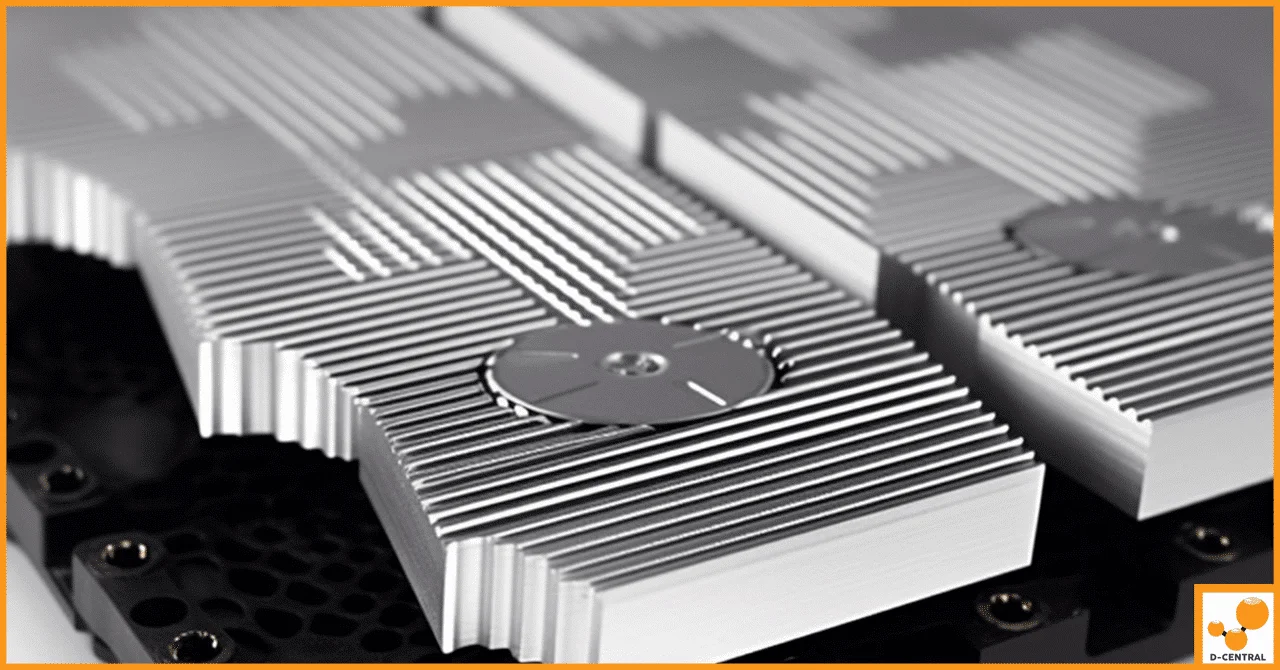
The upgrade process replaces the stock aluminum air-cooled heatsinks on your Whatsminer’s hashboards with precision-machined, anodized water-cooled heatsink blocks. Here is what the system looks like:
Core Components:
- Water-cooled heatsink blocks — Anodized aluminum with internal channels for coolant flow, mounted directly over the ASIC chips with thermal interface material
- Deionized water loop — The coolant circulates through the heatsink channels, absorbing heat from the chips
- Circulation pump — Moves the coolant through the closed loop at a controlled flow rate
- Radiator + fan assembly — Rejects the absorbed heat to ambient air, but far more quietly than stock ASIC fans
- Fittings and tubing — Quick-disconnect fittings connect the heatsinks to the loop with leak-resistant seals
Compatible Whatsminer Models:
| Model | Algorithm | Max Hashrate | Power Draw |
|---|---|---|---|
| Whatsminer M21S | SHA-256 | 56 TH/s | ~3,360 W |
| Whatsminer M53 | SHA-256 | 226 TH/s | ~6,554 W |
The key engineering principle at work is simple physics: water has roughly 25 times the thermal conductivity of air. By running liquid directly over the hottest components in your miner, you extract heat far more efficiently than blowing air across finned aluminum ever could.
The anodization on the heatsink blocks serves a dual purpose — it creates a corrosion-resistant oxide layer that protects the aluminum from the coolant over years of operation, and it actually improves the surface’s ability to transfer heat to the liquid.
Water Cooling vs. Air Cooling: The Engineering Case
Let us cut through the marketing and look at the raw engineering tradeoffs.
| Factor | Air Cooling (Stock) | Water Cooling (Hydro Heatsink) |
|---|---|---|
| Chip Temp Reduction | Baseline | Up to 20°C lower |
| Noise Level | 75-85 dB (jet engine territory) | ~10 dB reduction (noticeable difference) |
| Dust Susceptibility | High — fins clog over time | Minimal — closed liquid loop |
| Overclocking Headroom | Limited by thermal ceiling | Significant headroom gained |
| Ambient Dependency | Heavy — hot room = hot chips | Reduced — liquid buffers temp swings |
| Oxidation/Corrosion | Exposed to humid air | Anodized + sealed loop |
| Maintenance Complexity | Low (blow out dust periodically) | Moderate (check coolant, seals) |
| Upfront Cost | Included with miner | Additional investment required |
The noise reduction alone makes water cooling worth considering for home miners. A stock Whatsminer at full tilt pushes 80+ dB — that is louder than a vacuum cleaner running continuously. Drop that by 10 dB and you have cut the perceived loudness roughly in half. For anyone running miners at home, in a garage, or in a shared space, this is the difference between viable and not.
The overclocking headroom is where things get interesting for the technically minded. With 20°C of thermal margin reclaimed, you can push clock frequencies higher, extract more TH/s from the same silicon, and do it without your miner screaming for mercy. That is the Bitcoin Mining Hacker way — squeezing every hash out of the hardware you own.
Water Cooling vs. Immersion Cooling: Choosing Your Level
Immersion cooling is the other major alternative to air cooling, and it takes the liquid cooling concept to its logical extreme: submerge the entire miner in dielectric fluid. It works, and it works well. But it is not the right solution for everyone.
| Factor | Hydro Heatsinks (Water) | Immersion Cooling |
|---|---|---|
| Chip Temp Reduction | Up to 20°C | Up to 40°C |
| Setup Complexity | Moderate — heatsink swap + loop setup | High — tanks, plumbing, hardware mods |
| Upfront Cost | $$ | $$$$ |
| Maintenance | Check coolant level, seals, pump | Oil changes, filter cleaning, leak management |
| Scalability | Easy — add units to existing loop | Needs larger tanks, more fluid |
| Repair Access | Disconnect fittings, access hardware | Pull from oil, clean thoroughly first |
| Noise | Quiet (radiator fans only) | Near-silent (pump + radiator) |
| Best For | Home miners, small-to-mid ops | Dedicated facilities, max overclock |
Immersion cooling wins on raw thermal performance — a 40°C reduction is impressive, and it enables extreme overclocking that water-cooled heatsinks cannot match. But that performance comes at a cost: tanks full of dielectric oil, complex plumbing, messy maintenance, and a setup process that requires modifying the hardware to survive submersion.
For most home miners and small operators, hydro heatsinks hit the sweet spot. You get the majority of the cooling benefit (20°C is substantial), keep your hardware accessible for maintenance, and avoid the complexity and expense of a full immersion setup. It is the practical upgrade path for miners who want better performance without rebuilding their entire operation.
Installation Considerations and Best Practices
Upgrading to hydro heatsinks is not a plug-and-play swap — it requires some mechanical work and planning. Here is what to expect:
Before you start:
- Ensure your Whatsminer model is compatible (M21S, M53, or check MicroBT’s compatibility list for newer models)
- Plan your coolant loop layout — pump placement, radiator location, tubing runs
- Source deionized water (not tap water — minerals will corrode and clog the system over time)
- Have thermal paste or thermal pads ready for the chip-to-heatsink interface
Installation steps (simplified):
- Power down and fully discharge the miner
- Remove the stock air-cooled heatsinks from each hashboard
- Clean the ASIC chip surfaces thoroughly
- Apply fresh thermal interface material
- Mount the water-cooled heatsink blocks, ensuring even pressure across all chips
- Connect the coolant tubing with leak-resistant fittings
- Fill the loop with deionized water and bleed air from the system
- Run the pump and check every fitting for leaks before powering the miner
- Monitor chip temperatures during the first 24 hours to verify proper contact and flow
Pro tip: Keep a small bottle of deionized water on hand for top-offs. Even a well-sealed loop will lose a small amount of coolant over months of operation through micro-evaporation at fittings.
The Home Mining Angle: Why Cooling Upgrades Matter for Plebs
If you are mining Bitcoin at home — running an ASIC in your garage, basement, or spare room — cooling is not just a performance optimization. It is a quality-of-life issue. Stock ASIC fans are designed for industrial data centers where noise is irrelevant. They are not designed for the room next to your living space.
This is exactly why D-Central exists. We are Bitcoin Mining Hackers — we take institutional-grade mining technology and hack it for home miners. Whether that means building Bitcoin Space Heaters that turn mining waste heat into home heating, creating universal ASIC shrouds that redirect airflow for duct integration, or helping miners upgrade to water cooling — the goal is the same: make Bitcoin mining work in the real environments where plebs actually live.
Water-cooled Whatsminer setups are particularly compelling for home miners in Canada and northern climates. During winter, the radiator heat from your cooling loop can be directed into your living space — effectively turning your miner into a water-heated radiator system. During summer, you vent it outside. The dual-purpose potential is real, and it aligns perfectly with the heat reuse philosophy that more home miners are adopting.
When to Consider Professional ASIC Repair Instead
Sometimes a cooling upgrade is not the answer. If your Whatsminer is already showing symptoms of thermal damage — dead hashboards, intermittent chip failures, abnormal temperature readings from specific ASIC chips — the problem may have already progressed beyond what better cooling can fix.
D-Central’s ASIC repair service handles Whatsminer diagnostics and hashboard repair across the full MicroBT lineup, from the M21 series through the latest models. Our technicians can diagnose whether your thermal issues stem from a cooling deficiency (fixable with heatsink upgrades) or from actual chip/board damage (fixable with component-level repair).
If you are unsure whether your miner needs a cooling upgrade, a repair, or both — reach out to our team. We will tell you straight.
Frequently Asked Questions
Can I use regular tap water in the hydro heatsink loop?
No. Tap water contains dissolved minerals, chlorine, and other contaminants that will corrode internal surfaces and eventually clog the narrow channels inside the heatsink blocks. Always use deionized (DI) water. It is inexpensive and available at most hardware stores or online. Some miners add a small amount of biocide or corrosion inhibitor designed for liquid cooling systems as an extra precaution.
How much noise reduction can I expect from switching to water cooling?
Typical noise reduction is around 10 dB compared to stock air cooling. In practical terms, a 10 dB reduction cuts perceived loudness roughly in half. You will still hear the radiator fans, but the difference between a stock Whatsminer at 80+ dB and a water-cooled unit in the 70 dB range is dramatic — especially in a home environment. If you combine the hydro heatsink upgrade with a low-RPM radiator fan setup, you can push noise levels even lower.
Will water cooling void my Whatsminer warranty?
Modifying the cooling system on your miner typically voids the manufacturer warranty, yes. However, most miners purchasing hydro heatsink upgrades are running machines that are already out of warranty, or they have decided that the performance and longevity benefits outweigh the warranty coverage. If your Whatsminer is still under MicroBT warranty and you want to preserve it, consider waiting until the warranty period expires before modifying.
How does water cooling compare to simply undervolting my Whatsminer?
Undervolting and water cooling address different parts of the thermal equation. Undervolting reduces the heat generated by lowering power consumption (at the cost of some hashrate). Water cooling does not reduce heat generation — it improves heat removal. The most effective approach for home miners is often to combine both: undervolt to reduce total heat output, then use water cooling to more efficiently remove the remaining heat. This gives you the best balance of hashrate, noise, and thermal performance.
Is water cooling worth the investment for older Whatsminer models like the M21S?
It depends on your electricity cost and how long you plan to run the machine. The M21S at 56 TH/s is not the most efficient miner by 2026 standards, but at low enough electricity rates — common in parts of Canada and for miners with solar or hydro power — it can still be profitable. Water cooling extends the operational life of older hardware by keeping chip temperatures well within safe limits, reducing the wear that leads to hashboard failures. If you plan to run an M21S for another 1-2 years, the cooling upgrade can pay for itself in avoided downtime and repair costs.
Can I reuse the hydro heatsink setup if I upgrade to a newer Whatsminer model?
The heatsink blocks themselves are model-specific — they are machined to fit the chip layout on specific hashboards. However, the rest of your cooling loop (pump, radiator, fans, tubing, fittings) can absolutely be reused with a new set of heatsink blocks for your upgraded miner. This makes the initial loop investment more cost-effective over time, since you only need to purchase new heatsink blocks when you swap hardware.