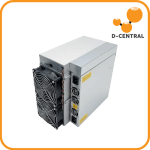
The Antminer S19j Pro+ marked a significant design pivot in Bitmain’s flagship mining lineup. Instead of iterating on the bolt-on heatsinks that defined the S19 series, Bitmain reached backward — reviving the soldered single-chip heatsink approach from the S17 era. For home miners running these machines in basements, garages, and spare rooms, understanding this design choice is not academic. It directly affects how hot your chips run, how long your hashboards last, and how repairable your miner is when something inevitably goes sideways.
This guide breaks down the S19j Pro+ heatsink architecture, compares it against every other attachment method Bitmain has shipped, and explains what it all means for your mining operation — whether you are running one unit beside the furnace or a rack of machines in the garage.
The S19j Pro+ at a Glance: Specs That Matter
Before we tear into the heatsink design, here is the machine in context:
| Specification | Antminer S19j Pro+ |
|---|---|
| Algorithm | SHA-256 (Bitcoin) |
| Hashrate | ~122 TH/s |
| Power Consumption | ~2,930 W (wall) |
| Efficiency | ~24 J/TH |
| ASIC Chip | BM1362 |
| Heatsink Type | Soldered (individual per chip) |
| PIC (Peripheral Interface Controller) | Absent — removed in this revision |
| PSU Requirement | APW12 or equivalent (220V recommended) |
| Cooling | Dual axial fans, front-to-rear airflow |
At ~122 TH/s and ~24 J/TH, the S19j Pro+ slots into a solid mid-tier position. It is not the latest generation hardware, but it remains a workhorse — particularly for home miners who acquired units at deep discounts on the secondary market. With the Bitcoin network now exceeding 800 EH/s of total hashrate and the block reward sitting at 3.125 BTC post-halving, efficiency at the chip level matters more than ever. And efficiency starts with thermal management.
The Soldered Heatsink Design: Why Bitmain Went Backward
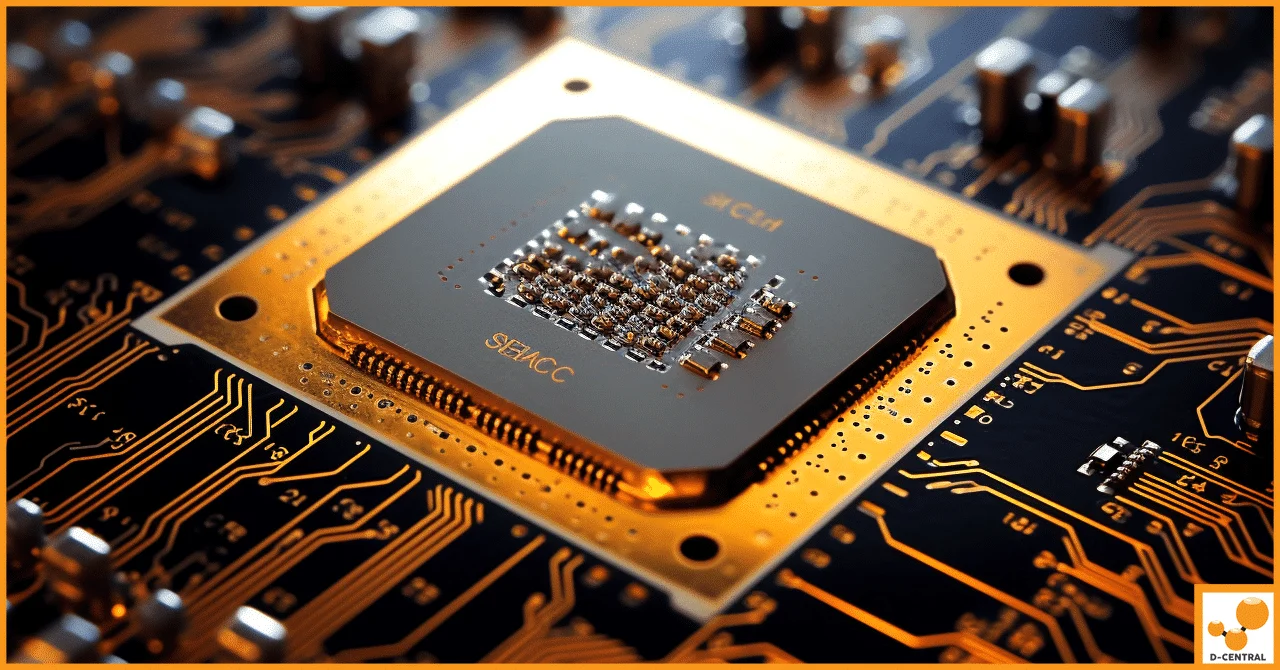
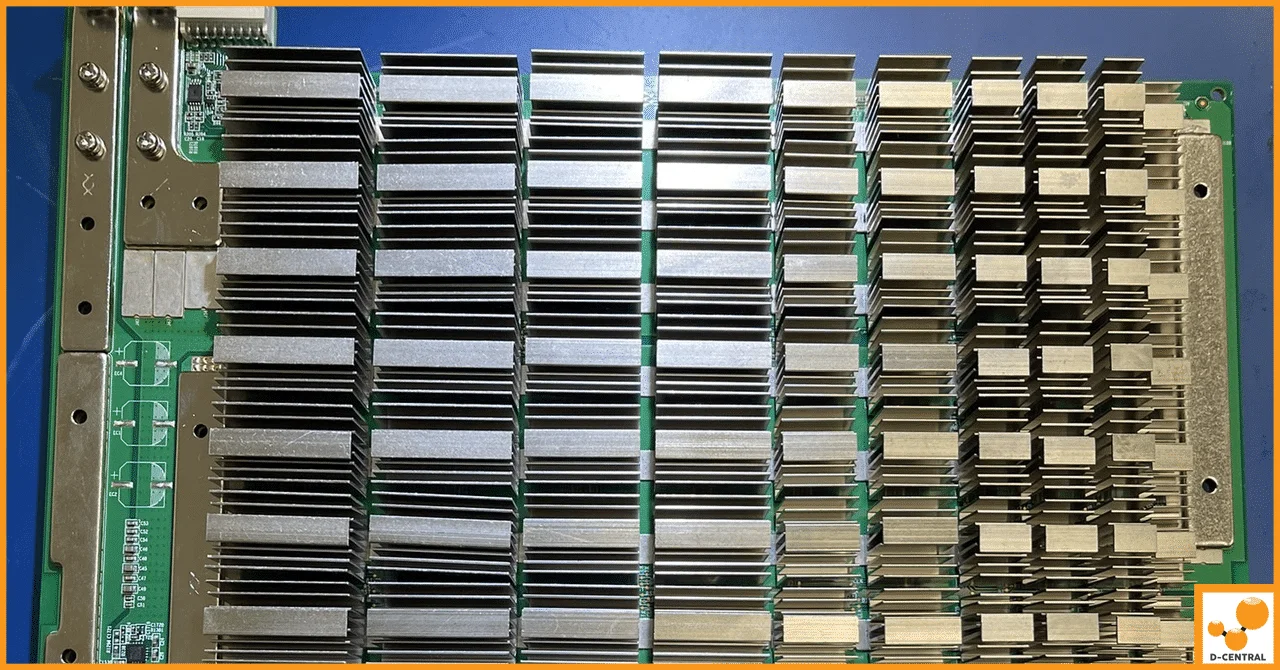
The S19j Pro+ uses individual heatsinks soldered directly to each BM1362 ASIC chip on the hashboard. This is a callback to the S17 series heatsink architecture — a design that, to put it diplomatically, has a complicated history.
How it works: Each ASIC chip gets its own dedicated aluminum heatsink bonded via solder. The solder joint creates a metal-to-metal thermal bridge with no air gaps, thermal paste, or pads acting as intermediaries. In theory, this is the highest-conductivity attachment method available.
Why Bitmain returned to it: The bolt-on heatsinks used in the standard S19, S19 Pro, and S19j Pro rely on thermal interface material (TIM) — typically thermal paste or pads — sandwiched between the chip and heatsink. TIM degrades over time. It dries out, cracks, and loses conductivity, especially in the high-heat environment of a mining operation. By soldering directly, Bitmain eliminates TIM degradation as a failure mode entirely.
The elephant in the room: The S17 series used the same soldered approach and became infamous for delamination — heatsinks literally separating from chips after a few weeks of operation. The root cause was not the design concept but the manufacturing execution: inadequate copper tinning during production created weak solder joints that could not survive thermal cycling. Bitmain has clearly improved their manufacturing process for the S19j Pro+ — delamination reports are dramatically lower — but the S17 shadow still makes some miners uncomfortable with this design choice.
Heatsink Attachment Methods Compared: Soldered vs Bolt-On vs Glued
Every heatsink design involves a fundamental trade-off between thermal performance, repairability, durability, and cost. Here is how the three methods Bitmain has used stack up:
| Factor | Soldered (S17, S19j Pro+) | Bolt-On (S19, S19 Pro, S19j Pro) | Glued (S9) |
|---|---|---|---|
| Thermal Conductivity | Highest — direct metal-to-metal bond | Medium — depends on TIM quality | Lowest — adhesive is a poor conductor |
| Long-Term Stability | Excellent if properly manufactured | Degrades as TIM dries out | Adhesive can fail; heatsinks detach |
| Repairability | Difficult — requires professional rework station | Easy — unscrew, clean, reapply TIM | Moderate — pry off, clean residue, re-glue |
| Chip Replacement | Must desolder heatsink first | Unscrew heatsink, swap chip | Remove adhesive, swap chip |
| Liquid Cooling Compatibility | Poor — designed for air cooling only | Good — heatsinks can be replaced with water blocks | Poor |
| Transport Risk | Low — permanently bonded | Medium — screws can loosen | Medium — glue can crack |
| Manufacturing Cost | Higher — requires precision soldering line | Higher — machined heatsinks + hardware | Lowest — mass application of adhesive |
The bottom line for home miners: If you plan to run your S19j Pro+ as a set-and-forget machine in a well-ventilated space, the soldered design is arguably superior — no TIM to replace, no screws to check, and excellent thermal transfer from day one. If you are the type who modifies, repairs, and upgrades your hardware (and if you are reading D-Central, you probably are), the soldered design adds complexity to every service operation.
The Missing PIC: A Production Change Worth Understanding
Beyond the heatsink, the S19j Pro+ introduced another notable change: the removal of the Peripheral Interface Controller (PIC). On older S19 models, the PIC is a small microcontroller on each hashboard that manages chip initialization, voltage regulation communication, and diagnostic data. It is the “handshake” chip that tells the control board which ASIC chips are alive and responding.
What the PIC removal means in practice:
- Simplified PCB: Fewer components means fewer potential failure points on the hashboard itself.
- Changed diagnostic workflow: Technicians accustomed to reading PIC data for troubleshooting need to adapt. The control board handles chip management differently on PIC-less boards.
- Firmware dependency: More of the chip management logic lives in firmware rather than hardware, making firmware version and compatibility more important.
- Repair implications: When a hashboard fails, the diagnostic path is different. Some repair shops unfamiliar with the PIC-less architecture may misdiagnose issues.
This is one reason why sending your S19j Pro+ to a repair shop that actually understands the specific revision matters. Not all S19-series boards are the same, and cookie-cutter diagnostics do not cut it.
Thermal Management for Home Miners: Keeping Your S19j Pro+ Healthy
Whether your heatsinks are soldered, bolted, or glued, the external thermal environment determines how hard they have to work. Here is what actually moves the needle for home mining setups:
Ambient Temperature
Heatsinks dissipate heat via the temperature differential between the chip and the surrounding air. If your ambient temperature is 35C (a summer garage), your heatsinks are fighting an uphill battle compared to a 15C Canadian basement in January. This is one reason mining in Canada has a structural advantage — cold ambient temperatures are free cooling capacity.
Airflow: The Most Underrated Variable
The S19j Pro+ pushes approximately 6,000 CFM through its dual fans. That airflow needs somewhere to go. A common home mining mistake is placing the machine against a wall or in an enclosed cabinet, creating a recirculation loop where hot exhaust air feeds right back into the intake. Ducting the exhaust outside (or into the room you want to heat) is critical.
Dust: The Silent Hashrate Killer
Dust accumulation on heatsink fins acts as thermal insulation. In a home environment — especially basements, garages, or workshops — dust buildup is inevitable. For soldered heatsinks like those on the S19j Pro+, you cannot simply remove them for cleaning. Regular compressed air cleaning (monthly in dusty environments) is non-negotiable. This is also detailed in our Antminer S19 maintenance guide.
Humidity
High humidity reduces heatsink effectiveness and creates corrosion risk on the hashboard itself. If you are running a miner in a damp basement, a dehumidifier is not optional — it is hashboard insurance. Relative humidity below 60% is the target.
Repair Considerations: What the Soldered Design Means at the Bench
At D-Central’s repair facility in Montreal, Quebec, we work on S19j Pro+ hashboards regularly. The soldered heatsink design creates specific challenges and considerations that home miners should understand:
Chip-level repair requires professional equipment. Replacing a failed BM1362 chip on an S19j Pro+ board means desoldering the heatsink first, then desoldering the chip, then reballing and soldering the new chip, then re-attaching the heatsink. This is a multi-step rework process that requires a hot air rework station, proper flux, solder paste, and experience. It is not a DIY job.
Diagnosis is unchanged. The good news: identifying which chip has failed uses the same voltage domain testing and ASIC chain analysis regardless of heatsink type. The heatsink attachment method only affects the physical repair step, not the diagnostic step.
Thermal paste refresh is not applicable. Unlike bolt-on models where re-pasting every 12-18 months can restore a few degrees of thermal headroom, soldered heatsinks have no TIM to refresh. The solder joint either works or it does not. This is both a benefit (no maintenance) and a drawback (no easy thermal improvement path).
For an in-depth look at chip-level hashboard repair techniques, see our ASIC hashboard repair deep dive.
Should You Buy an S19j Pro+ in 2026?
With next-generation machines like the Antminer S21 series offering significantly better efficiency (~17.5 J/TH), is the S19j Pro+ still a reasonable acquisition? It depends on your situation:
| Scenario | Recommendation |
|---|---|
| You found one cheap on the secondary market ($200-400 range) | Good buy for a home mining / space heater setup |
| You have very cheap or free electricity (<$0.04/kWh) | Profitable enough to run — efficiency penalty is offset by low energy cost |
| You want dual-purpose mining + heating | Excellent choice — 2,930W of heat output is substantial and the S19 form factor is well-supported for space heater builds |
| You are buying at new/retail prices | Skip it — put that budget toward an S21 or similar next-gen unit |
| You want liquid cooling compatibility | Look at bolt-on heatsink S19 variants instead — easier to convert |
The S19j Pro+ is a legitimate machine that can stack sats reliably. Just go in with eyes open about the heatsink design trade-offs and the repair implications.
Frequently Asked Questions
What type of heatsink does the Antminer S19j Pro+ use?
The S19j Pro+ uses individual aluminum heatsinks soldered directly to each BM1362 ASIC chip. This design creates a metal-to-metal thermal bond without thermal paste or pads, offering high thermal conductivity. It is similar to the approach used in the S17 series, but with improved manufacturing quality to prevent the delamination issues that plagued earlier models.
Is the S19j Pro+ prone to delamination like the S17 series?
Delamination reports on the S19j Pro+ are dramatically lower than the S17 series. The S17’s delamination problem stemmed from inadequate copper tinning during manufacturing, not the soldered heatsink concept itself. Bitmain improved their production process for the S19j Pro+, resulting in significantly more reliable solder joints. However, the soldered design does mean that any delamination that does occur requires professional rework to fix.
Can I re-paste the heatsinks on an S19j Pro+ like I would on an S19 Pro?
No. The bolt-on heatsinks on the S19, S19 Pro, and S19j Pro use thermal paste that can be cleaned and reapplied. The S19j Pro+ heatsinks are soldered directly to the chips — there is no thermal paste to refresh. The solder joint is permanent and does not degrade the way TIM does, so this maintenance step is neither possible nor necessary.
What happened to the PIC on the S19j Pro+ hashboards?
Bitmain removed the Peripheral Interface Controller (PIC) from S19j Pro+ hashboards. The PIC traditionally managed chip initialization and diagnostic communication. Without it, these functions are handled differently — primarily through firmware. This simplifies the PCB but changes the diagnostic and repair workflow. Technicians need familiarity with the PIC-less architecture to properly troubleshoot these boards.
Is the S19j Pro+ good for home mining in 2026?
At secondary market prices ($200-400), the S19j Pro+ is a solid home mining machine, especially for dual-purpose mining where you use the 2,930W heat output to warm your home. At ~24 J/TH, it is not the most efficient miner available, but low acquisition cost plus free or cheap electricity can make it profitable. For new hardware purchases at retail prices, newer-generation machines offer better efficiency.
Can I convert an S19j Pro+ to liquid cooling?
The soldered heatsink design makes liquid cooling conversion significantly more difficult compared to bolt-on models. Converting would require desoldering the existing heatsinks and attaching water blocks — a complex rework process. If liquid cooling is your goal, the standard S19 Pro or S19j Pro with bolt-on heatsinks are much better candidates. Check out our S19 liquid cooling conversion guide for details.
How often should I clean the heatsinks on my S19j Pro+?
In a typical home environment, compressed air cleaning every 4-6 weeks keeps dust from building up on the heatsink fins. In dusty environments (garages, workshops, basements), monthly cleaning is recommended. Because the soldered heatsinks cannot be removed for deep cleaning, consistent preventive maintenance is especially important. Never use water or liquid cleaners on energized equipment.
Where can I get my S19j Pro+ repaired if a chip fails?
Chip-level repair on soldered-heatsink boards requires a professional rework station and experience with the specific board revision. D-Central Technologies operates an ASIC repair facility in Montreal, Quebec, and services S19j Pro+ boards regularly. We handle everything from chip replacement to full hashboard diagnostics. Contact our repair team for a diagnostic assessment.