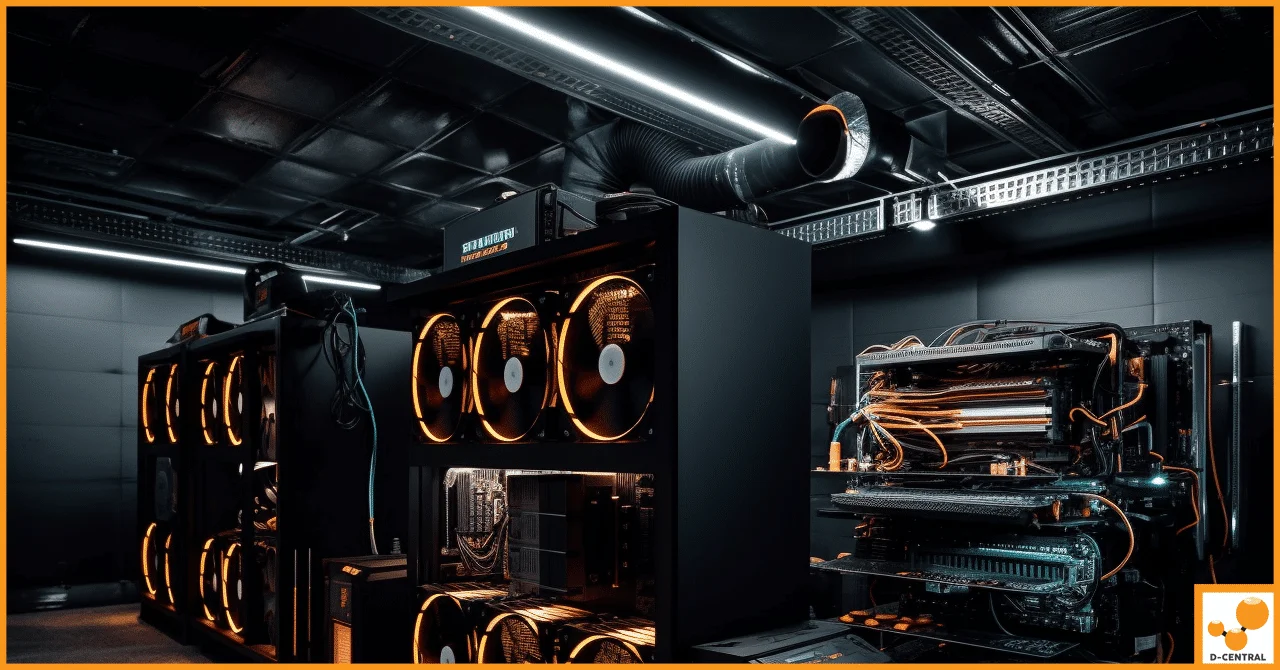
Every watt your ASIC miner consumes leaves it as heat. That is not a design flaw — it is physics, and it is non-negotiable. A 3,400W Antminer S19 is, thermally speaking, a 3,400W electric heater that happens to produce SHA-256 proof-of-work on the way through. Whether that heat becomes a problem or an asset depends entirely on one thing: whether you control where the air goes. At D-Central, we have been managing miner heat from Montreal, Quebec since 2016 — we build the shrouds, we design the ducting, and we repair the hashboards that come in cooked when cooling fails. This guide covers the cooling side of home mining: the recirculation loop that quietly kills efficiency, what inlet temperature actually does to your hashrate, how to run a seasonal strategy in a Canadian climate, and when a shroud will save you and when the room itself is the problem.
Why Cooling Decides Your Mining Economics
Operating a mining rig generates a constant, significant thermal load, and the machine’s own protection systems respond to it directly. When chip temperatures climb, modern firmware throttles frequency; when they climb further, the machine shuts down. Every throttled hour is hashrate you paid electricity for and did not get. Every shutdown is downtime. And chronic heat does slower, more expensive damage too: fan bearings wear faster at sustained maximum RPM, thermal cycling fatigues solder joints, and sustained high junction temperatures shorten the working life of the ASIC chips themselves.
Inadequate cooling therefore hits you three times: lost hashrate today, higher power draw for the same output (hot silicon and screaming fans are less efficient), and repair bills tomorrow. We see the end state of that curve on our repair bench constantly — machines that ran hot for months, now needing hashboard work that costs far more than the ducting that would have prevented it.
The Recirculation Loop: The Silent Efficiency Killer
Here is the failure mode that catches most home miners, and it does not look like failure at first. You put a miner in a basement or spare room, it exhausts hot air into that room, and the room warms up. The miner’s intake is in the same room — so the next pass of air through the machine starts warmer than the last one. The fans compensate by spinning faster. The room keeps warming. Within hours you reach an equilibrium where the miner is partially breathing its own exhaust, fans pinned high, chips running hotter than they need to, and the machine louder than it should be.
That is recirculation, and it is a loop in both senses: the air loops, and the consequences feed back on themselves. Higher intake temperature → higher chip temperature → higher fan speed → more noise and more power for the same hashrate. In summer, the loop ends in throttling or shutdown. In winter, it merely wastes the heat you could have been using.
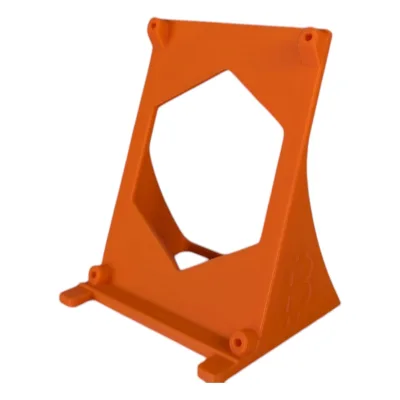
Breaking the loop requires exactly one thing: a committed path for the exhaust that does not lead back to the intake. That is what a shroud is for. An Antminer shroud captures the output of the miner’s fans and channels it into ductwork, so the hot air goes where you decide — out a window, into another room, through a heat-recovery setup — instead of back around the machine. The D-Central Shroud System covers the common fan layouts: the dual-120mm shroud for S19 and standard S21 machines, the 140mm Whatsminer adapter for M30S/M50-class machines, the dual-140mm S21 Pro shroud, and full housing wraps that slide over the whole case end for a full-panel seal.
Inlet Temperature: The Number That Actually Matters
Miners are rated assuming a reasonable intake temperature. The machine cannot cool its chips below what the incoming air allows: the air picks up heat as it crosses the hashboards, so chip temperature is roughly intake temperature plus a rise that depends on load and airflow. Raise the intake and the whole thermal stack rises with it. Lower the intake and everything — chip temps, fan speed, noise — comes down together.
This is why the recirculation loop is so costly, and it is also why Canadian miners have a structural advantage: for much of the year, the outdoors is a limitless supply of cold, free intake air. A sealed airflow path that draws cool air from one side and ejects hot air on the other lets the machine run at the bottom of its thermal range, which means the stock fans do less work, which means less noise and less wear.
Practical targets for most modern ASICs:
- Chip temperatures in the 55–75°C band under load are healthy for most modern machines.
- Sustained readings above 80°C mean your cooling needs work; protection typically throttles or shuts down somewhere in the 80–90°C region depending on model and firmware.
- Watch the trend, not just the number. Intake creeping up week over week means dust, a failing fan, or a growing recirculation problem.
What a Shroud Actually Does (and What It Does Not)
A shroud is an air-routing device, not a refrigerator. It does four things well:
- Commits the exhaust to a duct, breaking the recirculation loop — the single biggest cooling win available in a home setup.
- Protects the thermal envelope of the room, so the space around the miner (and everything else in it) stays livable.
- Lets you choose your intake: duct the intake side too, and the machine breathes the coolest air available rather than whatever the room happens to hold.
- Contains noise inside the ductwork rather than letting the fans radiate freely into the room — routing, not silencing; for the dedicated treatment see our ASIC silencer guide.
What a shroud cannot do is remove heat from a closed system. If the duct dumps into the same room the intake draws from, you have built a longer recirculation loop, not a cooling system. The duct has to terminate somewhere the intake cannot see — outside, another floor, a heat exchanger.
Seasonal Strategy: Winter Heat Reuse, Summer Heat Dump
The best home cooling systems in Canada are really two systems sharing one set of hardware, switched twice a year.
Winter: The Heat Is the Product
From October to April, your miner’s exhaust is worth real money as displaced heating. Since effectively 100% of the electrical input becomes heat, a ducted miner is a precision heating appliance that also earns Bitcoin — the core insight behind our Bitcoin Space Heater line. The winter configuration: intake from the cool basement or from outside, exhaust ducted into the living space you actually want to heat. Route the warm air with the same wyes and elbows you would use for venting, just pointed inward. Over a 6–7 month heating season, the displaced heating cost meaningfully changes home mining economics — you were going to buy that heat anyway.
Summer: Dump Everything Outside
From May to September the same heat is pure liability. The summer configuration: exhaust ducted directly out through a sealed window vent port (our step-by-step is in the window venting guide), intake drawing from the coolest available air — typically the basement. Do not vent into an attic in summer, and do not let the exhaust path leak back into the intake room.
Making the Switch Practical
The twice-yearly changeover is a layout and hardware problem, which is why mount style matters: quick-release and threaded shroud interfaces exist precisely so seasonal reconfiguration takes minutes instead of an afternoon. If a machine sits idle for a season, cap its duct port with a threaded blank-off cap so the duct run cannot backfeed cold or dirty air into the idle miner. For full placement strategy — which rooms, which routes, which mounts — see the companion piece on home mining layout.
Monitoring: Let the Machine Tell You When Cooling Degrades
Cooling systems do not fail all at once; they drift. Dust accumulates, a fan bearing starts to drag, a duct joint works loose. The machine reports all of this if you look:
- Chip and board temperatures — check them in the miner’s web interface or firmware dashboard. Set alerts. Sustained upward drift at constant ambient is your earliest warning.
- Fan RPM — the fans are a proxy for everything. If average fan speed this month is higher than last month at the same intake temperature, resistance is building somewhere: dust, a blocked filter, a kinked duct.
- Hashrate vs. baseline — benchmark when the machine is fresh and clean. A gradual decline of a few percent is usually thermal before it is anything else.
- Your ears — a change in the sound of the machine (bearing whine, rattle, a new resonance in the duct) is diagnostic data. Investigate it.
Dust: The Slow Cooling Failure
In home environments — especially basements and garages — dust, lint, and pet hair accumulate on heatsink fins and fan blades, and every layer is insulation you did not ask for. The maintenance rhythm that works: monthly compressed-air blowouts (machine powered down and disconnected), a quarterly deep clean of the heatsinks with 99% isopropyl alcohol, and more frequent attention in dusty spaces. Prevention is cheaper still: a foam pre-filter ring over the intake fan catches debris before it reaches the hashboards, turning a teardown problem into a rinse-the-foam problem. The full intake-side treatment — filters, media choices, and fan swaps — is in our dust filter guide.
If a machine has already been running hot and dirty for months and the hashrate is sagging, do not just bolt a shroud on and hope. Clean it first, or have our ASIC Repair team assess it — we have serviced thousands of miners since 2016, and thermal neglect is the most common story they arrive with.
When a Shroud Helps — and When the Room Is the Problem
A shroud routes air. Whether routing air is enough depends on the room it sits in.
A shroud solves your problem when the machine is fighting its own exhaust: room temperature noticeably higher than the rest of the house, fans running harder than the weather justifies, chip temps drifting up over the day. Committing the exhaust to a duct with a real exit breaks the loop, and the improvement is immediate.
The room is the problem when:
- There is no exit. A sealed interior room with no window, no wall you can penetrate, and no path to anywhere cooler cannot be fixed by routing air in circles. The heat must physically leave the space.
- There is no makeup air. Exhausting air out of a tight room without letting fresh air in creates negative pressure; airflow drops no matter what hardware you add. Every exhaust path needs an intake path — a vent, a gap, a second duct.
- The space is already hot. If your intake air is 35°C attic air in July, no amount of ducting makes it cold. The fix is drawing intake from somewhere genuinely cooler, or accepting summer curtailment.
- The load exceeds the room. Four machines in a small closet is a heat flux problem that duct fittings alone will not absorb. At that density you need engineered airflow — bigger trunks, mechanical assistance, or fewer machines in that space.
Diagnosing which case you are in takes three readings: the room temperature, the intake temperature at the machine, and the chip temperature. If intake tracks the room and the room tracks the miner’s runtime, ducting will fix it. If the intake is high because everything upstream of it is high, fix the upstream first.
Installing a Shroud Properly
Installation is simple, but the details determine whether you get a sealed system or a leaky one:
- Power down and unplug the miner before touching anything.
- Clear the fan face. Pop off the stock finger guard and keep its screws; the miner’s own large-head fan screws are the intended hardware for a fan-face mount.
- Mount the shroud to the fan face or slide the wrap over the case end, using washers on the flange screws so the heads bear properly on the printed slots.
- Seal the connections. Air leaks between shroud and miner, or shroud and duct, quietly defeat the system. Aluminum tape and gasket material are cheap; leaks are not.
- Fit the duct over the collar and clamp it, keeping the run short and the bends few.
- Power up and verify: intake temp, chip temps, and fan RPM should all settle lower than your pre-shroud baseline. If they do not, hunt the leak or the blockage.
Then maintain it like the rest of the system: periodic checks that the shroud is secure, dust cleared with compressed air, temperatures trending flat, and a listen for any change in the machine’s voice.
Beyond Air: Where Shrouds Fit in the Bigger Cooling Picture
Shrouded air cooling is the right answer for the overwhelming majority of home setups — it is cheap, serviceable, and something you can build in an afternoon. It is not the only cooling technology: immersion cooling submerges hardware in dielectric fluid, hydro machines circulate water through cold plates, and inline duct fans add mechanical boost to long duct runs. Each has a real place, mostly at scales and densities beyond a house. We compare all of them in our ASIC cooling comparison guide.
Every shroud, duct fitting, and filter ring we sell is open source under CC BY-SA 4.0, with free STLs in our 3D models library. Print them yourself, modify them for your machine, or order them printed from us in Montreal, Quebec. The designs keep growing to cover the machines people actually run — that is the Shroud System working as intended.
Frequently Asked Questions
What is the recirculation problem in home mining?
Recirculation is when a miner’s hot exhaust mixes back into its own intake air. The room warms, the intake warms with it, the fans spin harder, and the machine ends up hotter, louder, and less efficient — sometimes throttling in summer. Breaking the loop requires ducting the exhaust to somewhere the intake cannot see: outside, another room, or a heat-recovery path.
What chip temperature should my ASIC miner run at?
Most modern ASICs are healthy with chip temperatures in the 55–75°C band under load. Sustained readings above 80°C mean your cooling needs attention; thermal protection typically throttles or shuts the machine down somewhere in the 80–90°C region depending on model and firmware. Watch the trend at constant ambient — upward drift means dust, a failing fan, or growing recirculation.
Can I really heat my home with my miner in winter?
Yes — effectively all of the miner’s electrical input becomes heat, so a ducted miner is an electric heater that also earns Bitcoin. Route the exhaust into living space in winter and you displace heating you would have paid for anyway; in summer, reverse the strategy and duct the heat outside. This seasonal switch is the core of dual-purpose mining in cold climates.
When is a shroud not enough?
When the room has no exit for the heat, no makeup air to replace what you exhaust, intake air that is already hot, or more machines than the space can support. A shroud routes air; it cannot remove heat from a closed system or cool air that arrives hot. Diagnose the room first: if the intake temperature tracks the miner’s own runtime, ducting fixes it; if everything upstream is hot, fix upstream.
Related Reading
Getting the heat and the noise out of the room
Airflow is the part of a home build people solve last and regret first. Work out where the hot air is actually going before you buy anything: measure the fan face, choose a duct size, then match a shroud to the machine. Fitment is dimensioned from published fan spacing, so confirm your own fan size before ordering.