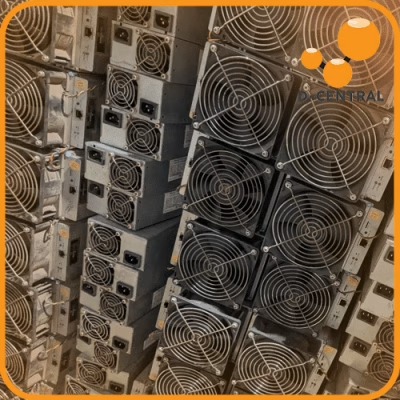
Every ASIC miner will break. That is not pessimism — it is thermodynamics. These machines run billions of SHA-256 computations per second, dissipate hundreds of watts of heat through metal fins no thicker than a credit card, and do it twenty-four hours a day, seven days a week. In a network that now exceeds 800 EH/s of global hashrate and a difficulty above 110 trillion, every terahash you lose to a preventable failure is a terahash that someone else claims. Downtime is not just inconvenient — it is a direct transfer of your share of the 3.125 BTC block reward to competitors who kept their machines running.
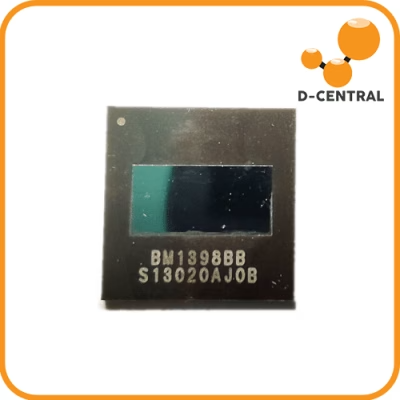
D-Central Technologies has been repairing, modifying, and hacking ASIC miners since 2016. We have opened thousands of machines, diagnosed everything from hairline solder cracks on BM1397 chips to catastrophic PSU failures that took out entire hashboards, and shipped them back to miners running stronger than before. This guide distills that hands-on, workshop-floor experience into a comprehensive troubleshooting and maintenance reference for home miners and small operators who refuse to let their hardware sit idle.
Whether you are running a single Antminer in your garage or a rack of machines in your basement, this is the field manual for keeping your miners alive, efficient, and stacking sats.
Understanding ASIC Miner Failure Modes
Before you can fix a problem, you need to understand why ASIC miners fail in the first place. These are not consumer electronics designed for gentle use. They are industrial machines operating at the thermal and electrical edge of their components. The five most common failure categories we see in our ASIC repair shop are hash rate degradation, thermal runaway, power delivery failures, network connectivity issues, and mechanical wear. Each has distinct root causes and distinct solutions.
Hash Rate Degradation
Hash rate is the single most important performance metric for any miner. It represents the number of SHA-256 double-hash computations your machine performs per second. When hash rate drops, your proportional share of mining rewards drops with it. On a network pushing past 800 EH/s, even a 10% decline in your machine’s output translates to measurable lost revenue over weeks and months.
The causes of hash rate degradation fall into three categories:
- Thermal throttling: When chip junction temperatures exceed safe thresholds, the control board automatically reduces operating frequency to prevent permanent damage. The miner is protecting itself, but your hash rate pays the price. This is the most common cause we see — and the most preventable.
- Firmware and software drift: Outdated firmware can contain inefficient frequency tables, unpatched bugs in the mining algorithm implementation, or incompatibilities with updated pool protocols. Manufacturers release firmware updates for a reason. Running six-month-old firmware on a current-gen machine is leaving performance on the table.
- Hardware degradation: ASIC chips do not last forever. Electromigration, thermal cycling fatigue, and solder joint deterioration all accumulate over thousands of operating hours. A hashboard that was delivering 40 TH/s when new might only manage 35 TH/s after two years of continuous operation. Individual chip failures show up as missing ASIC counts in your miner’s status page.
Thermal Runaway and Overheating
Heat is the enemy of every electronic component, and ASIC miners generate enormous amounts of it. A single Antminer S19 series machine dissipates over 3,000 watts of thermal energy — equivalent to running three space heaters simultaneously. That heat must go somewhere, and if your cooling infrastructure cannot remove it fast enough, temperatures climb until something fails.
Overheating does not just reduce hash rate through throttling. Sustained high temperatures accelerate electromigration in ASIC chips, degrade thermal interface materials between chips and heatsinks, dry out fan bearings, and can cause solder joints to crack. We have seen hashboards come into our shop where the thermal paste had turned to powder and chips were running 20 degrees Celsius above their rated maximum. The damage at that point is often permanent.
The irony is that the same thermal output that threatens your miners can also heat your home. Bitcoin space heaters turn this liability into an asset by ducting miner exhaust into living spaces during cold months — a strategy that Canadian miners are uniquely positioned to exploit for eight or more months of the year.
Power Supply Failures
The power supply unit (PSU) is the heart of your mining setup. It converts mains AC power into the precise DC voltages your hashboards and control board require. When the PSU fails — or even when it delivers slightly out-of-spec voltages — the consequences cascade through the entire machine.
Common power supply issues include:
- Voltage sag under load: A PSU rated for 3,600W that is running at 3,500W is operating at 97% capacity with almost no headroom. Capacitor aging reduces maximum output over time, and a supply that was adequate when new may sag under full load after a year of continuous operation.
- Ripple and noise: Cheap or failing PSUs can introduce AC ripple onto DC output rails. ASIC chips are sensitive to voltage noise — excessive ripple causes computation errors, which show up as increased hardware error rates in your pool dashboard.
- Connector and cable degradation: The high-current connectors between PSU and hashboards carry 10+ amps per rail. Loose or corroded connections create resistance, which creates heat, which creates more resistance — a positive feedback loop that ends with melted connectors and potential fire hazard.
Network Connectivity Problems
A miner that cannot communicate with its pool is a miner that is not earning. Network issues are often the most frustrating to diagnose because they can be intermittent and their symptoms — stale shares, rejected work, pool disconnections — can mimic other problems.
The control board on most ASIC miners communicates via Ethernet. Loose RJ45 connectors, damaged cables, network switch port failures, and DHCP conflicts can all interrupt this communication. For miners running on WiFi adapters (common with smaller units like the Bitaxe series), wireless interference and signal strength become additional failure points.
Beyond physical connectivity, DNS resolution failures, firewall rules, and ISP-level issues can prevent your miner from reaching its pool. A stable, wired Ethernet connection with a static IP or DHCP reservation eliminates an entire class of problems.
Mechanical Wear and Unusual Noises
ASIC miners are loud machines, but experienced operators learn the sound of their specific hardware. When that sound changes — a new rattle, a grinding noise, a high-pitched whine, or a sudden increase in volume — something mechanical has shifted.
The most common culprit is fan failure. Mining fans operate at 5,000 to 7,000 RPM continuously. Bearings wear, blades accumulate dust that throws them out of balance, and motors burn out. A single failed fan in a dual-fan machine cuts airflow dramatically and can cause cascading thermal failures within minutes.
Other sources of unusual noise include loose heatsink mounting screws (causing vibration against the hashboard PCB), debris trapped in fan guards, and in rare cases, capacitor whine from the PSU under specific load conditions.
Systematic Diagnostic Procedures
Troubleshooting is not guesswork. It is a systematic process of observation, measurement, isolation, and verification. The following procedure is what we use in our repair shop at D-Central, adapted for home miners working with basic tools.
Step 1: Gather Baseline Data
Before touching anything, document the current state of your miner. Log into the miner’s web interface and record:
- Current hash rate versus expected hash rate
- Chip temperatures across all hashboards (inlet and outlet if available)
- Fan speeds (RPM) for all fans
- Hardware error rate and rejected share percentage
- ASIC chip count per hashboard (missing chips indicate dead ASICs)
- Uptime since last reboot
- Current firmware version
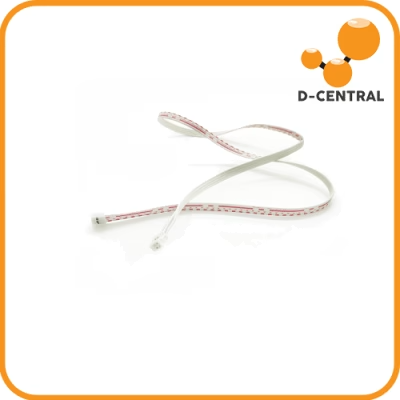
This data tells you what is wrong before you open the case. A miner showing 2 of 3 hashboards with normal chip counts and temperatures, but one board showing zero chips, has a hashboard or ribbon cable failure. A miner showing all boards with elevated temperatures and reduced hash rates likely has a cooling problem. Diagnosis starts with data, not assumptions.
Step 2: Physical Inspection
Power down the miner and disconnect it from mains power. Inspect the exterior for dust accumulation on intake and exhaust grilles, damaged fan blades visible through guards, and any signs of heat discoloration on the casing. Then open the unit and examine:
- Connectors: Check every power connector, data ribbon cable, and fan header for secure seating. Reseat any that feel loose.
- Dust accumulation: Compressed air is your best friend. Blow out dust from heatsink fins, fan blades, and PCB surfaces. Dust is an insulator — it traps heat exactly where you need it dissipated.
- Visual damage: Look for burnt components, swollen capacitors, cracked solder joints, or corroded traces on the PCB. These require professional repair.
- Thermal paste condition: If you can safely remove a heatsink, check the thermal interface material. If it is dry, cracked, or chalky, it needs replacement.
Step 3: Isolate the Failing Component
If your baseline data points to a specific hashboard, test it in isolation. Swap hashboard positions if your miner supports it — if the problem follows the board, the board is faulty. If the problem stays in the same slot, the issue may be with the control board’s connection to that slot or the PSU rail feeding it.
For power supply issues, measure DC output voltages with a multimeter at the connector level under load. Compare readings against the PSU’s rated output. Voltage deviation beyond 5% warrants PSU replacement.
Step 4: Apply the Fix and Verify
After identifying and addressing the issue — whether it is a cleaned heatsink, reseated cable, firmware update, or replaced fan — power the miner back on and monitor it for at least 24 hours. Short-term improvement that degrades after a few hours indicates an incomplete fix or a secondary issue.
Preventive Maintenance Schedule
The cheapest repair is the one you never need. A disciplined maintenance schedule prevents the majority of ASIC failures we see in our shop. Here is what we recommend based on a decade of keeping miners running:
Daily Monitoring (5 Minutes)
- Check hash rate and compare to baseline — flag any drop greater than 5%
- Monitor chip temperatures — sustained readings above 85C on any board warrant investigation
- Review pool dashboard for rejected shares or connectivity gaps
- Listen for any change in fan noise
Weekly Inspection (15 Minutes)
- Visually inspect intake and exhaust for dust buildup
- Check ambient room temperature and humidity
- Verify all indicator LEDs show expected states
- Confirm internet connectivity stability (check for packet loss)
Monthly Deep Clean (30-60 Minutes)
- Power down and blow out all dust with compressed air
- Inspect and reseat all power and data connectors
- Check fan blade condition and bearing noise
- Verify firmware is current — update if a new stable release is available
- Inspect PSU cables and connectors for heat damage or discoloration
Semi-Annual Overhaul (2-4 Hours)
- Full disassembly and thorough cleaning of all components
- Thermal paste replacement on hashboard heatsinks
- Fan replacement if bearings show any roughness or increased noise
- PSU load testing under full operating conditions
- Complete electrical continuity check on all connectors and cables
Cooling Strategies for Canadian Miners
Canada’s climate is a legitimate competitive advantage for Bitcoin miners. When outdoor temperatures drop below zero for months at a time, cold air becomes a free cooling resource that miners in warmer climates have to pay to replicate with industrial HVAC systems.
Ambient Air Cooling
The simplest and most effective cooling strategy for home miners is proper airflow management. Miners should be positioned so that intake fans draw air from the coolest available source and exhaust into a path that exits the space. In winter, this can mean ducting cold outdoor air directly to your miner’s intake — but be cautious of humidity and condensation. Cold air that warms rapidly inside the miner can deposit moisture on PCBs if the temperature differential is extreme.
Heat Recovery and Dual-Purpose Mining
Rather than fighting the heat your miner produces, use it. A 3,000W ASIC miner produces roughly 10,000 BTU/hour of thermal energy — enough to heat a large room or supplement a home heating system. D-Central’s Bitcoin Space Heater editions are purpose-built for this approach, combining mining hardware with enclosures designed to direct warm exhaust air into living spaces safely and effectively.
This dual-purpose approach changes the economics of home mining entirely. When the heat your miner produces displaces natural gas or electric heating costs, your effective electricity cost for mining drops significantly. In Quebec, where electricity rates are among the lowest in North America, this combination makes home mining viable even during periods of high network difficulty.
Immersion and Advanced Cooling
For operators running multiple machines, immersion cooling in dielectric fluid eliminates fan failures, reduces noise to near-zero, and allows higher chip frequencies due to superior heat transfer. This is an advanced setup with higher upfront costs, but it dramatically extends hardware lifespan and enables overclocking that would be impossible with air cooling.
When to Repair vs. When to Replace
Not every broken miner deserves to be fixed. The decision to repair or replace depends on the machine’s generation, the nature of the failure, the cost of parts and labor, and the current mining economics.
Repair Makes Sense When:
- The machine is a current or recent generation with competitive efficiency (J/TH)
- The failure is a known, fixable issue (fan replacement, PSU swap, single dead chip on a hashboard)
- Repair cost is less than 40-50% of replacement cost
- The machine has sentimental or strategic value (your dedicated solo miner, for example)
Replacement Makes Sense When:
- The machine is two or more generations behind in efficiency
- Multiple hashboards have failed simultaneously
- The control board is dead and replacement boards are scarce or expensive
- Repair cost approaches or exceeds the used market value of the machine
The DIY vs. Professional Repair Decision
Some repairs are well within reach of a technically competent home miner: fan swaps, PSU replacement, dust cleaning, thermal paste reapplication, firmware updates, and connector reseating. These require basic tools and patience, not specialized equipment.
Other repairs demand professional intervention. Hashboard-level diagnostics, BGA chip rework, trace repair, and control board troubleshooting require oscilloscopes, hot air rework stations, and deep familiarity with the specific board design. Attempting these repairs without proper equipment risks turning a fixable problem into a dead board. D-Central’s ASIC repair service exists precisely for these cases — we have the tools, the parts inventory, and the thousands of hours of board-level repair experience to bring your machine back to full capacity.
Advanced Failures: Voltage Regulation and Control Board Issues
Some failures go beyond what a visual inspection or basic multimeter can diagnose. These are the problems that fill our repair queue and separate routine maintenance from professional repair work.
Voltage Regulator Module (VRM) Failures
Each hashboard contains multiple voltage regulator modules that step down the PSU’s output to the precise voltage each domain of ASIC chips requires. When a VRM fails, its domain of chips goes offline — or worse, receives incorrect voltage that can damage chips downstream. Symptoms include partial hash rate loss on a single board, specific ASIC chip domains reporting zero, and in severe cases, burning smells from the affected board area.
VRM repair involves identifying the failed component (often a MOSFET or driver IC), sourcing the correct replacement part, and performing precision soldering under magnification. This is not a kitchen-table repair.
Control Board Failures
The control board is the brain of your miner. It runs the mining firmware, communicates with the pool, distributes work to hashboards, and monitors system health. Control board failures can present as complete unresponsiveness (no network presence, no web interface), inability to detect one or more hashboards, erratic behavior, or boot loops.
Before condemning a control board, verify that the issue is not a corrupted SD card or NAND flash (reflashable) or a failed Ethernet controller (sometimes fixable with a USB-to-Ethernet adapter as a workaround). True control board hardware failures — dead SoC, failed voltage regulators on the board itself, corroded connectors — require board replacement or component-level repair.
Maximizing Mining Efficiency in 2026
The Bitcoin network in 2026 operates at a scale that would have been unimaginable a few years ago. With hashrate exceeding 800 EH/s and difficulty above 110 trillion, efficiency is not optional — it is existential. Every watt you waste on a poorly maintained miner is a watt that is not contributing to your hash rate.
Firmware Optimization
Stock firmware from manufacturers is conservative by design — it prioritizes stability across a wide range of operating conditions. Third-party and custom firmware options can unlock higher hash rates at the same power draw, enable undervolting for improved J/TH efficiency, and provide more granular control over fan curves and chip frequencies. However, non-stock firmware can void warranties and, if misconfigured, can damage hardware. Research thoroughly before flashing.
Electrical Infrastructure
Your mining operation is only as reliable as the electrical infrastructure feeding it. Dedicated circuits, properly rated breakers, quality wiring with appropriate gauge for the current draw, and whole-circuit surge protection are not optional for serious mining operations. A $50 surge protector can save a $3,000 miner from a voltage spike.
Strategic Machine Placement
Where you put your miner matters more than most operators realize. Machines placed in hot attics will throttle all summer. Machines in damp basements risk corrosion. The ideal location provides cool, dry ambient air, adequate ventilation for exhaust, structural support for the weight, and sufficient electrical capacity. For Canadian miners, an insulated garage with controlled ventilation and a heat recovery duct into the adjacent house is close to the ideal setup.
When Solo Operation is Not Enough
Some miners reach a scale where home operation becomes impractical — too much noise for the family, electrical panel at capacity, or simply running more machines than a residential setting can support. Mining hosting in Quebec provides industrial-grade power, cooling, and physical security for your machines at electricity rates that residential customers cannot access. D-Central operates hosting facilities where your hardware runs in a purpose-built environment while you monitor and manage it remotely. It is your hardware, your hashrate, your Bitcoin — just housed in a facility designed for the job.
D-Central’s Approach to ASIC Repair
We are not a generic electronics repair shop that happens to accept mining hardware. D-Central Technologies was founded on ASIC repair, and it remains a core pillar of what we do. Our repair process is built on three principles:
- Thorough diagnostics before any repair begins. We identify every issue on the board before we pick up a soldering iron. Partial repairs that miss secondary failures waste your time and ours.
- Genuine and quality-tested replacement components. We maintain parts inventory for all major miner models across Bitmain, MicroBT, Canaan, and Innosilicon product lines.
- Full functional testing after repair. Every repaired machine runs on our test bench at full load for a minimum burn-in period before it ships back to you. We verify hash rate, temperature stability, and error-free operation.
Our mining consulting service can also help you design your mining setup to minimize future repair needs — from electrical planning to cooling infrastructure to machine selection for your specific environment and goals.
Frequently Asked Questions
What causes an ASIC miner’s hash rate to drop?
Hash rate drops are caused by thermal throttling (the most common cause), outdated firmware, degraded ASIC chips, failing hashboard components, or power supply issues delivering insufficient or unstable voltage. A 5-10% drop from rated specs is common in older machines, but sudden drops of 20% or more indicate a specific failure that needs diagnosis.
How often should I clean my ASIC miner?
Monthly cleaning with compressed air is the minimum recommendation for miners operating in typical residential environments. If your miner is in a dusty environment (garage, workshop, basement with exposed concrete), increase to bi-weekly. Dust buildup on heatsink fins is the single most preventable cause of overheating and premature hardware failure.
Can I repair an ASIC miner myself?
Basic maintenance and simple component swaps — fans, PSUs, thermal paste, cable reseating — are well within reach of technically competent home miners. Board-level repairs involving chip replacement, trace repair, or VRM diagnostics require specialized equipment (hot air rework stations, oscilloscopes, microscopes) and should be handled by professionals like D-Central’s ASIC repair team.
What temperature is too hot for an ASIC miner?
Most modern ASIC miners are designed to operate with chip temperatures between 60-85C. Sustained operation above 85C triggers thermal throttling on most models. Temperatures above 95-100C risk permanent chip damage. If your miner consistently runs above 80C at the chip level, your cooling setup needs improvement.
How do I know if my PSU is failing?
Warning signs include: intermittent miner shutdowns, hash rate instability that does not correlate with temperature, audible buzzing or clicking from the PSU, a burning smell, visible damage to cables or connectors, and the miner failing to power on consistently. Measure DC output voltage under load with a multimeter — deviation beyond 5% from rated output indicates a failing PSU.
Is it worth repairing an older ASIC miner like the Antminer S9?
It depends on your use case. For pooled mining where efficiency (J/TH) determines profitability, older machines may not justify repair costs. However, for home heating applications where the heat output has value, for solo mining where every hash is a lottery ticket, or for educational purposes, repairing older machines can absolutely make sense. D-Central’s Space Heater Editions are built on this exact principle.
What should I do if my miner shows zero hashboards detected?
First, power cycle the miner completely (full shutdown, wait 30 seconds, restart). If the issue persists, check all ribbon cable connections between the control board and hashboards — reseat them firmly. Verify PSU output voltages are within spec. If a single board is undetected, try it in a different slot. If all boards are undetected, the control board or its firmware may be the issue. Try reflashing the firmware via SD card. If none of these steps resolve the problem, professional diagnosis is needed.
How does D-Central’s ASIC repair process work?
Ship your miner to our facility in Montreal, Quebec. We perform a comprehensive diagnostic to identify all issues, provide you with a detailed report and repair quote, and proceed with your approval. After repair, the machine undergoes full-load burn-in testing before being shipped back to you. We maintain parts inventory for all major manufacturers and provide repair support for Bitmain, MicroBT, Canaan, and Innosilicon models.
Can overheating permanently damage an ASIC miner?
Yes. Sustained overheating accelerates electromigration within ASIC chip transistors (a permanent, irreversible process), degrades solder joints through thermal cycling stress, destroys thermal interface materials, and can cause PCB delamination. A miner that has run severely overheated for extended periods will have a shortened lifespan even after the cooling issue is resolved. Prevention through proper maintenance is always cheaper than repair.
What is the best cooling setup for a home mining operation in Canada?
The ideal Canadian home mining setup leverages cold ambient air in winter by ducting outside air to miner intakes (with humidity control), exhausting warm air into living spaces for heat recovery, and running dedicated exhaust ventilation in summer months. A well-insulated garage or basement room with a dedicated 240V circuit, intake and exhaust ducting, and a smart thermostat controlling duct dampers provides year-round efficient operation. D-Central’s Bitcoin Space Heater editions are designed specifically for this dual-purpose approach.