Skip to content

We're upgrading our operations to serve you better. Orders ship as usual from Laval, QC. Questions? Contact us

Bitcoin accepted at checkout  |  Ships from Laval, QC, Canada  |  Expert support since 2016

The Comprehensive Guide to Navigating ASIC Hardware Failures: Strategies for Optimal Maintenance
ASIC Hardware

The Comprehensive Guide to Navigating ASIC Hardware Failures: Strategies for Optimal Maintenance

· D-Central Technologies · 14 min read

Your ASIC miner is a purpose-built machine. Every chip on every hashboard exists to do one thing: compute SHA-256 hashes in pursuit of valid Bitcoin blocks. These machines run 24/7, pushing silicon to its thermal limits, drawing hundreds or thousands of watts, and generating heat that could warm a small apartment. They are engineered for relentless output — and that relentlessness is exactly what breaks them.

In 2026, with Bitcoin’s network hashrate surging past 800 EH/s and difficulty hovering above 110 trillion, the margin for error is razor-thin. Every hour your miner sits offline is an hour your competitor’s machine is hashing. Every degraded hashboard is lost revenue you cannot recover. Understanding how ASIC hardware fails — and what to do about it — is not optional knowledge for anyone serious about Bitcoin mining. It is operational survival.

At D-Central Technologies, we have been repairing ASIC miners since 2016. We have seen every failure mode, diagnosed thousands of dead hashboards, and brought machines back from states that most operators would call scrap. This guide distills that hands-on experience into practical knowledge you can use today — whether you are running a single unit at home or managing a rack of machines at a hosting facility.

How ASIC Miners Fail: The Four Domains

ASIC hardware failures are not random. They follow predictable patterns rooted in physics and engineering constraints. Understanding these domains lets you move from reactive firefighting to proactive maintenance — the difference between a mining operation and a money pit.

Thermal Failures

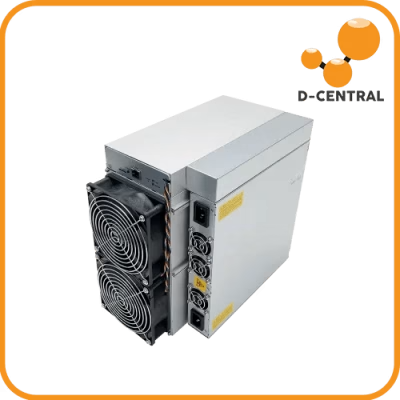
Heat is the primary enemy of every ASIC miner. A modern machine like the Antminer S21 dissipates over 3,500 watts of thermal energy. That heat must go somewhere. When cooling systems degrade, airflow is restricted, or ambient temperatures climb, chip junction temperatures spike beyond safe thresholds. The consequences cascade quickly:

  • Thermal throttling — The firmware reduces clock speeds to prevent immediate damage, dropping your hashrate by 20-50% before you even notice something is wrong.
  • Solder joint fatigue — Repeated thermal cycling (heating and cooling) stresses the solder connections between ASIC chips and the PCB. Over months, microscopic cracks form. These cracks increase electrical resistance, generate more local heat, and eventually cause chip failures.
  • Component degradation — Capacitors, voltage regulators, and other passive components on the hashboard have rated temperature limits. Sustained overheating accelerates their aging, sometimes by orders of magnitude.

Canadian miners have a natural advantage here. Our climate provides free cooling for a significant portion of the year. But even in Canada, summer months and poorly ventilated basements can turn a reliable miner into an overheating liability. If you are mining at home, consider our Bitcoin Space Heaters — purpose-built enclosures that turn your miner’s waste heat into useful home heating while maintaining proper airflow.

Power Supply Failures

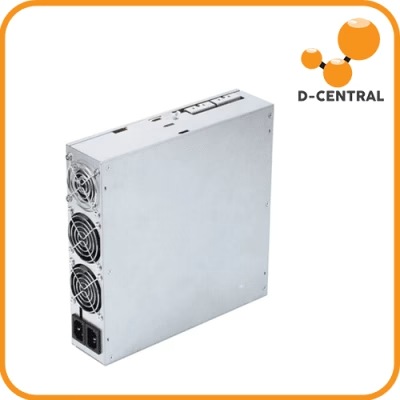
The power supply unit (PSU) converts AC mains power into the precise DC voltages your hashboards demand. It is the single most stressed component in your mining setup, and one of the most common failure points.

  • Capacitor aging — Electrolytic capacitors inside the PSU degrade over time, especially under heat. As they lose capacitance, voltage regulation becomes less stable, introducing ripple that stresses downstream components.
  • Fan failure — PSU cooling fans are often the first mechanical component to die. When the fan stops, the PSU overheats internally, triggering thermal shutdown or, worse, silent degradation of output quality.
  • Voltage rail instability — Dirty power, brownouts, and voltage sags from the grid propagate through cheap PSUs directly to your hashboards. A single voltage spike can destroy chips worth hundreds of dollars.
  • Connector degradation — The high-current connectors between PSU and hashboards carry significant amperage. Loose or corroded connections create resistance, generate heat at the connector, and can melt plastic housings or cause arcing.

Always use the PSU rated for your specific miner. Running an underpowered supply means it operates at maximum capacity constantly, drastically shortening its lifespan. This is not the place to cut corners.

Hashboard Failures

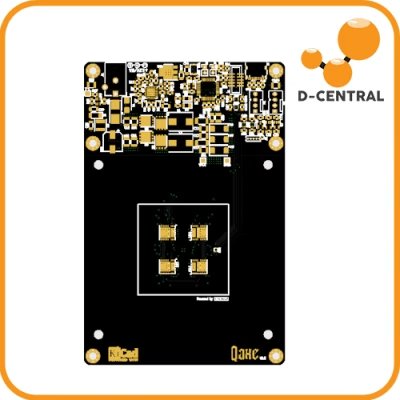
The hashboard is the core of your ASIC miner — a dense PCB populated with dozens or hundreds of mining chips, each performing billions of SHA-256 operations per second. When a hashboard fails, you lose a significant fraction of your machine’s total hashrate.

  • Individual chip death — A single failed chip can knock out an entire chain of chips on the hashboard, depending on the architecture. The chain topology means one bad chip can cascade into a completely non-functional board.
  • BOM component failure — Beyond the ASIC chips themselves, each hashboard contains voltage regulators, capacitors, temperature sensors, and signal routing components. Any of these can fail independently.
  • Physical damage — Dropped miners, bent hashboards from improper handling, or corrosion from humid environments all cause failures that no firmware update can fix.
  • Manufacturing defects — Not every hashboard leaves the factory perfect. Marginal solder joints, slightly out-of-spec components, and assembly defects can manifest as failures weeks or months into operation.

Hashboard repair is specialized work. It requires BGA rework stations, thermal profiling equipment, domain-specific diagnostic firmware, and — critically — experience. This is the core of what we do at D-Central. Our technicians have repaired hashboards across every major manufacturer: Bitmain, MicroBT, Canaan, and more. We perform component-level diagnostics and repair, not just board swaps.

Firmware and Control Board Failures

The control board is the brain of your ASIC miner. It runs the firmware, manages hashboard communication, handles network connectivity, and reports performance data. Failures here are often the most disorienting because the symptoms can mimic hardware problems.

  • Corrupted firmware — Power loss during a firmware update, incompatible firmware versions, or flash memory degradation can leave your miner in an unbootable state.
  • SD card / eMMC failure — Many miners boot from SD cards or embedded flash storage. These have limited write cycles and can fail, especially in high-temperature environments.
  • Network chip failures — When the Ethernet controller fails, the miner drops off the network. It may still be hashing (you might hear the fans), but you cannot monitor or control it.
  • Communication bus errors — The control board communicates with hashboards via serial protocols. A damaged communication bus means the control board cannot detect or manage one or more hashboards, even if those boards are physically fine.

Diagnosing Failures: A Practical Framework

Effective diagnosis follows a systematic process. Guessing wastes time and money. Here is the framework our repair technicians use at D-Central, adapted for operators in the field.

Step 1: Observe Before You Touch

Before pulling any cables or opening any enclosures, gather information:

  • Check the miner’s web interface. Note which hashboards are detected, their individual hashrates, chip temperatures, fan speeds, and error counts.
  • Listen to the machine. Abnormal fan noise (grinding, clicking, or complete silence) tells you about mechanical and cooling state.
  • Look at LED indicators on the control board and hashboards. Blinking patterns often encode specific error states.
  • Check your mining pool dashboard. A sudden drop in submitted shares, a spike in rejected shares, or complete disappearance points to specific failure modes.

Step 2: Isolate the Domain

Use the information from Step 1 to narrow down which of the four failure domains you are dealing with:

  • All hashboards down, fans spinning — Likely control board or firmware issue.
  • One hashboard down, others normal — Hashboard-specific failure. Could be the board itself or its power/data connection.
  • Entire machine dead — Power supply failure or mains power issue.
  • Reduced hashrate across all boards — Thermal throttling, marginal PSU, or environmental issue.
  • Intermittent restarts — Often power supply instability or thermal protection cycling.

Step 3: Test and Verify

Once you have a hypothesis, test it:

  • For thermal issues: Check ambient temperature, clean dust from heatsinks and fans, verify fan operation. A thermal camera (even a phone-based one) can reveal hot spots.
  • For PSU issues: Measure output voltages with a multimeter under load. Check connector temperatures with an IR thermometer. Try a known-good PSU if available.
  • For hashboard issues: Swap the suspected board to a different slot. If the fault follows the board, the board is the problem. If the fault stays with the slot, suspect the control board or backplane.
  • For firmware issues: Re-flash the firmware from a known-good image. Check SD card health. Try a different SD card.

Preventive Maintenance: The Operator’s Discipline

In Bitcoin mining, downtime is not an abstract concept — it is sats you will never earn. The block reward is 3.125 BTC, and your share of it depends on your proportion of the global hashrate. Every hour offline at 800+ EH/s of network competition is gone forever. Preventive maintenance is how you stay in the game.

Monthly Tasks

  • Dust removal: Use compressed air to blow out heatsinks, fan blades, and intake/exhaust areas. Dust buildup is the most common and most preventable cause of thermal failures.
  • Connector inspection: Check all power connectors for signs of discoloration, melting, or looseness. Re-seat any that feel marginal.
  • Fan RPM check: Compare current fan speeds to baseline. Fans that are slowing down are approaching failure.
  • Error log review: Check the miner’s kernel log for recurring errors, chip timeout warnings, or temperature alerts.

Quarterly Tasks

  • Thermal paste inspection: On machines older than one year, check the thermal interface between heatsinks and ASIC chips. Dried or cracked thermal paste dramatically increases chip temperatures.
  • PSU capacitor check: Listen for buzzing or whining from the PSU, and check output voltage stability. Bulging capacitors are visible through the PSU’s ventilation holes.
  • Firmware audit: Verify you are running the latest stable firmware from the manufacturer. Do not run beta firmware on production machines.
  • Electrical infrastructure review: Check circuit breakers, wiring, and grounding. As you add miners, electrical loads increase. What was adequate for two machines may be marginal for four.

Environmental Optimization

The ideal operating environment for most ASIC miners is 15-30 degrees Celsius with 40-60% relative humidity. In Canada, we have natural cooling advantages for much of the year, but humidity control matters — especially in spring and fall when temperature swings can cause condensation.

For home miners, the challenge is managing noise and heat simultaneously. Our Space Heater editions solve this elegantly by channeling waste heat into living spaces through sound-dampened enclosures. You get warmth and sats from the same watt of electricity — the purest form of energy monetization.

Repair vs. Replace: The Real Math

When a miner goes down, the instinct is often to buy new hardware. But that instinct costs you money more often than it saves it. Here is how to think about the decision properly.

When Repair Wins

  • Single hashboard failure on a current-gen machine. A board repair costs a fraction of a new unit and returns your machine to full capacity. The ROI on the repair is measured in weeks, not months.
  • PSU failure on any machine. PSU replacement is straightforward and cost-effective. A new PSU costs far less than a new miner.
  • Control board issues. Often fixable with firmware re-flash or minor component replacement.
  • Machine is less than 2-3 years old. The efficiency gap between your machine and the latest model may not justify the capital expenditure of replacement.

When Replacement Wins

  • Multiple hashboard failures on an old machine. If repair costs exceed 50-60% of the replacement cost, and the replacement is significantly more efficient (J/TH), new hardware makes sense.
  • The efficiency gap is generational. Going from an S9-class machine (90+ J/TH) to an S21-class machine (15-17 J/TH) is a 5x efficiency improvement. That changes the math dramatically.
  • Parts are unavailable. Some older models have scarce replacement components, making repair impractical regardless of cost.

At D-Central, we give you an honest assessment. If your machine is not worth repairing, we will tell you. Our ASIC repair service starts with a diagnostic evaluation so you can make an informed decision before committing to any repair work.

Why Component-Level Repair Matters for Decentralization

Here is something most people overlook: the ability to repair ASIC miners is a decentralization issue.

When miners cannot be repaired, they become e-waste. The operator buys a new machine from the same manufacturer, concentrating purchasing power and dependency on a handful of companies. The old machine — still physically capable of hashing — goes to a landfill. This is the opposite of the sovereignty ethos that Bitcoin was built on.

Component-level repair extends the useful life of mining hardware, keeps more diverse machines on the network, reduces e-waste, and gives individual operators an economic edge over operations that simply discard and replace. It is the right-to-repair philosophy applied to the most important network on the planet.

This is why D-Central invests heavily in repair capabilities. We are not just fixing machines — we are helping decentralize Bitcoin mining by keeping hardware accessible and operational for home miners and small operators who cannot afford to treat ASICs as disposable.

Open-Source Mining: A Different Maintenance Model

Not every miner needs to be an industrial ASIC. The open-source mining movement — led by devices like the Bitaxe — offers a fundamentally different approach to hardware reliability and maintenance.

Open-source miners like the Bitaxe are designed with repairability in mind. Schematics are public. Components are standard and sourced from common suppliers. Firmware is open and community-maintained. When something breaks, you can diagnose it with publicly available documentation and replace individual components yourself — or send it to a shop like ours that knows the platform intimately.

D-Central has been a pioneer in the Bitaxe ecosystem since its inception. We created the original Bitaxe Mesh Stand, developed heatsink solutions for both the standard Bitaxe and the Bitaxe Hex, and stock every variant — Supra, Ultra, Hex, Gamma, GT — along with the complete Nerd lineup (Nerdminer, NerdAxe, NerdNOS, NerdQAxe). For solo miners who want full control over their hardware, open-source is the ultimate expression of mining sovereignty.

Explore our full range of miners and accessories in the D-Central shop.

When to Call in the Professionals

Some failures are beyond what a screwdriver and compressed air can fix. Here is when you should reach out to a professional repair service:

  • Hashboard not detected after basic troubleshooting — This typically requires component-level diagnosis with specialized test equipment.
  • Burned or discolored PCB areas — Visible damage indicates component failure that needs professional assessment and BGA rework capability.
  • Recurring failures after repair attempts — If the same board keeps failing, there is an underlying issue that basic troubleshooting is not catching.
  • Multiple chips reporting zero hashrate — ASIC chip replacement requires precision soldering equipment and experienced hands.
  • Post-power-surge damage — Electrical events can damage multiple components simultaneously. A systematic diagnostic approach prevents chasing symptoms while the root cause remains.

D-Central has been doing this since 2016. Our repair lab handles machines from every major manufacturer — Bitmain Antminers, MicroBT Whatsminers, Canaan Avalons, and more. We have 38+ model-specific repair procedures documented and refined through thousands of successful repairs. Get in touch with our repair team for a diagnostic assessment.

FAQ

What are the most common causes of ASIC miner failure?

The four main failure domains are thermal stress (overheating due to dust buildup, fan failure, or poor ventilation), power supply degradation (capacitor aging, voltage instability, connector issues), hashboard failures (chip death, solder joint fatigue, manufacturing defects), and firmware/control board issues (corrupted flash, SD card failure, communication bus errors). Thermal and power supply issues account for the majority of failures and are the most preventable through proper maintenance.

How often should I perform maintenance on my ASIC miner?

Monthly: dust removal, connector inspection, fan RPM check, and error log review. Quarterly: thermal paste inspection on machines over one year old, PSU health check, firmware audit, and electrical infrastructure review. This schedule prevents the majority of preventable failures and catches developing issues before they cause downtime.

Is it better to repair or replace a failed ASIC miner?

It depends on the machine’s age, the specific failure, and the efficiency gap to current-generation hardware. Single hashboard failures, PSU replacements, and control board fixes on machines less than 2-3 years old almost always favor repair. Multiple board failures on older machines with large efficiency gaps to modern hardware may justify replacement. A professional diagnostic evaluation gives you the data to make an informed decision.

Can I diagnose ASIC hardware failures myself?

Many issues can be identified with basic tools and systematic observation. Check the web interface for hashboard status, chip temperatures, and error counts. Listen for abnormal fan noise. Use a multimeter to verify PSU output. Swap hashboards between slots to isolate whether the fault is on the board or the control board. However, component-level diagnosis — identifying specific failed chips or passive components — requires specialized equipment and experience.

What does D-Central’s ASIC repair process look like?

We start with a full diagnostic evaluation, identifying every issue on the machine — not just the obvious symptom. We provide you with a detailed report and repair estimate before any work begins. Repairs are performed at the component level, meaning we replace individual chips, capacitors, and regulators rather than swapping entire boards when possible. This keeps costs down and reduces waste. D-Central has been repairing ASICs since 2016, with documented procedures for 38+ miner models across all major manufacturers.

How does Bitcoin mining difficulty affect my maintenance urgency?

With Bitcoin’s difficulty above 110 trillion and the network hashrate exceeding 800 EH/s in 2026, every terahash matters. The block reward is 3.125 BTC, and your share is proportional to your fraction of the global hashrate. Downtime that might have been tolerable in a lower-difficulty era is now directly measurable in lost sats. Proactive maintenance is more critical than ever because the opportunity cost of downtime has never been higher.

Why does ASIC repairability matter for Bitcoin decentralization?

When miners cannot be repaired, they become e-waste, and operators are forced to buy new hardware from a small number of manufacturers. This concentrates dependency and purchasing power. Component-level repair extends hardware lifespan, keeps diverse machines on the network, reduces e-waste, and gives home miners and small operators an economic edge. Repair is the right-to-repair philosophy applied to the most important decentralized network on the planet.

ASIC Repair Cost Estimator Get an instant repair price estimate for your ASIC miner by model and issue type.
Try the Calculator

Related Posts