The Antminer S19 series machines have mined more Bitcoin blocks than any other hardware generation in history. From the original S19 to the S19 XP, these units powered the network through the 2020 halving, the hashrate migration out of China, and into the current era where global hashrate exceeds 800 EH/s and difficulty sits above 110 trillion. They are the workhorses of the mining world.
But workhorses break down. And when your S19 series miner starts throwing errors, dropping hashboards, overheating, or refusing to boot, you need answers that go beyond “restart the miner.” This guide is built from the thousands of S19 series repairs we have completed at D-Central Technologies since these machines first shipped. Every problem listed here is something we have seen, diagnosed, and fixed on our repair bench in Montreal, Quebec.
Whether you are running a single S19j Pro in your garage or managing a rack of S19 XPs, this guide gives you the real troubleshooting knowledge to identify problems, attempt fixes yourself, and know when it is time to send the unit to a professional.
The Antminer S19 Series: What You Are Working With
Before you troubleshoot anything, you need to understand what you are dealing with. The S19 series spans multiple generations, each with different ASIC chips, hashrates, power demands, and thermal characteristics.
| Model | ASIC Chip | Hashrate | Power Draw | Efficiency (J/TH) |
|---|---|---|---|---|
| S19 | BM1398 | 95 TH/s | 3,250W | 34.2 J/TH |
| S19 Pro | BM1398 | 110 TH/s | 3,250W | 29.5 J/TH |
| S19j | BM1398 | 90 TH/s | 3,100W | 34.4 J/TH |
| S19j Pro | BM1362 | 104 TH/s | 3,068W | 29.5 J/TH |
| S19j Pro+ | BM1362 | 120 TH/s | 3,355W | 28.0 J/TH |
| S19 XP | BM1366 | 140 TH/s | 3,010W | 21.5 J/TH |
| S19k Pro | BM1366 | 120 TH/s | 2,760W | 23.0 J/TH |
| S19 Hydro | BM1398 | 158 TH/s | 5,451W | 34.5 J/TH |
The BM1398 chip family that powers the entire S19 lineup was a generational leap from the BM1397 in the S17. But two years of production runs, multiple foundry batches, and variants mean there is significant variability across units. Two S19 Pros off the same production line can behave very differently under load. This is the silicon lottery in action, and it matters for troubleshooting because it means “normal” behavior for your specific unit might differ from published specs.
The Silicon Lottery: Why Your Miner Underperforms
Every ASIC chip is cut from a silicon wafer, and no two chips are identical at the atomic level. Manufacturing tolerances mean some chips will hash faster at lower voltages while others need more power to hit the same targets. Bitmain bins their chips during production, but the S19 series saw massive production volumes, and quality control variance is a documented reality.
How the Silicon Lottery Manifests
- Hashboard variance: One board hashes at 35 TH/s while its siblings do 33 TH/s on the same miner. This is normal within a few percent. Anything beyond a 10% delta between boards warrants investigation.
- Voltage spread: Chips on the same board running at noticeably different voltages indicate bin quality differences. Check the kernel log for per-domain voltage data.
- ASIC chip dropout: Some chips intermittently fail to respond during chain enumeration. If the same chip position drops out repeatedly, the chip itself may be marginal. If random positions drop, the problem is likely communication (ribbon cables, connectors) rather than silicon quality.
What You Can Do About It
You cannot fix the silicon lottery, but you can work with it. Custom firmware solutions like Braiins OS+ and VNish allow per-chain voltage and frequency tuning, which lets you optimize around weaker chips rather than running everything at the same aggressive settings. Underclocking a marginal board by 5-10% and reducing its voltage can stabilize the entire miner and actually increase your uptime-adjusted hashrate.
Hardware Failures: Board-Level Diagnosis
The S19 series uses three hashboards plus a control board, all connected via ribbon cables to the backplane. Most hardware failures originate on the hashboards themselves.
Visible Hardware Damage
Before you power anything on, physically inspect every board. Pull each hashboard and examine both sides under good lighting. Here is what to look for:
- Burnt or discolored components: Dark spots around voltage regulator areas (VRMs), swollen capacitors, or blackened traces indicate overcurrent events. These boards need component-level repair.
- Cracked solder joints: Thermal cycling causes BGA solder balls under ASIC chips to fracture over time. Symptoms include intermittent chip detection. A magnifying glass or loupe helps identify hairline cracks.
- Corrosion: White or green deposits on connectors, traces, or chip packages. Common in humid environments or units that were improperly stored. Clean with isopropyl alcohol (99%) and a soft brush. Severe corrosion requires professional rework.
- Physical impact damage: Bent heatsink fins, cracked PCB substrate, or dislodged components from shipping damage. Even minor PCB flex can crack internal traces that are invisible to the naked eye.
- Thermal paste condition: If you remove the heatsink, check the thermal interface material (TIM). Dried-out, cracked, or unevenly applied thermal paste is one of the most common causes of chronic overheating on S19 boards.
Temperature Sensor Failures
The S19 series uses on-board temperature sensors to monitor chip junction temperatures and trigger thermal protection. When sensors fail or give erratic readings, you get one of two bad outcomes: the miner throttles or shuts down unnecessarily, or worse, it runs without thermal protection and cooks the chips.
Symptoms of sensor problems:
- Temperature readings showing 0 degrees, -40 degrees, or impossibly high values (200+) in the dashboard
- One hashboard consistently reporting temperatures 20-30 degrees different from the other two under identical airflow
- Miner entering “high temperature protection” mode despite ambient conditions being well within spec
- Kernel log showing “temp sensor error” or “read temp fail” messages
Diagnosis steps:
- Log into the miner web interface and check the temperature readings for all three hashboards. Note which board and which sensor position is abnormal.
- SSH into the miner and check the kernel log:
dmesg | grep -i tempto see raw sensor data and error messages. - Swap the suspect hashboard to a different slot. If the bad reading follows the board, the sensor is on the board. If it stays with the slot, the problem is on the control board or backplane connector.
- Inspect the physical temperature sensor components on the hashboard (small IC packages near the ASIC chain). Look for solder joint issues or physical damage.
Sensor replacement is a component-level repair that requires hot air rework station skills. If you are not comfortable with SMD soldering, this is a job for a professional ASIC repair service.
Power Supply Failures and Instability
The APW12 power supply that ships with most S19 series miners is a 3,600W unit operating on 220-240V input. Power-related problems are among the most common and most destructive issues with the S19 series.
Symptoms of Power Problems
- Miner won’t start: No fans, no LEDs, no network presence. Could be a dead PSU, blown fuse, or input power issue.
- Intermittent restarts: The miner hashes for minutes or hours, then suddenly reboots. Often caused by PSU voltage droop under load or loose power connectors.
- One hashboard missing: The PSU cannot deliver enough current under full load, so one board drops out. This is common with degraded PSUs or when running on circuits that are slightly undersized.
- Hashrate oscillation: Hashrate swings up and down rhythmically, often correlating with PSU voltage regulation instability.
Diagnosis and Fixes
- Verify input power first. Measure voltage at the wall outlet with a multimeter. The APW12 needs 200-240V AC. Running it on 120V is insufficient and will cause undervoltage protection to trigger. If you are in North America, you need a dedicated 240V circuit (NEMA 6-20 or L6-30).
- Check all power connectors. The six-pin connectors between the PSU and hashboards must be fully seated. A partially inserted connector creates high resistance, which causes heating, voltage drop, and eventual connector melt. Inspect for blackened or deformed pins.
- Test PSU output under load. With the miner running, measure DC output voltage at the hashboard connectors. It should be stable at approximately 12V (varies by model). More than 0.5V deviation from nominal indicates PSU degradation.
- Listen to the PSU. Clicking, buzzing, or whining sounds from the PSU indicate failing components (typically capacitors or the switching circuit). Replace the PSU immediately; a failing PSU can send voltage spikes that destroy hashboards.
- Check the grounding. The S19 chassis must be properly grounded. Improper grounding can cause erratic behavior, including false sensor readings and communication errors between the control board and hashboards.
APW12 Replacement Notes
When replacing an APW12, use a genuine Bitmain unit or a verified compatible replacement. The S19 series is sensitive to power quality, and cheap third-party PSUs can cause more problems than they solve. D-Central carries replacement power supplies and parts for the entire S19 lineup.
Thermal Management: The Make-or-Break Factor
Heat kills ASIC miners. The S19 series generates 3,000+ watts of heat in a compact enclosure, and managing that thermal load determines whether your miner runs for years or months.
Thermal Paste Application
Bitmain’s factory thermal paste application is inconsistent. We have opened thousands of S19 units, and the quality ranges from excellent to barely adequate. Over time, thermal paste degrades, dries out, and loses conductivity. Replacing thermal paste is one of the highest-impact maintenance tasks you can perform.
Proper reapplication procedure:
- Remove the hashboard and separate the heatsink assembly.
- Clean all old thermal paste from both the chip surfaces and heatsink contact areas using isopropyl alcohol (99%) and lint-free wipes.
- Apply fresh thermal paste to each ASIC chip. The S19 hashboard has dozens of chips in a line, so use a thin, even layer that covers the full contact area of each chip. Too little paste creates air gaps; too much paste squeezes out and can short nearby components.
- Reattach the heatsink with even pressure. Ensure all mounting screws are torqued evenly to prevent uneven contact.
- After reassembly, run the miner and monitor temperatures for the first hour. Chip temperatures should settle within the manufacturer’s specified range (typically 65-85 degrees Celsius for sustained operation).
Airflow and Environment
The S19 series is designed for datacenter-grade airflow. The dual fans push approximately 200+ CFM through the unit. For the miner to cool properly:
- Do not restrict intake or exhaust. The miner needs clear airflow paths on both ends. Placing it against a wall or in an enclosed cabinet without adequate ventilation will cause overheating.
- Ambient temperature matters. Bitmain rates the S19 for operation at 5-40 degrees Celsius ambient. Every degree above 25C reduces your thermal headroom. In hot climates or during summer, you may need supplemental cooling or reduced clock speeds.
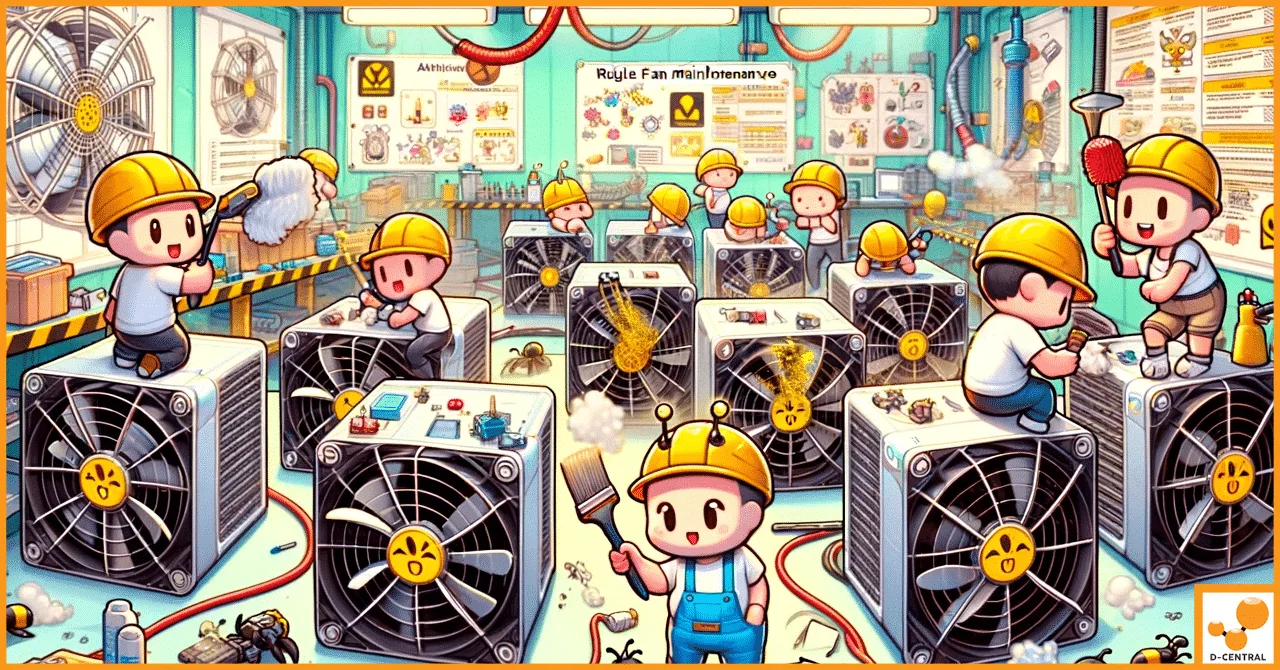
- Dust is the enemy. In dusty environments, the heatsink fins clog within weeks, dramatically reducing cooling capacity. Compressed air cleaning every 2-4 weeks is essential. For home miners, placing the miner in a clean, filtered environment extends maintenance intervals.
- Altitude affects cooling. At higher altitudes, air is less dense and carries less heat. If you are mining above 1,500 meters, expect higher operating temperatures and consider derating the miner accordingly.
For home miners who want to recapture the heat output of an S19 series miner, D-Central offers Bitcoin Space Heater conversions that turn these machines into dual-purpose heating and mining units. The S19’s 3,000+ watts of thermal output can meaningfully heat a room during the cold Canadian winter while continuing to mine Bitcoin at the current block reward of 3.125 BTC.
Fan Diagnosis and Replacement
The S19 series uses two high-speed fans (intake and exhaust) that are critical to thermal management. Fan failure is one of the most common and most easily fixable problems.
Symptoms of Fan Problems
- Loud grinding, clicking, or rattling noise from one or both fans
- Fan speed reading zero or fluctuating wildly in the dashboard
- Miner entering thermal protection despite normal ambient temperature
- “Fan speed error” or “fan lost” messages in the system log
- One fan visibly spinning slower than the other
Troubleshooting Procedure
- Visual check: With the miner powered off, spin each fan by hand. It should rotate freely with minimal resistance. Grinding or catching indicates bearing failure.
- Connector check: Reseat the fan connectors on the control board. A loose connector is the simplest cause of “fan lost” errors.
- Swap test: Swap the intake and exhaust fans. If the error follows the fan, the fan is bad. If the error stays on the same connector, the control board fan header may be damaged.
- RPM verification: In the miner dashboard, fan speeds should be within Bitmain’s specified range for your model (typically 4,000-6,000 RPM at full speed). Fans running significantly below spec need replacement even if they appear to work.
- Replace with correct spec: S19 fans are not universal across all Antminer generations. Make sure you are ordering the correct fan model for your specific S19 variant.
PIC Communication and Chip Detection Errors
The PIC (Peripheral Interface Controller) on each hashboard manages communication between the control board and the ASIC chip chain. PIC errors are among the most frustrating because they can have multiple root causes.
Common PIC Error Patterns
- “Fail to read PIC” — The control board cannot communicate with the hashboard’s PIC at all. Usually indicates a hardware fault: bad ribbon cable, damaged connector, or failed PIC chip.
- “PIC data mismatch” — The PIC responds but returns unexpected data. Can be caused by firmware corruption, voltage issues, or a degrading PIC chip.
- Missing chips in chain — The PIC reports fewer ASIC chips than expected. Could be failed chips, broken signal traces between chips, or communication timing issues.
- All chips missing on one board — Complete communication failure between the control board and that hashboard. Check the ribbon cable and backplane connector first.
Troubleshooting Steps
- Reseat all ribbon cables. Power off the miner, disconnect all ribbon cables from the control board, inspect the gold contacts for damage or debris, and reconnect firmly. This fixes a surprising number of PIC errors.
- Swap hashboard slots. Move the problem board to a different slot on the control board. If the error follows the board, the issue is on the hashboard. If the error stays on the same slot, the control board connector or the control board itself is suspect.
- Reflash firmware. Download the latest official firmware from Bitmain and reflash via the web interface or SD card method. Firmware corruption can cause phantom PIC errors.
- Check power delivery to the board. A hashboard with marginal power delivery may boot but fail PIC communication. Verify PSU connectors are fully seated and that the PSU is delivering proper voltage.
- Test with known-good control board. If you have access to a spare control board, this is the definitive test. PIC communication errors caused by a failing control board are more common than many people realize.
If PIC errors persist after these steps, the hashboard likely needs component-level repair. The PIC chip itself, the voltage regulators that power the ASIC chain, or signal-integrity components along the chain may need replacement. Get an instant ASIC repair cost estimate to see what a professional repair would cost.
Network and Connectivity Problems
A miner that cannot connect to the network cannot mine. Network issues with the S19 series are usually straightforward but can be confusing when they appear intermittently.
Common Network Issues
- Miner not found on network: The miner does not appear in your network scanner or the Bitmain IP Reporter tool. Check the Ethernet cable, try a different port on your switch, and verify the network LED on the miner’s Ethernet port shows activity.
- IP address conflicts: If you are running multiple miners on the same network, DHCP conflicts can cause intermittent connectivity. Assign static IP addresses to each miner through your router or through the miner’s configuration interface.
- Pool connection failures: The miner connects to your network but cannot reach the mining pool. Check DNS settings, try using IP addresses instead of hostnames for your pool configuration, and verify that your firewall is not blocking Stratum protocol traffic (typically port 3333 or 8332).
- Intermittent disconnections: The miner drops off the network periodically and reconnects. Often caused by a failing Ethernet port on the control board, a marginal cable, or network switch issues. Try a different cable and a different switch port.
Network Optimization for Mining
- Use Cat6 or better Ethernet cables for all mining connections
- Assign static IPs to avoid DHCP lease renewal disruptions
- Configure a backup pool in the miner settings so it automatically fails over
- Monitor pool-reported hashrate versus local hashrate. A large discrepancy indicates network packet loss.
- If running many miners, use a managed switch and monitor for bandwidth saturation
Firmware: Stock vs. Custom
The firmware running on your S19 determines how the miner communicates with its hashboards, manages thermal protection, and reports data. Firmware choice matters.
Stock Bitmain Firmware
- Conservative settings optimized for datacenter stability
- No per-chain tuning capability
- Includes Bitmain’s built-in dev fee (varies by version)
- Automatic firmware updates can be disabled for stability
Custom Firmware Options
- Braiins OS+: Autotuning capability, per-chain frequency and voltage control. Excellent for optimizing around silicon lottery variation. Transparent dev fee structure.
- VNish: Feature-rich, aggressive tuning options, immersion cooling support. Popular with operators who want maximum control.
- LuxOS: Newer entrant with a clean interface and solid autotuning. Growing community support.
Custom firmware is particularly valuable for the S19 series because it lets you compensate for aging hardware, optimize around weak chips, and potentially extend the profitable life of your machines by months or years. The ability to reduce voltage and frequency on a struggling board, while running the healthy boards at full speed, is something stock firmware simply cannot do.
For guidance on firmware selection and optimization for your specific setup, D-Central offers mining consulting services tailored to both home miners and facility operators.
Preventive Maintenance Schedule
The best troubleshooting is the kind you never have to do. A consistent maintenance schedule prevents most S19 series failures before they happen.
| Frequency | Task | Details |
|---|---|---|
| Daily | Monitor dashboard | Check hashrate, temps, fan speeds, error counts for each board |
| Weekly | Log review | SSH in and review kernel logs for recurring warnings or errors |
| Monthly | Compressed air cleaning | Blow out dust from intake side, heatsinks, and fan assemblies |
| Monthly | Connector inspection | Check power connectors for discoloration, deformation, or looseness |
| Quarterly | Full physical inspection | Pull hashboards, inspect for corrosion, check ribbon cables, verify thermal paste condition |
| Annually | Thermal paste replacement | Strip old paste, clean surfaces, reapply quality TIM to all chip contacts |
| Annually | Fan replacement | Replace fans preemptively if running 24/7 for 12+ months |
| As needed | Firmware updates | Apply security patches and performance improvements when stable releases are available |
When to Repair vs. When to Replace
The S19 series is now a mature product line. With the current block reward at 3.125 BTC post-halving and network difficulty above 110T, efficiency matters more than ever. Here is how to think about the repair-versus-replace decision:
Repair Makes Sense When
- The issue is a single failed component (fan, PSU, sensor, PIC chip) that costs a fraction of a new machine
- You have an S19 XP or S19k Pro with strong efficiency numbers that justify the repair investment
- The repair cost is less than 30-40% of the machine’s current resale value
- You are using the machine as a Bitcoin Space Heater where absolute efficiency matters less than having a functional heat source that also mines
- Your electricity cost is low enough that the older machine remains profitable at current difficulty
Replace Makes Sense When
- Multiple hashboards have failed simultaneously, indicating systemic issues
- The repair cost exceeds 50% of current machine value
- The unit is an older S19 or S19j running above 34 J/TH and your electricity rate makes it unprofitable at current difficulty
- You have had the same machine repaired multiple times and recurring failures indicate fundamental degradation
D-Central provides honest assessments during the repair process. If a machine is not worth repairing, we will tell you. Our ASIC repair service includes detailed diagnostics with photos so you can make an informed decision before any work begins.
The S19 as a Home Mining Platform
Despite being designed for datacenters, the S19 series has found a second life as a home mining platform thanks to noise reduction modifications and heat recapture solutions. For home miners in cold climates like Canada, an S19 generating 3,000+ watts of heat is not waste; it is free heating that happens to produce Bitcoin.
D-Central’s Bitcoin Space Heater editions take S19 series machines and adapt them for residential use with noise-dampening enclosures and ducting solutions. When your electricity bill already covers winter heating, redirecting that energy through a Bitcoin miner first turns a pure expense into a productive asset.
If you are not ready for the noise and power requirements of a full S19 but still want to participate in Bitcoin mining at home, consider starting with a Bitaxe open-source solo miner. These quiet, low-power devices run on a standard 5V barrel jack power supply and let you solo mine Bitcoin from anywhere in your home.
For miners who want to scale beyond what home infrastructure supports, D-Central operates a mining hosting facility in Quebec, Canada, where clean hydroelectric power keeps electricity costs competitive. Hosting lets you own the machines while we handle the infrastructure, maintenance, and uptime.
D-Central: Built for This
D-Central Technologies has been repairing and modifying ASIC miners since 2016. The S19 series is one of the most common machines on our repair bench, and we have developed extensive expertise in diagnosing and fixing every variant in the lineup. Our repair facility in Montreal, Quebec is equipped for component-level rework, including BGA reballing, ASIC chip replacement, and PCB trace repair.
Beyond repair, we offer mining training for operators who want to develop their own diagnostic and repair skills. Learning to troubleshoot at the board level saves time and money, especially when you are managing multiple machines.
What separates D-Central from other repair providers is that we are miners ourselves. We run these machines, we break these machines, and we fix these machines. Every recommendation in this guide comes from hands-on bench experience, not a spec sheet.
Frequently Asked Questions
What is the most common failure on the Antminer S19 series?
The most common failure we see is hashboard communication errors caused by degraded ribbon cables and connectors. Thermal cycling over months of 24/7 operation causes connectors to loosen and cable contacts to oxidize. Reseating or replacing ribbon cables resolves a large percentage of “missing hashboard” and “PIC read failure” errors. The second most common issue is thermal paste degradation leading to chronic overheating.
Can I run an Antminer S19 on a regular household 120V outlet?
No. The S19 series requires 220-240V input power. The APW12 power supply cannot deliver sufficient wattage on 120V. You need a dedicated 240V circuit, typically a NEMA 6-20 or L6-30 outlet, installed by a licensed electrician. Running the miner on 120V will cause undervoltage faults and the miner will not start or will shut down under load.
How often should I replace thermal paste on my S19?
For machines running 24/7, we recommend inspecting thermal paste at six months and replacing it annually. If your miner is running hotter than it did when new, or if chip temperatures are climbing while ambient temperature has not changed, the thermal paste has likely degraded and should be replaced sooner. Use a quality thermal compound rated for the thermal load of ASIC chips.
Is it worth repairing an S19 in 2026 with the block reward at 3.125 BTC?
It depends on your electricity cost and the specific model. The S19 XP at 21.5 J/TH and the S19k Pro at 23 J/TH remain competitive at low electricity rates. Older models like the base S19 at 34.2 J/TH are only profitable below approximately $0.05/kWh at current difficulty. For home miners using S19 units as space heaters, the heating value offsets electricity costs, making repair worthwhile even for less efficient models.
What custom firmware should I use on my S19?
For most home miners, Braiins OS+ offers the best balance of features, stability, and transparency. Its autotuning feature optimizes each ASIC chip individually, which is particularly valuable for S19 units affected by silicon lottery variance. VNish is preferred by operators who want maximum manual control. LuxOS is a solid newer option. All three are significantly better than stock firmware for optimization purposes.
Can D-Central repair my S19 if I am not located in Canada?
Yes. We accept repair shipments from across North America. Ship your miner to our repair facility in Montreal, Quebec, and we will diagnose, provide a detailed repair quote with photos, and proceed only with your approval. International miners can also reach out for remote diagnostic guidance via our support channels.
How do I know if my hashboard is dead or just needs a simple fix?
Start with the basics: reseat all ribbon cables and power connectors, try the board in a different slot, and reflash firmware. If the board still does not respond, inspect for visible damage (burnt components, corrosion, bent pins). If none of these steps help, the board likely needs component-level diagnosis. Our repair cost estimator can give you a quick idea of what to expect before shipping the unit in.
What is the lifespan of an Antminer S19 running 24/7?
With proper maintenance, including regular cleaning, annual thermal paste replacement, and timely fan replacements, an S19 series miner can run for 3-5+ years. The ASIC chips themselves rarely fail outright. Most end-of-life decisions are economic rather than mechanical: when electricity costs exceed mining revenue at current difficulty, the machine is retired or repurposed as a heater.
Explore More
This article is part of our ASIC Repair Services — professional Bitcoin miner repair with 8+ years of experience — diagnostics, hashboard repair, and component-level rework.
Related:
- ➤ Bitcoin Space Heaters — Turn your S19 into a dual-purpose heater and miner
- ➤ Bitaxe Hub — Quiet, open-source solo mining for your home
- ➤ Shop Replacement Parts — PSUs, fans, hashboards, and more
- ➤ Mining Hosting in Quebec — Clean hydroelectric power for your machines