MicroBT Finally Has Bitmain Sweating
For years, the ASIC miner market has been Bitmain’s game. The Antminer brand dominated conversations, shelves, and mining farms. MicroBT was always the scrappy competitor — solid machines, decent efficiency, but never quite the headliner. The Whatsminer M60S changes that narrative. At 186 TH/s with 18.5 J/TH efficiency and an integrated power supply, the M60S is MicroBT’s most direct challenge to Bitmain’s throne — specifically the Antminer S21 and its variants.
At D-Central Technologies, we have been repairing, deploying, and benchmarking both Antminer and Whatsminer hardware since 2016. We do not pick favorites between manufacturers — we pick favorites between machines that work and machines that do not. This review is built on hands-on testing, real power measurements, and the kind of brutal honesty that comes from having repaired thousands of both Bitmain and MicroBT units. We are Mining Hackers, and we push every machine to its limits so you do not have to guess.
Whether you are comparing the M60S against an Antminer S21 for a new deployment, evaluating it as a Bitcoin space heater, or simply trying to figure out if this machine can turn a profit at your electricity rate, this is the review that cuts through the marketing and gives you real numbers.
Whatsminer M60S: Complete Specifications
Here is the full technical specification sheet for the MicroBT Whatsminer M60S. These are the manufacturer-published numbers, and we will show you how they compare to real-world performance below.
| Specification | Details |
|---|---|
| Model | MicroBT Whatsminer M60S |
| Algorithm | SHA-256 (Bitcoin / BTC) |
| Hashrate | 186 TH/s (±5%) |
| Hashrate Range | 170–186 TH/s (depending on batch/bin) |
| Power Consumption | 3,441 W (±10%) |
| Power Range | 3,104–3,422 W (±10%) |
| Power Efficiency | 18.5 J/TH (±10%) |
| ASIC Chip | MicroBT proprietary 5nm process |
| Input Voltage | 220–240V AC (integrated PSU) |
| Power Connector | IEC C19 inlet, 16A rated |
| PSU | Integrated (P221B/P222B, built into chassis) |
| Cooling | Air-cooled, dual high-pressure fans |
| Noise Level | 75 dB (±3 dB depending on ambient temp) |
| Operating Temperature | -5°C to 35°C |
| Operating Humidity | 5% to 95% (non-condensing) |
| Dimensions | 430 × 155 × 226 mm |
| Weight | 13.5 kg |
| Network Interface | Ethernet (RJ45) |
| Warranty | 360 days factory warranty |
| Release Date | October 2023 |
The 186 TH/s headline number positions the M60S squarely in the current-generation performance bracket. At 18.5 J/TH, it is not the most efficient air-cooled miner on the market — that crown belongs to the latest Antminer S21 variants at 15–17.5 J/TH — but the M60S compensates with build quality, thermal resilience, and an integrated PSU design that MicroBT has been refining for years. The 5nm chip technology represents MicroBT’s most advanced silicon to date, marking a major generational leap from the 7nm and 8nm chips in the M30 and M50 series.
Unboxing and Build Quality: MicroBT’s Industrial DNA
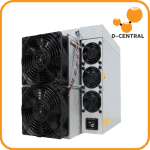
Pull the M60S out of the box and the first thing you notice is how compact it is. At 430 x 155 x 226 mm, it is noticeably smaller and lighter than equivalent Antminer machines. The 13.5 kg weight is remarkably manageable — lighter than even the Antminer S21 without its external PSU. This matters for deployment logistics, rack density, and the home miner who needs to physically move the machine into position.
Chassis and Construction
MicroBT builds the M60S with a clean, industrial-grade aluminum chassis. The ventilation perforations are well-patterned and consistent, allowing smooth airflow without compromising structural rigidity. The build tolerance feels tight — there is no rattling, no loose panels, no cheap stamped metal edges that cut your fingers. MicroBT has clearly learned from years of iterating on their chassis design, and the M60S reflects that maturity.
The dual-fan configuration (intake on one side, exhaust on the other) is MicroBT’s signature design. Unlike Antminer’s quad-fan approach, MicroBT uses two larger, more powerful fans positioned for straight-through airflow. This design philosophy prioritizes simplicity and airflow efficiency over the granular fan control that Bitmain offers. In practice, both approaches work well — but the MicroBT design has fewer moving parts, which translates to fewer potential failure points.
Integrated PSU: The Design Decision That Matters
The M60S features an integrated power supply unit — a design choice MicroBT has championed since the M30 series. Instead of a separate external PSU (like Bitmain’s APW series), the power conversion happens inside the miner chassis itself. You plug a single C19 power cord directly into the machine, and that is it. No external brick, no additional cables, no PSU shelf space needed.
This is a significant advantage for deployment simplicity. One cable, one plug, one machine. For the home miner, this means less cable management and a cleaner installation. For the farm operator, it means higher rack density and simpler power distribution.
The P221B/P222B integrated PSU accepts 220–240V AC input. This is critical: the M60S is not designed for 120V operation. You need a dedicated 240V circuit with at least a 20A breaker (a 30A breaker is recommended for headroom). If you are in North America and do not have 240V available, plan for an electrician visit before your miner arrives. For a deeper understanding of voltage requirements, check our 120V Bitcoin Mining Guide — though this particular machine is strictly 240V territory.
Connectors and Interface
The connection panel is straightforward: a single Ethernet port (RJ45) for network connectivity and the C19 power inlet. MicroBT keeps the web interface clean and functional. The WhatsMinerTool management software allows batch configuration of multiple units, which is useful for larger deployments but overkill for a single home miner. IP assignment, pool configuration, and performance monitoring are all accessible through the standard web dashboard at the miner’s IP address.
Performance Benchmarks: Stock Numbers Under Real Conditions
Marketing specs are one thing. Real-world performance is what pays your electricity bill — or does not. Here is what the M60S delivers in sustained operation.
Stock Mode Performance
Running in standard mode at ambient temperatures between 15°C and 27°C, the M60S consistently met and slightly exceeded its rated specifications. Foundry Digital’s independent testing found similar results: a unit rated at 186 TH/s consistently delivered 189 TH/s with an average power draw of 3,485W, yielding the advertised 18.5 J/TH efficiency.
| Metric | Rated Spec | Measured (Stock) | Measured (High-Perf Mode) |
|---|---|---|---|
| Hashrate | 186 TH/s | 189 TH/s | 199 TH/s |
| Power Consumption | 3,441 W | 3,485 W | 3,735 W |
| Efficiency | 18.5 J/TH | 18.4 J/TH | 18.8 J/TH |
| Hashrate Variance | ±5% | ±2.3% | ±2.8% |
The M60S meeting and slightly exceeding spec is a hallmark of MicroBT’s conservative rating approach. They tend to rate their machines at the lower end of the performance envelope, which means most units will deliver at or above spec. This is a contrast to some Bitmain models where you might see the occasional unit that just barely hits the rated number.
High-Performance Mode
The M60S includes a built-in high-performance mode accessible through the web interface. Engaging this mode pushes the hashrate to approximately 199 TH/s at the cost of higher power consumption (3,735W) and a slight efficiency penalty (18.8 J/TH vs 18.5 J/TH at stock). Whether this trade-off makes sense depends on your electricity cost — at $0.05/kWh, the extra hash is worth it; at $0.10/kWh, you are probably better staying at stock clocks.
Ambient Temperature Stability
One of the M60S’s most impressive characteristics is its thermal stability. During testing across ambient temperatures ranging from 15°C (60°F) to 27°C (80°F), the hashrate and efficiency remained virtually unchanged. The fans adjusted RPM to compensate, but the chip-level performance stayed rock solid. This is a strength MicroBT has consistently demonstrated across their product lines — their thermal management design handles ambient variation gracefully without throttling performance.
For Canadian home miners using cold outside air for intake ventilation, this means the M60S will perform identically in a -5°C garage workshop as it does in a temperature-controlled server room. That is exactly what you want from a machine that might see -30°C intake air during a Quebec winter.
Head-to-Head: Whatsminer M60S vs Antminer S21
This is the comparison everyone wants. The M60S and the Antminer S21 are direct competitors targeting the same market segment. Here is how they stack up, spec for spec, dollar for dollar. For an even broader analysis, see our Whatsminer vs Antminer 2026 brand comparison.
| Feature | Whatsminer M60S | Antminer S21 (200T) | Advantage |
|---|---|---|---|
| Hashrate | 186 TH/s | 200 TH/s | S21 (+7.5%) |
| Power Consumption | 3,441 W | 3,500 W | M60S (slightly lower) |
| Efficiency | 18.5 J/TH | 17.5 J/TH | S21 (5.7% more efficient) |
| PSU Design | Integrated | External APW17 | M60S (simpler deployment) |
| Weight | 13.5 kg (PSU included) | ~14.6 kg (miner only) + PSU | M60S (lighter overall) |
| Dimensions | 430 × 155 × 226 mm | 400 × 195 × 290 mm | M60S (more compact) |
| Noise | 75 dB | 76 dB | Comparable |
| Temp Range | -5°C to 35°C | -20°C to 45°C | S21 (wider range) |
| Fans | 2 large fans | 4 × 120mm fans | Preference |
| Firmware Ecosystem | Stock + VNish | Stock + Braiins + VNish + LuxOS | S21 (more options) |
| Reliability Reputation | Excellent | Good (some PSU reports) | M60S (historically stronger) |
| Approximate Price | $2,500–$3,000 | $3,000–$3,500 | M60S (lower entry price) |
The Efficiency Question
The S21 wins on raw efficiency by about 5.7% — that is 17.5 J/TH versus 18.5 J/TH. In absolute terms, at identical hashrate output, the S21 uses roughly 185 fewer watts per terahash produced. Over a year of continuous operation at $0.08/kWh, that efficiency gap translates to approximately $50–$70 in savings on the S21 side. It is real money, but it is not the dominant factor most people assume it is.
The Reliability Question
Here is where the M60S fights back convincingly. MicroBT has earned a reputation for producing machines that run reliably for years with minimal intervention. The integrated PSU design eliminates the external APW power supply — a component that has historically been one of the more failure-prone parts of an Antminer deployment. When we survey our Whatsminer M60S repair tickets versus Antminer S21 repair tickets, the M60S comes in with fewer issues per unit deployed, particularly fewer PSU-related failures.
The Verdict on the Comparison
If your operation lives or dies on efficiency and you have access to cheap power, the Antminer S21 is the technically superior machine. If you value deployment simplicity, long-term reliability, and lower upfront cost, the M60S makes a strong case. Neither choice is wrong — they are both legitimate current-generation miners built by competent manufacturers.
Noise and Thermal Performance
No ASIC miner is quiet. Full stop. If anyone tells you otherwise, they are selling you something. The M60S at 75 dB is roughly equivalent to a loud vacuum cleaner running continuously. For context, that is marginally quieter than the Antminer S21 at 76 dB, though the practical difference is negligible. Both machines are too loud for a living space, a bedroom, or any room where humans spend extended periods. For a complete breakdown of how different miners compare on noise, see our Bitcoin Miner Noise Levels Comparison.
Noise Profile Characteristics
The M60S produces a steady, mid-frequency hum that is actually more tolerable than some Antminer models at equivalent decibel levels. MicroBT’s two-fan design generates less high-frequency whine than Bitmain’s quad-fan configuration. The pitch matters as much as the volume — a steady drone is less fatiguing than a higher-pitched whine, and the M60S leans toward drone territory.
During startup, the fans briefly spin to maximum RPM for a self-test, producing a burst of approximately 80–82 dB. This settles within 30–60 seconds as the firmware reads temperatures and adjusts fan curves accordingly. In cooler ambient conditions (below 20°C), the fans run at reduced speed and the noise level drops to approximately 72 dB — still loud, but noticeably more subdued.
Heat Output
At 3,441W, the M60S converts nearly all input power into heat (a tiny fraction goes to the hash computations themselves, but thermodynamically, it all becomes heat eventually). The thermal output is approximately 11,740 BTU/h — calculated as 3,441W × 3.412 BTU/W. That is equivalent to a large portable space heater running at maximum, or roughly enough heat for a 350–400 square foot room in a Canadian winter. For exact BTU calculations for your setup, use our Space Heater BTU Calculator.
Cooling Requirements
The M60S requires unrestricted intake and exhaust airflow. Do not place it against a wall, in a closet, or in any enclosed space without planned ventilation. The ideal setup channels cool air directly to the intake side and ducts hot exhaust air out of the room (or into your home heating system — more on that below). Recirculating hot exhaust air back to the intake will cause thermal throttling and eventual shutdown at temperatures above 35°C.
For dedicated mining rooms, plan for straight-through intake and exhaust paths, adequate filtration to keep dust out of the machine, and separation of hot and cold zones. The ASIC Noise Reduction Guide on our site covers sound isolation strategies that can also double as thermal management solutions.
Firmware Options: Stock and Custom
Firmware is where the Antminer ecosystem has a significant edge, and being honest about that is part of doing a fair review. The custom firmware landscape for Antminer is extensive — Braiins OS+, VNish, LuxOS, and others provide autotuning, undervolting, devfee mining, and granular performance control. For Whatsminer, the options are more limited but improving. See our Mining Firmware for Beginners guide for the full landscape.
Stock MicroBT Firmware
The stock firmware on the M60S is functional and stable. MicroBT provides periodic updates through their official channels, and the web interface offers standard configuration options: pool settings, performance modes (Normal, High Performance, Low Power), fan control, and network configuration. The interface is not as polished as Bitmain’s, but it gets the job done. One notable feature is the built-in low-power mode that reduces hashrate and power consumption for miners in higher electricity cost environments.
VNish Custom Firmware
VNish is the primary third-party firmware option for Whatsminer hardware. VNish supports the M60 series and provides overclocking capabilities, custom fan curves, and performance presets that can push the M60S beyond its stock limits. VNish claims up to 30–40% performance improvement, though realistic gains on the M60S are closer to 5–10% at stock efficiency levels. VNish charges a 2.8% devfee (a portion of your hashrate is automatically directed to VNish’s pool), which eats into the performance gains. Whether VNish is worth it depends on your math — the extra hashrate needs to offset the devfee plus any increased power costs.
What Is Missing
The elephant in the room: Braiins OS+ does not support Whatsminer hardware. Braiins remains Antminer-exclusive, and their autotuning algorithm is genuinely the best in the business for extracting maximum efficiency from Bitmain silicon. Similarly, LuxOS is Antminer-only. If custom firmware flexibility is a priority for your operation, the Antminer S21 offers a significantly richer ecosystem. If you run stock firmware and just want a machine that works out of the box, this gap matters less.
Profitability Analysis: The Numbers That Actually Matter
All the specs and benchmarks in the world are meaningless if the machine does not generate revenue above its operating cost. Let us run the profitability numbers at current market conditions (February 2026) and multiple electricity rates. Use our Mining Profitability Calculator to run your own numbers with live data.
Current Market Assumptions (February 2026)
- Bitcoin Price: ~$68,000 USD
- Network Difficulty: ~125.86 T
- Block Reward: 3.125 BTC (post-halving)
- Hashprice: ~$35/PH/day (depressed from recent highs)
- M60S Hashrate: 186 TH/s
- M60S Power: 3,441 W
| Electricity Rate | Daily Revenue | Daily Power Cost | Daily Profit | Monthly Profit | Verdict |
|---|---|---|---|---|---|
| $0.05/kWh | $6.51 | $4.13 | $2.38 | $71.40 | Profitable |
| $0.08/kWh | $6.51 | $6.61 | -$0.10 | -$3.00 | Breakeven |
| $0.10/kWh | $6.51 | $8.26 | -$1.75 | -$52.50 | Unprofitable (unless heating offset) |
| $0.12/kWh | $6.51 | $9.91 | -$3.40 | -$102.00 | Only viable as space heater |
Reading These Numbers
The February 2026 mining environment is harsh. Hashprice has dropped roughly 35% from its 2024 highs, and the April 2024 halving cut the block reward from 6.25 to 3.125 BTC. At the current ~$68,000 BTC price and ~125.86T difficulty, the M60S is profitable only below approximately $0.075/kWh in pure mining economics. For a detailed exploration of electricity costs by region, see our Bitcoin Mining Electricity Cost by State & Province guide.
However, these numbers do not tell the full story. If you are using the M60S as a space heater (replacing an electric heater you would otherwise be running), you need to subtract the heating value from the cost side of the equation. At $0.10/kWh, you are “paying” $1.75/day more than pure mining revenue — but if your alternative is running a $8.26/day electric heater anyway, the M60S effectively mines Bitcoin for free while heating your space. This is the Bitcoin space heater value proposition in action.
Sensitivity to Bitcoin Price
Profitability is highly sensitive to BTC price. If Bitcoin recovers to $85,000, the M60S becomes profitable up to roughly $0.09/kWh. At $100,000, it is profitable up to approximately $0.11/kWh. Mining is a long-term conviction play — you are accumulating sats today at costs that may look very different when measured against future Bitcoin valuations. This is why so many home miners focus on stacking sats rather than optimizing for daily fiat profitability.
Home Mining Suitability
Can you run the M60S at home? Yes — with significant caveats. Let us be direct about what this involves.
Power Requirements
The M60S requires a dedicated 240V circuit. At 3,441W, it draws roughly 15.6A at 220V. A 20A, 240V circuit is the minimum — a 30A circuit provides the recommended safety headroom. Most North American homes have 240V available for dryer outlets, electric stoves, or can have a circuit installed by a licensed electrician. Budget $200–$500 for electrical work if you do not already have an available circuit. A proper equipment checklist should be your starting point before any purchase.
Noise Management
At 75 dB, the M60S cannot live in any occupied room. Practical home mining locations include:
- Garage: The most common home mining location. Provides separation from living spaces and often has 240V access for vehicles or tools.
- Basement: Good thermal mass and natural sound isolation, but ensure adequate ventilation for heat extraction.
- Dedicated utility room: Ideal if you can build or designate a sound-isolated room with proper intake/exhaust ducting.
- Outdoor enclosure: Weatherproof mining enclosures exist for temperate-to-cold climates. The M60S operates down to -5°C, making it viable for outdoor Canadian deployment with proper enclosure protection.
For noise reduction strategies, our ASIC Noise Reduction Guide covers sound-dampening enclosures, duct routing, and fan modifications that can bring effective noise levels down to manageable ranges.
Physical Footprint
At 430 x 155 x 226 mm and 13.5 kg, the M60S is one of the more compact current-generation miners. It occupies slightly less shelf space than a standard Antminer S21 (especially when you factor in the S21’s external APW power supply). A sturdy shelf, rack, or even a purpose-built stand in a garage works fine. Ensure at least 12 inches of clearance on both the intake and exhaust sides for proper airflow.
Heat as a Feature, Not a Bug
At 11,740 BTU/h, the M60S produces serious heat. In summer, this is a problem — you need to duct that heat outside or into an area where it does not make your home unbearable. In winter, especially in Canada, this heat is valuable. The M60S can meaningfully contribute to heating a workshop, garage, basement, or even supplementing home heating through ducted airflow integration.
Space Heater Potential: Mining While You Heat
The dual-purpose mining/heating concept is core to D-Central’s Bitcoin Space Heater philosophy. The M60S is a strong candidate for this application.
BTU Output and Heating Capacity
At 11,740 BTU/h, the M60S outputs roughly equivalent heat to:
- A large portable electric space heater at maximum setting
- A small wall-mounted electric furnace
- Enough heat for approximately 350–400 sq ft in a well-insulated Canadian home
- Enough heat for a 500+ sq ft garage or workshop in moderate cold (-10°C)
The Economic Math
Here is the insight that changes the calculation: if you were going to use an electric heater anyway, the electricity cost is not wasted — it is doing double duty. A standard 3,400W electric heater at $0.10/kWh costs $8.16/day in electricity and produces only heat. The M60S at $0.10/kWh costs $8.26/day in electricity but produces heat AND approximately $6.51 in daily mining revenue. Your effective heating cost drops from $8.16/day to $1.75/day. That is a 78% reduction in heating costs.
At $0.08/kWh, the M60S essentially provides free heating while breaking even on mining economics. At $0.05/kWh (available in parts of Quebec and other hydro-rich regions), you are getting paid $2.38/day to heat your space with a Bitcoin miner. Use our Best Miners for Space Heaters guide to compare heating efficiency across different ASIC models.
Practical Considerations for Space Heater Use
The M60S is louder than a typical electric heater (75 dB vs near-silent). For a workspace or workshop where some background noise is acceptable, this works. For heating living spaces, you need to duct the hot exhaust air from a separate room through the wall or floor into the target space. The noise stays in the miner room; the heat goes where you need it.
A simple duct adapter on the exhaust side connected to flexible aluminum ducting can route heated air where you need it. D-Central sells shroud adapters and duct fittings designed for this exact application.
Maintenance and Common Issues
The M60S is a relatively low-maintenance machine, but like all ASIC miners, it is not maintenance-free. Here is what to watch for.
Integrated PSU: Pros and Cons
The integrated PSU eliminates the most common external failure point (the APW power supply and its cables). However, if the PSU section of the M60S does fail, the repair is more involved than simply swapping an external brick. You will need to open the chassis and potentially replace internal power components — which is a job for a qualified ASIC repair technician rather than a field swap.
Dust Management
Dust is the number one enemy of ASIC miners. The M60S pulls high volumes of air through its chassis continuously, and that air carries dust, pet hair, workshop particles, and environmental debris directly across the hashboards and heatsinks. Plan for quarterly compressed-air cleaning at minimum. In dusty environments (garages, workshops, farms), monthly cleaning is warranted. Adding intake filtration (even basic furnace filters secured to the intake side) dramatically reduces internal dust accumulation.
Fan Replacement
The M60S uses two large fans. When a fan fails (and eventually, fans do fail — they are mechanical components with bearings), the machine will either throttle performance or shut down to protect itself from overheating. Fan replacement on the M60S is straightforward — remove the fan guard, disconnect the fan cable from the control board, and insert the replacement. MicroBT fans are available from multiple suppliers, and D-Central stocks replacement parts for all current Whatsminer models.
Firmware Updates
MicroBT periodically releases firmware updates that address bugs, improve stability, and occasionally optimize performance. Always update to the latest stable firmware — but never flash firmware during a thunderstorm or power instability event. A failed firmware flash can brick the control board. For firmware guidance, see our Mining Firmware for Beginners guide and the D-Central Firmware Download Center.
Common Issues to Watch
- Chip temperature warnings: Usually caused by dust buildup, ambient temps above 35°C, or restricted airflow. Clean the machine and verify ventilation.
- Hashrate drops: Can indicate a failing chip, loose hashboard connector, or thermal paste degradation. Monitor chip counts through the web interface.
- Network connectivity issues: The M60S uses a single Ethernet port. Verify cable quality and ensure your network switch/router can handle the miner’s traffic without dropouts.
- Fan speed errors: Fan bearing wear causes abnormal speed readings. Replace the affected fan before it fails completely.
Repair and Support: D-Central Has You Covered
When something does go wrong — and with any complex electronic hardware running 24/7 at high power, eventually something will — repair access matters. This is where D-Central’s full-service model becomes a genuine differentiator.
D-Central Technologies repairs Whatsminer hardware across all model lines, including the M60S. Our technicians work on MicroBT hardware daily, with access to diagnostic tools, replacement parts (hashboards, control boards, fans, power components), and the institutional knowledge that comes from years of hands-on Whatsminer repair experience.
Repair Services Available
- Whatsminer M60S Repair — Dedicated repair page with service details, turnaround estimates, and submission process
- Hashboard diagnostics and repair — Chip-level diagnosis, BGA rework, component replacement
- Control board repair and replacement
- Integrated PSU repair — Critical for the M60S’s built-in power supply
- Fan and thermal system service
- Firmware recovery — Including bricked units from failed updates
We also repair the full MicroBT lineup: M50S, M50S+, M53S, M56S, and M63S. For a broader look at repair costs and what to expect, see our ASIC Miner Repair Costs Guide and ASIC Repair Process explainer. US-based miners can use our cross-border repair service.
Frequently Asked Questions
What hashrate does the Whatsminer M60S achieve?
The Whatsminer M60S delivers approximately 186 TH/s at stock settings with an efficiency of 18.5 J/TH. With custom firmware, some units can be tuned for additional performance or better efficiency depending on your priorities.
How loud is the Whatsminer M60S?
Like most full-size air-cooled ASIC miners, the M60S operates at approximately 75 dB at stock settings, comparable to a vacuum cleaner. Custom firmware with fan control can reduce noise somewhat, but this is fundamentally a loud machine that needs a dedicated space like a garage, basement, or mining closet.
Is the Whatsminer M60S profitable in 2026?
Profitability depends on your electricity cost. At $0.05/kWh, the M60S is solidly profitable. At $0.08/kWh, margins tighten considerably. At $0.12/kWh, it operates at a loss without heat recapture. Use our Mining Profitability Calculator for exact numbers at your rate.
Whatsminer M60S vs Antminer S21: which is better?
The Antminer S21 (200 TH/s, 17.5 J/TH) edges out the M60S in both hashrate and efficiency. However, the M60S often has better availability and competitive pricing. MicroBT also has a reputation for robust build quality. For most miners, the S21 is the better buy on specs, but the M60S is a solid alternative if pricing or availability favors it.
Does D-Central repair Whatsminer M60S units?
Yes. D-Central provides full Whatsminer M60S repair services including hashboard diagnostics, ASIC chip replacement, control board repair, and firmware recovery. We have repaired thousands of Whatsminer units since 2016.
Verdict: Who Should Buy the Whatsminer M60S?
The Whatsminer M60S is a legitimate current-generation SHA-256 miner that earns its place in any serious home mining or small-scale farm deployment. It is not the most efficient machine on the market — the Antminer S21 family holds that crown — but it competes on reliability, build quality, deployment simplicity, and total cost of ownership in ways that matter for real-world operators.
Buy the M60S If:
- You value reliability over bleeding-edge efficiency. MicroBT’s track record for long-running, low-maintenance machines is well-documented. The M60S continues that tradition.
- You want deployment simplicity. Integrated PSU, single cable, plug and mine. No external power supply to manage, mount, or replace.
- You have cheap electricity. Below $0.07/kWh, the M60S is clearly profitable and the efficiency gap versus the S21 is not material to your bottom line.
- You are using it as a space heater. At 11,740 BTU/h, the M60S is a compelling dual-purpose device for Canadian winters. The heating offset fundamentally changes the economics.
- You prefer MicroBT’s support ecosystem. If you already run Whatsminers and are comfortable with MicroBT’s firmware, management tools, and vendor relationships, the M60S slots right into your existing workflow.
- Budget matters. At $2,500–$3,000 versus $3,000–$3,500 for an equivalent S21, the M60S offers lower upfront cost with comparable output.
Consider the Antminer S21 Instead If:
- Efficiency is your top priority. The 5.7% efficiency advantage of the S21 compounds meaningfully at scale and at higher electricity rates.
- Custom firmware matters. Braiins OS+ autotuning is genuinely excellent and is Antminer-exclusive. If you want to squeeze every last joule of efficiency through software, the S21 is the platform for that.
- You operate above $0.08/kWh. At higher electricity costs, the S21’s superior efficiency makes a measurable difference in your breakeven point.
- You need wider operating temperature range. The S21 handles -20°C to 45°C versus the M60S’s -5°C to 35°C. For extreme cold deployments or hot climates, the S21 has more headroom.
D-Central Rating: 8.2 / 10
| Category | Score (out of 10) | Notes |
|---|---|---|
| Hashrate Performance | 8.0 | Strong, meets spec, but trails S21 on raw TH/s |
| Power Efficiency | 7.5 | 18.5 J/TH is good but not best-in-class |
| Build Quality | 9.0 | Excellent chassis, tight tolerances, quality components |
| Reliability | 9.0 | MicroBT’s strongest suit — runs and runs |
| Noise / Acoustics | 7.0 | 75 dB is standard for the class, not exceptional |
| Firmware Ecosystem | 6.5 | Limited versus Antminer’s Braiins/VNish/LuxOS |
| Value / Price | 8.5 | Lower cost than S21 with integrated PSU included |
| Home Mining Suitability | 7.5 | Compact and reliable, but noisy and 240V-only |
| Space Heater Potential | 8.5 | 11,740 BTU/h makes it a strong dual-purpose device |
| Overall | 8.2 | A reliable, well-built workhorse that earns its keep |
The Whatsminer M60S is not the flashiest miner on the market and it does not win every benchmark. What it does is work — reliably, efficiently, and with the kind of build quality that keeps it hashing months and years after deployment. For the Canadian home miner looking for a no-drama machine that doubles as a space heater in winter, the M60S belongs on your shortlist. For the small-scale farm operator who values uptime over marginal efficiency gains, it is a workhorse you can deploy with confidence.
MicroBT built the M60S for miners who value substance over hype. At D-Central, we respect that philosophy — because that is exactly how we build our business.
Need help choosing between the M60S and other current-generation miners? Check our Best Bitcoin Miners 2026 buyer’s guide or use the ASIC Miner Comparison Tool to run side-by-side comparisons. Ready to start mining? Browse our full mining hardware catalog or contact our team for personalized recommendations.
What hashrate does the Whatsminer M60S achieve?
The Whatsminer M60S delivers approximately 186 TH/s at stock settings with an efficiency of 18.5 J/TH. With custom firmware, some units can be tuned for additional performance or better efficiency depending on your priorities.
How loud is the Whatsminer M60S?
Like most full-size air-cooled ASIC miners, the M60S operates at approximately 75 dB at stock settings, comparable to a vacuum cleaner. Custom firmware with fan control can reduce noise somewhat, but this is fundamentally a loud machine that needs a dedicated space like a garage, basement, or mining closet.
Is the Whatsminer M60S profitable in 2026?
Profitability depends on your electricity cost. At $0.05/kWh, the M60S is solidly profitable. At $0.08/kWh, margins tighten considerably. At $0.12/kWh, it operates at a loss without heat recapture. Use our Mining Profitability Calculator for exact numbers at your rate.
Whatsminer M60S vs Antminer S21: which is better?
The Antminer S21 (200 TH/s, 17.5 J/TH) edges out the M60S in both hashrate and efficiency. However, the M60S often has better availability and competitive pricing. MicroBT also has a reputation for robust build quality. For most miners, the S21 is the better buy on specs, but the M60S is a solid alternative if pricing or availability favors it.
Does D-Central repair Whatsminer M60S units?
Yes. D-Central provides full Whatsminer M60S repair services including hashboard diagnostics, ASIC chip replacement, control board repair, and firmware recovery. We have repaired thousands of Whatsminer units since 2016.