Quick answer
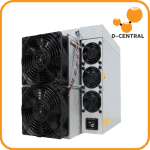
D-Central’s hands-on review of the Bitmain Antminer S21 Pro, built around the BM1370 chip at 234 TH/s and 15 J/TH and unveiled at the 2024 Global Digital Mining Summit. The findings come from direct bench testing, thermal analysis, and months of production data from units running in D-Central’s Canadian facility — not a manufacturer spec sheet.
Antminer S21 Pro: identify the exact revision first
The air-cooled Antminer S21 Pro is a 220-277 V AC industrial miner, not a plug-in household appliance. Bitmain Product Manual V3.0.8 covers three subratings—245, 234, and 220 TH/s—at a typical 15 J/TH. A safe purchase or installation decision starts with the exact subrating, PSU label, supplied cord, firmware, site voltage, airflow path, and measured operating conditions.
This is a manufacturer-document guide, not a claim that D-Central independently tested every subrating. Published values and field measurements must remain clearly separated.
Current manufacturer specification table
| S21 Pro subrating | Typical hashrate | Typical wall power | Typical efficiency |
|---|---|---|---|
| v10 245T | 245 TH/s | 3,675 W | 15 J/TH |
| v10 234T | 234 TH/s | 3,510 W | 15 J/TH |
| v10 220T | 220 TH/s | 3,300 W | 15 J/TH |
Manual V3.0.8 specifies ±3% hashrate, ±5% power, and ±5% efficiency variation under its stated 220-277 V inlet condition. Use rated power plus the positive tolerance when planning the power and ventilation path.
Electrical, environmental, and physical limits
- AC input: 220-277 V, 50-60 Hz, single phase.
- Maximum input current: 20 A.
- Operating temperature: -20 to 45 C.
- Humidity: 10-90%, non-condensing.
- Operating altitude: no more than 2,000 m.
- Maximum airflow: 550 CFM.
- Published noise: 76 dBA at 30 C with fans at maximum RPM.
- Dimensions and net weight: 450 × 219 × 293 mm and 18.5 kg.
Why revision control matters
Older sheets and reseller pages can describe different subratings, dimensions, weights, accessories, or test conditions. Do not merge a number from one revision with another. Record the product-manual revision, user-guide revision, exact machine nameplate, PSU label, and firmware before comparing offers or commissioning the unit.
The figures above come from Product Manual V3.0.8. The installation procedure below is bounded by the current S21 Pro User Guide V1.2.2 and Bitmain’s current PSU-and-cord roster.
PSU, cord, PDU, and disconnect
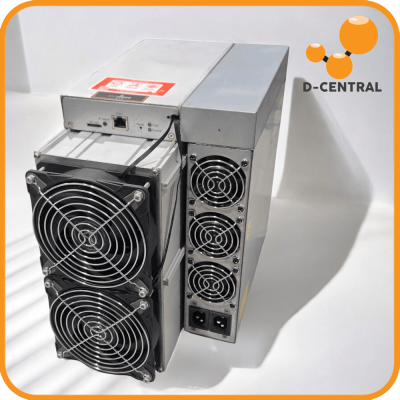
Bitmain’s current roster lists APW171215a/c or PW380a/b/c power-supply variants for the S21 Pro and an included C20-to-P13 cord. P13 is the miner-side arrangement; it should not be described as a standard C19 miner inlet. Confirm the actual PSU label and supplied cable because substitutions across batches or model families are not automatic.
Never connect or disconnect the miner while energized. The user guide relies on switching off the PDU as the disconnect, requires grounding, and says the socket-outlet must be installed near the equipment and be readily accessible. A qualified electrician should verify the branch circuit, conductors, receptacle or PDU, grounding, overcurrent protection, continuous-load treatment, voltage, and applicable code.
There is no responsible one-size breaker, conductor, or receptacle recommendation for every site. The manual’s 20 A maximum input value is an equipment limit, not a complete branch-circuit design.
Orientation, clearance, and airflow
The current S21-family user guidance requires vertical placement and warns that horizontal placement raises failure risk. Set the machine on a stable surface, keep intake and exhaust unobstructed, and maintain access to the electrical disconnect.
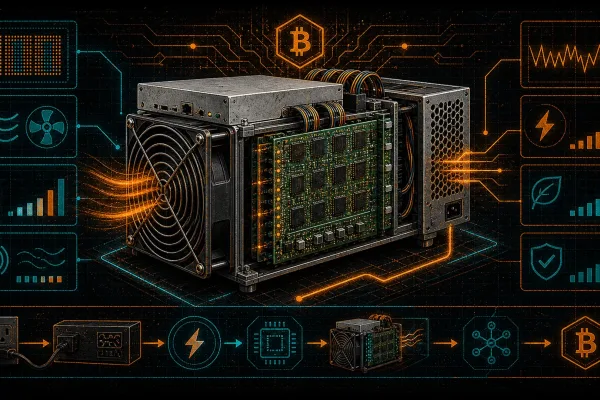
At steady state, nearly all electrical input becomes heat within the selected boundary. For planning only, watts multiplied by 3.412 gives approximate BTU/h before ventilation losses. Include the positive power tolerance and measure temperature after installation.
Any shroud, duct, filter, silencer, bend, or grille adds resistance. A nominal duct diameter does not guarantee safe flow. Monitor inlet and outlet conditions, fan behaviour, and miner temperatures under the hottest expected operating condition. The ASIC noise-reduction guide explains the ventilation tradeoffs, while mining heat recovery covers useful-heat boundaries.
Noise: published condition versus room result
Bitmain publishes 76 dBA at 30 C with fans at maximum RPM. That is a stated test condition, not a promise for every room. Temperature, fan speed, duct resistance, reflective surfaces, distance, meter weighting, and sample period all affect a measured result.
A defensible field report identifies the serial or subrating, firmware, voltage, ambient temperature, measurement distance and weighting, fan state, duct arrangement, and measurement interval. Without those details, a single noise number is not reproducible.
Commissioning checklist
- Match the miner nameplate, subrating, PSU label, cord, product manual, and user guide.
- Inspect the chassis, fans, connectors, and cable for shipping damage before energizing.
- Confirm vertical placement, clear airflow, a grounded supply, and an accessible PDU disconnect.
- With the PDU off, seat the matching power connector and Ethernet cable; do not hot-plug.
- Use Bitmain’s IP Reporter workflow to locate the miner, then enter the intended pool and worker settings.
- Observe hashrate, rejects, fan speed, temperatures, events, and measured wall power before accepting the installation.
If recovery is required, use a model- and control-board-matched procedure such as the SD-card firmware recovery guide. For a unit with hardware faults or instability, request S21 Pro repair assessment rather than projecting output from a family name.
How to report performance without inventing a benchmark
A manufacturer tolerance is not an independent benchmark. Any field claim should disclose the exact machine, firmware, operating mode, input voltage, calibrated or identified power meter, ambient temperature, sample interval, pool metric, rejects, and raw-log availability. Pool-side and miner-reported hashrate should not be presented as interchangeable.
Stock and third-party firmware support varies by control board, firmware build, security state, and warranty terms. No generic tuning gain, voltage, lifespan, or repair interval applies to every S21 Pro.
Economics require live inputs
Use the power-cost calculator and mining-profitability calculator with a time-stamped network snapshot. Record landed price, measured wall power, uptime, pool terms, all-in electricity cost, maintenance, taxes, and currency. Test low, base, and high future difficulty and price paths.
A static hardware price, daily-profit figure, or payback date becomes stale and should not be treated as a durable product attribute. Credit recovered heat only when it displaces heat the building actually needs; keep that seasonal value separate from mining revenue. The electricity-cost guide explains the all-in rate.
Fit and service options
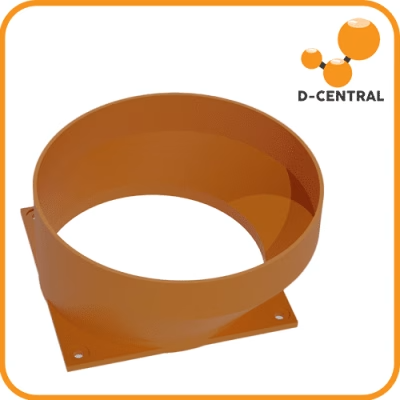
Review the broader S21 family guide for context, then verify that any accessory is explicitly compatible with the exact chassis. For example, the S21 Pro/XP shroud adapter is an accessory, not proof that every connected ventilation system is adequate.
After the site is qualified, check the current S21 Pro product listing for availability and offer-specific terms. For heat reuse applications, browse mining space-heater options without assuming that recovered heat removes the electrical cost.
Frequently asked questions
Which S21 Pro hashrate is the current manual describing?
Bitmain Product Manual V3.0.8 lists 245, 234, and 220 TH/s subratings. Identify the exact subrating on the machine and offer; the family name alone does not select one row.
What power connector does the S21 Pro use?
Bitmain's current roster lists an included C20-to-P13 cord for the S21 Pro. P13 is the miner-side arrangement. Match the exact PSU label, cord, PDU outlet, voltage, current rating, and local requirements.
Can an S21 Pro run on a standard 120 V household outlet?
No. Product Manual V3.0.8 specifies 220-277 V AC, single phase, at 50-60 Hz. A qualified electrician must verify the complete installation.
Does every S21 Pro require a 30 A branch circuit?
The current product manual gives a 20 A maximum input current, but it does not prescribe one universal branch circuit. Voltage, conductor, PDU, overcurrent protection, continuous-load treatment, and local code are site-specific engineering decisions.
How loud is the S21 Pro?
The current manual publishes 76 dBA at 30 C with fans at maximum RPM. Room noise varies with temperature, restriction, surfaces, distance, meter weighting, and fan state, so the published condition is not a home-installation guarantee.
Is the S21 Pro profitable?
No static answer remains valid. Use landed cost, measured wall power, uptime, pool terms, an all-in electricity rate, and time-stamped network inputs. Test multiple future difficulty and price scenarios and keep any usable-heat credit separate.
Sources and revision record
- Bitmain S21 Pro Product Manual V3.0.8, manufacturer file dated October 2025.
- Bitmain S21 Pro User Guide V1.2.2, manufacturer file dated October 2025.
- Bitmain PSU and power-cord roster, updated August 7, 2025.
Editorial verification: August 29, 2026. Re-check the linked revision, machine nameplate, PSU label, supplied cord, and local requirements before purchase or installation.
Bottom line
The S21 Pro is a multi-subrating industrial platform, not a single universal 234 TH/s appliance. Use the exact current revision, qualify the electrical and airflow path, measure field performance with a disclosed method, and calculate economics from live inputs.