Every ASIC miner that gets tossed in a dumpster is a node that could have been securing the Bitcoin network. At D-Central Technologies, we have been refurbishing miners since 2016 — ripping them down to bare silicon, diagnosing every fault, replacing what is broken, and shipping them back hashing stronger than the day they left the factory. This is not charity work. This is how you fight planned obsolescence and keep hash rate decentralized.
The mining industry wants you on a treadmill: buy the latest generation, trash the old one, repeat. That cycle concentrates hash power in the hands of whoever can afford to constantly re-capitalize. Refurbishment breaks that cycle. It keeps older-generation hardware profitable, extends the useful life of machines by years, and puts hash rate back in the hands of home miners and small operators who refuse to play the institutional replacement game.
If you are running miners at home — or thinking about it — understanding refurbishment is not optional. It is the difference between a machine that earns its keep for five or six years and one that becomes a paperweight after two.
What Actually Happens Inside a Failing ASIC Miner
Before you can fix anything, you need to understand what breaks and why. ASIC miners are purpose-built computers running billions of SHA-256 calculations per second while dissipating hundreds of watts of thermal energy through aluminum heatsinks and high-RPM fans. That is a punishing operating environment. Here is what fails and how to spot it.
Common Failure Modes
| Failure Type | Root Cause | Symptoms | Severity |
|---|---|---|---|
| Dead ASIC chips | Thermal cycling, power surges, silicon degradation | Hashboard shows fewer chips in kernel log; hash rate drops per board | High |
| Fan failure | Bearing wear, dust accumulation, PWM driver failure | Grinding noise, thermal shutdown, fan speed error codes | Medium |
| PSU degradation | Capacitor aging, voltage ripple increase | Random restarts, undervoltage warnings, efficiency loss | High |
| Hashboard connector corrosion | Humidity, poor ventilation, thermal expansion | One or more hashboards missing from dashboard, intermittent detection | Medium |
| Control board failure | Firmware corruption, NAND wear, voltage regulator failure | No network connectivity, boot loop, blank display | High |
| Thermal paste dryout | Extended operation at high temperatures | Elevated chip temps despite functional fans, thermal throttling | Low-Medium |
The most insidious failures are the ones that degrade performance gradually. A miner losing 5% of its hash rate per month does not set off alarms the way a dead hashboard does — but over six months, that is 30% of your revenue gone. Regular diagnostics catch the slow bleed.
The D-Central Refurbishment Process: How We Do It
We have refined our refurbishment workflow over eight years and thousands of machines. Here is what happens when a miner arrives at our facility in Montreal, Quebec.
Phase 1 — Intake and Diagnostics
Every machine gets a full diagnostic workup before we touch a soldering iron. We connect the miner to our test bench, boot it up, and pull kernel logs, hashboard status, fan telemetry, and power draw readings. We are looking for chip-level failures that the standard web dashboard does not surface — the kind of faults you only catch by reading the raw ASIC register data.
We also do a full visual inspection under magnification: checking for cold solder joints, cracked BGA pads, corroded connectors, bulging capacitors, and heat discoloration on PCB traces. Every finding gets documented with photos so we can show you exactly what we found and what we recommend.
Phase 2 — Component-Level Repair
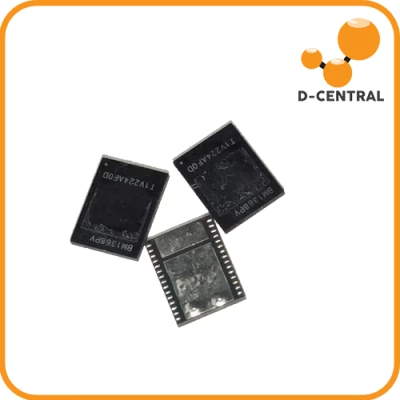
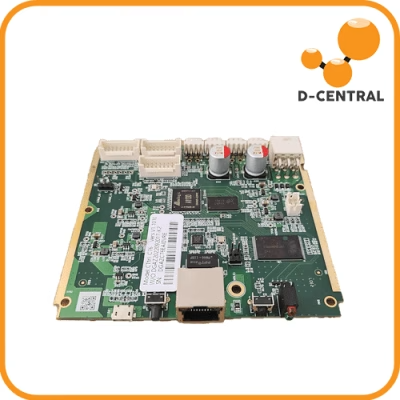
This is where the real work happens. Failed ASIC chips get desoldered using hot-air rework stations and replaced with tested components from our parts inventory. We carry replacement chips, hashboards, control boards, fans, PSUs, connectors, and thermal interface materials for all major miner models — Bitmain Antminer, MicroBT Whatsminer, Canaan Avalon, and more.
Critical repairs include:
- BGA reball and reflow — Reattaching chips with fresh solder balls when thermal cycling has cracked the original joints
- Capacitor replacement — Swapping degraded electrolytic caps that cause voltage ripple and instability
- Connector rebuilding — Replacing corroded hashboard-to-control-board connectors that cause intermittent detection
- Fan replacement — Installing new high-quality fans with proper PWM response curves
- Firmware reflash — Loading clean firmware to eliminate corruption-related instability
- Full thermal repaste — Replacing dried-out thermal compound with fresh high-conductivity paste across every chip
We do not cut corners. Every replaced component gets tested individually before it goes onto the board, and every repaired board gets tested individually before it goes back into the chassis.
Phase 3 — Burn-In Testing
A repaired miner is not a refurbished miner until it has proven itself under load. Every machine coming off our bench goes through a minimum 24-hour burn-in test running at full hash rate. We monitor chip temperatures, hash rate stability, power consumption, fan speeds, and error rates. If anything drifts outside spec during burn-in, it goes back to the bench.
Only after a machine passes burn-in testing with stable hash rate, clean error logs, and proper thermal performance does it get the D-Central stamp and ship back to you.
Refurbishment vs. Replacement: The Math That Matters
The decision to refurbish or replace comes down to economics. Here is how to think about it.
Cost Comparison by Machine Generation
| Scenario | Typical Refurbishment Cost | Replacement Cost (New Unit) | Refurbishment Savings |
|---|---|---|---|
| Antminer S19 series (fan + thermal repaste) | $150–$300 CAD | $2,000–$4,000 CAD | 85–93% |
| Antminer S19 series (hashboard repair, 1 board) | $300–$800 CAD | $2,000–$4,000 CAD | 60–85% |
| Antminer S9 series (full refurbishment) | $100–$250 CAD | N/A (discontinued) | Only option to keep hashing |
| Whatsminer M30/M50 series (PSU + fans) | $200–$500 CAD | $2,500–$5,000 CAD | 80–92% |
Note: Costs are approximate and vary based on specific model, fault severity, and parts availability. Contact our ASIC repair team for an accurate quote on your machine.
The math gets even more interesting when you factor in what refurbished older-gen miners are good for. An Antminer S9 is not going to compete with an S21 on pure hash-per-watt efficiency — but turn it into a Bitcoin Space Heater that offsets your home heating bill during a Canadian winter, and suddenly the economics flip completely. The electricity is not wasted if it was going to be consumed by your furnace anyway.
This is what we mean by “Mining Hackers.” We do not throw hardware away because it is no longer bleeding-edge. We find the use case where it still makes economic sense and hack it into that role.
Home Miner Maintenance: Preventing Failures Before They Happen
The best refurbishment is the one you never need. Here is how to keep your miners running clean.
Essential Maintenance Schedule
| Task | Frequency | Why It Matters |
|---|---|---|
| Compressed air blowout (exterior + heatsinks) | Monthly | Dust accumulation is the #1 cause of thermal throttling and premature fan failure |
| Fan inspection and RPM check | Monthly | Catching a failing fan before it dies prevents thermal shutdowns and chip damage |
| Hash rate and error log review | Weekly | Identifies gradual performance degradation before it becomes a major repair |
| PSU voltage and ripple check | Quarterly | Voltage instability kills chips — a $20 multimeter check can save a $500 repair |
| Thermal paste replacement | Every 18–24 months | Dried thermal compound can add 10–15°C to chip temps, accelerating degradation |
| Firmware update check | Quarterly | Updates fix bugs, improve efficiency, and sometimes unlock additional hash rate |
| Full deep clean (disassembly + contact cleaning) | Annually | Removes embedded dust, checks for corrosion, extends overall lifespan by years |
Pro tip for Canadian home miners: If you are running miners as space heaters during winter, the transition to spring is your critical maintenance window. When you reduce or shut down your miners for warmer months, that is the time to do a full deep clean, replace thermal paste, and address any issues that built up during the heating season.
DIY Refurbishment vs. Professional Repair: Know Your Limits
The open-source ethos runs deep in the Bitcoin mining community, and we respect the DIY spirit. But there is a line between what you can safely handle at home and what requires professional equipment and training.
What You Can Handle at Home
- Dust cleaning and compressed air blowout — Basic but essential. Anyone can do this.
- Fan replacement — Fans are typically plug-and-play with standard connectors. Match the specs and swap.
- Thermal paste replacement — Requires patience and care but is well within DIY territory with a YouTube guide and steady hands.
- Firmware updates — Straightforward through the miner’s web interface in most cases.
- PSU swap — If you have a compatible replacement PSU, this is a cable swap.
- Connector cleaning — Isopropyl alcohol and a soft brush on hashboard connectors can fix intermittent detection issues.
What Requires Professional Equipment
- ASIC chip replacement — BGA soldering requires a hot-air rework station, flux, solder balls, stencils, and experience. One wrong move and you destroy the chip and the pads underneath it.
- Hashboard trace repair — Damaged PCB traces require microscope work and precision soldering that most home setups cannot deliver.
- Control board NAND reflash — Some firmware corruption requires direct NAND programming, not just a web interface update.
- Voltage regulator diagnosis — Testing and replacing the tiny MOSFETs and voltage regulators on hashboards requires specialized test equipment and fine-pitch soldering skills.
If your miner needs chip-level work, send it to a professional. We have seen too many machines arrive at our bench with additional damage from well-intentioned but under-equipped DIY attempts. There is no shame in knowing when to call in the specialists — that is the smart play.
Why Refurbishment Matters for Bitcoin Decentralization
Here is the bigger picture that most refurbishment articles miss entirely.
Every ASIC miner that gets repaired and put back online is a small victory for Bitcoin’s security model. The network hashrate currently sits above 800 EH/s, with a block reward of 3.125 BTC. That hash rate needs to be distributed — not concentrated in a handful of mega-facilities running only the latest generation hardware.
When older machines get refurbished and deployed in homes across Canada and around the world, they contribute to geographic and organizational diversity of hash rate. A thousand home miners running refurbished S19s in their basements represent a more resilient network than a single warehouse running the same total hash rate. No single point of failure. No single jurisdiction. No single operator who can be coerced or shut down.
This is why D-Central exists. We are not just a repair shop. We are Bitcoin Mining Hackers — taking institutional mining technology and making it accessible to individuals. Every miner we refurbish is a node in the decentralized network of sovereign hash rate.
If you are considering what to do with an aging miner, or if you have picked up a used machine that needs work, our ASIC repair service covers all major manufacturers: Bitmain, MicroBT, Canaan, and more. We have been doing this since 2016 from our facility in Montreal, Quebec, and we carry the parts, the tools, and the expertise to get your machine back online.
For miners looking to expand their operation, check out our full catalog of mining hardware — from open-source solo miners like the Bitaxe to full-scale ASICs and everything in between.
Frequently Asked Questions
What types of ASIC miners can be refurbished?
Virtually any ASIC miner can be refurbished, including all Bitmain Antminer series (S9, S17, S19, S21), MicroBT Whatsminer models (M30, M50, M60), and Canaan Avalon units. The key factor is parts availability — which is why working with a shop like D-Central that maintains a large parts inventory matters. We stock replacement chips, hashboards, control boards, fans, and PSUs for all major models.
How much does ASIC miner refurbishment cost?
Refurbishment costs vary widely depending on the severity of the issue. Simple repairs like fan replacements or thermal repaste can cost $100–$300 CAD, while hashboard-level repairs involving chip replacement typically run $300–$800 CAD. Full refurbishments including multiple components can reach $500–$1,200 CAD. Even at the high end, refurbishment is typically 50–85% cheaper than buying a new equivalent machine. Contact our ASIC repair team for a specific quote.
How long does a professional refurbishment take?
Standard turnaround at D-Central is typically 1–3 weeks, depending on the complexity of the repair and parts availability. Simple fan or PSU swaps can be turned around faster. Complex hashboard repairs that require chip-level work take longer due to the precision involved and the 24-hour minimum burn-in test every machine undergoes before shipping back.
Is it worth refurbishing an older miner like the Antminer S9?
Absolutely — if you deploy it strategically. An S9 will not compete with current-gen hardware on pure mining profitability, but as a Bitcoin Space Heater that offsets your home heating costs, the economics change dramatically. If the electricity would have been consumed by your furnace anyway, the Bitcoin you mine is essentially free. This dual-purpose approach is core to D-Central’s philosophy.
What is the difference between refurbishment and just cleaning my miner?
Cleaning is one component of maintenance, but refurbishment goes much deeper. A true refurbishment includes full diagnostics (chip-level testing, power analysis, thermal imaging), component replacement where needed (chips, capacitors, connectors, fans), firmware updates, thermal compound replacement, and extended burn-in testing to verify stability. Cleaning keeps dust at bay; refurbishment restores a machine to full operational capability.
Can I refurbish a miner myself at home?
You can handle basic maintenance at home: dust cleaning, fan replacement, thermal paste application, firmware updates, and PSU swaps. These tasks require minimal specialized equipment. However, chip-level repairs (BGA rework), hashboard trace repair, and NAND reflashing require professional equipment including hot-air rework stations, microscopes, and specialized test gear. Attempting chip-level work without proper equipment often causes additional damage.
Does refurbishment void my miner’s warranty?
Manufacturer warranties on ASIC miners are typically short (90 days to 6 months) and most miners needing refurbishment are well past warranty. If your machine is still under manufacturer warranty, use the manufacturer’s repair service. For everything else — which is the vast majority of the installed base — professional refurbishment from an experienced shop like D-Central is the best path to getting your machine back online.
How does miner refurbishment support Bitcoin decentralization?
Refurbishment keeps more machines online and in more hands. Every repaired miner that goes back to work in a home or small operation contributes to the geographic and organizational distribution of hash rate. A decentralized network of thousands of home miners is more resilient than concentrated hash rate in a few mega-facilities. By making repair accessible and affordable, refurbishment directly supports the decentralization that makes Bitcoin censorship-resistant.