Bitcoin mining is not a spectator sport. If you are reading this, you have already decided to stop trusting third parties with the security of the Bitcoin network and start contributing hashrate from your own home. Good. The network needs you, and the path to becoming a sovereign miner starts with understanding exactly what equipment you need — and more importantly, what actually matters versus what the marketing departments want you to believe.
At D-Central Technologies, we have been the Bitcoin Mining Hackers since 2016. We have built, repaired, modified, and shipped thousands of mining rigs across Canada and worldwide. This guide distills that hands-on experience into a practical equipment breakdown for anyone serious about mining Bitcoin at home in 2026.
Why Your Equipment Choices Define Your Mining Operation
Every watt you consume, every decibel your miner produces, and every satoshi you earn traces back to a single decision: what hardware did you choose? The Bitcoin network hashrate now exceeds 800 EH/s. The block reward sits at 3.125 BTC. The difficulty adjustment algorithm is relentless. In this environment, marginal equipment decisions compound into either a sustainable operation or a money pit.
Home mining is not about competing with industrial warehouses in Texas. It is about sovereignty, decentralization, and — if you are smart about it — turning your electricity bill into sats while heating your home. The right equipment makes all of that possible. The wrong equipment makes it a frustrating hobby that ends in a closet full of expensive paperweights.
ASIC Miners: The Core of Any Serious Bitcoin Mining Setup
Let us be direct: GPU mining for Bitcoin is dead. It has been dead for years. Anyone still recommending GPUs for Bitcoin mining in 2026 is either selling GPUs or has not updated their knowledge since 2017. Bitcoin mining today runs exclusively on Application-Specific Integrated Circuits (ASICs) — purpose-built silicon designed to do one thing and do it exceptionally well: compute SHA-256 hashes.
Full-Size ASIC Miners
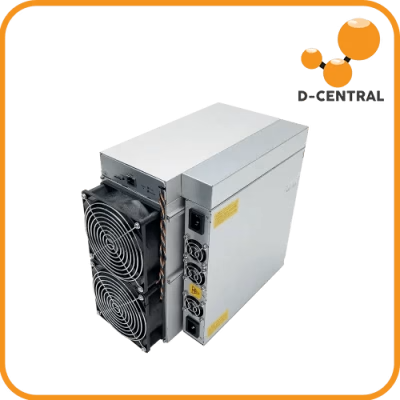
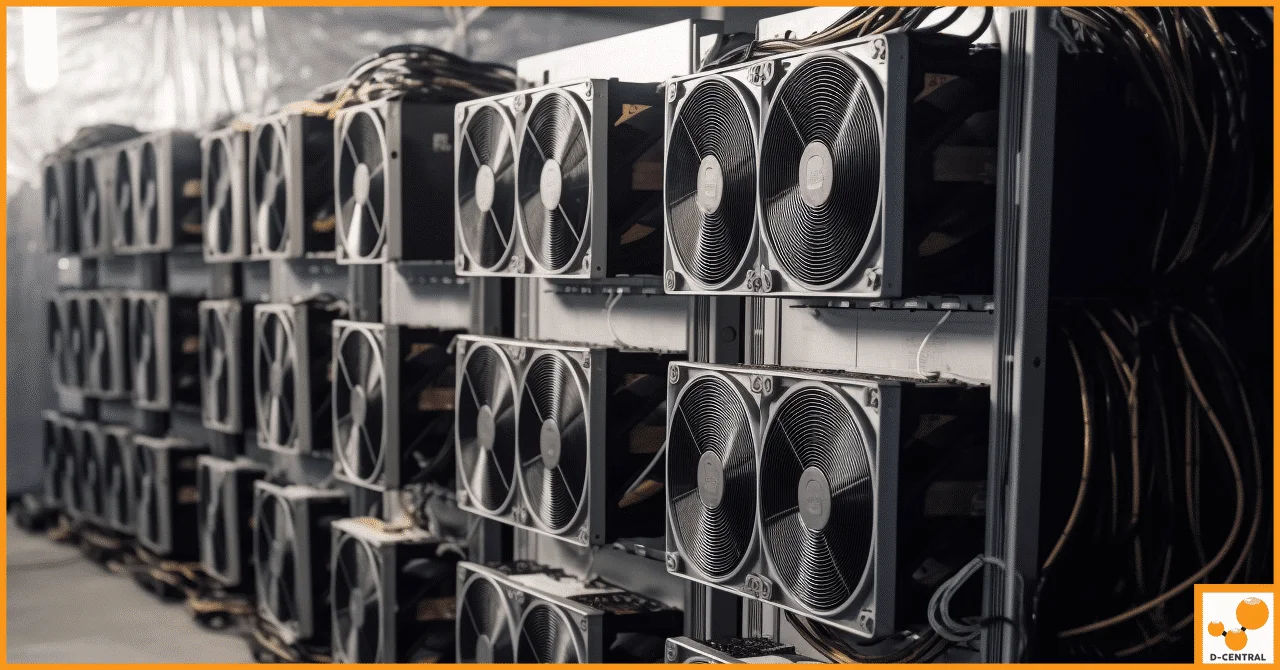
These are the workhorses. Machines like the Bitmain Antminer S21 series and MicroBT Whatsminer M60 series deliver industrial-grade hashrate in a single unit. They are powerful, loud, and hungry for electricity.
| Category | Examples | Typical Hashrate | Power Draw | Best For |
|---|---|---|---|---|
| Current Gen ASICs | Antminer S21, Whatsminer M60 | 150–200+ TH/s | 3,000–3,500W | Dedicated mining rooms, hosted setups |
| Previous Gen ASICs | Antminer S19 series, Whatsminer M30 | 80–110 TH/s | 2,800–3,250W | Space heater conversions, budget setups |
| Legacy ASICs | Antminer S9, L3+ | 13–14 TH/s | 1,300–1,500W | Heating appliances, learning platforms |
For home miners, previous-gen ASICs are often the sweet spot. They are cheaper on the secondary market, well-understood, and perfect candidates for Bitcoin Space Heater conversions — where your miner doubles as your home heating system.
Open-Source Solo Miners
This is where things get genuinely exciting for the cypherpunk crowd. Open-source miners like the Bitaxe and the NerdAxe family represent the absolute frontier of decentralized mining. They are small, quiet, low-power devices designed for solo mining — rolling the dice for a full 3.125 BTC block reward.
D-Central is a pioneer in the Bitaxe ecosystem, having been involved since its earliest days. We created the original Bitaxe Mesh Stand — the first company to manufacture it — and have developed leading solutions including custom heatsinks, cases, and accessories for the entire Bitaxe lineup.
Critical hardware fact: The Bitaxe (Supra, Ultra, Gamma variants) uses a 5V DC barrel jack (5.5×2.1mm) for power, NOT USB-C. The USB-C port is for firmware flashing and serial communication only. Plugging in a USB-C cable will not power the device. You need a proper 5V/6A power supply with the correct barrel connector.
| Device | Hashrate | Power Input | Mining Type |
|---|---|---|---|
| Bitaxe Supra / Ultra / Gamma | 0.5–1.2 TH/s | 5V barrel jack (5.5×2.1mm) | Solo |
| Bitaxe Hex | ~3 TH/s | 12V DC XT30 connector | Solo |
| Bitaxe GT | ~1.2 TH/s | 12V DC XT30 connector | Solo |
| NerdAxe | ~0.5 TH/s | 5V barrel jack (5.5×2.1mm) | Solo |
| NerdQAxe++ | ~1.2 TH/s | 12V DC XT30 connector | Solo |
| NerdOctaxe Gamma | ~4 TH/s | 12V DC XT60 connector | Solo |
Every hash counts. Solo miners are the purest form of Bitcoin mining — no pool, no middleman, just your hardware and the Bitcoin protocol.
Power Supplies: The Foundation You Cannot Cheap Out On
A miner is only as reliable as its power supply. This is not an area to cut corners. An underpowered, low-efficiency, or unreliable PSU does not just reduce performance — it can destroy your miner, trip your breakers, or in worst-case scenarios, create a fire hazard.
For Full-Size ASICs
Most Antminer models ship with Bitmain’s APW series power supplies, and MicroBT units typically come with integrated PSUs. If you need a replacement or want to upgrade, look for:
- Sufficient wattage: Always exceed your miner’s rated draw by 10–20%. A miner rated at 3,250W needs a PSU that can comfortably deliver 3,500W+ sustained.
- 80 PLUS Platinum or Titanium efficiency: At mining-scale loads running 24/7, the difference between Gold and Platinum efficiency translates to real money saved on your electricity bill over months.
- Proper input voltage: Most high-performance ASICs require 220–240V input. Running on 120V (standard North American outlets) will either halve your hashrate or not work at all. Plan your electrical infrastructure accordingly.
For Open-Source Miners
The Bitaxe lineup and NerdAxe family use DC power supplies — not the massive server-grade units of full ASICs. Pay close attention to connector types and voltage requirements. Using the wrong PSU can permanently damage your device.
Cooling: Heat Is the Enemy — or Your Ally
Every watt your miner consumes becomes heat. In a Canadian winter, that is a feature, not a bug. D-Central’s Bitcoin Space Heater lineup turns this thermodynamic reality into a dual-purpose advantage: your miner heats your home while stacking sats.
But regardless of whether you are using heat productively or need to exhaust it, managing thermal performance is non-negotiable for equipment longevity.
Cooling Methods Compared
| Method | Best For | Pros | Cons |
|---|---|---|---|
| Stock Air Cooling | Standard ASIC operation | No modifications needed, warranty safe | Loud (70–80 dB), less efficient in warm climates |
| Shroud + Ducting | Home miners, noise reduction | Directs heat outside or into living space, reduces ambient noise | Requires ductwork installation |
| Immersion Cooling | Overclocking, density, silence | Near-silent, enables overclocking, extends hardware life | Expensive setup, complex maintenance |
| Heatsink (Open-Source) | Bitaxe, NerdAxe | Passive or small-fan, near-silent, desktop-friendly | Limited to low-power devices |
D-Central offers ASIC shrouds, duct adapters, and replacement fans for most popular miner models. For Bitaxe users, our custom-designed heatsinks provide optimal thermal performance in a compact form factor.
Replacement Parts and Repair Readiness
ASICs run 24/7 in demanding thermal conditions. Components fail. Fans wear out, hashboards develop faults, control boards need replacement. The difference between a few hours of downtime and weeks of lost revenue comes down to preparation.
Essential replacement parts every home miner should consider stocking:
- Fans: The most common failure point. ASIC fans run at high RPM continuously and are the first component to degrade. Keep spares for your specific model.
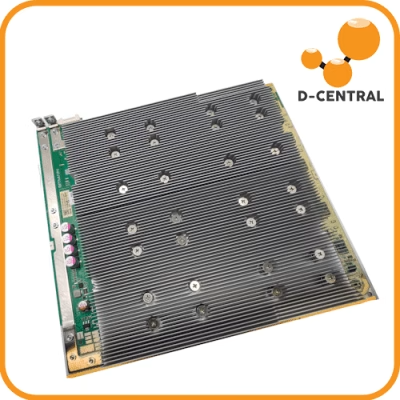
- Hashboards: The revenue-generating component. A failed hashboard cuts your output by one-third (most ASICs run three). Replacement boards are available for popular models.
- Control boards: The brains of the operation. Less common to fail, but when they do, your miner is completely offline.
- Power supply components: Capacitors, connectors, and cables wear over time. Having backup APW units for Antminers is sound practice.
- Thermal paste and pads: Required for any hashboard maintenance or chip replacement. Quality thermal interface material directly impacts your miner’s efficiency.
When your hardware does need professional attention, D-Central’s ASIC Repair service covers 38+ miner models across Bitmain, MicroBT, Innosilicon, Canaan, and more. We are one of the few Western repair shops with this depth of expertise — and we focus on retail repairs for individual miners, not just institutional clients.
Electrical Infrastructure: The Unsexy Essential
This is the part most guides skip, and it is where most home mining setups run into problems. Your home electrical system was designed for appliances and lights, not for continuous high-draw industrial equipment.
Before you plug in your first ASIC, assess these critical factors:
- Circuit capacity: A single Antminer S21 on 240V draws roughly 15A continuous. That is a dedicated 20A circuit, and you should never load a circuit past 80% of its rated capacity for continuous loads.
- Panel capacity: Add up the amperage of all your miners and compare against your electrical panel’s total capacity. Many Canadian homes run 100A or 200A service — one or two ASICs might be fine, but scaling up may require a panel upgrade.
- 240V availability: If you are running current-gen ASICs, you almost certainly need 240V circuits. An electrician can install dedicated outlets (NEMA 6-20 or L6-30) from your panel.
- Grounding: Proper grounding protects both your equipment and your home. Never bypass grounding on mining equipment.
Hire a licensed electrician. This is not optional. The cost of proper electrical work is trivial compared to the cost of an electrical fire or fried equipment.
Software and Firmware: The Other Half of the Equation
Hardware is only half the story. The firmware and software stack you run determines how efficiently your hardware performs and how much control you maintain over your operation.
- Stock firmware: Ships with the miner. Generally stable but limited in configurability. Bitmain’s firmware, for example, locks you into their ecosystem.
- Custom firmware (Braiins OS+, LuxOS, VNISH): Unlocks features like auto-tuning, underclocking for efficiency, and better monitoring dashboards. Particularly valuable for home miners who want to optimize for watts-per-terahash rather than raw hashrate.
- Mining pool selection: Choose pools that align with your values. Stratum V2 pools give you the ability to construct your own block templates — a massive win for decentralization. For solo miners, public solo pools like Solo CKPool or OCEAN let you mine independently while sharing the variance risk.
- Monitoring tools: Tools like Foreman or simple SNMP-based monitoring help you track uptime, temperature, hashrate, and power consumption across your fleet.
New vs. Used Mining Equipment: The D-Central Perspective
We sell both new and used mining hardware, so we can speak honestly about the trade-offs.
| Factor | New Equipment | Used Equipment |
|---|---|---|
| Price | Higher upfront cost | Significantly cheaper — often 40–70% off retail |
| Efficiency | Latest J/TH ratios | Older gen = less efficient per terahash |
| Warranty | Manufacturer warranty included | Usually no warranty (D-Central offers limited coverage) |
| Dual-Purpose Use | Overkill for heating applications | Ideal for Space Heater conversions |
| Risk | Low — factory fresh | Moderate — depends on seller reputation |
The key insight: used ASICs are not “junk” — they are perfectly functional machines that the industrial miners have depreciated and moved past in the efficiency race. For home miners who are monetizing electricity that would be spent on heating anyway, the efficiency penalty matters less. A used Antminer S19 heating your garage while stacking sats is a far better investment than a space heater that costs you money with zero return.
When buying used, always purchase from a reputable source that tests hardware before shipping. At D-Central, every used unit we sell goes through our repair shop for inspection and testing before it reaches you.
Building Your Home Mining Equipment Checklist
Whether you are setting up your first Bitaxe on your desk or building out a dedicated mining room with multiple ASICs, here is what you need:
| Component | Solo/Open-Source Setup | Full ASIC Setup |
|---|---|---|
| Miner | Bitaxe, NerdAxe, NerdQAxe | Antminer S19/S21, Whatsminer |
| Power Supply | 5V or 12V DC (model-specific) | APW series or integrated PSU |
| Cooling | Heatsink (included or aftermarket) | Stock fans, shroud/ducting, or immersion |
| Electrical | Standard wall outlet | Dedicated 240V circuit, licensed electrician |
| Network | WiFi (built-in) | Ethernet (wired preferred) |
| Software | AxeOS / web interface | Stock firmware or custom (Braiins, VNISH) |
| Spare Parts | Spare PSU recommended | Fans, thermal paste, backup PSU |
| Noise Management | Not needed (near-silent) | Shroud, ducting, separate room |
Where to Buy Mining Equipment in Canada
Buying mining equipment from overseas sellers introduces customs delays, potential import duties, warranty headaches, and zero local support. D-Central ships from Canada to Canada (and worldwide), which means:
- No cross-border customs surprises
- Faster delivery times across Canadian provinces
- Local support from a team that speaks your language — in both English and French
- Access to our ASIC repair shop when your hardware eventually needs servicing
- Real humans answering your questions, not a chatbot reading from a script
We have been doing this since 2016. We are the North, and we are not going anywhere.
What is the most important piece of Bitcoin mining equipment?
The ASIC miner itself is the most critical component. Everything else — power supply, cooling, electrical infrastructure — exists to support the miner’s operation. For Bitcoin mining in 2026, you need purpose-built ASIC hardware. GPU mining for Bitcoin has not been viable for years. Choose between full-size ASICs (like the Antminer S21) for maximum hashrate or open-source solo miners (like the Bitaxe) for a low-power, sovereignty-focused approach.
Can I mine Bitcoin with a regular computer or GPU?
No. Bitcoin mining requires ASIC (Application-Specific Integrated Circuit) hardware. The network hashrate exceeds 800 EH/s, and even the most powerful consumer GPU produces a negligible fraction of that. ASICs designed specifically for SHA-256 hashing are the only viable option. For a low-cost entry point, open-source miners like the Bitaxe start well under $200.
How much electricity does Bitcoin mining equipment use?
It varies dramatically by device. A Bitaxe solo miner draws around 10–15W — less than a light bulb. A current-generation full ASIC like the Antminer S21 draws approximately 3,500W. For home miners, electrical costs are the primary ongoing expense. In Canada, rates vary from roughly $0.06 to $0.15 per kWh depending on province, making our climate and energy pricing a genuine advantage for mining.
What is a Bitcoin Space Heater?
A Bitcoin Space Heater is an ASIC miner enclosed in a housing that directs its heat output into your living space, functioning as both a heater and a Bitcoin miner. D-Central offers Space Heater editions built from Antminer S9, S17, S19, and L3+ units. Every watt of electricity consumed becomes heat — so instead of paying for heating and getting nothing back, you pay for heating and earn Bitcoin simultaneously.
Do I need 240V power for Bitcoin mining at home?
For current-generation full-size ASIC miners, yes — 240V is practically required. These machines draw 15A+ continuously, and most are designed for 220–240V input. Open-source miners like the Bitaxe and NerdAxe family run on standard 5V or 12V DC power supplies and plug into any regular wall outlet, making them zero-hassle for home use.
Is it better to buy new or used mining equipment?
It depends on your goals. New equipment offers the best efficiency (joules per terahash) and manufacturer warranties. Used equipment costs 40–70% less and is excellent for dual-purpose applications like Space Heater conversions, where absolute efficiency is less critical because the heat is being used productively. Always buy used equipment from a reputable seller who tests hardware before shipping.
How does the Bitaxe differ from a full ASIC miner?
The Bitaxe is an open-source, single-chip solo miner that draws around 10–15W and produces roughly 0.5–1.2 TH/s. A full ASIC miner like the Antminer S21 draws 3,500W and produces 200+ TH/s. The Bitaxe is designed for solo mining — lottery-style mining where you attempt to find a full block (3.125 BTC reward) independently. Full ASICs are typically pointed at mining pools for consistent, smaller payouts. The Bitaxe uses a 5V barrel jack for power, not USB-C.
Where can I get my ASIC miner repaired in Canada?
D-Central Technologies operates a full ASIC repair facility in Montreal, Quebec, servicing 38+ miner models from Bitmain, MicroBT, Innosilicon, Canaan, and more. We handle retail repairs for individual home miners — not just institutional bulk jobs. Visit our ASIC Repair page for details on supported models and the repair process.