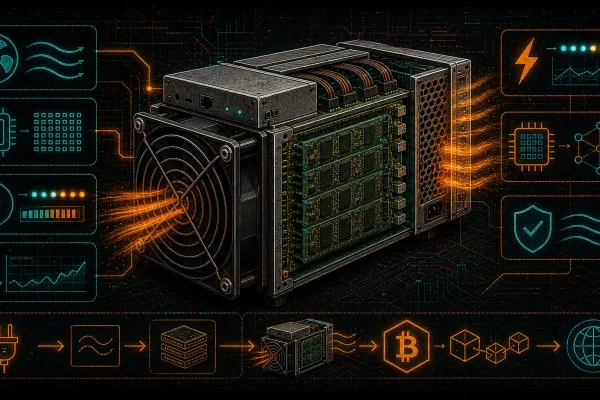
Every watt matters. That is not a slogan — it is the fundamental law governing whether your Bitcoin mining operation prints sats or bleeds fiat. The Antminer S19 series remains one of the most deployed SHA-256 miners in the world, and for good reason: proven silicon, massive aftermarket support, and a price-to-performance ratio that still makes sense in 2026. But raw hashrate means nothing if your power bill devours your coinbase rewards before they ever hit your wallet.
This guide breaks down exactly how to squeeze maximum efficiency from your Antminer S19 — from understanding the real-world power draw of every variant to firmware tuning, heat recapture, and the custom modifications that D-Central Technologies has pioneered since 2016. Whether you are running a single S19 in your garage or scaling a fleet, these strategies will directly impact your bottom line.
Understanding the S19 Series: Specs That Actually Matter
Bitmain’s S19 generation spans multiple models, each built on slightly different ASIC chip architectures. The marketing numbers on the box rarely tell the full story. What matters for power efficiency is the relationship between hashrate, wall power draw, and the resulting joules-per-terahash (J/TH) figure — the single most important metric for any miner serious about profitability.
S19 Series Variant Breakdown
| Model | Hashrate | Wall Power | Efficiency (J/TH) | ASIC Chip |
|---|---|---|---|---|
| S19 | 95 TH/s | ~3,250 W | 34.5 J/TH | BM1398 |
| S19 Pro | 110 TH/s | ~3,245 W | 29.5 J/TH | BM1398 |
| S19j | 90 TH/s | ~3,100 W | 34.5 J/TH | BM1398 |
| S19j Pro | 104 TH/s | ~3,068 W | 29.5 J/TH | BM1398 |
| S19j Pro+ | 120 TH/s | ~3,355 W | 27.5 J/TH | BM1362 |
| S19k Pro | 120 TH/s | ~2,760 W | 23 J/TH | BM1366 |
| S19 XP | 140 TH/s | ~3,010 W | 21.5 J/TH | BM1366 |
Notice the jump between the BM1398-based models and the BM1366 silicon in the S19k Pro and S19 XP. That chip generation leap is where real efficiency gains happen — not through marketing, but through semiconductor engineering. The S19 XP at 21.5 J/TH was Bitmain’s efficiency crown jewel of the S19 era, and it still holds its own against some newer hardware when you factor in acquisition cost.
What the Spec Sheet Does Not Tell You
Manufacturer specs assume ideal conditions: 25 degrees Celsius ambient temperature, stable 220V input, clean air, and sea-level atmospheric pressure. In the real world — your basement, your garage, a shipping container in a Canadian winter — actual performance varies. Higher ambient temperatures increase chip voltage requirements and power draw. Voltage sag from undersized circuits wastes energy as heat in your wiring. Dust accumulation on heatsinks reduces cooling efficiency, forcing fans to spin harder and chips to throttle.
The real J/TH of your miner is the number on your kill meter divided by the hashrate your pool reports over a 24-hour average — not the number on the sticker.
Why Electricity Is the Only Cost That Matters Long-Term
Hardware is a one-time capital expense. Electricity is a relentless, ongoing drain that compounds every hour your miner runs. After the April 2024 halving, the block reward dropped to 3.125 BTC. With the network hashrate now exceeding 800 EH/s, the economics are simple: every joule wasted on inefficiency is a direct subtraction from your mining revenue.
The Real Cost Equation
Consider a standard Antminer S19 Pro drawing 3,245 watts at the wall. Over 24 hours, that is 77.88 kWh. At the Canadian average residential rate of roughly $0.10/kWh CAD, you are spending $7.79 per day — $2,843 per year — just on electricity for one machine. At $0.15/kWh, that jumps to $4,264 annually. The difference between $0.08 and $0.15 per kWh on a single miner is over $2,000/year.
Run those numbers through a mining profitability calculator and the picture becomes brutally clear: your electricity rate is the single largest variable determining whether you stack sats or stack losses.
Post-Halving Reality Check
At 3.125 BTC per block and 800+ EH/s network hashrate, the daily revenue per TH/s is a fraction of what it was even two years ago. This does not mean mining is dead — far from it. It means efficiency is no longer optional. Miners who optimize their power consumption survive the bear markets and compound through the bull runs. Those who do not get shaken out. This is natural selection applied to proof-of-work, and it is exactly how Bitcoin is supposed to work.
The numbers behind this section now live on their own pages: the S19 underclock envelope (88–95 TH bin floor: 1,500 W at 23.4 J/TH; 126 TH bin floor: 1,630 W) and the full underclock database.
Firmware: The Biggest Free Efficiency Upgrade
If you are still running Bitmain’s stock firmware on your S19, you are leaving hashrate and efficiency on the table. Third-party firmware solutions expose the real potential of your hardware through per-chip autotuning, power limit controls, and advanced monitoring.
BraiinsOS+ (Braiins Firmware)
BraiinsOS+ is the gold standard for S19 firmware optimization. Its autotuning algorithm individually calibrates each ASIC chip on your hashboards, finding the optimal voltage and frequency for every chip — not a one-size-fits-all global setting. The result:
- Efficiency mode: Reduces power consumption by 10-25% while maintaining or even increasing hashrate. Some S19 Pro units achieve 26-27 J/TH — well below the stock 29.5 J/TH spec.
- Performance mode: Pushes hashrate above stock levels while keeping efficiency within acceptable bounds. An S19 Pro can hit 115-120 TH/s with proper cooling.
- Power limit control: Set a hard watt ceiling and let the firmware optimize hashrate within that envelope. This is critical for home miners on 15A or 20A circuits.
VNish and LuxOS
VNish and LuxOS offer similar autotuning capabilities with different user interfaces and fee structures. VNish is known for aggressive overclocking profiles, while LuxOS provides a clean dashboard and strong underclock stability. All three are valid choices — the best firmware is the one you actually configure and monitor.
Firmware Configuration for Home Mining
For home miners running on standard residential electrical circuits (120V/15A or 240V/20A in North America), firmware power limiting is not optional — it is essential. A stock S19 Pro on 240V draws approximately 14.5 amps. On a dedicated 20A circuit with an 80% continuous load rating, your hard limit is 16 amps (3,840W). There is no headroom for power spikes or additional equipment.
Set your firmware power target to 2,400-2,800W and let autotuning find the best J/TH at that power envelope. You will get 70-85 TH/s at 26-28 J/TH — better efficiency than stock at full power, with a fraction of the noise and heat output.
Heat Recapture: Turn Your Biggest Expense Into an Asset
Every watt consumed by an ASIC miner is converted to heat. One hundred percent of it. A 3,000W miner produces approximately 10,236 BTU/hour of thermal energy — equivalent to a medium-sized electric space heater. In Canada and northern US states, where heating season runs 6-8 months per year, this is not waste — it is a resource.
The Dual-Purpose Mining Equation
When your miner replaces an electric heater, the effective cost of mining drops dramatically. If you would have spent $150/month on electric heating, and your miner costs $200/month in electricity, your net mining cost is only $50/month. The heat was going to be generated anyway — now it also produces Bitcoin.
D-Central Technologies pioneered this concept with the Antminer S19 Space Heater Edition — a production-ready unit that converts a standard S19 into a home heating appliance. The unit is underclocked for quiet operation, fitted with low-RPM fans, and configured with custom firmware for optimal efficiency at reduced power targets. It is not a science experiment; it is a product that ships to your door.
DIY Heat Integration
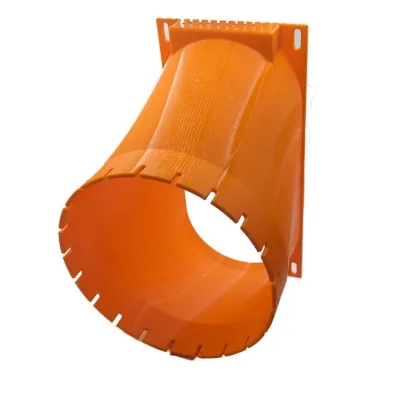
Even without a dedicated space heater conversion, any S19 can have its exhaust ducted into living spaces during winter months. D-Central’s 3D-printed duct adapters for the S19 series connect directly to standard 6-inch or 8-inch HVAC flexible ducting, allowing you to route warm exhaust air into adjacent rooms, hallways, or even a central return vent.
For summer months, the same duct system can exhaust heat outdoors. The setup cost is minimal and the energy savings during heating season are substantial — often the difference between marginal and profitable operation.
Hardware Maintenance: Protect Your Investment
An S19 is a precision piece of hardware running ASIC chips at 80+ degrees Celsius, 24 hours a day, 365 days a year. Without proper maintenance, efficiency degrades over time as thermal paste dries, fans accumulate dust, and heatsinks lose contact pressure.
Monthly Maintenance Checklist
- Compressed air blowout: Power down the unit and use compressed air (40-60 PSI, held at 6 inches distance) to clear dust from heatsinks, fan blades, and board surfaces. Dust buildup of even 2-3mm on heatsink fins can raise chip temperatures by 5-10 degrees Celsius, increasing power draw and reducing lifespan.
- Fan inspection: Check for bearing noise, vibration, or reduced RPM. A failing fan leads to hotspots and thermal throttling before it fails completely. Replacement fans are cheap insurance.
- Connection check: Inspect power connectors for discoloration or heat damage. Loose connections create resistance, waste power, and are a fire hazard.
- Ambient temperature monitoring: Keep intake air below 35 degrees Celsius. Every degree above optimal increases chip voltage and power draw. In summer, consider running at reduced power targets or shifting operation to cooler nighttime hours if your electricity rate supports it.
Annual Deep Maintenance
Once a year, consider a full teardown: thermal paste replacement on hashboard heatsinks, fan bearing lubrication or replacement, and a thorough inspection of all solder joints and connectors. If you are not comfortable with this level of hardware work, D-Central’s ASIC repair service handles everything from routine maintenance to full hashboard diagnostics and repair — with model-specific expertise built from repairing thousands of S19 units since the series launched.
Power Infrastructure: The Foundation Nobody Talks About
You can tune firmware, optimize cooling, and recapture heat all day long — none of it matters if your electrical infrastructure is working against you. For home miners especially, the power delivery path from your panel to your miner is a critical and often overlooked efficiency factor.
Voltage Matters
The Antminer S19 PSU (APW12) operates on 200-277VAC input. While it will technically run on 120V with a step-up transformer, this introduces conversion losses, additional heat, and reduced PSU efficiency. If you have access to 240V (standard in Canadian homes via dryer/range circuits), use it. The PSU operates at higher efficiency on 240V input, and the lower amperage per watt reduces I2R losses in your wiring.
Dedicated Circuits
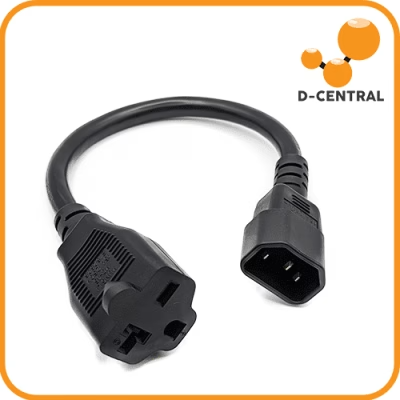
Never share a circuit with other loads. Voltage drops under load waste energy and can cause miner instability. A dedicated 240V/20A circuit with 12-gauge (or 10-gauge for longer runs) copper wiring, terminated at a NEMA 6-20 receptacle, is the correct setup for a single S19. Have it installed by a licensed electrician — this is not optional, it is code.
PDU and Metering
A kill-a-watt meter or smart PDU strip is the cheapest diagnostic tool you can own. Measure actual wall power consumption — not what the firmware dashboard reports — and compare it against your pool-reported hashrate. This gives you your real-world J/TH number, which is the only number that matters for profitability calculations.
The S19 Versus Newer Hardware: When to Upgrade
The Antminer S21 series (S21, S21 Pro, S21 XP) represents a generational leap in efficiency, with the S21 achieving roughly 17.5 J/TH — a 40% improvement over the S19 Pro. The question every S19 owner faces: when does upgrading make financial sense?
The Upgrade Decision Framework
The answer depends on three variables:
- Your electricity rate: At $0.05/kWh, an S19 Pro remains profitable and the payback period on an S21 is long. At $0.12+/kWh, the efficiency gap between S19 and S21 directly translates to survival.
- Acquisition cost of new hardware: If S21 units are trading at a premium, the payback period extends. If you can acquire one at a reasonable price, the math accelerates.
- Residual value of your S19: An S19 is not worthless when you upgrade. It makes an excellent space heater candidate, a secondary unit for winter operation, or a sale to recover capital. The S19’s reliability and massive install base means parts and support will exist for years.
D-Central carries both the full S21 lineup and the complete S19 series, including refurbished units, the Loki Edition (underclocked for 110V home use), and space heater conversions. The right hardware depends on your situation — not on what is newest.
Renewable Energy and Off-Grid Mining
Cheap electricity is the ultimate competitive advantage in mining, and the cheapest electricity on Earth is stranded renewable energy that would otherwise be curtailed or wasted. Solar arrays that overproduce during peak hours, micro-hydro installations with excess capacity, wind turbines during off-peak demand — these are mining opportunities.
Solar + Mining in Canada
Canadian provinces with net metering policies allow homeowners to offset grid consumption with solar production. But net metering rates are often lower than retail rates, meaning you get less value selling power back to the grid than consuming it yourself. Running a miner during peak solar production captures that energy at full retail equivalent value — better economics than net metering in many cases.
A 10 kW solar array in southern Ontario or Quebec produces approximately 35-40 kWh on a peak summer day. An underclocked S19 at 2,500W consumes 60 kWh per day — meaning solar offsets roughly 60-65% of your mining electricity during summer. Combined with heat recapture in winter, you approach near-zero net energy cost for significant portions of the year.
The Sovereignty Angle
Mining on your own power, on your own hardware, connected to your own node, is the most sovereign form of Bitcoin participation. You are not trusting a third-party exchange, a custodian, or a hosted mining provider. You are converting energy directly into censorship-resistant money. Every hash you produce strengthens the network’s decentralization. This is not just economics — it is the cypherpunk ethos in practice.
D-Central’s S19 Ecosystem: Custom Solutions Built by Miners, for Miners
D-Central Technologies is not a reseller that dropships boxes from Shenzhen. We are a Canadian Bitcoin mining company that has been repairing, modifying, and optimizing Antminer hardware since 2016. Our S19 ecosystem includes:
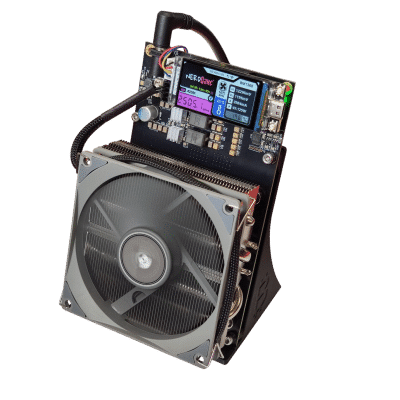
- Antminer S19 Loki Edition (40 TH/s): Custom-configured for 110V home circuits. Underclocked, quiet, and efficient — designed specifically for residential miners who cannot install 240V circuits.
- S19 Space Heater Edition: Full dual-purpose mining and heating unit with custom firmware, low-noise fans, and enclosure modifications.
- 3D-printed duct shrouds (6-inch and 8-inch): Designed and manufactured in Canada for proper airflow management and heat ducting.
- Hashboard airflow dividers: Run two hashboards instead of three for reduced power and noise while maintaining mining operation.
- APW3 Side Hodler mount: Clean PSU mounting solution for custom mining rigs and Loki Edition setups.
- Control Board C52 with BraiinsOS: Drop-in replacement control board pre-loaded with BraiinsOS for S19, S19j Pro, and T19 models.
- Replacement hashboards: Genuine replacement boards for S19, S19j Pro, S19k Pro, and S19 XP.
- Full ASIC repair service: Hashboard-level diagnostics and repair for every S19 variant, performed in our Montreal, Quebec facility.
Every product in this list exists because a home miner needed it. We build solutions for the problems our customers actually have — not for the problems that look good in marketing materials.
Putting It All Together: An Optimization Roadmap
Here is the step-by-step process for maximizing the efficiency of your Antminer S19, ordered by impact and cost:
- Install third-party firmware (BraiinsOS+, VNish, or LuxOS) and run autotuning for at least 48 hours. This is free and typically delivers the largest single improvement in J/TH. Cost: $0.
- Measure actual wall power with a kill-a-watt meter. Compare against pool hashrate to calculate your real J/TH. Cost: $20-30 for the meter.
- Set a power target appropriate for your circuit and electricity rate. For most home miners, 2,400-2,800W is the sweet spot for S19 Pro units. Cost: $0.
- Install proper ducting for heat management. Recapture heat in winter, exhaust outdoors in summer. Cost: $50-100 in ducting materials plus a D-Central shroud adapter.
- Run on 240V if possible. The PSU efficiency improvement alone saves 2-5% on your power bill. Cost: $200-500 for electrician to install a dedicated circuit.
- Establish a maintenance schedule. Monthly compressed air blowout, quarterly fan inspection, annual deep maintenance. Cost: minimal.
- Evaluate your electricity rate against current network conditions using a power cost calculator. If your all-in cost per kWh is above your breakeven threshold, consider underclocking further, shifting to heating-season-only operation, or upgrading hardware.
Frequently Asked Questions
What is a good J/TH efficiency target for the Antminer S19 Pro with custom firmware?
With BraiinsOS+ autotuning in efficiency mode, most S19 Pro units achieve 26-28 J/TH — a meaningful improvement over the stock 29.5 J/TH. Individual results vary based on silicon quality (chip lottery), ambient temperature, and PSU efficiency. Run autotuning for at least 48 hours to let the algorithm fully calibrate each chip.
Can I run an Antminer S19 on a standard 120V household outlet?
Not at full power. A stock S19 Pro draws over 3,200W, which exceeds the capacity of any 120V/15A circuit (1,800W max continuous). However, D-Central’s Loki Edition is specifically configured for 110V operation at 40 TH/s and reduced power draw, making it safe for standard residential circuits. Alternatively, firmware underclocking can bring power consumption within 120V limits, but 240V operation is always preferred for efficiency.
How much does it cost to run an Antminer S19 per month?
At stock settings, an S19 Pro draws approximately 3,245W. Running 24/7, that is about 2,337 kWh per month. At $0.10/kWh, the monthly cost is $233.70. At $0.07/kWh (Quebec industrial), it drops to $163.59. At $0.15/kWh, it climbs to $350.55. Custom firmware with a 2,500W power target reduces consumption to roughly 1,800 kWh/month, saving 23% on electricity costs.
Is the Antminer S19 still profitable in 2026?
It depends entirely on your electricity rate and whether you capture heat value. At sub-$0.08/kWh with firmware optimization, the S19 Pro and S19k Pro remain operational. At $0.12+/kWh without heat recapture, profitability is marginal to negative. Dual-purpose mining (heating + mining) significantly shifts the equation by offsetting heating costs. The S19 XP at 21.5 J/TH has the best margins of the S19 generation.
What is the difference between the S19 and S19k Pro?
The S19k Pro uses the newer BM1366 ASIC chip (same as S19 XP), achieving 23 J/TH versus the original S19’s 34.5 J/TH — a 33% efficiency improvement. It also draws less total power (2,760W vs 3,250W) while delivering more hashrate (120 TH/s vs 95 TH/s). If choosing between S19 variants, the k Pro and XP models offer substantially better economics per watt.
Should I upgrade from an S19 to an S21?
The S21 at ~17.5 J/TH is roughly 40% more efficient than the S19 Pro (29.5 J/TH). If your electricity cost is above $0.10/kWh, the efficiency gain pays for itself relatively quickly. If you are below $0.07/kWh, the S19 remains profitable and the upgrade payback period is longer. Consider converting your S19 into a space heater unit rather than selling it — the hardware has significant residual value as a heating appliance.
How does D-Central’s ASIC repair service work for S19 units?
D-Central performs hashboard-level diagnostics and repair at our facility in Montreal, Quebec. We service every S19 variant: S19, S19 Pro, S19j, S19j Pro, S19j Pro+, S19k Pro, and S19 XP. Common repairs include ASIC chip replacement, voltage domain troubleshooting, temperature sensor repair, and hashboard connector issues. We also offer preventive maintenance packages. Visit our ASIC repair page for details on turnaround times and the repair process.
What is the best firmware for underclocking an S19 for home use?
BraiinsOS+ with its power limit feature is the most reliable choice for underclocking. Set a watt ceiling (for example, 1,500-2,500W) and the autotuning algorithm will maximize hashrate within that envelope. LuxOS is also excellent for stable underclocked operation with a user-friendly interface. Both support remote monitoring and configuration, so you can adjust settings without physical access to the miner.