The Noise Problem: Why Your Miner Sounds Like a Jet Engine
You bought an ASIC miner to stack sats. You plugged it in. And now your family is staging an intervention because your basement sounds like a leaf blower factory running overtime. Welcome to the single biggest barrier to home Bitcoin mining: noise.
A stock Antminer S9 operates at 82-85 dB. That is louder than a garbage disposal, a busy restaurant, or standing next to a highway. A stock S21 hits 76-80 dB — better, but still comparable to a vacuum cleaner running continuously, in a room you cannot turn off. Ever. These machines were engineered for industrial data centers where nobody lives, nobody sleeps, and nobody complains. Bitmain did not design the S19 for your spare bedroom. They designed it for a warehouse in rural Texas where the nearest neighbor is a mile away.
But here is the thing: home mining is the entire point. The decentralization of Bitcoin mining does not happen in data centers. It happens in basements, garages, closets, and workshops. It happens when individual Bitcoiners run their own hash, on their own hardware, in their own homes. If noise is the barrier preventing decentralization, then solving noise is not optional — it is a mission-critical engineering problem.
This guide is D-Central’s definitive resource for solving that problem. We have been helping home miners tame ASIC noise since 2016 — through custom space heater enclosures, universal ASIC shrouds, firmware optimization, fan replacements, and hundreds of consultations with miners who just want to hash without divorcing their spouse. Every technique in this guide has been tested, measured, and deployed in real home mining setups. No theory. No hand-waving. Real decibel reductions, real products, real solutions.
The goal is to take your mining setup from 75-85 dB (uninhabitable) down to 35-55 dB (livable). That is the range where home mining becomes sustainable — where your miner is background noise rather than a domestic crisis. And the techniques stack: combine two or three approaches from this guide and you can achieve reductions of 30-50 dB. That is the difference between a chainsaw and a quiet conversation.
Home miners running any ASIC hardware — from a single Antminer S9 space heater to a multi-rig basement operation — who need to reduce noise to livable levels. Also useful for anyone considering a miner purchase who wants to understand what they are getting into acoustically. No specialized tools or engineering background required for most strategies; some techniques (fan replacement, immersion cooling) require intermediate DIY skills.
Understanding Decibels: The Math Behind the Madness
Before you can solve a noise problem, you need to understand how noise is measured. Decibels trip people up because the scale is logarithmic, not linear. This means that small dB changes represent large real-world differences, and intuitive math does not apply.
The Decibel Scale
A decibel (dB) is a ratio. Specifically, it is a logarithmic ratio of sound pressure levels. The key implications for miners:
- Every 10 dB increase sounds roughly twice as loud to the human ear. So 80 dB sounds about twice as loud as 70 dB, which sounds about twice as loud as 60 dB.
- Every 3 dB increase represents a doubling of sound energy. Two identical miners running side by side produce ~3 dB more noise than one miner alone — not double the dB value.
- Every 6 dB reduction cuts the perceived loudness roughly in half at a distance. This is your target metric: a 6 dB drop means your miner sounds about half as loud.
Sound Level Reference Table
Everyday Sound Level Reference
| Near-silence (empty room) | 20 dB |
|---|---|
| Whisper at 1 meter | 30 dB |
| Quiet library | 35 dB |
| Quiet home | 40 dB |
| Refrigerator hum | 40-45 dB |
| Normal conversation (1 meter) | 55-60 dB |
| Busy restaurant / office | 65-70 dB |
| Vacuum cleaner (nearby) | 70-75 dB |
| Antminer S19 (stock) | 73-77 dB |
| Antminer S21 (stock) | 76-80 dB |
| Garbage disposal | 80 dB |
| Antminer S9 (stock) | 82-85 dB |
| Gas lawn mower | 85-90 dB |
| Chainsaw | 100-110 dB |
Look where ASIC miners land on that table. Stock Antminer models sit right between a vacuum cleaner and a lawn mower — in a range that causes hearing fatigue within hours of continuous exposure and makes normal conversation impossible in the same room. The target for a livable home mining setup is the 40-55 dB range: audible, but not disruptive. You can sleep in the next room, hold a conversation, and your neighbors will not file a noise complaint.
Distance and the Inverse Square Law
Sound intensity drops with distance. Specifically, every time you double your distance from a noise source, the sound level decreases by approximately 6 dB (in free-field conditions). In a real house with walls, floors, and furnishings, the reduction is somewhat less predictable due to reflections, but the principle holds directionally:
- 1 meter from a stock S19: ~75 dB
- 2 meters away: ~69 dB
- 4 meters away: ~63 dB
- 8 meters away (through open air): ~57 dB
This is why location isolation is one of the most effective noise strategies — every meter of distance and every wall between you and the miner subtracts decibels. A miner in a closed basement two floors below your bedroom can be nearly inaudible even without any other noise treatment.
Stacking Noise Sources
Running multiple miners compounds noise, but not linearly. Two identical miners add approximately 3 dB to the total noise level. Four miners add roughly 6 dB. Ten miners add about 10 dB. So a single S19 at 75 dB becomes roughly 78 dB with two units — not 150 dB. Small comfort when even one is too loud, but important for planning multi-miner setups.
Noise Levels by Miner Model
Not all miners are created equal acoustically. Stock noise levels vary dramatically depending on the miner generation, chip process, cooling design, and fan configuration. Smaller open-source miners like Bitaxe are nearly silent. Full-scale ASICs are industrial equipment. Here is the complete reference.
ASIC Miner Noise Levels — Complete Reference
| Miner | Stock Noise (dB) | Optimized Noise (dB) | Fan Count | Notes |
|---|---|---|---|---|
| NerdAxe / NerdMiner | 10-20 dB | 10-20 dB | 1 small (or passive) | Effectively silent. USB/low-power. |
| Bitaxe (Supra, Ultra, Gamma, GT) | 15-25 dB | 15-25 dB | 1 small | Whisper-quiet. Single chip, 5V USB-C or barrel jack. |
| Bitaxe Hex | 25-35 dB | 20-30 dB | 1-2 small | Six-chip. D-Central heatsink available for improved cooling. |
| NerdQAxe / NerdOctaxe | 25-40 dB | 20-35 dB | 1-2 small | Multi-chip open-source. Fan speed adjustable. |
| D-Central Space Heater (S9) | 45-50 dB | 40-45 dB | 1-2x 140mm (Noctua/Arctic) | Already optimized. Underclocked + silent fans. |
| D-Central Space Heater (S17) | 50-55 dB | 45-50 dB | 4x 120mm (Arctic/Noctua) | Higher hashrate = more heat to move. |
| D-Central BitChimney (S19) | 45-50 dB | 40-45 dB | 4x 120mm | Single hashboard. Compact, quiet. |
| Antminer S17 (stock) | 72-76 dB | 50-60 dB | 4x 120mm | Fan swap + undervolt yields strong reduction. |
| Antminer S19 / S19 Pro (stock) | 73-77 dB | 50-60 dB | 4x 120mm | Most popular home mining platform. |
| Whatsminer M30S (stock) | ~75 dB | 55-65 dB | 2x 120mm | Fewer fan mod options than Antminer. |
| Antminer S21 (stock) | 76-80 dB | 55-65 dB | 4x 120mm | High power density. Heat is the challenge. |
| Antminer S9 (stock) | 82-85 dB | 50-60 dB | 2x 120mm | Loudest per-TH. But cheapest to modify. |
The “Optimized Noise” column represents what is achievable with firmware underclocking and a single additional technique (fan swap or shroud). Combining multiple strategies from this guide can push noise levels even lower. Also note: the open-source miners — Bitaxe, NerdAxe, NerdMiner, NerdQAxe — are essentially silent out of the box. If noise is your primary concern and you want zero acoustic footprint, they are the answer.
Bitaxe & Open-Source Miners
Whisper-quiet solo mining. Bitaxe models run at 15-25 dB — quieter than a whisper. D-Central stocks all Bitaxe variants (Supra, Ultra, Hex, Gamma, GT), NerdAxe, NerdMiner, NerdQAxe, and every accessory. Perfect for bedrooms, offices, and noise-sensitive environments. Every hash counts.
Strategy 1: Choose a Quieter Miner
The most effective noise reduction strategy happens before you plug anything in: pick the right hardware. The gap between the quietest and loudest miners available today spans 60+ dB — an almost incomprehensible difference. Your miner choice determines the baseline you are working from, and some baselines are dramatically easier to live with than others.
Silent Tier: Open-Source Miners (10-35 dB)
Bitaxe (all variants: Supra, Ultra, Hex, Gamma, GT) operates at 15-25 dB. That is quieter than most people’s refrigerators. You can place a Bitaxe on your desk, your nightstand, or your bookshelf and forget it is running. The trade-off is hashrate — a single-chip Bitaxe produces fractional terahashes — but for solo mining enthusiasts and noise-sensitive environments, it is the ideal solution. You are mining Bitcoin, contributing to decentralization, and hunting for a solo block reward, all without producing any audible disruption.
NerdAxe and NerdMiner are even quieter at 10-20 dB, running passively or with tiny fans. The NerdQAxe and NerdOctaxe push higher with multiple chips but remain well within library-quiet territory.
D-Central pioneered the Bitaxe ecosystem and stocks every variant along with custom heatsinks, the original Bitaxe Mesh Stand, power supplies, and cases. If you have not mined before and noise is a primary concern, start here.
Quiet Tier: Space Heater Editions (40-55 dB)
D-Central’s Bitcoin Space Heater editions take full-scale ASIC hardware (S9, S17, S19 single-hashboard) and re-engineer them for home use. Stock fans are replaced with premium silent alternatives (Noctua iPPC, Arctic P12/P14), the miner is underclocked via custom firmware (Braiins OS+), and the entire assembly is housed in a custom 3D-printed enclosure that directs heat into your living space. The result: meaningful hashrate at conversational noise levels.
A D-Central S9 Space Heater operates at ~45-50 dB — about the volume of a quiet conversation or a household fan. The BitChimney (single S19 hashboard) achieves similar levels. These are miners you can run in your living room during a Canadian winter, heating your space and stacking sats simultaneously.
Newer Generation ASICs: Marginal Improvements
Newer ASIC generations (S21, T21) are somewhat more efficient per terahash — they produce less heat per hash, which means fans can spin slightly slower for a given hashrate target. But they also ship at higher total hashrates with higher total power consumption, so stock noise levels remain in the 75-80 dB range. Do not buy a newer ASIC expecting it to be quiet out of the box. It will not be. The efficiency gains let you undervolt more aggressively, which is where the real noise benefit comes from.
If you need <30 dB and no modifications, buy a Bitaxe. If you need meaningful hashrate with manageable noise (45-55 dB) out of the box, buy a D-Central Space Heater Edition. If you want maximum hashrate and are prepared to invest time and money in noise reduction, buy a full ASIC and apply the techniques in this guide. There is no magic — physics determines how much air needs to move to cool a given wattage, and moving air makes noise. The question is how much hashrate you need and how much noise you can tolerate.
Strategy 2: Firmware Underclocking
If choosing a quieter miner is the best strategy before you buy, firmware underclocking is the best strategy after you buy. It is free, it requires no physical modifications, it can be done from your browser, and it typically delivers 10-20 dB of noise reduction. For many home miners, this single technique is enough to make an unlivable situation workable.
Why Underclocking Reduces Noise
The causal chain is straightforward: lower frequency → lower voltage → less power → less heat → slower fans → less noise. ASIC miners use temperature-controlled fans — the hotter the chips run, the faster the fans spin to maintain safe temperatures. By reducing the clock frequency and voltage of the ASIC chips, you reduce heat output, which causes the fan controller to slow the fans down. Fan noise is directly proportional to fan speed — and the relationship is steep. A fan at 50% RPM is dramatically quieter than the same fan at 100% RPM.
The physics is in your favor here. Power consumption scales with the square of voltage (P = a × F × V²), so reducing voltage by 20% cuts power consumption by roughly 36%. This means disproportionately large power and heat reductions for modest hashrate sacrifices — the famous “80/50 rule” of undervolting: 80% of stock hashrate at roughly 50-60% of stock power.
Firmware Options for Underclocking
Braiins OS+ (Recommended). The gold standard for ASIC optimization. Its per-chip autotuning engine lets you set a power target in watts and the firmware automatically calibrates every individual chip to maximize hashrate within that power envelope. Set a target of 1,800W on an S19j Pro (stock 3,050W) and walk away. The miner will hash at roughly 65-70% of stock hashrate while consuming 60% of stock power, running significantly cooler, and operating dramatically quieter. D-Central ships every Space Heater Edition with Braiins OS+ pre-installed. See our Braiins OS+ Setup Guide for detailed installation instructions.
VNish. A commercial firmware with manual and auto-tuning modes. VNish offers per-chain frequency control and has an immersion mode for submersion cooling setups. Good for Whatsminer hardware where Braiins support is limited.
LuxOS. Luxor Technology’s firmware with a focus on fleet management and ASIC health monitoring. Offers power limiting and frequency control. Integrates with Luxor’s mining pool and Hashrate Forward Marketplace.
Realistic Noise Reductions from Underclocking
Firmware Underclocking — Noise Reduction Examples
| Miner | Stock Power | Underclocked Power | Stock Noise | Underclocked Noise | Hashrate Retained |
|---|---|---|---|---|---|
| Antminer S9 | 1,350W | 750W | 82-85 dB | 65-72 dB | ~55% |
| Antminer S17 | 2,920W | 1,500W | 72-76 dB | 58-65 dB | ~65% |
| Antminer S19j Pro | 3,050W | 1,800W | 73-77 dB | 58-64 dB | ~70% |
| Antminer S21 | 3,500W | 2,000W | 76-80 dB | 60-67 dB | ~70% |
| Whatsminer M30S | 3,400W | 2,000W | ~75 dB | 60-66 dB | ~65% |
These are conservative, real-world numbers — not manufacturer claims. Actual results depend on ambient temperature, fan condition, and silicon lottery (some chips undervolt better than others). The key takeaway: firmware underclocking alone typically buys you 10-15 dB of reduction. That is significant — remember, every 10 dB sounds roughly half as loud. But for most miners in most home situations, underclocking alone is not enough to reach truly livable noise levels. You will want to combine it with one or more of the physical strategies that follow.
Underclocking reduces hashrate. There is no way around this — less power means less computation. The art is finding the sweet spot where the noise reduction and efficiency gains outweigh the hashrate loss. At residential electricity rates (above ~$0.06/kWh), most miners are actually more profitable when underclocked because the electricity savings exceed the lost mining revenue. See our full <a href="/antminer-undervolting-guide/”>Antminer Undervolting Guide for detailed profitability analysis.
Strategy 3: Fan Replacement
Stock ASIC fans are engineered for one thing: maximum airflow at minimum cost. Bitmain is not spending extra on quiet bearings, optimized blade geometry, or vibration-dampening mounts. They are buying the cheapest fan that can move enough air to keep chips alive in a data center. The result is a fan that sounds like a hair dryer running at full blast — and there are typically four of them per miner.
Replacing these stock fans with high-quality aftermarket alternatives is one of the most impactful physical modifications you can make. The right replacement fan can deliver similar airflow at significantly lower noise levels — typically 10-20 dB quieter than stock at the same RPM, thanks to superior bearing technology, optimized blade design, and anti-vibration features.
Recommended Replacement Fans
Noctua NF-A12x25 industrialPPC-3000 PWM. The industry standard for ASIC fan replacements. 120mm form factor, up to 3,000 RPM, 101.2 m³/h airflow, IP67 dust and water resistance, and SSO2 bearing for minimal vibration. At lower RPM targets (underclocked miner), these fans are remarkably quiet. The industrial PPC variant is essential — standard Noctua consumer fans do not produce enough static pressure for the restricted airflow path inside an ASIC miner.
Arctic P12 PWM PST / Arctic P14 PWM PST. An excellent budget alternative. The P12 (120mm) and P14 (140mm) deliver strong static pressure performance at a fraction of the Noctua price. PST (PWM Sharing Technology) allows daisy-chaining fan power cables, simplifying wiring in multi-fan setups. These are the fans D-Central uses in many Space Heater Edition builds.
Gelid Solutions Silent 12 / Silent 14. Another solid budget option with good noise-to-airflow ratios. Used in some D-Central BitChimney configurations.
Fan Specifications That Matter
Key Fan Specifications for ASIC Cooling
| Specification | What It Means | ASIC Target |
|---|---|---|
| CFM / m³h (Airflow) | Volume of air moved per unit time. Higher = more cooling capacity. | 50+ CFM per fan for full-power ASICs; less needed if underclocked. |
| Static Pressure (mmH2O) | Fan’s ability to push air through resistance (heatsinks, tight paths). Critical for ASICs. | 2.0+ mmH2O. Stock ASIC fans run 4-8+ mmH2O. Aftermarket fans trade some pressure for noise. |
| RPM Range | Fan rotation speed. Higher RPM = more airflow and noise. | Need 1,500-3,000 RPM max capability. Run at lowest stable RPM for your power target. |
| Noise (dBA) | Rated noise at maximum RPM. | <35 dBA at max RPM is good. Actual operating noise depends on duty cycle. |
| PWM Control | 4-pin connector allowing speed control by the miner’s firmware. | Required. Without PWM, fans run at fixed speed — no automatic temperature management. |
| Bearing Type | SSO2, FDB (Fluid Dynamic), sleeve. Better bearings = less vibration and longer life. | FDB or SSO2 preferred. Avoid cheap sleeve bearings. |
Fan Swap: What to Expect
ASIC miners use standard 120mm fans, but with non-standard connectors. Bitmain uses a 6-pin or 4-pin proprietary connector on most Antminer models. You will need an adapter cable — a harness that converts from the miner’s proprietary fan header to a standard 4-pin PWM connector. D-Central and other retailers sell these adapters for most Antminer generations.
For the Antminer S9: Two intake fans, two exhaust fans (four total). The S9 uses a 6-pin connector. You need two adapter splitter cables (one per side), each splitting to two PWM fans. Remove the stock fan shroud, connect the adapters, mount your replacement fans, and secure with screws or zip ties. Many builders 3D-print a custom shroud to hold the aftermarket fans snugly.
For the Antminer S19 series: Four 120mm fans arranged in two pairs (front intake pair, rear exhaust pair). The S19 uses a 4-pin connector per fan pair. You need adapter cables that convert from the S19’s connector to standard PWM. Mount replacement fans and test — the firmware should detect and control them via PWM signal. If your replacement fans spin too slowly for the firmware’s liking, you may see a fan error. Braiins OS+ is more tolerant of lower RPM readings than stock firmware.
Aftermarket fans move less air at lower pressure than stock fans. This is the trade-off: less noise, but less cooling capacity. If you swap fans without also underclocking, your miner will run hotter and may thermally throttle (reduce hashrate automatically) or shut down. Fan replacement works best when combined with firmware underclocking — reduce power first, then the quieter fans have less heat to manage. Never run a full-power ASIC on aftermarket quiet fans. You will damage the hardware.
Strategy 4: ASIC Shrouds and Duct Routing
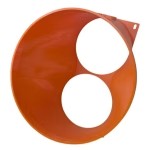
An ASIC miner is a wind tunnel: cool air in one side, hot air out the other. A shroud is a physical adapter that bolts onto the miner’s intake or exhaust and transitions the airflow from the miner’s fan openings into standard round ductwork — typically 4″, 6″, or 8″ diameter. Once you are in ductwork, you can route that air anywhere: out a window, through a wall, into another room, up into an attic, or into your HVAC system. The noise goes with it.
D-Central Universal ASIC Shrouds
D-Central manufactures the Universal ASIC Shroud line — purpose-built adapters designed to fit the widest range of ASIC miners on the market. These are not generic 3D-printed boxes; they are engineered to maintain proper airflow while transitioning to standard duct sizes, with mounting points that align with common miner dimensions.
D-Central offers shrouds sized for different miner families:
- 120mm-to-duct shrouds — for Antminer S9, S17, S19, S21 series and similar 120mm fan miners
- 140mm-to-duct shrouds — for miners with 140mm fans
- Custom configurations — for Whatsminer, Avalon, and other form factors
Each shroud mates with standard HVAC ductwork, allowing you to use off-the-shelf insulated flexible duct, rigid duct, or semi-rigid aluminum duct from any hardware store.
Universal ASIC Shrouds
Route your miner’s exhaust out of your living space and take the noise with it. D-Central’s Universal ASIC Shrouds connect to standard HVAC ductwork for clean, flexible installations. Compatible with Antminer S9 through S21 series and Whatsminer models. Multiple duct diameters available.
Duct Routing Basics
Exhaust-side routing (most common). Attach a shroud to the miner’s exhaust (hot air side), run insulated flex duct to a window, exterior wall vent, or into another room. In winter, route hot exhaust into the room you want to heat. In summer, route it outside. A simple Y-valve or duct diverter lets you switch seasonally in under a minute.
Intake-side routing (advanced). In addition to exhaust routing, you can attach a shroud to the intake side and pull cool air from an optimal source — a cooler room, a basement, or outside air in cold months. Controlling both intake and exhaust gives you a fully enclosed airflow path, which maximizes noise containment because the miner’s sound is traveling through ductwork rather than radiating into your room.
Duct diameter matters. Larger ducts = less back-pressure = better airflow = lower fan speeds = less noise. Use the largest diameter your shroud and space allow. 6″ diameter insulated flex duct is the sweet spot for most single-miner setups. For multi-miner setups or high-power machines (S21), consider 8″.
Inline Duct Fans and Duct Silencers
Inline duct fans. If your duct run exceeds 10 feet or includes bends, the back-pressure on your miner’s fans increases. An inline duct fan (like an AC Infinity Cloudline series) placed in the duct path assists airflow and reduces the load on the miner’s fans. The Cloudline T6 (6″) or T8 (8″) models are popular among home miners because they are quiet, speed-controllable, and readily available. Run it at low speed to supplement miner fan airflow — you do not need it at full blast.
Duct silencers. A duct silencer (also called a duct muffler or attenuator) is a section of ductwork lined with acoustic-absorbing material. Sound waves enter, bounce off the lining, and lose energy. A quality 24-36″ duct silencer in a 6″ duct can attenuate noise by 15-25 dB across the frequency range that ASIC fans produce. Install one on the exhaust duct between the miner and the terminal point (window, vent). For maximum effect, install one on both intake and exhaust. Duct silencers are the most underrated noise-reduction tool in home mining.
Realistic Noise Reduction with Shrouds
Shroud + duct routing alone (without any other modifications) typically reduces in-room noise by 10-20 dB, depending on duct length, insulation, and whether you seal the installation properly. Adding a duct silencer pushes this to 20-30 dB. The miner itself is still producing the same noise — you are simply redirecting that noise out of your living space through the ductwork. The longer and more insulated the duct run, the more noise is absorbed before reaching open air.
In Canadian winters, route your miner’s hot exhaust directly into your living space via ductwork — your miner becomes a space heater that pays you in Bitcoin. Route the intake from the coldest accessible area (exterior wall vent, crawlspace, cold basement). Cold intake air means lower chip temperatures, better efficiency, slower fans, and less noise. When spring arrives, redirect the exhaust outside via a duct diverter. D-Central designed its Space Heater product line around exactly this principle.
Strategy 5: Enclosures and Sound Boxes
If you cannot move the noise elsewhere (via ducting) and you cannot reduce it at the source (via underclocking and fan swaps), the next option is to contain it. A sound-dampening enclosure surrounds the miner with mass and absorptive material, trapping noise energy before it reaches your ears. Think of it as a recording studio’s isolation booth — but for an ASIC miner.
Sound-Dampening Materials
Mass Loaded Vinyl (MLV). Dense, flexible, and specifically engineered to block sound transmission. MLV is the workhorse of DIY sound enclosures. A single layer of 1 lb/sq ft MLV blocks approximately 25-30 dB of airborne sound (STC 26-32). Line the inside walls of your enclosure with MLV for maximum isolation. Available in rolls from acoustic supply stores.
Acoustic Foam. Open-cell foam panels (the “egg crate” style you see in studios) absorb high-frequency sound reflections. Important: acoustic foam does not block sound — it absorbs reflections inside the enclosure, preventing noise from bouncing around and amplifying before escaping through gaps. Use it as a secondary layer on top of MLV, not as a substitute.
MDF or Plywood (3/4″ / 18mm minimum). The structural shell of your enclosure. Mass blocks sound, and MDF is dense, cheap, and easy to work with. Double-layer MDF with MLV sandwiched between layers is an excellent high-performance wall construction: MDF (3/4″) + MLV (1 lb/sq ft) + MDF (3/4″) = a wall that blocks 40+ dB.
Green Glue or similar noise-dampening compound. Applied between layers of MDF, Green Glue converts sound energy into heat via a viscoelastic process. It adds 5-8 dB of additional isolation between panels. Worth the cost if you are building a serious enclosure.
Ventilation: The Non-Negotiable Requirement
Here is the engineering challenge with sound enclosures: you cannot seal them. A sealed box around a 3,000W miner will reach dangerous temperatures in minutes. Every watt of power consumption becomes heat, and that heat must exit the enclosure. This means you need ventilation openings — and every opening is a path for noise to escape.
The solution is baffled ventilation: air can pass through, but sound cannot travel in a straight line to the opening. Techniques include:
- Labyrinth baffles — zigzag air channels lined with acoustic foam. Air navigates the turns; sound energy is absorbed at each reflection point.
- Duct + silencer exits — route air through a short duct section with an inline duct silencer. This combines the enclosure strategy with the ducting strategy for compounding benefits.
- Oversized openings with offset panels — large air openings blocked by a staggered panel set back 4-6″ from the opening. Air flows around the panel; sound bounces off it.
DIY Build vs. Commercial Enclosures
DIY enclosure (budget: $100-400). A basic but effective enclosure can be built from two sheets of 3/4″ MDF, a roll of MLV, some acoustic foam, and a few hours of work. Build a box slightly larger than your miner (6″+ clearance on all sides for airflow), line the interior walls with MLV + acoustic foam, and install baffled intake and exhaust openings. This approach typically achieves 15-25 dB of in-room reduction.
High-performance DIY (budget: $300-800). Double-wall MDF construction with Green Glue between layers, MLV on interior surfaces, acoustic foam lining, duct silencers on both intake and exhaust, and an inline duct fan for assisted ventilation. This build can achieve 25-35 dB reduction and is suitable for running a miner in the same room you occupy.
Commercial enclosures (budget: $500-2,000+). Several companies sell purpose-built mining enclosures. These vary widely in quality and acoustic performance. Look for published dB reduction numbers tested by third parties, proper ventilation engineering, and fire-resistant materials. Some commercial options are little more than plywood boxes with foam — test claims critically.
An ASIC miner inside an enclosure concentrates heat in a confined space. Use fire-resistant materials only. Never use polystyrene foam, spray foam insulation, or any material with a low ignition temperature inside a mining enclosure. Ensure your enclosure has adequate ventilation airflow (calculate CFM requirements based on your miner’s wattage — see our Mining Closet Guide for CFM calculations). Install a smoke detector inside or immediately above the enclosure. Never leave a miner running unattended in a poorly ventilated enclosure. A thermal runaway event in a sealed box is a fire hazard.
Strategy 6: Location Isolation
Sometimes the best noise reduction is the simplest: put the miner somewhere you are not. Every wall, door, and floor between you and the miner attenuates sound. A miner in the basement is dramatically quieter from the living room than a miner in a closet adjacent to the living room. This strategy requires zero modifications to the miner itself, costs nothing beyond a longer Ethernet cable, and works for any miner model regardless of age or configuration.
Location Ranking for Noise Isolation
Detached garage or shed (best). Physical separation from the living space provides the most isolation. An uninsulated detached garage wall plus 10+ meters of air gap can attenuate 30-50 dB depending on construction. Run Ethernet or use a WiFi bridge for connectivity. Ensure adequate ventilation and power — a 240V circuit in the garage is ideal.
Basement (excellent). Concrete and earth are outstanding sound barriers. A miner in a basement room with the door closed is typically 25-40 dB quieter from the main floor. Basements also run cool, which is a massive advantage for ASIC cooling. If you have a utility room or mechanical room in the basement, even better — those rooms are already isolated and often have existing 240V circuits.
Dedicated closet or utility room (very good). A closet with a solid-core door and weather stripping provides 20-30 dB of reduction to adjacent rooms. See our Building a Mining Closet Guide for complete construction details, ventilation requirements, and CFM calculations.
Attached garage (good). Shared wall with living space means less isolation than detached, but still significant. Insulate and seal the shared wall for best results. Watch summer temperatures — garages in southern regions can exceed ASIC operating limits.
Attic (conditional). Noise isolation is good (floor + ceiling assembly), but temperature management is challenging. Only viable in cooler climates or with active ventilation. Canadian attics work well September through May.
Sealing Sound Leaks
Sound is like water — it finds the smallest gap and pours through it. A solid-core door with a 1/4″ gap underneath loses most of its sound-blocking ability. Critical sealing points:
- Door sweep / bottom seal — install a heavy-duty door sweep on the mining room door. Acoustic door sweeps (automatic drop-down type) are best.
- Door weatherstripping — foam or rubber weatherstripping around the full door perimeter eliminates the frame gap. The same weatherstripping used for exterior doors works perfectly.
- Electrical outlets and switches — sound travels through wall cavities and exits at outlet boxes. Install acoustic putty pads behind outlet and switch plates on shared walls.
- HVAC vents — if the mining room shares ductwork with living spaces, sound will travel through the ducts. Close or block HVAC vents in the mining room and provide dedicated ventilation instead.
- Pipe and cable penetrations — seal any holes where pipes, cables, or conduits pass through walls with acoustic caulk or expanding foam.
Strategy 7: Immersion Cooling
Every other strategy in this guide manages fan noise. Immersion cooling eliminates it. By submerging your miner in a tank of dielectric (non-conductive) fluid, you remove all fans entirely. The fluid absorbs heat directly from the ASIC chips and hashboards, and a pump + radiator system dissipates that heat to the environment. No fans means no fan noise. The result is a mining setup that is functionally silent — the only sound is a quiet pump and potentially a radiator fan, which can be run at very low speed.
How Single-Phase Immersion Works
The miner’s fans, fan shrouds, and usually the PSU fan are removed. The bare miner (hashboards + control board) is submerged vertically in a tank filled with dielectric coolant — typically an engineered fluid like BitCool, ThermaSafe, or mineral oil alternatives. A submersible or external pump circulates the hot fluid through an external radiator (essentially a car radiator or similar heat exchanger), where ambient air or a low-speed fan cools it before it returns to the tank. The miner runs completely submerged, with only power and Ethernet cables exiting the tank.
Noise Levels with Immersion
A properly built immersion setup produces 25-40 dB depending on the radiator fan speed and pump. That is quieter than most people’s refrigerators. For reference, the same S19 that produces 75 dB with stock air cooling can be immersion-cooled to under 35 dB. It is the most dramatic noise reduction achievable — but it comes at a cost.
Cost vs. Benefit for Home Miners
Immersion Cooling — Cost Breakdown
| Component | Budget Tier | Mid Tier | Premium Tier |
|---|---|---|---|
| Tank (single miner) | $50-100 (DIY aquarium/tote) | $200-400 (purpose-built) | $500-1,000 (engineered) |
| Dielectric Fluid (40-60L) | $150-250 (mineral oil) | $300-500 (BitCool) | $500-800 (engineered fluid) |
| Pump | $30-60 | $60-120 | $120-250 |
| Radiator + Fan | $40-80 | $80-200 | $200-400 |
| Fittings, Hoses, Misc | $30-60 | $50-100 | $80-150 |
| Total (Approx.) | $300-550 | $690-1,320 | $1,400-2,600 |
Immersion cooling is the most expensive noise-reduction strategy, and it introduces mechanical complexity (pumps fail, fluid degrades, leaks happen). It is best suited for miners who need near-silent operation AND want to overclock (immersion cooling actually enables higher hashrate by providing superior thermal performance). For most home miners focused purely on noise, combining strategies 2 through 6 is more practical and cost-effective. But if you want to run a high-power ASIC on your desk and hear nothing, immersion is the path.
Firmware for Immersion
Both VNish and Braiins OS+ offer immersion modes that disable fan monitoring and error detection — essential because you have physically removed the fans. Without immersion mode, the stock firmware will halt the miner with a “fan missing” error within seconds of boot. Braiins OS+ supports immersion mode on S19-series hardware. VNish supports a broader range including some Whatsminer models.
Submerging a miner in fluid, removing fans, and running in immersion mode voids the manufacturer’s warranty. This is an advanced modification for experienced miners. If your pump fails and the fluid stops circulating, chip temperatures will spike rapidly — you need monitoring and automatic shutdown configured. Start with a lower-value miner to learn the process before risking expensive hardware.
Combining Strategies: Stacking for Maximum Silence
Every strategy in this guide provides meaningful noise reduction on its own. But the real power comes from combining multiple approaches. Noise reductions from independent techniques are roughly additive in decibels — not perfectly, but close enough for practical planning. Here is what that looks like in real-world home mining scenarios.
Scenario 1: S9 Space Heater in a Living Room
Starting point: Stock Antminer S9 — 82-85 dB
| Strategy Applied | dB Reduction | Running Total |
|---|---|---|
| Braiins OS+ underclocking (1,350W → 750W) | -15 dB | ~68 dB |
| Fan swap to Noctua iPPC-3000 (via Space Heater case) | -12 dB | ~56 dB |
| D-Central Space Heater enclosure + directed exhaust | -8 dB | ~48 dB |
| Result | -35 dB total | ~48 dB — quiet conversation level |
This is exactly what D-Central’s S9 Space Heater Edition delivers: a machine that started at chainsaw-adjacent noise levels running quietly enough for a living room, heating your space while stacking sats through a Canadian winter.
Scenario 2: S19 in a Basement Closet
Starting point: Stock Antminer S19 — 73-77 dB
| Strategy Applied | dB Reduction | Running Total |
|---|---|---|
| Braiins OS+ underclocking (3,250W → 1,800W) | -13 dB | ~62 dB |
| Sound enclosure (MDF + MLV lined closet) | -18 dB | ~44 dB |
| Location isolation (basement → main floor, door sealed) | -10 dB | ~34 dB |
| Result at main floor level | -41 dB total | ~34 dB — quieter than a library |
Scenario 3: S21 in a Garage with Duct Routing
Starting point: Stock Antminer S21 — 76-80 dB
| Strategy Applied | dB Reduction | Running Total |
|---|---|---|
| Fan swap to Noctua iPPC-3000 + Braiins OS+ undervolt | -18 dB | ~60 dB |
| D-Central shroud + 6″ insulated duct to exterior (8 ft run) | -12 dB | ~48 dB |
| Garage location (distance + shared wall) | -10 dB | ~38 dB |
| Result at living space | -40 dB total | ~38 dB — barely perceptible |
The pattern is clear: no single technique gets you to silence, but stacking two or three strategies can take even the loudest miner from “uninhabitable” to “unnoticeable.” The most cost-effective combination for most home miners is underclocking + shroud/duct routing + location isolation. This trifecta requires minimal investment, no advanced DIY skills, and works with any miner model.
Cost vs. Noise Reduction Matrix
Budget matters. Here is every strategy ranked by cost-effectiveness — how many decibels of reduction you get per dollar invested.
Noise Reduction Strategy — Cost vs. Effectiveness
| Strategy | Typical Cost | dB Reduction | Difficulty | Best For |
|---|---|---|---|---|
| Firmware Underclocking | $0 (free) | 10-20 dB | Easy | Every miner. Start here. |
| Location Isolation | $0-50 (Ethernet cable, weatherstripping) | 15-40 dB | Easy | Anyone with basement, garage, or spare room. |
| Shroud + Duct Routing | $40-150 (shroud + duct + silencer) | 10-30 dB | Easy-Medium | Miners near living spaces; winter heat recovery. |
| Fan Replacement | $60-200 (4x fans + adapters) | 10-20 dB | Medium | Combined with underclocking for compounding benefit. |
| Buy Quiet Miner (Bitaxe) | $70-300 | Starts at 15-25 dB | Easy | Noise-sensitive environments. Solo mining enthusiasts. |
| Space Heater Edition | $235-780 | Pre-optimized: 40-55 dB | Easy (plug-and-play) | Living rooms, offices. Dual-purpose heat + mining. |
| Sound Enclosure (DIY) | $100-800 | 15-35 dB | Medium-Hard | Same-room mining. Requires ventilation engineering. |
| Immersion Cooling | $300-2,600 | 35-55 dB (near silent) | Hard | Maximum silence + overclocking. Advanced miners. |
The highest-ROI path for most home miners: start with firmware underclocking (free), add a shroud with duct routing ($40-150), and isolate the miner in the best available location (free-$50). This trifecta costs under $200 and can achieve 30-50 dB of reduction. Add fan replacement if more reduction is needed. Reserve enclosures and immersion for situations where the other strategies are insufficient or impractical.
Frequently Asked Questions
What is the quietest ASIC miner I can buy?
For true silence, Bitaxe models (Supra, Ultra, Hex, Gamma, GT) operate at 15-25 dB — quieter than a whisper. They are solo lottery miners producing fractional terahashes, so you are not competing for pool payouts, but every hash counts for decentralization and you have a chance at a full block reward. For meaningful hashrate with manageable noise, D-Central’s Bitcoin Space Heater Editions run at 40-55 dB with real ASIC hardware inside. There is no full-scale ASIC that is quiet out of the box — all S19/S21-class miners need modifications.
Can I run a miner in my bedroom?
A stock full-scale ASIC miner? Absolutely not. At 75-85 dB, you will not sleep. A Bitaxe or NerdMiner? Yes — they are quieter than an alarm clock. A D-Central Space Heater Edition? Possible in winter if you tolerate a ~45-50 dB background hum (similar to a household fan). For most people, the ideal bedroom miner is a Bitaxe — place it on a shelf, enjoy the warm glow of the LED, and fall asleep to the knowledge that your hash is contributing to Bitcoin’s decentralization.
Will underclocking void my warranty?
Flashing third-party firmware (Braiins OS+, VNish, LuxOS) technically voids Bitmain’s warranty on Antminer hardware. However, Braiins OS+ can be cleanly uninstalled and the miner restored to stock firmware before any warranty claim. In practice, most home miners running older or refurbished hardware are well past warranty coverage. The efficiency and noise benefits of underclocking far outweigh warranty concerns for residential use. mine Bitcoin at home
How much hashrate do I lose by making my miner quieter?
It depends on the strategy. Fan replacement, shrouds, enclosures, and location isolation cost zero hashrate — they manage noise without affecting mining performance. Firmware underclocking does reduce hashrate, typically to 50-80% of stock depending on how aggressively you tune. The key insight: at residential electricity rates, underclocked miners are often more profitable because the electricity savings exceed the mining revenue loss. See our <a href="/antminer-undervolting-guide/”>Antminer Undervolting Guide for the full profitability math.
Can I use any duct silencer with my ASIC shroud?
Yes — as long as the diameter matches. If your D-Central shroud transitions to 6″ duct, use a 6″ duct silencer. Standard HVAC silencers (available at home improvement stores or Amazon) work well. Longer silencers (24-36″) provide more attenuation than shorter ones (12-18″). For best results, use a silencer on the exhaust side at minimum, and consider a second one on the intake side if noise is still too high. Position silencers as close to the miner as practical.
Is immersion cooling worth it for a single home miner?
For most home miners: no. The cost ($300-2,600+), complexity, and maintenance overhead of immersion cooling is hard to justify for noise reduction alone when firmware underclocking + shrouds + location can achieve similar results at a fraction of the cost. Immersion makes sense when you want near-silent operation AND want to overclock (immersion enables higher hashrate by providing superior cooling), or when you are running multiple high-power miners and want to consolidate heat management. It is a power-user strategy, not a beginner’s solution.
Do Noctua fans really make a difference on ASIC miners?
Yes — dramatically. Stock Bitmain fans are cheap, high-RPM units optimized for raw airflow, not acoustic performance. Noctua’s industrialPPC fans (specifically the NF-A12x25 iPPC-3000 or NF-A12x15 iPPC-2000 for slim applications) use superior SSO2 bearings, optimized blade geometry, and anti-vibration mounts that produce significantly less noise at comparable RPMs. At reduced RPM (via underclocking), the difference is even more pronounced. The catch: aftermarket fans produce less static pressure than stock fans, so you must underclock the miner to reduce heat load. Do not run a full-power S19 on Noctua fans — it will overheat.
Can I use my miner as a space heater AND keep it quiet?
That is exactly what D-Central’s Space Heater product line is designed for. The S9 Space Heater Edition, S17 Space Heater Edition, and BitChimney are pre-built to run quietly (45-55 dB) while directing all heat output into your living space. They combine underclocking, silent fan replacement, and custom enclosure design into a plug-and-play package. If you want to DIY the same concept, use a stock miner + Braiins OS+ underclocking + D-Central shroud to route exhaust heat where you want it. In Canadian winters, your miner replaces your electric space heater — same heat output, but it also stacks sats.
My miner got louder over time. What happened?
Three likely causes. Dust accumulation: Dust on heatsinks and fan blades reduces cooling efficiency, causing fans to spin faster. Clean your miner every 3-6 months with compressed air. Worn fan bearings: Fan bearings degrade over time, especially the cheap sleeve bearings in stock fans. They develop a grinding or rattling noise as they wear. Replace with quality aftermarket fans. Thermal paste degradation: The thermal compound between ASIC chips and heatsinks dries out over years of operation, reducing heat transfer efficiency and forcing fans to work harder. Re-applying thermal paste is an intermediate repair — see our ASIC Repair service if you are not comfortable doing it yourself.
What about noise complaints from neighbors?
Most municipal noise bylaws regulate exterior noise at the property line, not interior noise. If your miner’s exhaust vents outside, the noise at the property line is what matters legally. Ensure your exhaust vent points away from neighboring windows and is equipped with a duct silencer. For detached homes with reasonable setback, a properly ducted miner is typically well below bylaw limits. For apartments and condos, focus on containment strategies (enclosures, underclocking, location) rather than exterior venting. A Bitaxe or Space Heater Edition is the safest choice for multi-unit dwellings. When in doubt, check your local bylaws — noise limits vary by municipality and time of day.
Why D-Central for Quiet Mining Solutions
D-Central Technologies has been solving the noise problem for home miners since 2016. We do not just sell mining hardware — we engineer it for the environments where real people actually live. That means noise reduction is not an afterthought; it is a core design parameter in everything we build.
Universal ASIC Shrouds. D-Central manufactures shrouds for every major ASIC platform, designed to integrate with standard HVAC ductwork for flexible, professional-grade noise routing. Route heat where you want it, route noise where you don’t.
Bitcoin Space Heater Editions. We pioneered the concept of the Bitcoin space heater — taking real ASIC hardware, underclocking it for residential use, replacing stock fans with premium silent alternatives, and housing it in custom 3D-printed enclosures. S9, S17, S19 (BitChimney) configurations available, all shipping with Braiins OS+ pre-installed and pre-tuned.
Bitaxe & Open-Source Miners. D-Central is a pioneer in the Bitaxe ecosystem — we created the original Bitaxe Mesh Stand and have been involved since the beginning. We stock every Bitaxe variant (Supra, Ultra, Hex, Gamma, GT), every accessory (custom heatsinks, cases, stands, PSUs), plus the full Nerd lineup (NerdMiner, NerdAxe, NerdNOS, NerdQAxe). For truly silent mining, this is where it starts.
ASIC Repair. Noise issues caused by worn bearings, failing fans, or degraded thermal paste? Our repair facility in Laval, Quebec has serviced over 2,500 miners. We diagnose noise problems, replace failing components, re-apply thermal compound, and return your miner running quieter and cooler than when it arrived. Visit our ASIC Repair page or call 1-855-753-9997.
Professional ASIC Repair
Miner running louder than it should? Grinding fans, rattling bearings, thermal throttling? D-Central’s repair team in Laval, Quebec diagnoses and fixes noise issues at the source — fan replacement, bearing upgrades, thermal paste renewal, and full miner servicing. Over 2,500 miners repaired since 2016. Ship it to us, we send it back quiet.
Noise is the barrier between Bitcoin staying in data centers and Bitcoin coming home. Every technique in this guide — from a free firmware flash to a $2,000 immersion build — serves the same mission: making it possible for individual Bitcoiners to run their own hash, on their own hardware, in their own homes, without sacrificing their quality of life. That is decentralization in practice. That is what it means to be a Bitcoin Mining Hacker.
Every hash counts.
What is the quietest ASIC miner I can buy?
For true silence, Bitaxe models (Supra, Ultra, Hex, Gamma, GT) operate at 15-25 dB — quieter than a whisper. They are solo lottery miners producing fractional terahashes, so you are not competing for pool payouts, but every hash counts for decentralization and you have a chance at a full block reward. For meaningful hashrate with manageable noise, D-Central’s Bitcoin Space Heater Editions run at 40-55 dB with real ASIC hardware inside. There is no full-scale ASIC that is quiet out of the…
Can I run a miner in my bedroom?
A stock full-scale ASIC miner? Absolutely not. At 75-85 dB, you will not sleep. A Bitaxe or NerdMiner? Yes — they are quieter than an alarm clock. A D-Central Space Heater Edition? Possible in winter if you tolerate a ~45-50 dB background hum (similar to a household fan). For most people, the ideal bedroom miner is a Bitaxe — place it on a shelf, enjoy the warm glow of the LED, and fall asleep to the knowledge that your hash is contributing to Bitcoin’s decentralization.
Will underclocking void my warranty?
Flashing third-party firmware (Braiins OS+, VNish, LuxOS) technically voids Bitmain’s warranty on Antminer hardware. However, Braiins OS+ can be cleanly uninstalled and the miner restored to stock firmware before any warranty claim. In practice, most home miners running older or refurbished hardware are well past warranty coverage. The efficiency and noise benefits of underclocking far outweigh warranty concerns for residential use. mine Bitcoin at home
How much hashrate do I lose by making my miner quieter?
It depends on the strategy. Fan replacement, shrouds, enclosures, and location isolation cost zero hashrate — they manage noise without affecting mining performance. Firmware underclocking does reduce hashrate, typically to 50-80% of stock depending on how aggressively you tune. The key insight: at residential electricity rates, underclocked miners are often more profitable because the electricity savings exceed the mining revenue loss. See our <a…
Can I use any duct silencer with my ASIC shroud?
Yes — as long as the diameter matches. If your D-Central shroud transitions to 6″ duct, use a 6″ duct silencer. Standard HVAC silencers (available at home improvement stores or Amazon) work well. Longer silencers (24-36″) provide more attenuation than shorter ones (12-18″). For best results, use a silencer on the exhaust side at minimum, and consider a second one on the intake side if noise is still too high. Position silencers as close to the miner as practical.
Is immersion cooling worth it for a single home miner?
For most home miners: no. The cost ($300-2,600+), complexity, and maintenance overhead of immersion cooling is hard to justify for noise reduction alone when firmware underclocking + shrouds + location can achieve similar results at a fraction of the cost. Immersion makes sense when you want near-silent operation AND want to overclock (immersion enables higher hashrate by providing superior cooling), or when you are running multiple high-power miners and want to consolidate heat management….
Do Noctua fans really make a difference on ASIC miners?
Yes — dramatically. Stock Bitmain fans are cheap, high-RPM units optimized for raw airflow, not acoustic performance. Noctua’s industrialPPC fans (specifically the NF-A12x25 iPPC-3000 or NF-A12x15 iPPC-2000 for slim applications) use superior SSO2 bearings, optimized blade geometry, and anti-vibration mounts that produce significantly less noise at comparable RPMs. At reduced RPM (via underclocking), the difference is even more pronounced. The catch: aftermarket fans produce less static…
Can I use my miner as a space heater AND keep it quiet?
That is exactly what D-Central’s Space Heater product line is designed for. The S9 Space Heater Edition, S17 Space Heater Edition, and BitChimney are pre-built to run quietly (45-55 dB) while directing all heat output into your living space. They combine underclocking, silent fan replacement, and custom enclosure design into a plug-and-play package. If you want to DIY the same concept, use a stock miner + Braiins OS+ underclocking + D-Central shroud to route exhaust heat where you want it….
My miner got louder over time. What happened?
Three likely causes. Dust accumulation: Dust on heatsinks and fan blades reduces cooling efficiency, causing fans to spin faster. Clean your miner every 3-6 months with compressed air. Worn fan bearings: Fan bearings degrade over time, especially the cheap sleeve bearings in stock fans. They develop a grinding or rattling noise as they wear. Replace with quality aftermarket fans. Thermal paste degradation: The thermal compound between ASIC chips and heatsinks dries out over years of…
What about noise complaints from neighbors?
Most municipal noise bylaws regulate exterior noise at the property line, not interior noise. If your miner’s exhaust vents outside, the noise at the property line is what matters legally. Ensure your exhaust vent points away from neighboring windows and is equipped with a duct silencer. For detached homes with reasonable setback, a properly ducted miner is typically well below bylaw limits. For apartments and condos, focus on containment strategies (enclosures, underclocking, location)…