You’re scrolling Hugging Face or the Ollama library and you see model tags like llama3.1:8b-instruct-q4_K_M and llama3.1:70b-instruct-q5_0. You know it’s a Llama model. You know 8B and 70B refer to parameter counts. But what the hell are q4_K_M and q5_0, and why does every model ship in a dozen flavors?
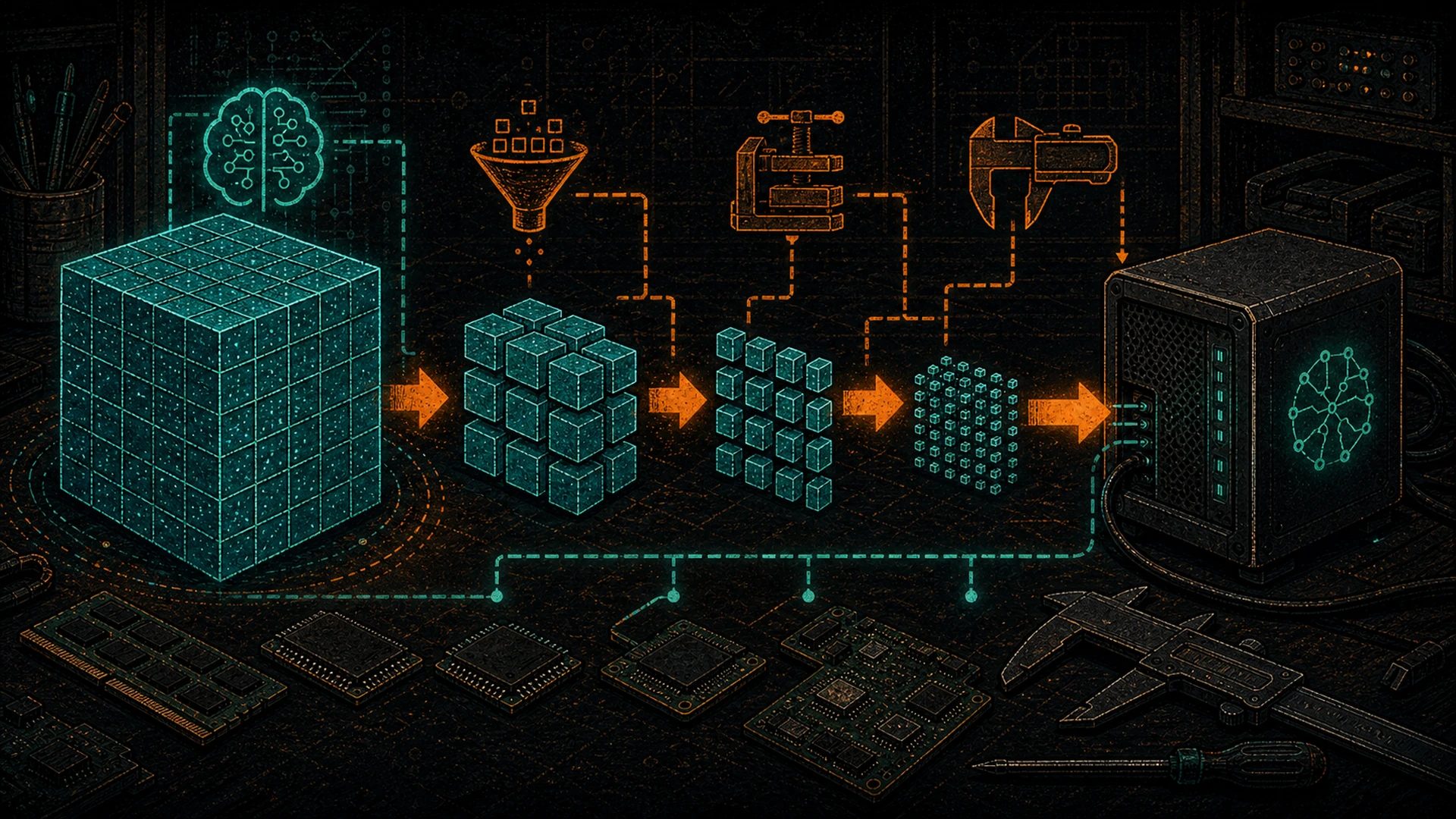
Here’s the answer in one sentence: quantization is lossy compression for LLM weights — the same idea as JPEG for images or AAC for audio. It shrinks the model so it fits in less VRAM, and the quality cost is usually small enough that you’d never notice.
By the end of this post you’ll know what fp16, bf16, int8, and int4 mean, what GGUF is and why it ate the world, and which exact quant to download (Q4_K_M vs Q5_0 vs Q6_K vs Q8_0 vs fp16) for whatever rig you’re running.
Why quantization exists
Large language models have billions of parameters — numbers that encode everything the model “knows.” Each parameter is a floating-point number.
At full precision (fp16, 16-bit float, 2 bytes per weight), the math is brutal:
- A 7B model = 7 billion × 2 bytes = 14 GB
- A 70B model = 70 billion × 2 bytes = 140 GB
140 GB of VRAM is four H100s in a server rack. That is not a pleb budget.
Now quantize those weights down to 4 bits each instead of 16:
- 7B at 4 bits ≈ 3.5 GB — fits on a phone
- 70B at 4 bits ≈ 35 GB — fits on dual 3090s
Same model. Same behavior, almost. You just threw away 75% of the file size and 75% of the memory footprint. The quality drop on most tasks? Single-digit percentage points on benchmarks. For chat and general reasoning, most humans can’t tell the difference in blind tests.
This is literally the same tradeoff you make every time you save a photo as JPEG instead of RAW, or rip a CD as AAC instead of FLAC. You’re trading a tiny amount of fidelity for a massive reduction in size — and for 99% of use cases, the tradeoff is a no-brainer.
The spectrum:
- More compression → smaller file, faster inference, fits on cheaper hardware, slight quality drop
- Less compression → larger file, slower to load, needs more VRAM, full model fidelity
Every quant you’ll encounter sits somewhere on that curve.
The precision zoo
Before you can read quant labels, you need to know the raw numeric formats. Here’s the whole family:
fp32 — 32-bit float
Full scientific-grade precision. Every weight is 4 bytes. Almost nobody runs inference in fp32 — it’s training territory. Think of it as the RAW photo off the camera sensor: technically correct, way more data than anyone needs for the final image.
fp16 / bf16 — 16-bit float
The “full quality” baseline for inference. Every weight is 2 bytes. When a Hugging Face model card says “original” or “full precision,” it almost always means one of these.
fp16has more precision but a narrower rangebf16(“brain float”) has less precision but a wider range — better for training, functionally equivalent for inference
Think of fp16/bf16 as the uncompressed TIFF export. Nobody complains about the quality. The file is just big.
int8 / Q8 — 8-bit integer
Half the size of fp16. Quality is typically indistinguishable from fp16 for most tasks. This is the “visually lossless JPEG-100” of quantization — you could A/B test it against full precision and struggle to pick a winner.
int4 / Q4 — 4-bit integer
Where most plebs actually live. One quarter the size of fp16. Quality cost is small, size savings are massive. The sweet spot for consumer GPUs.
int2 / int3 — aggressive quant
2 or 3 bits per weight. You’ll see these on very large models (70B+) where “throw away 90% of the bits” still leaves enough information to function. On small models (<=7B), these quants visibly hurt output quality.
fp8 — 8-bit float
Newer format, supported natively on H100, H200, and RTX 50-series (Blackwell). Used heavily by FLUX and some LLM deployments. Better dynamic range than int8 for the same bit budget. You’ll see this more in 2026 and beyond as Blackwell-class hardware trickles down to used-market pricing.
The size table
| Precision | Bytes / weight | Llama 3.1 8B | Llama 3.1 70B | Quality vs fp16 |
|---|---|---|---|---|
| fp32 | 4.0 | ~32 GB | ~280 GB | Reference |
| fp16 / bf16 | 2.0 | ~16 GB | ~140 GB | Baseline |
| int8 / Q8_0 | 1.0 | ~8.5 GB | ~75 GB | ~99% |
| Q6_K | 0.75 | ~6.6 GB | ~58 GB | ~98-99% |
| Q5_K_M | 0.62 | ~5.7 GB | ~50 GB | ~97-98% |
| Q4_K_M | 0.5 | ~4.9 GB | ~43 GB | ~95-97% |
| Q3_K_M | 0.4 | ~4.0 GB | ~33 GB | ~90-94% |
| Q2_K | 0.3 | ~3.2 GB | ~26 GB | ~80-88% |
Sizes are approximate — actual GGUF files include metadata, tokenizer, and k-quant scaling data so they run a few percent heavier than the raw math suggests.
GGUF — the format that won
If you’ve downloaded any model for local inference in the last two years, you’ve touched a .gguf file. GGUF is the de facto standard for consumer-hardware LLM distribution. Understanding how it got there is a small history lesson in open-source AI.
The lineage runs through Georgi Gerganov, the developer behind llama.cpp — the tiny, aggressive C++ inference engine that made it possible to run LLaMA on a MacBook within 48 hours of the model weights leaking in early 2023. llama.cpp needed a compact model format, and Gerganov built GGML to serve it. GGML was good, but it had design limitations: metadata was awkward, quantization info was brittle, adding new model architectures required format-breaking changes.
In August 2023, Gerganov and the llama.cpp contributors released the successor: GGUF (GPT-Generated Unified Format). It’s the same spirit — a single self-contained binary you can mmap directly — with every wart of GGML fixed.
Why GGUF won
- Single file. Weights, tokenizer, architecture hints, chat template, metadata — all in one
.gguf. No fifteen-file download dance. - mmap-able. The OS can map the file into memory without loading all of it at once. You can run a model bigger than your RAM if you’re patient.
- CPU + GPU capable. The same file runs on CPU-only, partial GPU offload, or full GPU — whatever you have.
- Embedded metadata. Context length, RoPE scaling, vocab, BOS/EOS tokens, chat template — the runtime just reads it. No hunting for the right
tokenizer.json. - Endian-safe and versioned. Works on ARM, x86, Apple Silicon. New quant types can be added without breaking old files.
- Designed for consumer hardware. Not for research clusters. Not for cloud APIs. For your laptop, your workstation, your self-hosted node.
Every serious open-weights model in 2025–2026 — Llama, Qwen, DeepSeek, Gemma, Mistral, Phi — ships GGUF quants within days of release, usually uploaded by the community quant-maker accounts (bartowski, TheBloke’s successors, the unsloth team) directly to Hugging Face.
What’s actually in a GGUF
Open one up and you’ll find:
- All model weights at the chosen quantization
- Complete tokenizer (vocab, merges, special tokens)
- Architecture declaration (transformer variant, attention heads, layer count, RoPE params)
- Context length, training cutoff hints
- Chat template (the Jinja-style prompt wrapper)
- Quantization type per tensor (not every tensor has to be the same quant — k-quants are smart about this)
Hand a GGUF to llama.cpp, ollama, or LM Studio and it runs. No config files, no Python dependencies, no transformers library install.
The alternatives (brief)
GGUF is dominant but not alone. You’ll encounter these:
- GPTQ — Post-training quantization method from the original GPTQ paper (Frantar et al.). Older than k-quants but still widely used, especially with the
exllama/exllamav2runtimes on NVIDIA GPUs. Good speed on well-tuned CUDA kernels. - AWQ — Activation-aware Weight Quantization. Instead of quantizing every weight uniformly, AWQ looks at which weights matter most for the model’s activations and protects them. Competitive quality per bit. Common in vLLM deployments on servers.
- EXL2 — The
exllamav2format. Variable-bitrate: different layers can use different bitwidths, selected to hit a target average. Very compact, very fast on NVIDIA. Less portable than GGUF. - MLX — Apple’s native format for Apple Silicon. Uses the unified memory architecture of M-series chips. If you’re on a Mac, MLX versions often run faster than GGUF equivalents. Check the
mlx-communityorg on Hugging Face. - Safetensors fp16 / bf16 — The “original” unquantized format. What model creators upload first. Every other quant is derived from these.
If you’re running a consumer box with a 3090 or Apple Silicon, you’ll spend 90%+ of your time in GGUF (and MLX on Mac). Server operators and researchers drift toward AWQ and EXL2.
Reading GGUF quant suffixes
Now the cryptic part. When you see Q4_K_M or Q5_0 or Q6_K, here’s what each piece means.
The number
Q4, Q5, Q6, Q8 — approximate bits per weight. Approximate, because modern k-quants use different bitwidths for different tensors inside the same file, and the label reflects the effective average. A Q4_K_M weighted average comes out to roughly 4.8 bits per weight, not a flat 4.
The suffix
_0/_1— Legacy “type 0” and “type 1” quants from pre-2023. Simple per-block scaling (one scale factor per group of 32 weights). Still used forQ4_0,Q5_0,Q8_0— the last of which is basically the standard “8-bit baseline.”_K— K-quant family, introduced mid-2023. Much smarter: uses mixed precision within a file, smaller block sizes, better scaling math. K-quants at a given bit count beat legacy quants at the same bit count on quality benchmarks._S/_M/_L— Small, Medium, Large variants within k-quant. Different mixes of precisions across the model’s tensors. Larger variants protect more critical tensors at higher precision, so quality is better for a small size cost.
The quant cheat sheet
| Suffix | Approx bits/weight | Quality vs fp16 | Recommended use |
|---|---|---|---|
| Q2_K | 2.6 | ~80-85% | Huge models (70B+) on tight VRAM only |
| Q3_K_M | 3.4 | ~90-93% | Budget squeeze; big models on single GPU |
| Q4_0 | 4.5 | ~93-95% | Legacy; prefer Q4_K_M |
| Q4_K_M | 4.8 | ~95-97% | Sweet spot for most plebs |
| Q5_0 | 5.5 | ~96-97% | Legacy; prefer Q5_K_M |
| Q5_K_M | 5.7 | ~97-98% | Comfortable VRAM; better than Q4 |
| Q6_K | 6.6 | ~98-99% | Code/math workloads; small-model quality |
| Q8_0 | 8.5 | ~99%+ | Effectively lossless; 8B and smaller |
| fp16 | 16 | 100% | Reference; rarely worth it vs Q8_0 |
If you remember nothing else: Q4_K_M is the default. Q5_K_M if you have VRAM to spare. Q6_K or Q8_0 for code, math, or small models where quant damage shows up more.
Which quant should a pleb pick?
The honest answer depends on your hardware. Here’s the decision tree by rig.
24 GB VRAM (RTX 3090, RTX 4090, RTX 3090 Ti)
The pleb classic. See our used RTX 3090 for LLMs writeup for why this is still the best value in 2026.
- Up to 14B models: Go
Q6_KorQ8_0. No reason to compress harder — you have the headroom. - 27-32B models (Gemma 3, Qwen 2.5 32B):
Q5_K_Mis the sweet spot. Leaves room for a decent context window. - 70B models: Single 3090 forces
Q2_Kor CPU offload — both painful. Better plan: add a second 3090 (48 GB total) or accept the speed hit.
48 GB VRAM (dual 3090, RTX 5090)
Comfortable pleb territory.
- 70B models:
Q4_K_Mruns smooth with a full 8K+ context.Q5_K_Mif you don’t need huge context. - 32B models:
Q8_0— effectively lossless, still leaves VRAM for big context and KV cache. - 13-14B:
Q8_0orfp16, doesn’t matter — you have the room.
12 GB VRAM (RTX 3060, RTX 4070, RTX 4070 Super)
Entry-level self-hosting.
- 8B models:
Q5_K_MorQ6_K. Fits with 8K-16K context. - 14B models:
Q4_K_Msqueaks in with reduced context window (~4K). Push context higher and you’ll spill to system RAM. - Don’t try 32B+ on 12 GB. Grab a smaller model at higher quality instead.
8 GB VRAM / Apple Silicon 16-24 GB unified memory
Laptop and Mac Mini territory.
- 7B / 8B models:
Q4_K_Mis your friend. Llama 3.1 8B, Qwen 2.5 7B, Mistral 7B — all comfortable. - Small models (Gemma 3 4B, Phi-3.5 3.8B):
Q5_K_MorQ6_K. These tiny models are punching above their weight in 2026 and deserve higher-quality quants. - Apple Silicon note: Check for MLX versions on Hugging Face. Native MLX is often 15-30% faster than GGUF on M-series chips.
CPU-only / 64+ GB system RAM
Possible but slow. CPU inference is 10-50x slower than GPU for most models.
- Any model at any quant will technically load, but practical tokens/sec is low.
- Stick with
Q4_K_M— smaller files page into memory faster, and CPU throughput is the bottleneck anyway. - Budget builds with an older Xeon and 128 GB DDR4 can run 70B
Q4_K_Mat 1-3 tokens/sec. Usable for background batch work, painful for interactive chat.
For an end-to-end walkthrough of actually running one of these, see Install Ollama in 10 Minutes.
When quantization hurts (honest)
Quantization isn’t free. Here’s where the cracks show:
Code generation. Model quality on coding benchmarks (HumanEval, MBPP, SWE-bench) drops measurably below Q5. If you use your local model as a coding copilot, go Q6_K or Q8_0. The file-size savings of Q4 aren’t worth the extra bugs you’ll introduce.
Long-context reasoning. Aggressive quants degrade multi-step reasoning faster than short-answer QA. Q2 / Q3 models forget the middle of long contexts. If you’re running RAG over big documents, stay at Q5+.
Small models. A 7B at Q2_K is much worse than a 70B at Q2_K. Big models have more “redundant” capacity that tolerates aggressive compression. Small models don’t. Don’t quantize small models below Q4_K_M.
Math. Sensitive to quantization noise. DeepSeek R1, o-class reasoning models, math-specialized fine-tunes — keep them at Q5+. Arithmetic errors that are rounding-error invisible at Q8 become hallucinated answers at Q3.
Instruction-following fidelity. At very low quants (Q2, Q3), models start ignoring parts of the system prompt or hallucinating JSON formatting. This is mostly a problem for agentic / tool-use workflows, less so for chat.
None of this is a reason to avoid quantization. It’s a reason to pick the right quant for the workload. When in doubt, step up one tier.
Practical — how do I download a specific quant?
The mechanics depend on which runtime you use. See LM Studio vs Ollama vs llama.cpp for the full runtime comparison.
Ollama
Quant is baked into the tag:
ollama pull llama3.1:70b-instruct-q4_K_M
ollama pull qwen2.5:14b-instruct-q5_K_M
If you omit the quant, Ollama picks a default (usually Q4_0 or Q4_K_M). Always specify the quant explicitly — you want to know what you’re running.
llama.cpp
Pull any .gguf directly from Hugging Face, then run:
llama-cli -m ./models/llama-3.1-70b-instruct-q4_k_m.gguf -p "prompt here"
The community quant-maker accounts on Hugging Face (search bartowski or browse lmstudio-community) publish the full quant ladder for every popular model — typically Q2_K through Q8_0 and fp16, all as separate .gguf files.
LM Studio
Built-in model browser. Search for a model, expand its file list, and every available quant is selectable. LM Studio shows a size-vs-VRAM fit indicator so you can see at a glance what your rig can run.
vLLM / TGI / server deployments
Use AWQ or GPTQ format from the model’s Hugging Face repo. These are the standard on cloud-GPU self-hosted inference stacks.
Wrapping up
Quantization is the single biggest reason open-source AI on consumer hardware actually works. It’s why a used 3090 is still the most productive $700 you can spend on a home lab. It’s why Apple Silicon macbooks run 30B models. It’s why an 8 GB laptop can chat with Phi-3.5 without burning down the OS.
Default recommendations for most plebs most of the time:
- Tight on VRAM:
Q4_K_M - Comfortable on VRAM:
Q5_K_M - Code or math workloads:
Q6_KorQ8_0 - Very small models (<= 4B):
Q6_Kminimum
Every hardware guide, every runner comparison, every “can this model fit?” question on this site eventually reduces to a quant choice. Now you can read the label and make the call.
For the broader context on where quantization fits into running your own AI stack, loop back to the Pleb’s Guide to Self-Hosted AI. When something breaks, the self-hosted AI troubleshooting guide covers the usual OOM and context-overflow suspects — most of which trace back to picking the wrong quant for the rig.
Stack shallow. Verify everything. Run it yourself.
References and further reading:
- llama.cpp repository and GGUF specification
- Hugging Face model hub — source for every quant discussed
- Ollama model library — pre-packaged GGUF quants with sensible defaults
- QLoRA paper (Dettmers et al.) — the foundational work on 4-bit quantization for LLMs, and
LLM.int8()before it; most modern quant techniques descend from this research lineage - GGUF format specification — the spec document for format internals
Further reading: Running this model locally is one layer of the Sovereign AI for Bitcoiners Manifesto. The hardware side of the argument lives in our mining catalog — start with From S19 to Your First AI Hashcenter or How to Use a Bitcoin Space Heater.