Quick answer
The pillar guide to self-hosting AI: run a model on a box you own for the same reasons you run your own Bitcoin node. Privacy — prompts never leave your LAN. Latency — the model answers the instant your GPU finishes, no round trip. Unkillable — it responds every time, forever, with no deprecation, rate limits, or filters.
If you’ve already flashed firmware onto an ASIC at 3 a.m. while the fans screamed at you, congratulations: you are ninety percent of the way to self-hosting your own AI. The other ten percent is vocabulary and VRAM math.
This is the pillar. Every hands-on AI guide we publish links back here. Read this once, bookmark it, then dive into the walkthroughs when you’re ready to install something. We’re going to assume you can SSH, edit a config file, and read nvidia-smi output. We’re going to assume you have never touched an LLM, don’t know what a token is, and have never heard the word “quantization” spoken aloud. Both assumptions coexist in the same person — the pleb — and that’s exactly who this track is for.
Let’s get you oriented.
Why self-host AI at all?
The short version: the same reasons you run your own Bitcoin node.
Privacy. When you type into ChatGPT, your prompts travel to a rack in Virginia, get logged, get used for training (depending on the tier and the mood of the ToS that quarter), and get stored indefinitely. When you type into a model running on a box in your basement, the packets never leave your LAN. Your medical questions, your financial planning, your half-drafted business ideas, your private notes — they stay yours. No one is reading them. No one is training on them. They do not exist outside your house.
Latency. A local model responds the instant your GPU finishes computing. No round trip to us-east-1. No degraded performance because someone in Frankfurt just asked for an essay. For voice assistants and real-time workflows, this is the difference between “usable” and “infuriating.”
Unkillable. API providers deprecate models on their schedule, not yours. Rate limits tighten. Prices change. Safety filters get more aggressive and suddenly your perfectly benign prompt gets refused because it contains the word “knife.” Your local model answers every time, forever, exactly the way it did the day you downloaded the weights. You own the intelligence the way you own the keys to your wallet.
Sovereignty. This is the narrative we keep coming back to at D-Central: every piece of your life that depends on a third party is a point of leverage someone else holds. You decentralized your money. Decentralizing your intelligence is the logical next step. One more layer decentralized.
Cost. A mid-tier API call runs $0.01–$0.10 depending on the model and context length. At anything above casual use — coding assistance, document processing, voice control — you hit a break-even point against a used RTX 3090 somewhere between six and eighteen months. Past that, inference is effectively free. At the D-Central scale, local inference beats API costs by 10–100x once the hardware is paid for.
The honest tradeoff. We are not going to lie to you. The frontier models — GPT-4o, Claude Sonnet 4, Gemini 2.5 — are still measurably better than local models for the hardest tasks. Complex multi-step reasoning, cutting-edge coding, long-document synthesis. If you need the absolute best, the cloud giants still have it. But local models have closed the gap faster than anyone predicted, and for the 90% of daily tasks — chat, writing, summarization, code assist, image gen, voice control, note-taking — a well-chosen local model is indistinguishable from the frontier in day-to-day use. You trade the top 5% of capability for 100% sovereignty. For a pleb, that’s not a hard call.
The three-layer stack
Self-hosted AI is three pieces. Once you see them as three pieces instead of one giant blob, everything gets easier.
Layer 1: The model (the weights)
A “model” is a file. A big one — anywhere from 2 GB to 400 GB depending on which one — but fundamentally just a file full of numbers. Those numbers are the compressed result of training, where the model ingested huge swaths of text (or images, or audio) and learned statistical patterns. You don’t train it. Somebody else — Meta, Mistral, Google, Alibaba, DeepSeek, Black Forest Labs — trained it, released the weights, and you run them. Think of the weights as the blockchain: authored once, downloaded by everyone, computed against locally.
The open-weight lineup, 2026 edition:
- Text generation (LLMs): Llama 3.1 and Llama 3.3 (Meta), Gemma 3 (Google), Qwen 2.5 and Qwen 3 (Alibaba), DeepSeek R1 (DeepSeek), Phi-4 (Microsoft), Mistral 7B and Mixtral (Mistral). These are the giants on whose shoulders the self-hosting community stands.
- Image generation: SDXL (Stability AI), FLUX.1 dev and FLUX.1 schnell (Black Forest Labs).
- Audio (transcription): Whisper v3 (OpenAI, open-weighted).
Every one of these projects released their weights publicly, and every one of them deserves credit for it. The entire self-hosted AI ecosystem exists because these labs chose openness. We are standing on their shoulders.
Layer 2: The runner (the engine)
The runner is the software that actually loads the model file into VRAM and executes it. This is where the magic happens, and this is where Georgi Gerganov deserves a statue. His project, llama.cpp, is the foundation the entire consumer-hardware AI movement is built on. Gerganov figured out how to run large language models on CPUs and consumer GPUs with aggressive optimization, wrote it in pure C++, and open-sourced it. Nearly every tool you’re about to install uses llama.cpp under the hood somewhere.
Your runner options:
- llama.cpp — the bedrock. Build it yourself, run from the command line. Maximum control, minimum hand-holding.
- Ollama — a daemon + CLI that wraps llama.cpp with a dead-simple interface.
ollama run llama3.1and you have a model. For 95% of plebs, this is where to start. Credit to the Ollama team for making the on-ramp. - LMStudio — a desktop GUI. Exceptional on macOS, very good on Windows. If you’d rather click than type, this is the move. Team LMStudio built the smoothest desktop experience in the space.
- vLLM — a high-throughput inference server built for when you need to serve many users or maximum tokens per second. Overkill for a pleb’s home setup, perfect for a shared hashcenter rack.
- MLX — Apple’s native framework for Apple Silicon. If you have an M-series Mac with a lot of unified memory, MLX squeezes performance llama.cpp can’t match on the same hardware.
Layer 3: The interface (how you talk to it)
Having a model running in a terminal is cool for about five minutes. Then you want a real interface.
- Terminal —
ollama rungets you chatting in a shell. Fine for quick tests. - Web UI — Open WebUI — this is the killer app for plebs. Runs as a Docker container, gives you a ChatGPT-identical interface pointing at your local Ollama. Multi-user, document upload, RAG, prompt library, voice input. This is what moves self-hosted AI from “fun project” to “actually using it every day.”
- VS Code integration — the Continue extension plugs a local model into your editor for inline completion and chat. Copilot, but yours.
- Direct API — every serious runner exposes an OpenAI-compatible HTTP endpoint on localhost. Point any existing AI tool at
http://localhost:11434and most of them just work.
The Bitcoin analogy. If you’re a pleb, you’ve already internalized this shape. The model is the blockchain — the data, authored once, consumed everywhere. The runner is the node software — your Knots or Core instance, the thing that actually executes the protocol. The interface is the wallet — Sparrow, Zeus, whatever you use to interact with it. Same topology, different payload. You already know how to think about this.
Hardware — what runs what
Now the math that nobody explains up front: VRAM is the constraint that determines everything. A model has to fit in your GPU’s video memory to run at useful speed. RAM doesn’t substitute (well, it does, badly, at 1/20th the speed — llama.cpp can offload layers to CPU but you’ll cry). If you take one thing from this post: when you see a model advertised as “70B,” that means 70 billion parameters, and at full precision it needs roughly 140 GB of VRAM. Quantized down to Q4, it needs about 40 GB. That’s the math.
Pleb-friendly VRAM guide, rough but honest:
- 8 GB (RTX 3060, 3070, 4060): Phi-3.5, Gemma 3 4B, Llama 3.2 3B. Small but genuinely useful for chat, summarization, and light code help. Perfectly good starting tier.
- 12 GB (RTX 3060 12GB, 4070): Llama 3.1 8B at decent quants, Gemma 3 12B quantized, SDXL image generation. The “I’m taking this seriously” tier.
- 16 GB (RTX 4060 Ti 16GB, 4080): Gemma 3 27B quantized, FLUX.1 dev for image gen, room to run a model plus embeddings simultaneously.
- 24 GB (RTX 3090, 4090, 5090): The plebs’ sweet spot. Llama 3.1 70B at Q4, Qwen 3 32B, DeepSeek R1 distills, FLUX.1 at full quality. This is the tier where local stops feeling like a compromise.
- 48 GB+ (dual RTX 3090/4090, or RTX 6000 Ada): 70B models at better quants, SDXL and FLUX running in parallel, serving multiple users without contention. The home-hashcenter tier.
The mining-specific angle. If you’ve been around Bitcoin mining long enough, you have access to used GPU supply chains most people don’t. Used RTX 3090s from decommissioned Ethereum rigs. Nvidia P40s pulled from enterprise servers. RTX 4090s from folks upgrading to 5090s. The same pleb network that sources used S19s sources used 3090s. This is an unfair advantage and you should use it. See our deep dive on Used RTX 3090 for LLMs in 2026 and the migration blueprint at From S19 to Your First AI Hashcenter.
A word on terminology we should clear up now: when we talk about a hashcenter, we mean a facility that combines mining hardware with compute — Bitcoin hashing and AI inference sharing power, cooling, and space. Hashcenters are not datacenters. Datacenters are purpose-built for enterprise IT loads at very different densities, cooling profiles, and cost structures. A hashcenter is plebs-scale, heat-reuse-aware, and purpose-optimized for both SHA-256 and GPU inference running side by side. You can absolutely build one in a basement or garage. That’s the point.
Terminology the plebs need to know
Short dictionary. Learn these seven words and you’ll understand 90% of every blog post, YouTube tutorial, and Hacker News thread about self-hosted AI.
- Token — not a word. About three-quarters of a word on average. The model reads and writes in tokens. “Hello world” is three tokens. “Antidisestablishmentarianism” is seven. When you see “context length: 8192,” that means the model can hold about 6,000 words in working memory at once.
- Context window — the maximum number of tokens the model can consider at once, including both your prompt and its response. Bigger context = it can read longer documents but needs more VRAM.
- Parameters (B) — billions of parameters. The “8B” or “70B” in a model name. More parameters usually means smarter responses but definitely means more VRAM. Rough rule: parameters × 2 = GB needed at full precision, ÷ 4 for Q4 quantized.
- Quantization — the art of compressing model weights to use less VRAM with minimal quality loss. Q8 is nearly lossless. Q4 is the sweet spot (small, fast, barely worse than full precision). Q2 is where it starts to get dumb. Deep dive: Quantization Explained: GGUF, Q4, Q8, fp16.
- Inference — the act of running a trained model to get output. Distinct from training, which is building the model in the first place. Plebs do inference. Labs do training.
- Tokens per second (tok/s) — throughput measurement. Human reading speed is ~5 tok/s. 20 tok/s feels fast. 60+ tok/s feels instant. Below 5 tok/s is painful.
- GGUF — the file format used by llama.cpp and Ollama. If you download a model from Hugging Face and it ends in
.gguf, it’ll work with your runner. If it’s.safetensors, you may need a conversion step or a different runner. - Frontier model — the closed cloud giants: GPT-4o, Claude Sonnet 4, Gemini 2.5. Local models are, by definition, “not frontier.” But for most pleb tasks, the gap is smaller than the marketing suggests.
The minimum-viable pleb setup
We’ll keep this a teaser. The detailed walkthroughs live in their own posts — this is the shape you’ll be building.
-
Install Ollama. Ten minutes, one command on Linux, a native installer on macOS and Windows. You now have a daemon on localhost:11434 that can run any GGUF model you pull. Full walkthrough: Install Ollama in 10 Minutes.
-
Pull a model.
ollama pull llama3.1:8band you have Meta’s 8B model on disk. Start small. Test that it responds toollama run llama3.1. Confirm VRAM usage withnvidia-smi. -
Install Open WebUI. One Docker container, points at your Ollama, gives you the ChatGPT-identical interface. This is the step where self-hosted AI becomes something you’ll actually use every day. See: Open WebUI: The ChatGPT Experience, But Yours.
-
Decide on a runner. If Ollama feels limiting later, compare it against LMStudio and raw llama.cpp: LMStudio vs Ollama vs llama.cpp: Which Runner for Plebs?.
-
Add image generation. ComfyUI is the node-based image generation tool that unlocks SDXL and FLUX. It’s more complicated than Ollama but vastly more powerful. Guide: ComfyUI for Plebs.
The whole stack — chat model + web UI + image gen — is an evening of setup for someone who has flashed firmware before. You’ll hit one or two walls. You’ll Google them. You’ll keep going. It’s the same rhythm as your first Bitcoin node. You know the rhythm.
What to do when it breaks
It will break. Something won’t load, the GPU won’t get detected, you’ll get an out-of-memory error five seconds into a prompt, or tokens will trickle out at 0.3 tok/s because something silently fell back to CPU. This is fine. This is part of the pleb life. Dealing with a finicky self-hosted AI stack is no different from dealing with a finicky ASIC — check the logs, check the config, check the cables (or the CUDA version), and Google the exact error string.
For the common failures — CUDA not detected, OOM on model load, slow tokens despite a good GPU, Docker networking eating your Open WebUI connection — we keep a running troubleshooting reference at Self-Hosted AI Troubleshooting.
Beyond chat — the real use cases
Chat is the hello world. The actually-useful stuff starts when your local model is wired into your existing pleb infrastructure.
- Home Assistant voice control. Replace Alexa and Google Home with a local model that controls your lights, thermostat, and scenes without anything leaving your LAN. Frontier-replacement that respects your house.
- Obsidian and note-taking. Summarize notes, generate outlines, answer questions about your own notebook. RAG over your second brain, without your second brain leaving your house.
- Code assistant. The Continue extension for VS Code gives you inline completion and chat against your local model. Copilot, but yours, and it doesn’t see your proprietary code.
- Private RAG over your documents. Point a retrieval system at your tax records, your manuals, your company wiki — ask questions, get answers, nothing uploads anywhere.
- Image and video generation. ComfyUI for stills. AnimateDiff workflows for clips. A rack that mines in the background and generates images on demand.
Integration walkthroughs live at Connect Your Self-Hosted AI to Home Assistant, Obsidian, Shortcuts. If you’re planning to reuse mining heat while you’re at it, that’s its own genre: Heating Your Home With Inference. Inference loads aren’t as steady as hashing loads, but they’re real watts, real heat, and the thermodynamics work the same way — see the mining heater lineup for the mechanical side of heat reuse.
For the ambitious — plebs reconfiguring an old S19 rack to run GPUs for inference — the full build is mapped at From S19 to Your First AI Hashcenter.
The sovereignty frame
You already built a hashcenter for Bitcoin. You wired the breakers, you ran the network drops, you dealt with heat and noise and neighbors and utility companies. That facility — that expertise, that space, that power headroom — is the same facility that can host your intelligence.
You don’t need OpenAI. You don’t need a $20/month subscription that gets more restrictive every quarter. You don’t need an API key that can be revoked. You don’t need to send your prompts to a third party that will absolutely, eventually, at some point, suffer a breach, a subpoena, or a change of heart about what it’s willing to answer.
What you need is hardware you probably already have or can source through the same networks that got you your mining rigs. An evening of setup. A few configuration files. And the same sovereignty instinct that made you run your own Bitcoin node in the first place.
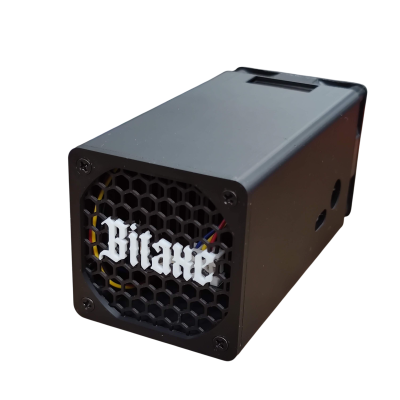
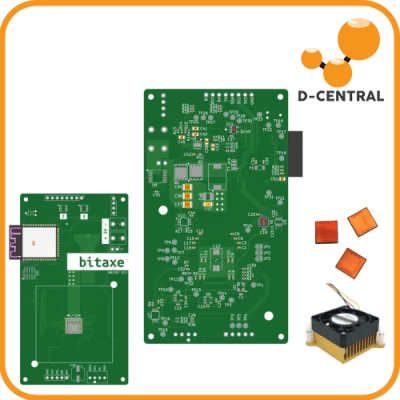
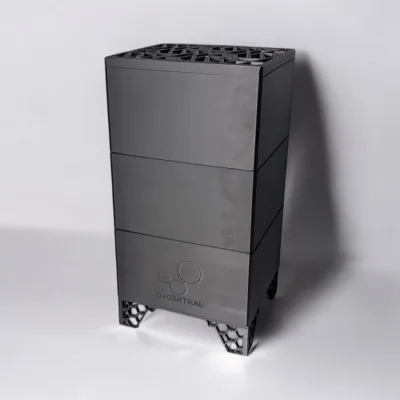
At D-Central we’re building toward this narrative at the product level too. DCENT_OS, DCENT_axe, and DCENT_Toolbox are separate projects with separate licences, artifacts and evidence. DCENT_OS has no production release; its only guarded artifacts are for exact S9 XIL and S19j Pro XIL lanes. The same way DCENT_OS gives you sovereignty over your mining firmware — built on the shoulders of the firmware projects that came before it — the open-source inference stack gives you sovereignty over your compute. We’re not here to replace Ollama or llama.cpp; the whole point is that you run them yourself, on hardware you own, publishing nothing and trusting no one. One more layer decentralized.
For the philosophical anchor behind all of this, read the Sovereign AI Manifesto. It’s the why. This post is the what. The linked walkthroughs are the how.
Now go install something. The hashcenter you built to secure the network can secure your intelligence too. One more layer decentralized.
Related guides on running AI yourself
This pillar covers the software stack. These companion guides go deeper on the hardware question and the miner-specific angles plebs keep asking about:
- Can you run AI on a Bitcoin miner? — the honest answer on why an ASIC can’t run an LLM, and what the rig next to it actually can do.
- Control a Bitcoin miner with Claude Code (DCENT_axe MCP) — point a local AI agent at your own hardware over MCP, no cloud in the loop.
- Turn your miner + Lightning node into an inference seller — sell spare compute for sats over L402 instead of renting someone else’s.
This is the pillar post for D-Central’s self-hosting content track. Every hands-on AI guide on this site links back here. If you spot a factual error, a missing credit to an open-source project, or a walkthrough we should link, tell us — accuracy is the whole point.