Your Antminer is a precision machine. Every hashboard, every fan, every voltage regulator works in concert to convert electricity into SHA-256 hashes — the fundamental work that secures the Bitcoin network. But the software layer that orchestrates all of that hardware? That is your firmware. And if you are running outdated firmware, you are leaving hashrate on the table, burning more watts than you need to, and potentially exposing your miner to security vulnerabilities that have already been patched.
At D-Central Technologies, we have been repairing, modifying, and optimizing Antminers since 2016. We are Bitcoin Mining Hackers — we take institutional-grade mining hardware and make it work for home miners, small operations, and anyone who believes in decentralizing the Bitcoin hashrate. In that time, we have seen firsthand what happens when miners neglect firmware updates: degraded performance, preventable hardware failures, and security exploits that could have been avoided with a 15-minute update.
This guide covers everything you need to know about Antminer firmware updates in 2026 — why they matter, how to do them safely, what custom firmware options exist, and how to squeeze every last hash out of your hardware.
What Is Antminer Firmware and Why Does It Matter?
Firmware is the embedded software that runs directly on your Antminer’s control board. Think of it as the operating system for your miner. It handles everything: initializing the hashboards at startup, managing clock frequencies, controlling fan speeds, monitoring temperatures, communicating with your mining pool, and reporting performance metrics back to the web interface.
Unlike the software on your computer, firmware operates at a much lower level. It interfaces directly with the ASIC chips — the BM1397, BM1366, BM1370, or whatever generation your miner runs — and tells them exactly how to perform SHA-256 computations. The quality of that firmware directly determines:
- Hashrate output — how many terahashes per second your miner produces
- Power efficiency — how many joules per terahash (J/TH) your miner consumes
- Thermal management — how effectively your miner manages heat under load
- Stability — how often your miner crashes, restarts, or drops hashboards
- Security — whether your miner is protected against known exploits
In the current Bitcoin mining landscape — with the network hashrate exceeding 800 EH/s and difficulty above 110 trillion — every efficiency gain matters. The block subsidy is 3.125 BTC after the April 2024 halving. Margins are tight. The difference between profitable and unprofitable mining can come down to firmware optimization.
The Core Benefits of Updating Your Antminer Firmware
1. Higher Hashrate and Better Efficiency
Bitmain’s engineering team continuously refines the algorithms that drive ASIC chip performance. A firmware update might optimize the voltage-frequency curve for your specific chip generation, allowing the same hardware to produce more hashes at the same power draw — or the same hashrate at lower power.
Real-world examples are common. Firmware updates for the Antminer S19 series have historically delivered 5-15% improvements in efficiency (J/TH). On a machine drawing 3,000W, a 10% efficiency improvement translates to real savings on your electricity bill every single month. Over the lifespan of a miner, that adds up to hundreds or even thousands of dollars.
For home miners running Bitcoin space heaters, firmware optimization is doubly important. You want maximum hashrate from your heating unit while keeping power consumption predictable and manageable for residential circuits.
2. Improved Thermal Management
Heat is the enemy of ASIC longevity. Every Antminer runs a PID (Proportional-Integral-Derivative) control loop that balances fan speed against chip temperature. Firmware updates refine these control algorithms, resulting in:
- Smoother fan ramp curves that reduce noise spikes
- Better response to ambient temperature changes (critical for Canadian miners dealing with -30C winters and +30C summers)
- More accurate temperature sensor readings and calibration
- Improved thermal throttling behavior that protects chips without unnecessarily killing hashrate
If your miner runs hot, overheats frequently, or has fans spinning at 100% constantly, a firmware update may resolve the issue before you need to send it in for ASIC repair. That said, if the problem persists after a firmware update, it likely indicates a hardware issue — failed thermal paste, damaged heatsinks, or a faulty fan — and our repair team can diagnose it.
3. Security Patches and Vulnerability Fixes
This is the one that most miners overlook, and it is arguably the most critical. Antminer firmware has been targeted by malware in the past. The most notorious example was the “Antminer virus” that redirected a percentage of hashrate to an attacker’s mining pool without the owner’s knowledge. Your miner looked like it was running normally — same hashrate on the dashboard — but a portion of your work was being stolen.
Bitmain releases firmware patches to close these vulnerabilities. Running outdated firmware is like leaving your front door unlocked. In 2026, with Bitcoin’s value making even small mining operations worth targeting, security hygiene is not optional.
Key security features in modern Antminer firmware include:
| Feature | What It Does |
|---|---|
| Secure Boot | Verifies firmware integrity at startup, preventing tampered firmware from running |
| Signed Firmware | Cryptographic signatures ensure the firmware came from Bitmain, not a malicious source |
| SSH Lockdown | Restricts remote access to prevent unauthorized command execution |
| Pool Validation | Prevents unauthorized pool redirection (anti-hashrate theft) |
| API Authentication | Requires credentials to access the miner’s API, blocking remote exploits |
4. Extended Hardware Lifespan
ASIC chips degrade over time, especially when run at high temperatures or pushed beyond their rated specifications. Firmware updates often include refined auto-tuning algorithms that find the optimal operating point for your specific chips — not just generic settings, but calibrated values that account for silicon quality variation between individual chips.
This is particularly important for older generation miners like the S9 or S17 series that many home miners still run. Updated firmware can extend the useful life of these machines by years — and when you are running them as space heaters, every additional season of operation is additional value.
5. New Features and Protocol Support
The Bitcoin mining protocol continues to evolve. Stratum V2 is gaining adoption, offering better security, reduced bandwidth, and the ability for miners to construct their own block templates — a massive win for decentralization. Firmware updates may add support for Stratum V2, new pool protocols, or improved AsicBoost implementations.
Some firmware updates also add practical quality-of-life features: better web interfaces, improved status reporting, hashboard-level diagnostics, and power limit settings that let you cap your miner’s wattage to fit your electrical capacity.
How to Safely Update Your Antminer Firmware
Firmware updates are straightforward, but a botched update can brick your miner. Follow this process carefully.
Pre-Update Checklist
- Identify your exact model and hardware revision. An S19j Pro is not the same as an S19 Pro. The wrong firmware will fail to install or could cause damage. Check the label on your miner and the web interface’s System page.
- Download firmware only from official sources. Use Bitmain’s official support page or D-Central’s firmware downloads page. Never download firmware from random forum links or unverified websites.
- Back up your configuration. Export your pool settings, fan configuration, and any custom parameters from the web interface before updating.
- Ensure a stable power connection. A power interruption during firmware flashing can brick the control board. If you are on an unreliable grid, consider using a UPS.
- Do not update multiple miners simultaneously until you have verified the firmware works correctly on one unit first.
Step-by-Step Update Process
- Access your miner’s web interface by entering its IP address in your browser
- Navigate to System > Firmware Upgrade (location varies by model and current firmware version)
- Click Choose File and select the downloaded firmware file (.tar.gz format)
- Click Upgrade and wait — the process typically takes 3-8 minutes
- The miner will reboot automatically. Do NOT power cycle manually during this process
- After reboot, log back in and verify the new firmware version on the System page
- Re-enter your pool configuration if it was reset during the update
- Monitor hashrate, temperature, and fan speeds for the first 24 hours to confirm stable operation
What If Something Goes Wrong?
If your miner fails to boot after a firmware update, do not panic. Most Antminer models have a recovery mode accessible via an SD card or network recovery tool. Bitmain provides recovery images for most models. If you are unable to recover the unit yourself, D-Central’s ASIC repair service can reflash the control board and get your miner running again. We handle firmware-related repairs regularly — it is one of the most common issues we see in our workshop.
Custom Firmware: Unlocking Your Miner’s Full Potential
Stock Bitmain firmware is designed to be safe and conservative. It prioritizes stability over maximum performance. Custom (aftermarket) firmware removes those conservative limits and gives you direct control over your miner’s operating parameters.
Leading Custom Firmware Options in 2026
| Firmware | Key Features | Best For |
|---|---|---|
| Braiins OS+ | Auto-tuning, Stratum V2, per-chip optimization, power limiting | Efficiency-focused miners who want set-and-forget optimization |
| VNish | Aggressive overclocking, immersion cooling profiles, detailed chip-level monitoring | Advanced users pushing for maximum hashrate |
| LuxOS | Fleet management, curtailment integration, demand response, API-first design | Larger operations needing centralized management |
What Custom Firmware Can Do for Home Miners
For home miners — the people D-Central exists to serve — custom firmware is particularly powerful:
- Underclocking for noise reduction: Drop your S19’s hashrate by 30-40% and cut the noise from jet-engine to tolerable. Your miner runs cooler, quieter, and more efficiently (lower J/TH at lower clock speeds)
- Power capping: Set a hard wattage limit so your miner never exceeds your circuit capacity. Run an S19 at 1,500W instead of 3,250W on a standard 15A residential circuit
- Auto-tuning: Let the firmware find the optimal frequency for each individual chip, accounting for silicon lottery variations. This can yield 5-20% better efficiency compared to stock settings
- Temperature-based throttling: Set temperature targets and let the firmware automatically adjust performance to maintain them — essential for space heater applications where ambient temperature varies seasonally
Risks and Considerations
Custom firmware is not without trade-offs:
- Warranty: Installing third-party firmware voids Bitmain’s warranty. If your miner is still under warranty, weigh this carefully
- Dev fees: Most custom firmware takes a 2–2.8% dev fee (your miner mines for the firmware developer for a small percentage of time). Factor this into your profitability calculations
- Bricking risk: While rare with established firmware, the installation process carries some risk. Always follow the firmware developer’s instructions exactly
- Locked firmware: Some newer Bitmain models ship with firmware that actively resists custom firmware installation. Check compatibility before purchasing
Firmware and the Open-Source Mining Movement
The conversation about firmware cannot happen without addressing the elephant in the room: closed-source, proprietary firmware from manufacturers like Bitmain gives them enormous control over your hardware. They can push updates that lock out custom firmware. They can mandate specific pool configurations. They can, and have, included code that allows remote control of your miner.
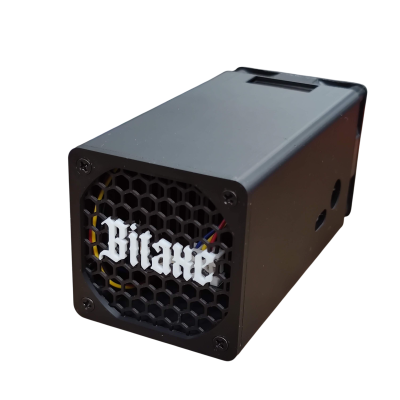
This is why the open-source mining movement matters. Projects like the Bitaxe run fully open-source firmware — AxeOS — where every line of code is auditable. You know exactly what your miner is doing. No backdoors. No dev fees. No remote kill switches. The firmware is yours to modify, optimize, and control.
D-Central is a pioneer in the Bitaxe ecosystem. We created the original Bitaxe Mesh Stand and have developed leading accessories and solutions for the entire Bitaxe family. If the principle of sovereign firmware matters to you — and if you believe in decentralizing Bitcoin mining at every layer — open-source miners running open-source firmware are the purest expression of that mission.
That said, Antminers still dominate the hashrate landscape for a reason: raw power. A single S21 produces more hashrate than hundreds of Bitaxes. The practical approach for most miners is to run Antminers with the best available firmware (stock or custom) while supporting the open-source ecosystem alongside it.
Firmware Update Schedule: How Often Should You Update?
There is no universal answer, but here are practical guidelines:
- Security patches: Apply immediately. If Bitmain or your custom firmware developer releases a security update, install it as soon as possible
- Performance updates: Test on one unit first, then roll out to your fleet within 1-2 weeks if stable
- Major version upgrades: Wait 48-72 hours after release and check community forums for reports of issues before installing
- If it ain’t broke: If your miner is running stable with good hashrate and efficiency, there is no urgency to update unless a security patch is involved. Stability has value
For miners running operations that they cannot easily access for hands-on troubleshooting — such as those using D-Central’s mining hosting service in Quebec — coordinating firmware updates with your hosting provider is essential. Our hosting team can handle firmware updates for hosted miners upon request.
Frequently Asked Questions
Can a firmware update brick my Antminer?
It is possible but uncommon if you follow proper procedures. The most common cause of bricking is a power interruption during the flashing process. Always ensure a stable power connection and never manually reboot during an update. If your miner does get bricked, most models can be recovered using an SD card recovery image from Bitmain. For units that cannot be recovered at home, D-Central’s repair team can reflash the control board.
Will updating firmware void my warranty?
Installing official Bitmain firmware updates will not void your warranty. Installing third-party custom firmware (Braiins OS+, VNish, LuxOS, etc.) typically does void the Bitmain warranty. However, most custom firmware can be removed and replaced with stock firmware before sending the unit for warranty service. Check your specific warranty terms and the custom firmware’s uninstall process.
How do I know which firmware version my Antminer is currently running?
Log into your miner’s web interface by entering its IP address in your browser. Navigate to the System or Status page — the firmware version is typically displayed at the top of the page or under system information. The format is usually a date-based version number (e.g., “Antminer-S19j-Pro-v20250115”) that tells you the model and release date of the firmware.
Should I use custom firmware or stick with stock Bitmain firmware?
It depends on your goals. Stock firmware is the safe choice — stable, supported, and warranty-preserving. Custom firmware is for miners who want maximum control: underclocking for home use, overclocking for maximum hashrate, power capping for residential circuits, or auto-tuning for best efficiency. If you are running a miner as a Bitcoin space heater, custom firmware with power limiting and temperature targeting is almost mandatory for a good experience. For straightforward plug-and-mine setups, stock firmware is perfectly adequate.
Can I revert to the original firmware after installing custom firmware?
Yes, in most cases. Both Braiins OS+ and VNish provide tools to restore the original Bitmain firmware. The process typically involves either using the custom firmware’s web interface to flash stock firmware or using an SD card recovery image. However, some newer Bitmain models with anti-tampering features may complicate the reversion process. Always verify the uninstall procedure for your specific model and custom firmware version before installing.
Keep Your Miners Running at Their Best
Firmware is not glamorous. It is not the exciting part of mining. But it is the foundation that everything else runs on. A well-maintained miner with current firmware will out-earn a neglected one every single day. It will run cooler, last longer, resist attacks, and operate more efficiently.
Whether you are running a single S9 as a space heater in your garage or a rack of S21s in a dedicated mining room, firmware maintenance should be part of your routine. Check for updates monthly. Follow Bitmain’s announcements and your custom firmware developer’s release notes. And when a security patch drops, install it — no excuses.
At D-Central, we are here to help at every stage of your mining journey. From ASIC repair when hardware fails, to our Bitaxe Hub for open-source mining education, to our full shop stocked with miners, parts, and accessories — we are Bitcoin Mining Hackers, and we are building the tools for decentralized mining, one firmware update at a time.
Every hash counts.