Are you ready to take control of your Bitcoin mining journey? The Bitaxe Hex Line, manufactured by D-Central Technologies, based in Montreal, Quebec, Canada, represents a paradigm shift in home-based cryptocurrency mining. This project, which originated with Skot9000 and is maintained by the dedicated Open-Source Miners United (OSMU) community, embodies the true spirit of decentralization. Forget about cumbersome, noisy, and inefficient legacy ASIC miners. The Bitaxe Hex line offers you compact, powerful, and open-source solutions, putting the power of decentralized mining directly into your hands. As an open source mining rig, the Bitaxe Hex is designed to empower home miners with accessible, affordable, and decentralized hardware. Each Bitaxe Hex features six mining chips in one unit for the cost of three Bitaxe miners, making it an economical choice for miners at an unbeatable price. This comprehensive guide will walk you through everything you need to know about these exceptional miners, from their cutting-edge specifications to their seamless setup and operation.
The Bitaxe Hex line elevates your mining experience today with its user-friendly setup and advanced features, making it the ideal choice for both new and experienced miners.
Introduction to the Bitaxe Hex Concept
Bitcoin mining is the backbone of the Bitcoin network, where miners use specialized hardware to verify transactions and secure the blockchain. This process not only keeps the network decentralized but also rewards miners with potential block rewards for their efforts. For individual miners, especially those interested in solo mining, having the right mining hardware is crucial for maximizing efficiency and minimizing noise and power consumption.
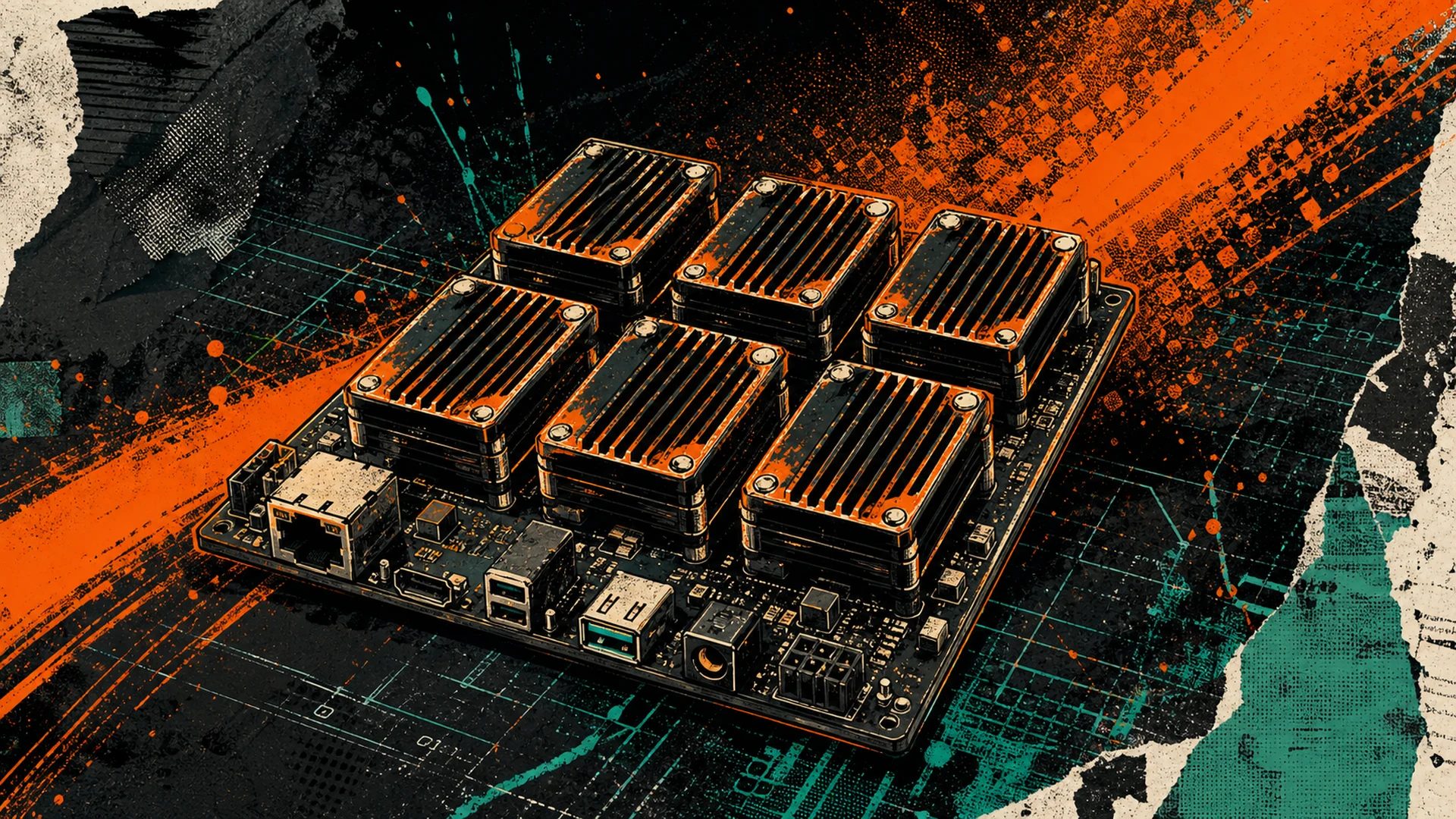
The Bitaxe Hex stands out as a powerful bitcoin miner designed specifically for home mining setups. By combining six ASIC chips into a single board, the Hex concept delivers multi-terahash performance while maintaining the whisper-quiet operation and compact form factor that home miners need. This makes it an ideal choice for those who want to participate in decentralized bitcoin mining without disrupting their daily activities. Whether you are a newcomer or an experienced miner, the Bitaxe Hex empowers you to contribute to the Bitcoin network from the comfort of your home, combining efficiency, power, and quiet operation in a compact, decentralized package.
Complete Bitaxe Hex Variant Specifications
The Bitaxe Hex line has expanded since its initial launch, with multiple variants now available. Each uses a different ASIC chip, resulting in different hashrate and efficiency characteristics. Here is a full comparison of every Hex variant:
| Model | ASIC Chip | Chip Count | Hashrate | Power | Efficiency | Source ASIC |
|---|---|---|---|---|---|---|
| Bitaxe Ultra Hex | BM1366 | 6 | 3+ TH/s | ~66W | ~22 W/TH | Antminer S19XP |
| Bitaxe Supra Hex | BM1368 | 6 | 4.2+ TH/s | ~90W | ~21 W/TH | Antminer S21 |
| Bitaxe Gamma Hex | BM1370 | 6 | 6+ TH/s | ~90W | ~15 W/TH | Antminer S21 Pro |
Key takeaways from the specs:
- The Ultra Hex offers the most proven, battle-tested platform with BM1366 chips that have been in the field the longest.
- The Supra Hex delivers the best balance of hashrate and efficiency for miners who want to maximize their solo mining odds without a significant power increase.
- The Gamma Hex represents the cutting edge, using BM1370 chips from the latest generation of Bitmain silicon for the highest hashrate-per-unit available in the Hex form factor.
All Hex variants share the same physical form factor, meaning accessories like the Bitaxe Hex Heatsink and Bitaxe Hex Case are compatible across the entire lineup.
Hex vs. Single-Chip Bitaxe: Which Is Right for You?
To appreciate where the Hex fits in the broader Bitaxe ecosystem, it helps to compare it directly against the single-chip models. The Hex is essentially six single-chip Bitaxe boards consolidated into one PCB, but with meaningful advantages beyond raw chip count.
| Feature | Single-Chip Bitaxe | Bitaxe Hex |
|---|---|---|
| Hashrate (BM1366) | ~500 GH/s | 3+ TH/s (6x) |
| Hashrate (BM1368) | ~650 GH/s | 4.2+ TH/s (6x) |
| Hashrate (BM1370) | ~1.1 TH/s | 6+ TH/s (6x) |
| Power Supply | 5V DC barrel jack | 12V DC (higher amperage required) |
| WiFi Connectivity | ESP32-S3 | ESP32-S3 |
| Firmware | AxeOS | AxeOS (modified for Hex) |
| Cooling Requirements | Small heatsink + 40mm fan | Dedicated Hex heatsink + larger fan |
| Solo Mining Odds | Baseline | 6x better per unit |
| Cost per TH/s | Higher (3 units needed to match 1 Hex) | Lower (better value per terahash) |
| Management | One web interface per unit | One web interface for all 6 chips |
| Best For | Beginners, education, minimal footprint | Serious solo miners, maximizing odds |
The verdict: If you want the highest probability of hitting a solo block in the smallest possible package with one power supply and one web interface to manage, the Hex is the clear winner. If you are brand new to Bitaxe and want to start small to learn the ropes, a single-chip Bitaxe is the perfect entry point, and you can always add a Hex later.
For a deeper comparison of all Bitaxe models including single-chip variants, see our Bitaxe Buying Guide.
The Bitaxe Hex Line: Redefining Home Mining
The Bitaxe Hex Line is not just about hardware — it is about empowering individuals to participate in the Bitcoin network with maximum autonomy. D-Central Technologies, a trusted name in the Bitcoin mining industry, has meticulously designed and manufactured these miners with a focus on efficiency, transparency, and user-friendliness, allowing both beginners and experienced miners to join the decentralized revolution. These miners are not only powerful and efficient but are also designed to be completely open-source, aligning with the cypherpunk ethos that underpins Bitcoin. By using Bitaxe Hex, users are actively contributing to the security and growth of the Bitcoin network and supporting ongoing open-source innovation.
Why Choose the Bitaxe Hex Line from D-Central Technologies?
- Open-Source Transparency: Gain complete control over your mining operation with fully transparent hardware and software designs, including access to design files that enable the community to understand, modify, and enhance the product, fostering the true spirit of decentralization.
- Compact and Efficient Design: Unlike bulky legacy miners, the Bitaxe Hex line is designed to be compact and operate at low power consumption, making them ideal for home mining environments.
- Beginner-Friendly Setup: Even though they are packed with cutting-edge technology, these miners are designed to be easy to set up and operate, making Bitcoin mining accessible to everyone.
- Educational Value: Learn about the intricacies of Bitcoin mining hardware, network operations, and solo mining by interacting with these devices at a hardware level.
- Customizable Performance: Fine-tune your mining operation to achieve optimal efficiency by leveraging the open-source AxeOS firmware, specifically tailored by D-Central to fully utilize the chipsets.
- Pioneer Manufacturer: D-Central Technologies was involved in the Bitaxe ecosystem since its earliest days. We created the original Bitaxe Mesh Stand — the first commercially available stand for Bitaxe miners — and have been developing Bitaxe accessories and solutions ever since.
- Solo Mining Focus: The Bitaxe Hex line is ideal for those looking to mine solo, reclaim more control, and participate in the Bitcoin network as it was originally intended.
- OSMU Contribution: Each sold Bitaxe Hex contributes $5 to Open Source Miners United, supporting the ongoing development of open-source mining hardware.
Recommended Accessories for the Bitaxe Hex
Getting the most out of your Bitaxe Hex requires proper cooling and housing. D-Central Technologies manufactures purpose-built accessories for the Hex form factor:
| Accessory | Purpose | Why You Need It |
|---|---|---|
| Bitaxe Hex Heatsink | Thermal management | Purpose-designed for the 6-chip layout. Covers all chips with even pressure distribution. Essential for stable operation and overclocking headroom. |
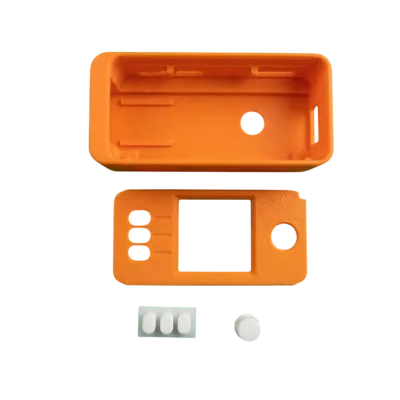
| Bitaxe Hex Case | Protection and airflow | Enclosure with optimized ventilation channels. Protects the PCB and directs airflow across all 6 chips for consistent cooling. |
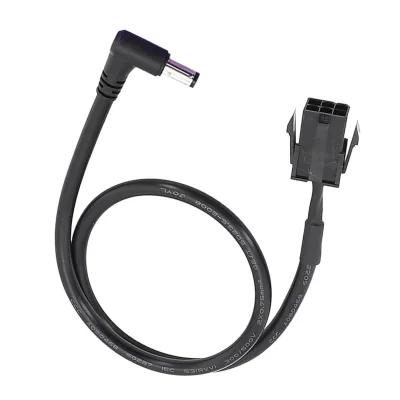
| 12V Power Supply (8A+ recommended) | Power delivery | The Hex requires a 12V supply with sufficient amperage. Do not use the 5V Bitaxe PSU — the Hex runs on 12V. |
| LCD Display | Real-time monitoring | Shows hashrate, temperature, fan speed, and best difficulty share. Great for at-a-glance monitoring without opening the web interface. |
For single-chip Bitaxe accessories including heatsinks, stands, and cases, see our full Bitaxe Accessories collection.
Design and Development of the Bitaxe Hex Line
The Bitaxe Hex line is the result of a collaborative effort between D-Central and the Open Source Miners United (OSMU) community, pushing the boundaries of open source mining hardware. D-Central, a leader in the field, has engineered the Bitaxe Hex series to move beyond traditional single-chip designs, offering a significant leap in mining potential and efficiency.
The Bitaxe Ultra Hex model is built with six BM1366 ASIC chips, repurposed from Antminer S19XP hardware, delivering an impressive 3+ TH/s hash rate at a highly efficient 22W/TH. For those seeking even greater performance, the Bitaxe Supra Hex incorporates six BM1368 ASIC chips from Antminer S21 units, achieving a remarkable 4.2+ TH/s at just 90W of power consumption. The newest Gamma Hex pushes the boundary further with BM1370 chips delivering 6+ TH/s. All models are designed for whisper quiet operation, making them perfect for apartment or home mining setups where noise and heat are concerns.
Optimized cooling is ensured with the Bitaxe Hex Case and dedicated Bitaxe Hex Heatsink, allowing the hardware to maintain peak performance without sacrificing comfort or efficiency. This evolution in open source mining hardware demonstrates D-Central’s commitment to providing accessible, high-performance solutions for the global mining community.
Fully Open Source Platform
At the heart of the Bitaxe Hex is a fully open source platform, embodying the cypherpunk ethos of transparency, accessibility, and decentralization. Every aspect of the Bitaxe Hex — from hardware schematics to firmware — is open to the community, enabling community driven improvements and fostering innovation among both new and experienced miners.
The Bitaxe Hex operates on AxeOS firmware, seamlessly integrated with an ESP32-S3 Wi-Fi controller for easy connectivity and management. This platform supports both solo mining and pool mining, with compatibility for leading services like Braiins, Ocean, and Public Pool, giving miners the flexibility to choose their preferred mining strategy. The open source nature of the Bitaxe Hex empowers users to customize and optimize their mining hardware and software, ensuring that each unit can be tailored to individual needs and evolving network conditions.
For a complete deep dive into every AxeOS setting, see our AxeOS Complete Guide.
Step-by-Step Setup Guide
Step 1: Unboxing and Hardware Assembly
Before diving into the world of solo mining, ensure you have all the necessary components. Each Bitaxe Hex Line miner, manufactured by D-Central Technologies, is designed to be simple to assemble.
Components Checklist:
- Bitaxe Hex Mining Board: The core of your mining setup, integrating six ASIC chips with an ESP32 chip for network connectivity.
- 12V Power Supply Unit (PSU): A stable 12V PSU is required. For the Ultra Hex, 6A minimum is recommended. For the Supra and Gamma Hex, 8A or more is recommended to handle the higher power draw.
- High-Performance Heatsink: The Bitaxe Hex Heatsink is specifically designed for the 6-chip layout.
- Fan: A quality fan is essential for maintaining optimal temperatures during operation and to avoid overheating.
- LCD Display: For real-time monitoring of your miner’s performance and operational status.
Assembly Instructions:
- Attach the heatsink: Apply thermal paste or thermal pads to each of the six ASIC chips, then mount the Hex Heatsink, ensuring even pressure across all chips.
- Mount the fan: Secure the fan to the heatsink assembly. Ensure airflow direction matches the heatsink fin orientation.
- Connect the 12V Power Supply: Connect your 12V PSU to the power input of the Bitaxe Hex board, making sure the connection is firm.
- Install in case (optional): If using the Bitaxe Hex Case, slide the assembled board into the enclosure.
Pro-Tip: Always double-check the tightness of all connections to avoid any operational problems. Consult your specific model’s documentation for best practices.
Step 2: Connecting to the Bitaxe Hex Interface (AxeOS)
AxeOS is the custom operating system that powers the Bitaxe Hex line of miners. It offers a web-based user interface that is simple to use, yet powerful enough to manage your mining operation.
Connecting to AxeOS:
- Power On the Miner: Plug the Bitaxe Hex into a power source.
- Connect to the WiFi: The Bitaxe Hex will create its own WiFi network. Connect to this network using your computer or smartphone.
- Access the Web Interface: Open your web browser and navigate to 192.168.4.1. This will take you to the AxeOS interface.
- Configure your home WiFi: Enter your home network SSID and password so the Hex can connect to your local network and the internet.
- Find the new IP: After the Hex connects to your home WiFi, find its new IP address via your router’s DHCP client list, then access AxeOS at that new IP address.
For the complete setup walkthrough with screenshots and detailed firmware configuration, see our dedicated Bitaxe Hex Setup Guide.
Step 3: Configuring Your Miner Through AxeOS
The AxeOS interface is designed to streamline your mining experience.
Navigating AxeOS:
- Navigate to Mining Settings: Locate the pool configuration section in the AxeOS web interface.
- For Solo Mining: Enter a solo mining pool URL such as
public-pool.ioorsolo.ckpool.org, along with your Bitcoin address as the username. - For Pool Mining: Enter your pool’s stratum URL and your worker credentials. Compatible pools include Ocean, Braiins Pool, and others.
- Adjust frequency and voltage: For stock operation, leave defaults. For overclocking, see our Bitaxe Overclocking Manual.
- Save Configuration: Confirm your settings. Your Bitaxe Hex will restart and begin hashing.
Step 4: Starting and Monitoring Your Mining Operation
With the setup and configuration completed, your Bitaxe Hex is ready to start hashing.
Monitoring the Operation:
- AxeOS Dashboard: Monitor your miner’s hashrate, temperature, fan speed, and best difficulty share through the real-time dashboard provided by AxeOS.
- Mining Pool Dashboard: If using a mining pool, monitor your miner’s progress and shares through the pool’s web interface.
- LCD Display: The LCD screen provides a quick overview of essential stats without needing to open a browser.
- Block win notifications: Some solo pools will notify you if your miner finds a block. On Public Pool, your miner’s best difficulty share is tracked and displayed.
Pro-Tip: Regular monitoring helps to fine-tune the miner to its peak performance and to identify any potential issues. Check temperatures periodically during the first 24 hours of operation.
Step 5: Advanced Troubleshooting and Optimization
Even with the simplicity of the Bitaxe Hex line, you might encounter some common issues. Here are some of the more important troubleshooting and optimization techniques.
Common Issues and Solutions:
- Connection Problems:
- Double-check your WiFi credentials. Ensure the SSID and password are correct (case-sensitive).
- If the Hex does not appear on your network, power-cycle it and try connecting to its setup AP (192.168.4.1) again.
- Some dual-band routers may cause issues. Try forcing a 2.4 GHz connection if available.
- Low Hash Rate:
- Check that the heatsink is properly seated on all six chips with adequate thermal interface material.
- Monitor chip temperatures. If any chip exceeds 70C, improve cooling before increasing frequency.
- Verify your AxeOS firmware is up to date. Firmware updates often include efficiency improvements.
- Miner Crashing or Freezing:
- Thermal throttling is the most common cause. Improve airflow or reduce frequency/voltage.
- Ensure the 12V PSU provides adequate amperage. An undersized PSU will cause instability under load.
- Check the AxeOS log for error messages that can pinpoint the issue.
- High Rejection Rate:
- Verify your pool URL and credentials are correct.
- Check your internet connection stability. WiFi dropouts cause rejected shares.
- Try a different mining pool to rule out pool-side issues.
Optimization Tips:
- Optimal Cooling: Ensure there is sufficient airflow around the miner. Enclosed spaces trap heat and reduce performance.
- Firmware Updates: Keep your AxeOS firmware up to date for the most optimized performance and security.
- Overclocking: The Hex responds well to modest overclocking. See our Bitaxe Overclocking Manual for model-specific settings and safe limits.
- Regular Monitoring: Consistent monitoring of your miner will allow you to make necessary adjustments to keep it performing at its best.
Need Expert Assistance?
If you encounter issues that you cannot resolve yourself, D-Central Technologies is here to assist you with expert support and troubleshooting. Contact our support team.
Solo Mining Odds with the Bitaxe Hex
One of the primary reasons miners choose the Hex over single-chip Bitaxe models is the improved solo mining odds. Here is how the math works at various hashrate levels:
| Miner Configuration | Hashrate | Avg. Time to Find Block* |
|---|---|---|
| 1x Bitaxe Ultra (single chip) | 500 GH/s | ~1,600 years |
| 1x Bitaxe Ultra Hex | 3 TH/s | ~267 years |
| 1x Bitaxe Supra Hex | 4.2 TH/s | ~190 years |
| 1x Bitaxe Gamma Hex | 6 TH/s | ~133 years |
| 3x Bitaxe Gamma Hex (farm) | 18 TH/s | ~44 years |
*Approximate. Based on ~800 EH/s global network hashrate as of early 2026. Solo mining is probabilistic — you could find a block tomorrow or never. Every hash counts.
These numbers are long, but remember: a single Bitaxe already mined a full Bitcoin block in 2024 — the legendary “FU Pleb Block.” The odds are real. The Hex simply multiplies your chances by six compared to a single-chip model.
For more on solo mining probability and strategy, see our Complete Solo Mining Guide.
D-Central Community and Support
D-Central is deeply committed to nurturing the Bitaxe Hex community, providing robust technical support, ongoing open source firmware development, and encouraging community contributions to advance decentralized bitcoin mining. As a trusted authority in the field, D-Central ensures that individual miners have access to reliable, high-quality mining hardware and the resources needed to maximize their mining experience.
The company’s dedication to sustainable production and community values is reflected in the accessible pricing of the Bitaxe Hex series, making advanced mining technology available to a wider audience. Through its distribution network, D-Central supports miners at every stage, from setup to optimization, reinforcing the decentralized ethos that underpins the Bitcoin ecosystem.
Related Resources
Whether you are just getting started or looking to optimize an existing Hex setup, these guides will help:
- Bitaxe Hub — The definitive Bitaxe resource center with links to every model, guide, and accessory
- Bitaxe Hex Setup Guide — Step-by-step setup with screenshots and firmware configuration
- Bitaxe Overclocking Manual — Every model, every setting, maximum hashrate
- Bitaxe Buying Guide — Which model is right for you?
- AxeOS Complete Guide — Every firmware setting explained
- Solo Mining Guide — Complete guide to lottery mining
- Bitaxe Block Wins — The story of the legendary FU Pleb Block
Conclusion: Embracing the Future of Decentralized Mining
The Bitaxe Hex Line, manufactured by D-Central Technologies, is more than just a product — it is a gateway to the future of decentralized Bitcoin mining. The project was started by Skot9000 and maintained by the Open-Source Miners United (OSMU) community. With the Ultra Hex, Supra Hex, and Gamma Hex variants, D-Central Technologies is empowering individuals to reclaim their stake in the Bitcoin network. Whether you are looking for high performance, maximum efficiency, or simply a way to mine Bitcoin while supporting open-source initiatives, D-Central has you covered.
Every hash counts. Every miner matters. The Bitaxe Hex puts six chips of decentralized power in your hands.
Ready to start your mining journey with the Bitaxe Hex line? Shop the Bitaxe Hex now.