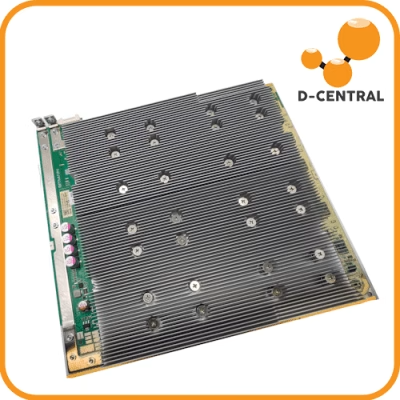
Your miner just dropped a few percent of its hashrate, your Wi-Fi keeps stuttering, and the FM radio in the garage now sounds like a dial-up modem. Before you blame the firmware or RMA the board, look at the dumb cube of switching power electronics humming away in the corner. ASIC miners are aggressive electromagnetic noise sources, and most home setups treat that fact as someone else’s problem until it bites them.
This guide cuts through the myths — including the popular but mostly useless idea that you need to wrap your miner in a Faraday cage — and gives you the practical electrical hygiene that actually keeps a home mining operation stable.
What EMI actually is (and what it isn’t)
Electromagnetic interference is unwanted electrical energy that couples from one device into another. With Bitcoin miners, it comes from two places, and they behave very differently:
- Conducted EMI — high-frequency noise riding back onto your AC mains wiring through the power supply. This is the kind that travels through your house’s electrical system and shows up in other rooms. It is, by far, the more common real-world problem for home miners.
- Radiated EMI — electromagnetic energy broadcast through the air from cables, fans, and the PSU’s switching stage. It has a short range and falls off fast with distance.
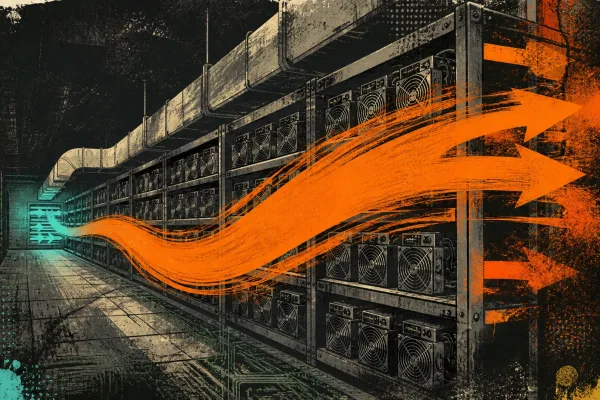
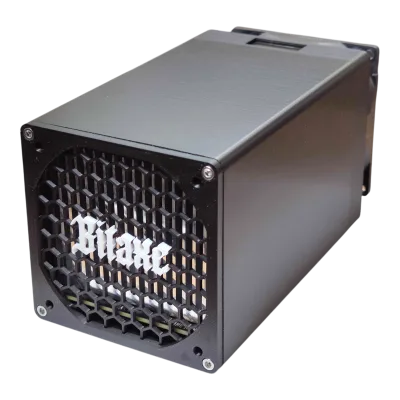
The source in both cases is the same: switch-mode power supplies and the miner’s voltage regulators chop DC at tens to hundreds of kilohertz to feed the ASIC chips. Every switching edge is a little burst of broadband noise. A single Bitaxe sipping around 15 W is electrically quiet. A wall of Antminer Slim Edition units pulling 3 kW each through cheap server PSUs is a different animal entirely.
How EMI actually affects a home mining operation
Let’s be precise here, because there is a lot of fear-mongering online. EMI does not mysteriously “degrade hashrate” through some vague electromagnetic osmosis. What it actually does:
- Corrupts control-board communication. The data lines between an ASIC hashboard and its control board run at relatively low voltage. Strong conducted or radiated noise can flip bits, causing the controller to log hardware errors, mark chips as failed, or restart the mining process. On a Bitaxe or NerdAxe, you’ll see this as inflated rejected-share counts or AxeOS reporting chip faults that clear on a reboot.
- Disrupts your network. Miners that drop off the pool because their Wi-Fi link got swamped aren’t broken — they’re just deaf. This is the single most common EMI complaint from home miners, and it’s almost always a cable-routing problem.
- Trips other electronics. Garage door openers, baby monitors, cheap LED drivers, and powerline networking adapters are all sensitive to mains-borne noise. If mining “breaks” something else in the house, that’s conducted EMI.
- Creates RF complaints. In dense housing, radiated noise from an under-shielded rig can reach a neighbour’s radio or amateur gear. That’s a regulatory headache you don’t want.
What EMI does not do: it doesn’t physically wear out your ASIC chips, it doesn’t “increase power consumption,” and a few percent of stray fields won’t slowly poison your hardware. The damage vector with miners is heat and bad power, not magnetism. If a miner is logging chip errors, work the diagnosis like any other hardware fault — D-Central’s ASIC repair bench tracks failure patterns across hundreds of error codes, and “EMI” is rarely the root cause. It’s usually a marginal solder joint, a tired PSU, or a thermal problem.
Why a Faraday cage is the wrong tool
A lot of mining content tells you to build a Faraday cage around your miner. Skip it. Here’s the engineering reality:
- It doesn’t touch your actual problem. A Faraday cage attenuates radiated fields. The noise that’s wrecking your home network and tripping your other gear is mostly conducted — it’s traveling on the power cord, which by definition passes straight through any cage you build. You’d shield the symptom you don’t have and leave the one you do.
- It traps heat. Wrapping a device that dumps 1–3 kW of heat inside a sealed metal box is how you cook a hashboard. Any cage with enough ventilation to keep a miner cool has openings large enough to leak the frequencies you care about.
- It’s a grounding hazard if done wrong. An improperly grounded conductive enclosure around mains-powered equipment is a shock risk, not a safety upgrade.
Faraday cages are for shielding sensitive receivers from a noisy environment, not for muzzling a noisy emitter that needs airflow. Put the engineering effort where it pays off.
The fixes that actually work
1. Buy power supplies with real EMI compliance
This is 80% of the battle. A PSU that meets FCC Part 15 or CISPR/EN 55032 standards has an input filter stage — common-mode chokes and X/Y capacitors — that keeps switching noise off your mains. The bargain-bin server PSUs and no-name bricks that flood the mining market often skimp on exactly this stage. The miners D-Central builds and ships use vetted power supplies for this reason; it’s not a marketing line, it’s why the units behave on a residential circuit. If you’re sourcing your own PSU, the EMC certification on the label is not optional fine print.
2. Add a clip-on ferrite to every cable
Snap-on ferrite cores cost a couple of dollars and are the highest-leverage fix in the building. Put one on the PSU’s AC input cord, one on each DC cable feeding a hashboard, and one on the Ethernet or USB lead. The ferrite acts as a common-mode choke, killing the high-frequency noise that wants to ride along the cable shield. For a Bitaxe or NerdAxe powered over USB-C, a ferrite on the power lead alone often clears up flaky network behaviour entirely.
3. Route data away from power
Radiated coupling is a geometry problem. Don’t zip-tie your Ethernet run to the miner’s power cable. Keep data cables and power cables on separate paths, and where they must cross, cross them at 90 degrees. If your miner is on Wi-Fi and constantly dropping the pool, run a wired connection instead — copper is immune to the airborne switching hash that wireless picks up. This single change fixes more “EMI” complaints than anything else.
4. Ground the chassis properly
A metal miner chassis or a metal-frame rack should be bonded to your electrical ground — through the equipment’s own grounded power cord, or a dedicated bonding wire to a proper ground point. A floating metal enclosure can actually become an antenna for the noise inside it. Grounding gives that energy a low-impedance path home instead of letting it radiate or couple into your data lines.
5. Give the miner its own circuit
The further your sensitive electronics are — electrically — from the miner, the less conducted noise reaches them. A dedicated breaker for your mining load does double duty: it handles the sustained current draw safely and it isolates the noisiest device in your house onto its own branch. If you’re scaling past one or two units, this stops being optional. The space heater electrical guide walks through circuit sizing for full-size ASIC loads.
6. Distance is free shielding
Radiated field strength drops off fast with distance. Just moving a miner a few feet away from your router, your home server, or your workbench electronics often solves a radiated-coupling problem with zero hardware. If you’re building out a dedicated mining space anyway, factor this in — see how to build a Bitcoin mining closet for a layout that handles heat, noise, and electrical separation together.
How to diagnose whether EMI is even your problem
Don’t chase ghosts. Work it like an engineer:
- Reproduce it. Does the symptom — network drop, logged chip error, interference on another device — appear only when the miner is running? Power the miner down and confirm the symptom disappears.
- Isolate conducted vs. radiated. If the affected device is on the same circuit or anywhere on your house wiring, suspect conducted EMI. If it’s a wireless device that only misbehaves when physically near the miner, suspect radiated.
- Test one fix at a time. Add a ferrite. Re-route a cable. Move the miner. Change one variable, re-check, log the result. This is the same discipline a repair tech uses, and it’s the only way to actually know what fixed it.
- Rule out the boring causes first. A miner logging hardware errors is far more likely suffering from heat, a failing PSU, or a bad connector than from electromagnetic interference. Check temperatures and power before you go down the EMI rabbit hole.
The D-Central take
Home mining should be boring in the best way — plug it in, point it at a pool, and forget about it. EMI becomes a problem when corners get cut on power supplies and cable routing, and it gets solved with a handful of cheap, well-understood techniques: compliant PSUs, ferrites, cable discipline, proper grounding, and a dedicated circuit. None of that requires a metal box or a degree in RF engineering.
D-Central builds and ships miners with this baked in — vetted power supplies, sane chassis grounding, hardware that’s meant to live in a Canadian basement next to your router, not in a lab. And when a board does throw errors that turn out to be a real fault rather than interference, our ASIC repair service is the busiest retail repair bench in the country. We’ve been hacking institutional mining hardware into home-friendly gear since 2016 — diagnosing what’s actually wrong, not what the forums guess at, is the whole job.
Browse the Bitaxe and open-source miner lineup for low-power units that barely register on a home circuit, or the full ASIC range if you’re scaling up — and either way, run a wired connection and clip on a ferrite. Future you will thank present you.