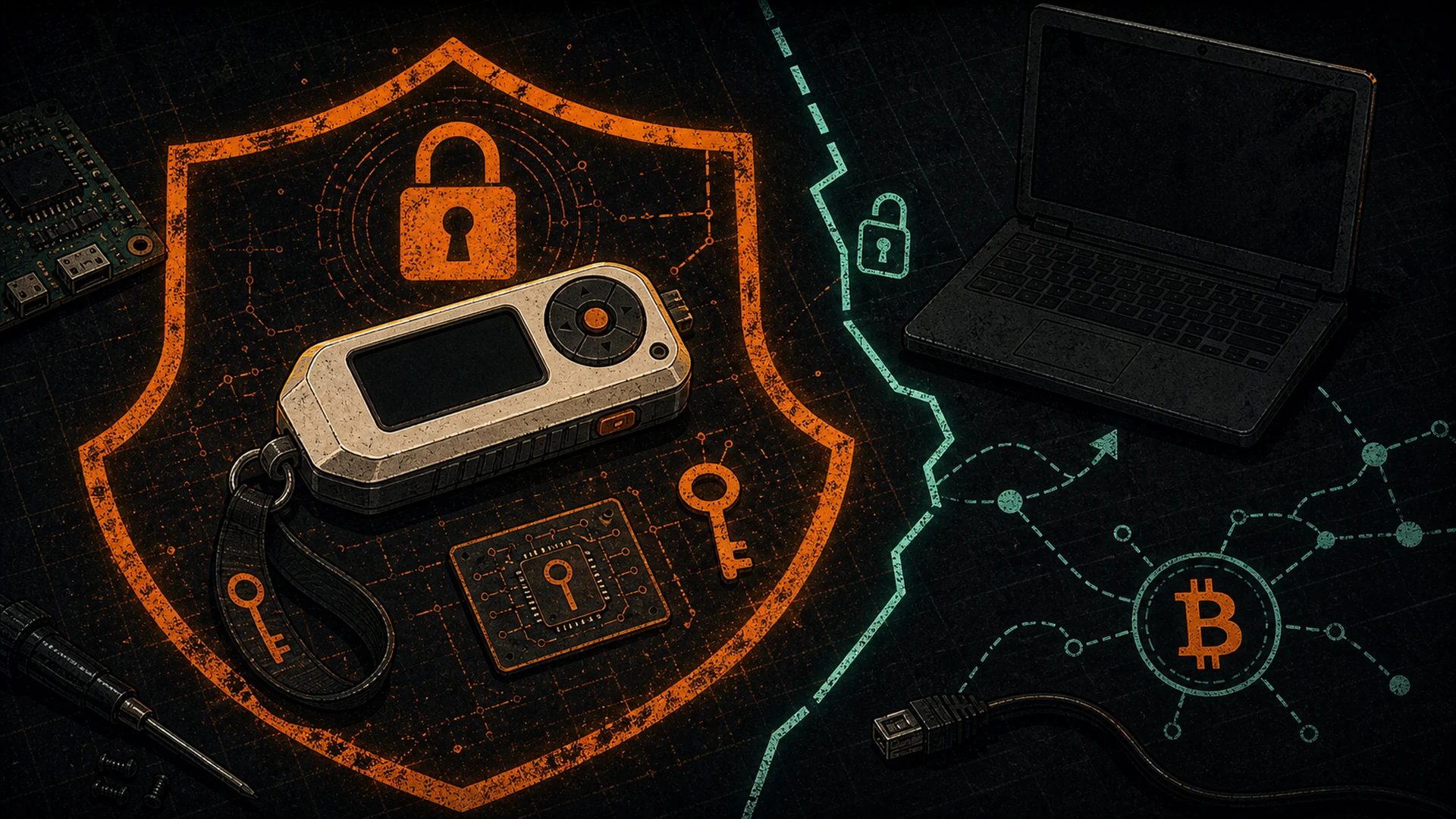
A Wallet You Can Fit in a Change Pocket
If you’ve carried a Flipper Zero through a Hashcenter for more than a week, you’ve probably had the same thought every hardware hacker has: this thing is an STM32 with a screen and a secure element — why isn’t it signing transactions?
Someone already asked that question and answered it. The someone is xtruan, and the answer is FlipBIP — a GPL-3.0 Flipper application that implements BIP32 key derivation, BIP39 mnemonics, and BIP44 account structure, and turns your orange dolphin into an experimental offline Bitcoin wallet. The project lives at github.com/xtruan/FlipBIP and is distributed through lab.flipper.net/apps/flipbip. Credit where it’s due: this is a community maintainer, unpaid, shipping something useful under a license that lets you verify every line.
This post is a practical walk-through of what FlipBIP does, how to install it, how to use it safely, and — just as important — where its limits are. If you finish reading and the conclusion is “cool toy, not my cold storage,” that’s the correct conclusion. The tool still earns a slot in the kit.
A 300-Word BIP Primer
Three specifications underpin almost every modern Bitcoin wallet. FlipBIP implements them on-device.
BIP39 defines how a wallet turns cryptographic entropy into a human-readable backup. You generate 128 to 256 bits of random entropy, append a checksum, and map the result to 12–24 English words drawn from a standardized 2048-word list. That wordlist is the seed phrase you’ve been told to hide in a safe. A passphrase (sometimes called “the 25th word”) can optionally be mixed in to produce a different wallet from the same words — useful for plausible deniability and for separating funds.
BIP32 defines hierarchical deterministic (HD) derivation. From a single seed, you can generate an unlimited tree of keys using a well-defined path notation like m/44'/0'/0'/0/0. Every level of the path produces a child key from its parent using HMAC-SHA512. The important property: you only need to back up the seed. Every key under it is recoverable forever.
BIP44 standardizes the path structure across coins and accounts: m/purpose'/coin_type'/account'/change/address_index. For Bitcoin mainnet that’s m/44'/0'/0'/0/0 for the first receive address of your first account. For testnet it’s m/44'/1'/0'/0/0. Later BIPs (49, 84, 86) extend this for wrapped-SegWit, native SegWit, and Taproot addresses respectively.
FlipBIP implements all of the above on an embedded MCU with no network connection. The math happens on the Flipper; the seed never leaves the device unless you physically read it off the screen.
Installing FlipBIP
You have two reasonable paths:
Option A — From the Flipper Lab catalog (recommended for most people)
- Install the official Flipper mobile app or the qFlipper desktop utility.
- Connect your Flipper over USB or Bluetooth.
- Open the Flipper Lab catalog, search for FlipBIP, and install.
- The app appears under
Apps → Tools → FlipBIPon the device.
This route gives you the compiled FAP (Flipper Application Package) straight from the maintainer’s releases. No toolchain required.
Option B — Build from source
If you want to verify the binary matches the code, clone the repository and build it yourself:
git clone https://github.com/xtruan/FlipBIP.git
cd FlipBIP
# follow the README for the current ufbt (micro-Flipper Build Tool) command
ufbt
# copy the resulting .fap to /apps/Tools/ on the Flipper's SD card
ufbt is the official lightweight build tool from Flipper Devices and is the least painful way to compile FAPs. The README in the FlipBIP repo is short and accurate — follow it, not some stale blog post.
Either way, when the app launches, you get a menu on the Flipper’s LCD: Generate New, Restore, Receive, Settings.
Generating a Seed on the Flipper
“Generate New” produces a fresh BIP39 mnemonic using the STM32’s hardware random number generator (TRNG). A word on entropy: the STM32WB55’s TRNG is NIST SP 800-90B compliant, which is a respectable baseline. It is not more trustworthy than a dice-roll entropy flow you perform and verify yourself, and you should not pretend it is. Coinkite’s 2026-07-30 COLDCARD disclosure is the case study: a device TRNG can fail silently for years while every output still looks correct. See our advisory. For a burner wallet, it’s perfectly fine. For generational wealth, generate the seed on a device whose entropy source you’ve personally verified.
FlipBIP displays the seed word-by-word on the LCD. Write it on paper. Now. Do not photograph it. Do not type it into anything. Do not read it aloud in a room with a microphone. The screen is the only trusted output channel.
The app lets you confirm a random subset of words at the end to verify you wrote them correctly. Do that step — a single mis-copied word can cost you the wallet.
Deriving Receive Addresses
With a seed loaded, the Receive menu derives addresses for the path you select. The app supports:
- Bitcoin mainnet at
m/44'/0'/0'/0/n(legacy P2PKH, addresses starting with1) - Bitcoin testnet at
m/44'/1'/0'/0/n(addresses starting withmorn) - Several other BIP44 coins, which you can ignore if you’re Bitcoin-only
The address renders on-screen as a string and a QR code. Point a wallet at the QR, send testnet sats, wait for a block, verify receipt on a block explorer. That’s the whole loop. You’ve just confirmed your Flipper can derive a spendable BIP44 wallet.
What FlipBIP does not do at the time of writing is sign transactions on-device. The private keys live on the Flipper, but PSBT signing is not yet part of the main-branch feature set. (That is the single biggest missing piece; the maintainer has discussed it in issues and it’s the obvious next step.) Until then, FlipBIP is a receive-only / key-derivation tool, not a full signing device.
The Important Disclaimer
Let’s put this in a box so nobody misses it.
FlipBIP is experimental, unaudited community software running on a $169 consumer device that shares an MCU with a sub-GHz radio and an IR LED. It has not been formally reviewed for side-channel resistance, key-extraction resistance, or supply-chain integrity. Do not use it to store meaningful amounts of Bitcoin.
For meaningful amounts, the right tools are dedicated signing devices built for that job: Foundation Passport from Foundation Devices, Blockstream Jade, Trezor Safe 5 from SatoshiLabs, and DIY projects like SeedSigner and Krux. They have formally reviewed firmware, dedicated secure elements (in most cases), and threat models designed from day one around key protection. Credit to all of them — the Bitcoin wallet ecosystem is one of the clearest examples of “standing on the shoulders of giants” in our space, and FlipBIP itself builds directly on the BIP specs their authors fought to get adopted.
Where FlipBIP Is Genuinely Useful
If you strike “cold storage for my stack” from the list, the remaining use cases are real and interesting:
1. Testnet development
You’re building a Lightning app, testing a Nostr-signed sats workflow, or messing with PSBT flows. You need a throwaway wallet you can derive on demand, from a seed you don’t mind torching. FlipBIP is ideal: fast, offline, BIP44-correct, and you already have the hardware.
2. Small amounts / burner wallets
Holiday spending money. Conference tip jar. A wallet you’re handing to a friend to onboard them. Low-value, high-convenience. Generating the seed on a Flipper, writing it on paper, and never typing it into an internet-connected machine is genuinely good hygiene at this threat level.
3. Travel wallet
Crossing borders with a real hardware wallet gets progressively stranger year by year. A Flipper is a “consumer IoT gadget” by appearance. If you’re carrying only enough sats for the trip, the attention-profile differential is non-trivial.
4. Air-gapped signing experimentation
Even without PSBT support today, FlipBIP is a good place to build intuition around HD wallets, path derivation, and the mental model of “seed in, addresses out, never network.” That intuition pays off when you graduate to a real air-gapped setup with a dedicated signer.
5. Teaching the plebs
Derivation paths, mnemonics, and HD wallets are abstract until you watch a seed turn into addresses on a screen you’re holding. FlipBIP is the best pedagogical wallet we’ve found. Write the seed, derive a testnet address, receive, derive another, check on an explorer. The concept lands in about ten minutes.
Pairing It With Self-Custodial Lightning
Bitcoin on-chain is only half the sovereign stack. For small, fast sats you probably already carry a self-custodial Lightning wallet on a phone — Mutiny (browser-native, self-custodial) or Phoenix (LSP-assisted, keys still yours). A reasonable workflow for the plebs:
- Lightning on the phone for day-to-day sats.
- Flipper/FlipBIP as a receive-only on-chain address you carry in a pocket, for refilling that Lightning wallet or receiving non-custodial payouts without plugging a “real” hardware wallet into anything.
- SeedSigner / Foundation Passport at home for the actual stack.
Three wallets, three threat models, three reasons each lives where it lives. That’s the decentralized answer: not one tool that does everything, but the right tool for the right layer.
Threat Model: What FlipBIP Protects Against
Be precise about this, because “hardware wallet” gets used too loosely.
Protects against:
- A hot wallet on your laptop being compromised by a clipboard hijacker or generic infostealer. Your seed never touches the laptop.
- Casual network attackers. The Flipper has no wallet-facing network interface while FlipBIP runs.
- Phishing-style address substitution, if you read the address off the Flipper screen and not off the host.
Does not protect against:
- Physical seizure. Someone with the Flipper in hand can read the seed.
- Supply-chain tampering. You did not validate the hardware root-of-trust.
- Side-channel extraction. A sophisticated attacker with the device in a lab can very likely pull the seed. The Flipper is not a secure element in the Common Criteria sense; it’s a consumer MCU.
- Firmware supply chain. You installed a FAP. Did you build it yourself? Did you verify the signature?
- Rubber-hose cryptanalysis. Always and forever.
Every wallet has a threat model. The point is that FlipBIP’s is narrower than a Coldcard’s — and you need to know that going in.
The Future: PSBT, Multisig, Nostr-Signed Sats
Three features that would move FlipBIP from “neat experiment” to “legitimate signer”:
- PSBT signing. Import a partially-signed Bitcoin transaction over USB-serial or QR, sign it on-device, export. The standard lives in BIP174; our existing PSBT guide for sovereign Bitcoiners covers the model in depth. This is the single highest-value feature gap.
- Multisig participation. Once PSBT works, the Flipper becomes a natural “third key” in a 2-of-3 where the other two are more conventional signers. Cheap, portable, distinct from the rest of your stack — which is exactly the diversification multisig is designed to buy.
- Nostr-signed sats workflows. Sign Nostr events (
kind: 1, zap receipts, encrypted DMs) on the Flipper. Combine that with a Lightning-over-Nostr relay and you have an air-gapped identity + payments device in one pocket.
None of these are shipping today. All of them are technically plausible on the hardware. If you build any of them, the maintainer and the community will gladly review a pull request.
The Honest Summary
FlipBIP is exactly what it looks like: a thoughtful, open-source application that pushes a multitool a few steps closer to being a Bitcoin wallet. Treat it as a teaching tool, a testnet derivation device, and a burner wallet. Don’t treat it as cold storage. When PSBT signing lands, reconsider.
And when you hand one to a newer pleb at a meetup to show them how derivation works, remember to credit xtruan for building it, Flipper Devices for building the platform, and the BIP authors — Pieter Wuille, Marek Palatinus, and everyone who argued over commas in the specs — for the foundation the whole thing stands on. One more layer decentralized, because hundreds of people made hundreds of small, unpaid decisions to keep it that way.
Further Reading
- FlipBIP on GitHub — source and releases
- FlipBIP on the Flipper Lab — one-tap install
- Flipper Zero for Bitcoin Miners — the companion piece
- What Is a Partially Signed Bitcoin Transaction (PSBT)? — required reading for the next step
- The Pleb’s Sovereign Stack Manifesto
- Sovereignty hub