
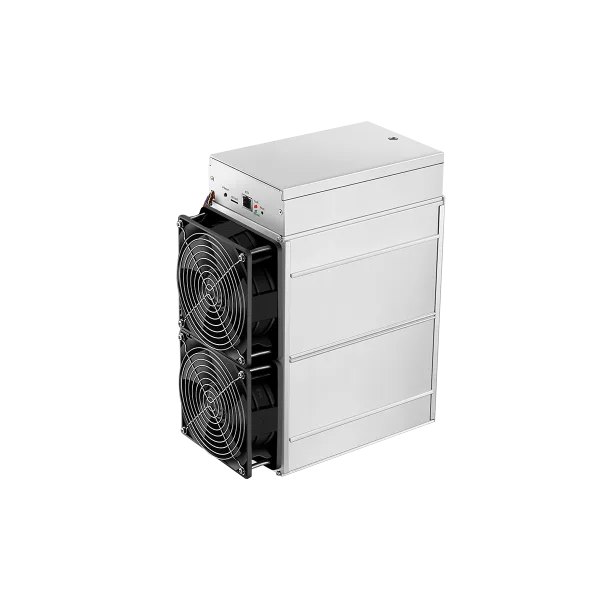
Bitmain Antminer Z11 Equihash official reference
Official Antminer Z11 reference: 135 KSol/s, 1,418 W and 10.5 J/KSol, with exact external-PSU and environmental source-conflict boundaries.
Quick answer
The Bitmain Antminer Z11 Equihash official reference is a Equihash miner rated about 135 KSol/s at roughly 1,418 W.
Full Specifications
| Model | Bitmain Antminer Z11 Equihash official reference |
|---|---|
| Model Number | Antminer Z11 |
| Manufacturer | Bitmain |
| Algorithm | Equihash |
| Hashrate | 135 KSol/s |
| Power Consumption | 1,418 W |
| Efficiency | 10.5 J/KSol |
| Cooling | Air |
| Voltage Range | 11.6-13.0 V DC miner input; external APW3/APW5/APW7; facility mains unresolved |
| Dimensions | 228 x 134 x 279 mm |
| Weight | 5.08 kg net |
| Status | OEM support reference |
Evidence-controlled Z11 reference: Antminer Z11 is an Equihash miner associated with ZEC in Bitmain’s algorithm map. The exact sources print 135K / 135k sol/s and 10.5 J/K. This page normalizes those source labels to KSol/s and J/KSol without changing their scale.
| Hashrate | Power | Efficiency at 25°C |
|---|---|---|
| 135 KSol/s | 1,418 W ±10% | 10.5 J/KSol ±10% |
Electrical and installation boundary
The miner requires 11.6–13.0 V DC through ten PCIe connectors. Bitmain’s roster supports APW3, APW5, and APW7. This is device-side DC, not facility mains. Ethernet is required and PoE is not supported. A qualified person must verify the exact PSU label, facility circuit, connectors, grounding, and disconnect.
| Frequency | Auto |
|---|---|
| Fans | Two 12038; source lists 6,000 RPM; 12 V / 2.4 A; 209.8 CFM |
| Hashboards / chips | 3 / 54 total |
| Sound / PCB maximum | 70 dB / 80°C |
| Dimensions / packed | 228 × 134 × 279 mm / 391 × 243 × 353 mm |
| Weight / packed | 5.08 kg / 5.8 kg |
Official environmental conflict: the specification lists 0–40°C and 5–95% humidity. The exact setup and precautions guide says to operate at 5–35°C and keep humidity below 65%. This page uses the conservative 5–35°C and below 65% safety lane while disclosing both; do not emit one unqualified normalized range in structured data.
Firmware, diagnostics, and repair
- Select Z11 and the exact revision in Bitmain’s firmware selector.
- Use Bitmain’s exact Z11 support hub.
- Use Bitmain’s exact Z11 setup and precautions guide.
- Use Bitmain’s diagnostic guide.
- Organize symptoms and logs.
- Request repair diagnosis.
- Open the family hub.
No architecture, tuning, economics, home, heat-use, compatibility, or interchangeability claim is asserted. Primary source: Z11 specification. Reviewed August 28, 2026.