Most “quiet bitcoin mining” advice stops at one trick: swap the fans, or build a box, or buy a hush kit. Each helps a little, but the noise comes back the moment the miner heats up and the fans spool to 100% to save themselves. Genuinely quiet bitcoin mining is a systems problem, not a single fix. The machine makes noise because it makes heat, and it makes heat because of how hard you push the silicon. Get the whole chain right — device choice, firmware-side power and fan tuning, and the physical enclosure — and you can run a real hashrate in a home without it sounding like a jet on a runway.
This is the end-to-end build guide. We’ll walk through picking a quiet-capable device, tuning power and fans in firmware (where the biggest, cheapest wins live), building an enclosure that actually moves air, and reading the one curve that ties it all together: the noise-versus-hashrate tradeoff. Every number here is grounded in our firmware research, not marketing copy.
Why your miner is loud (the physics, briefly)
An ASIC miner is a space heater that happens to do math. A stock Antminer S19 burns roughly 3,250 watts to produce about 95 TH/s — nearly all of that 3,250 W ends up as heat. To dump that heat, the stock fans run flat out, and fan noise scales steeply with RPM. Double the airflow and you don’t just double the dB; the sound climbs fast and turns from a hum into a roar. A stock S19-class unit lives around 75 dB, which is “loud conversation right next to a vacuum cleaner” territory, sustained, forever.
The single most important lever is therefore not the fan — it’s the wattage. Less power in means less heat out, which means the fans can spin slower for the same chip temperature, which means dramatically less noise. Soundproofing and ducting matter, but they’re treating the symptom. Power tuning treats the cause, and it’s free.
Step 1: Pick a quiet-capable device
Two paths lead to a quiet home setup, and they suit very different goals.
Path A — the genuinely small machine (Bitaxe and friends)
If your goal is to learn, run a lottery/solo node, or just have hashpower humming in a living room, a single-ASIC open-source board like a Bitaxe is the easy answer. A Bitaxe runs one industrial-grade chip — the same BM1366 (S19 XP class), BM1368 (S21 class), or BM1370 (S21 Pro class) silicon found in full machines — but only one of them, drawing somewhere in the 15–30 W range instead of thousands. That little heat load can be moved by a single small fan or even passively, so a Bitaxe is quiet by construction. It won’t pay your power bill back in hash, but for sovereignty, education, and a near-silent footprint, it’s unbeatable. Our Bitaxe hub covers the open-source ecosystem in depth.
Path B — the underclocked industrial miner
If you want meaningful hashrate, you start with a full ASIC and then refuse to run it at stock. This is where most people go wrong: they buy an S19, plug it in, and are shocked at the noise. The trick is to buy a quiet-capable machine and immediately underclock it. The best candidates are efficient modern units — an S19j Pro+ or an S19 XP class miner — because their efficiency curve is flat enough that you can pull a lot of power (and heat) out while keeping most of the hashrate. Browse current ASIC miners or start with our best bitcoin miners guide to match a model to your space.
Step 2: Tune power and fans in firmware (the biggest free win)
This is the step that turns a screaming industrial machine into a manageable one, and it costs nothing but a few minutes. Modern firmware uses power targeting: you pick a wattage/hashrate target, and the firmware’s autotuner derives the optimal frequency and voltage at runtime for your specific chips. Lower the power target and the heat drops with it — and so do the fans.
The numbers from our power-profile research make the case better than words. Take the standard 126-chip Antminer S19 (BM1398):
| Profile | Power | Hashrate | Efficiency | Noise behaviour |
|---|---|---|---|---|
| Stock (typical) | ~3,250 W | ~95 TH/s | 34.2 J/TH | Fans near max — loudest |
| Mid underclock | 2,475 W | 91 TH/s | 27.2 J/TH | Noticeably quieter |
| Deep underclock | 1,630 W | 67 TH/s | 24.3 J/TH | Quietest — half the heat |
Read that bottom row carefully. Dropping from ~3,250 W to 1,630 W cuts heat output roughly in half and improves efficiency by about 29% (from 34.2 to 24.3 J/TH). You keep 67 of the 95 TH/s — over two-thirds of the hashrate — for half the heat the fans have to fight. Quieter and more efficient is the rare free lunch in mining.
Other modern miners are even kinder to a quiet build. An S19j Pro+ will run 65 TH/s at just 1,450 W (22.3 J/TH), and an S19 Hydro in low-power mode hits 68 TH/s at 1,300 W (19.1 J/TH). The lower the wattage, the less air you have to move, and the slower — and quieter — the fans can spin.
One accuracy note for the curious: these wattage/hashrate profiles are real, but the frequency and voltage behind them are not fixed presets. The autotuner calculates them at runtime based on chip type, target, and the silicon quality of your individual unit, and voltage is regulated per power domain (groups of chips sharing a DC-DC converter), not per chip. That’s why two identical S19s at the same wattage target can land on slightly different clocks.
Where firmware fits the quiet build
DCENT_OS is D-Central Technologies’ GPL-3.0 open-source Bitcoin mining firmware for selected Bitmain Antminer ASIC miners. Guarded artifacts exist only for exact S9 XIL and S19j Pro XIL lanes; install evidence is incomplete and neither is production-ready. Check the exact evidence ledger.
Step 3: Build the enclosure (airflow first, foam second)
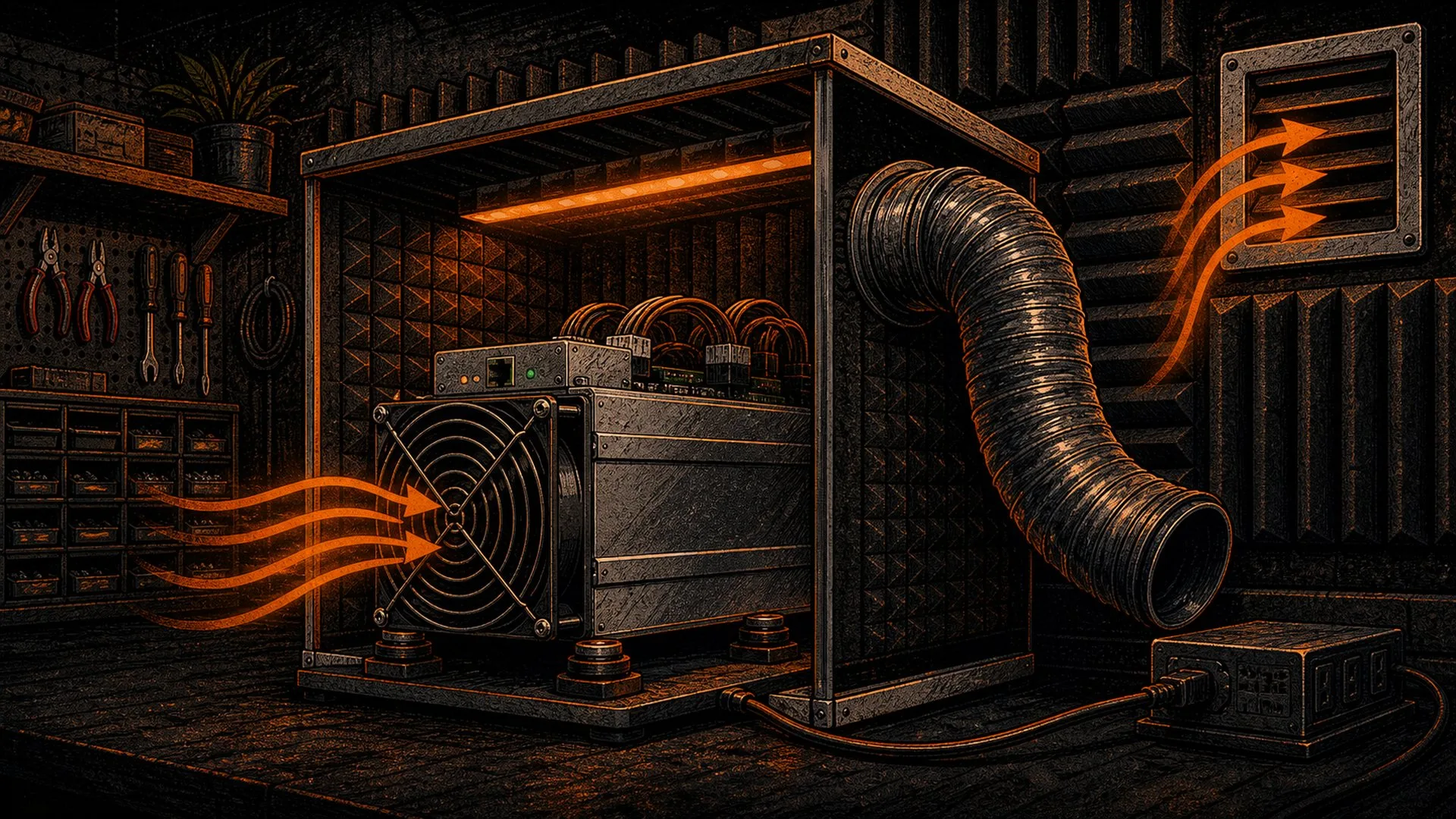
Now — and only now — does the physical build matter. The cardinal rule of a quiet enclosure is that it must move air, not trap it. A sealed box of acoustic foam will choke a miner, send chip temperatures climbing, and trigger the fans to ramp right back to maximum — louder than before, plus a thermal-throttle risk. Treat your underclocked machine’s reduced heat load as the budget the enclosure has to dissipate.
- Plan the air path. A miner pulls cool air in one end and exhausts hot air out the other. Your enclosure must give it a clear, low-restriction intake and a dedicated exhaust route — ideally ducted to another room, a window, or outdoors.
- Duct the exhaust. A flexible duct on the hot end carries the roar away from where you live. Insulated ducting also muffles the airflow noise itself.
- Line, don’t seal. Use mass-loaded vinyl or dense acoustic panels on the interior walls to absorb sound, but never block the intake or exhaust. Sound takes corners; air should take a straight path.
- Add a plenum. A baffled intake/exhaust chamber lets air change direction while sound energy gets absorbed on the bends — the single most effective trick in serious quiet builds.
- Mind the heat. Even halved, an underclocked S19 still dumps over a kilowatt of heat. In winter that’s free home heating; in summer, plan to vent it out. Never let intake air recirculate warm exhaust, or the fans win the argument again.
The noise-versus-hashrate tradeoff curve
Everything above is really one decision: how far down the power curve are you willing to go to buy silence? There’s no universal answer, only your tolerance and your space.
| If you want… | Aim for… | Expect… |
|---|---|---|
| Near-silent, living-room friendly | Bitaxe-class single-chip, or a deeply underclocked unit in a ducted enclosure | Lowest hashrate, easiest to live with |
| Quiet, real hashrate, garage/basement | Efficient miner at a deep underclock (e.g., S19 @ 1,630 W) + airflow-first enclosure | ~70% of hashrate, big efficiency gain, manageable noise |
| Max hashrate, noise be damned | Stock or overclocked, isolated outbuilding | Full hashrate, full roar — not a home build |
The sweet spot for almost every home miner is the middle row: pick an efficient machine, underclock it hard in firmware, and build an enclosure that moves the (now reduced) heat away. You sacrifice some hashrate, but you gain efficiency, hardware longevity from cooler operation, and a home you can actually live in.
A note on running cool and quiet for the long haul
Quiet operation is also gentle operation. A machine that idles at lower temperatures with slower fans wears its bearings, capacitors, and hashboards far more slowly than one pinned at thermal limits. If you do hit trouble down the road — a dead board, a failed fan, intermittent hashrate — that’s repairable; our ASIC repair service exists precisely so a quiet, underclocked workhorse can keep running for years rather than being scrapped.
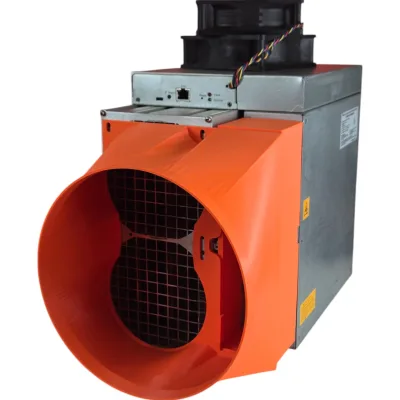
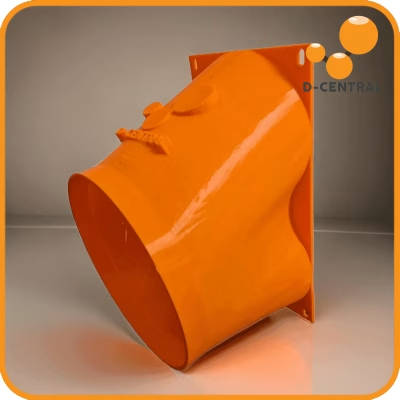
One more layer worth knowing about: the D-Central Shroud System now includes expansion-chamber duct silencers for the miners in this guide. They work on geometry: an expansion chamber to break up broadband noise, and on the tuned bodies a quarter-wave side branch aimed at the blade-pass tone of the fan pair. One layer in the quiet-mining stack, not a magic fix.
Frequently asked questions
Does underclocking a miner actually make it quieter?
Yes, and it’s the most effective single change you can make. Lower power means less heat, which lets the fans spin slower for the same chip temperature — and fan noise scales steeply with RPM. Dropping a 126-chip S19 from ~3,250 W to 1,630 W roughly halves its heat output while keeping about 67 of 95 TH/s, so the fans simply have far less to fight.
What’s the quietest bitcoin miner for a home?
For true near-silence, a single-ASIC open-source board like a Bitaxe wins — it runs one industrial chip at 15–30 W, so a small fan (or none) handles the heat. For meaningful hashrate, the quietest practical choice is an efficient modern miner (S19j Pro+ or S19 XP class) run at a deep underclock inside an airflow-first enclosure.
Can I just put my miner in a soundproof box?
Not a sealed one. A closed box traps heat, chip temperatures climb, and the fans ramp to maximum — louder than before, plus a throttle and failure risk. A quiet enclosure must move air: clear intake, ducted exhaust, and acoustic lining only on surfaces that don’t block airflow.
Will underclocking hurt my mining profitability?
You earn less raw hashrate, but you spend far fewer watts per terahash. An underclocked S19 can hit ~24 J/TH versus ~34 J/TH at stock — about a 29% efficiency gain. Whether that nets out positive depends on your electricity cost; for home miners with normal residential rates, running efficient and quiet is usually the smarter play than maxing hashrate.
Build it as one system
Quiet bitcoin mining isn’t a gadget you bolt on at the end — it’s a chain of decisions, each one reinforcing the last. Choose an efficient, quiet-capable device. Underclock it in firmware to cut heat at the source. Then build an enclosure that moves that reduced heat away instead of trapping it. Do all three and you get the rare outcome of a home miner that’s quieter, more efficient, and longer-lived all at once.
Ready to build yours? Browse quiet-capable miners matched to home setups, and if you want firmware-level control over power and fan curves, join the DCENT_OS beta waitlist — one more layer of your stack, decentralized and under your own control.

Getting the heat and the noise out of the room
Airflow is the part of a home build people solve last and regret first. Work out where the hot air is actually going before you buy anything: measure the fan face, choose a duct size, then match a shroud to the machine. Fitment is dimensioned from published fan spacing, so confirm your own fan size before ordering.