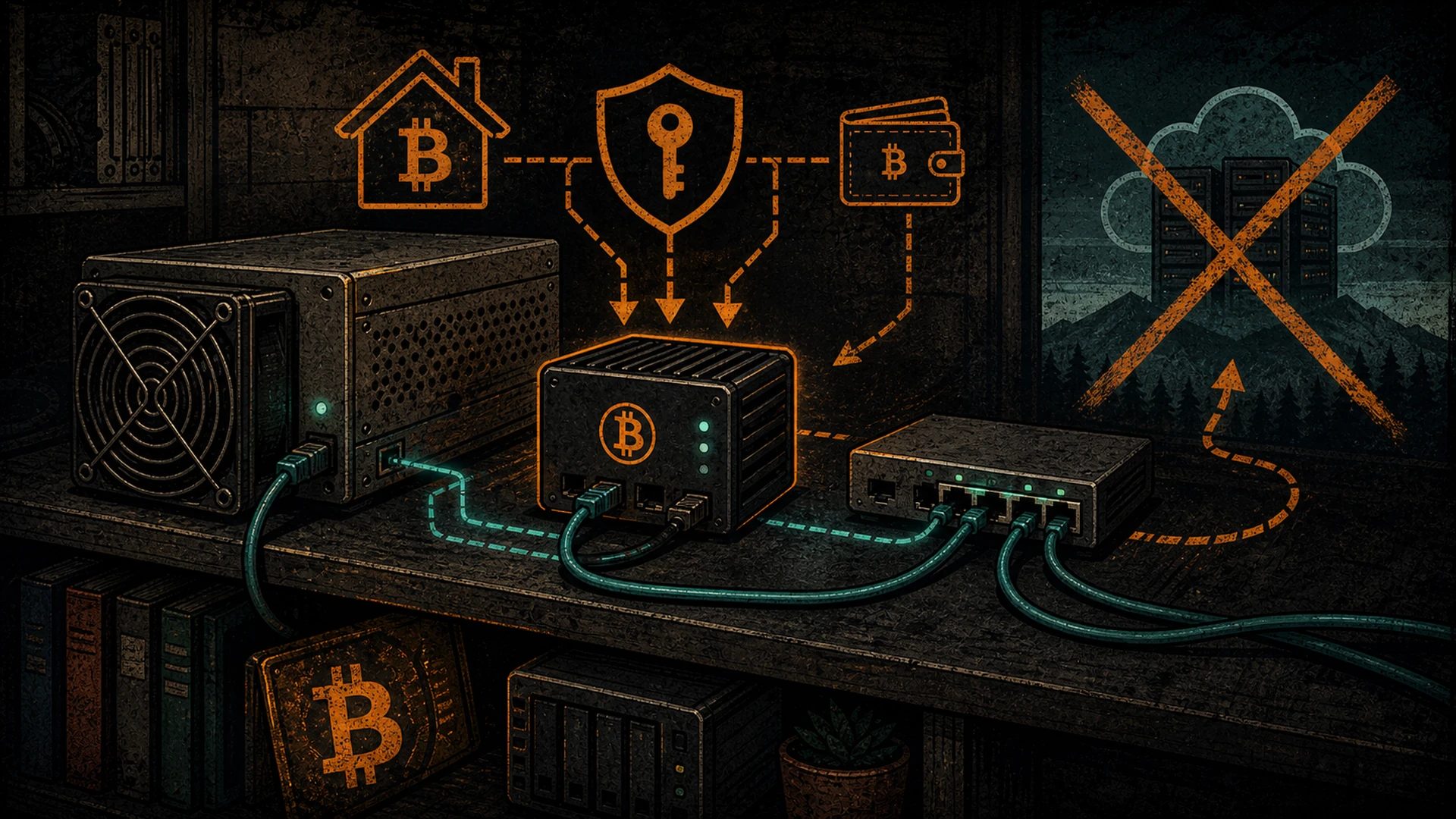
You already run a node. Maybe it is a Raspberry Pi tucked behind the router, maybe a refurbished mini-PC humming in a closet, maybe a proper box you built to validate every block for yourself. The point is the same: you bought the hardware, you own it, and nobody can switch it off. That is the whole reason you run your own node instead of trusting somebody else’s.
So here is a thought worth chewing on. The AI world is converging on the same pattern Bitcoiners figured out years ago: the open tools are catching up to the closed ones, and you can run them on hardware you control instead of renting time on a stranger’s server. Hermes Agent, an open-source agent from Nous Research, is one of those tools. If you have a box capable of running a node, you are already most of the way to hosting an agent on it — no VPS, no monthly cloud bill, no account that can be frozen.
This is a sober, honest walkthrough of what that actually means: what works, what does not, and where the hardware reality bites. We are not going to oversell it.
Why self-host an agent at all?
The pitch for a hosted AI agent is convenience: someone else runs the servers, you pay a subscription, you never think about hardware. The pitch for self-hosting is the exact argument you already accepted when you ran your own node.
- Sovereignty. A hosted agent lives on infrastructure you do not control. Terms change, accounts get suspended, prices climb. An agent on your own box answers to you and nobody else.
- Privacy. When the agent runs locally against a local model, your prompts and data never leave the room. There is no third party logging what you ask, no telemetry phoning home. For anyone who values not being the product, that is the whole game.
- No rent. You bought the hardware once. Running software on it does not add a recurring bill. A VPS or a per-token API does — forever, and the meter never stops.
- It is the same instinct as your keys. Not your keys, not your coins. Not your compute, not your agent. Owning the silicon the agent runs on is the logical extension of running your own node.
None of this means self-hosting is strictly better for everyone. It means the trade is yours to make on your terms — which is the part that matters. If you want the deeper case for keeping your own infrastructure, that is the spine of our sovereignty work.
What Hermes Agent actually is
Credit where it is due: Hermes Agent is built and released by Nous Research, an open-source AI lab, and it is published under a permissive open licence. We did not build it and we are not affiliated with it — we just think it fits the sovereign-hardware story well, the same way Ollama, Bitcoin Core, and a hundred other open tools do.
As of mid-2026, the short version is this: Hermes Agent runs as a persistent process on a machine you own. It keeps memory across sessions instead of forgetting everything when the chat window closes, it can run scheduled tasks, and it can call tools — web search, page extraction, and so on. Crucially for our purposes, it does not require a cloud model. It speaks to whatever model backend you point it at, including local models served by Ollama on the same box. Run it that way and there is no telemetry and no cloud lock-in; your data stays on your machine.
That last detail is what makes it interesting to a node operator. The agent is just software; the brains it uses can be a local model running on hardware you already own.
The hardware reality — and one thing it is not
Let us kill the most common confusion before it starts, because it matters.
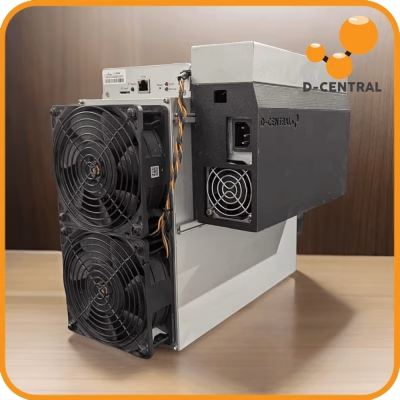
The agent does not run on your mining ASIC. It runs on your node box — the CPU/GPU machine. A Bitcoin SHA-256 ASIC is fixed-function silicon. Its control board is a tiny embedded computer (on older Antminers, a dual-core ARM chip clocked around 667MHz with a couple hundred megabytes of RAM) whose only job is to feed work to the hashing chips. It cannot run a language model, and no firmware changes that. We dig into exactly why in can you run AI on a Bitcoin miner.
So when we say “host the agent on the same box as your node,” we mean the general-purpose computer your node software runs on — a Pi, a mini-PC, a small server, a desktop with a GPU. That is the machine that can do real inference. The miner stays a miner.
Now, what can that box actually handle? Be honest with yourself about it. As of this writing, Nous publishes Hermes models in a few sizes, and they ship as GGUF quantizations you can run through Ollama:
- A small model (around 3B parameters) can run on roughly 4 GB of VRAM and is the realistic target for an edge box or an entry GPU. Treat these numbers as a snapshot — quantization levels and releases move, so check the current model card before you commit.
- A mid model (around 8B parameters) at a sensible quantization wants something in the neighbourhood of 6–8 GB of VRAM. That is a modern consumer GPU, not a Raspberry Pi.
- The agent itself expects a model with a large context window (Nous notes a model needs roughly 64K tokens of context to handle multi-step tool use). A model below that can chat, but it will struggle to drive the agent’s longer workflows.
Read those as as-of-mid-2026 figures, not gospel. The honest takeaway: a bare Raspberry Pi node can run the agent process, but it will not give it a strong local brain — you would either point it at a hosted model or accept a very small one. A node box with a decent GPU, or a separate machine on your LAN with one, is where local inference becomes genuinely useful.
Running it alongside your node
Here is the part nobody selling you a cloud subscription will say out loud: your node and an AI agent want different resources, and they can step on each other if you are not careful.
- Bitcoin Core is RAM- and I/O-sensitive, not GPU-bound. It wants memory and fast disk for the UTXO set and validation. Inference is the opposite — it leans hard on the GPU (or chews CPU and RAM if you have no GPU). On paper they do not compete for the same bottleneck, which is good news.
- But shared RAM is real. If your node and a local model are fighting over the same modest pool of memory, both suffer. On a small box, run the model small or run it on a different machine on your network.
- Heat and power add up. A GPU under inference load draws watts and makes heat. That is fine in a Hashcenter or a well-ventilated room; it is worth a thought in a closet that already has a node and a drive warming things up.
- Disk space. A pruned node is light, an archival node is not, and model weights add gigabytes on top. Plan storage before you start, not after.
The clean pattern for most people is simple: keep the node doing its one sacred job, and either put the model on the same box only if it has the headroom, or run inference on a second machine and let the agent talk to it over the LAN. Two boxes you own still beats one box somebody else owns.
What you give up versus a hosted agent
We are not going to pretend self-hosting is free of cost. It is not. Here is the honest ledger.
- Raw model quality. The biggest frontier models live in data centres with hardware you will never put in a closet. A local 3B or 8B model is capable and improving fast, but it is not going to match the largest hosted models on the hardest tasks. For a lot of practical agent work it is plenty; for cutting-edge reasoning it is a compromise you are choosing on purpose.
- Setup effort. A hosted agent is a signup form. Self-hosting is you installing software, pulling a model, and tending the box. Hermes installs via a single command and supports Linux, macOS, and WSL2, which lowers the bar — but it is still your job to keep it running.
- Maintenance is on you. Updates, restarts, the occasional broken dependency. The flip side of nobody being able to switch it off is that nobody else fixes it either.
We are not going to make uptime, speed, or “it is faster than a VPS” promises, because that depends entirely on your hardware and your model choice. What we will say plainly: you trade a little convenience and a little frontier quality for full ownership and zero rent. Whether that is a good trade is your call — exactly as it should be.
Getting started
If you want to try it, the path is short and every piece is open. Nothing here costs a subscription.
- Pick your box. Decide whether the agent will live on your node machine or a separate computer on your LAN. If you want local inference that is actually useful, make sure that box has a GPU with enough VRAM for the model size you want.
- Install a local model server. Ollama is the friendly default: it downloads weights, handles GPU memory, and serves a standard API on your own machine. Pull a Hermes model in a size your hardware can handle.
- Install Hermes Agent. Follow Nous Research’s own documentation — it installs with a single command on Linux, macOS, or WSL2. Always trust the upstream project’s instructions over any third-party blog, including this one, for exact steps.
- Point the agent at your local model. Configure Hermes to use your Ollama endpoint instead of a cloud provider. Now the loop is closed: open agent, open model, your hardware, your data.
- Start small. Give it a simple, low-stakes task first. Confirm it behaves before you let it run scheduled jobs unattended.
If you want a self-hosting box and would rather buy proven, refurbished hardware than chase new, our shop carries gear with life left in it — the same reuse-over-waste ethic that runs through everything we do. And for the broader case for self-hosting your own AI, that thread lives across our AI self-hosting coverage.
One more angle worth a look once you have it running: an agent on your own node can also be wired to pay for things in Bitcoin over Lightning, without a credit card in the loop. We cover that in when your agent pays its own bills in sats. Own the compute first; let it spend sats second.
FAQ
Can I run Hermes Agent on my Bitcoin mining ASIC?
No. A SHA-256 ASIC is fixed-function silicon built for one math operation, and its control board is a tiny embedded computer that only feeds work to the hashing chips. The agent runs on your general-purpose node box — a Pi, mini-PC, or GPU machine — not on the miner. Same rack, different hardware.
What hardware do I actually need?
For the agent process, almost any machine that can run a node. For useful local inference, a GPU with enough VRAM for your chosen model — as of mid-2026, roughly 4 GB for a small (~3B) model and 6–8 GB for a mid (~8B) model at a sensible quantization. Treat those as a snapshot and check the current model card, since releases and quant levels change.
Is Hermes Agent really free and open source?
Hermes Agent is released by Nous Research under a permissive open licence, and run against a local model via Ollama there is no subscription and no telemetry. You still pay for your own electricity and hardware — “free” means no rent to a cloud provider, not free of physics.
Will a self-hosted agent be as good as a hosted one?
On raw model quality, the largest hosted models still have an edge for the hardest tasks — they run on data-centre hardware you will not match at home. For a lot of everyday agent work, a good local model is plenty. You are trading some frontier capability and convenience for ownership, privacy, and no recurring bill. We make no speed or uptime promises; that depends on your box.
Why bother instead of just renting a VPS?
Same reason you run your own node instead of trusting a block explorer. A VPS is hardware someone else controls, with a bill that never stops and an account that can be frozen. If you already own a capable box, hosting the agent yourself means your compute and your data answer to you. Convenience has a price; so does sovereignty. Pick the one you can live with.
D-Central is a team of Bitcoin mining hackers. We are not affiliated with Nous Research or Ollama — we just respect open tools that let you own your own stack, one more layer at a time.